
 View on Asset Store (opens in new tab)
Package details
- Latest version
- 1.7.3
- Last updated
- First released
- Unity version
- 2022.3.62 or later
- Package size
- 6.1 MB
- Files
- 171
- Favorites
- 8
- Views in the past week
- 33
Price tracking
- Last checked
- Tracked since
- Lowest recorded
- Free on
Keywords

PerfLint - Optimization for AI Agents
Optimize FPS, build size and assets with your AI agent. Get local diagnostics, fix plans and compile-checked code edits.
Affiliate link · Purchases support this site
Price history
Last 6 months
USDAsset preview
1 / 7
PerfLint - Optimization for AI Agents screenshot 1
About this asset
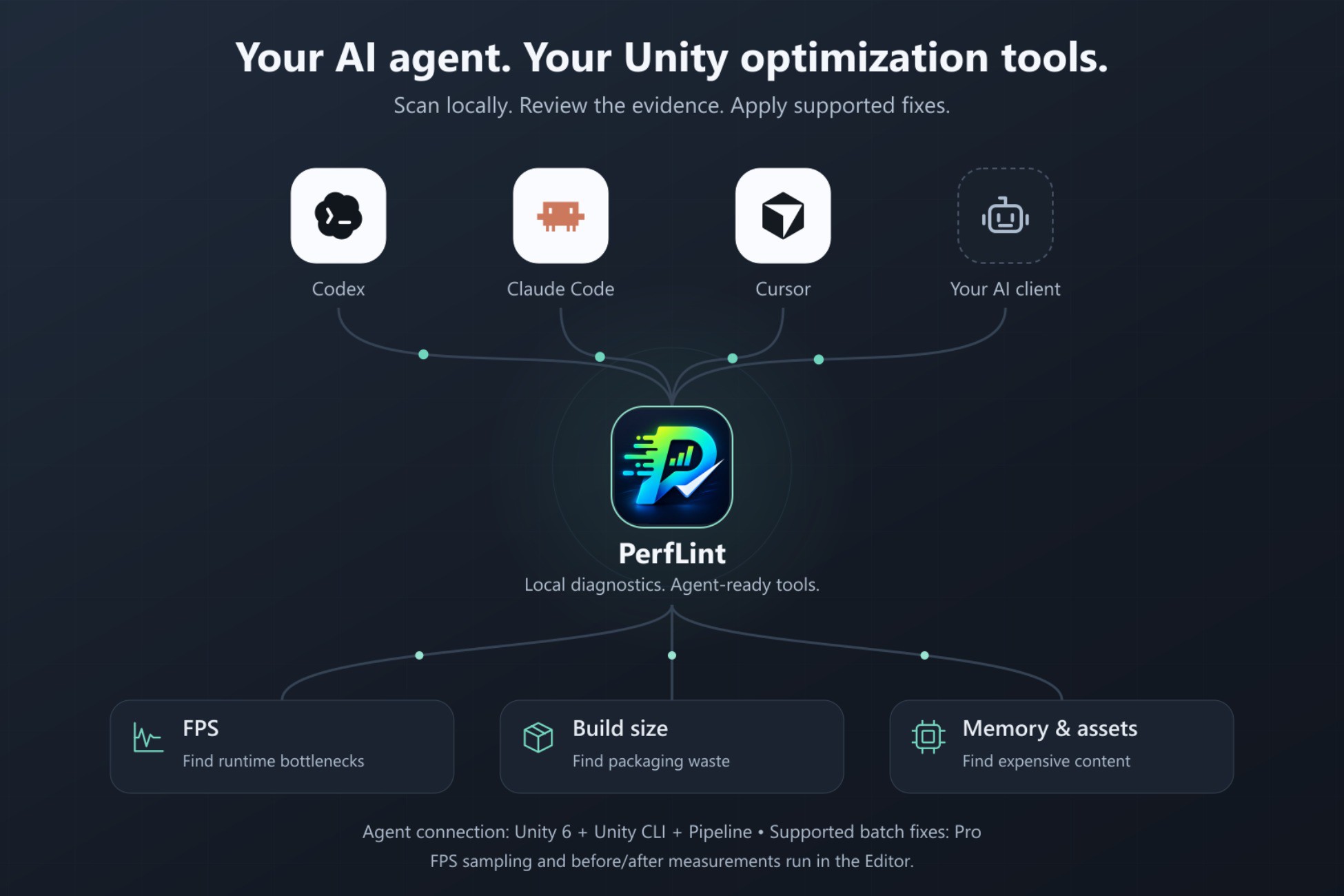
Use the AI agent you already work with to optimize your Unity project. Ask what is slowing a scene down, what is bloating the build, or which assets are wasting memory. PerfLint gives your agent local diagnostics, actionable findings and tools to apply supported changes.
Connect through Unity CLI/MCP, keep the Editor open, and work from your existing conversation. Review the evidence and proposed changes, approve the supported fixes, then check the results. Agent access requires Unity 6, Unity CLI and the Pipeline package. The standalone Editor tools also work on Unity 2021.3+.
FPS: FIND THE BOTTLENECK, THEN MEASURE AGAIN
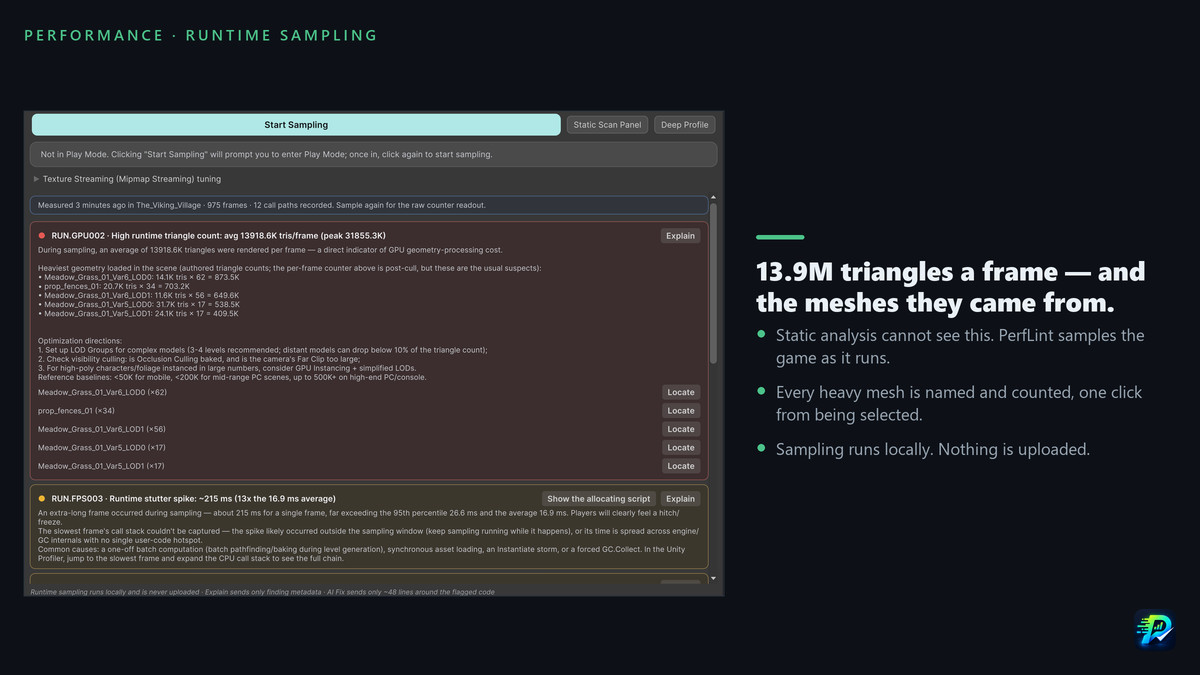
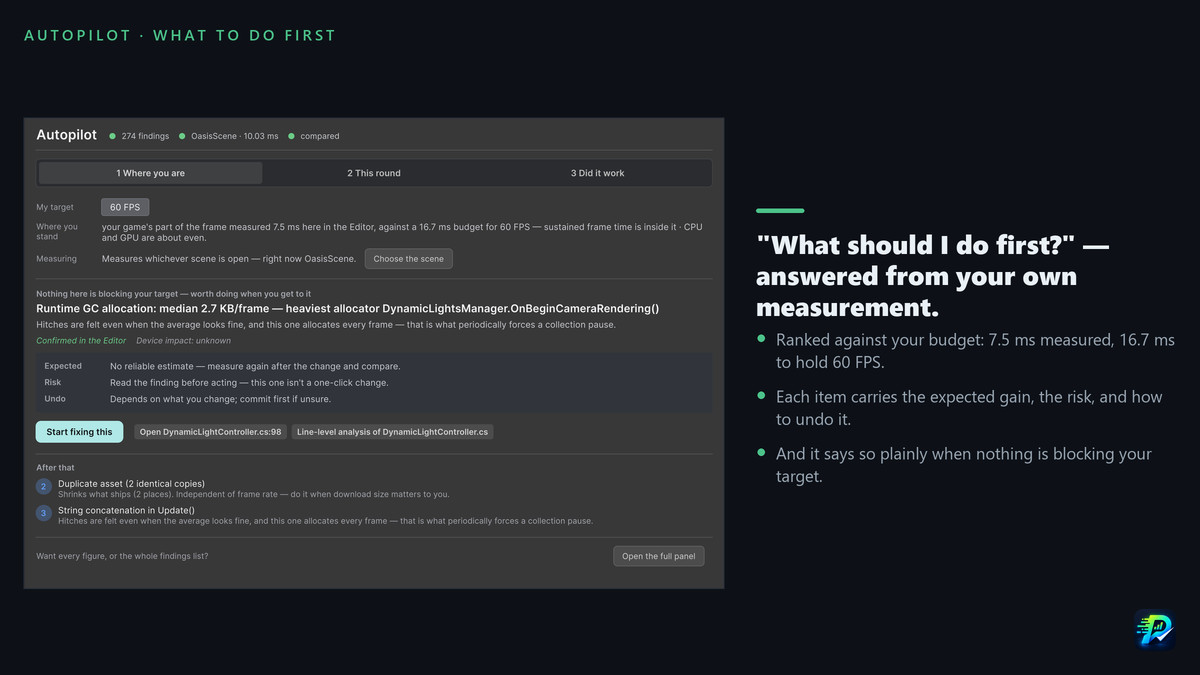
Record a runtime sample in PerfLint's Editor panel, then ask your agent to inspect that scene's saved findings. Investigate frame-time spikes, GC allocations, CPU hotspots and rendering costs where the available profiling data supports them. Follow the affected scripts and assets, make a targeted change, and use Autopilot to compare a repeatable before/after workload.
Sampling and before/after measurements run in the Editor. The agent can read saved runtime findings; it does not start sampling through PerfLint's CLI. A clean compile or fewer findings does not prove a higher FPS. Verify the final performance on your target device.
BUILD SIZE: FIND WHAT YOU ARE SHIPPING TWICE
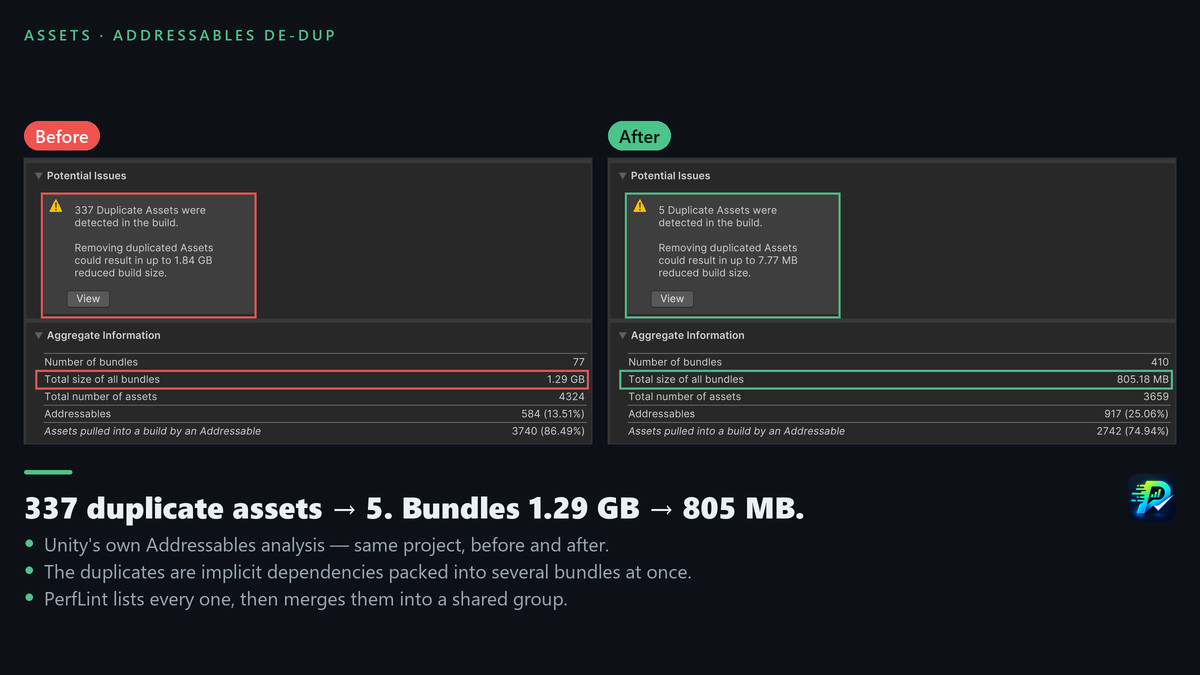
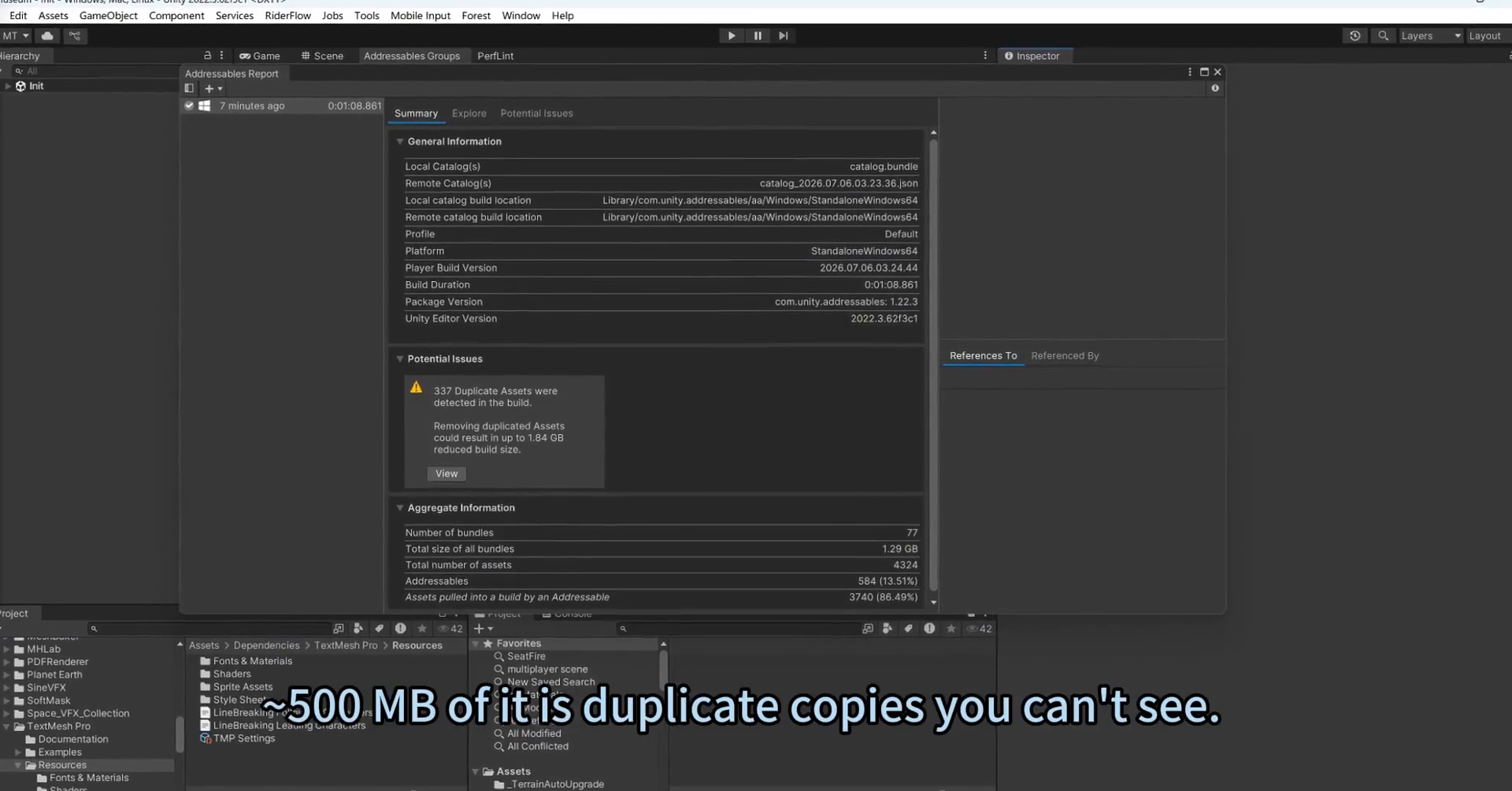
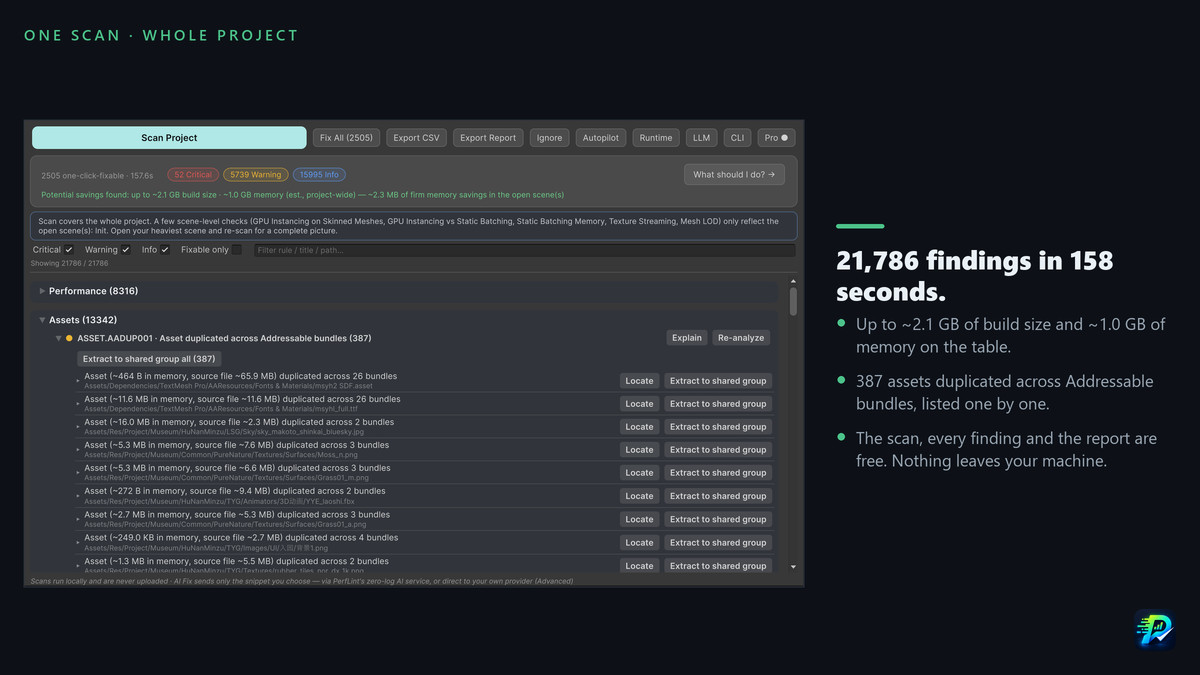
Inspect duplicate assets and implicit dependencies packed into multiple AssetBundles or Addressables bundles. Find Resources dependencies and other packaging waste. Ask for a build-size plan that separates supported automatic fixes from changes that need your review in the Editor.
A previous project reduced duplicate Addressables entries from 337 to 5, with total bundle size falling from 1.29 GB to about 805 MB. This is a measured project example, not a guaranteed result or an all-agent execution demo. Duplicate merges and Addressables regrouping use the Editor's guarded workflows.
MEMORY & ASSETS: TRIM THE CONTENT COST
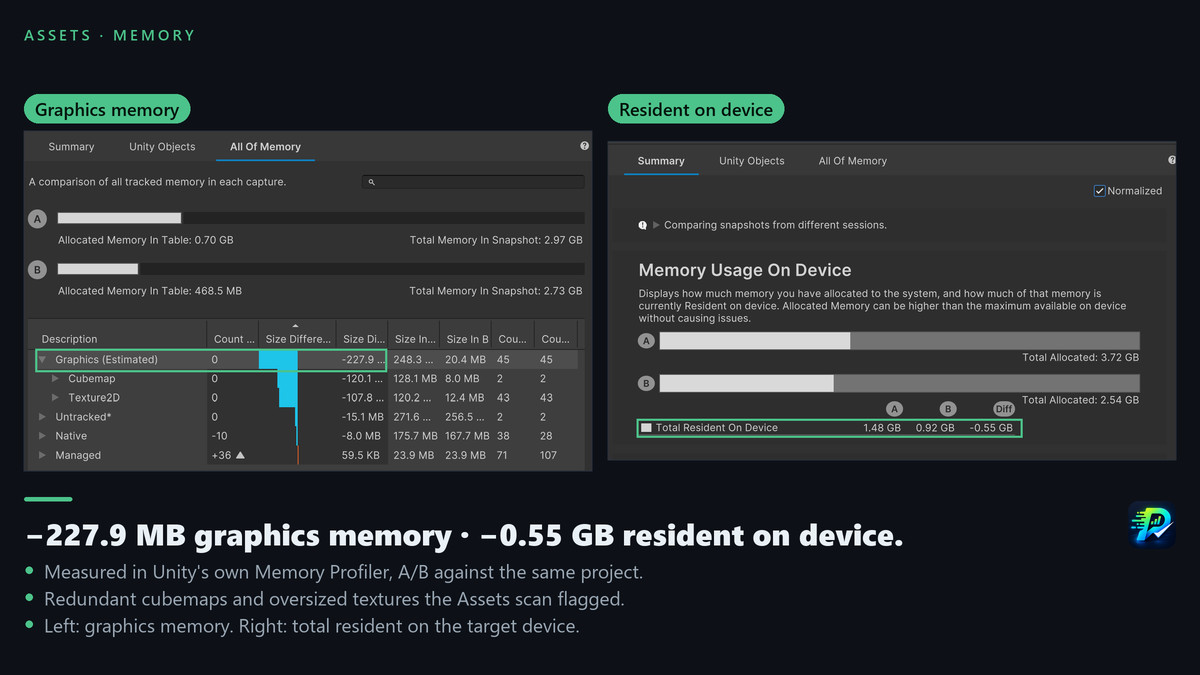
Inspect texture, mesh and audio settings, compression problems and redundant content. Review the evidence for the open scene and the trade-offs before changing quality or behavior. With Pro, your agent can apply the supported deterministic import/project-setting fixes and re-scan. Items that need a decision stay in the plan for you to review.
CODE EDITS WITH UNITY COMPILATION CHECKS
For supported C# and shader edits submitted through PerfLint's verification tools, PerfLint backs up the file before writing, checks compilation and restores the original if compilation fails. Your agent must check the final verification status. This workflow is available on Free and Pro and uses your agent's own model, without spending PerfLint AI credits. Compilation checks do not replace gameplay or performance testing.
FREE AND PRO
Free: local scanning, all findings, optimization plans, shareable HTML reports, agent-authored code verification, and a daily allowance for the optional in-editor Explain / AI Fix helpers. No account is required to scan.
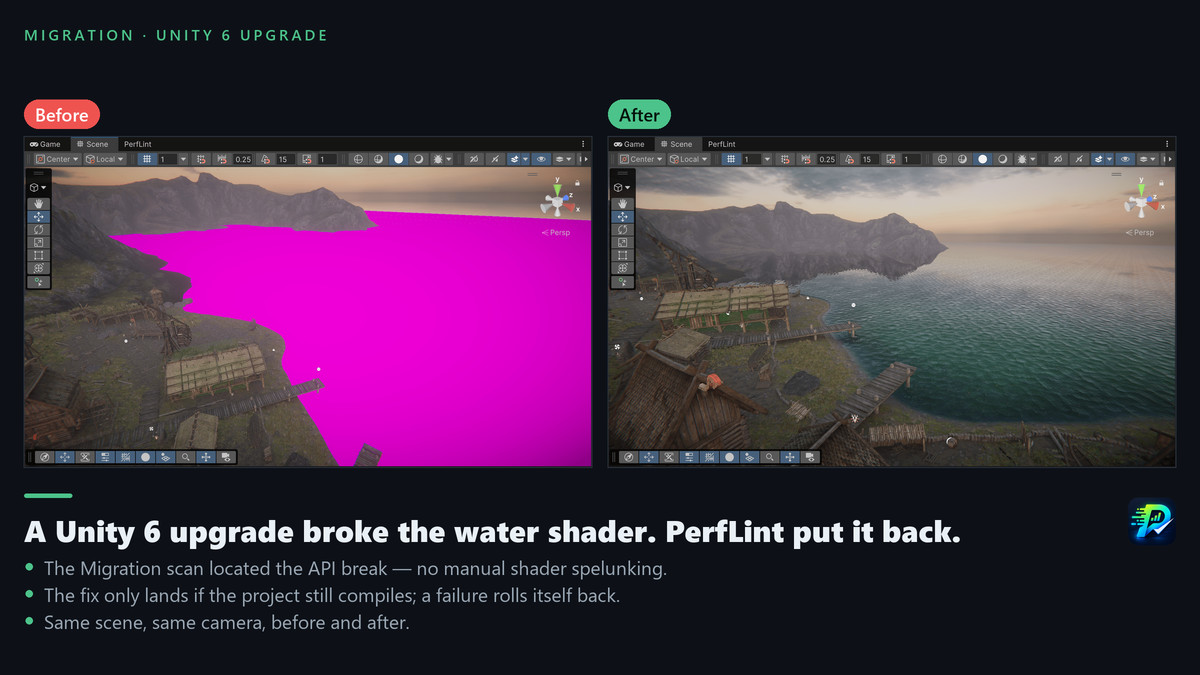
Pro: supported one-click and batch settings fixes, guarded duplicate-asset merge, the whole-file migration assistant, and a larger hosted AI allowance. Pro is an optional subscription on perflint.dev. This Asset Store package remains useful on its own for diagnosis and reports.
You can bring your own DeepSeek or Anthropic Claude API key on either plan. External agent subscriptions and model usage are separate from PerfLint credits.
LOCAL SCANNING, CLEAR AI BOUNDARIES
PerfLint's scan runs locally without uploading project code or art assets. When you connect an external agent, the requested findings, including paths and source locations where available, are returned to that agent. Any code it reads follows its own permissions and data policy.
The optional in-editor Explain / AI Fix helpers send the finding information or selected code disclosed in the interface to the configured provider. Hosted requests use PerfLint's proxy; a bring-your-own key connects directly to your provider.
Commit your project before applying changes. Import-setting fixes are restored through version control, not Edit > Undo.
From the publisher's Asset Store listing.
Technical details
EDITOR TOOLS
• Unity 2021.3+; Windows, macOS and Linux.
• Core scanning works without an AI agent or API key.
• Optional Addressables 1.16.0+ and URP 10.0.0+ enable their respective checks.
• Optional Roslyn script analysis adds deeper C# checks.
• Editor interface: English and Chinese.
AGENT CONNECTION
• Unity 6, Unity CLI, com.unity.pipeline and a running Editor.
• Use a compatible local MCP client, or an agent with terminal access to Unity CLI.
• Setup routes include Codex, Claude Code, Cursor and GitHub Copilot. Client icons identify configuration options, not endorsement or a claim that every client has received end-to-end testing.
• PerfLint supplies commands through Unity's MCP connection; no separate PerfLint MCP server is required.
DIAGNOSIS AND EXECUTION
• Static checks across performance, assets, migration and project settings.
• Saved runtime findings include scene/context information; record the sample in the Editor first.
• Build-size plans cover the project; memory plans are scoped to dependencies of the open scene.
• Supported deterministic batch fixes require Pro; trade-offs and destructive operations stay in their Editor workflows.
• C# / shader edits submitted through apply_verified are backed up and checked by compilation. Read verify_status for asynchronous C# verdicts.
• A shareable HTML report includes the static health score and grade; these are not FPS measurements.
VERIFICATION
• Re-scan to check diagnostic changes; rebuild to measure build-size changes.
• Use comparable runtime samples to assess performance; validate on target hardware.
• Commit or back up first. Import-setting fixes do not support Edit > Undo.
Compatibility
| Unity version | Built-in | URP | HDRP | Custom |
|---|---|---|---|---|
| 6000.5.0f1 | Compatible | Compatible | Compatible | Compatible |
| 2022.3.62f3 | Compatible | Compatible | Compatible | Compatible |
As listed on the Asset Store.