
 View on Asset Store (opens in new tab)
Package details
- Latest version
- 1.1.0
- Last updated
- First released
- Unity version
- 2022.3.60 or later
- Package size
- 44 KB
- Files
- 25
- Views in the past week
- 5
Price tracking
- Last checked
- Tracked since
- Lowest recorded
- $19.99 on
Keywords

Smart Animator Accessor Pro
Generate type-safe C# wrappers for your Animator Controllers with one right-click. Auto-regenerate, BlendTree & Override support, validator, diff preview, and a typed StateMachineBehaviour base class.
Affiliate link · Purchases support this site
Price history
Last 6 months
USDAsset preview
1 / 5
Smart Animator Accessor Pro screenshot 1
About this asset
Smart Animator Accessor Pro
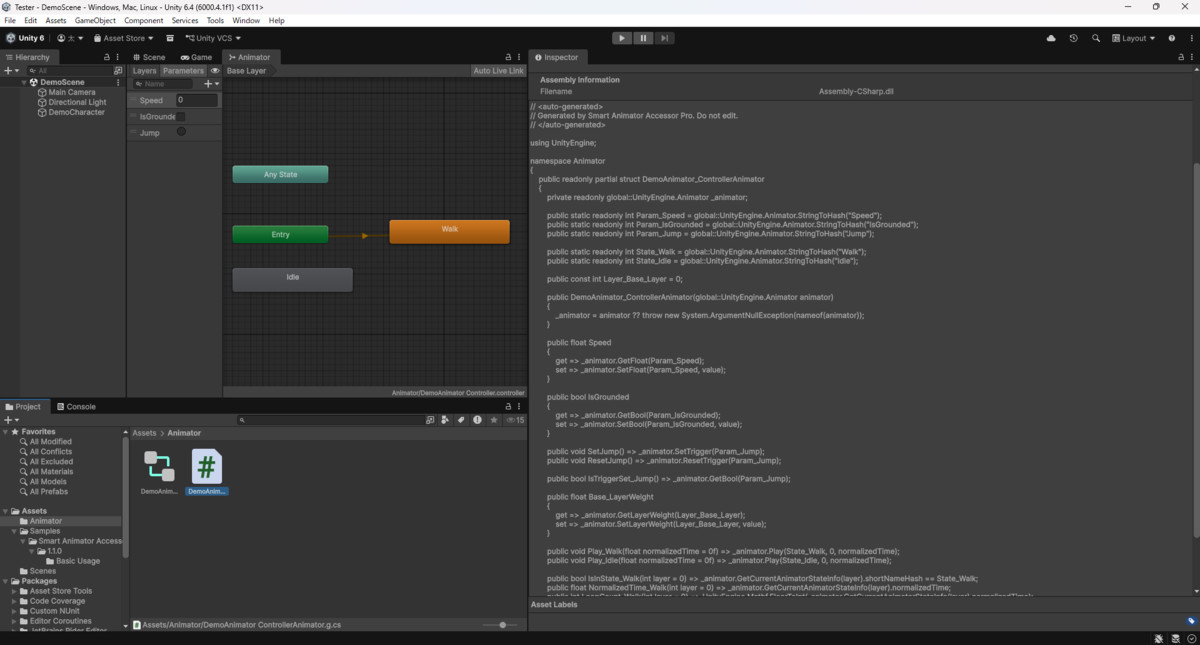
Generate type-safe C# wrappers for your Animator Controllers — and keep them in sync automatically. Instead of animator.SetBool("IsRunning", true), you write anim.IsRunning = true. Typos become compile errors, every lookup uses a pre-computed StringToHash value, and the wrapper is a readonly struct with zero heap allocation.
Pro is a standalone package. It does not require the free edition.
Why Pro
The free edition generates a typed wrapper. Pro keeps it always in sync, works with your real production setup, and adds the runtime helpers you would otherwise hand-write:
- Forgot to regenerate? Pro re-emits the wrapper every time you save the controller — and skips the write when nothing changed, so your version control stays clean.
- Using AnimatorOverrideController per character? Pro resolves the base controller automatically and generates a working wrapper.
- Driving a BlendTree with multiple parameters? Pro walks every BlendTree (1D / 2D / Direct, recursively) and documents its input parameters inline.
- Need to know if you are in a state right now? Pro adds IsInState_*, NormalizedTime_* and LoopCount_* helpers.
- Working with layers like UpperBody? Pro emits Layer_* constants and *Weight properties with the layer index baked in.
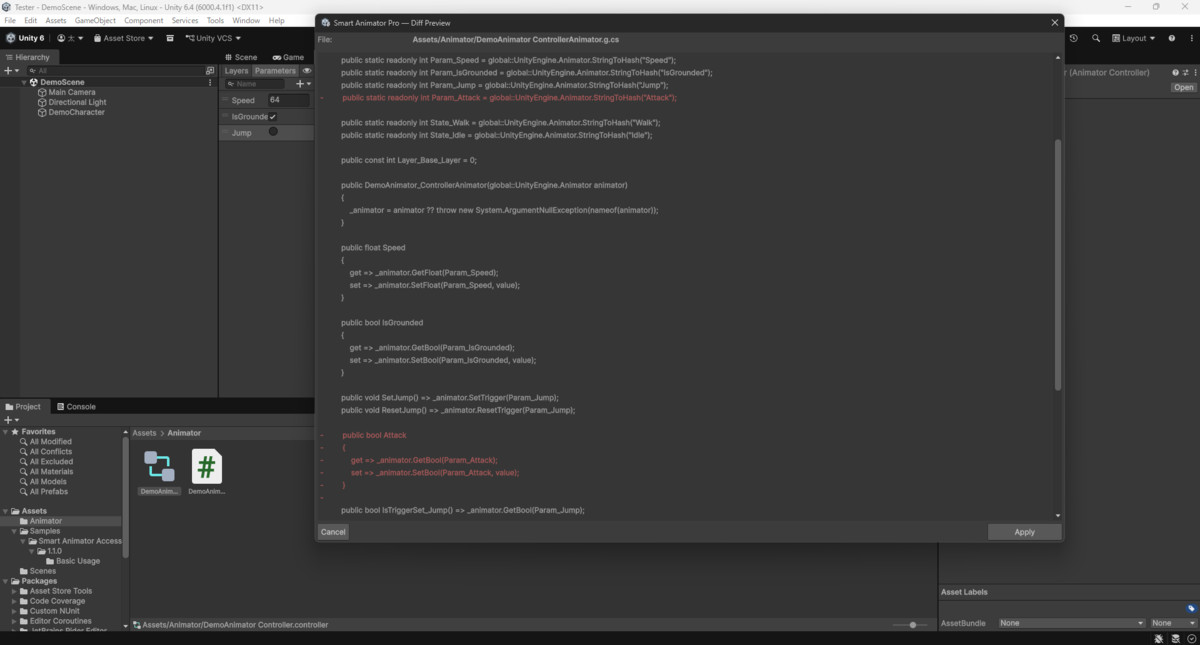
- Worried about overwriting your tweaks? Pro can preview the diff before writing, and never silently overwrites a hand-written file.
- Your team has a code style? Supply a custom template and Pro emits to match it.
Code Generation
- Float / Int / Bool parameters become get/set properties.
- Trigger parameters become SetX() / ResetX() methods, plus an IsTriggerSet_X() check.
- States become Play_State() helpers, with the layer index baked in.
- State runtime helpers: IsInState_*, NormalizedTime_*, LoopCount_*.
- Layer helpers: Layer_* constants and *Weight properties.
- BlendTree discovery with input parameters documented inline.
- AnimatorOverrideController support, base controller resolved automatically.
- Safe identifiers: non-ASCII names, C# keywords, spaces and hyphens are all handled. Reserved words such as class or int compile correctly.
- Custom templates: drop a <Controller>.template.txt next to the controller to control the emitted format.
Editor Workflow
- Auto Regenerate — saving a .controller re-emits the matching *Animator.g.cs. Toggle per project.
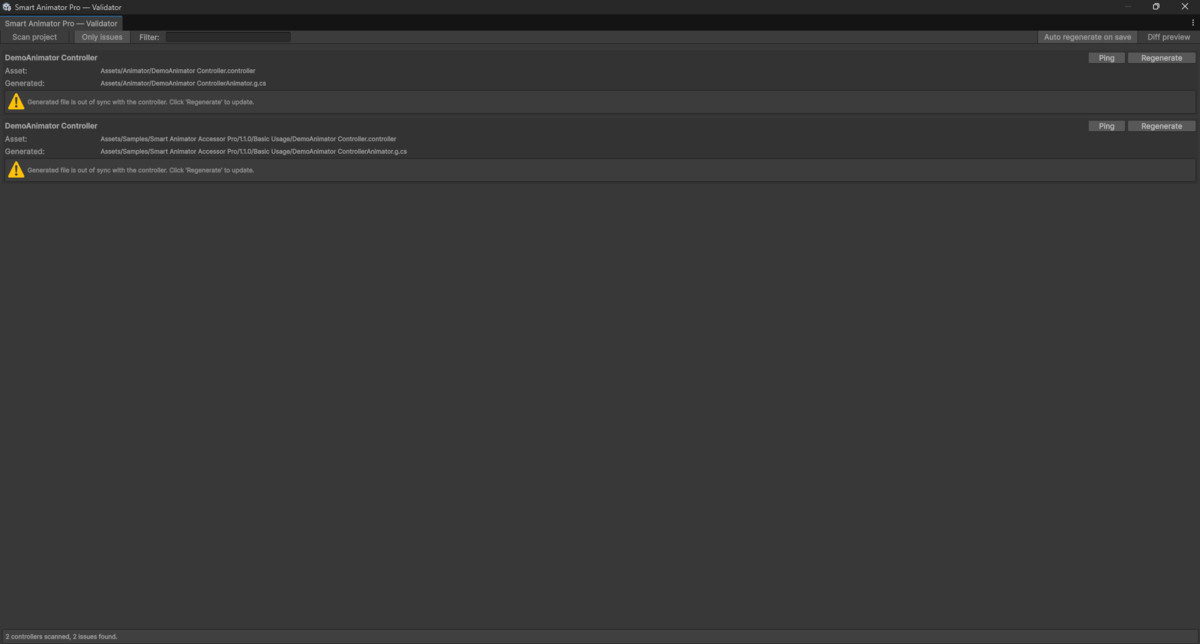
- Validator Window — scans the project for controllers whose generated file is out of sync, lists sanitized identifiers and duplicate state names, and regenerates with one click.
- Diff Preview — review the exact changes before they are written. Apply or cancel.
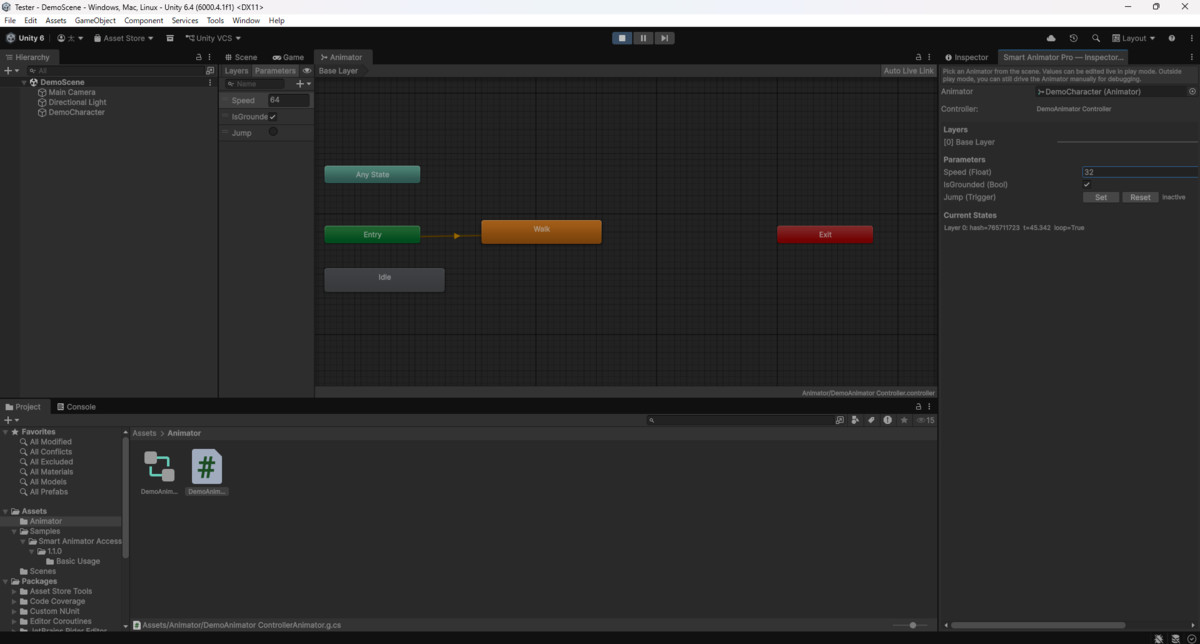
- Inspector Companion — read and write the live Animator through the wrapper while in play mode.
Runtime
A TypedStateMachineBehaviour<T> base class lets you write OnEnter / OnExit / OnUpdate handlers that receive your generated wrapper instead of a raw Animator.
How It Works
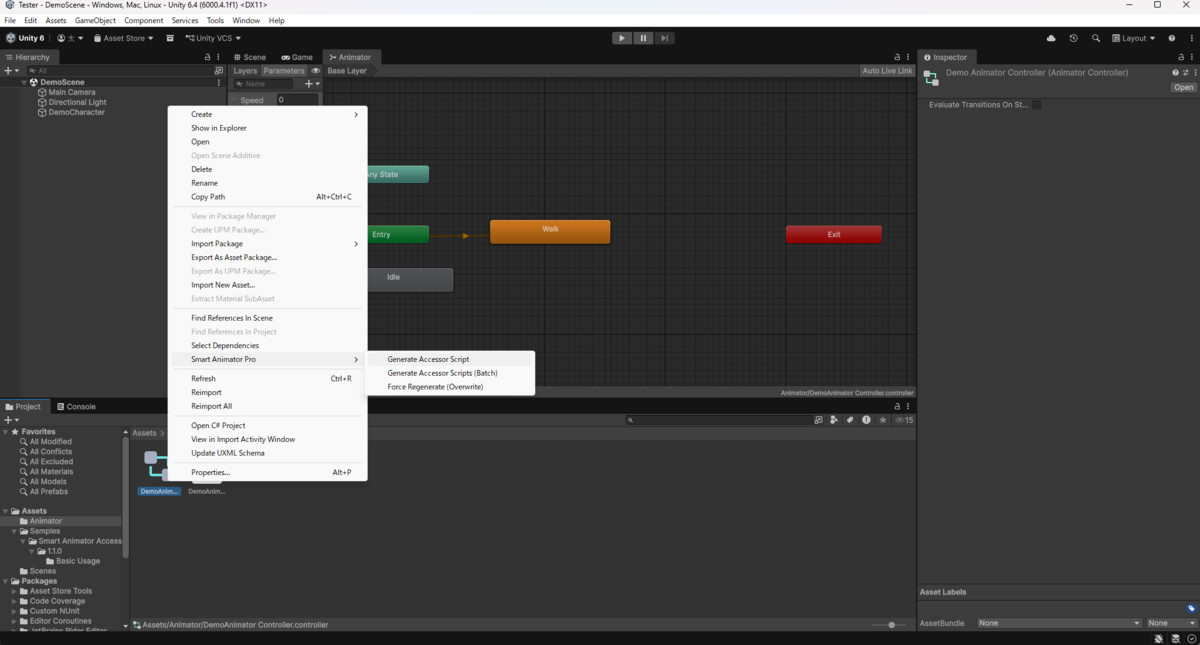
- Right-click any .controller or .overrideController in the Project view.
- Select Smart Animator Pro > Generate Accessor Script.
- A {Name}Animator.g.cs file is generated in the same folder, and kept in sync from then on.
Usage
var anim = new PlayerAnimator(animator);
anim.Speed = 5f;
anim.IsGrounded = true;
anim.SetJump();
if (anim.IsInState_Idle())
anim.UpperBodyWeight = 1f;
Requirements
Unity 2021.3 LTS or higher. Editor-only, no third-party dependencies. The generated code is plain C# with no runtime cost (aside from the optional TypedStateMachineBehaviour<T> base class).
Note
Smart Animator Accessor Pro is an independent commercial package. A free, MIT-licensed edition with the core generation feature is available on GitHub. Install only one of the two in a given project to avoid duplicate menu entries.
From the publisher's Asset Store listing.
Technical details
- Typed properties for Float / Int / Bool parameters
- Trigger methods: SetX() / ResetX() / IsTriggerSet_X()
- State helpers: Play_*, IsInState_*, NormalizedTime_*, LoopCount_*
- Layer constants and *Weight properties
- BlendTree discovery (1D / 2D / Direct, recursive)
- AnimatorOverrideController resolution
- Safe identifiers (C# keywords, non-ASCII, spaces handled)
- Auto Regenerate on save (skips no-op writes)
- Validator Window + Diff Preview
- TypedStateMachineBehaviour<T> base class
- Custom templates
- readonly struct, zero heap allocation, cached StringToHash
- Editor-only, no third-party dependencies, Unity 2021.3+
Compatibility
| Unity version | Built-in | URP | HDRP | Custom |
|---|---|---|---|---|
| 6000.4.1f1 | Compatible | Compatible | Compatible | Compatible |
| 2022.3.60f1 | Compatible | Compatible | Compatible | Compatible |
As listed on the Asset Store.