
 View on Asset Store (opens in new tab)
Package details
- Latest version
- 1.1
- Last updated
- First released
- Unity version
- 2022.3.62 or later
- Package size
- 5.3 MB
- Files
- 11
- Favorites
- 3
- Views in the past week
- 4
Price tracking
- Last checked
- Tracked since
- Lowest recorded
- $10.50 on
Keywords

Ghost Texts
Affiliate link · Purchases support this site
Price history
Last 6 months
USDAsset preview
1 / 1
Ghost Texts video 1
About this asset
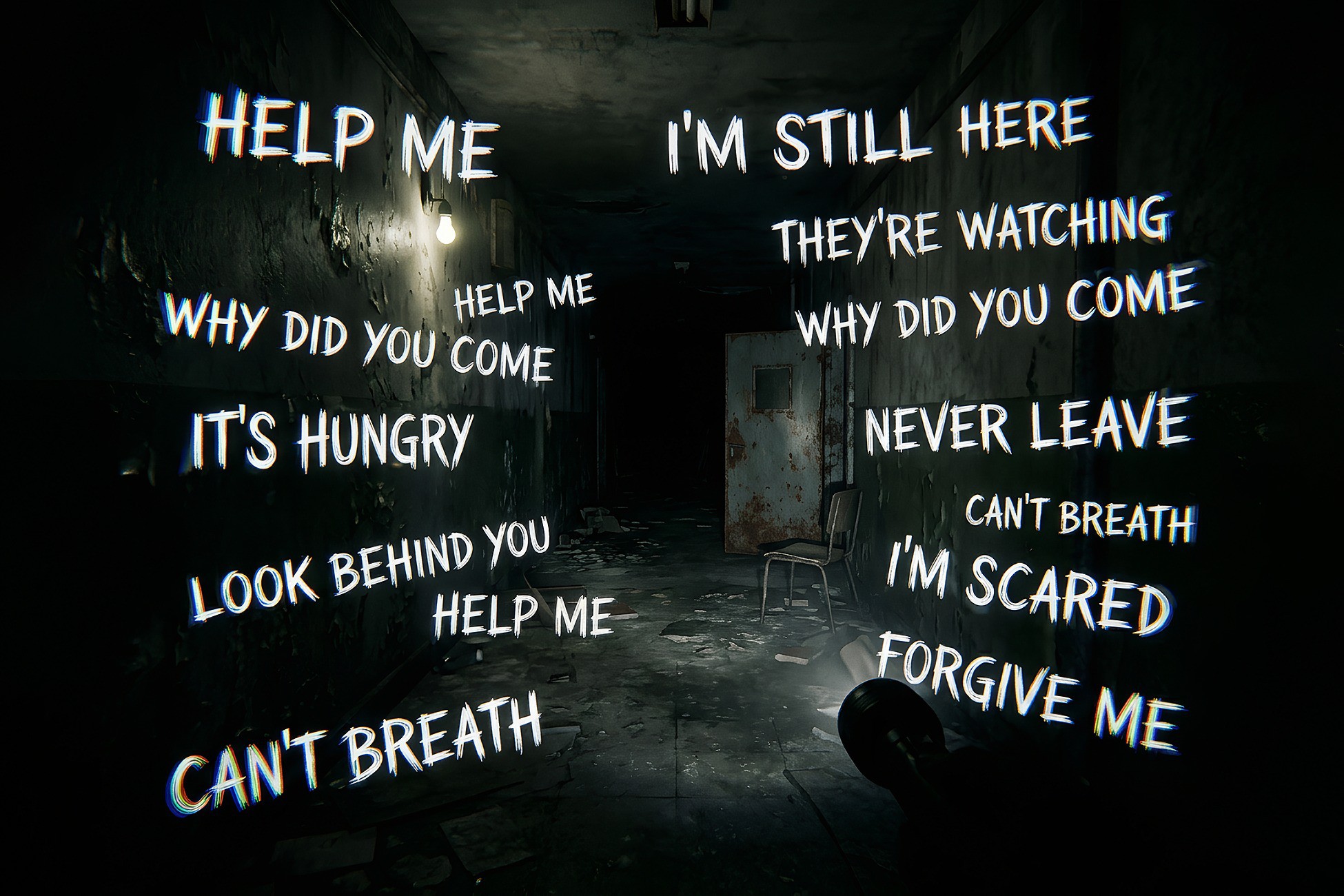
Ghost Texts VFX generates eerie, flickering words and messages around the player or within the environment. Perfect for horror games, liminal spaces, paranormal experiences, dream sequences, psychological thrillers, and supernatural encounters.
Features
- Dynamic floating text effects
- Smooth flickering and jitter animations
- Fully customizable text content
- Adjustable color, size, opacity, and movement
- Easy integration with any project
- Lightweight and performance-friendly
- Suitable for first-person and third-person games
- Works great for environmental storytelling and psychological horror scenes
- Chromatic Aberration effect
- URP & HDRP Support
- Version: Unity 2022.3+ & Unity 6.x
Customization
Create warning messages, disturbing whispers, cryptic clues, hallucinations, or environmental storytelling elements. Every aspect of the effect can be adjusted to fit your project's visual style.
Examples:
- "It's here"
- "Don't make a sound"
- "We need to get out"
- "You're not human"
- Custom messages defined by the developer
Add an unsettling presence to your world and immerse players in a truly disturbing atmosphere.
From the publisher's Asset Store listing.
Technical details
INCLUDED:
- 1x VFXGraph
- 1x Prefab
- 1x Photoshop Edit File
- 2x Sample Texture
- Demo Scene (for URP)
- Documentation
HDRP
The package works in HDRP. However, since the demo scene was built in URP, everything will appear pink if you open the demo scene in HDRP. That said, you do not need the demo scene. All you need to do is drag and drop the "VFX_Ghost Texts" prefab from the prefab folder into your scene. That's it. If you still want to view the demo scene in HDRP, simply convert the materials in the Backroom folder to HDRP.
Compatibility
| Unity version | Built-in | URP | HDRP |
|---|---|---|---|
| 6000.0.63f1 | Not listed | Compatible | Compatible |
| 2022.3.62f3 | Not listed | Compatible | Compatible |
As listed on the Asset Store.