
 View on Asset Store (opens in new tab)
Package details
- Latest version
- 1.0
- Last updated
- First released
- Unity version
- 6000.3.12 or later
- Package size
- 47 KB
- Files
- 9
- Views in the past week
- 1
Price tracking
- Last checked
- Tracked since
- Lowest recorded
- $4.99 on
Keywords
Recent Assets Tracker
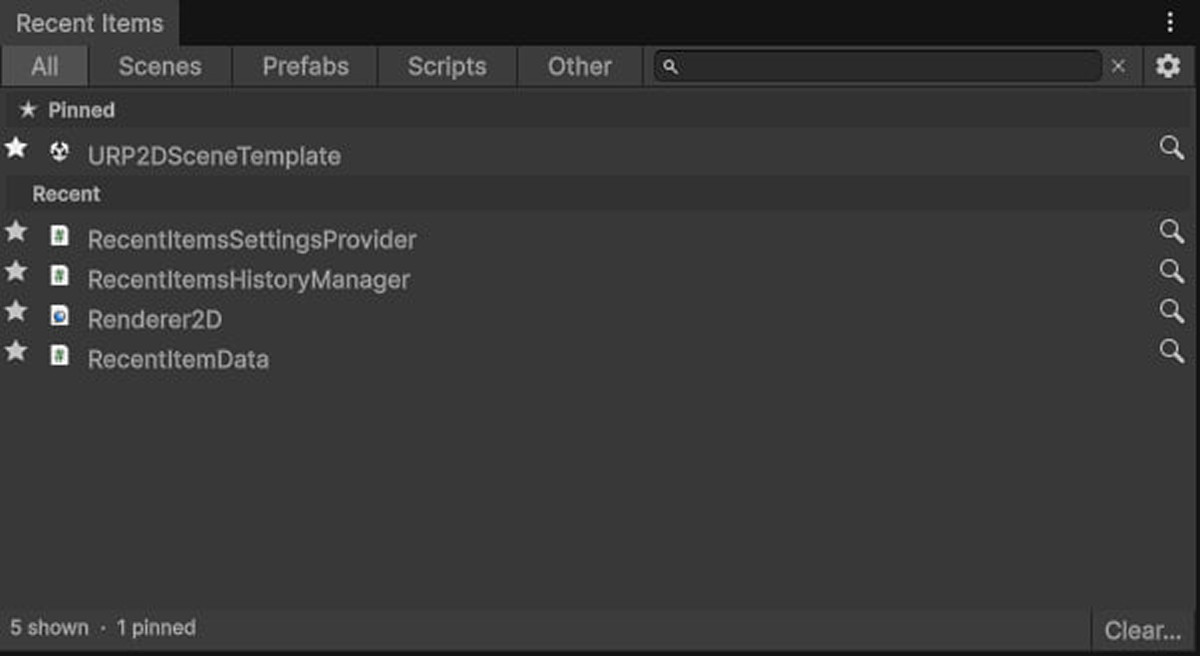
Stop wasting time searching for files. Recent Assets Tracker automatically logs recent items and lets you pin essential scenes, prefabs, and scripts in one native-looking Unity window.
Affiliate link · Purchases support this site
Price history
Last 6 months
USDAsset preview
1 / 3
Recent Assets Tracker screenshot 1
About this asset
Recent Assets Tracker is a lightweight, deeply integrated Editor workflow enhancement designed to save you hours of development time. It eliminates the friction of constantly searching through complex project hierarchies for the files you were just working on.
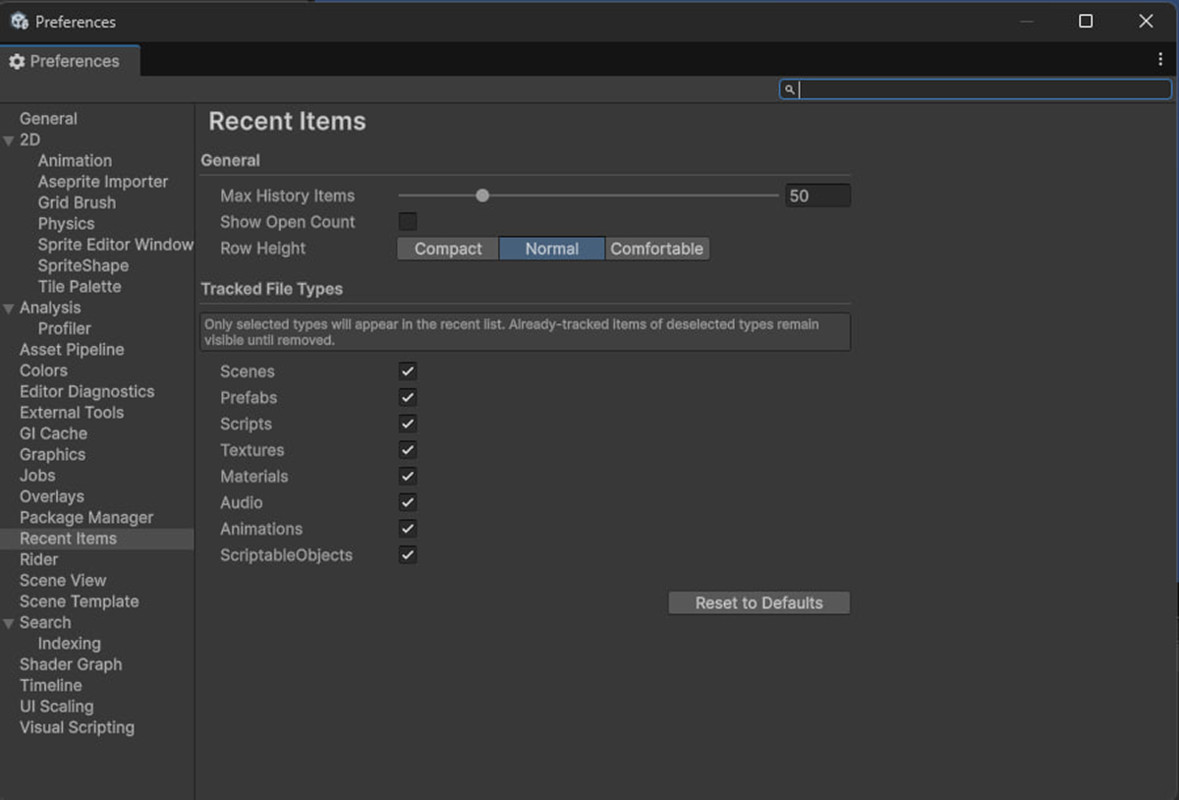
Customizability & Control:While it works instantly out-of-the-box with zero setup, you have full control over your workspace. You can Pin your most crucial assets (like core manager scripts or main level scenes) to the top, ensuring they remain permanently accessible regardless of your recent activity. You can also clear your recent history at any time without losing your pinned favorites. Built with Unity's standard UI toolkit, the window automatically adapts to your chosen Editor theme (Light or Dark).
Genre Suitability:This tool is completely genre-agnostic. Whether you are building a 2D mobile puzzle, a complex 3D RPG, or a VR simulation, navigating project files is a universal pain point. It is perfectly suited for solo developers, level designers jumping between multiple scenes, and programmers frequently editing core data objects.
From the publisher's Asset Store listing.
Technical details
- Editor-Only: Zero impact on your game's build size or runtime performance.
- Automated Tracking: Seamlessly logs your recently selected and modified assets.
- Pinning System: Lock essential files to the top of the list for permanent, immediate access.
- Smart Filtering: Built-in category tabs (All, Scenes, Prefabs, Scripts, Other) to quickly narrow down your view.
- Instant Search: A dedicated search bar within the window to instantly locate specific recent or pinned items.
- Quick Ping: Click the magnifying glass icon to instantly highlight and select the asset in your Project window.
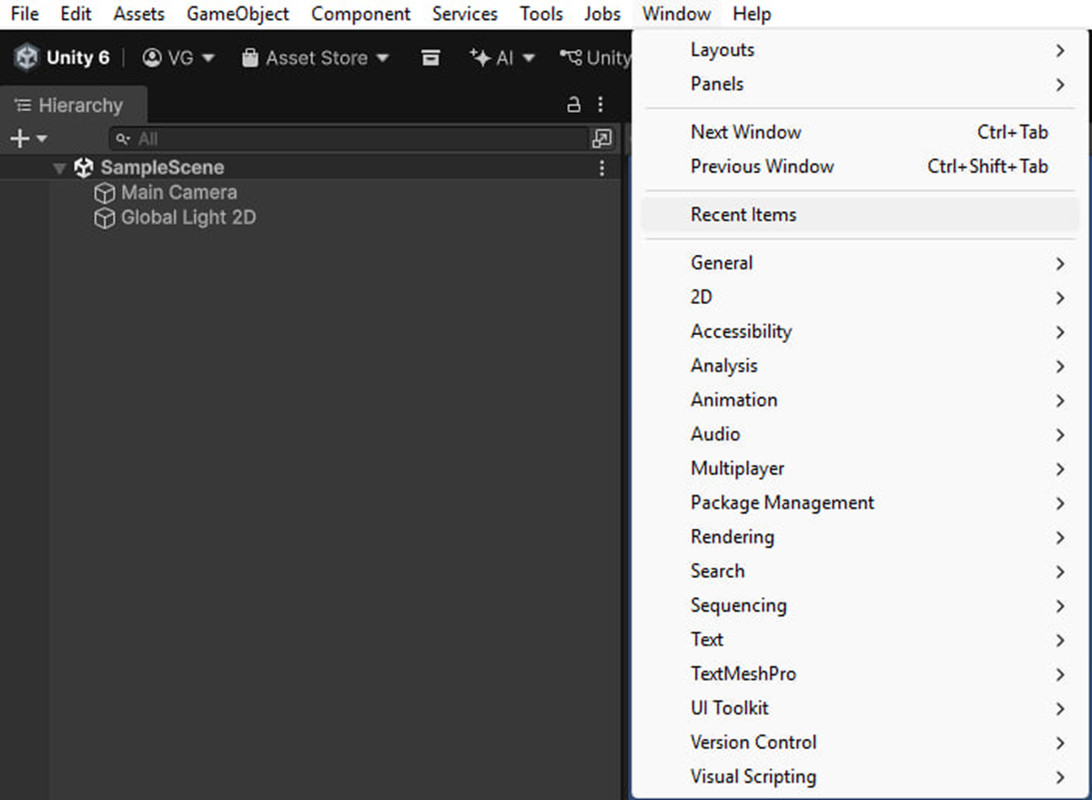
- Clean UI: Native integration that looks and feels exactly like a default Unity feature.
- Supported OS: Compatible with Windows, macOS, and Linux Unity Editors.
Compatibility
| Unity version | Built-in | URP | HDRP | Custom |
|---|---|---|---|---|
| 6000.3.12f1 | Compatible | Compatible | Compatible | Compatible |
As listed on the Asset Store.