
 View on Asset Store (opens in new tab)
Package details
- Latest version
- 2.0.1
- Last updated
- First released
- Unity version
- 6000.4.10 or later
- Package size
- 2.7 MB
- Files
- 57
- Favorites
- 1
- Views in the past week
- 3
Price tracking
- Last checked
- Tracked since
- Lowest recorded
- $8.49 on
Keywords

3D Cursor Pro
A Blender style 3D cursor for Unity. Drop a reference point anywhere in your scene, then duplicate, place, rotate, and group objects around it from a fast radial menu. Built for level design.
Affiliate link · Purchases support this site
Price history
Last 6 months
USDAsset preview
1 / 5
3D Cursor Pro screenshot 1
About this asset
Unity has no 3D cursor. If you have spent time in Blender, you already know how much you lean on one, and how strange it feels to work without it.
3D Cursor Pro adds that missing reference point to the Unity editor. You place the cursor wherever you want a pivot to be, and then run operations relative to it. No more nudging objects by hand or fighting with transform handles to line things up.
View the docs: https://3dcursor.lightheartedtech.com/docs
**A radial menu that keeps you in the scene**
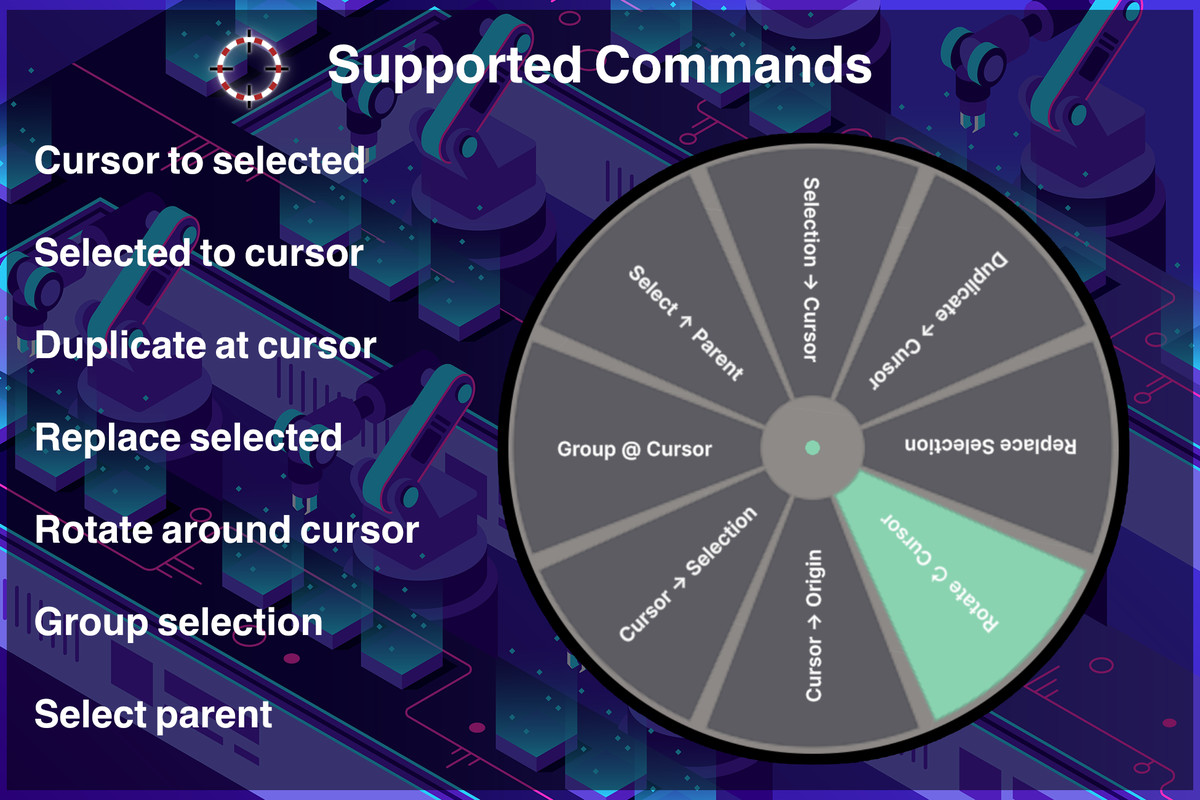
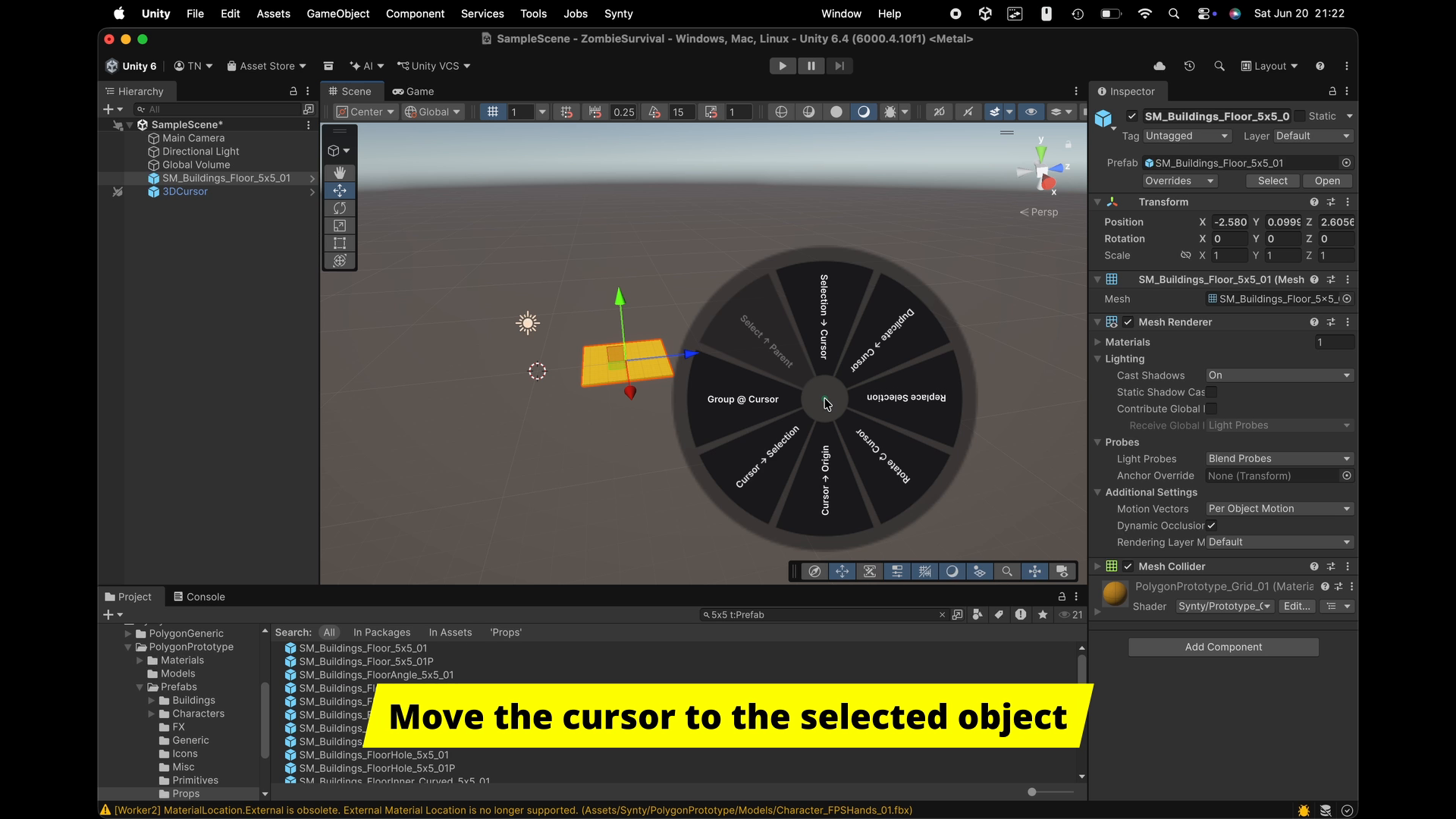
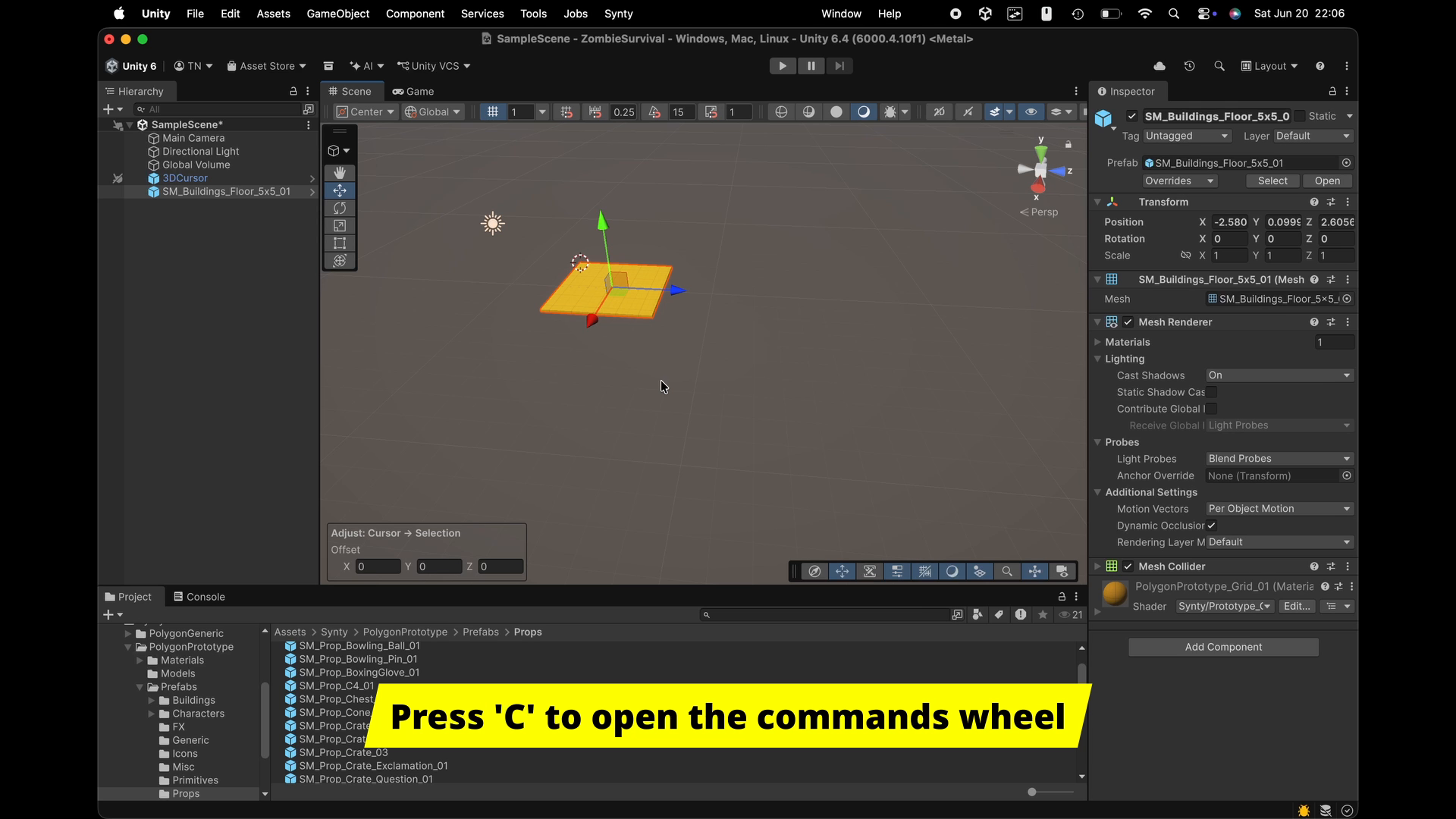
Hold a key in the Scene view and a pie menu opens at your pointer. Flick toward the action you want and release. That is the whole interaction. Your hand stays on the mouse and your eyes stay on the level you are building.
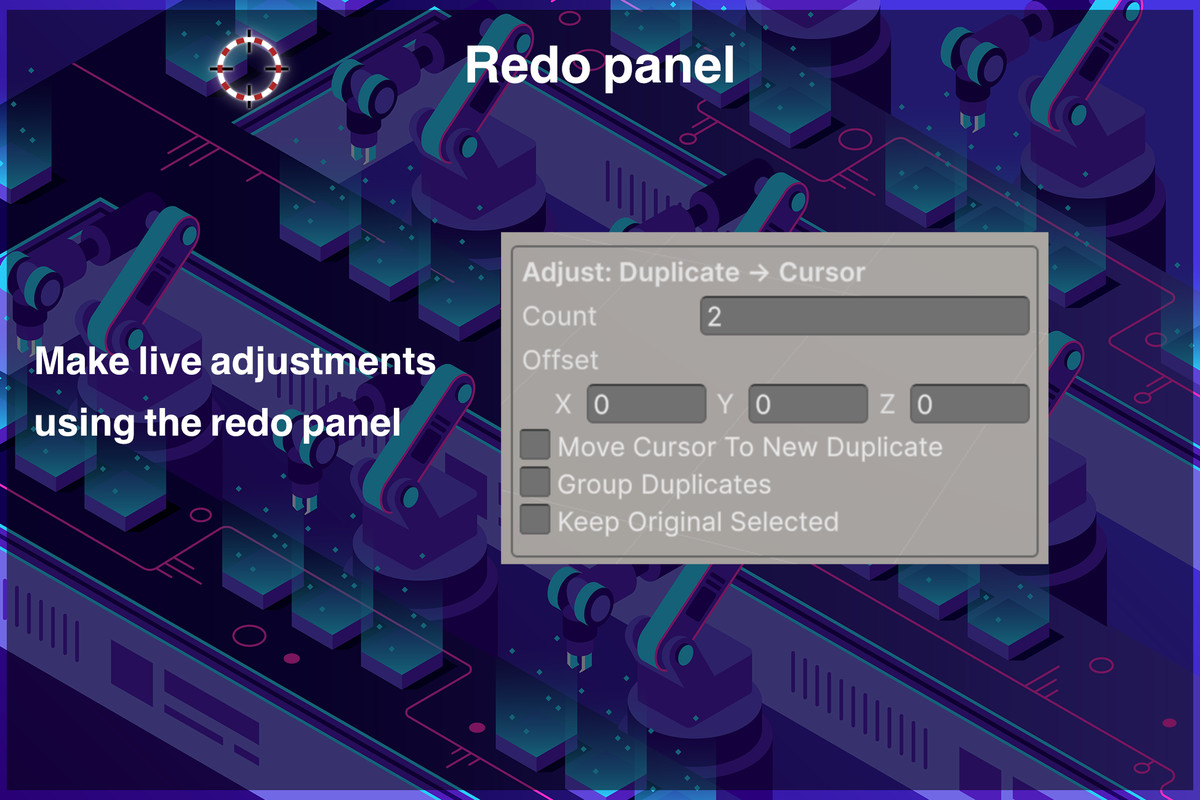
Before you commit, you see a live ghost preview of the result. Duplicating ten objects along an offset? You see all ten before you let go. After the action runs, a small adjust panel appears so you can fine tune the values and watch the change happen in real time, then click away to lock it in. One undo reverses the whole thing.
**What you can do**
- Move the selection to the cursor, with an optional offset
- Duplicate to the cursor, prefab aware, with array style spacing for quick rows and grids
- Rotate the selection around the cursor on any axis
- Snap the cursor to an object's bounds center, its origin, or the average center of a selection
- Group a selection under a new parent placed at the cursor
**Make it yours**
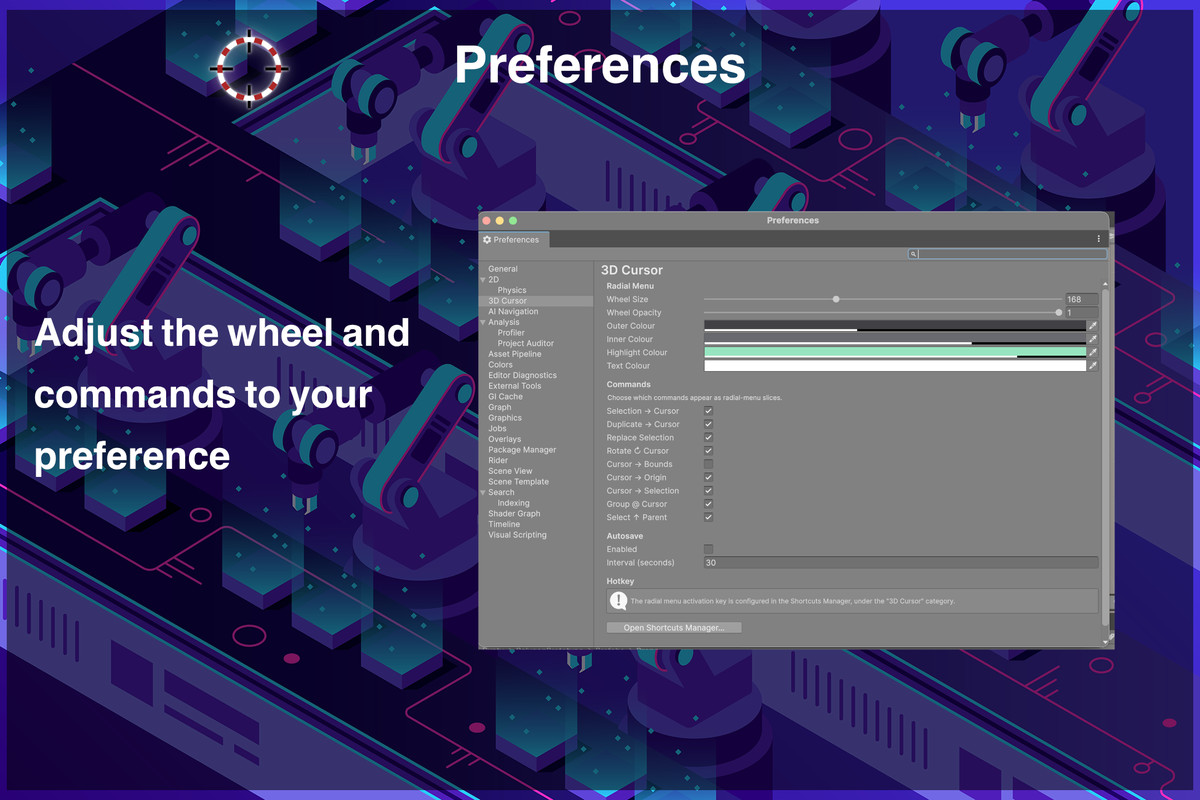
The radial menu hotkey is rebindable through Unity's own Shortcuts Manager. A preferences page lets you resize the wheel, change its opacity, and recolor the outer ring, inner ring, highlight, and text to match how you work. There is an optional autosave that runs quietly in the background.
Everything is editor only, so nothing from this tool ends up in your build. It works with the Built in render pipeline, URP, and HDRP without any setup. Full undo and redo support is wired into every operation.
The models and environments you see in the demo videos and screenshots are there to show the tool in use and are not part of the package. What you get is the editor scripts, a demo scene, and the documentation.
If you build levels in Unity and you miss having a 3D cursor, this is the tool I wish had existed years ago.
From the publisher's Asset Store listing.
Technical details
- Works with Unity 6 (6000.4 and newer)
- Compatible with the Built in render pipeline, URP, and HDRP, no conversion required
- Editor only. Adds zero runtime code or overhead to your game
- Full Undo and Redo integration on every operation
- Prefab aware duplication keeps prefab links intact
- Rebindable Scene view shortcut through the Shortcuts Manager
- Live ghost previews and an adjustable "last operation" panel
- Customizable radial menu (size, opacity, colors) and optional autosave
- C# source included, organized under a clean command based architecture
- Includes a demo scene
Compatibility
| Unity version | Built-in | URP | HDRP | Custom |
|---|---|---|---|---|
| 6000.4.10f1 | Compatible | Compatible | Compatible | Compatible |
As listed on the Asset Store.