
 View on Asset Store (opens in new tab)
Package details
- Latest version
- 1.0
- Last updated
- First released
- Unity version
- 2022.3.62 or later
- Package size
- 162 KB
- Files
- 10
- Favorites
- 1
- Views in the past week
- 7
Price tracking
- Last checked
- Tracked since
- Lowest recorded
- $60.49 on
Keywords
- Search for pivot editor
- Search for reset pivot
- Search for matrix transform
- Search for bake scale
- Search for collider sync
- Search for batching fix
- Search for transform baker
- Search for Editor Extension
- Search for freeze transform
- Search for mesh pivot
- Search for mobile optimization
- Search for setpass calls

Pivot Studio Pro: Mesh Pivot Editor & Transform Baker
Pivot Studio Pro fixes broken mesh pivots and bakes transforms to normalize scale/rotation, optimizing mobile batching and saving draw calls.
Affiliate link · Purchases support this site
Price history
Last 6 months
USDAsset preview
1 / 4
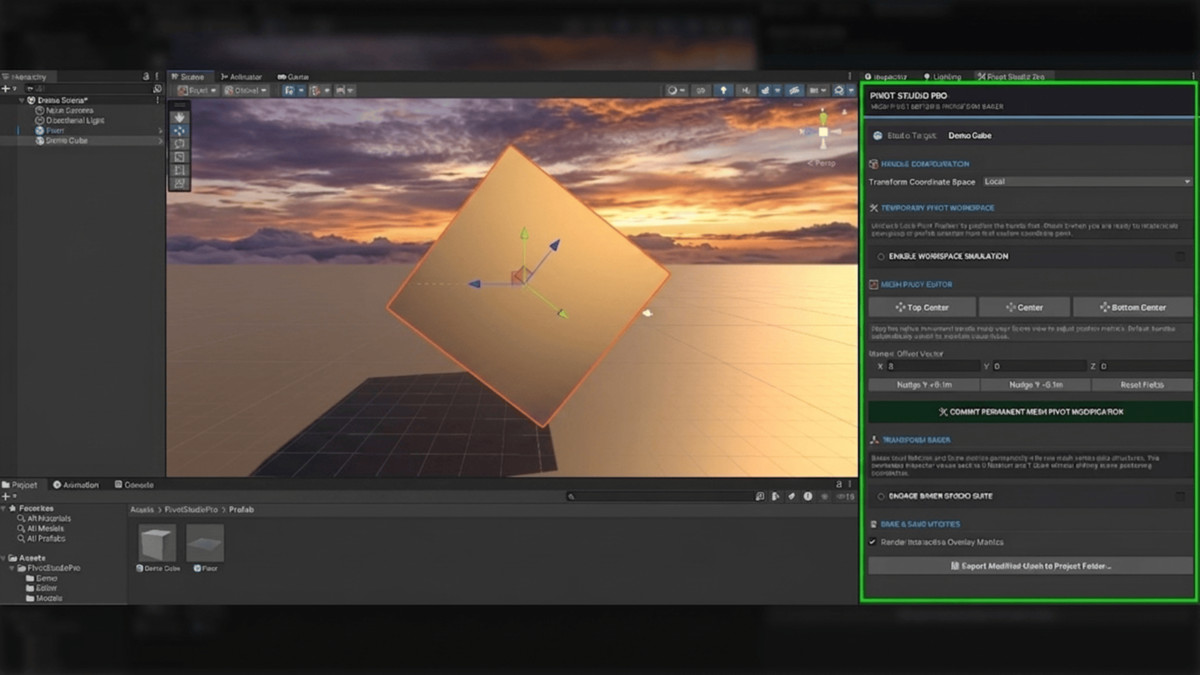
Pivot Studio Pro: Mesh Pivot Editor & Transform Baker screenshot 1
About this asset
Pivot Studio Pro: Mesh Pivot Editor & Transform Baker is an editor extension designed to solve a fundamental limitation in Unity's native layout system: the inability to permanently alter raw mesh pivot points, bake transform data, or manipulate unparented object clusters on a matrix level directly within the Scene view.
Instead of relying on empty parent GameObjects to manually "reset" a pivot or fix an awkward asset origin—which clutters the hierarchy and adds overhead—this tool clones the underlying mesh data in memory, applies a calculated geometric displacement array, updates the connected colliders, and re-writes the local vertex structure natively.
The package is broken down into three core developer pipelines:
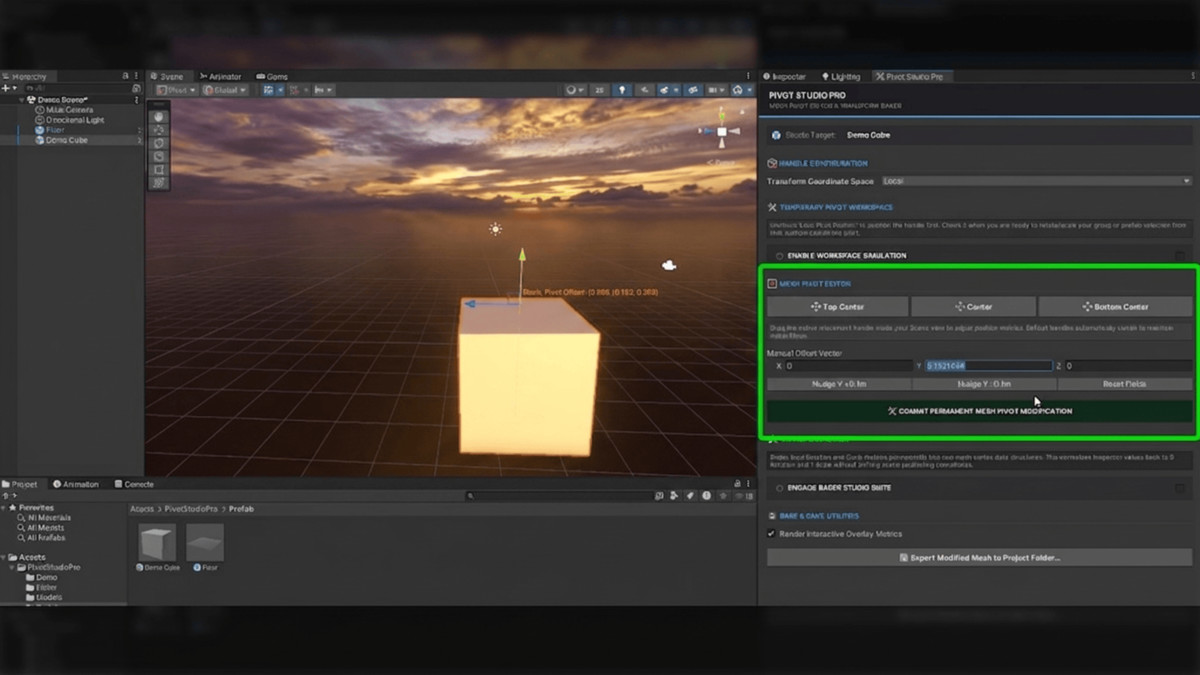
- Mesh Pivot Editor Suite: Allows manual Vector3 coordinate nudging or instant alignment to preset mesh boundaries (Top Center, Center, Bottom Center).
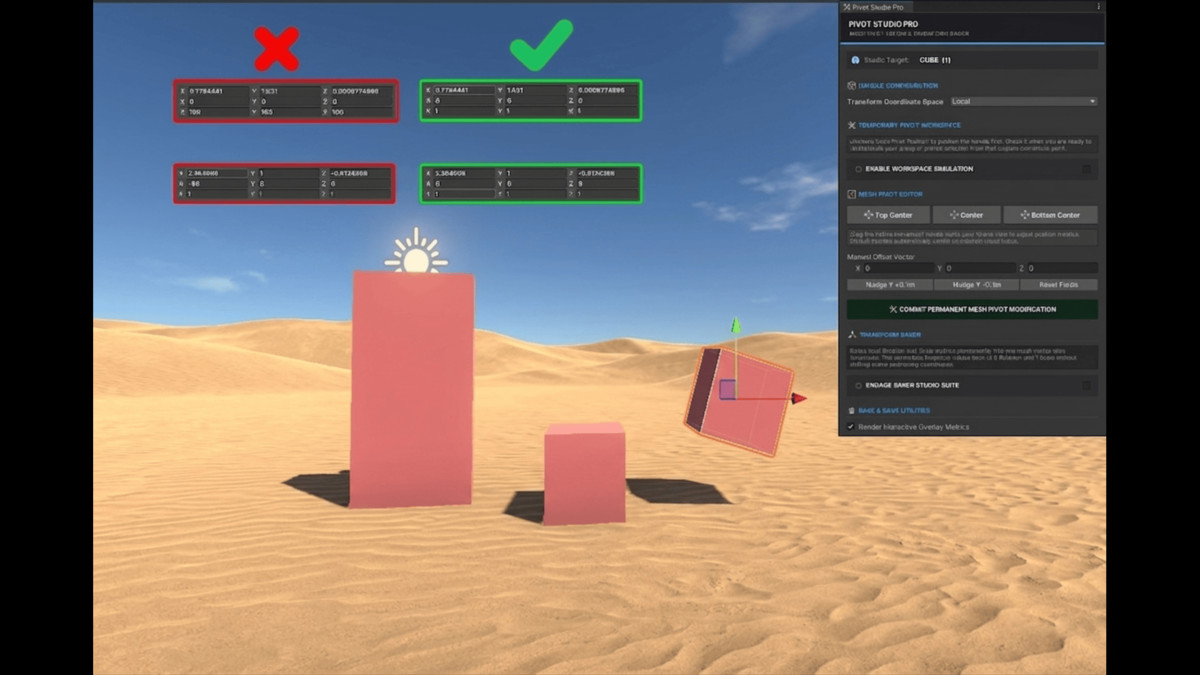
- Transform Baker Suite: Iterates through vertex arrays to multiply and permanently "freeze" non-uniform local scale and rotation metrics into the mesh asset itself, resetting the Inspector transform back to a clean $0,0,0$ rotation and $1,1,1$ scale.
- Temporary Pivot Workspace: A non-destructive, virtual workspace simulation using matrix math that allows uniform rotation, scaling, and movement over a heterogeneous group selection around a temporary custom anchor point without changing hierarchy rules.
Is the Provided Content Customizable?
Yes, the package is entirely customizable. Because the tool functions strictly as an editor-driven workflow utility rather than a collection of rigid, pre-made art assets, its flexibility is built directly into how it handles mesh data layers.
- Non-Destructive Asset Safeguards: The tool never rewrites or destructive-bakes your source project source files (like .fbx or .obj). It instantiates an isolated memory copy of the mesh instance.
- Export Pipeline: If you make a permanent change to an environment piece or an enemy asset, you can save the resulting layout as a standalone .asset file within your project folder via the built-in saving panel, making it entirely reusable as a unique prefab variant.
Is it Suitable for a Particular Genre?
While the core mechanics are highly versatile across any 3D workflow, the package is uniquely powerful for modular level-design heavy genres and mobile-focused titles.
1. Low-Poly Toon, Stylized 3D, and Modular Building Games
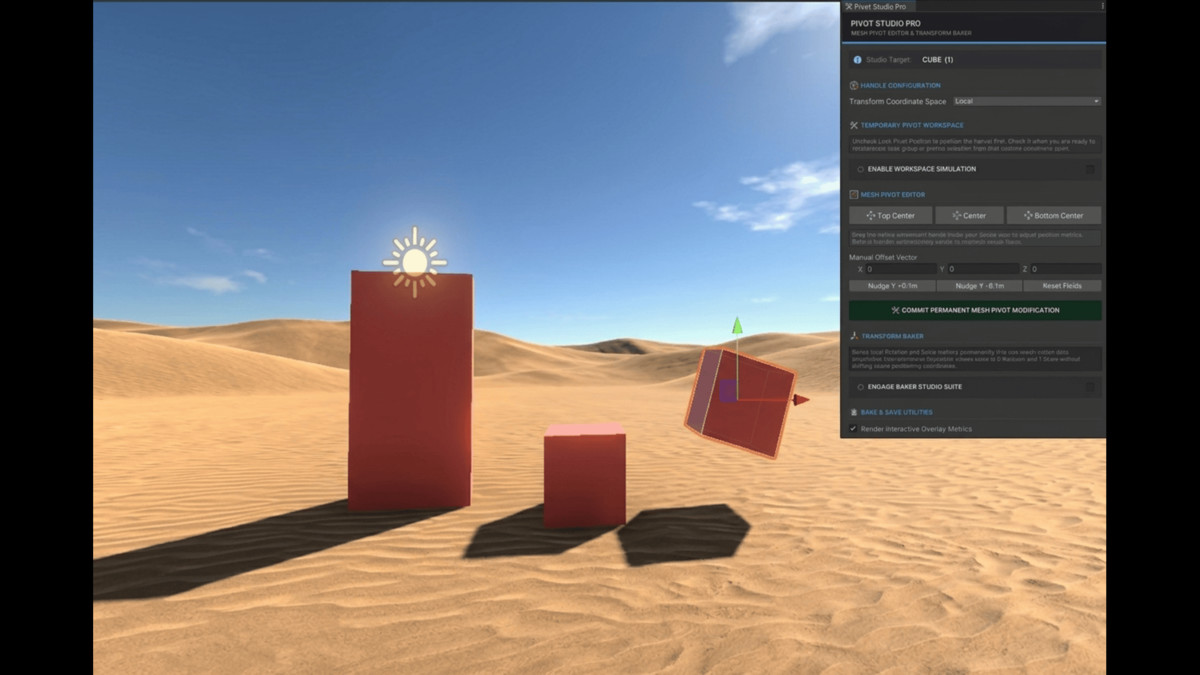
Genres that rely heavily on grid snapping, kit-bashing, and assembling environments out of modular pieces (such as low-poly stylized platformers, simulator games, or sandbox environments) benefit instantly. If an outsourced asset or a downloaded kit arrives with pivots at the corner instead of the bottom center, kit-bashing on a grid is nearly impossible. Pivot Studio Pro fixes the orientation points in seconds, streamlining structural placement.
2. High-Performance Mobile Games & Merging Battles (Optimization)
In mobile development, minimizing draw calls and SetPass calls is the difference between a stable frame rate and thermal throttling.
- The Dynamic Batching Problem: When building large scene configurations out of modular components (such as a stadium grid, a city block, or an arena obstacle course), developers often tweak local scale values on individual instances (e.g., scaling one wall piece to $1.2$ and another to $0.85$). Non-uniform scales break Unity’s static and dynamic batching instantly, forcing the GPU to render each piece as a separate draw call.
- The Solution: Passing your kit-bashed or merged environmental prefabs through the Transform Baker Suite burns those structural variations directly into the mesh geometry layers. This normalizes every single instance back to a uniform $1,1,1$ scale while preserving its exact world positions. Unity can now dynamically batch the entire environment together seamlessly, collapsing hundreds of draw calls down to a single digit block.
Disclaimer:
AI Transparency Disclosure:The core architecture, UI design, and workflow logic of this tool were completely designed by Syed Zain Ul Abideen. AI-assisted programming tools were utilized strictly to help draft and format the underlying C# editor scripts. All code has been rigorously tested, heavily modified, and optimized to ensure stable, production-ready performance in the Unity Editor.
From the publisher's Asset Store listing.
Technical details
1. Mesh Pivot Editor Suite
- Permanent Data Layer Overrides: Permanently shifts an asset's pivot point directly on the raw mesh vertex layer, completely eliminating the need for empty parent GameObjects to "fix" awkward pivot points.
- Instant Boundary Alignment Presets: Align the object's pivot point to exact geometric boundaries (Top Center, Center, and Bottom Center) in one click using accurate bounding volume calculations.
- Precision Manual Nudging: Fine-tune pivot placement along the X, Y, or Z axes using numeric fields or interactive incremental nudge buttons.
- Automatic Collider Synchronization: Instantly updates connected MeshCollider data structures or recalibrates BoxCollider bounds positions and sizes to perfectly match the newly shifted pivot point.
2. Transform Baker Suite
- Vertex Transformation Freezing: Iterates through vertex position and normal arrays to burn an object's local rotation and non-uniform scale metrics directly into the raw mesh geometry.
- Inspector Normalization: Automatically resets local Inspector transforms back to a clean $0,0,0$ Rotation and uniform $1,1,1$ Scale without shifting the asset's visual coordinates or position in the scene view.
- Dynamic Batching Optimization: Converts mismatched, kit-bashed modular asset scales into uniform scales, preventing Unity from breaking batching and drastically reducing draw calls / SetPass calls on mobile hardware.
3. Temporary Pivot Workspace (Workspace Simulation)
- Virtual Hierarchy Matrix Math: Simulates temporary parenting rules to uniformly rotate, scale, or move a heterogeneous group selection around a single, custom coordinate point.
- Non-Destructive Group Manipulation: Transforms clusters of unparented objects simultaneously without adding structural hierarchy clutter or instantiating temporary root nodes.
- Placement vs. Transformation Modes: Toggle lock states to easily switch between positioning your custom workspace anchor point and executing your spatial transformations.
4. Interactive Scene View UX & Export Utilities
- Spatial Bound Projection Guides: Projects dotted geometric alignment tracks directly across dimensions to eliminate layout depth confusion in the scene view.
- Smart Gizmo Fading: Smoothly fades out Unity's native scene transforms during active tool adjustments to keep the viewport clean and completely eliminate input control overlapping.
- Isolated Variant Export Pipeline: Protects source FBX/OBJ assets by working strictly on cloned mesh instances, allowing you to save your custom optimizations out as standalone .asset files within your project folder structure.
Compatibility
| Unity version | Built-in | URP | HDRP | Custom |
|---|---|---|---|---|
| 2022.3.62f2 | Compatible | Compatible | Compatible | Compatible |
As listed on the Asset Store.