
 View on Asset Store (opens in new tab)
Package details
- Latest version
- 1.0
- Last updated
- First released
- Unity version
- 6000.0.68 or later
- Package size
- 21.2 MB
- Files
- 12
- Views in the past week
- 7
Price tracking
- Last checked
- Tracked since
- Lowest recorded
- $4.99 on
Keywords
Spline Wire Tool
Spline Wire Placer is a powerful editor extension that allows you to create, bend, and place realistic wires and cables instantly along spline paths, significantly reducing environment dressing time.
Price $4.99
Buy on Asset Store (opens in new tab)
Affiliate link · Purchases support this site
Price history
Last 6 months
USDAsset preview
1 / 3
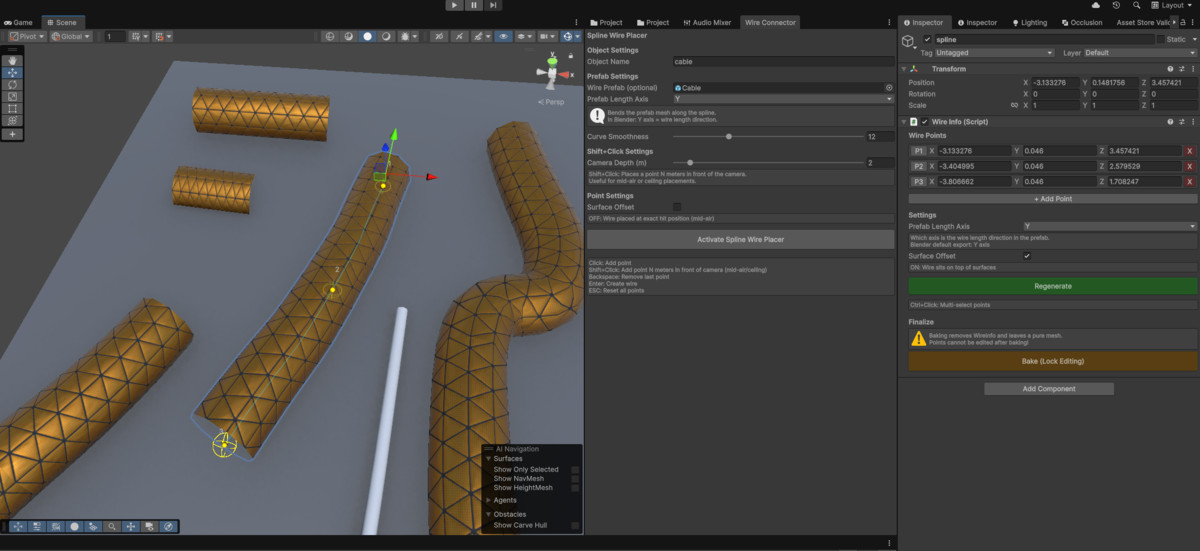
Spline Wire Tool screenshot 1
About this asset
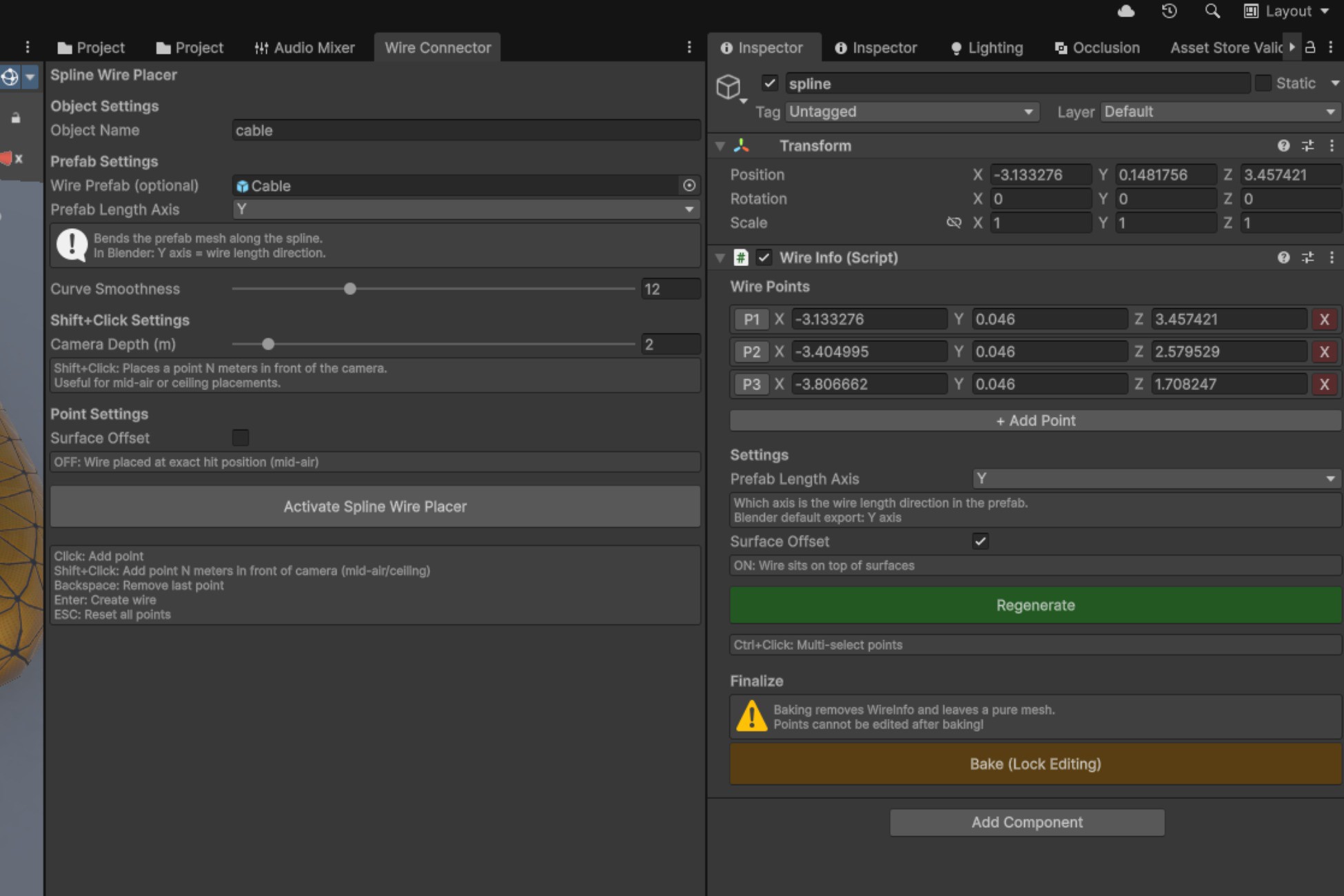
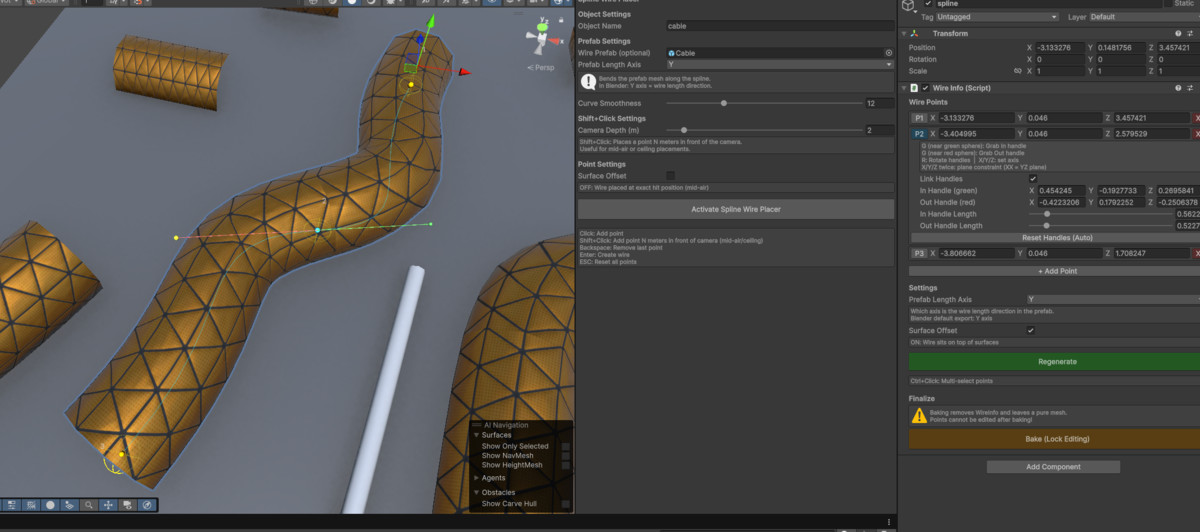
Tired of manually positioning dozens of cylinders to create a single cable? Spline Wire Placer simplifies the process of adding cables, wires, and ropes to your scene. This tool provides a seamless workflow directly in the Scene View.
Key Benefits:
- Intuitive Workflow: Place points with a single click and watch the wire form in real-time.
- Blender-Inspired Controls: Professional editing experience with hotkeys (G for Grab, R for Rotate) and Axis constraints (X, Y, Z) for precise adjustments.
- Flexible Generation: Choose between procedurally generated tube meshes or bend your custom prefab meshes (like chains or textured ropes) along the curve.
- Performance Optimized: Includes a 'Bake' feature to merge segments into a single static mesh, reducing draw calls and removing editor overhead for the final build.
From the publisher's Asset Store listing.
Technical details
Key Features:
- Spline-Based Editing: Smooth Bezier curve interpolation with adjustable smoothness.
- Prefab Deformation: Advanced vertex remapping to bend any mesh along the spline path.Two Geometry Modes:
Tube Mesh: Procedural cylinder generation with custom radius and segments. - Surface Snapping: Intelligent surface offset to ensure wires sit perfectly on floors or walls.
- Full Undo/Redo support for all editing actions.Advanced Editor Tools:Parallel Transport Frame (PTF) calculation to prevent mesh twisting.
Mid-air placement via Shift+Click (Camera Depth mode). - Baking System: One-click conversion from spline data to optimized Static Mesh with optional MeshCollider.
Support: [email protected]
Compatibility
| Unity version | Built-in | URP | HDRP |
|---|---|---|---|
| 6000.0.68f1 | Compatible | Compatible | Compatible |
As listed on the Asset Store.