
 View on Asset Store (opens in new tab)
Package details
- Latest version
- 1.1
- Last updated
- First released
- Unity version
- 6000.0.81 or later
- Package size
- 2.5 MB
- Files
- 62
- Favorites
- 6
- Views in the past week
- 62
Price tracking
- Last checked
- Tracked since
- Lowest recorded
- Free on
Keywords
- Search for Inspector Tools
- Search for odin inspector
- Search for vInspector
- Search for Custom Inspector
- Search for Tool
- Search for design
- Search for Inspector
- Search for inspector organizer
- Search for Dynamic Inspector
- Search for custom editor
- Search for Editor Extension
- Search for Inspector Designer

Inspector Designer Pro
- Hidden sale
- Price drop
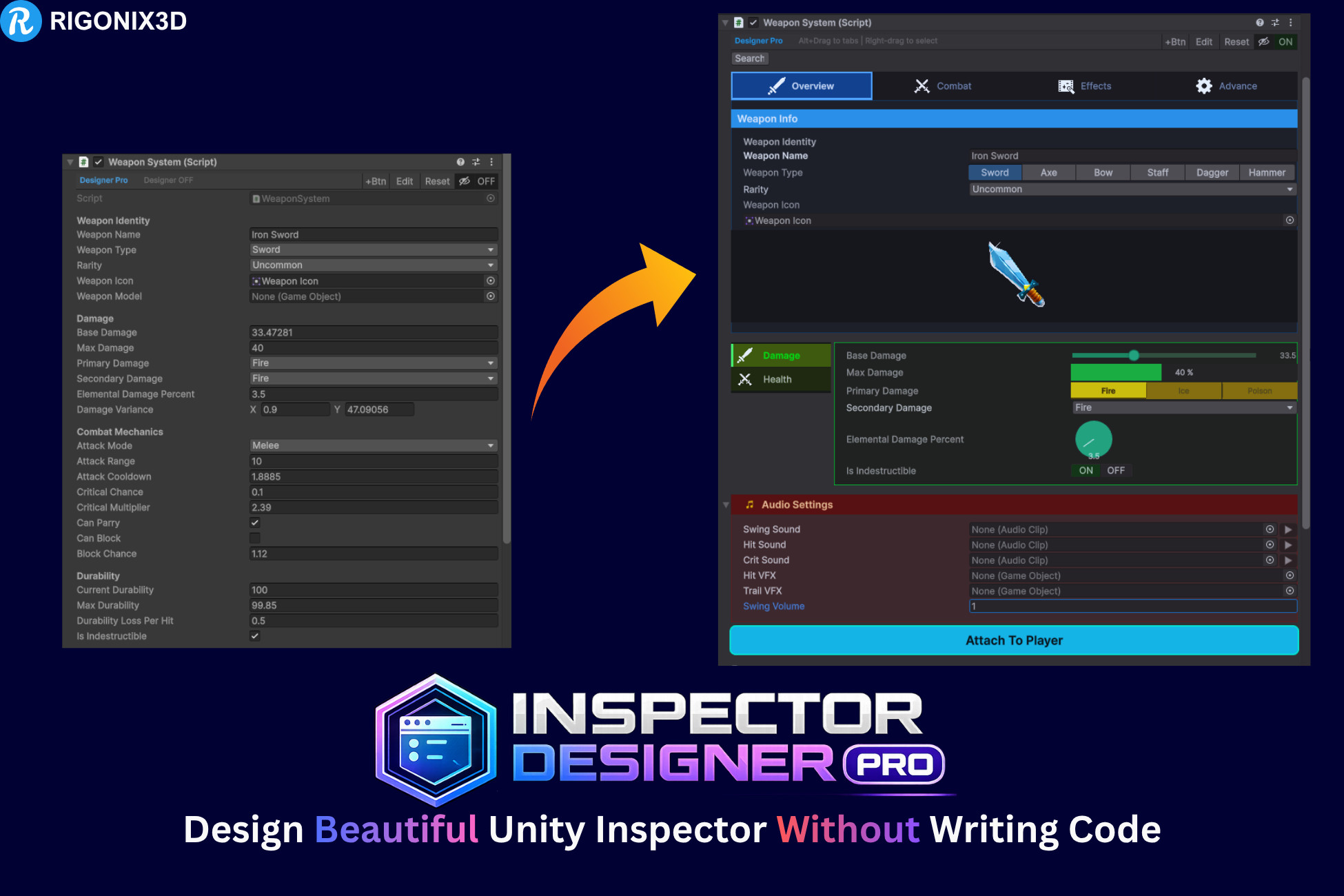
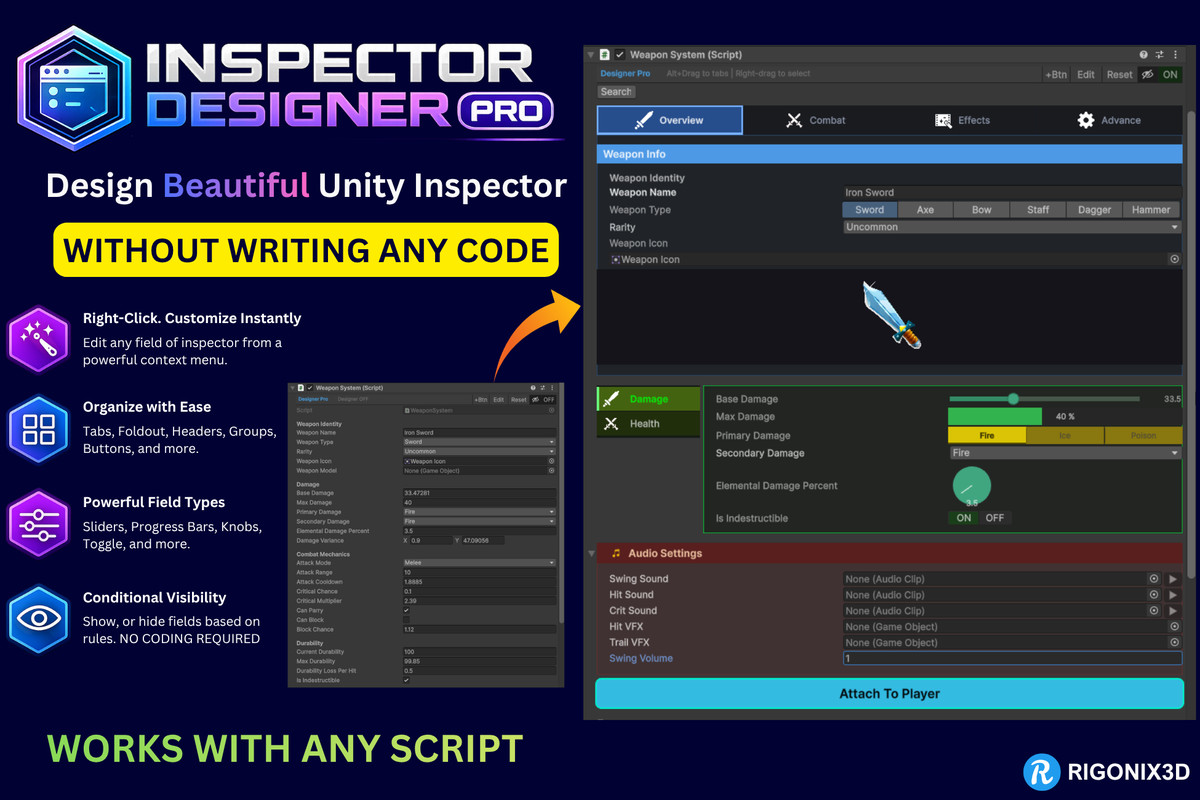
Create beautiful Unity inspectors without code. Add tabs, foldouts, custom fields, images, buttons & fonts, preview live, and optionally bake your finished design into a standalone Custom Editor.
Affiliate link · Purchases support this site
Price history
Last 6 months
USDAsset preview
1 / 9
Inspector Designer Pro screenshot 1


About this asset
Inspector Designer Pro
The Complete Visual Inspector Customization Tool for Unity
Stop writing boilerplate custom editor code. Inspector Designer Pro lets you fully customize any MonoBehaviour inspector through a visual editor window — no C# scripting, no custom drawers, no PropertyAttributes. Right-click any field, pick your options, see results instantly.
And when you're happy with it, one click bakes your design into a standalone C# editor script that doesn't need this tool at all.
100% OFF FOR LIMITED TIME.
[DOCUMENTATION] | [VIDEO TUTORIAL]
⭐ BAKE TO CODE — ZERO DEPENDENCY⭐
This is what sets Inspector Designer Pro apart.
Design visually, then hit Bake. You get a complete, readable [CustomEditor] script in Assets/Editor/ with no reference to Inspector Designer Pro whatsoever.
- Ship without the dependency — Asset Store publishers and studios can deliver polished inspectors without requiring customers to own this tool
- Delete the tool after baking — every baked inspector keeps working exactly as designed
- No runtime cost — plain UnityEditor code in an Editor folder, nothing in your build
- Own the result — readable, commented, yours to hand-edit if you want to take it further
- Team-friendly — ordinary source files, diffable and reviewable in pull requests
The baker reproduces your full design: field types, styling, tabs, foldouts, cards, headers, images, icons, fonts, buttons, conditions, validation, search, and pinned fields. Fonts, icons and images are referenced by asset path, so the file stays genuinely standalone.
Use it as a design tool and remove it, or keep it installed and re-bake whenever you iterate.
⭐KEY FEATURES⭐
Visual Editor — Zero Code Required
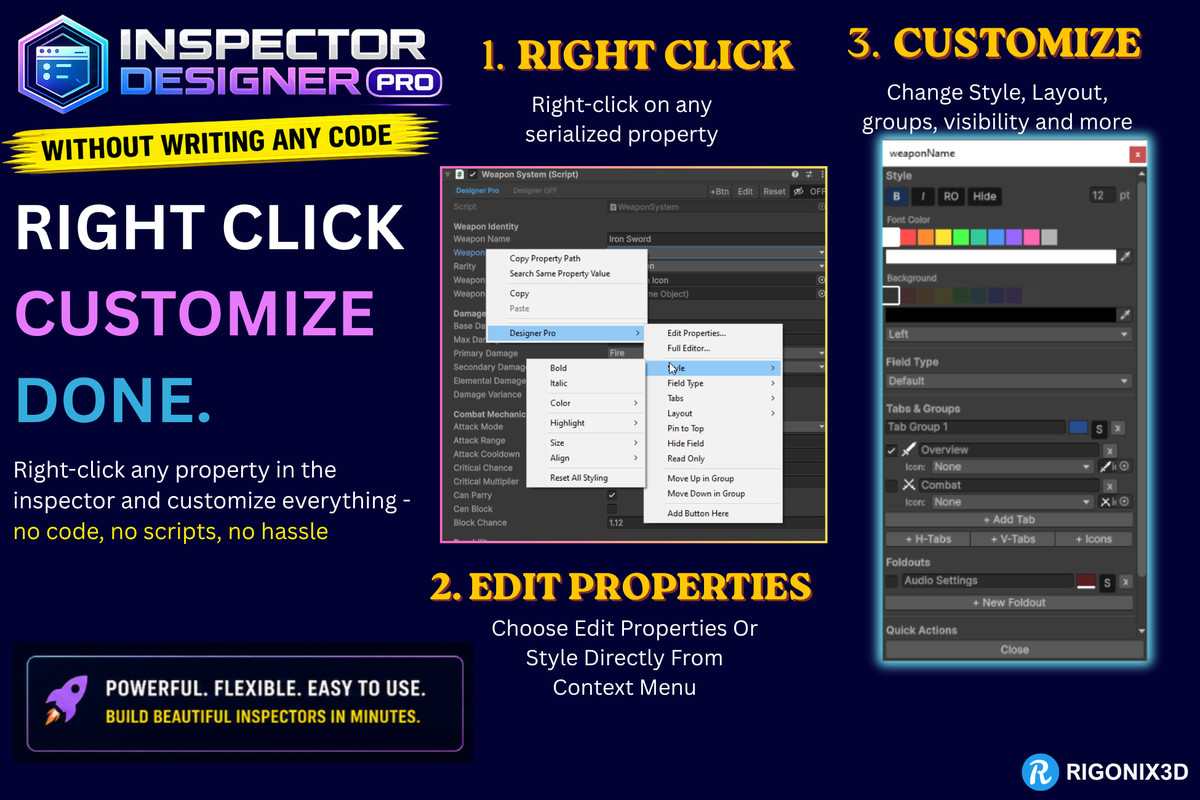
Customize any MonoBehaviour from a dedicated editor window or straight from right-click context menus. Everything saves to reusable ScriptableObject profiles — one per component type, version-controlled and shareable across your team.
12 Field Type Overrides
Change how any field is displayed:
Slider with custom fill, track and thumb color · Progress Bar with format labels · Knob rotary dial · Curve Editor inline · Percentage Field · Toggle Button · Styled Dropdown · Button Tabs for enums and ints · Reorderable List · Image Preview · Text Box — a proper string field with rounded background, placeholder text, multi-line mode, max length and a live character counter.
Smart type filtering means you only ever see options that work for that property.
Tab Groups
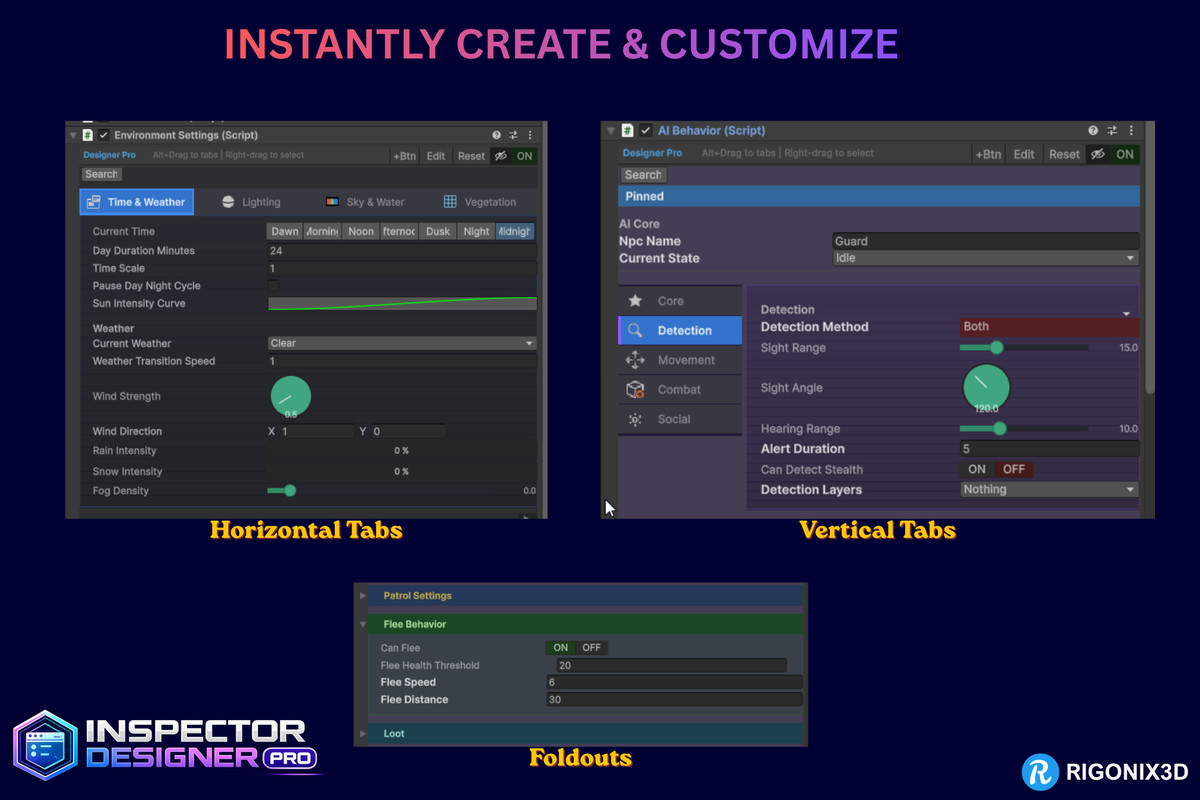
Three orientations — horizontal, vertical, and icon-only. Control active and inactive tab colors, text colors, font size, tab bar background, selected outline, content background and border, gradient fills, per-tab icons (built-in or your own textures), height and padding.
Foldouts & Cards
Collapsible foldouts with styled headers, icons, content backgrounds, borders and padding. Or use cards — elevated panels with header bars, rounded corners, drop shadows and icons. Pair cards or foldouts side by side in two columns to make real use of inspector width.
Header Images & Clickable Banners
Give your inspector an identity. Drop a hero banner at the top, or place images anywhere between fields. Full control over height, width, alignment, offset, margins, borders and background — and attach a URL to make any image clickable, with a link cursor and tooltip. Ideal for branding, docs links or support buttons baked right into your component.
Custom Fonts
Set one font for an entire inspector, then override it on individual fields where you want emphasis. Bakes correctly into generated editors.
Conditional Visibility — With Bulk Assignment
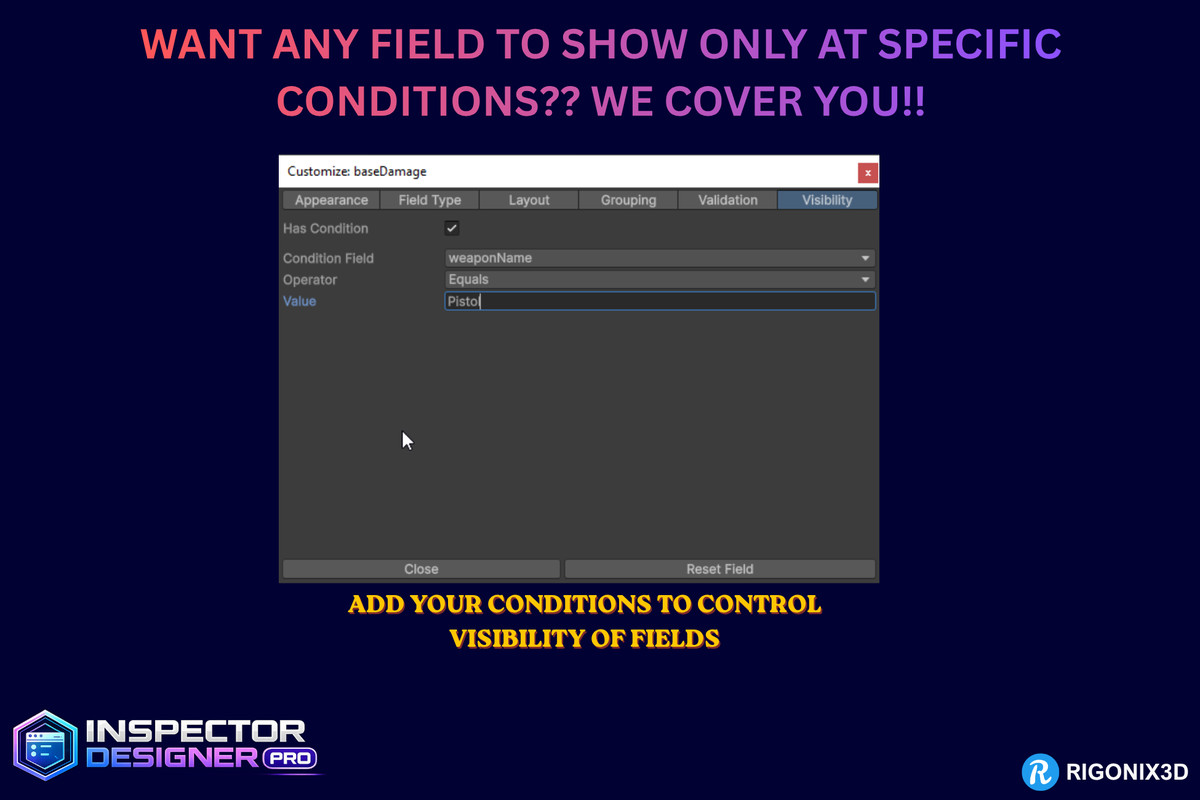
Show or hide fields based on other values, using 8 operators (Equals, Not Equals, Greater/Less Than, Greater/Less or Equal, Is True, Is False).
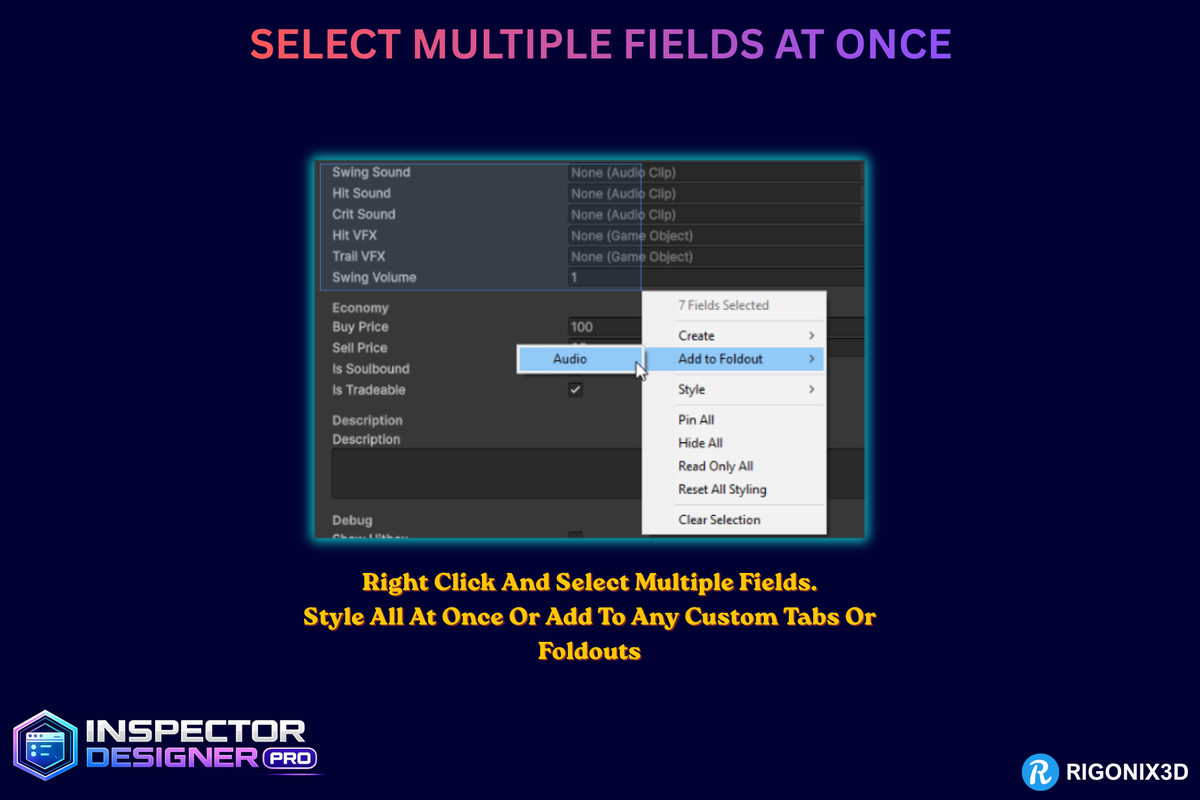
The time-saver: marquee-select every audio setting, choose Show When → Enable Audio is ON, and they're all wired in one step. A Custom Condition dialog handles enum, int and float sources for the whole selection at once.
Field Validation
Range checks, Not Null for object references, Not Empty for strings, positive-number enforcement, and custom messages — all with inline visual feedback.
Layout Elements
Headers with background colors, icons and bold styling · separators · adjustable spacing · box groups · inline images.
Custom Buttons
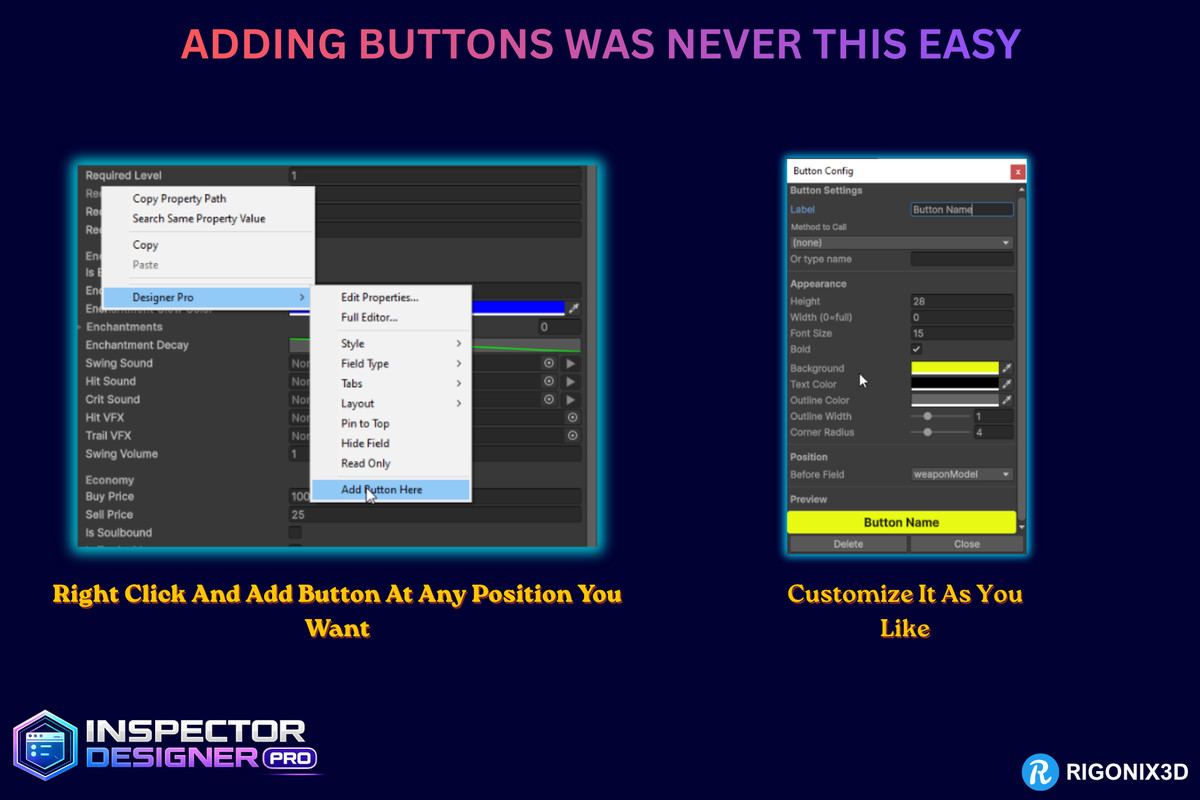
Add buttons that call any public method on the component. Style the label, background, text and outline colors, corner radius, size and font. Group buttons into rows, place them before any field or at the bottom.
Field Styling
Per-field font color, size, bold, italic, font override, background color, text alignment, built-in icons, custom display names and tooltips.
Workflow Tools
- Marquee multi-select — drag to select, then bulk-apply styling, grouping, field types, visibility, pinning and read-only
- Pinned fields & search — keep key properties at the top, find anything by name
- Drag-to-reorder — arrange fields exactly how you want
- Right-click everything — fields, headers, foldouts, cards and tabs
- 7 style presets — Minimal, AAA Dark, Designer Friendly, Technical, Mobile UI, Modern Pro, RPG Style
- Full undo — every profile change is Ctrl+Z reversible
- AudioClip playback — preview clips in the inspector without entering Play mode
Global Styling
Set per-inspector defaults for background, font, font color, size and spacing. Fields you've individually restyled keep their own look; everything else follows the global values — so one change restyles a whole component.
WHO IT'S FOR
Asset Developers — ship professional inspectors with your packages, baked to standalone code so customers never need this tool
Studios & Agencies — hand off client projects with no third-party editor dependencies
Game Designers — organize gameplay inspectors without waiting on a programmer
Technical Artists — build material-editor-quality inspectors for tool components
Solo Developers — save hours of editor boilerplate on every project
Team Leads — enforce consistent inspector layouts across the whole project
Large Components — tame 50+ field monsters with tabs, foldouts, cards, search and pinning
WHAT IT SOLVES
- Custom editors and PropertyDrawers are slow, repetitive, and permanent maintenance
- Unity's default inspector is flat and unreadable for complex components
- Non-programmers can't touch inspector layouts
- Inspector styling drifts between scripts in the same project
- No built-in way to add tabs, foldouts or cards without code
- Every other inspector tool locks your project into a permanent dependency — this one lets you bake and walk away
From the publisher's Asset Store listing.
Technical details
Compatibility
- Unity 2021.3 LTS and newer (all LTS and Tech Stream versions)
- Compatible with Unity 6 and all current Unity versions
- Works with all render pipelines (Built-in, URP, HDRP)
Zero Build Impact
- The entire package is editor-only (includePlatforms: ["Editor"])
- No runtime scripts, no runtime assemblies, no build size increase
- Will never cause build failures or runtime errors
- Safe to include in any project regardless of the target platform
Architecture
- Built on Unity's IMGUI system using EditorWindow, SerializedObject, and SerializedProperty
- ScriptableObject-based profile system — one profile per MonoBehaviour type
- Modular field drawer architecture with FieldDrawerBase and FieldDrawerRegistry
- Reflection-based AudioClip preview using Unity's internal AudioUtil class (with safe fallbacks)
Performance
- No per-frame texture allocations — cached Texture2D dictionary for style overrides
- Rounded corners rendered via Handles.DrawSolidDisc (no GC-heavy texture generation)
- Dropdown arrows rendered via Handles.DrawAAConvexPolygon (zero allocation)
- No editor lag — lightweight IMGUI drawing with minimal overhead
Profile System
- Profiles stored as .asset files in your project
- Fully serializable — works with version control (Git, Perforce, PlasticSCM)
- No scene dependencies — profiles are project-level assets
- Automatic profile discovery and assignment by target type name
Package Contents
- 7 built-in style presets
- 3 demo MonoBehaviour scripts for testing (RPGCharacter, WeaponSystem, EnvironmentSettings, AIBehavior)
- Built-in icon library with Unity editor icon picker
- Complete documentation
Code Quality
- Clean namespace: InspectorDesignerPro
- Assembly definition scoped to Editor platform only
- No third-party dependencies
- No use of reflection on user code (only on Unity internal AudioUtil for audio preview)
- Full Undo.RecordObject support for all modifications
Compatibility
| Unity version | Built-in | URP | HDRP | Custom |
|---|---|---|---|---|
| 6000.0.81f1 | Compatible | Compatible | Compatible | Compatible |
As listed on the Asset Store.