
 View on Asset Store (opens in new tab)
Package details
- Latest version
- 1.0.4
- Last updated
- First released
- Unity version
- 6000.6.4 or later
- Package size
- 833 KB
- Files
- 200
- Favorites
- 2
- Views in the past week
- 9
Price tracking
- Last checked
- Tracked since
- Lowest recorded
- $10.50 on
Keywords

SavePoint | Save & Load System
Save slots, quick save, rotating autosaves and checkpoints for Unity, with reusable saveable components and five playable demos.
Affiliate link · Purchases support this site
Price history
Last 6 months
USDAsset preview
1 / 6
SavePoint | Save & Load System screenshot 1
About this asset
Pick up where you left off.
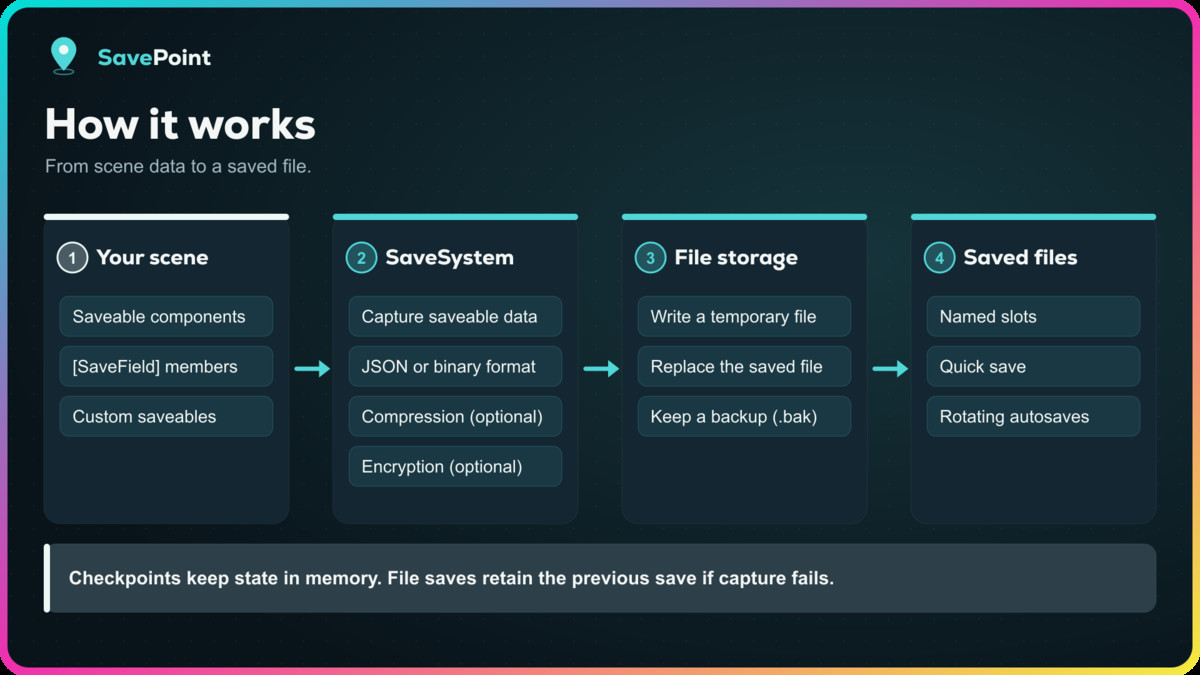
SavePoint adds save slots, quick save, rotating autosaves and checkpoints to Unity. Create a Save System Config, initialize the system with the bootstrapper, add saveable components and call Save or Load.
Save the state that matters
Built-in components persist transforms, rigidbodies, active states (including objects that were switched off), animators, audio sources, spawned objects and ScriptableObject data. Tag fields with [SaveField] to save values, enums, lists and serializable types by reflection, or derive from SaveableEntity when you want full control over what is written and restored. Stable save IDs, a scene validator and one-click Regenerate Save ID and Fix Duplicate IDs keep saved data attached to the right objects.
Previous-save backups
File storage writes to a temporary file before replacing the current save and keeps a .bak backup of the previous save. Offer an explicit Restore Previous Save action through the recovery API, which validates the backup before replacing the current slot and keeps the displaced save for reversal. If any saveable fails to capture, SavePoint aborts the write so the last good save survives, and restore failures are reported to your code instead of looking like success.
Slots, quick save, autosave and checkpoints
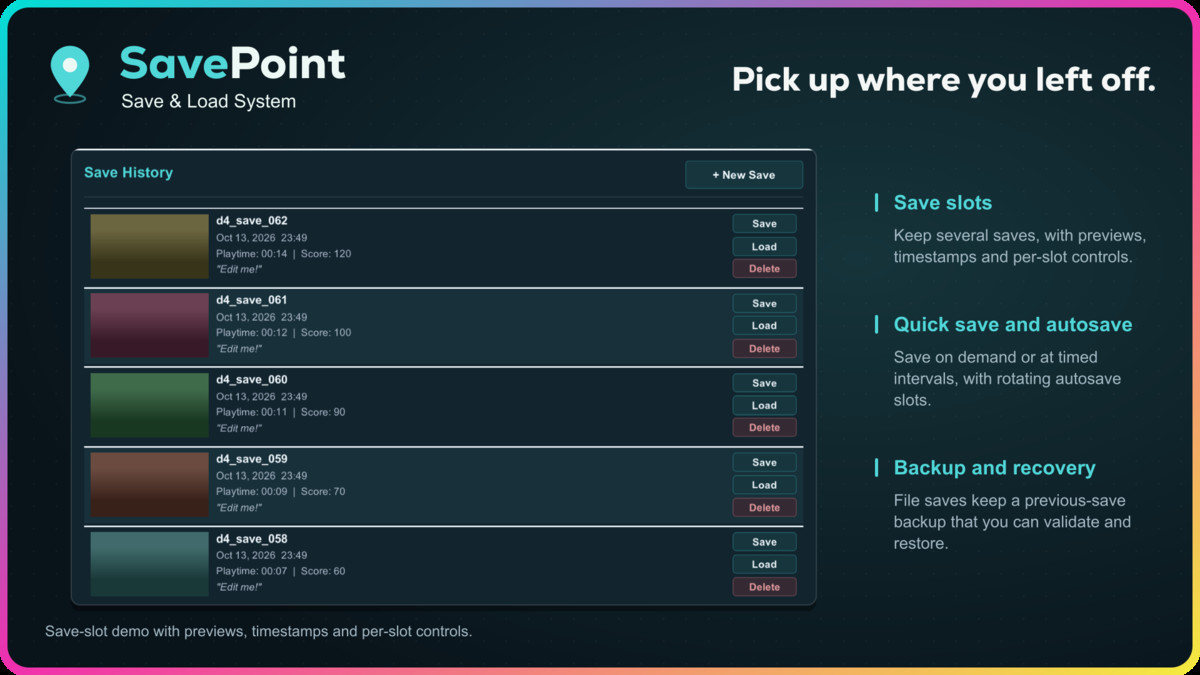
Offer numbered save slots with timestamps, accumulated playtime, version and optional screenshot thumbnails. Build a Continue button from the newest slot and load it together with the scene it was saved in. Add a quick-save key, an autosave interval with rotating slots, saving when a mobile app goes to the background, and in-memory checkpoints for respawns. Every save path captures the same saveable components.
Choose how it is stored
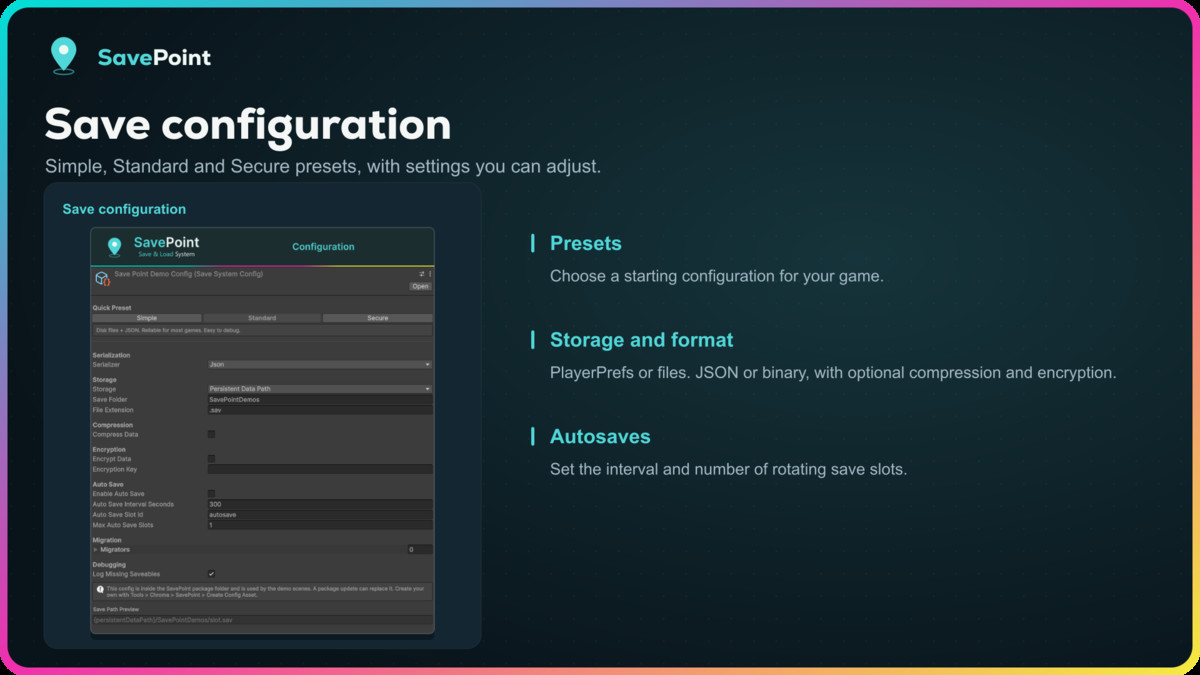
Use JSON or Binary serialization, with optional GZip compression and AES-256 encryption. Built-in saves record their format so they can load after changing these settings, provided the required encryption key remains available. Save to files under persistentDataPath, use PlayerPrefs for small WebGL saves, or supply your own serializer or storage backend. Version migrations let you upgrade old save data when your game changes.
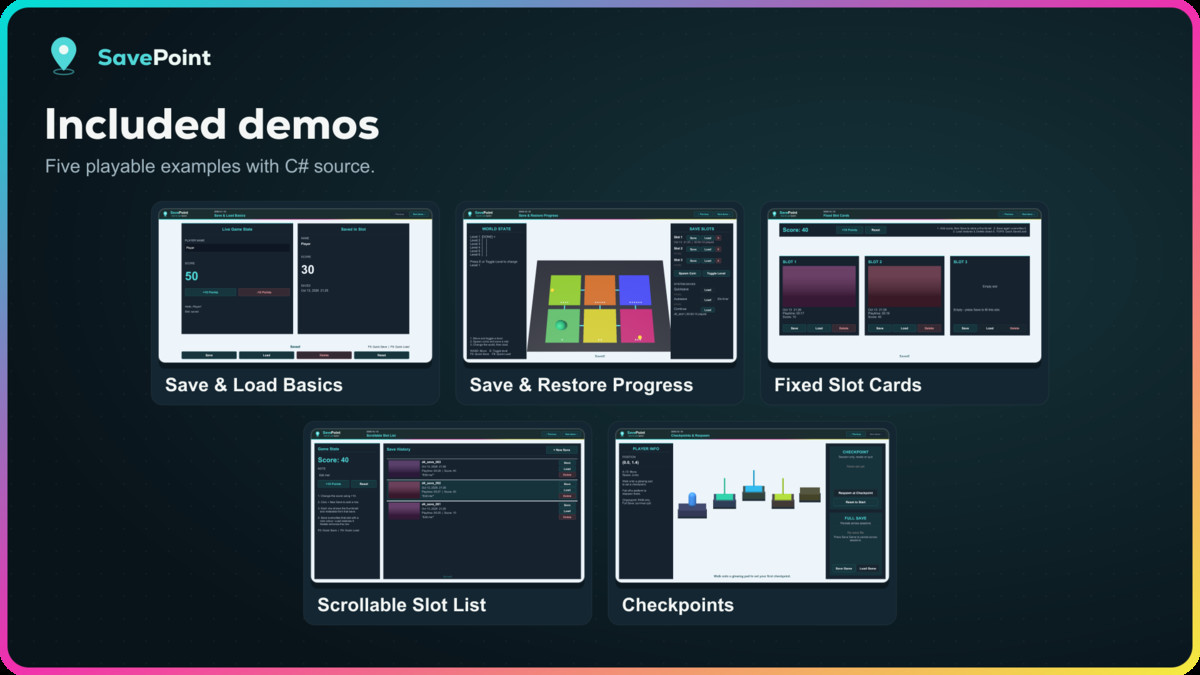
Learn through five demos
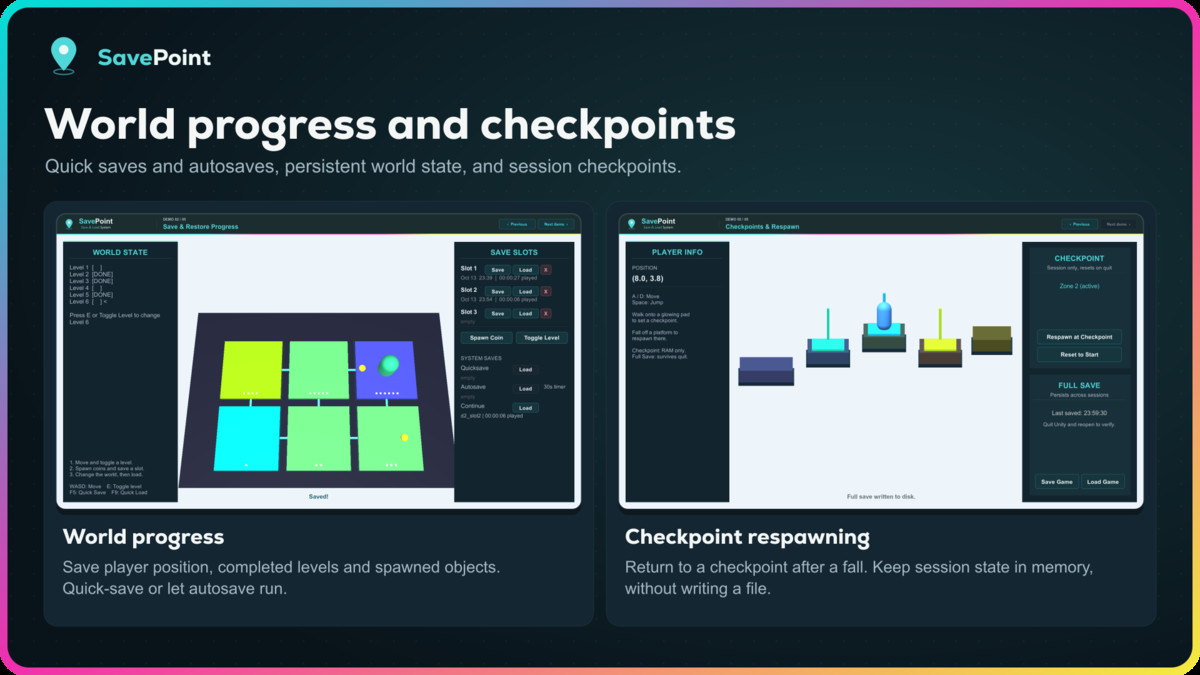
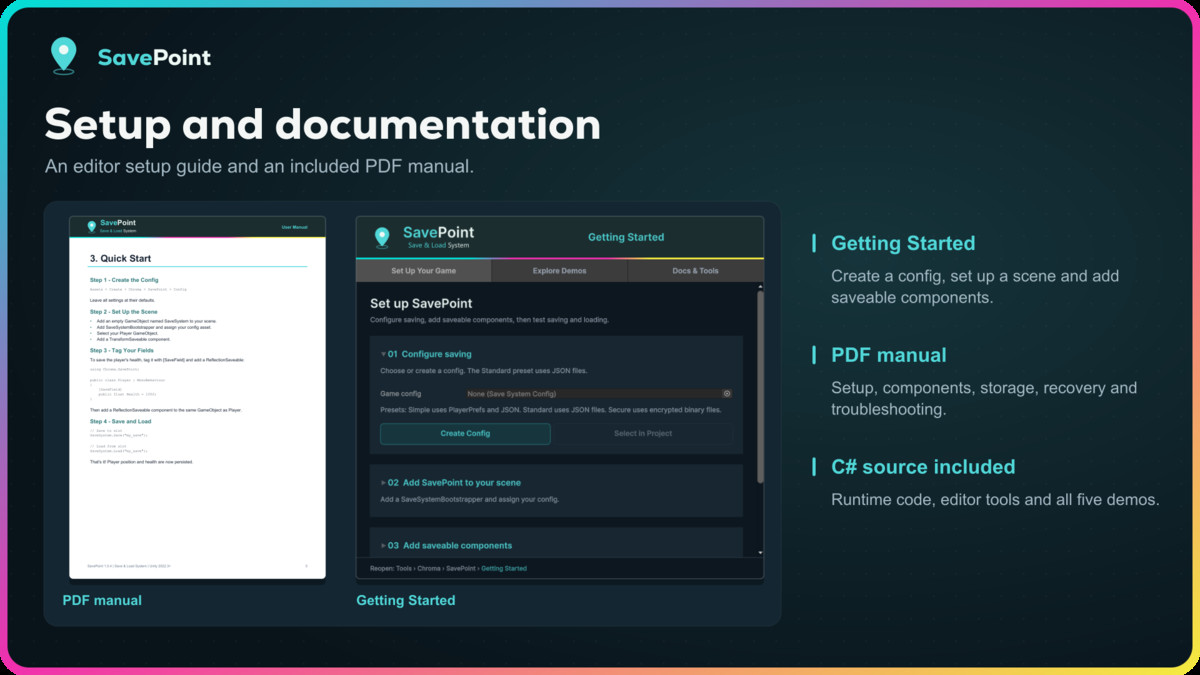
Basics, World Hub, Fixed Slot Cards, Scrollable Slot List and Checkpoints each show one pattern you can copy, with their C# source included. ScriptableObject saving, migrations and encryption are covered in the manual rather than a demo. A Getting Started window with one-click setup actions, a Save System Dashboard for browsing slots in the Editor and an offline PDF manual help you set up saving and loading in your game.
SavePoint includes editable C# source and requires no third-party SDK, service, account or subscription. Input System support is optional and isolated in its own assemblies; the demos also run with the Input Manager.
Scope: SavePoint saves the objects and data you register. It does not automatically serialize arbitrary engine objects, scene hierarchies or references to assets, and it does not include cloud sync or multiplayer save authority. Encryption helps deter casual inspection and tampering; it is not a substitute for server-side validation.
From the publisher's Asset Store listing.
Technical details
Saving and restoring
- Recover the previous save through a validated, reversible backup API.
- SaveSystem API with async Task calls and fire-and-forget calls with failure events.
- Serialized operations: saves and loads never overlap.
- File writes use temporary files, atomic replacement where supported and a .bak backup.
- A failed saveable capture aborts the write; restore failures surface to the caller.
- Built-in saveables: Transform, Rigidbody, ActiveState, Animator, AudioSource, ScriptableObject, Spawner.
- Reflection saving with [SaveField] supports common numeric types, strings, bools, vectors, colors, enums, supported serializable types, arrays and lists.
- Custom saveables through SaveableEntity or ISaveable.
- Stable save IDs with a scene validator, Regenerate Save ID and Fix Duplicate IDs.
- Built-in serializers record the save format and report unreadable data.
Slots and workflow
- Named save slots with metadata: timestamp, accumulated playtime and game version.
- Continue helpers: GetLatestSlotAsync and LoadWithSceneAsync (loads the saved scene, then the slot).
- Optional screenshot thumbnails for slot previews.
- QuickSave and AutoSave components: interval, rotating slots, save on quit, save on app pause, save before scene change.
- Session-only CheckpointSystem, shown in a checkpoint respawn demo.
- SaveSystem events and an Inspector-friendly SaveEventsComponent, including failure events.
- Save migrations for version upgrades.
Storage and format
- JSON and Binary serializers.
- Optional GZip compression and AES-256-CBC encryption.
- File storage under Application.persistentDataPath; PlayerPrefs storage for WebGL.
- Custom ISerializer and IStorageProvider through SaveSystem.Initialize.
- Simple, Standard and Secure configuration presets.
Included content
- Five demos: Basics, World Hub, Fixed Slot Cards, Scrollable Slot List and Checkpoints.
- Built-in, URP and HDRP demo scene variants.
- Getting Started window with one-click setup, Save System Dashboard (slots, saveables, duplicate ID fix), custom inspectors.
- Offline PDF manual with contents and bookmarks.
- Editable runtime, editor and demo C# source.
Requirements and limits
- Unity 2022.3 or newer.
- Demo UI requires Unity UI (com.unity.ugui).
- Input Manager, Input System or Both; the Input System backend is optional and version-defined.
- PlayerPrefs storage has limited capacity; keep WebGL saves small.
Compatibility
| Unity version | Built-in | URP | HDRP | Custom |
|---|---|---|---|---|
| 6000.6.4f1 | Compatible | Compatible | Compatible | Compatible |
As listed on the Asset Store.