
 View on Asset Store (opens in new tab)
Package details
- Latest version
- 1.0.0
- Last updated
- First released
- Unity version
- 6000.2.14 or later
- Package size
- 202 KB
- Files
- 14
- Views in the past week
- 3
Price tracking
- Last checked
- Tracked since
- Lowest recorded
- $4.99 on
Keywords

Beasty Console
A typed, color-coded Unity logging API with a custom Console window featuring per-type filters, timestamps, real-time search, and one-click IDE navigation to source lines
Affiliate link · Purchases support this site
Price history
Last 6 months
USDAsset preview
1 / 3
Beasty Console screenshot 1
About this asset
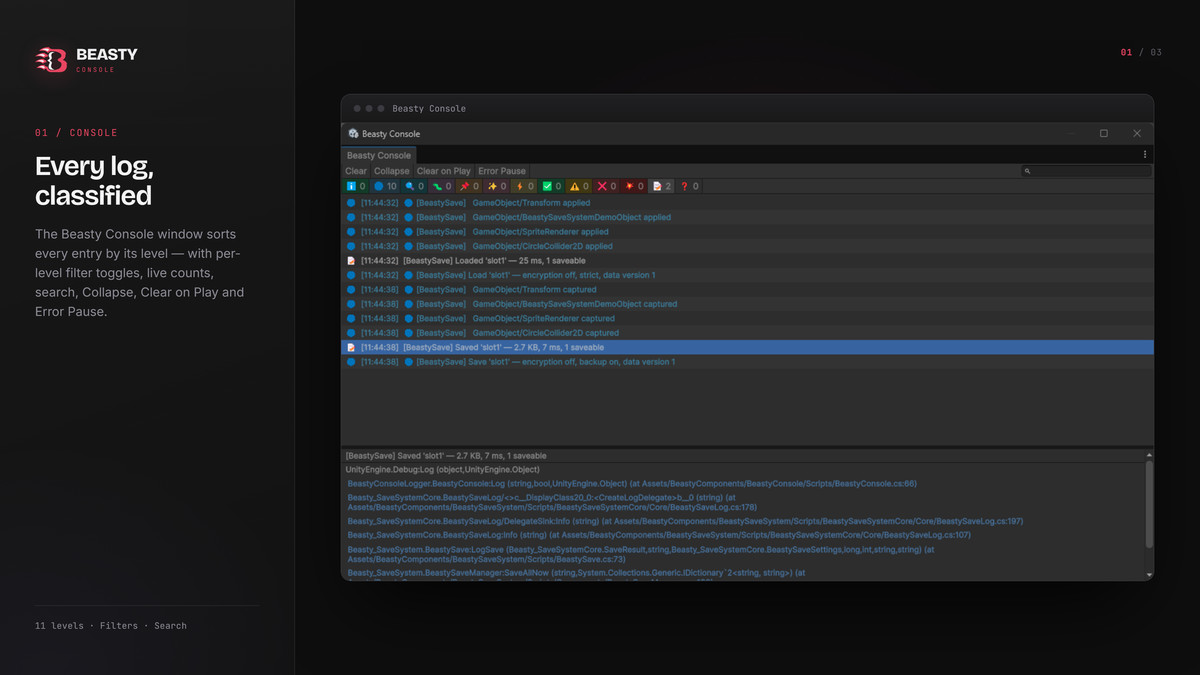
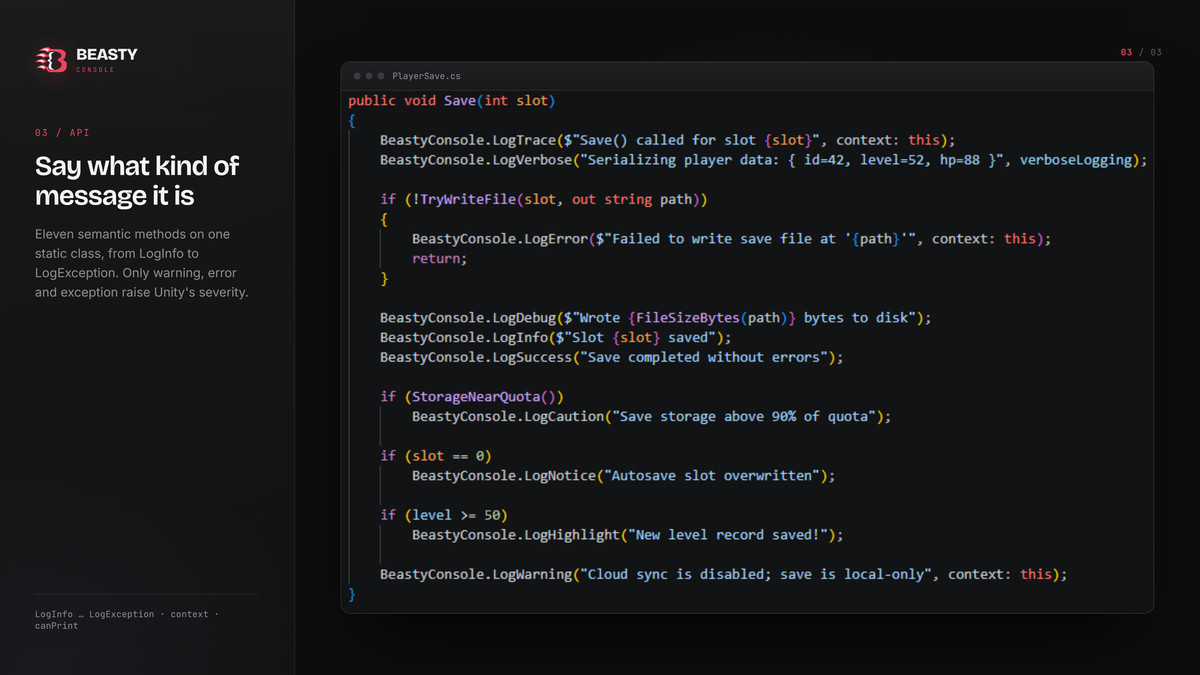
BeastyDebugLogger replaces the noise of Unity's default Console with a structured, developer-friendly experience. It provides a lightweight static API with 10 typed log levels — Info, Verbose, Trace, Debug, Notice, Highlight, Caution, Success, Warning, and Error — each rendered in its own distinct color inside the custom Beasty Console window.
The Beasty Console captures every log from Unity's message pipeline, classifies it by type, and displays it with color-coded rows, timestamps, and emoji prefixes. A scrollable filter toolbar shows live per-type message counts so you can see at a glance how many Errors or Warnings accumulated during a play session. A real-time search field narrows results instantly.
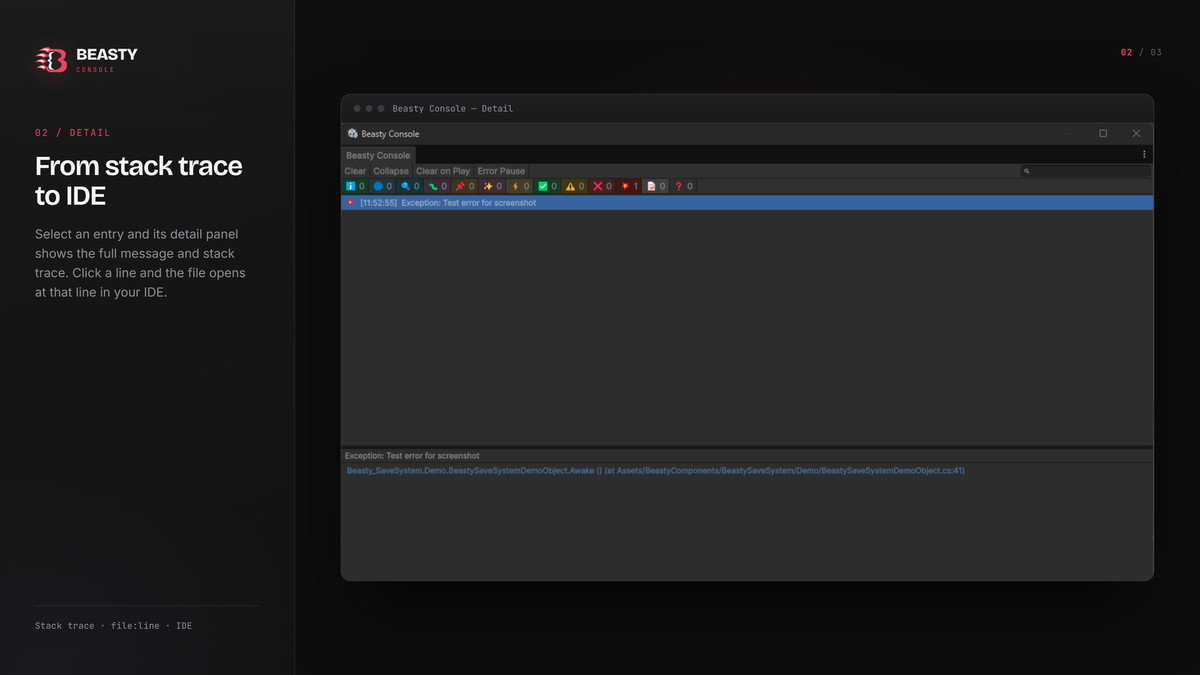
Double-clicking any log row opens the originating source file at the exact line number in your IDE, skipping internal logger frames automatically. Stack trace lines in the detail panel are rendered as clickable links for the same one-click navigation. The split panel between the log list and the detail view is fully resizable with a drag handle.
Additional controls include Collapse (merge duplicate messages with a repeat count), Clear on Play (auto-wipe on entering Play Mode), and Error Pause (automatically pause the Editor on errors or exceptions). All colors and the Beasty Console window are editor-only; standalone builds output plain text through Unity's standard Debug pipeline, so there is zero runtime overhead. A single master switch (BeastyDebugLogger.IsEnabled = false) silences all output in release builds.
The package is genre-agnostic, requires no configuration, and has no external dependencies. It works with all Unity render pipelines and projects of any size.
From the publisher's Asset Store listing.
Technical details
- 10 typed log levels: Info, Verbose, Trace, Debug, Notice, Highlight, Caution, Success, Warning, Error + full Exception forwarding
- Custom Beasty Console editor window with color-coded rows and emoji type badges (Window → Beasty → Beasty Console)
- Per-type toggle filters with live message-count badges per category
- Real-time text search across all visible log messages
- Timestamps on every log entry in [HH:mm:ss] format
- Collapse mode: merges duplicate messages and displays a repeat count
- Clear on Play: automatically clears the console when entering Play Mode
- Error Pause: pauses the Editor automatically on errors or unhandled exceptions
- One-click IDE navigation: double-click any row to open the source file at the exact line number
- Clickable stack trace links in the detail panel for per-frame navigation
- Resizable split panel between the log list and the detail view
- Master on/off switch (BeastyDebugLogger.IsEnabled) for silencing all output in release builds
- PrintLongMessage utility for chunked output of strings that exceed Unity's log character limit
- Zero external dependencies; editor-only rendering, plain-text fallback in standalone builds
- Compatible with all render pipelines (Built-in, URP, HDRP)
Compatibility
| Unity version | Built-in | URP | HDRP | Custom |
|---|---|---|---|---|
| 6000.2.14f1 | Compatible | Compatible | Compatible | Compatible |
As listed on the Asset Store.