
 View on Asset Store (opens in new tab)
Package details
- Latest version
- 1.0.1
- Last updated
- First released
- Unity version
- 2022.3.62 or later
- Package size
- 251.0 MB
- Files
- 1,092
- Favorites
- 26
- Views in the past week
- 41
Price tracking
- Last checked
- Tracked since
- Lowest recorded
- $41.99 on
Keywords
Map GUI Pro - Minimap, Map & Compass
Add a complete map system to any Unity game — minimap, compass, fullscreen map, POIs, player markers, entity tracking, fog of war. 6 themes, 100% UI Toolkit, live in-editor designer.
Affiliate link · Purchases support this site
Price history
Last 6 months
USDAsset preview
1 / 37
Map GUI Pro - Minimap, Map & Compass screenshot 1
About this asset
💬 Join the AnkleBreaker Community! 💬
Got a question, feedback, or a feature you'd love to see? Join our Discord, we actively improve our assets based on your input, it's where we drop our latest announcements and run giveaways.
- 👥 Discord: 👉 https://discord.gg/2D36VUmsYN
- 🌐 Website: 👉https://anklebreaker-consulting.com
🧭 Drop In a Complete Map System — Minimap, Compass & World Map, All in Sync
Stop pointing a second camera at your scene and calling it a minimap.
Stop stitching three different assets together for minimap, compass, and world map.
MapGUIPro is a complete runtime map navigation suite — minimap HUD, compass, fullscreen world map, POIs, player markers, live entity tracking, and fog of war — themeable end to end, and it ships in minutes.
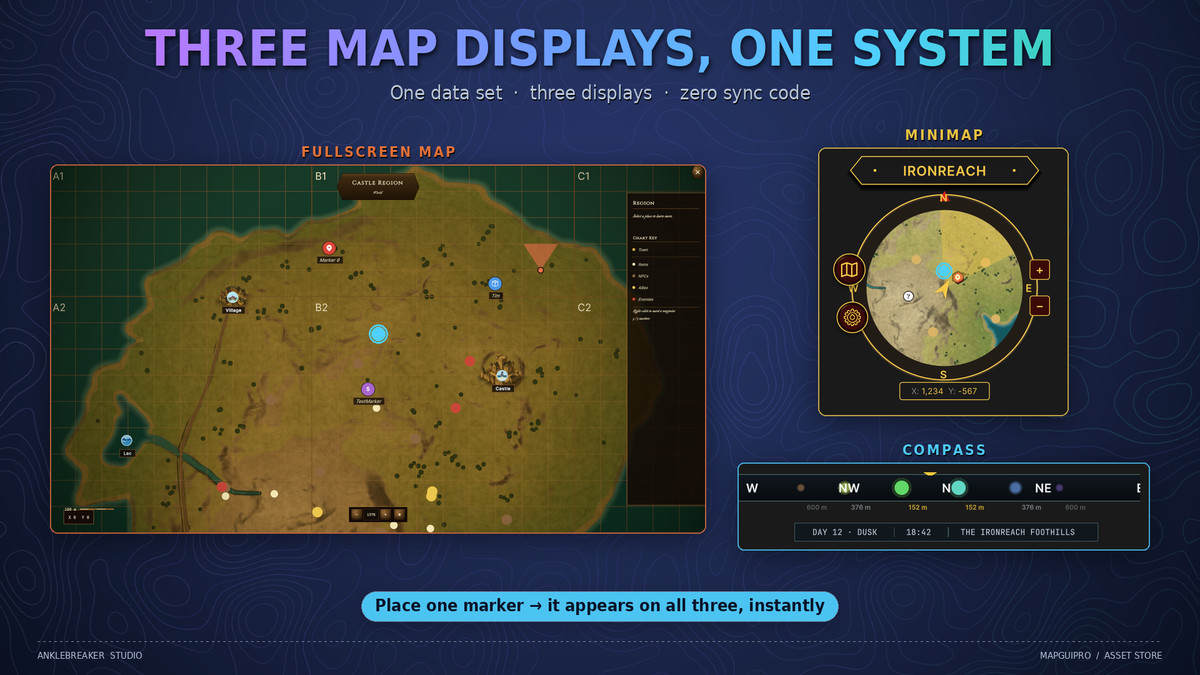
🧩 Three Map Displays, One System 🧩
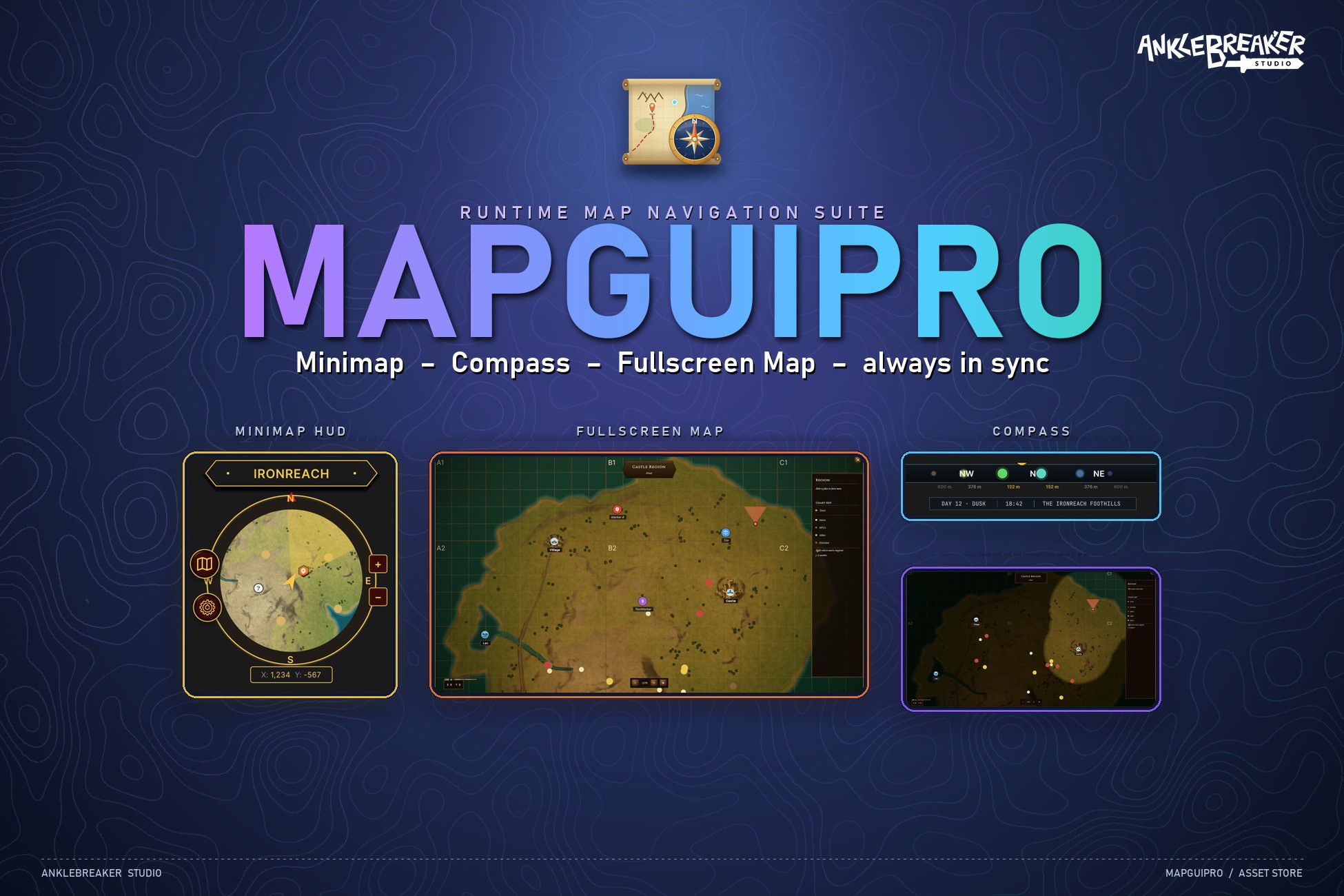
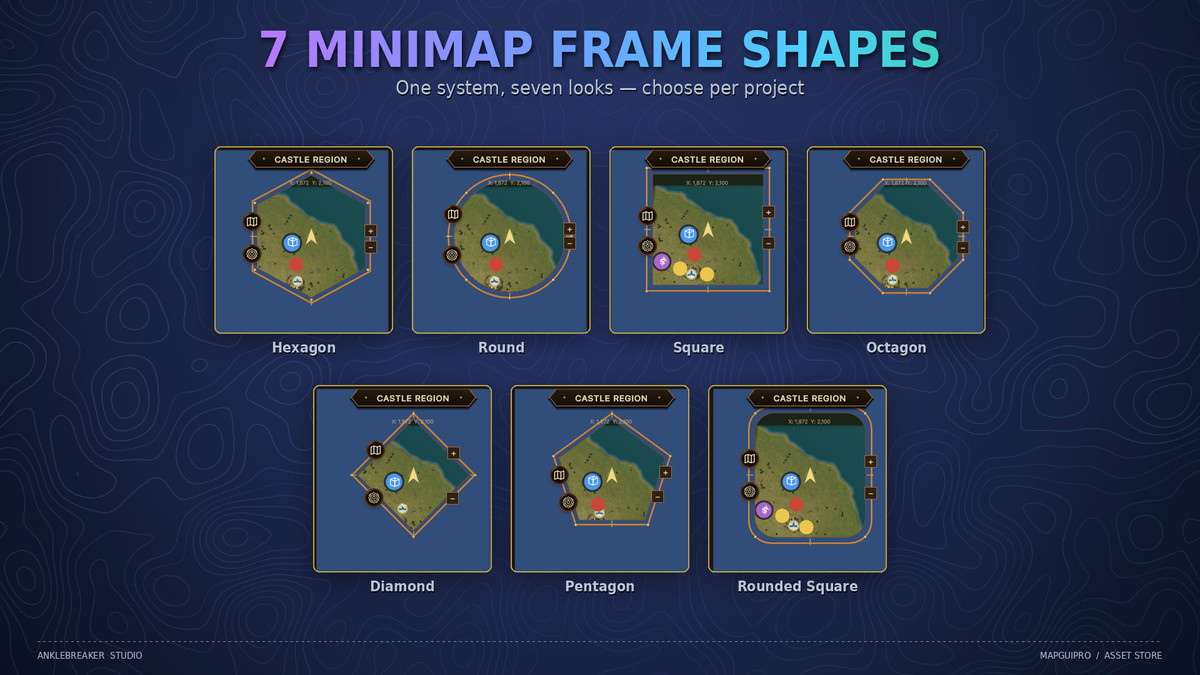
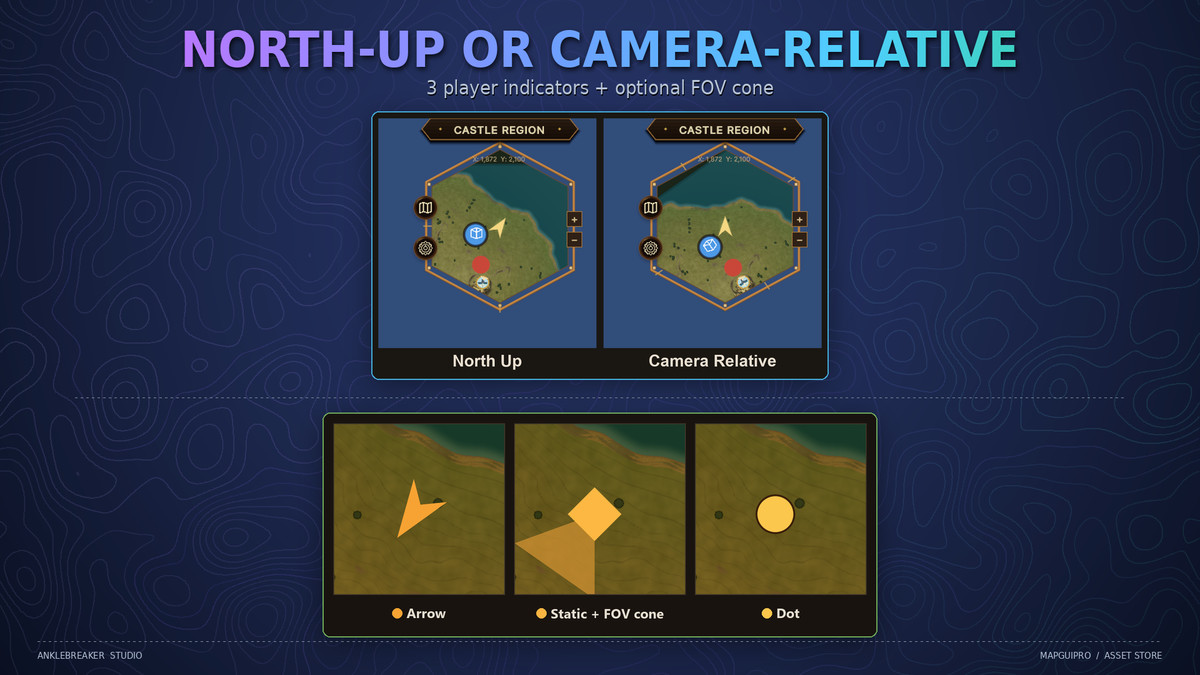
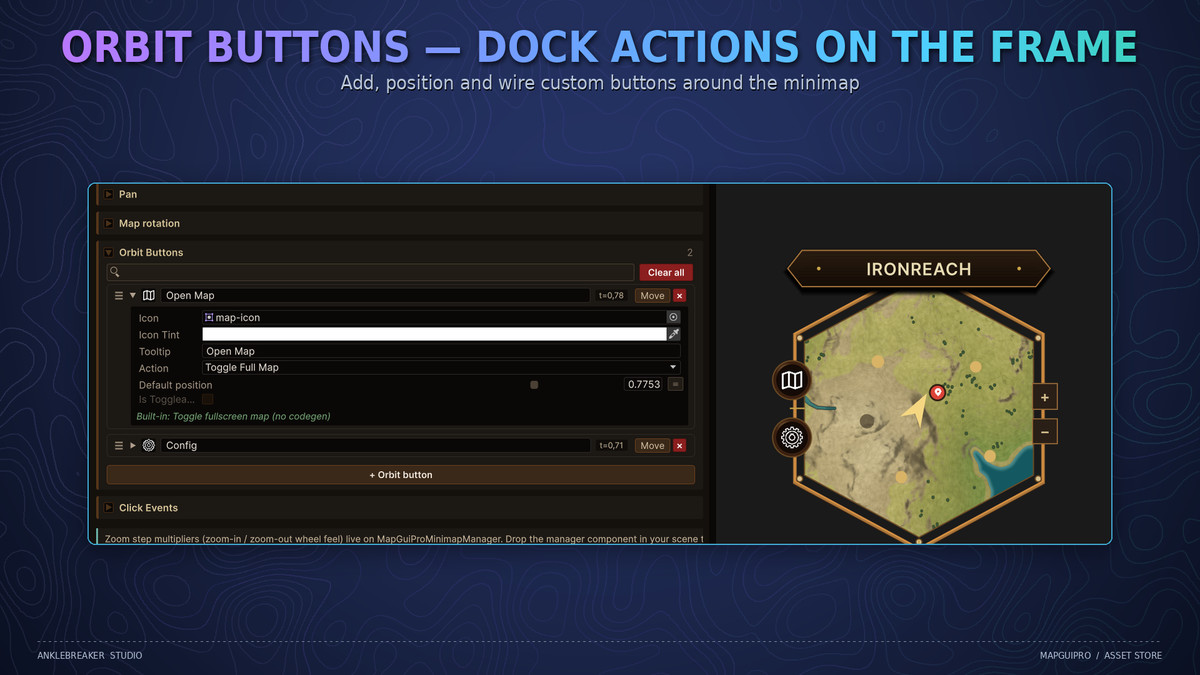
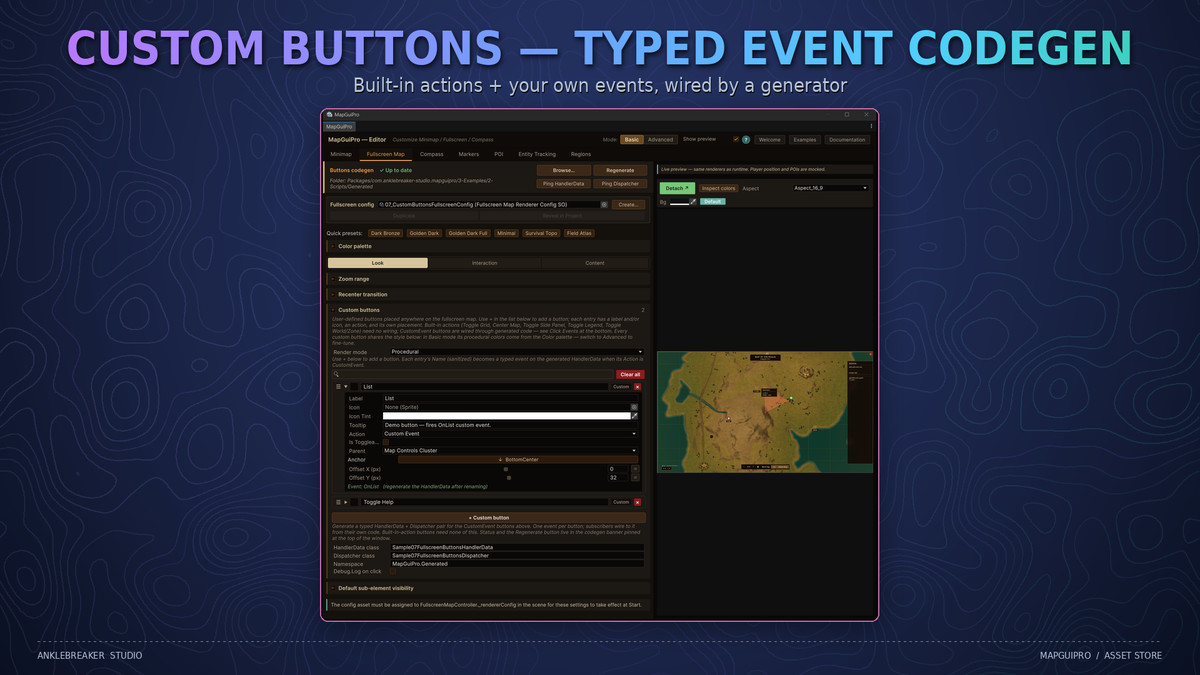
Minimap HUD — 7 frame shapes, North-Up or Camera-Relative rotation, zoom and mouse pan with auto return-to-player, live player coordinates, and edge indicators that clamp distant markers to the rim. Orbit buttons dock custom actions around the frame — 7 shapes, tooltips, even add/remove from code at runtime.
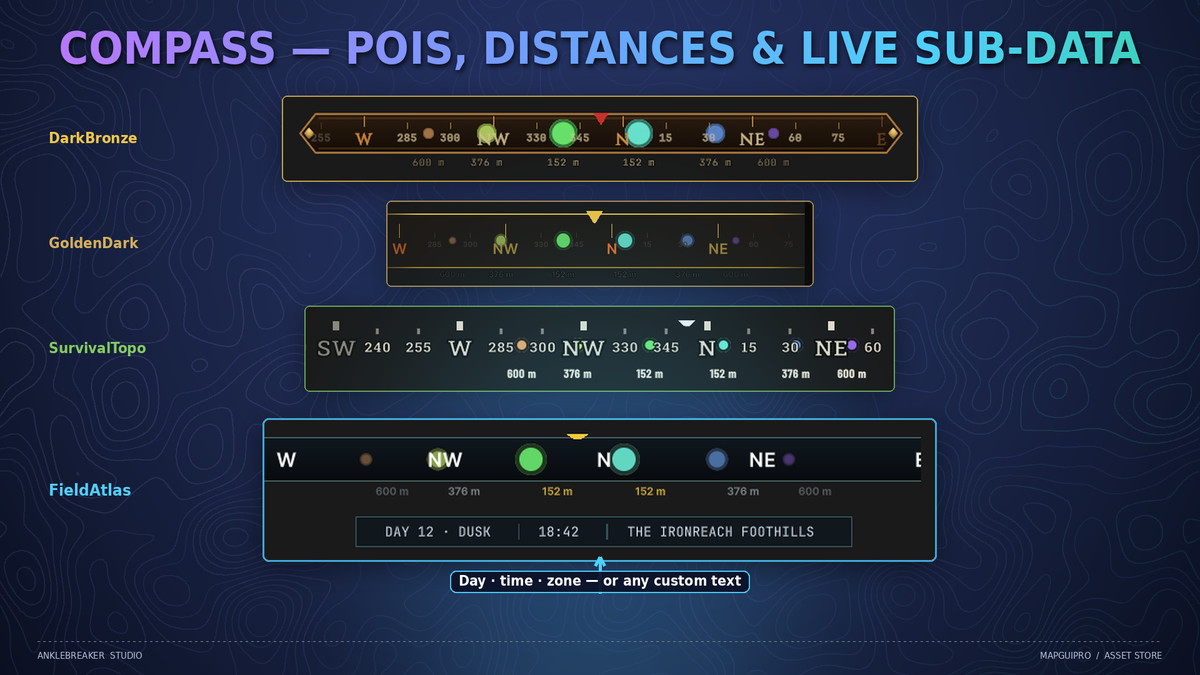
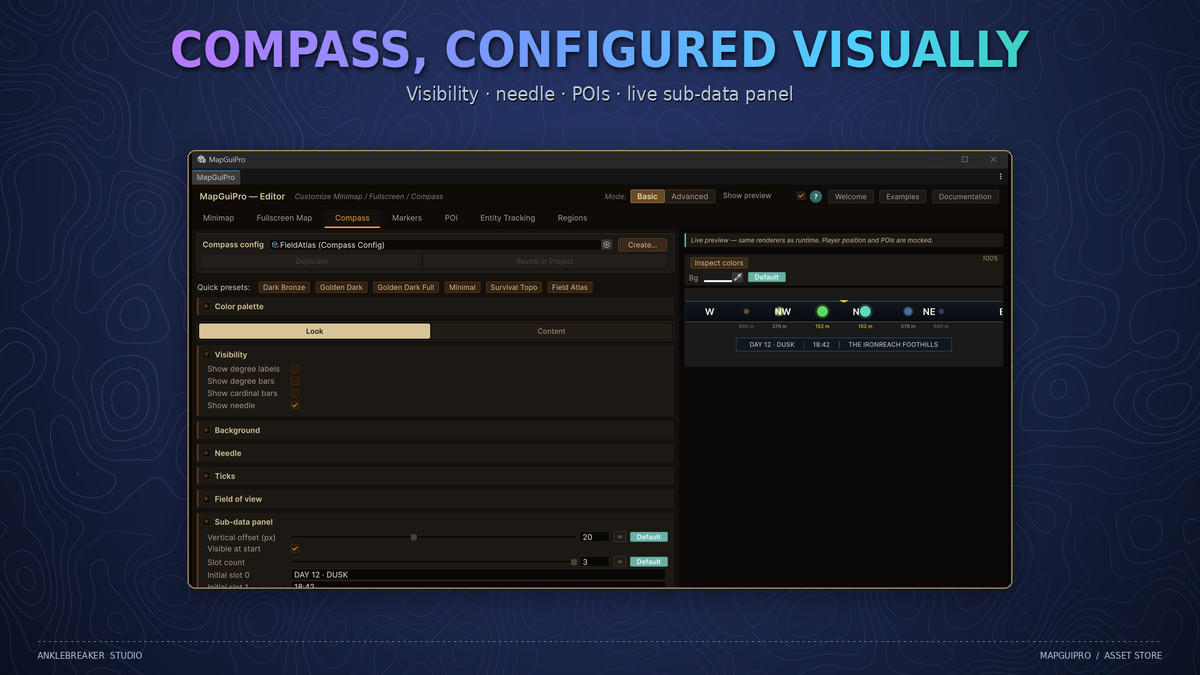
Compass — cardinal markers, degree ticks, needle, and POIs projected along a configurable FOV cone with distance labels. The sub-data panel pipes date/time, zone name, or any custom text right under the bar.
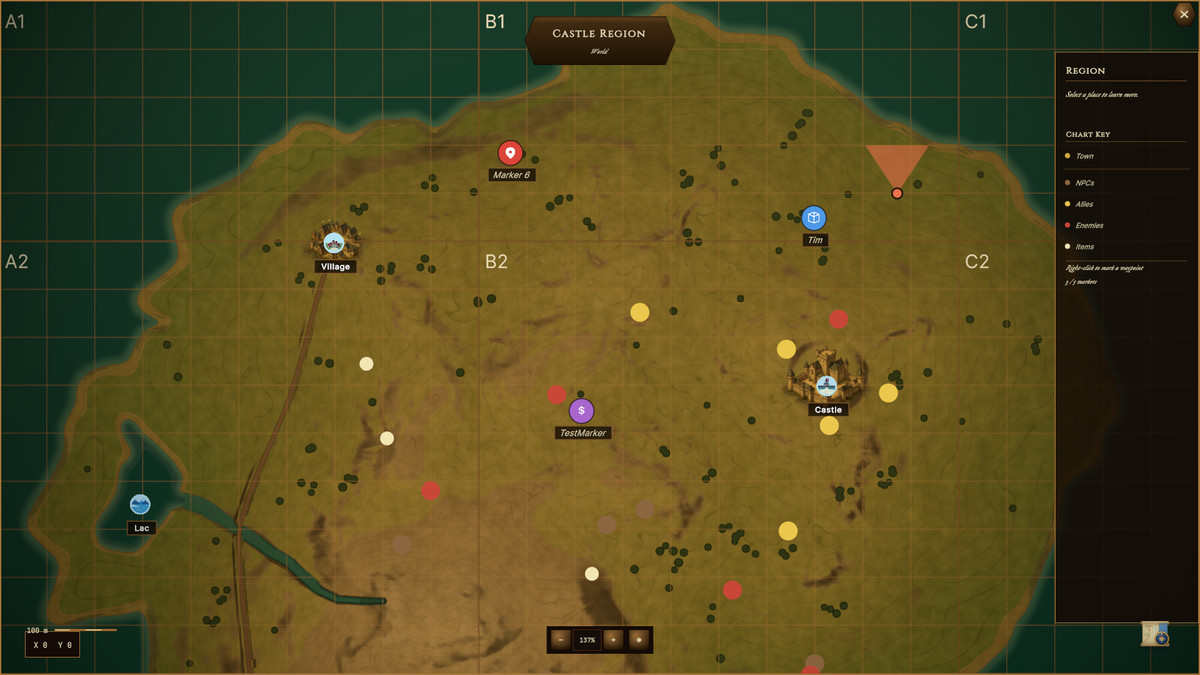
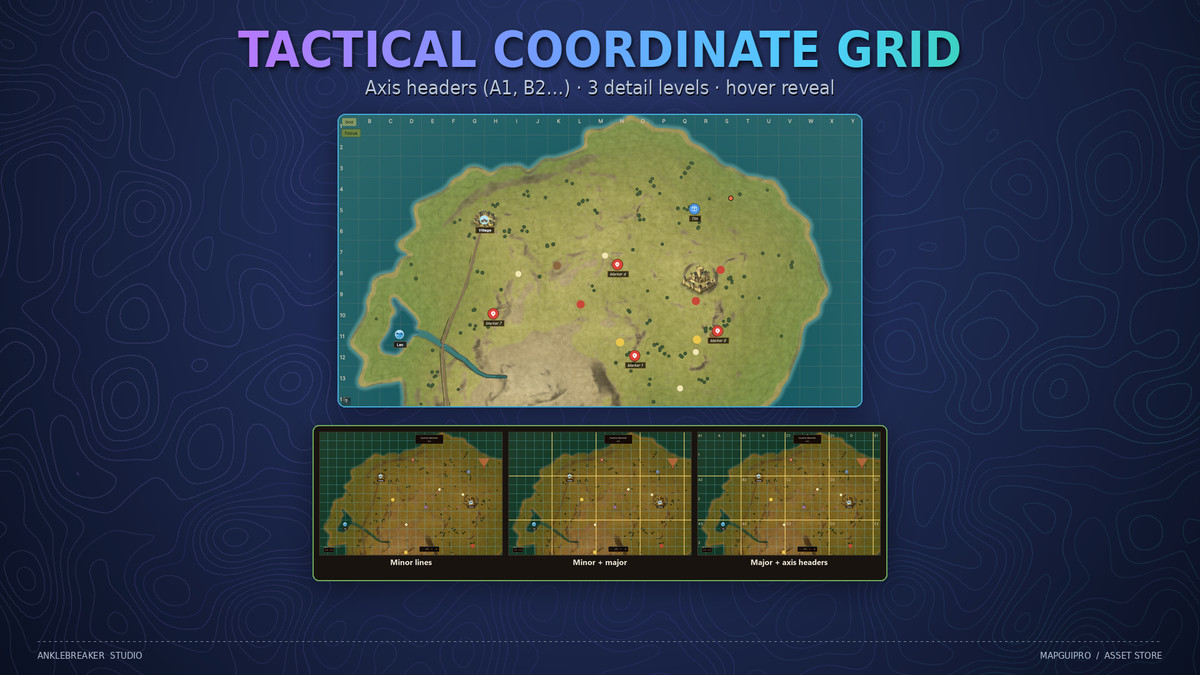
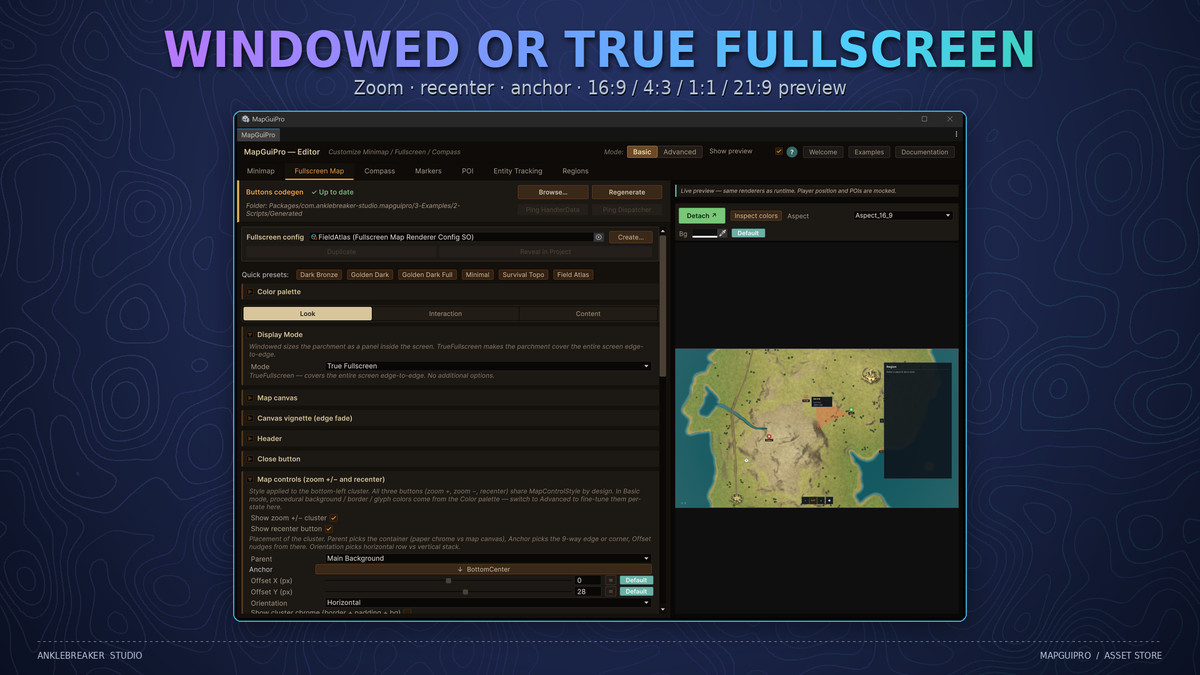
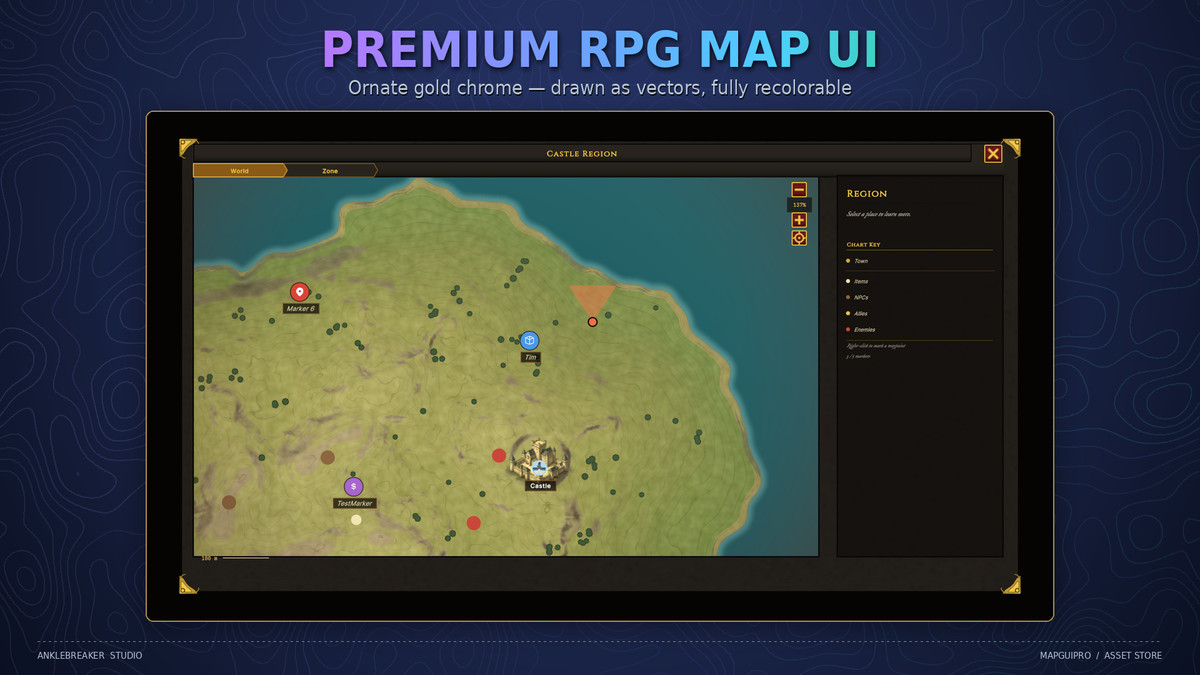
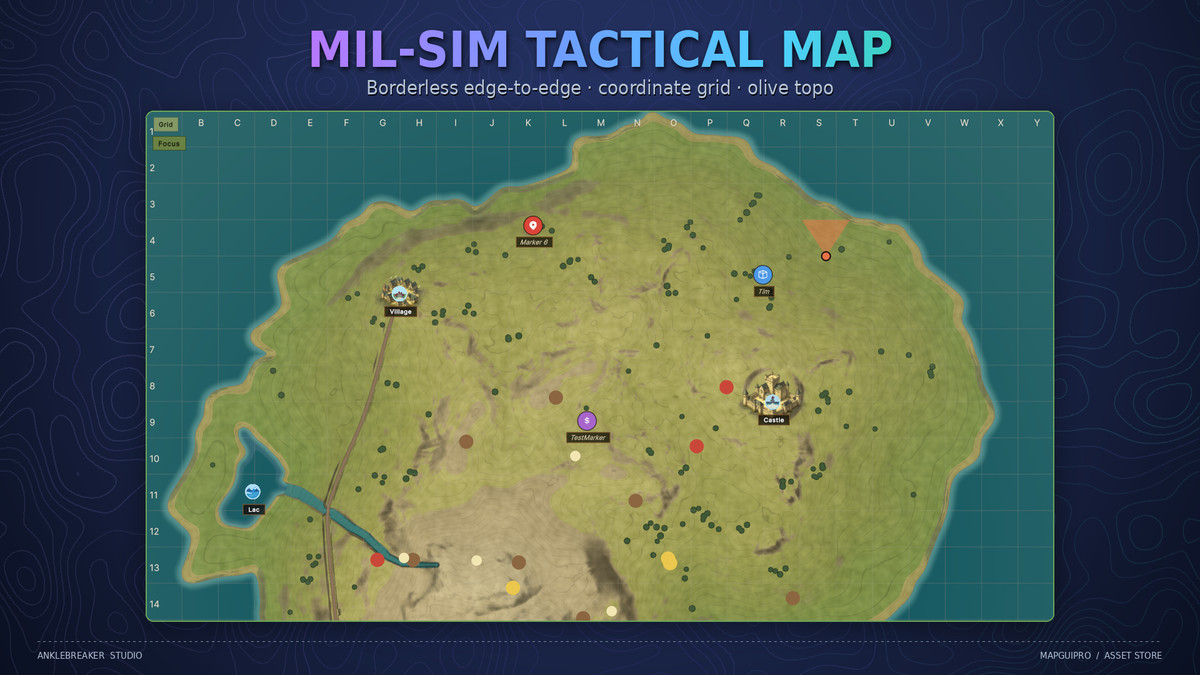
Fullscreen Map — windowed or true fullscreen, inertial pan, touch pinch zoom, interactive POIs with hover tooltips, a per-category legend, a coordinate grid with axis headers (A1, B2…), and a World ▸ Zone breadcrumb.
Place a marker on the world map — it appears on the minimap and the compass instantly. One data set, three displays, zero sync code.
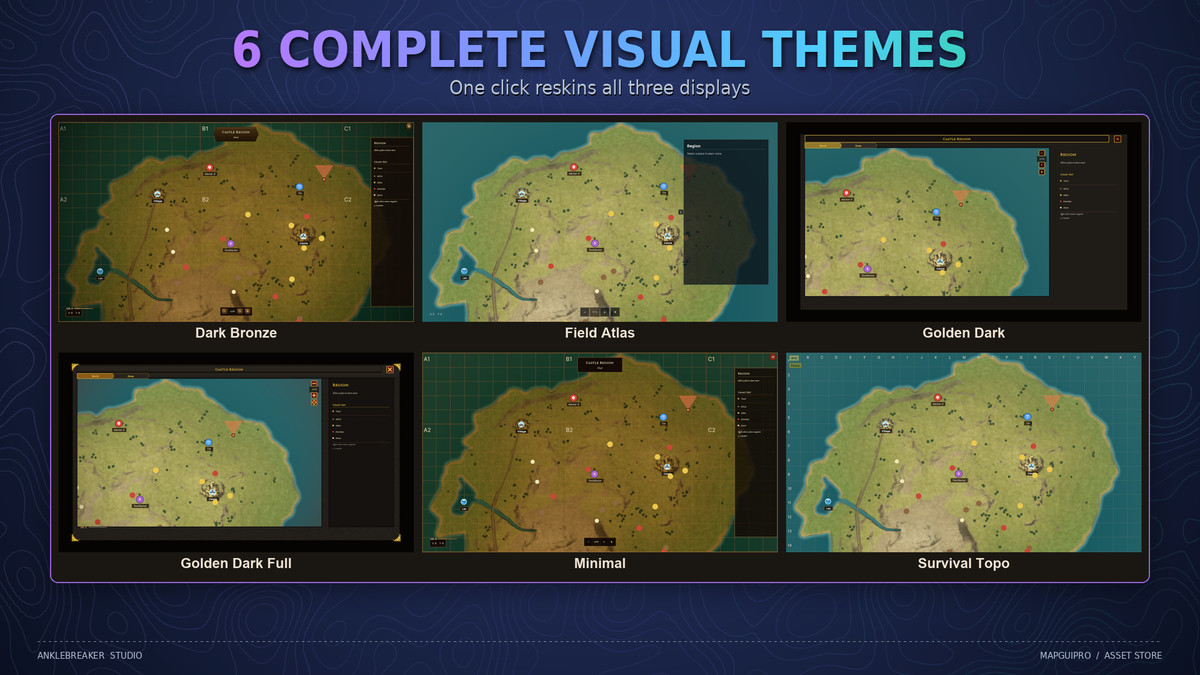
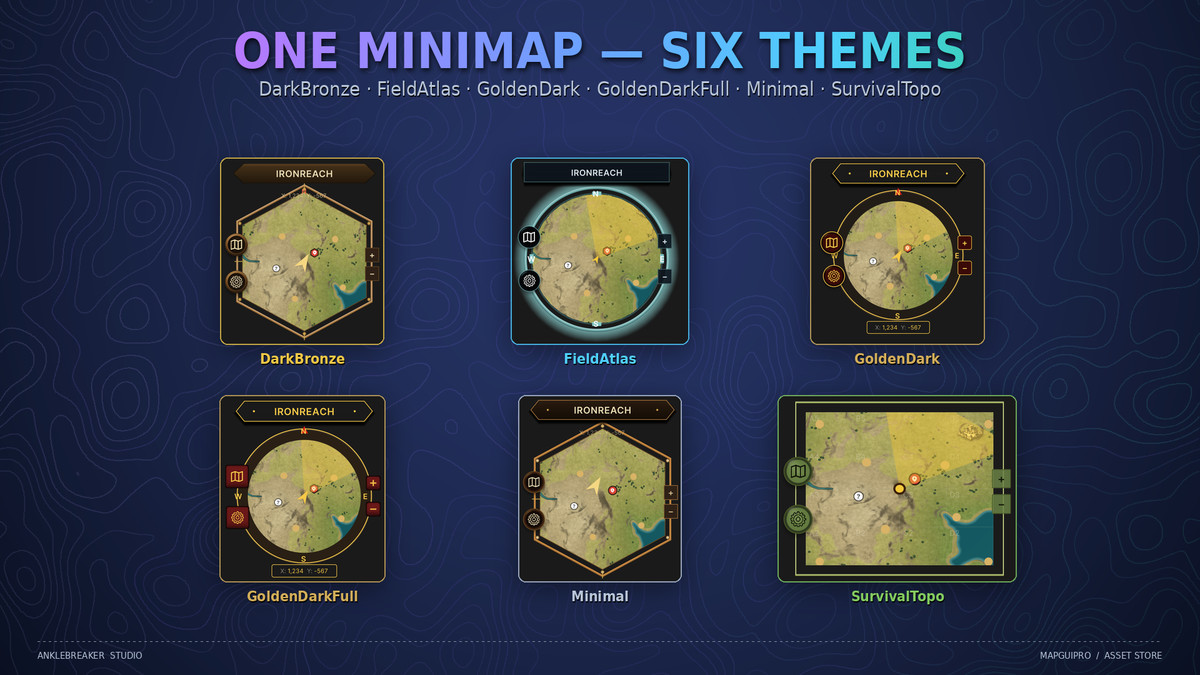
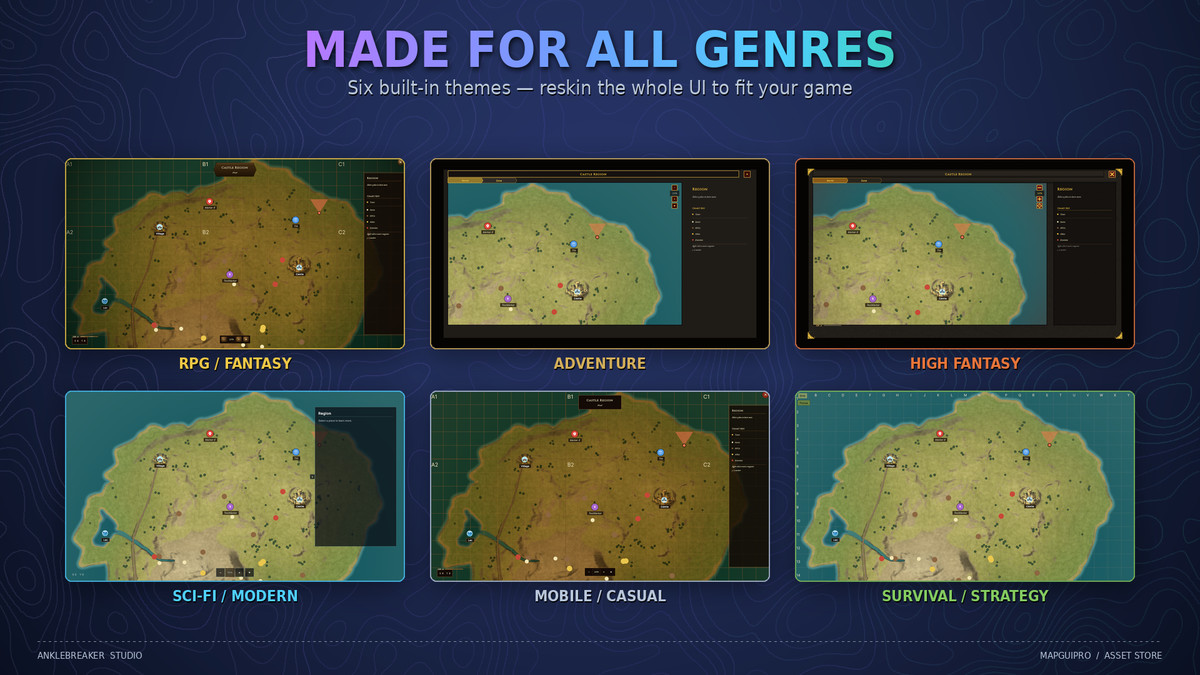
🎨 6 Complete Visual Themes 🎨
Beautiful results out of the box — one click reskins all three displays at once. Every preset is a ScriptableObject you can duplicate and customize.
DarkBronze — riveted medieval bronze for fantasy worlds.
FieldAtlas — modern military steel & cyan, with the data-rich sub-data bar.
GoldenDark — premium fantasy gold.
GoldenDarkFull — ornate full-chrome gold for high-fantasy UIs.
Minimal — clean, flat, desaturated.
SurvivalTopo — mil-sim olive with tactical grid.
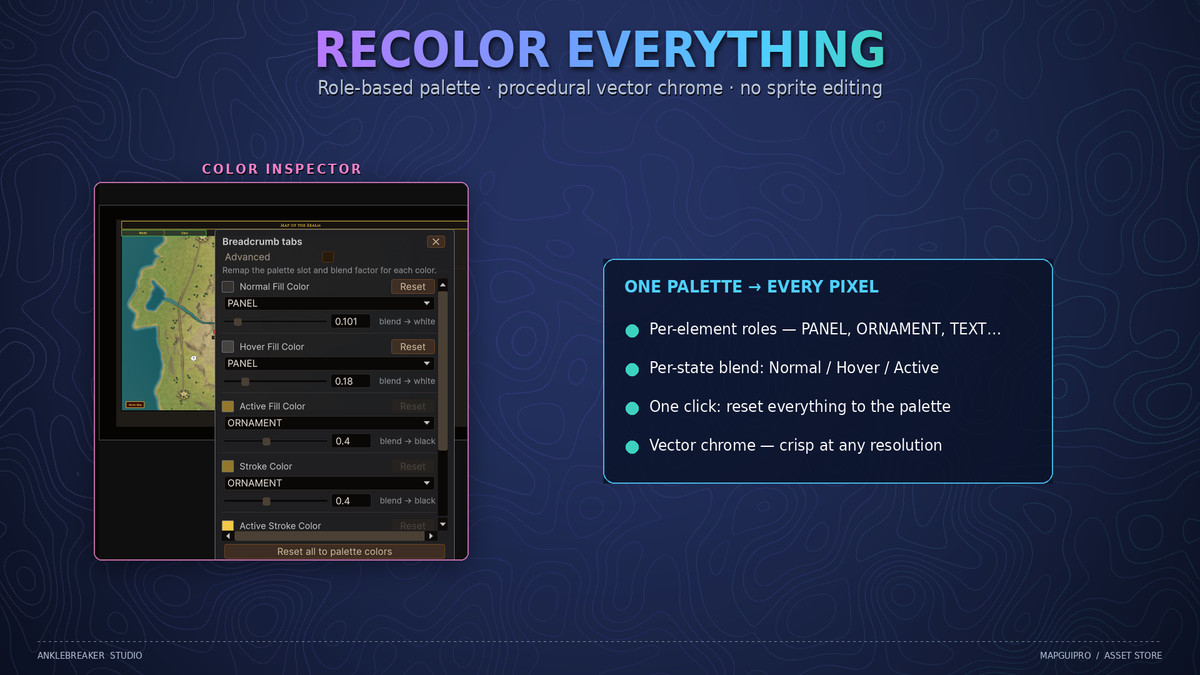
All chrome is drawn procedurally as vectors — recolor everything from a role-based palette, no sprite editing required.
🚀 Why MapGUIPro? 🚀
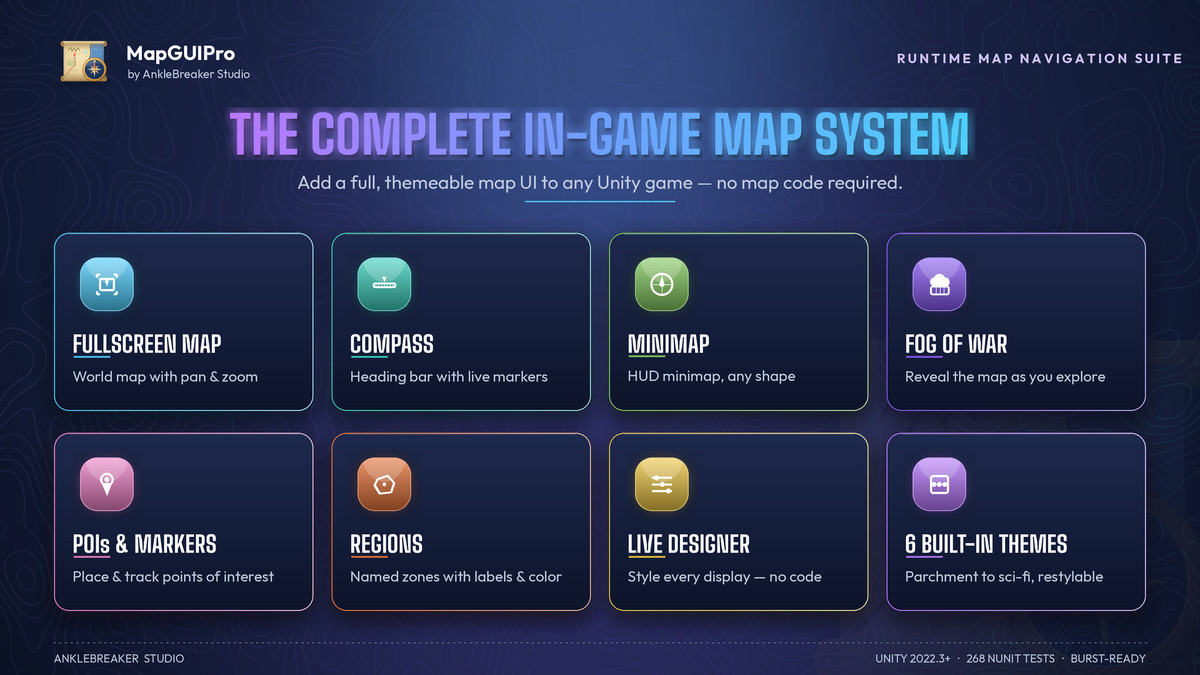
One Suite, Not Five Assets — The market is split into silos: a minimap here, a compass there, a map screen somewhere else. MapGUIPro unifies all three in one coherent, consistently themed system.
100% UI Toolkit — UXML + USS + procedural vector rendering. Crisp at any resolution, render-pipeline-agnostic, future-proof. Rare on the Asset Store, where most map assets still ship legacy sprite-based uGUI.
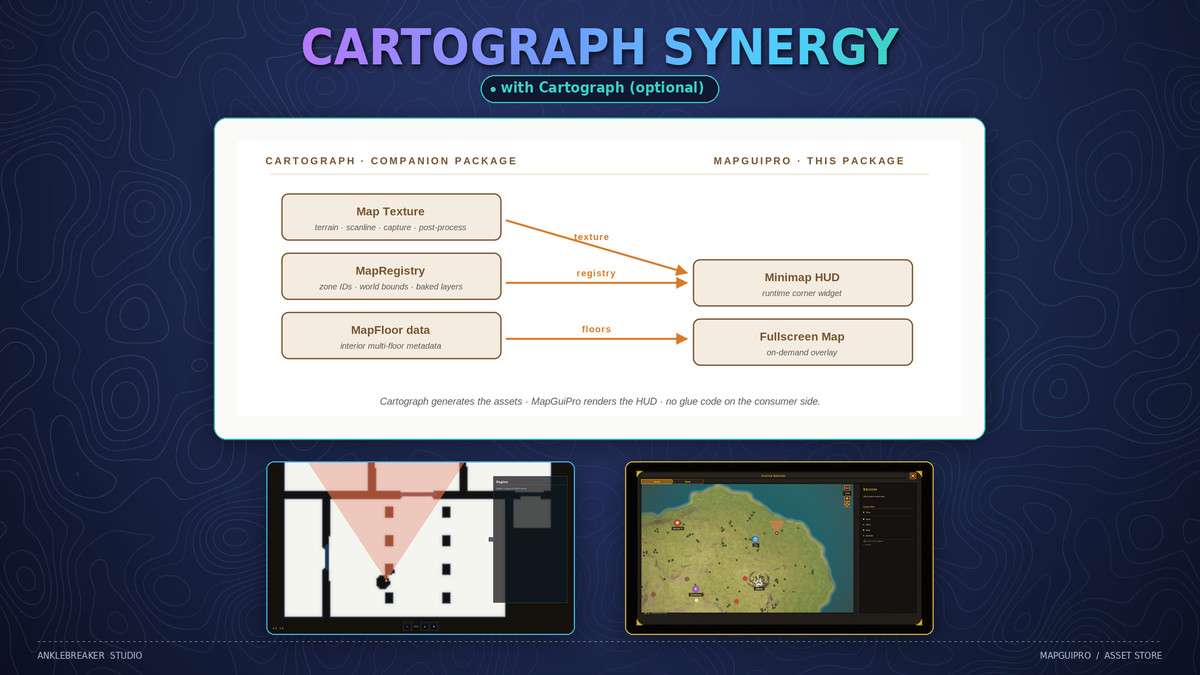
No Second Camera — maps are textures (hand-made, baked, or generated by Cartograph), projected and styled in UI. No render-texture camera silently eating frame time every update.
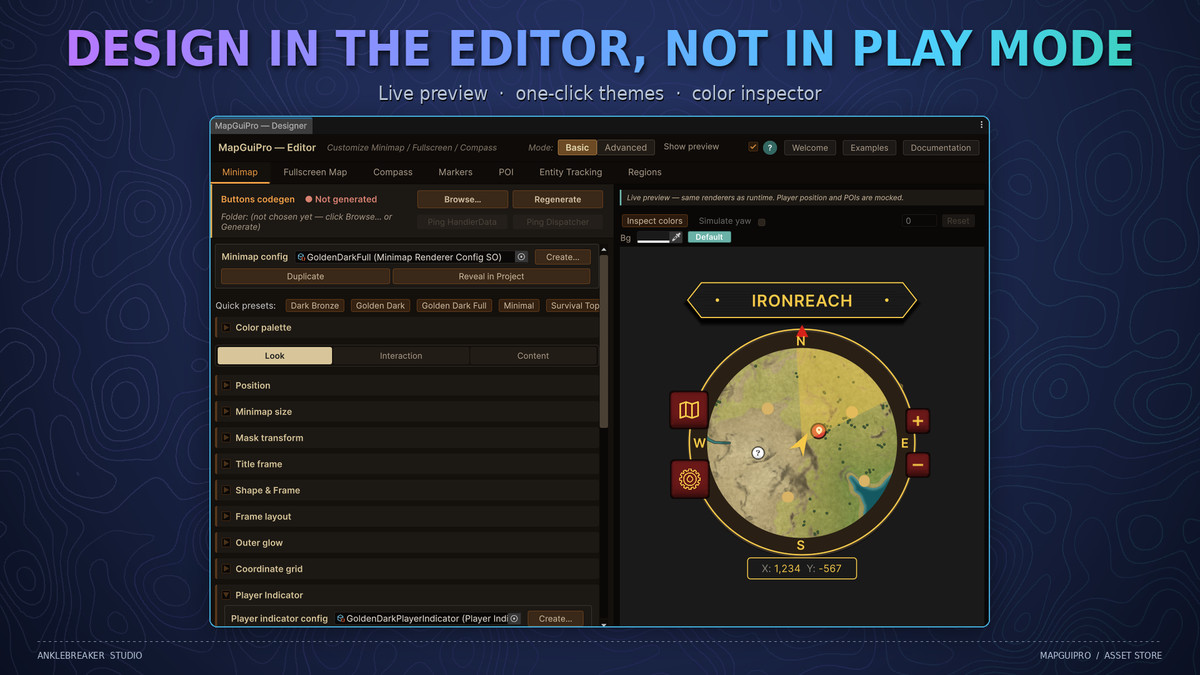
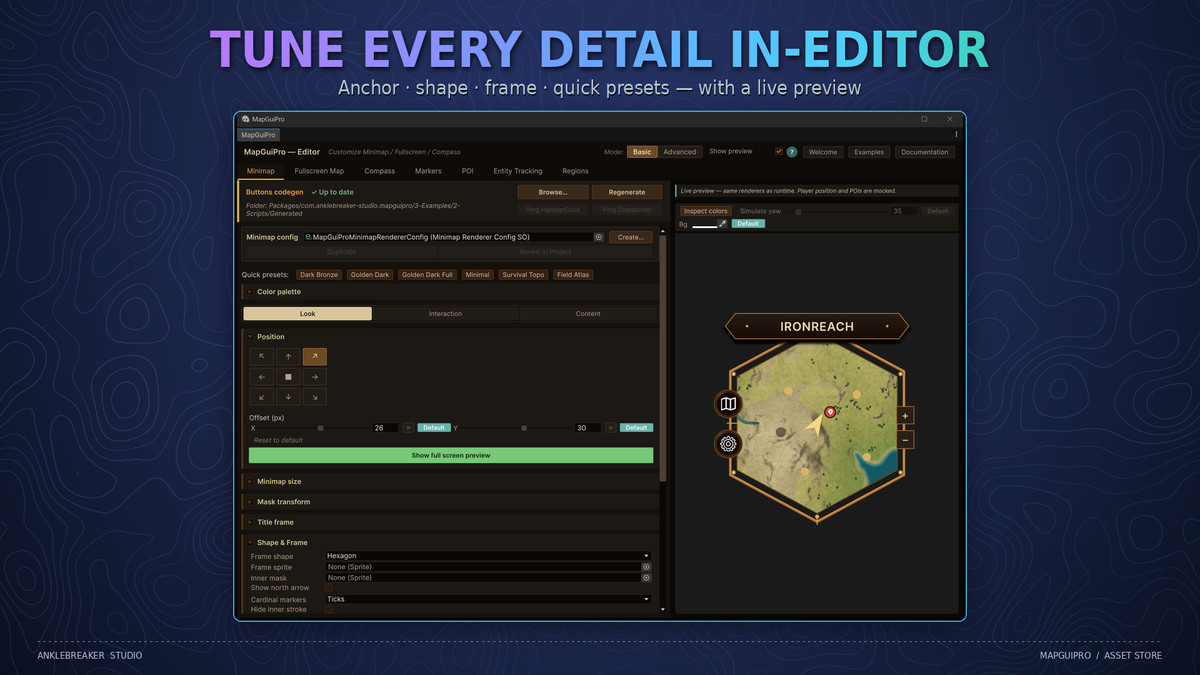
Design in the Editor, Not in Play Mode — the Designer window previews everything live: one-click re-theming, camera yaw simulation, HUD placement on a simulated 1920×1080 screen, 16:9 / 4:3 / 1:1 / 21:9 aspect checks, and a per-element color inspector.
Event-Driven & Data-Driven — 12 decoupled event buses, every feature configured through ScriptableObjects, and a code generator that writes typed event hubs for your custom buttons.
Performance That Scales — Burst-accelerated fog reveal and entity projection (managed fallbacks included), pooled icons, push-based updates instead of per-frame polling.
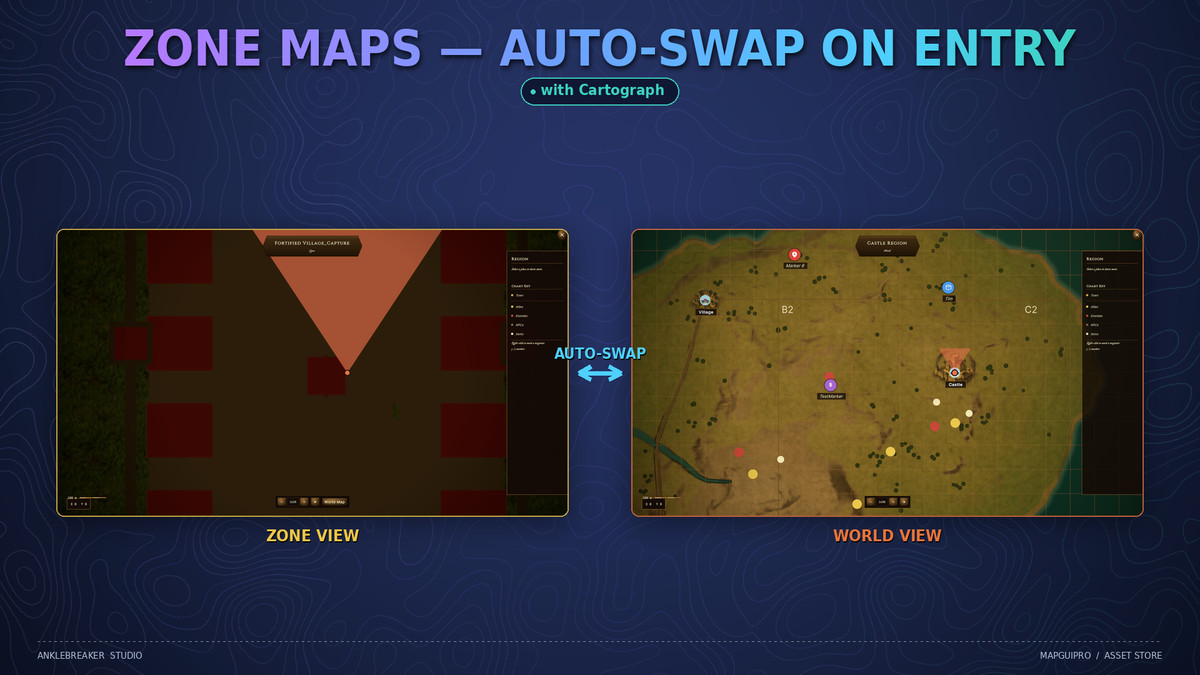
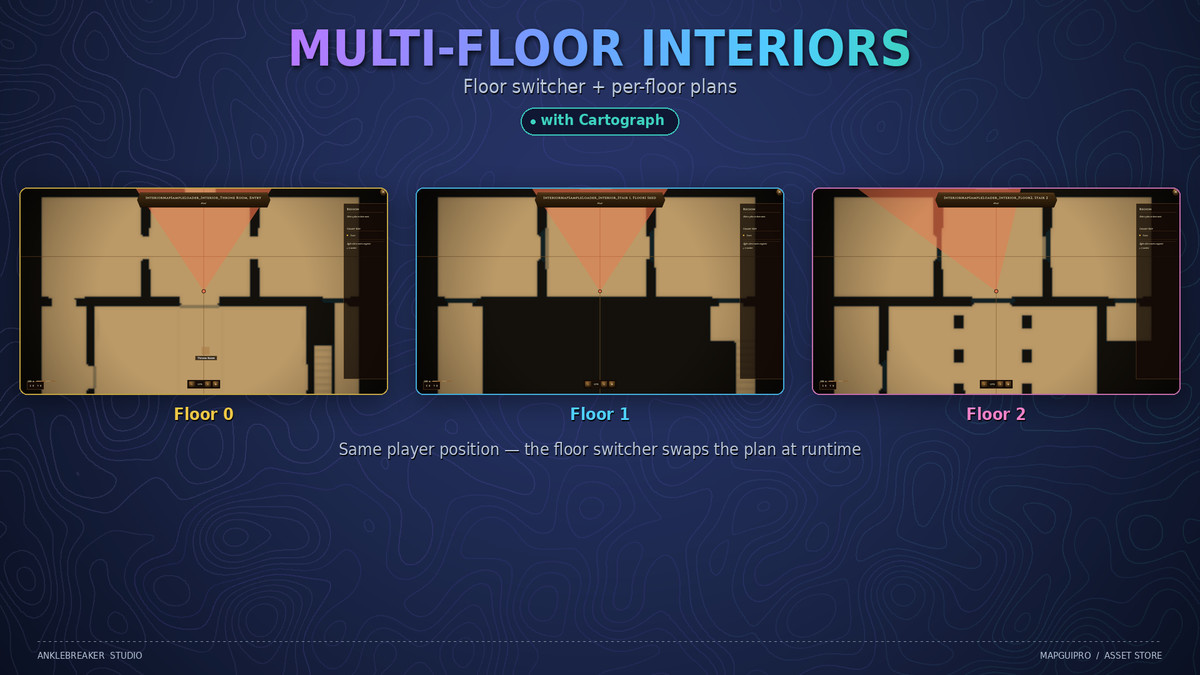
Cartograph Synergy (optional) — with Cartograph installed, map textures load straight from its registry, maps auto-swap on zone entry, and interiors get multi-floor plans with a floor switcher. Fully standalone otherwise — zero dependency.
✨ Gameplay Features Players Feel ✨
A full gameplay layer ships on top of the UI:
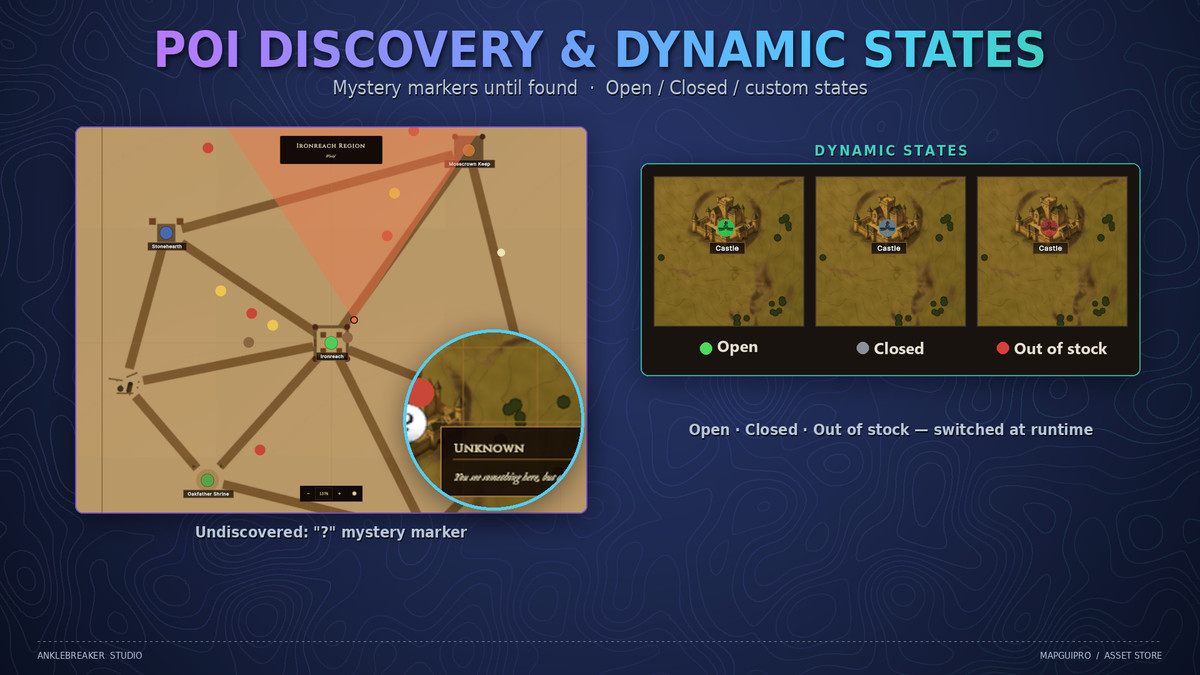
- POI System — typed categories (icon, color, legend visibility) with discovery by radius, trigger, or API — undiscovered POIs show as mystery “?” markers until found.
- Dynamic POI States — flip any POI between custom states at runtime (Open / Closed / Out of stock…) with badges and custom tooltip fields.
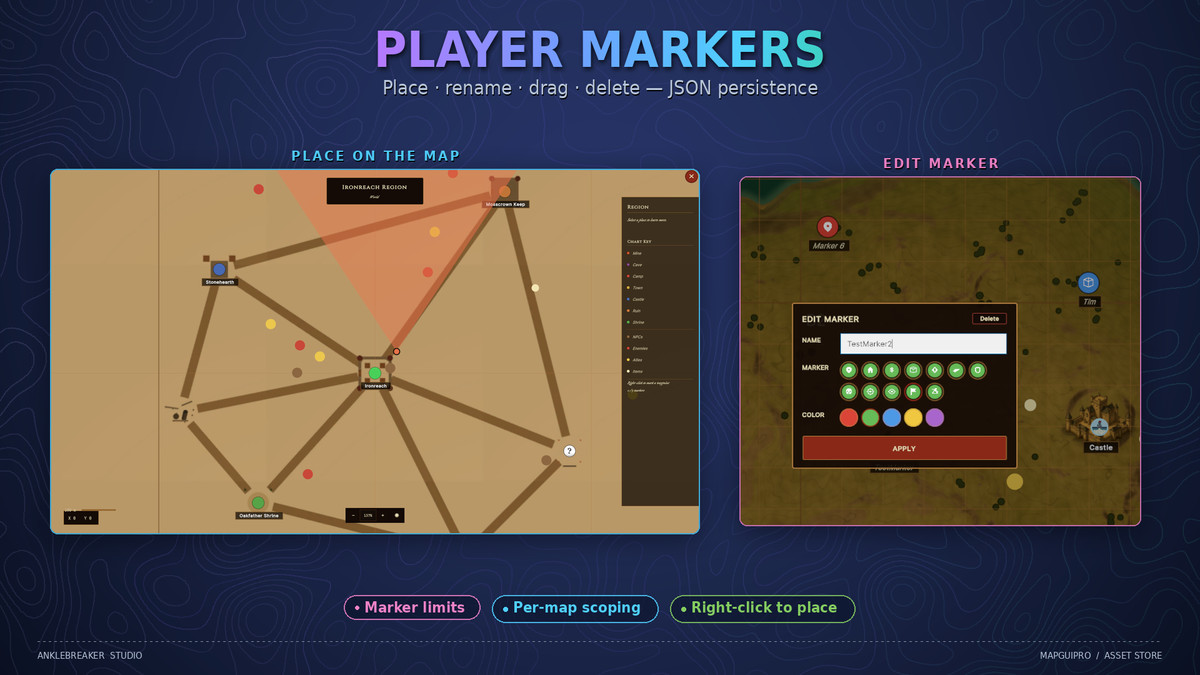
- User Markers — players right-click to place, rename, drag, and delete their own markers, with the icon sets and palettes you define. Marker limits, JSON persistence, per-map scoping.
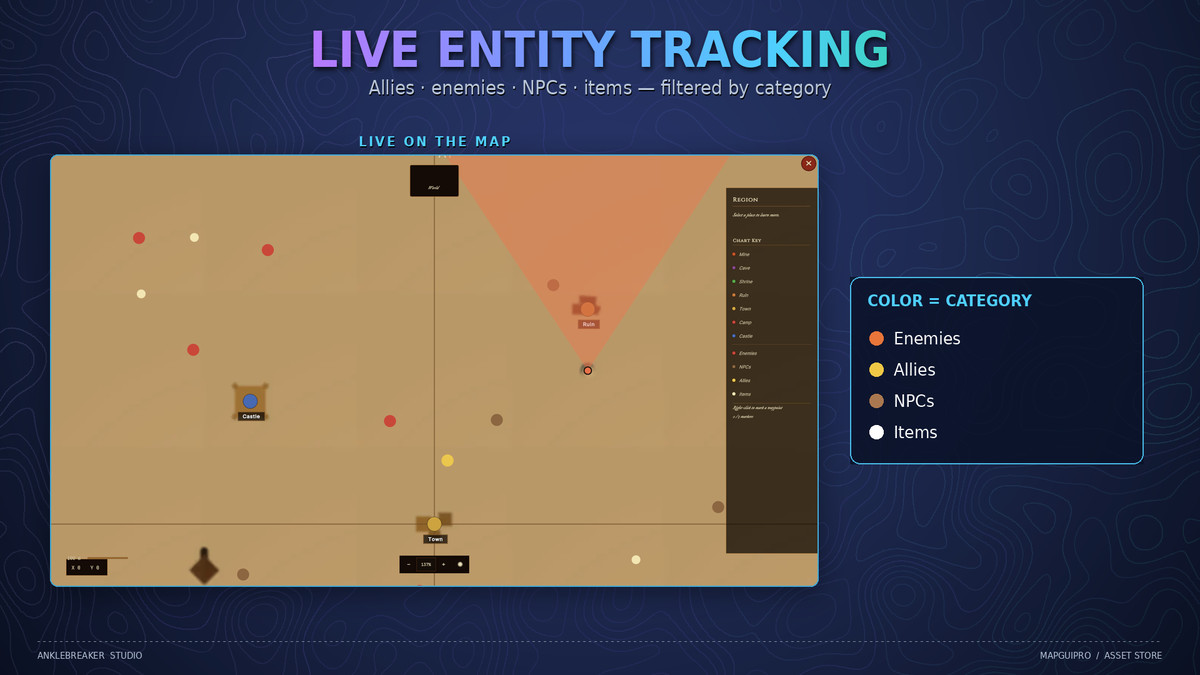
- Entity Tracking — track the player, NPCs, allies, enemies, or vehicles via a drop-in component or interface; filter by category, cull off-map entities, list them in the legend.
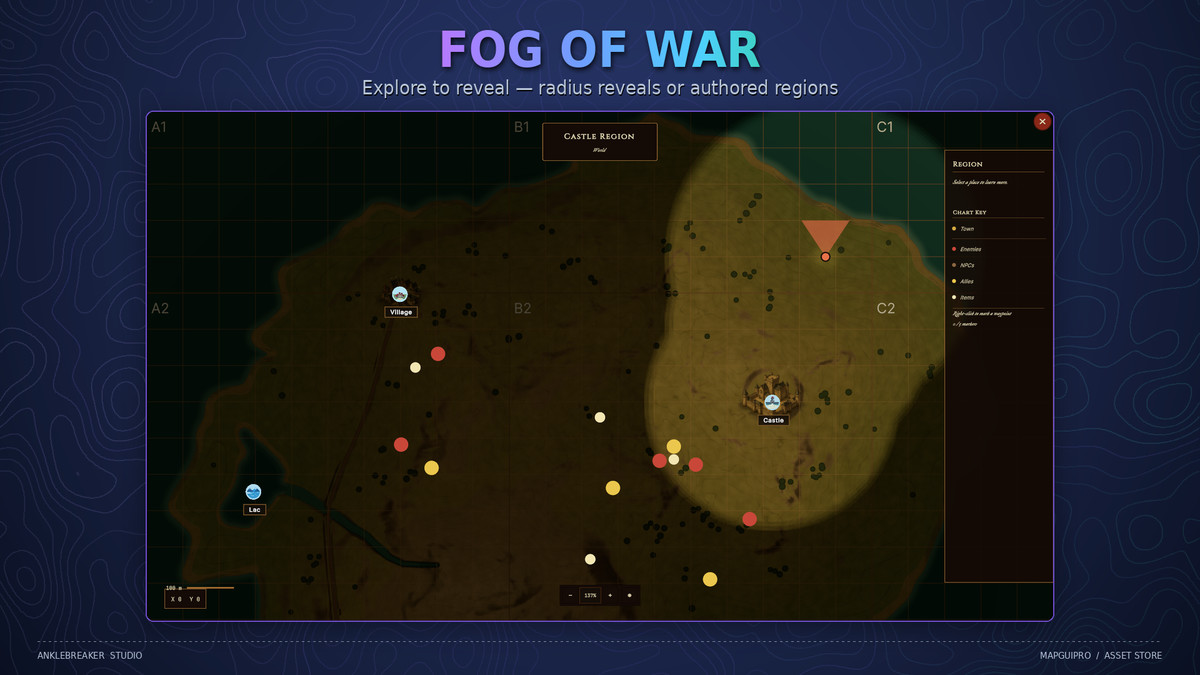
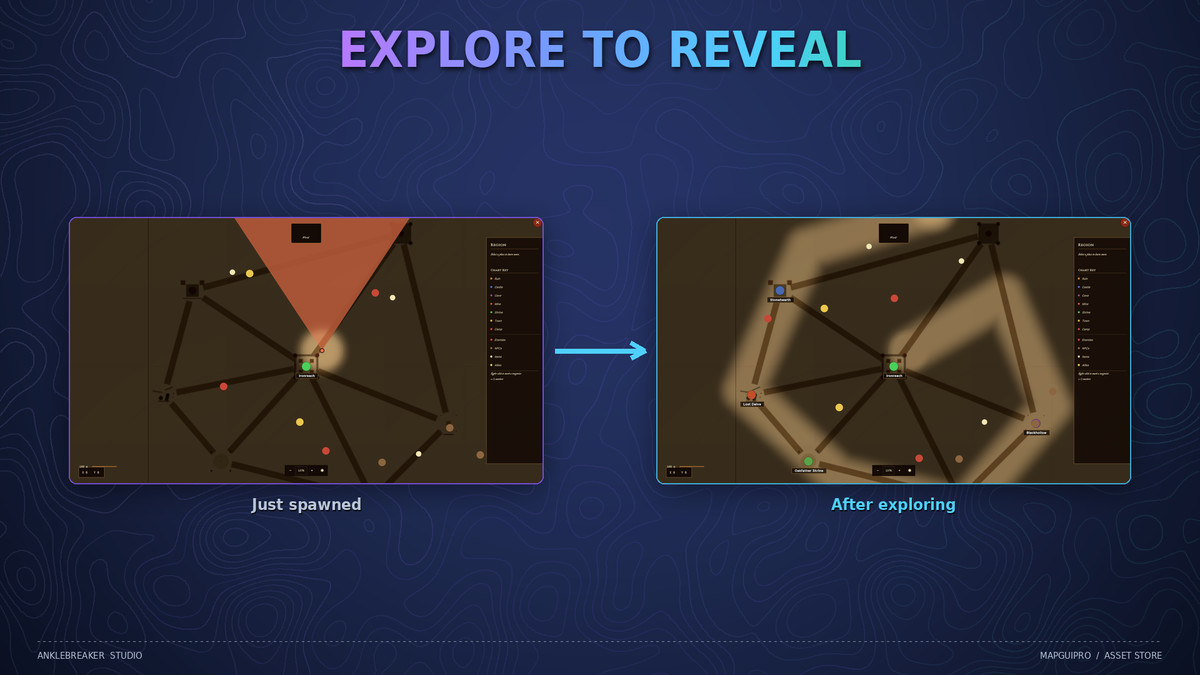
- Fog of War — radius reveal around the player or authored region/polygon reveals, edge softness, per-zone persistence, on the fullscreen map and the minimap (experimental — API may evolve before v1.1).
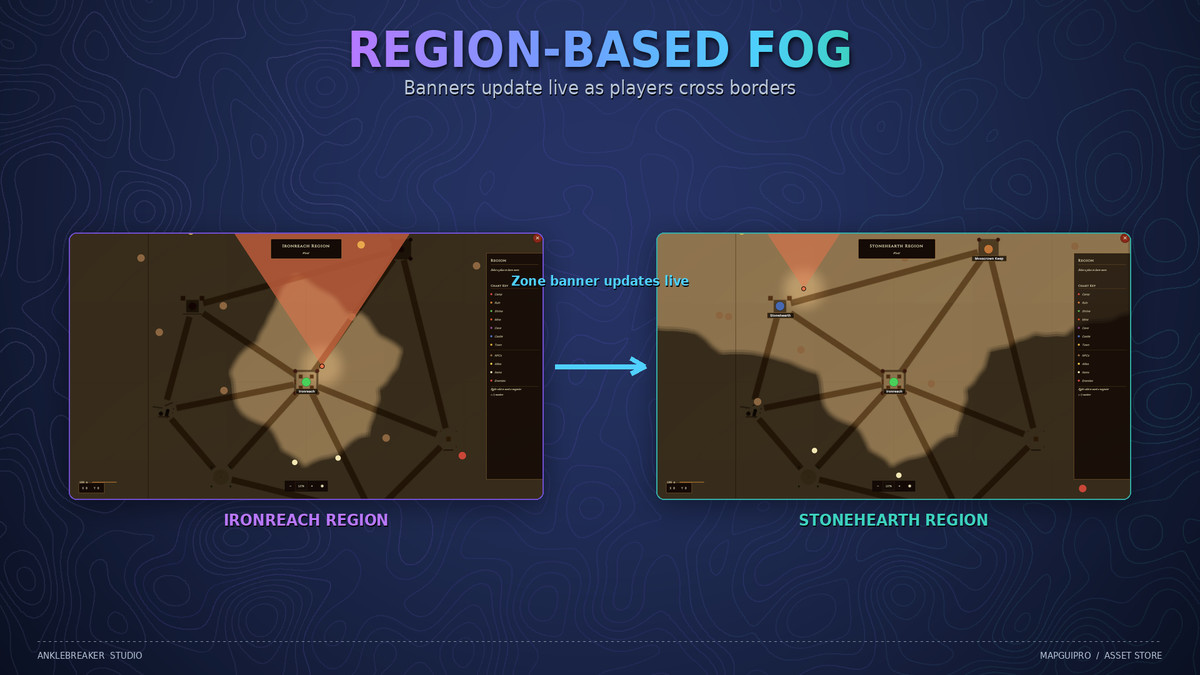
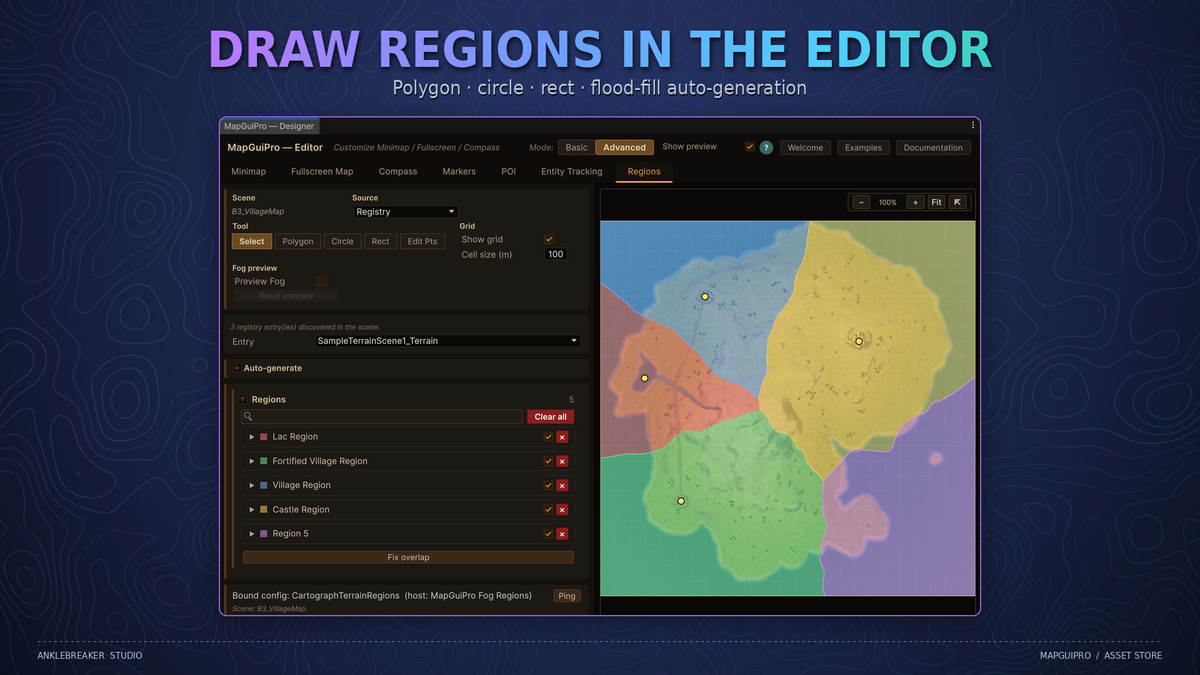
- Regions & Zones — draw regions with polygon / circle / rect tools or auto-generate them via flood fill; banners update live as players cross borders, and zones carry their own maps and fog state.
- Map Transitions — smooth animated transitions when switching maps, zones, or floors.
🎮 Made for All Genres 🎮
- RPG / Adventure — golden parchment themes, POI discovery, named player markers.
- Dungeon Crawler — interior floor plans with multi-floor switching (with Cartograph).
- Survival / Open-World — fog of war, entity tracking, SurvivalTopo tactical grid.
- Strategy / 4X — grid overlay with axis headers, zone maps, category legends.
- Sci-Fi / Modern — FieldAtlas steel-and-cyan HUD or the clean Minimal theme.
- Horror / Dark — dark chrome and fog-heavy slow reveals.
- Mobile / Casual — touch pinch zoom and lightweight vector UI.
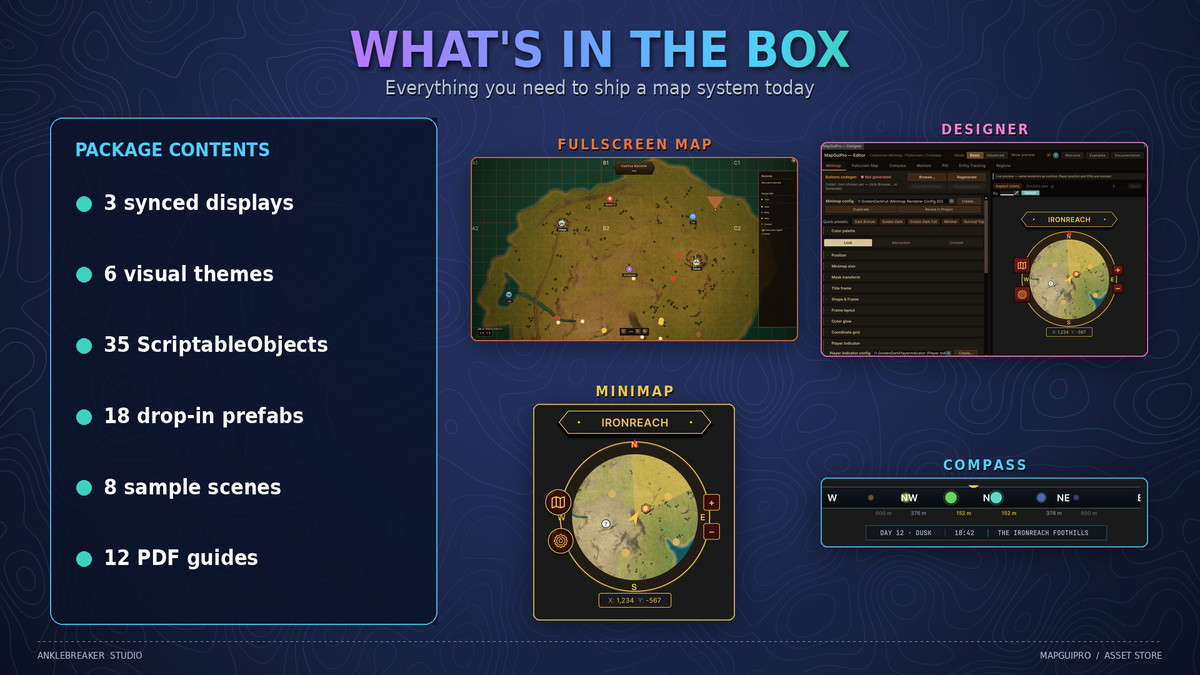
📦 What's in the Box 📦
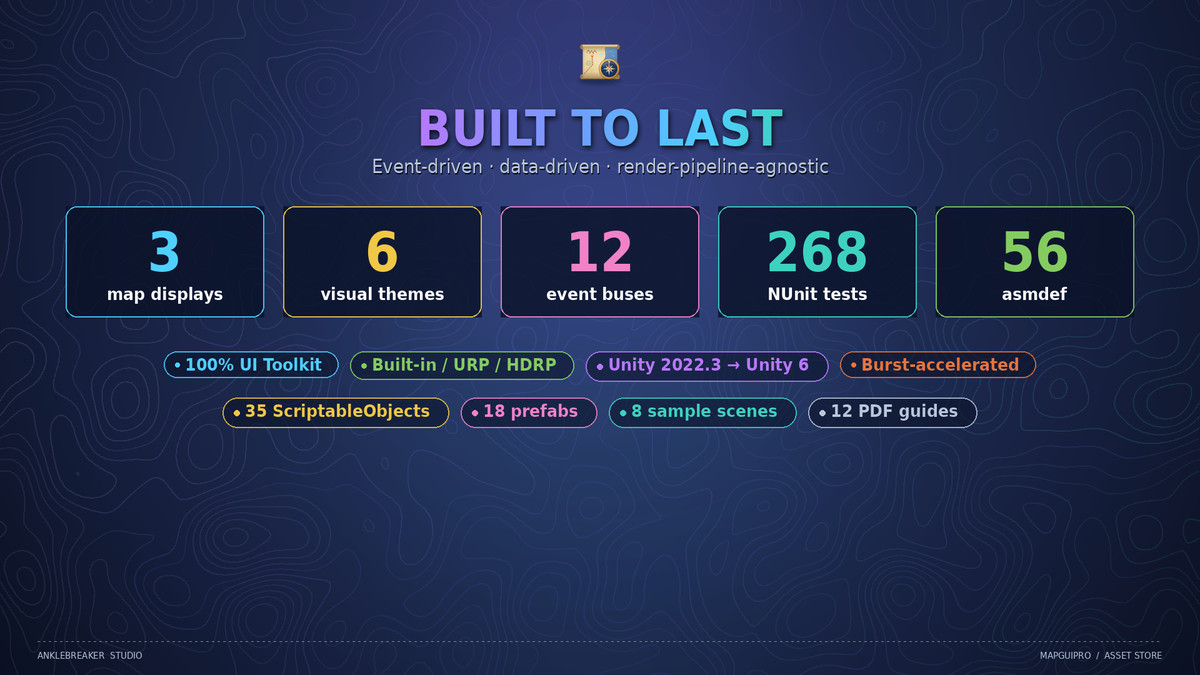
- 3 synced runtime displays: minimap, compass, fullscreen map.
- 6 visual themes — 35 preset & config ScriptableObjects across all surfaces.
- 18 drop-in prefabs — the three surfaces, fog of war, baked map source, compass controller, and 12 pre-wired managers.
- The MapGUIPro Designer editor window with live previews, placement simulator, color inspector, and region tools.
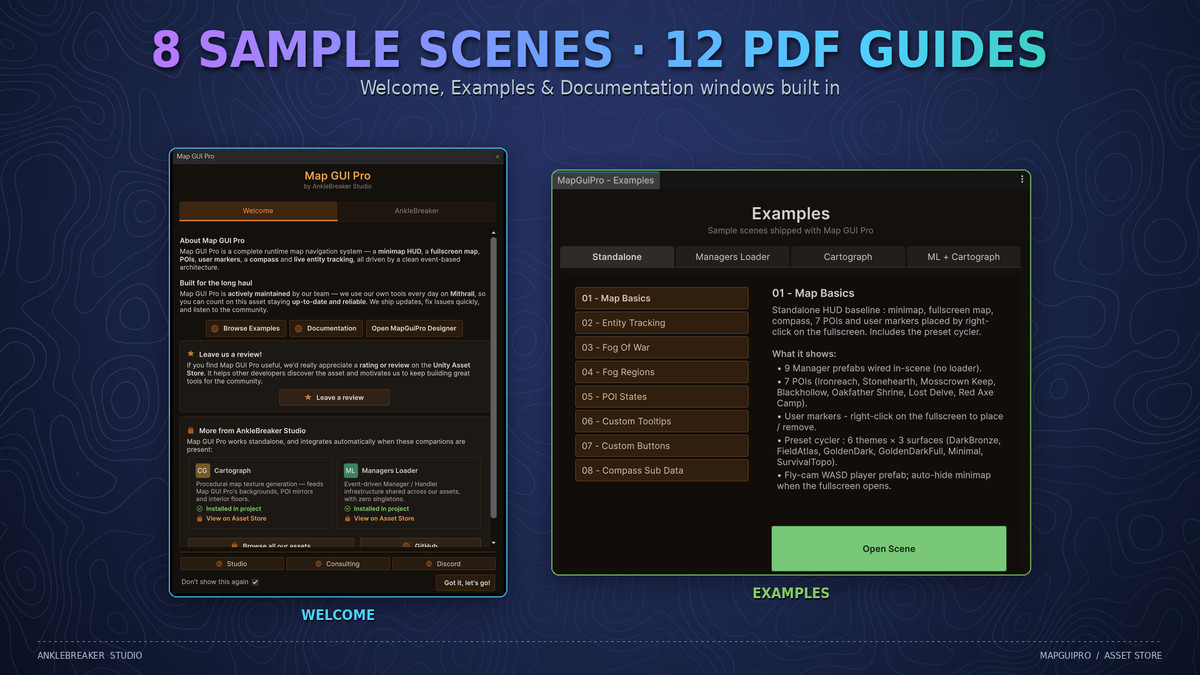
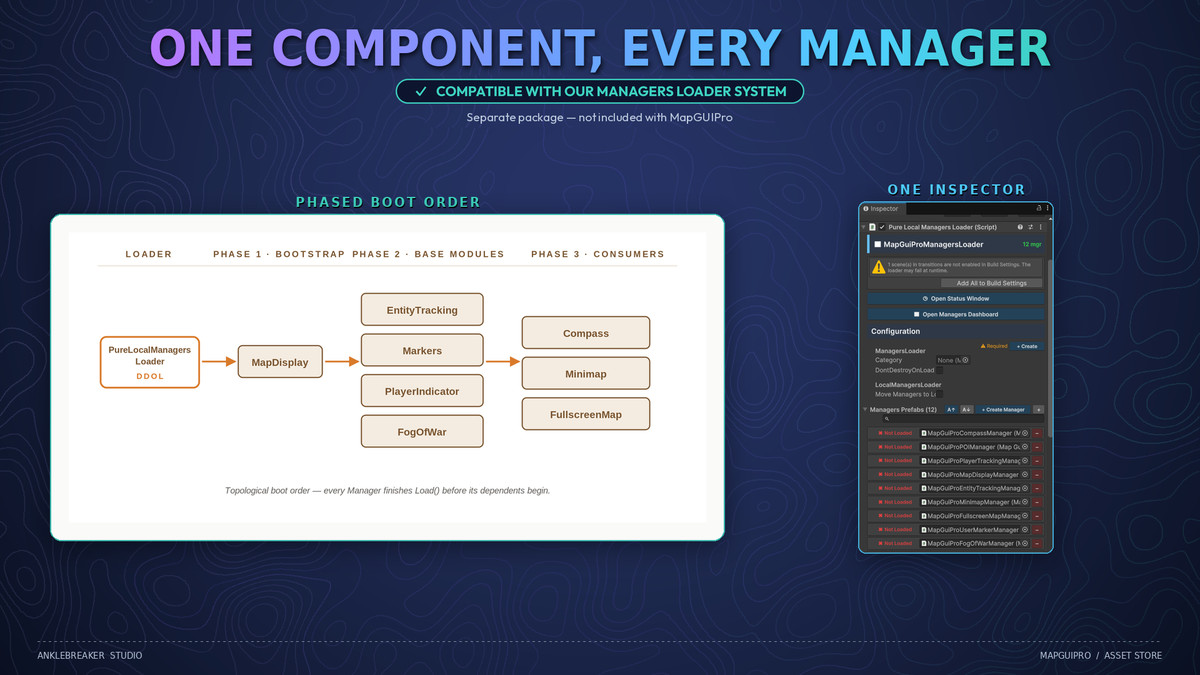
- 8 sample scenes covering every major feature + 3 optional integration sample packs (Cartograph, ManagersLoader, both combined).
- 12 illustrated PDF guides covering setup, architecture, editor windows, runtime API, events, and integrations.
- 268 NUnit tests shipped with the source.
- Welcome, Examples, and Documentation windows for instant onboarding.
⚙️ Requirements ⚙️
Unity 2022.3 LTS or newer (including Unity 6). Built-in / URP / HDRP all supported — the entire UI runs on UI Toolkit, render-pipeline-agnostic by design (demo materials auto-convert to your pipeline).
📄 Third-Party Content 📄
Asset uses bundled open-source fonts under the SIL Open Font License 1.1 and the Apache License 2.0; see Third-Party Notices.txt file in package for details.
🛠️ We also offer other quality & productivity tools for Maps, Cinematic Cameras, Manager Initialization, Radial Menus, and more.
From the publisher's Asset Store listing.
Technical details
- Unity version: 2022.3 LTS and newer (including Unity 6)
- Render pipelines: Any (Built-in, URP, HDRP) — all UI is UI Toolkit (render-pipeline-agnostic); sample materials auto-convert via the included Material Converter
- Runtime displays: 3 (Minimap, Compass, Fullscreen Map) backed by 13 feature modules (Core, Minimap, Compass, FullscreenMap, MapDisplay, Markers, EntityTracking, FogOfWar, PlayerIndicator, PlayerTracking, RegionDetection, MapTransitions, MaterialConverter)
- Fog of war is experimental: feature-complete, but the API may change before v1.1.
- Cartograph-powered features (registry-driven map textures, auto map swap on zone entry, multi-floor interiors with floor switcher) require the separate Cartograph asset — auto-detected via scripting define, zero cost when absent. Everything else is fully standalone.
- Third-party content: font software only — 8 .ttf files across 5 families (Barlow Condensed, Cinzel, IM FELL English, JetBrains Mono under SIL Open Font License 1.1; Roboto Slab under Apache License 2.0), redistributed unmodified, full license texts included; see Third-Party Notices.txt at the package root. No third-party code, models, audio or video.
- A Dependencies Installer popup shows up on import to install dependencies in one click. Dependencies:
- Required: AnkleBreaker Core (Free - github package auto-installed via our the Dependencies Installer window)
- Optional & Compatible, auto-detected with managed fallbacks: Burst, Collections, Mathematics (faster fog reveal and entity projection), Input System (legacy Input Manager supported by default); Cartograph and ManagersLoader integrations via scripting defines
- UI framework: 100% UI Toolkit at runtime (UXML + USS + UIDocument), procedural vector chrome via Painter2D — no per-theme sprite atlases
- Assembly definitions: 56 asmdef (split per module and per optional bridge, plus Editor and Tests sub-assemblies)
- Namespace: AnkleBreaker.MapGuiPro (root, with per-module sub-namespaces: .Core, .Minimap, .Compass, .FullscreenMap, .Markers, .EntityTracking, .FogOfWar, .MapDisplay, .RegionDetection, .MapTransitions, .PlayerIndicator, .PlayerTracking, .MaterialConverter)
- Visual themes: 6 (DarkBronze, FieldAtlas, GoldenDark, GoldenDarkFull, Minimal, SurvivalTopo) — 35 preset/config ScriptableObjects across minimap, compass, fullscreen map, and player indicator
- Minimap frame shapes: 7 (Hexagon, Round, Square, Octagon, Diamond, Pentagon, Rounded Square) · Orbit button shapes: 7 · Player indicator modes: 3 (Arrow, Static, Dot) + optional FOV cone and pulse
- Drop-in prefabs: 18 (MapGuiProMinimap, MapGuiProCompass, MapGuiProFullscreenMap, MapGuiProFogOfWar, MapGuiProBakedMapSource, 12 manager prefabs, compass controller)
- Custom shader: 1 (fog-of-war overlay)
- Burst-compiled jobs: fog reveal kernel + entity world-to-screen projection (enabled when Burst/Collections/Mathematics are installed; managed fallback otherwise)
- Runtime scripts: ~311 C# files · Editor scripts: ~245 C# files (Designer window, preset tooling, button codegen, integration detectors, installers)
- Runtime API: 12 HandlerData event buses (Minimap, Compass, FullscreenMap, MapDisplay, MapTitle, Markers, EntityTracking, FogOfWar, PlayerTracking, PlayerIndicator, RegionDetection, MapTransitions — plus 2 Cartograph-bridge buses, Floor and RuntimeGeneration, when Cartograph is installed) using OnXxxRequested / OnXxxChanged event pairs; extension interfaces IMapTrackable, IMapBackgroundProvider, ICompassRenderer, IUserMarkerStore, IFogOfWarStore; editor codegen generates typed HandlerData + Dispatcher classes for custom buttons
- Persistence: user markers to JSON (via IUserMarkerStore) + opt-in per-zone fog-of-war persistence (via IFogOfWarStore)
- Editor window menu: Tools → AnkleBreaker → MapGuiPro → Designer (plus Welcome, Examples, and Documentation windows, and a Diagnostics status menu)
- Sample scenes: 8 (01_MapBasics, 02_EntityTracking, 03_FogOfWar, 04_FogRegions, 05_POIStates, 06_CustomTooltips, 07_CustomButtons, 08_CompassSubData) + 3 optional sample packs (Cartograph, ManagersLoader, ManagersLoader+Cartograph) shipped as separate .unitypackage files
- Unit tests: 268 (NUnit, EditMode — across 7 test assemblies: MapDisplay, EditorWindow, EntityTracking, FogOfWar, Markers, PlayerIndicator, RegionDetection)
- Documentation: 12 illustrated PDF guides (index, get started, architecture, editor windows, runtime, 3 compatibility guides, 4 event references)
Compatibility
| Unity version | Built-in | URP | HDRP |
|---|---|---|---|
| 2022.3.62f3 | Compatible | Compatible | Compatible |
The runtime UI is 100% UI Toolkit, drawn by Unity's UI renderer, so Built-in, URP and HDRP behave identically. No render pipeline package required.
Only the sample scenes use Built-in Standard materials. In URP/HDRP run Tools > AnkleBreaker > MapGuiPro > Material Converter once.
As listed on the Asset Store.