
 View on Asset Store (opens in new tab)
Package details
- Latest version
- 1.0
- Last updated
- First released
- Unity version
- 5.0.1 or later
- Package size
- 371 KB
- Files
- 2
- Favorites
- 115
- Views in the past week
- 3
Price tracking
- Last checked
- Tracked since
- Lowest recorded
- $10.00 on

Retro Pixelator
Price $20.00
Buy on Asset Store (opens in new tab)
Affiliate link · Purchases support this site
Price history
Last 6 months
USDAsset preview
1 / 3

Retro Pixelator screenshot 1


About this asset
** Unity 5 Compatible **
Pixelate your textures right inside Unity!
Give your textures that retro look!
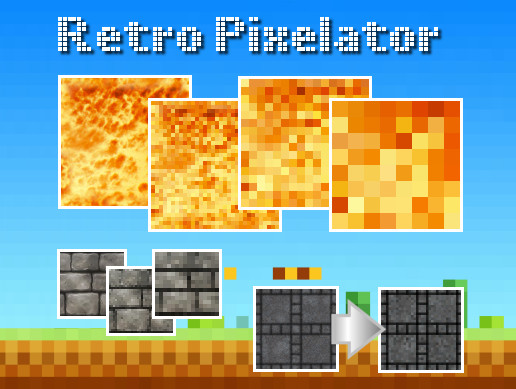
Let's face it, games that have that retro graphics look are all the rage at the moment, and with this handy Editor extension, you can pixelate any texture in your Project in seconds.
Retro Pixelator makes it super easy to create pixelated copies of your textures, plus it has simple options to allow you to get exactly the pixelated level you desire!
Retro Pixelator also preserves transparency in images, and provides settings for output resolution and number of pixels per pixel.
Retro Pixelator is not a Shader or screen filter and does not require Unity Pro, it simply creates beautiful pixelated copies of your textures right inside of Unity!
Take a look at the User Guide
Pixelate your textures right inside Unity!
Give your textures that retro look!
Let's face it, games that have that retro graphics look are all the rage at the moment, and with this handy Editor extension, you can pixelate any texture in your Project in seconds.
Retro Pixelator makes it super easy to create pixelated copies of your textures, plus it has simple options to allow you to get exactly the pixelated level you desire!
Retro Pixelator also preserves transparency in images, and provides settings for output resolution and number of pixels per pixel.
Retro Pixelator is not a Shader or screen filter and does not require Unity Pro, it simply creates beautiful pixelated copies of your textures right inside of Unity!
Take a look at the User Guide
From the publisher's Asset Store listing.