
 View on Asset Store (opens in new tab)
Package details
- Latest version
- 1.0
- Last updated
- First released
- Unity version
- 6000.3.10 or later
- Package size
- 303 KB
- Files
- 8
- Favorites
- 3
- Views in the past week
- 10
Price tracking
- Last checked
- Tracked since
- Lowest recorded
- Free on
Keywords
Dev Notes
A lightweight project note-taking and scene annotation tool for Unity developers.
Affiliate link · Purchases support this site
Price history
Last 6 months
USDAsset preview
1 / 2
Dev Notes screenshot 1
About this asset
Stay organized without leaving the Unity Editor
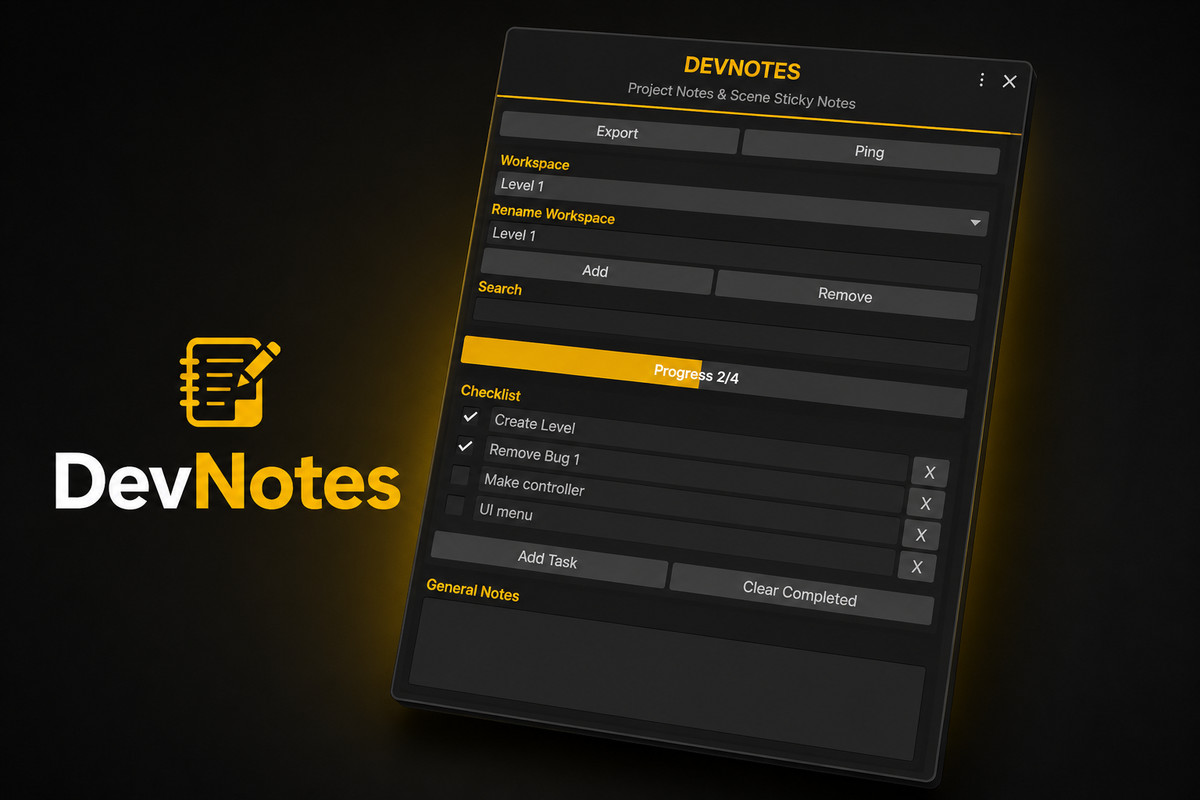
DevNotes is a lightweight productivity tool designed for Unity developers who want to manage tasks, notes, and project planning directly inside their workflow, Create dedicated workspaces for different systems, levels, or features, track development progress with built-in checklists, and keep important notes accessible at all times.
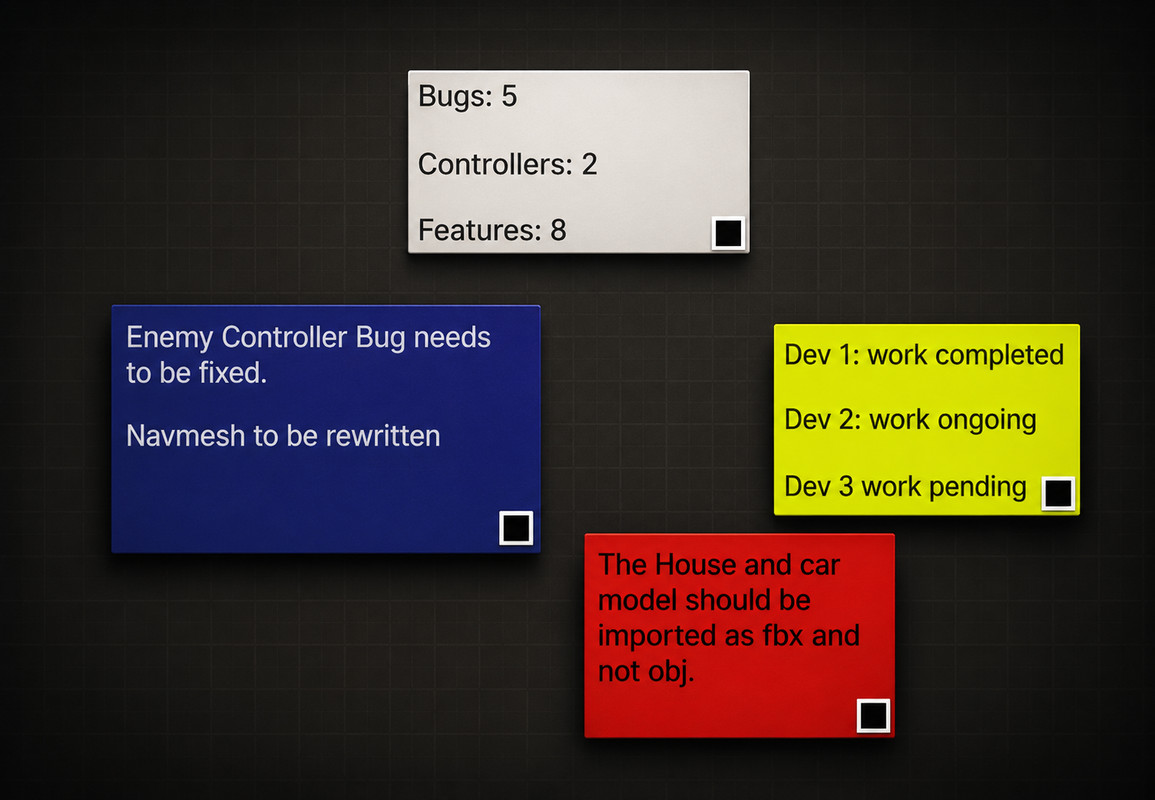
The package also includes Scene Sticky Notes, allowing developers and team members to place notes directly inside the Scene View for reminders, level design comments, debugging information, and project annotations.
Whether you're working solo or collaborating with a team, DevNotes helps keep project information organized and easy to access without relying on external note taking applications.
- Multiple Workspaces for organising notes and tasks
- Task Checklist System with Progress tracking
- General Notes section for project documentation
- Search functionality for quickly locating tasks
- Export notes and checklist to a text file
- Scene Sticky Note directly inside the Scene View
- Customizable Sticky Note appearance(colours, fonts, size)
- Lightweight editor extention with minimal overhead
- Simple and intuitive workflow integrated into Unity
From the publisher's Asset Store listing.
Technical details
Package Type
Editor Extension
Unity Version
Unity 2022.3 LTS or newer
Unity 6 Compatible
Compatibility
| Unity version | Built-in | URP | HDRP | Custom |
|---|---|---|---|---|
| 6000.3.10f1 | Compatible | Compatible | Compatible | Compatible |
As listed on the Asset Store.