
 View on Asset Store (opens in new tab)
Package details
- Latest version
- 1.3.0
- Last updated
- First released
- Unity version
- 6000.3.13 or later
- Package size
- 88 KB
- Files
- 25
- Views in the past week
- 12
Price tracking
- Last checked
- Tracked since
- Lowest recorded
- $4.99 on
Keywords

Chroma
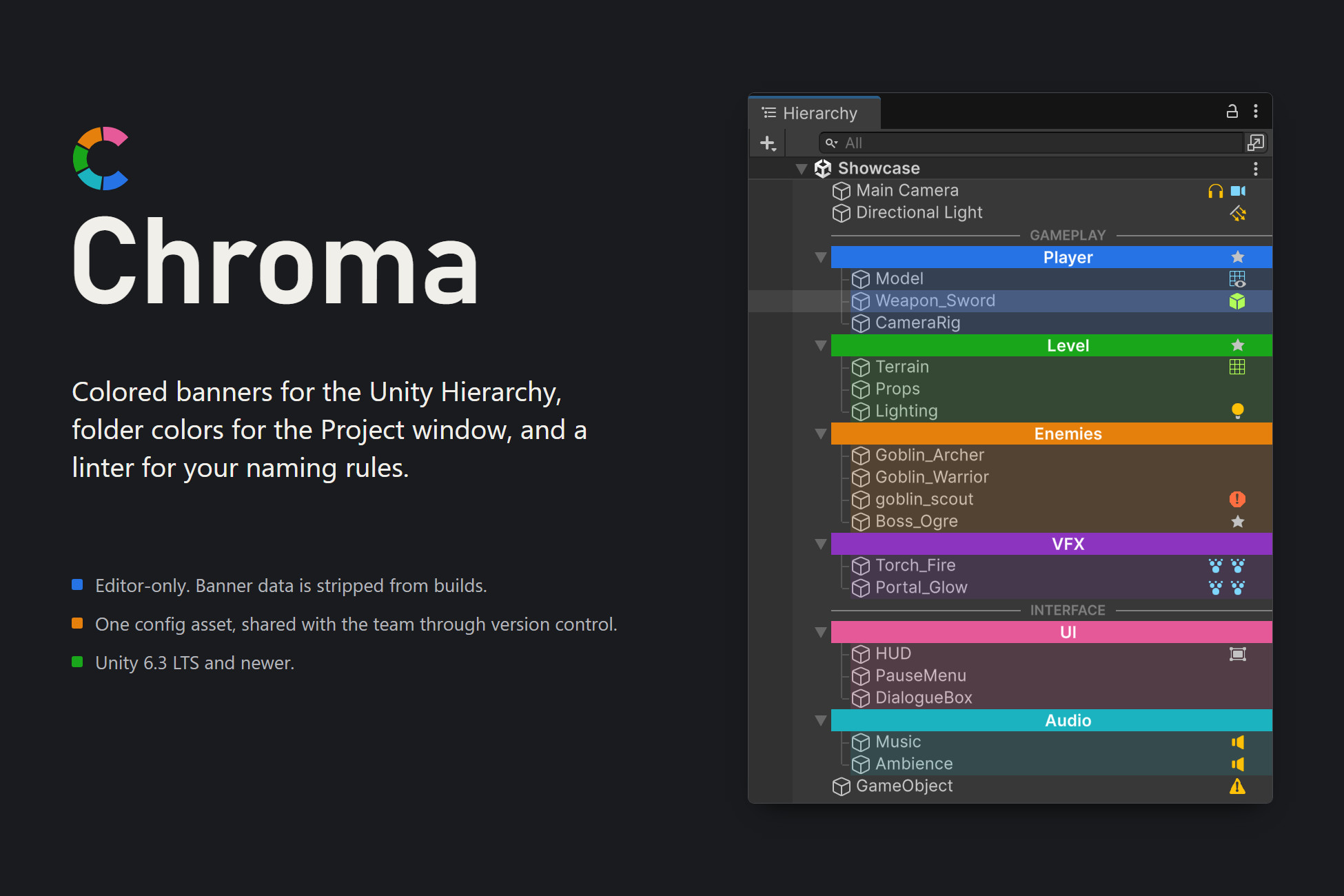
Color-code your Hierarchy with banners, separators and themes — and enforce your team's scene conventions with a built-in linter. Editor-only: zero runtime cost.
Affiliate link · Purchases support this site
Price history
Last 6 months
USDAsset preview
1 / 7
Chroma screenshot 1
About this asset
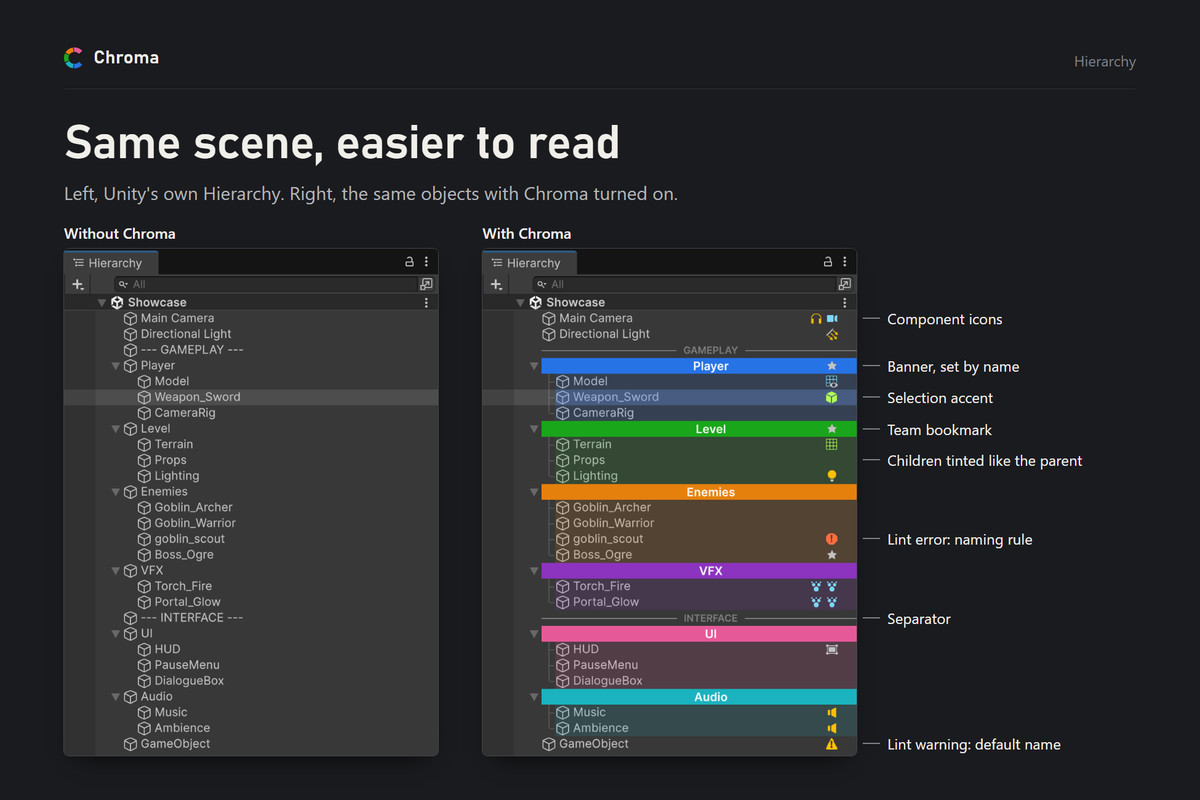
Chroma makes large scenes readable at a glance by color-coding your Hierarchy and Project-window folders — and keeps them that way by enforcing your team's conventions. 100% Editor-only, zero runtime cost.
KEY FEATURES
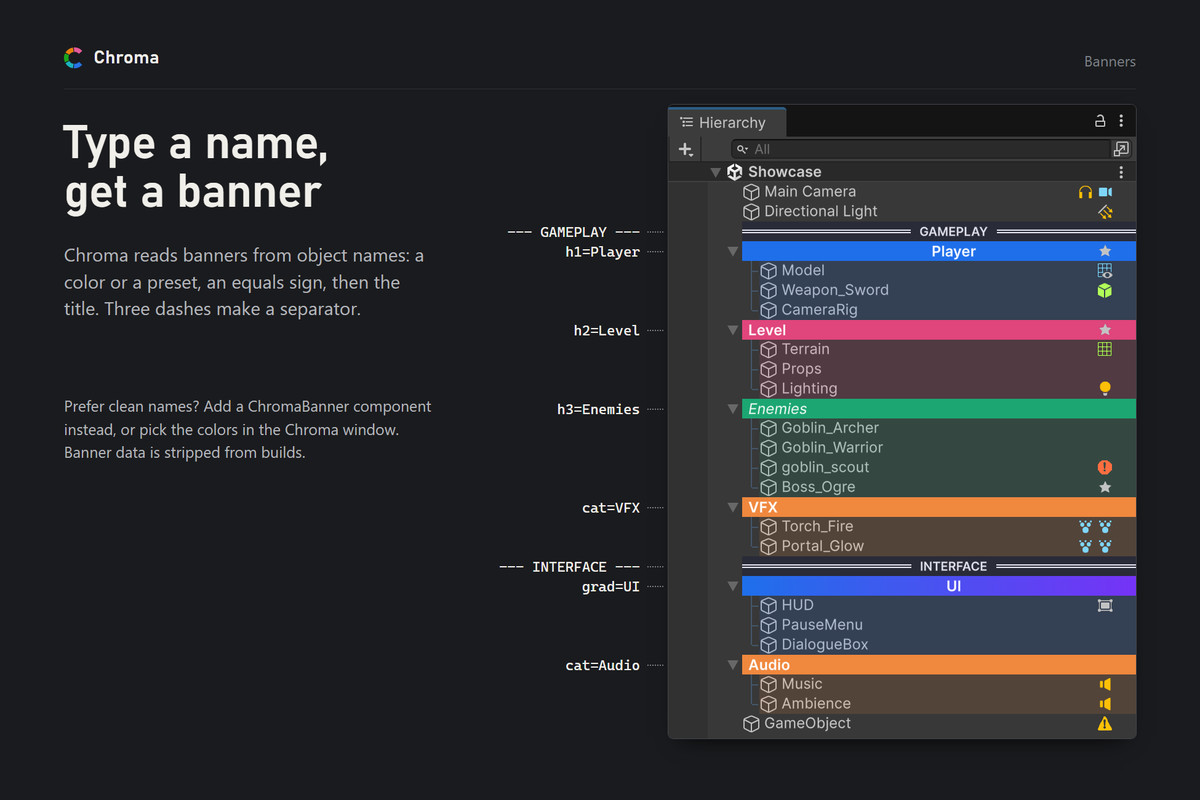
• Colored banners — turn any GameObject into a header, by name (e.g. "#1f6feb center bold=Title", solid color or gradient) or via a ChromaBanner component that keeps the object's real name.
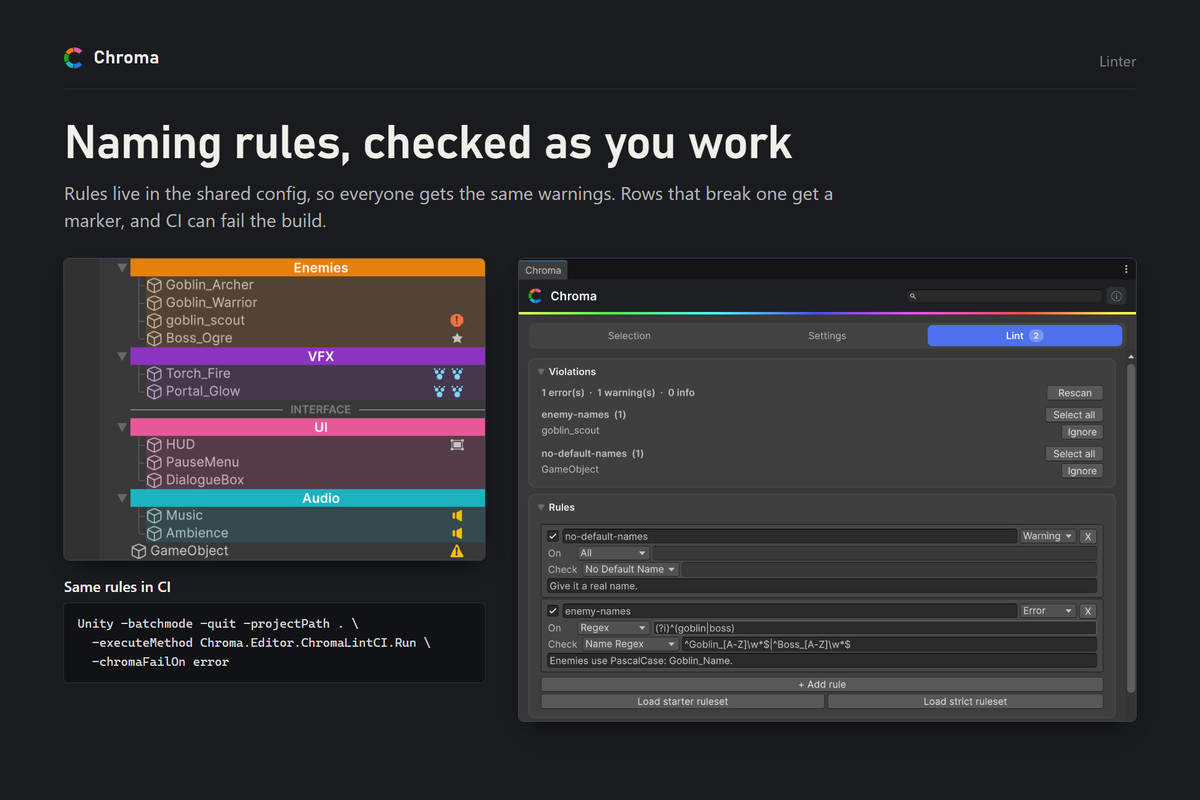
• Convention linter — team rules with inline Hierarchy warnings, a full rule editor, one-click "Fix all" for missing scripts, per-user ignores, and headless CI enforcement that can fail your build.
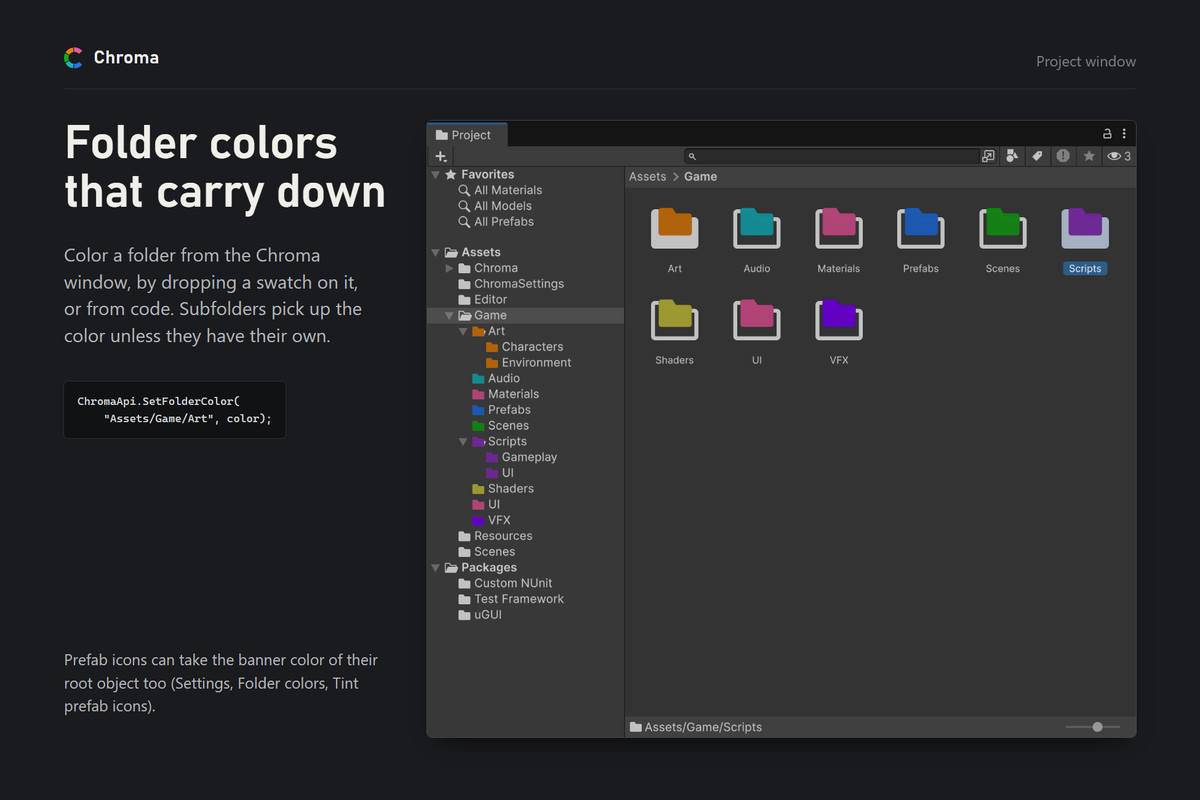
• Project-window folder colors, with inheritance and prefab icon tinting.
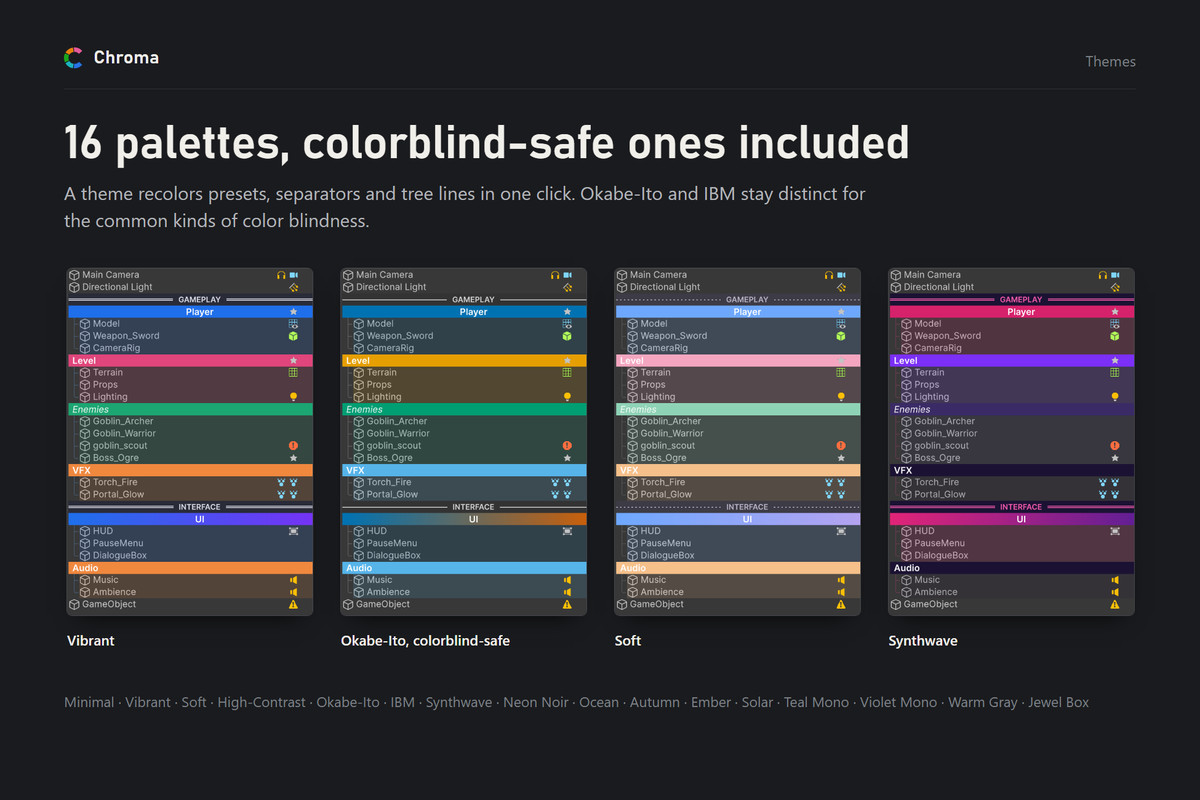
• 16 color themes with live previews, including two colorblind-safe palettes (Okabe-Ito and IBM).
• Separators — name an object "---" or "___" for a divider (solid / dashed / dotted / double).
• Custom banner font — a Font asset or any installed system font.
• Tree guide lines, auto-color rules by Tag / Layer / name prefix / regex, child-color inheritance.
• Bookmarks, personal or shared with the whole team, plus Scene View labels and markers.
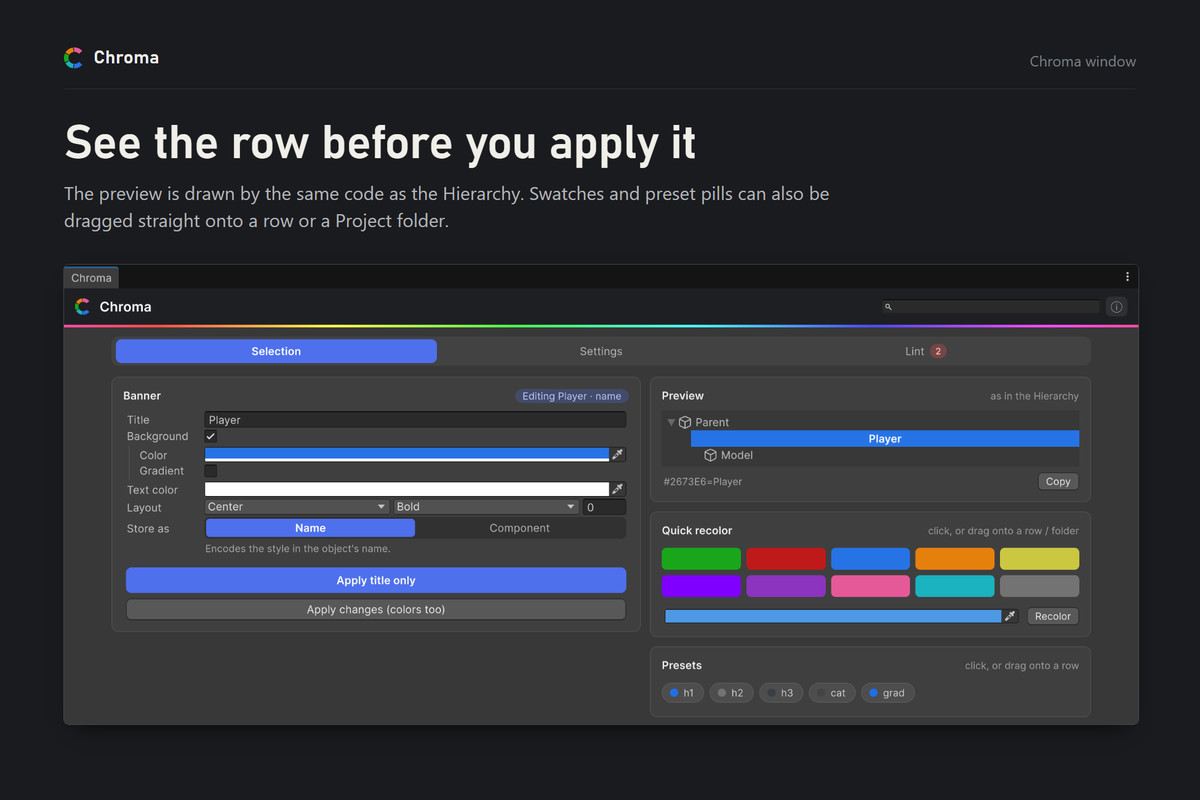
• Drag & drop coloring — drag a swatch onto a Hierarchy row or a Project folder.
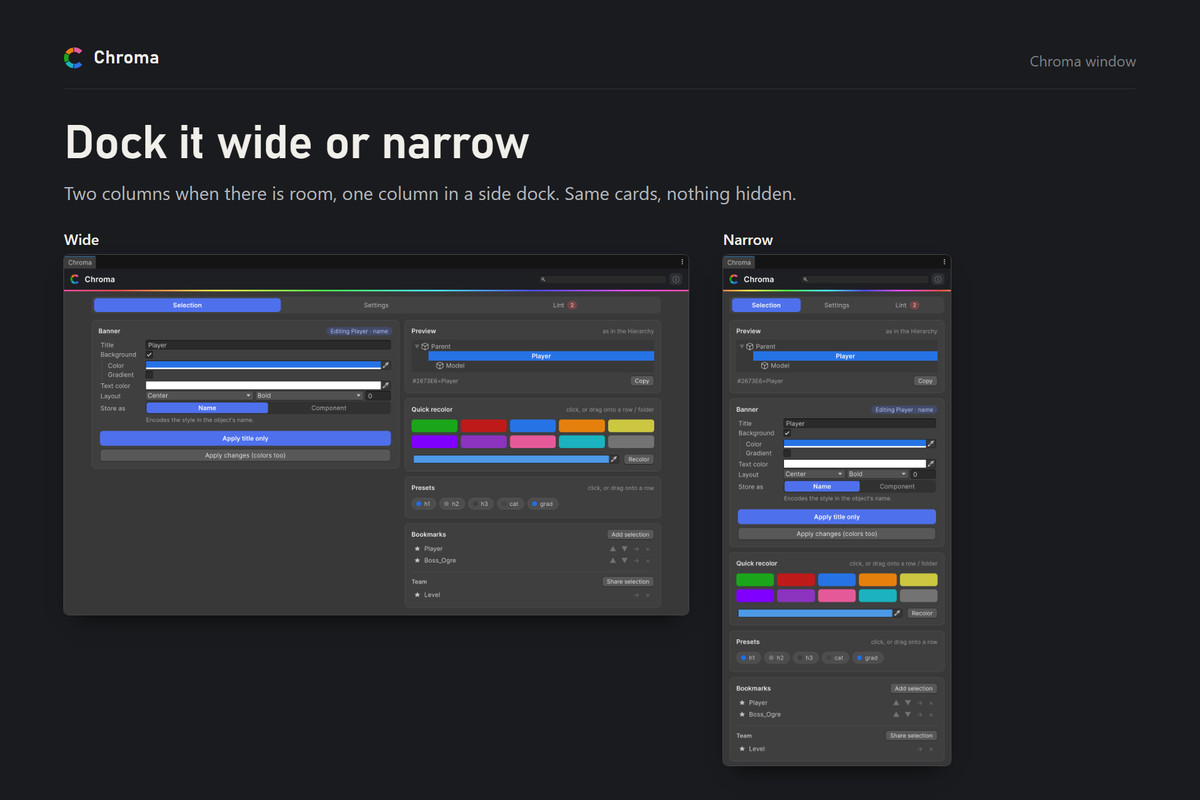
• A responsive Chroma window — a live preview drawn by the Hierarchy's own renderer, two columns on wide screens, true-color swatches and one-click preset pills.
• Animated RGB mode with 14 themes.
• Public editor API (ChromaApi) and Edit > Project Settings > Chroma integration.
• One git-friendly config asset — the whole team shares the same colors, presets and rules.
• Build stripping — banner specs and components are removed from built scenes (zero runtime footprint).
WORKS EVERYWHERE
Unity 6.3 LTS (6000.3) or newer, tested up to Unity 6.5. Editor-only, works with any render pipeline (Built-in, URP, HDRP). Ships with its own assembly definitions (Chroma.Editor / Chroma.Runtime).
From the publisher's Asset Store listing.
Technical details
• Colored Hierarchy banners — by name or via a ChromaBanner component
• Solid colors or gradients, alignment, font style, custom text color
• Separators (solid / dashed / dotted / double)
• Custom banner font — Font asset or any installed system font
• Tree guide lines in the indent gutter
• Auto-color rules — Tag, Layer, name prefix or regex
• Child-color inheritance (flat or depth-fade)
• Child count (N), zebra striping, missing-script warnings, bookmarks
• Project-window folder colors with inheritance
• Convention linter — team rules, inline warnings, one-click fixes, headless CI runner
• Animated RGB mode with seasonal themes (Classic, Halloween, Christmas, Valentine)
• Reusable banner presets and color themes
• Build stripping — zero runtime cost
• Editor-only, all render pipelines, Unity 6000.3+ (tested on 6000.3 and 6000.5)
Compatibility
| Unity version | Built-in | URP | HDRP |
|---|---|---|---|
| 6000.3.13f1 | Compatible | Compatible | Compatible |
As listed on the Asset Store.