
 View on Asset Store (opens in new tab)
Package details
- Latest version
- 1.1.1
- Last updated
- First released
- Unity version
- 6000.0.81 or later
- Package size
- 11.8 MB
- Files
- 62
- Favorites
- 1
- Views in the past week
- 9
Price tracking
- Last checked
- Tracked since
- Lowest recorded
- $12.49 on
Keywords

Zion Xray
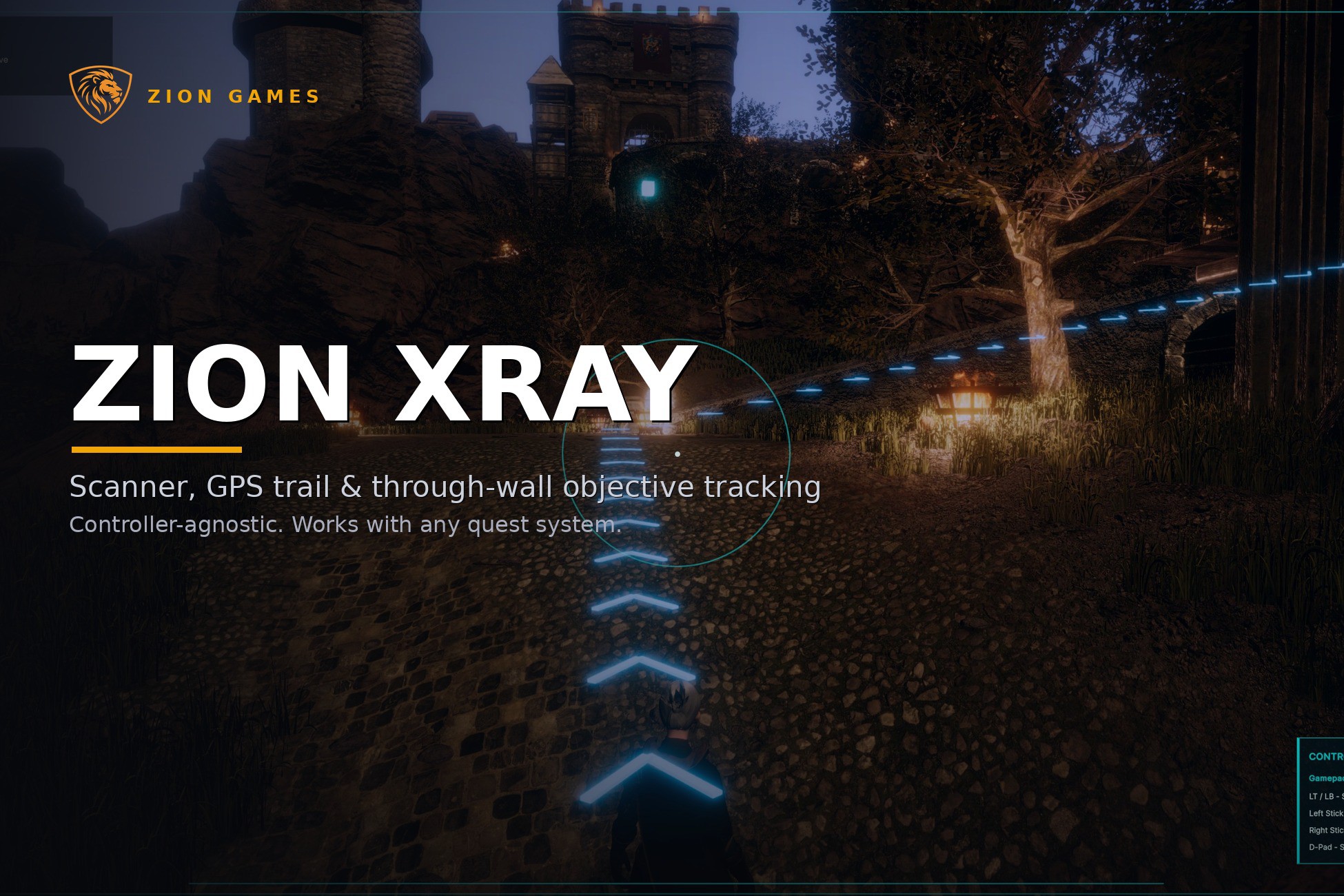
Detective vision for Unity 6, scanner mode that highlights objectives through walls and guides players to them with markers and a NavMesh trail. Works with any controller or quest system.
Affiliate link · Purchases support this site
Price history
Last 6 months
USDAsset preview
1 / 10

Zion Xray screenshot 1


About this asset
Detective vision, Witcher senses, focus scan. A toggleable scanner mode for Unity 6 that highlights objectives through walls and guides players to them with a NavMesh trail, world markers and screen-edge indicators. Works with any character controller and any quest system.
Zion XRay does not replace your player controller, camera, quest system, combat, AI, inventory or interaction system. Your game decides what the active objective is. Zion XRay visualises it.
Add the controller, tag your targets, run the Setup Wizard. The only integration point is one small objective-provider interface, so it drops into an existing project without touching your architecture.
Built for third-person games, RPGs, exploration, stealth, shooters and adventure games, anywhere the player needs to locate, scan or track something important.
Core features:
- Scanner / XRay mode with pulse, range and duration controls
- Stable through-wall highlighting of the active objective (URP)
- NavMesh GPS trail with floor arrows
- World markers with names, distances and optional icons; active objective emphasised
- Screen-edge indicators for off-screen targets
- Distance fade and marker readability options
- UI Toolkit HUD with keyboard/gamepad control hints and optional compass
- Per-type colours and presets: Objective, Enemy, Pickup, Interactable, Custom
- Setup Wizard with built-in Diagnostics, plus a feature-test scene
The Diagnostics window flags missing references, unbaked NavMesh and invalid objectives before you hit Play.
The included demo scene and objective switcher are for testing and learning. In production, connect Zion XRay to your own quest, mission or interaction system by supplying an active objective provider.
Requirements:
- Unity 6 (any version)
- Unity Input System
- URP for through-wall highlighting, other pipelines get markers, GPS trail and HUD, but not the silhouette effect
- Baked NavMesh for the GPS trail
Full Quick Start, Tutorial and User Guide included. Zion XRay is ideal if you want a polished scanner/objective tracking layer without replacing the rest of your game architecture.
🌐 Online docs: Zion XRay Documentation - ZionGames Docs
💬 Support: Discord: Here
🦁 More tools: https://ziongames.co.uk
From the publisher's Asset Store listing.
Technical details
Unity version:
Unity 6 (6000.0 or later), tested on 6.0, 6.3 and 6.5
Render pipeline:
- URP: full support, including the through-wall highlight shader
- Built-in / HDRP: scanner, markers, GPS trail, HUD and diagnostics work; through-wall silhouette highlighting is URP-only
Package dependencies:
- Input System (com.unity.inputsystem)
- AI Navigation (com.unity.ai.navigation) — NavMesh required for GPS trail arrows
- UI Toolkit (built into Unity 6)
- No third-party dependencies
Source:
- Full C# source included
- Namespace: ZionGames.XRay
- Editor menu: Tools > Zion Games > Zion XRay
Input:
- Scanner toggle bound via an InputActionReference
- Keyboard and gamepad control hints included
UI:
- UI Toolkit HUD with runtime HUD controller
- World marker system
- HUD presentation and marker presentation settings assets
Runtime components:
- ZionXRayController
- ZionXRayScanner
- ZionXRayTarget
- ZionXRayTargetHighlighter
- ZionXRayGpsTrail
- ZionXRayHudController
- ZionXRayWorldMarkerSystem
- ZionXRayDemoObjectiveProvider / ZionXRayDemoObjectiveSwitcher (demo only)
Editor tools:
- Setup Wizard with Diagnostics tab
- Diagnostics window
- Feature Test Layout tool
Assets created by the Setup Wizard:
- GPS arrow prefab
- HUD UI assets and panel settings
- Materials
- HUD and marker presentation assets
Included content:
- Demo scene with objective switching
- README, Quick Start, Tutorial, User Guide, Release Notes
Notes:
- Does not include a player controller, quest system or interaction system — not tied to any specific one either.
- Your game supplies the active objective through IZionXRayObjectiveProvider.
- Demo provider and switcher are for testing and learning, not production use.
Compatibility
| Unity version | Built-in | URP | HDRP |
|---|---|---|---|
| 6000.5.7f1 | Compatible | Compatible | Compatible |
| 6000.3.21f1 | Compatible | Compatible | Compatible |
| 6000.0.81f1 | Compatible | Compatible | Compatible |
As listed on the Asset Store.