
 View on Asset Store (opens in new tab)
Package details
- Latest version
- 1.1.0
- Last updated
- First released
- Unity version
- 2022.3.62 or later
- Package size
- 3.0 MB
- Files
- 88
- Favorites
- 1
- Views in the past week
- 4
Price tracking
- Last checked
- Tracked since
- Lowest recorded
- $5.00 on
Keywords

Ashina — Runtime Debug Suite
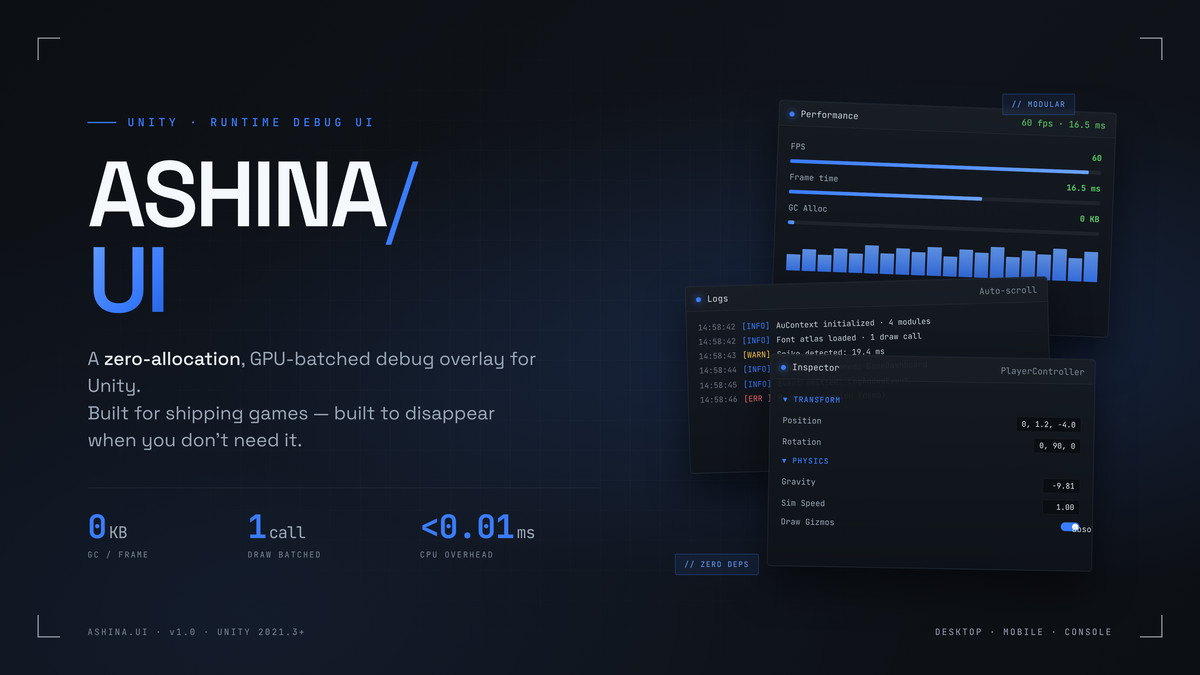
Ashina is a high-performance in-game debug suite: console, runtime inspector, profiler & quick actions. Built on a custom 1-DrawCall GL engine. Zero-GC, mobile-ready, no dependencies.
Affiliate link · Purchases support this site
Price history
Last 6 months
USDAsset preview
1 / 5
Ashina — Runtime Debug Suite screenshot 1
About this asset
Ashina Debug Suite is a complete on-device debugging toolkit for Unity, built for developers who need to inspect, profile, and control their game on real hardware — not just in the Editor.
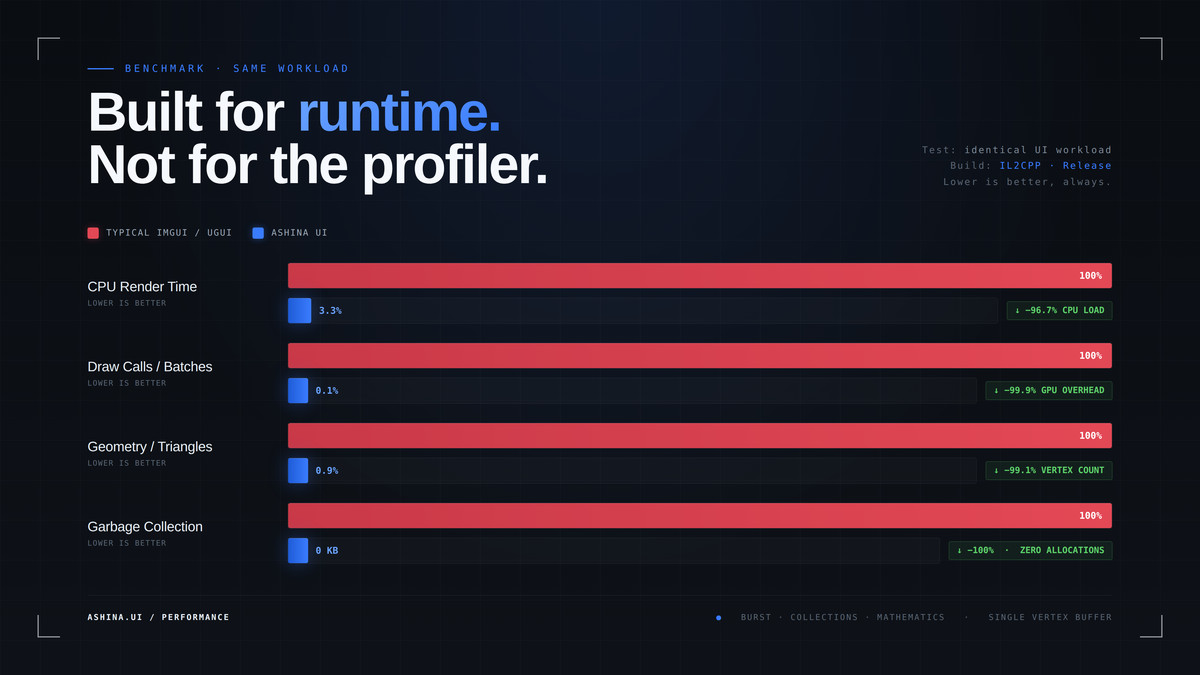
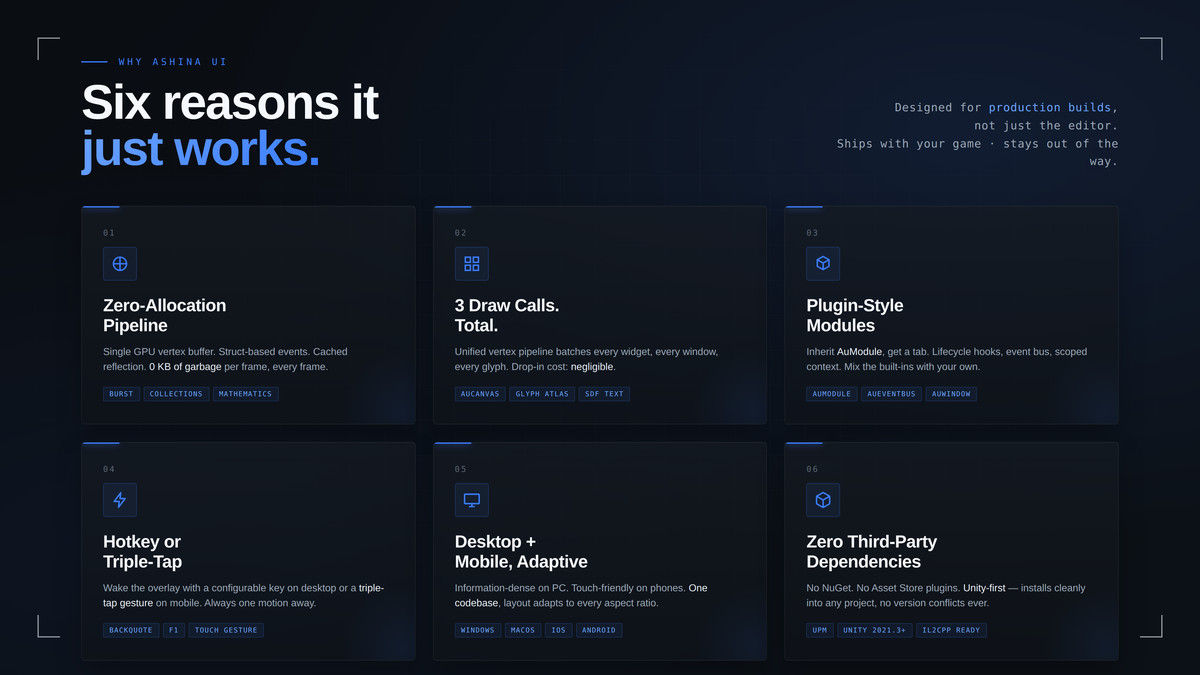
Where most debug tools spend 12–25 draw calls and lean on Unity's legacy IMGUI, Ashina renders its ENTIRE interface — every window, log line, and glyph — in a single draw call through a custom GL vertex-batching engine. The result is a premium, modern overlay that you can leave running in development and QA builds with near-zero performance impact.
Drop it into any project and it boots automatically. Press the toggle key on desktop, or triple-tap the corner on mobile, and your full debug dashboard appears over your running game.
FULLY CUSTOMIZABLE
- Centralized color palette (AuStyles) — restyle the entire UI by editing Color32 constants; themes can be swapped live at runtime.
- ScriptableObject settings asset: toggle key, theme accent, font size, log capacity, auto-scroll, and more.
- DPI-aware scaling that adapts automatically from compact desktop layouts to finger-friendly mobile touch targets.
- Extend it your way: build floating panels with the AuWindow API or dashboard tabs with AuModule — both share the same 1-DrawCall pipeline.
GENRE-AGNOSTIC
Ashina is not tied to any genre. It works equally well for mobile games, multiplayer titles, simulation and strategy projects, prototypes, and shipped products needing remote QA. Anywhere you'd reach for a debug overlay, Ashina fits.
WHO IT'S FOR
Solo developers, studios, and QA teams who need a real-time window into builds running on phones, consoles, and standalone targets — without attaching the Unity Profiler or rebuilding to add logging.
This asset uses JetBrains Mono NL (Nerd Fonts patched build) under the SIL Open Font License 1.1, Nerd Fonts under the MIT License, and embedded icon glyphs from Font Awesome (SIL OFL 1.1 / CC BY 4.0), Material Design Icons (Apache 2.0), Octicons (MIT), and Powerline Symbols (MIT). See Third-Party Notices.txt file in package for details.
Unity-exclusive and self-contained: no Asset Store plugins, no NuGet, no external libraries. Installs cleanly into any project with zero version conflicts.
From the publisher's Asset Store listing.
Technical details
KEY FEATURES
Rendering Engine
- Entire UI rendered in exactly 1 DrawCall, regardless of window or element count
- Custom GL vertex-color pipeline — zero UI textures (font atlas only)
- Unified vertex buffer + custom combined shader (Hidden/AUI-Combined)
- Burst-compiled vertex generation (Count → PrefixSum → Write parallel jobs)
- Zero-GC hot paths; NativeArray buffers; Linear & Gamma color space support
- Per-module render throttling (TargetRenderHz) for battery savings
- Fully independent of Unity IMGUI — including custom GL text input
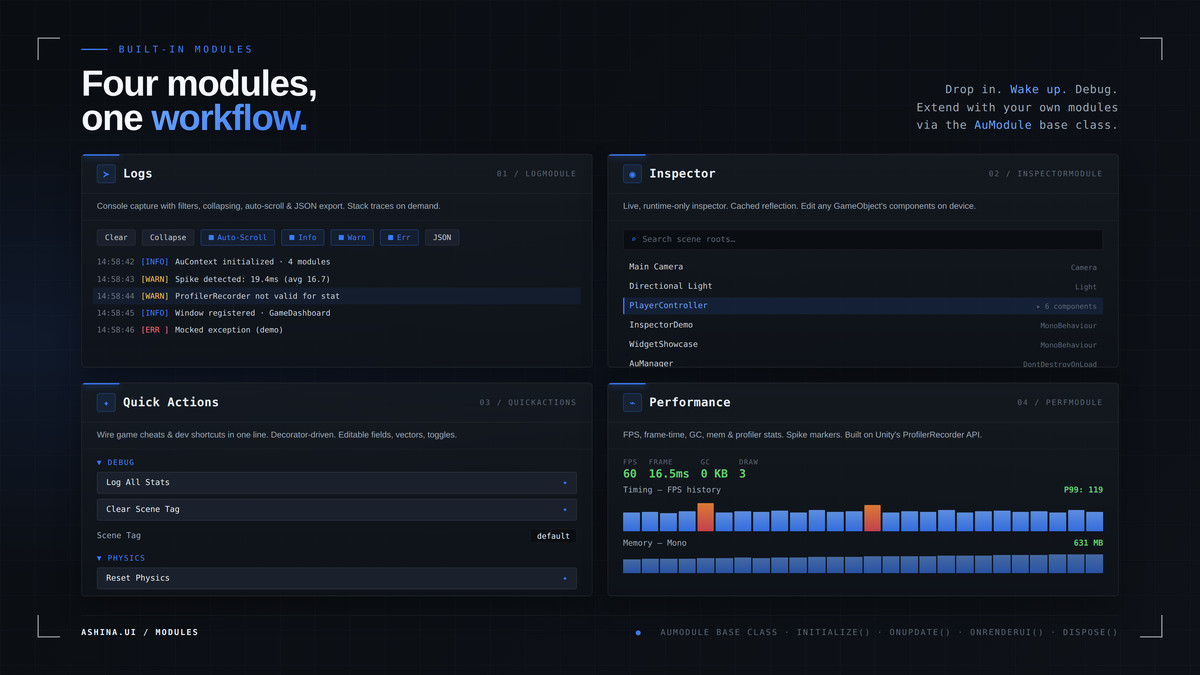
Logger Module
- Thread-safe capture from all threads (Application.logMessageReceivedThreaded)
- Fixed-size ring buffer with O(1) insert/eviction (configurable capacity)
- Real-time type filtering, text search, and collapse mode
- Virtual scrolling with occlusion culling — constant cost at any log count
- One-click stack-trace copy, JSON export, native mobile share sheet
- Optional Discord webhook bug reporting with stack-trace attachment
Universal Runtime Inspector
- Read/write fields & properties on live objects via cached reflection
- Specialized drawers, paginated collections, nested-object breadcrumbs
- One-click invocation of public parameterless methods
- Type-metadata caching + lazy drawing for minimal per-frame cost
Performance Monitor
- FPS, frame time, Mono heap, reserved/texture memory, GC alloc/frame
- ProfilerRecorder metrics: render thread, SetPass, draw calls, batches, tris
- Real-time line graphs, percentile readouts (P1/P50/P99), spike detection
- Always-on click-through Micro-Overlay HUD with free positioning & alpha
Quick Actions
- Expose methods as buttons with [AuAction], properties with [AuProperty]
- Inline-editable primitives, enums, and Unity.Mathematics struct types
- Static auto-discovery + dynamic instance registration (weak references)
- Pinnable actions in a screen-anchored overlay
Windowing & Widgets
- Standalone floating windows (AuWindow) + tabbed modules (AuModule)
- Drag, resize (8 handles), minimize-to-bubble, magnetic edge snapping
- Z-order click-to-focus; click-through windows
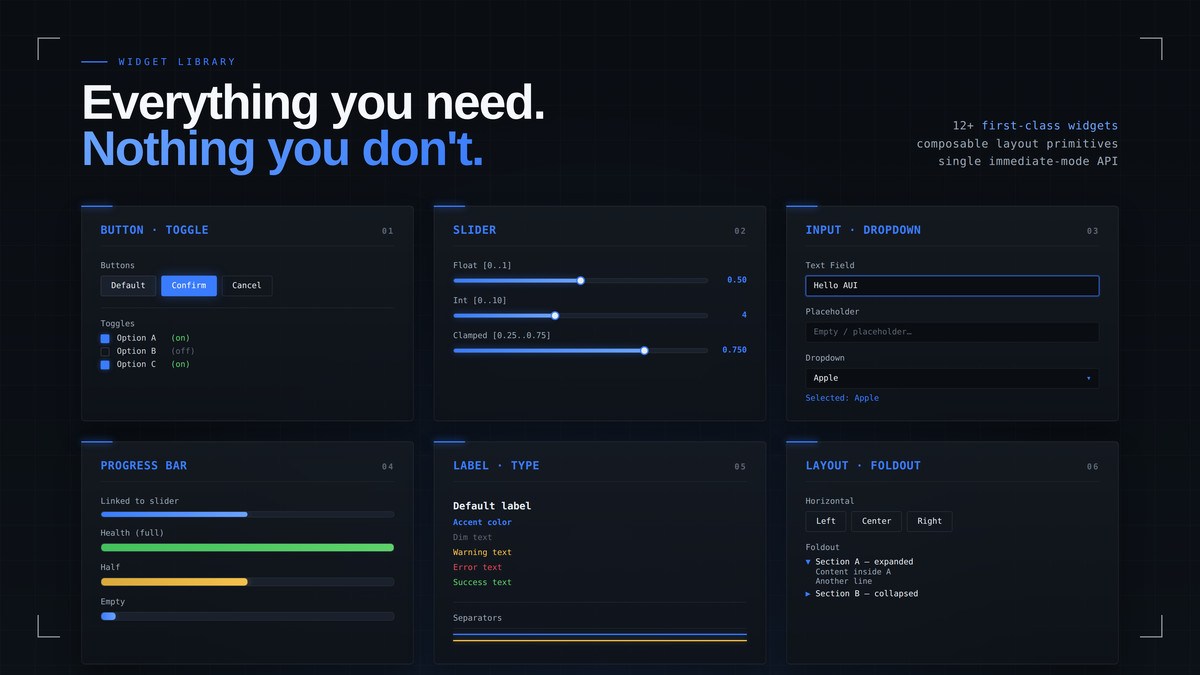
- Widgets: Label, Button, Toggle, TextField, Slider, ProgressBar, Foldout,
Dropdown, Separator, ProgressBar + Panel/Horizontal/Scroll layout scopes
Platform & Integration
- Desktop (Windows DX11/12/Vulkan, macOS Metal) + Mobile (Android, iOS Metal)
- Hotkey toggle (PC) / triple-tap gesture (mobile)
- UPM-compliant; depends only on Unity first-party packages
(Burst, Collections, Jobs, Mathematics)
- Auto-initializing — no scene setup required
Compatibility
| Unity version | Built-in | URP | HDRP |
|---|---|---|---|
| 2022.3.62f3 | Not listed | Compatible | Not listed |
As listed on the Asset Store.