
 View on Asset Store (opens in new tab)
Package details
- Latest version
- 1.0
- Last updated
- First released
- Unity version
- 6000.0.68 or later
- Package size
- 837 KB
- Files
- 7
- Views in the past week
- 5
Price tracking
- Last checked
- Tracked since
- Lowest recorded
- $9.99 on
Keywords
Modular UI Pro
Editor tool that visually configures 9-sliced UI sprites and generates scene-ready panels in one click.
Affiliate link · Purchases support this site
Price history
Last 6 months
USDAsset preview
1 / 2
Modular UI Pro screenshot 1
About this asset
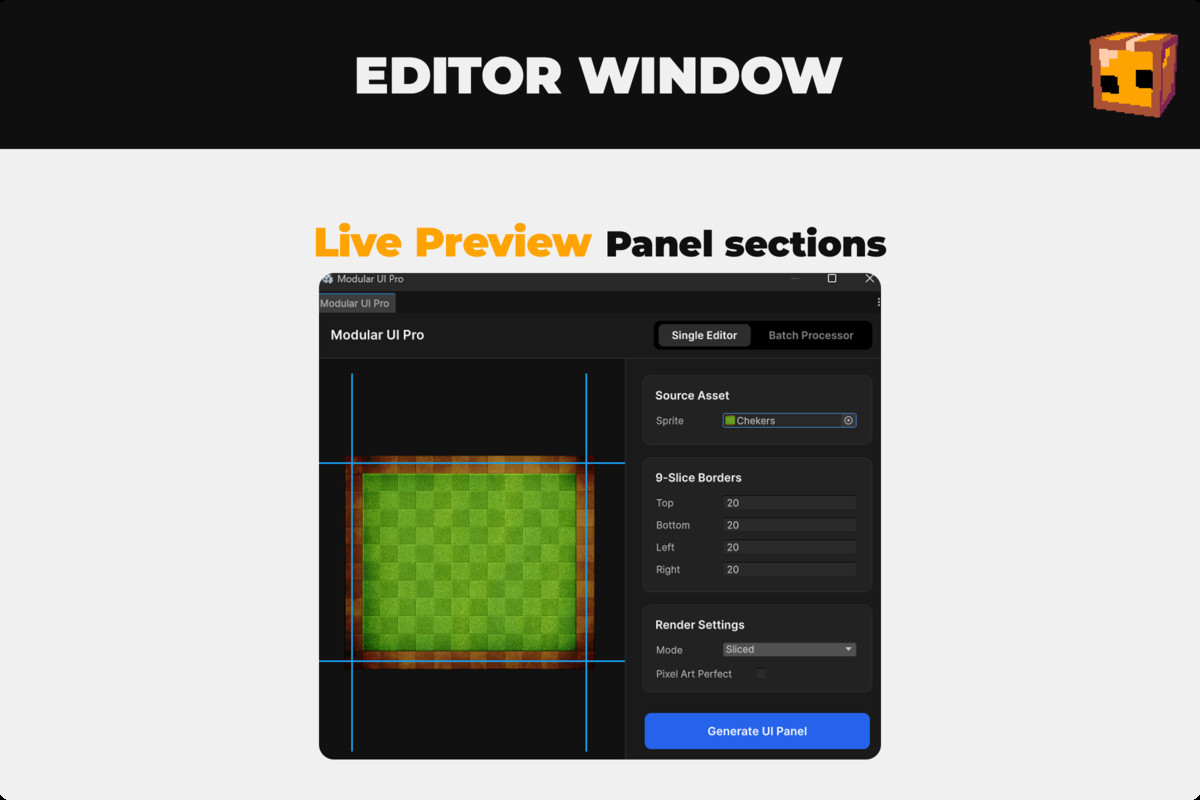
Set up 9-sliced UI panels the way they should be — visually. Modular UI Pro replaces the tedious back-and-forth between Unity's Sprite Editor and the Inspector with a single, purpose-built window. Drop in a texture, drag the slice guides to where they feel right, choose your render settings, and generate a fully configured UI panel directly into your scene — Canvas included if you don't have one yet.
⚡ Live Visual Slice Editor
- Drag four Figma-style blue guide lines directly on the texture preview to set Top, Bottom, Left, and Right slice borders interactively.
- The preview panel scales responsively to fit any window size while preserving the texture's exact aspect ratio.
- FloatFields and guide lines stay in sync — typing a value moves the guide; dragging the guide updates the field.
🎨 One-Click Panel Generation
- Clicking "Generate UI Panel" applies import settings, creates a Canvas if none exists, and instantiates a ready-to-use Image GameObject — all in one action.
- Generates panels named after the source texture (e.g. UI_Panel_button_bg) for easy identification in the hierarchy.
- Every generated object is registered with Unity's Undo system, so Ctrl+Z cleanly removes it.
📂 Folder-Wide Batch Processor
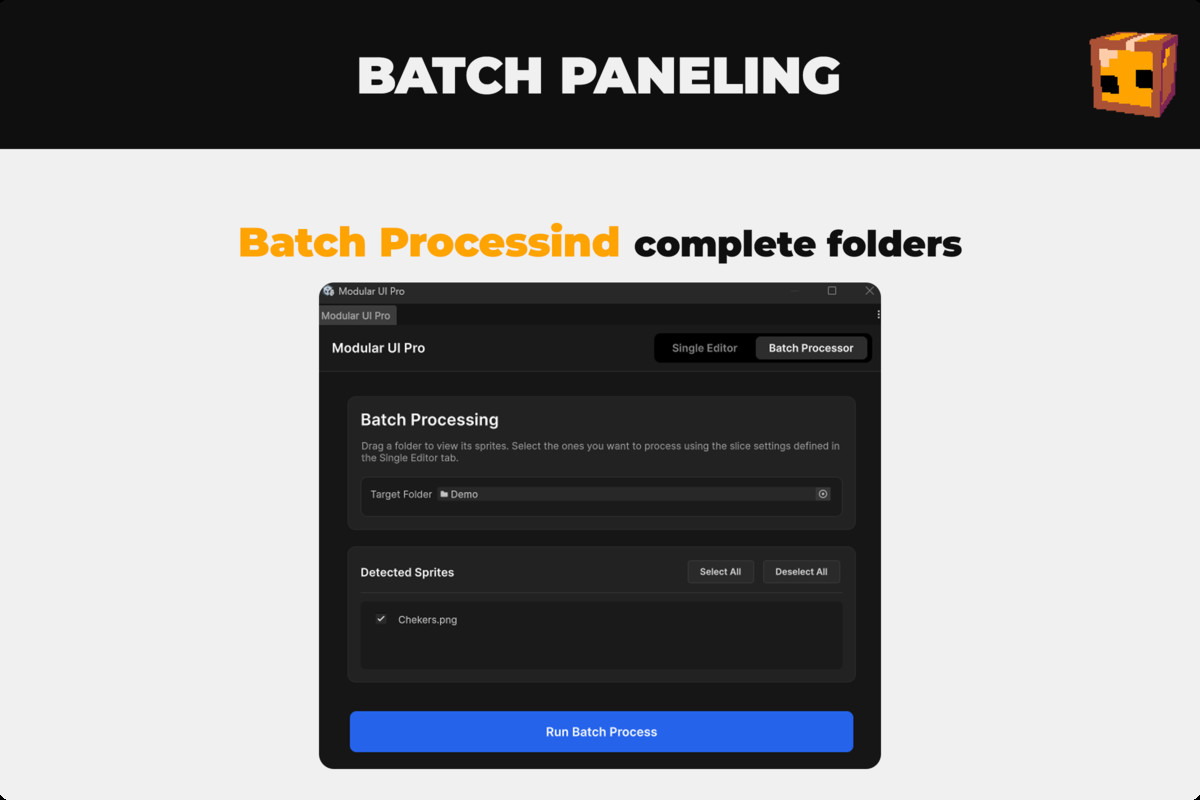
- Drop a project folder to scan it for all Texture2D assets automatically.
- Review the full sprite list with per-item toggles, then use Select All / Deselect All for quick control.
- Runs with a progress bar and applies the current slice configuration to every selected sprite via the TextureImporter — no GameObjects created, just clean asset reimports.
🔧 Render Settings
- Choose any Unity Image.Type (Sliced, Simple, Tiled, Filled) per panel before generating.
- Pixel Art Perfect mode switches filter to Point and disables compression for crisp, unaliased sprites.
- All import settings (border, filter mode, compression, mesh type FullRect, sprite mode Single) are written permanently to the asset.
🔒 Safe Defaults
- Validates that a texture is assigned before generating and shows a clear dialog if not.
- Rejects non-folder drops in Batch mode with an explanatory dialog and resets the field.
- Uses SpriteMeshType.FullRect on all generated sprites to prevent 9-slice rendering artefacts.
From the publisher's Asset Store listing.
Technical details
- Unity 2022.2 or higher (UI Toolkit EditorWindow API)
- Editor + Runtime
- 4 files total: ModularUIEditorWindow.cs, ModularUIEditorWindow.uxml, ModularUIEditorWindow.uss, ModularPanel.cs
- No external dependencies
- Uses UI Toolkit (UIElements) — no IMGUI
Compatibility
| Unity version | Built-in | URP | HDRP | Custom |
|---|---|---|---|---|
| 6000.0.68f1 | Compatible | Compatible | Compatible | Compatible |
As listed on the Asset Store.