
 View on Asset Store (opens in new tab)
Package details
- Latest version
- 2.0.0
- Last updated
- First released
- Unity version
- 6000.0.59 or later
- Package size
- 1.2 GB
- Files
- 121
- Favorites
- 13
- Views in the past week
- 28
Price tracking
- Last checked
- Tracked since
- Lowest recorded
- $50.00 on
Keywords
Audio Face Animator - Lip Sync & Facial Animation
Create lip sync and facial animation from audio with NVIDIA Audio2Face models. Use CPU or NVIDIA GPU offline in Unity Editor and Windows builds. Supports ARKit blendshapes and AnimationClip creation.
Affiliate link · Purchases support this site
Price history
Last 6 months
USDAsset preview
1 / 9
Audio Face Animator - Lip Sync & Facial Animation screenshot 1


About this asset
YOUTUBE | DOCUMENTATION | SUPPORT
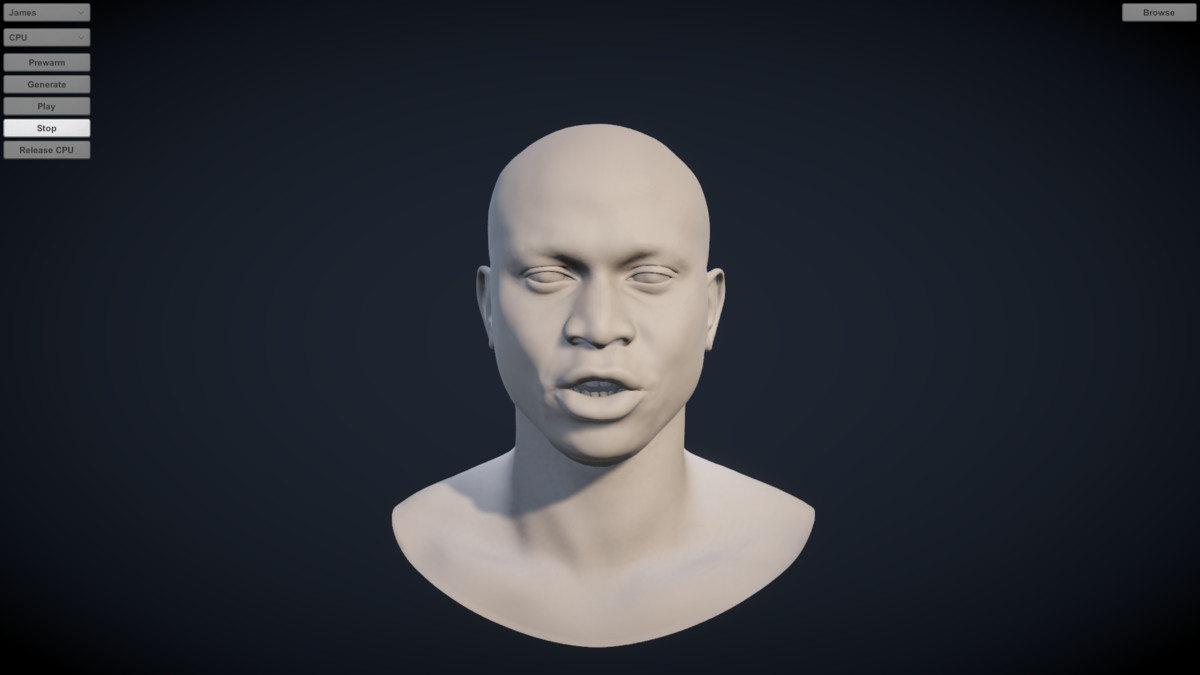
Audio Face Animator generates realistic lip sync and facial animation from audio using NVIDIA Audio2Face models. Generation runs locally on CPU or, optionally, NVIDIA GPU. No cloud service or API key is needed to generate animation.
The plugin produces synchronized, ARKit-compatible facial animation and lets you adapt it to characters with different blendshape and facial-bone setups. Generate in the Unity Editor or a Windows standalone build, then play the result or save it as a standard Unity AnimationClip.
Features
- Generate synchronized facial animation directly from audio files, entirely offline.
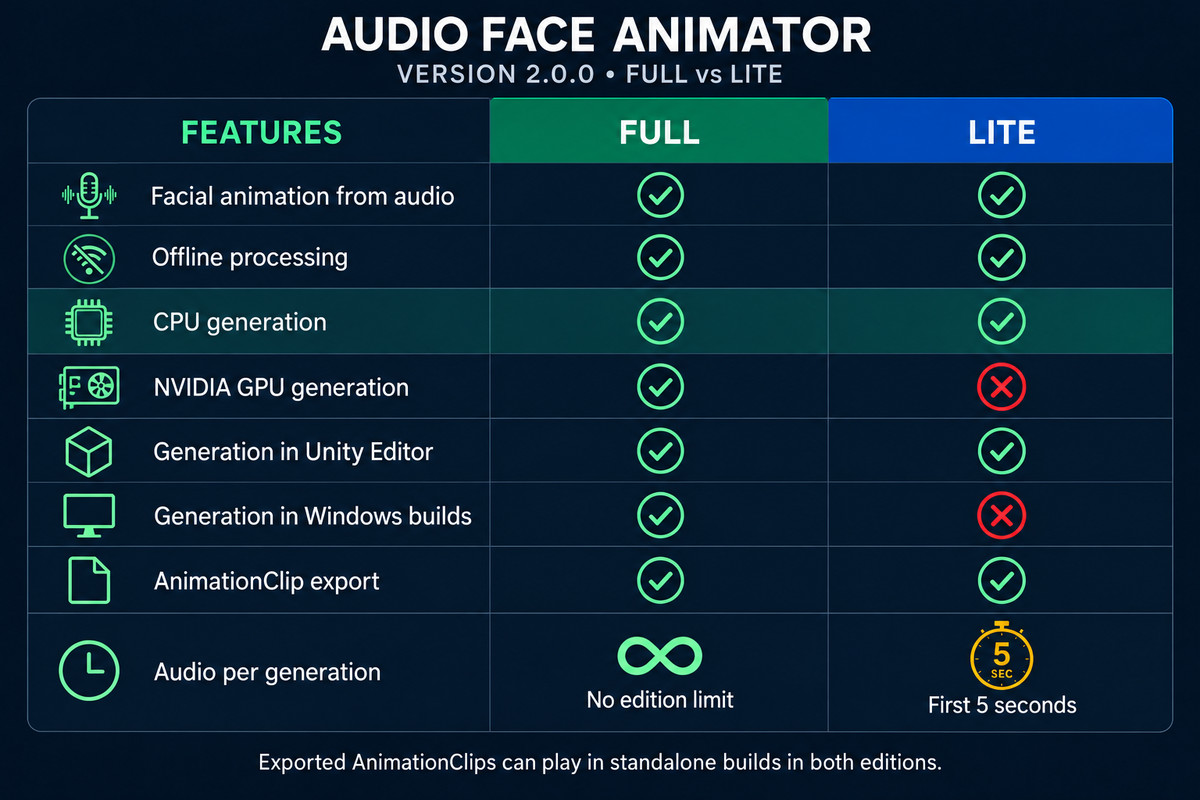
- Choose CPU generation without an NVIDIA GPU, or use the optional NVIDIA GPU backend.
- Generate in Unity Editor and Windows x64 Player builds; Full has no Lite edition five-second limit.
- Drive ARKit-compatible blendshapes, including characters without a complete ARKit blendshape set.
- Add emotion sequences with adjustable intensity and crossfades.
- Generate audio-driven eye motion, with optional Look At blending.
- Add procedural blinking with adjustable timing and strength.
- Map each expression to multiple blendshapes or facial bones. Preview mappings in the Editor and reuse them across characters with presets.
- Fine-tune face strength, smoothing, masks, lip and eyelid offsets, and eye motion.
- Save blendshape, bone, eye, and blink animation as a Unity AnimationClip.
Included
- Three ready-to-use sample characters, a sample scene, voice samples, and emotion presets.
Requirements
- Unity 6000.0 or newer.
- Windows 10 or 11, 64-bit, for generation in the Editor or a standalone build.
- A character with suitable facial blendshapes or bones. A complete ARKit blendshape set is not required.
- Additional disk space for model synchronization (approximately 1.4 GB), plus Unity’s project cache.
- The sample scene’s UI buttons require Unity Input System (com.unity.inputsystem; tested with 1.14.2). Generation through the Face Animator Inspector or API does not require it.
CPU generation: The CPU library, ONNX Runtime, and model files are included. An NVIDIA GPU, CUDA, and TensorRT are not required.
Optional NVIDIA GPU generation: Requires a compatible NVIDIA GPU (compute capability 7.5 or newer), a driver compatible with CUDA 12.9 (version 576 or newer recommended), and approximately 6 GB of free VRAM while generating. CUDA libraries are included, but TensorRT is not. Install the complete TensorRT 10.16.1.11 Windows x64 / CUDA 12.9 ZIP from NVIDIA and add its bin directory to Windows PATH. GPU generation in a standalone build requires the same TensorRT installation on the target machine.
Getting started
- Import the package.
- Open Tools > AudioFaceAnimator > Sync StreamingAssets and select Copy All Files.
- Open Tools > AudioFaceAnimator > Preflight Check and select Checks > CPU.
- To use the sample scene’s buttons, install Unity Input System. Open the scene, enter Play Mode, then press Generate and Play.
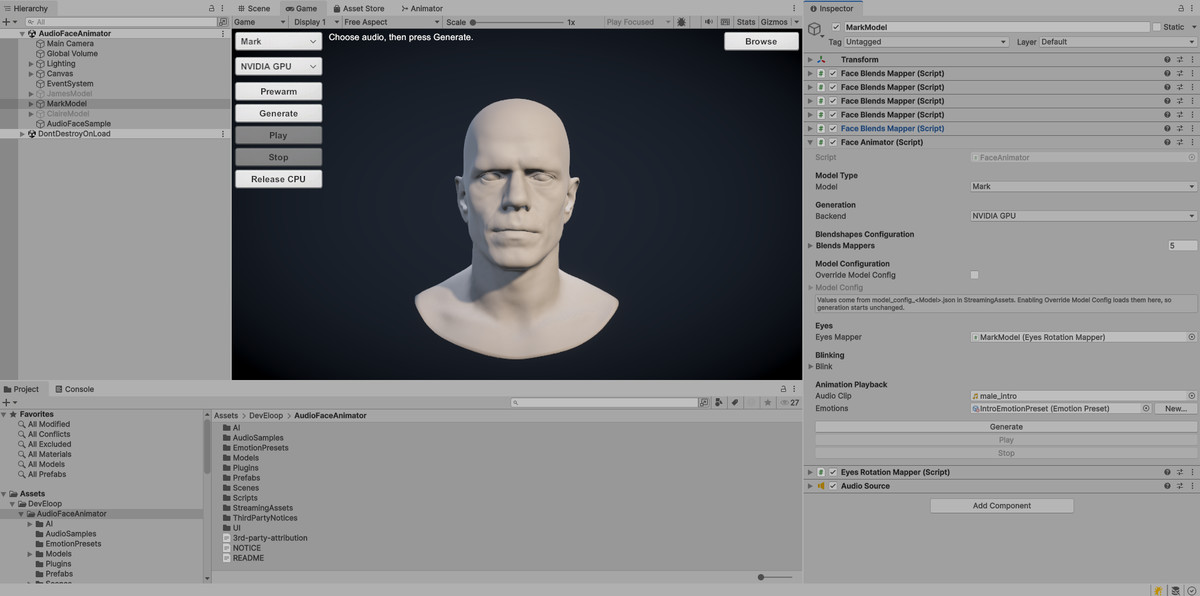
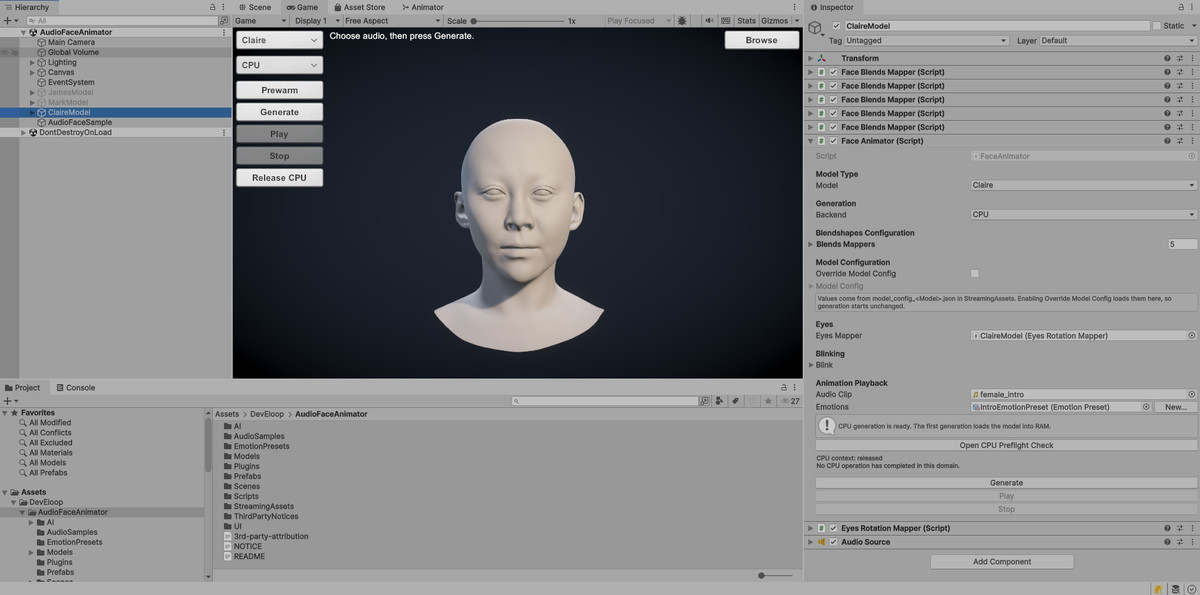
- For your own character, add Face Animator, map its facial blendshapes or bones, and assign an AudioClip.
To use the optional GPU backend, install TensorRT as described above, restart Unity and Unity Hub, then open Tools > AudioFaceAnimator > Setup TensorRT Engine to check the installation and build an engine for your GPU. Select NVIDIA GPU on Face Animator before generating.
Third-party licensing: This package uses NVIDIA Audio2Face models under the NVIDIA Open Model License. The Audio2Face SDK and ONNX Runtime are provided under MIT licenses; bundled NVIDIA CUDA components are subject to the NVIDIA CUDA Toolkit EULA. See NOTICE.txt and 3rd-party-attribution.txt in the package for the full notices. This product is not sponsored by or affiliated with NVIDIA Corporation.
───────────────────────────────
MORE FROM DEVELOOP
Want to try the workflow first? Audio Face Animator Lite offers CPU generation in the Unity Editor for the first 5 seconds of each clip.
All DevEloop Unity tools and animation packs
Support: [email protected]
From the publisher's Asset Store listing.
Technical details
- Supported Platform: Windows 10/11, 64-bit; Unity Editor and Windows Standalone (Mono and IL2CPP)
- Unity Version: 6000.0 or newer
- Generation Backends: CPU or NVIDIA GPU; CPU does not require an NVIDIA graphics card
- Optional GPU Requirements: NVIDIA GPU with compute capability 7.5+; driver 576+ recommended and approximately 6 GB of free VRAM
- TensorRT: Required for NVIDIA GPU generation only; install TensorRT 10.16.1.11 for Windows x64 / CUDA 12.9 separately
- Processing Mode: Local, offline, clip-based generation with real-time playback
- AI Model: NVIDIA Audio2Face
- Facial Rig: ARKit-compatible blendshapes and facial bones; a complete ARKit set is not required
- Input: WAV or Unity AudioClip, automatically converted to 16 kHz mono
- Output: Facial animation for playback and export as Unity AnimationClips
Compatibility
| Unity version | Built-in | URP | HDRP | Custom |
|---|---|---|---|---|
| 6000.0.59f2 | Compatible | Compatible | Compatible | Compatible |
As listed on the Asset Store.