
 View on Asset Store (opens in new tab)
Package details
- Latest version
- 1.0
- Last updated
- First released
- Unity version
- 2022.3.62 or later
- Package size
- 930 KB
- Files
- 80
- Favorites
- 1
- Views in the past week
- 3
Price tracking
- Last checked
- Tracked since
- Lowest recorded
- $8.00 on
Keywords
Asset Collection Browser
Organize Unity project assets faster.
Affiliate link · Purchases support this site
Price history
Last 6 months
USDAsset preview
1 / 3
Asset Collection Browser screenshot 1

About this asset
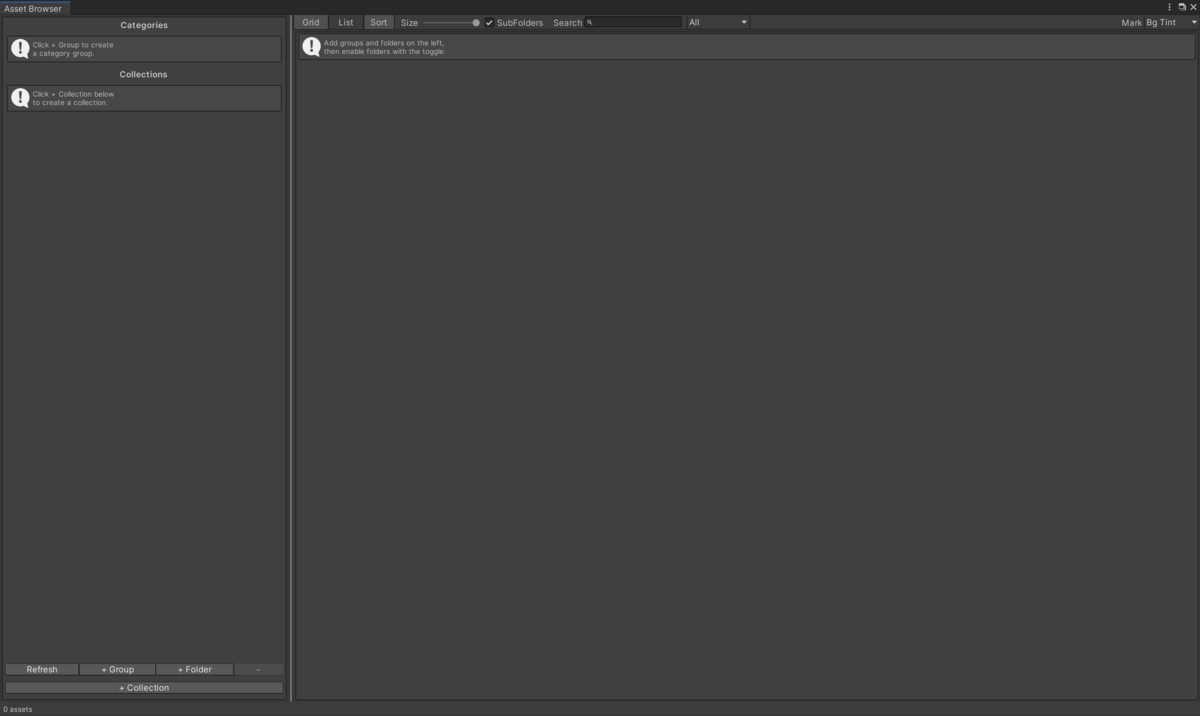
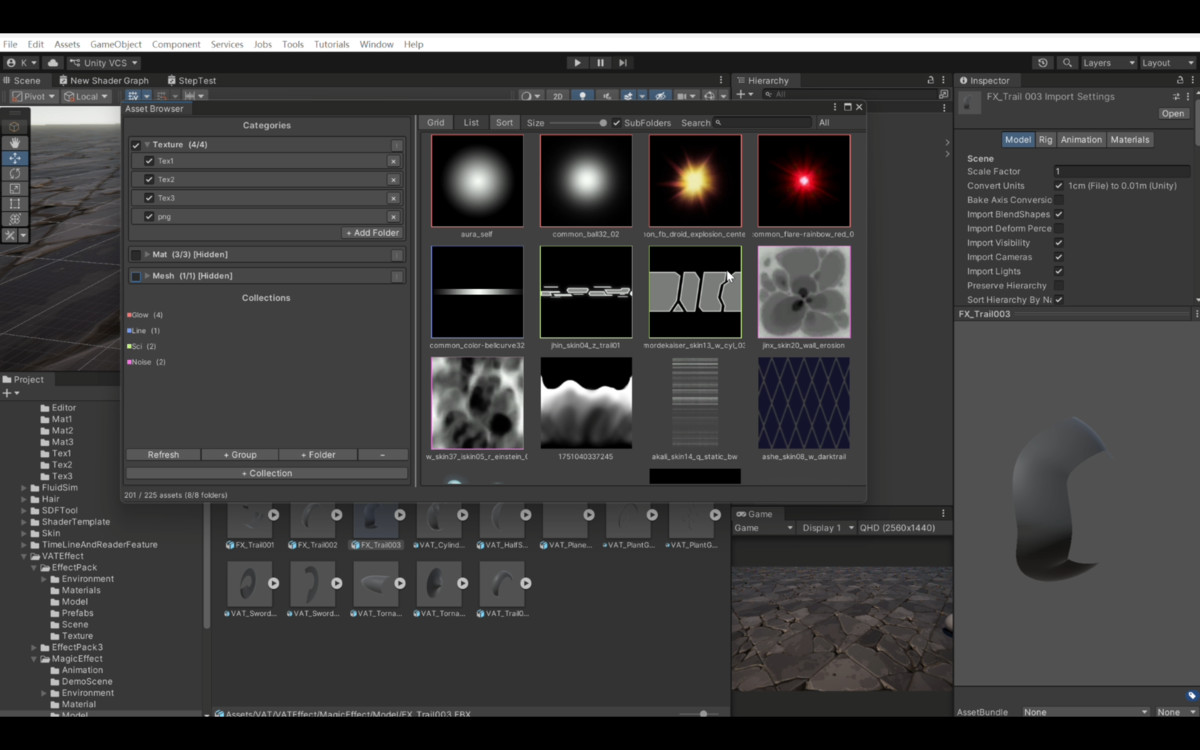
VAT Asset Collection Browser is a Unity Editor extension for centralized asset browsing and organization. It lets artists and developers create folder groups, build cross-folder asset collections, browse assets in grid or list view, search by name or path, filter by asset type, and keep frequently used assets organized inside the editor.
The browser supports drag-and-drop workflows, Unity Project selection sync, collection color markers, copy/move export for collections, and duplicate texture hiding through a local hash cache. It is designed for production projects where texture, material, prefab, shader, model, script, audio, animator, and font assets need to be reviewed and grouped quickly.
From the publisher's Asset Store listing.
Technical details
Editor extension namespace: VAT.AssetBrowser.
Menu path: Tools > VAT > Asset Collection Browser.
Configuration asset: Assets/VAT/AssetBrowser/Editor/DefaultAssetBrowserConfig.asset.
Editor assembly: VAT.AssetBrowser.Editor; Editor-only include platform.
Supported asset filters: Texture, Material, Prefab, Shader, Model, Script, Audio, Animator, Font.
User preferences persisted with EditorPrefs: view mode, icon size, splitter position, type filter, recursive scan, collection mark style, sorting, and duplicate texture visibility.
Duplicate texture hash cache is generated locally at Library/VATAssetBrowserTextureHashCache.tsv and is not required for distribution.
Compatibility
| Unity version | Built-in | URP | HDRP |
|---|---|---|---|
| 2022.3.62f3c1 | Not listed | Compatible | Not listed |
As listed on the Asset Store.