
 View on Asset Store (opens in new tab)
Package details
- Latest version
- 1.0.3
- Last updated
- First released
- Unity version
- 2022.3.62 or later
- Package size
- 10.7 MB
- Files
- 50
- Favorites
- 10
- Views in the past week
- 50
Price tracking
- Last checked
- Tracked since
- Lowest recorded
- $9.99 on
Keywords
GrassLite - Mobile Grass System for Unity URP
- Price drop
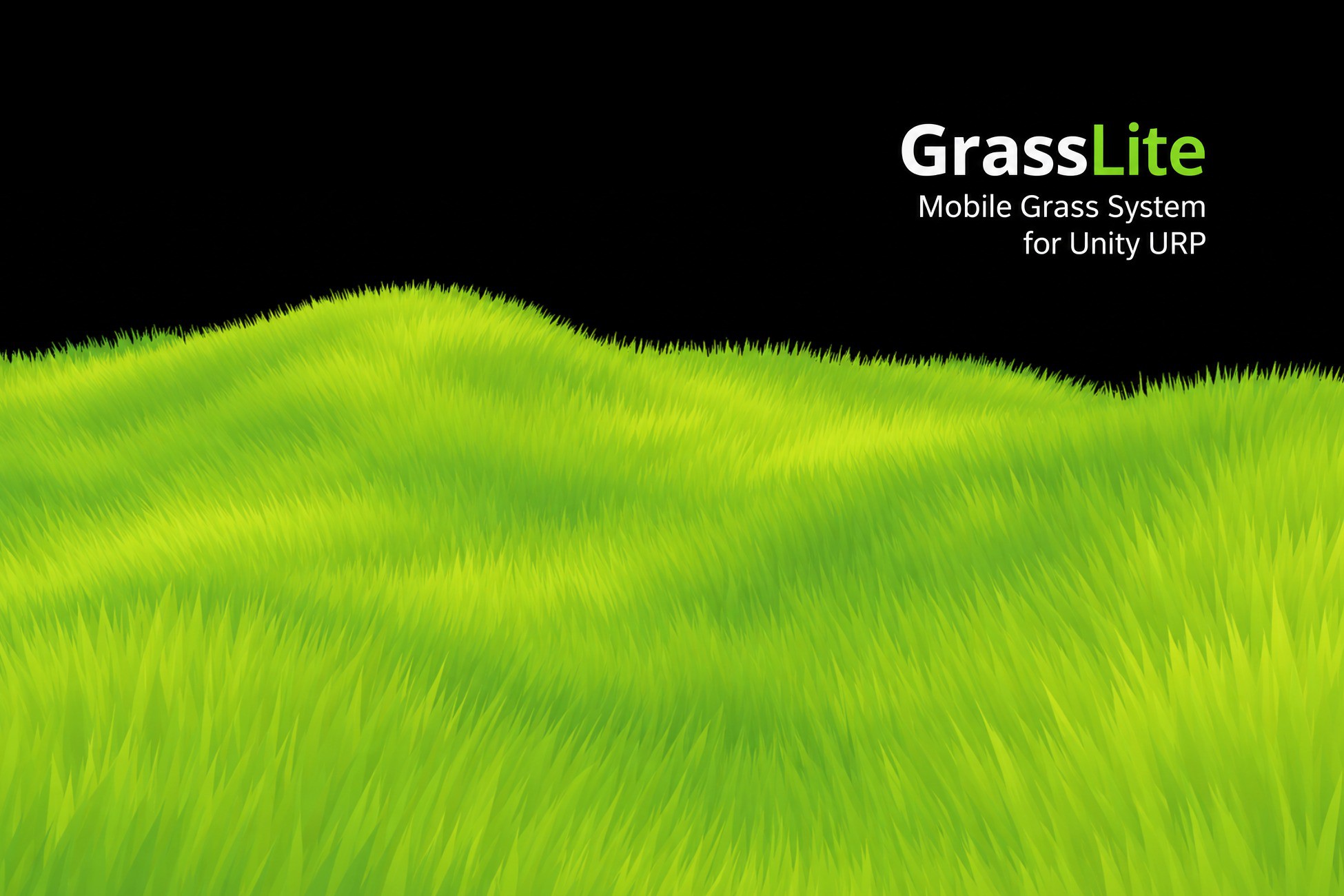
Mobile-first baked-mesh grass for Unity URP. 100,000 blades demonstrated at approximately 60 FPS on iPhone SE and Samsung Galaxy A54.
Lowest recorded price
Get 71% off on Asset Store (opens in new tab)Affiliate link · Purchases support this site
Price history
Last 6 months
USDAsset preview
1 / 7
GrassLite - Mobile Grass System for Unity URP screenshot 1



About this asset
[BT] PERSIA VFX — GrassLite
HIGH-PERFORMANCE MOBILE GRASS SYSTEM FOR UNITY URP
REQUIREMENTS
GrassLite requires the Universal Render Pipeline (URP).
The Built-in Render Pipeline and HDRP are not supported.
Minimum supported Unity version: Unity 2022.3 LTS.
REAL MOBILE PERFORMANCE
100,000 grass blades demonstrated at approximately 60 FPS in the recorded demo scene on physical mobile devices:
- iPhone SE (3rd generation, A15 Bionic)
- Samsung Galaxy A54
The footage was recorded directly from physical Android and iOS devices, not from the Unity Editor or a simulated result.
The 100,000-blade Showcase configuration contains approximately:
- 100,000 grass blades
- 200,000 triangles
- 400,000 vertices
Performance varies depending on the device, render resolution, camera view, lighting, blade settings, shader settings, and overall scene complexity.
WHAT IS GRASSLITE?
GrassLite is a mobile-first baked-mesh grass system for Unity URP.
Grass is generated in the Unity Editor and baked into a mesh. In the default workflow, the grass mesh does not need to be regenerated at runtime.
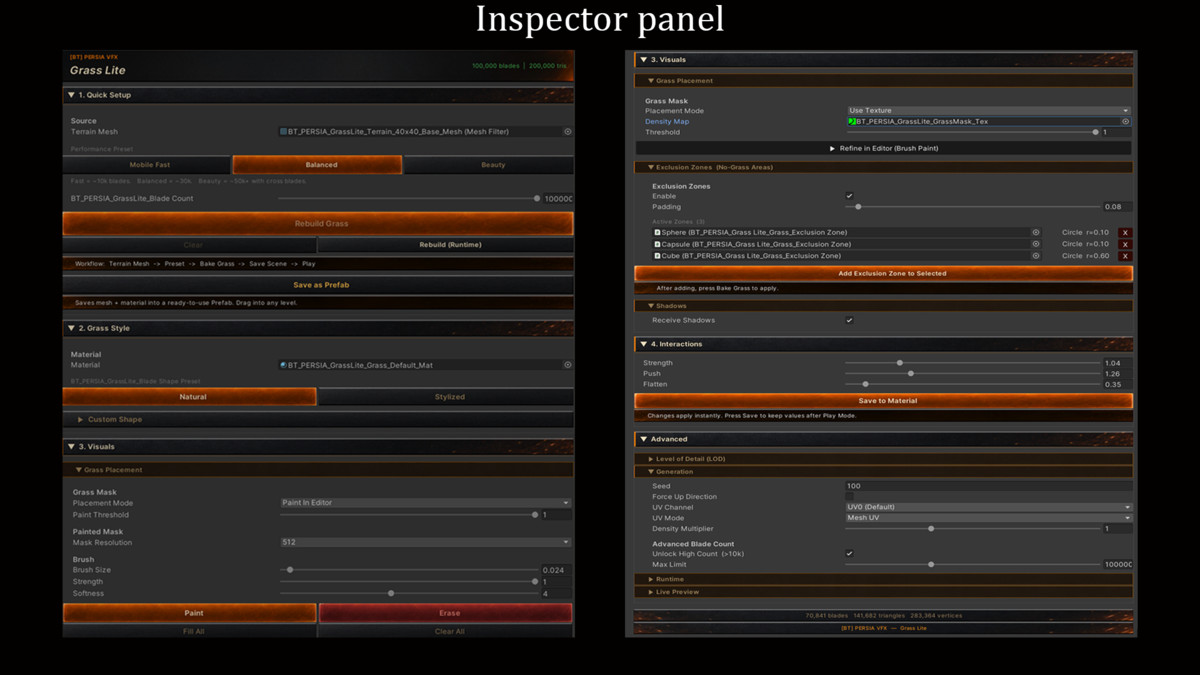
Paint exactly where grass grows, exclude trees and buildings, customize the visual style, and add real-time bending for players, NPCs, vehicles, and other moving objects.
WHY GRASSLITE?
Many grass systems are designed for desktop hardware first and optimized for mobile later.
GrassLite is designed around mobile constraints from the beginning, with an editor workflow focused on practical setup, visual control, and predictable performance.
Key benefits:
- Tested on physical Android and iOS devices
- Editor-generated baked-mesh workflow
- No compute shader required
- Unity Terrain component is not required
- Scene View mask painting
- Exclusion Zones
- Real-time grass interaction
- Natural and Stylized visual presets
- Mobile-focused performance presets
FEATURES
PERFORMANCE
- Grass is generated and baked in the Unity Editor
- No runtime grass-mesh generation in the default baked workflow
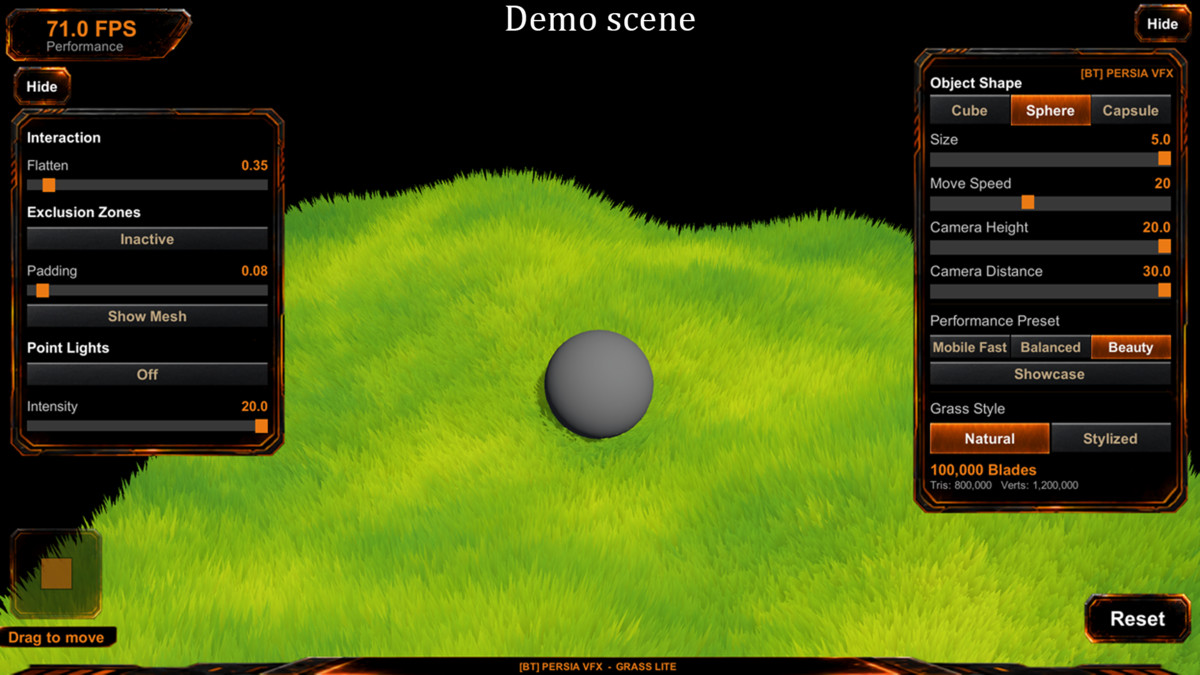
- Three recommended performance presets
- Additional 100,000-blade Showcase configuration
- Designed primarily for mobile URP projects
- Also suitable for desktop URP projects
- No compute shader required
RECOMMENDED PERFORMANCE PRESETS
Mobile Fast — approximately 8,000 blades
Recommended starting point for lower-end and older mobile devices.
Balanced — approximately 25,000 blades
Recommended starting point for mid-range mobile devices.
Beauty — approximately 50,000 blades
Designed for higher-end mobile devices and desktop projects.
SHOWCASE CONFIGURATION
Showcase — 100,000 blades
The Showcase configuration is used in the recorded real-device performance demonstration.
It is intended for testing and presentation and is not a universal recommendation for every project. Test and adjust the blade count according to the requirements of your target hardware and scene.
PLACEMENT
- Works with compatible mesh-based surfaces in URP
- Unity Terrain component is not required
- Source mesh must contain UV0 coordinates
- Source mesh must have Read/Write enabled
- Paint grass placement directly in Scene View
- Use an external grayscale texture as a placement mask
- Mesh UV and World XZ mask-mapping modes
- World XZ mode is useful for low-poly terrain with distorted or poorly distributed UVs
- UV0 is still required when using World XZ mode
- Force Up Direction corrects blade orientation on low-poly surfaces
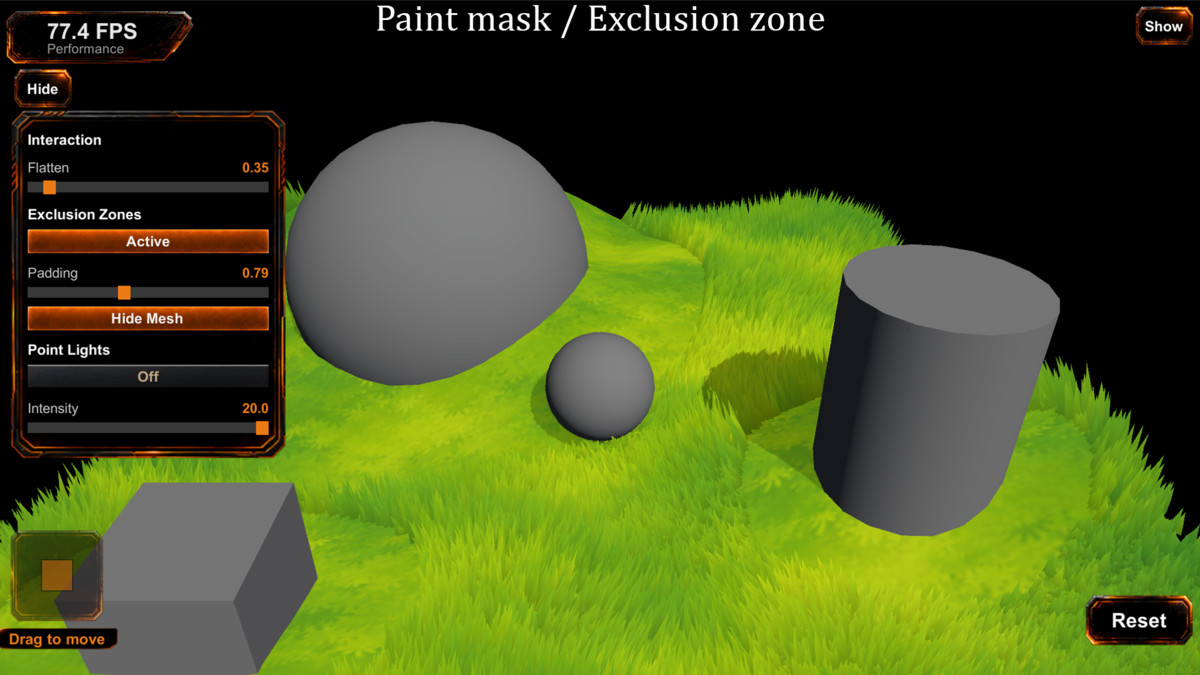
EXCLUSION ZONES
Keep grass away from trees, rocks, buildings, paths, and other objects.
Supported exclusion shapes:
- Circle
- Box
- Mesh-based shape
Global padding controls can be used to expand the no-grass area around exclusion objects.
VISUALS
- Custom URP grass shader
- Mobile shadow support
- Root darkness and tip brightness controls
- Adjustable blade height and width
- Curvature and twist controls
- Multiple blade segments
- Cross-blade support
- Natural and Stylized blade presets
- Breeze, Storm, and Custom wind modes
- Optional point-light support
Point-light support requires Additional Lights to be set to Per Pixel in the URP Asset and may have a significant performance cost on mobile devices.
INTERACTION
- Real-time grass bending and flattening
- Supports up to 8 simultaneous interactors
- Suitable for players, NPCs, vehicles, and other moving objects
- Independent Strength, Push, and Flatten controls
- Interactor radius can be adjusted for different object sizes
WORKFLOW
- One-click Quick Setup from the Inspector
- Scene View mask painting
- Texture-based placement masks
- Rebuild grass directly from the editor tool
- Runtime rebuild option for temporary previews during Play Mode
- Save generated grass as a reusable Prefab
- Interactive Demo Scene with live runtime controls
- Full documentation and Quick Start Guide
MESH REQUIREMENTS
The source mesh must:
- Contain UV0 coordinates
- Have Read/Write enabled
- Use a compatible MeshFilter-based surface
Supported examples:
- Standard environment meshes with UV0
- Low-poly terrain meshes with UV0
- Modular ground meshes with UV0
- Custom environment meshes with UV0
Meshes without UV0 are not supported and must be unwrapped before use.
World XZ mode changes how the placement mask is mapped, but it does not remove the UV0 requirement.
CURRENT LIMITATIONS
LOD and frustum culling are temporarily disabled in v1.0.1 while the system is being redesigned and tested.
The related Inspector controls remain visible but are disabled and have no effect at runtime in this version.
Dedicated large-world and open-world LOD support is not currently available.
LOD support is planned for a future update. No release date has been announced.
For large environments, test the current baked-mesh workflow against the requirements of your target hardware before production use.
WHAT'S INCLUDED
- GrassLite core runtime system
- Full editor toolset
- Custom URP Grass Shader
- Terrain Diffuse Shader with mobile shadow support
- Interactive Demo Scene with runtime controls
- Sample terrain mesh — 40 × 40
- Default grass texture
- Default paint mask
- Scene View painting tools
- Exclusion Zone components
- Grass Interactor component
- Full documentation
- Quick Start Guide
SYSTEM REQUIREMENTS
- Unity 2022.3 LTS or newer
- Universal Render Pipeline required
- Built-in Render Pipeline is not supported
- HDRP is not supported
- Source mesh with UV0 coordinates required
- Source mesh Read/Write access required
[BT] PERSIA VFX
Built for developers targeting mobile hardware.
From the publisher's Asset Store listing.
Technical details
- Minimum Unity version: Unity 2022.3 LTS
- Universal Render Pipeline (URP) required
- Built-in Render Pipeline and HDRP are not supported
- Source mesh with UV0 coordinates required
- Source mesh Read/Write access required
- Editor-generated baked-mesh grass workflow
- No runtime grass-mesh generation in the default baked workflow
- No compute shader required
- Three recommended performance presets
- Additional 100,000-blade Showcase configuration
- Scene View mask painting
- Mesh UV and World XZ mask-mapping modes
- Circle, Box, and Mesh-based Exclusion Zones
- Up to 8 simultaneous grass interactors
- Optional point-light support
- Real-device footage recorded on iPhone SE (3rd generation, A15 Bionic) and Samsung Galaxy A54
- Current limitation: LOD and frustum culling are disabled in v1.0.1
Compatibility
| Unity version | Built-in | URP | HDRP |
|---|---|---|---|
| 2022.3.62f3 | Not listed | Compatible | Not listed |
Requires Unity 2022.3 LTS or newer and the Universal Render Pipeline (URP). Built-in and HDRP are not supported. If URP is missing, GrassLite keeps its shaders inactive and shows a one-time prompt to install URP via Package Manager. Shaders activate automatically after URP is detected. Source meshes require UV0 and Read/Write enabled.
As listed on the Asset Store.