
 View on Asset Store (opens in new tab)
Package details
- Latest version
- 1.5.0
- Last updated
- First released
- Unity version
- 6000.4.5 or later
- Package size
- 1021 KB
- Files
- 43
- Favorites
- 4
- Views in the past week
- 11
Price tracking
- Last checked
- Tracked since
- Lowest recorded
- $24.99 on
Keywords

Animation Event Studio
Visual authoring for Unity Animation Events: timeline editing, scrub preview, function picking, validation, batch apply, and automatic footstep detection. Events survive FBX reimports..
Affiliate link · Purchases support this site
Price history
Last 6 months
USDAsset preview
1 / 7
Animation Event Studio screenshot 1
About this asset
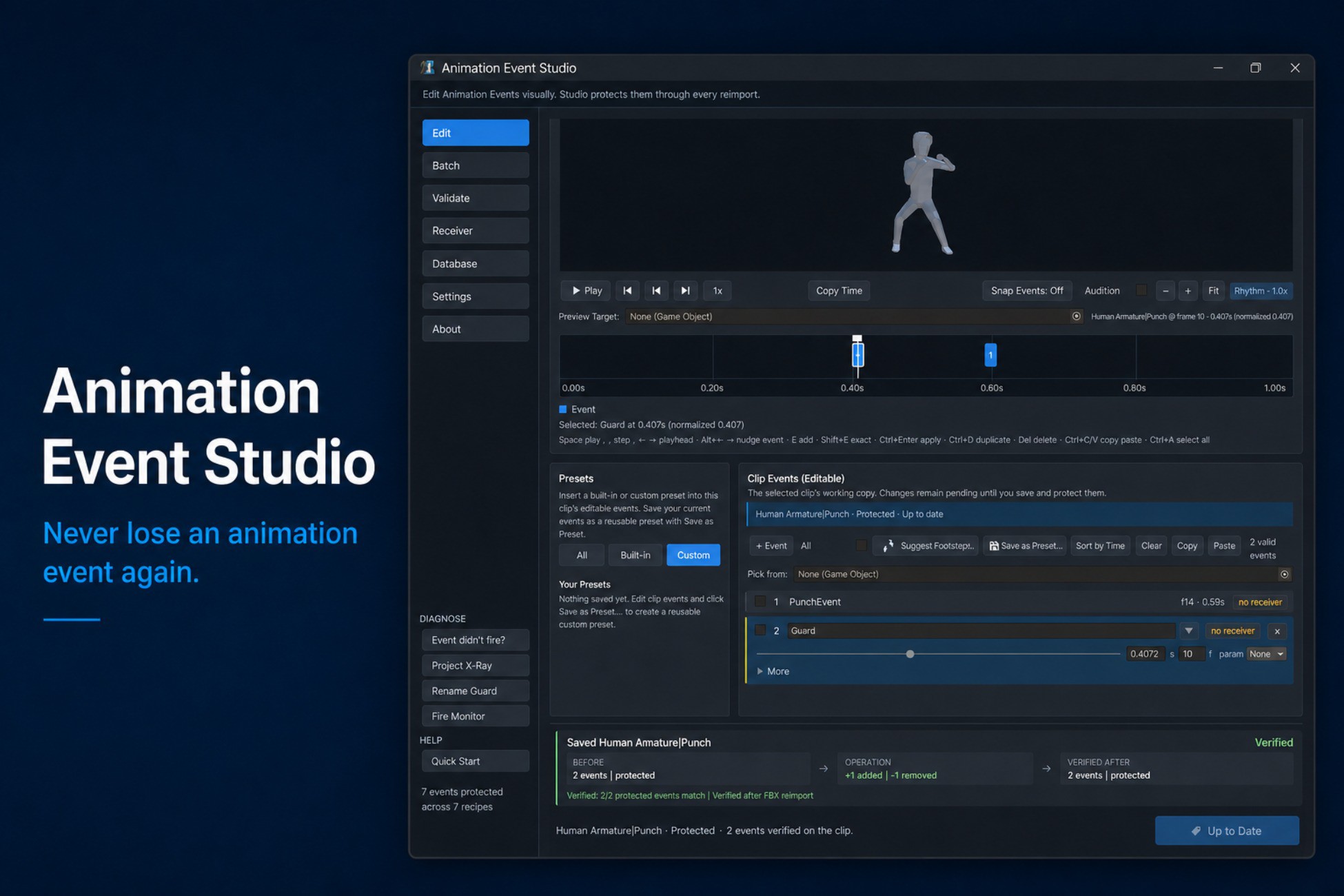
Author Animation Events visually—and keep them through every FBX reimport.
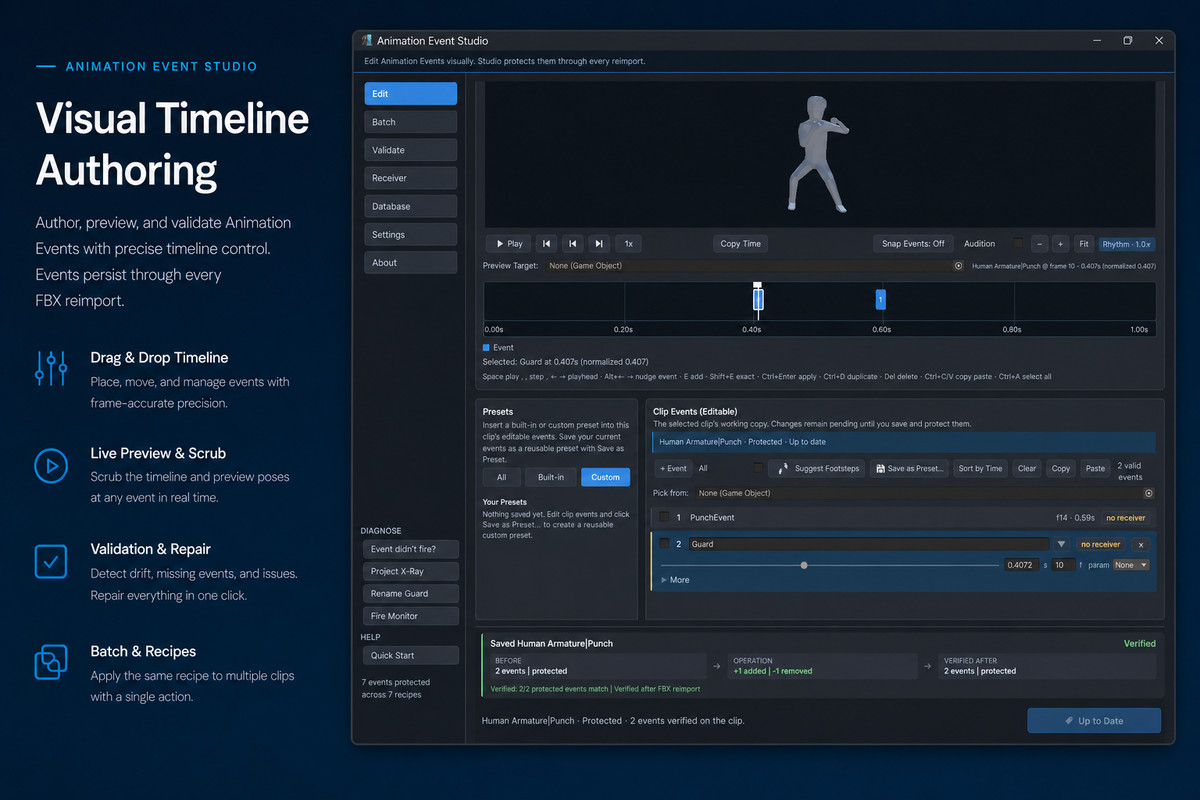
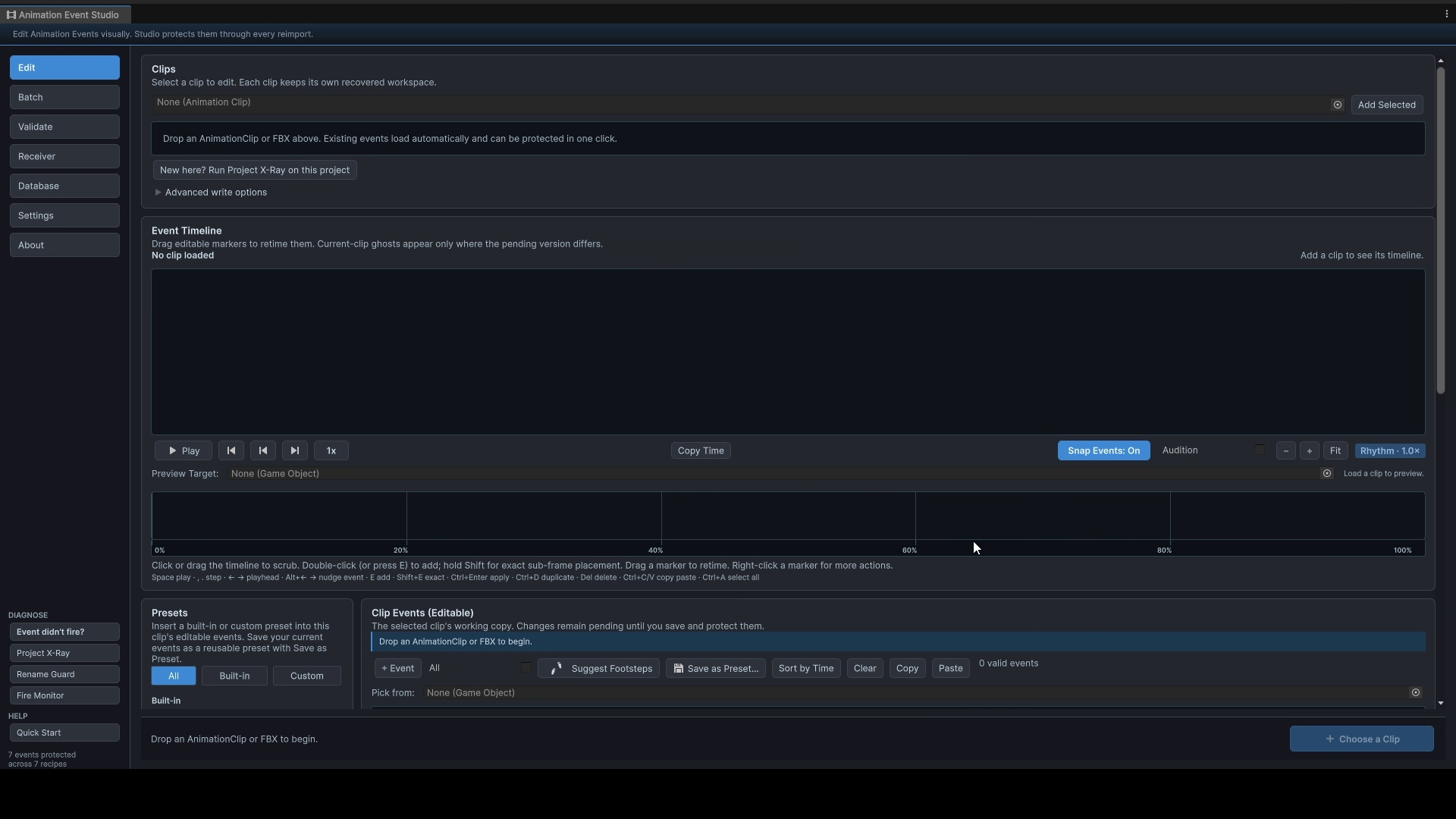
Animation Event Studio is an editor-only authoring environment for Unity Animation Events. Create events on a visual timeline, scrub and preview animation clips, choose compatible receiver methods, validate your project, and apply changes individually or in batches.
It supports imported FBX clips and editable .anim clips. Everything it writes is standard UnityEngine.AnimationEvent data: there is no custom animation runtime and no required runtime component.
VISUAL AUTHORING
- Draggable, color-coded event markers
- Frame snapping, exact frame fields, sub-frame placement, zoom, and pan
- Scrubbable animation preview with playback speeds and frame stepping
- Preview camera orbit and zoom
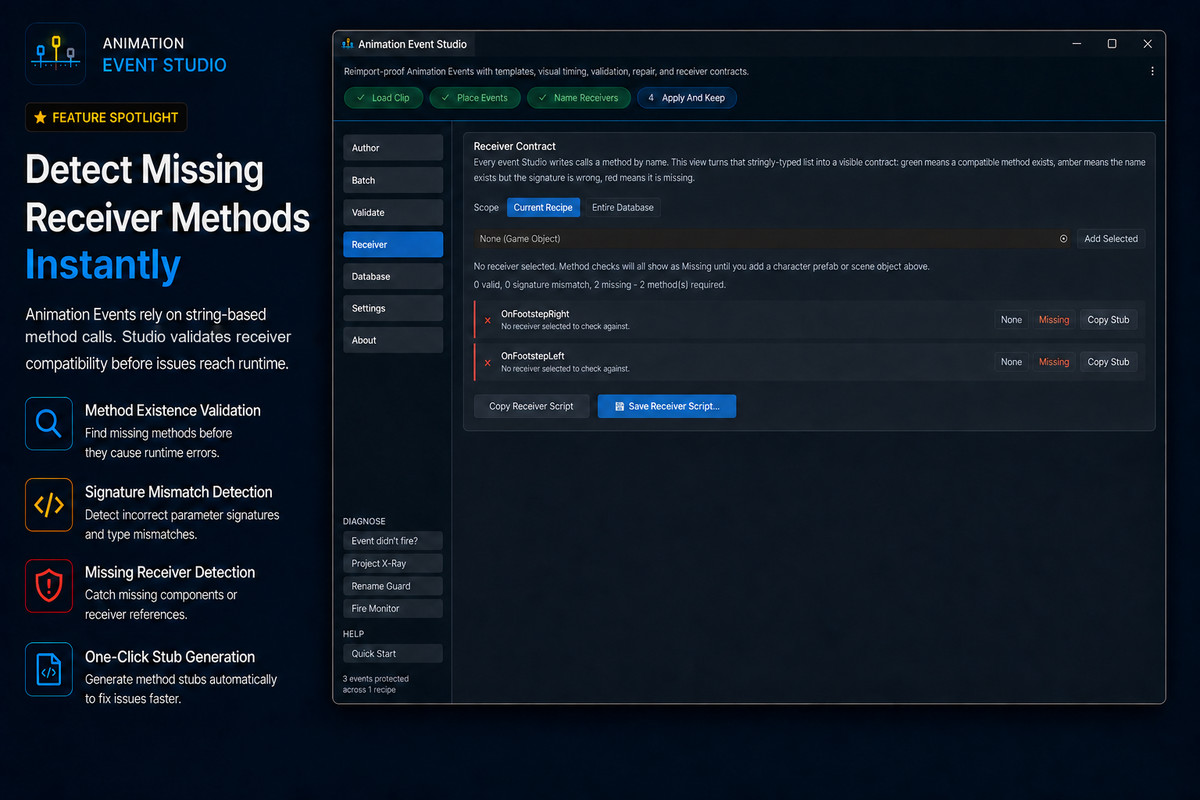
- Function picker that discovers compatible methods on receiver components
- Copy and paste, duplication, sorting, multi-selection, and keyboard shortcuts
- Full Undo and Redo support
- Editing sessions that survive script recompilation and Play Mode transitions
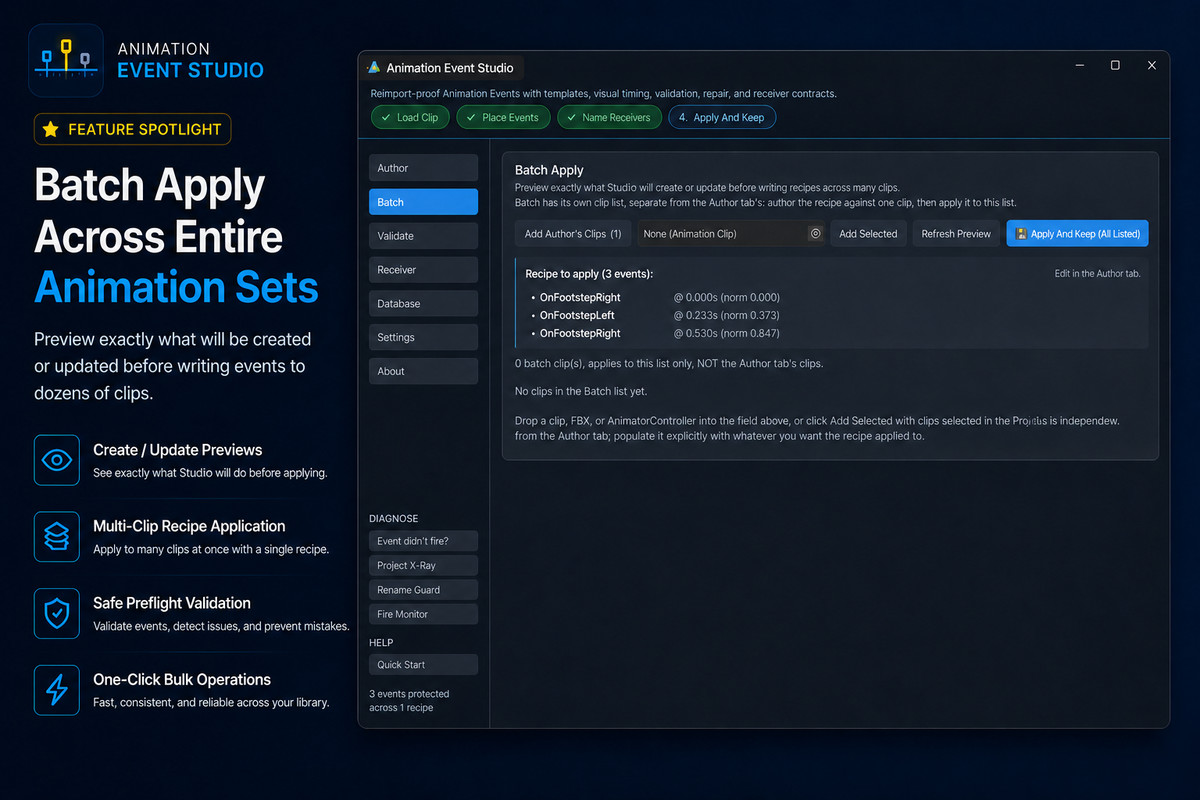
- Create and Update previews before applying changes
- Batch application across multiple clips
FASTER EVENT SETUP
- Built-in presets for footsteps, hitboxes, combos, invulnerability frames, SFX, and VFX
- Reusable custom recipes
- Receiver MonoBehaviour stub generation
- Multi-parameter events with generated, dependency-free receiver code
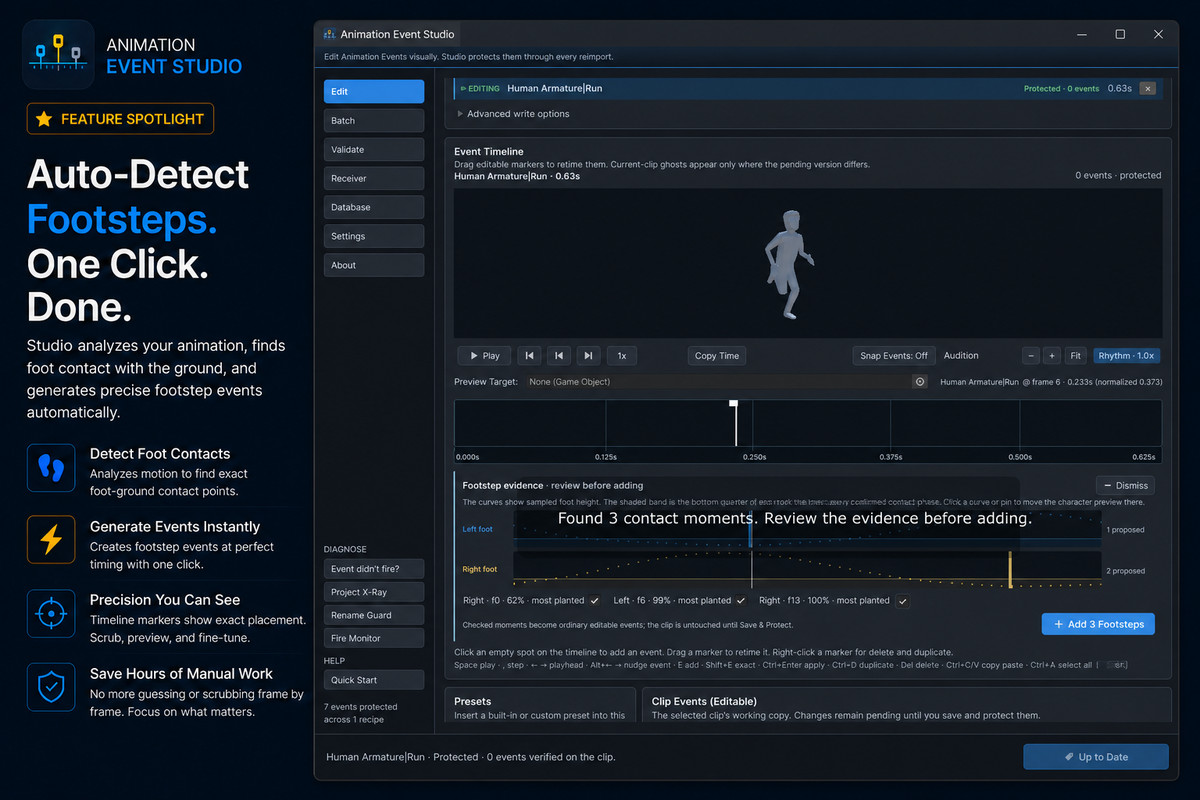
- Automatic footstep contact detection for Humanoid clips
PREVIEW AND DEBUG TIMING
- Live Tune & Keep for adjusting event timing during Play Mode
- Event Audition with a generated timing sound or AudioClips from your project
- Play-Mode Fire Monitor showing which events fired and which were interrupted by state transitions
- Torture Test for force-reimporting an asset and comparing its event tracks before and after import
PROJECT-WIDE VALIDATION
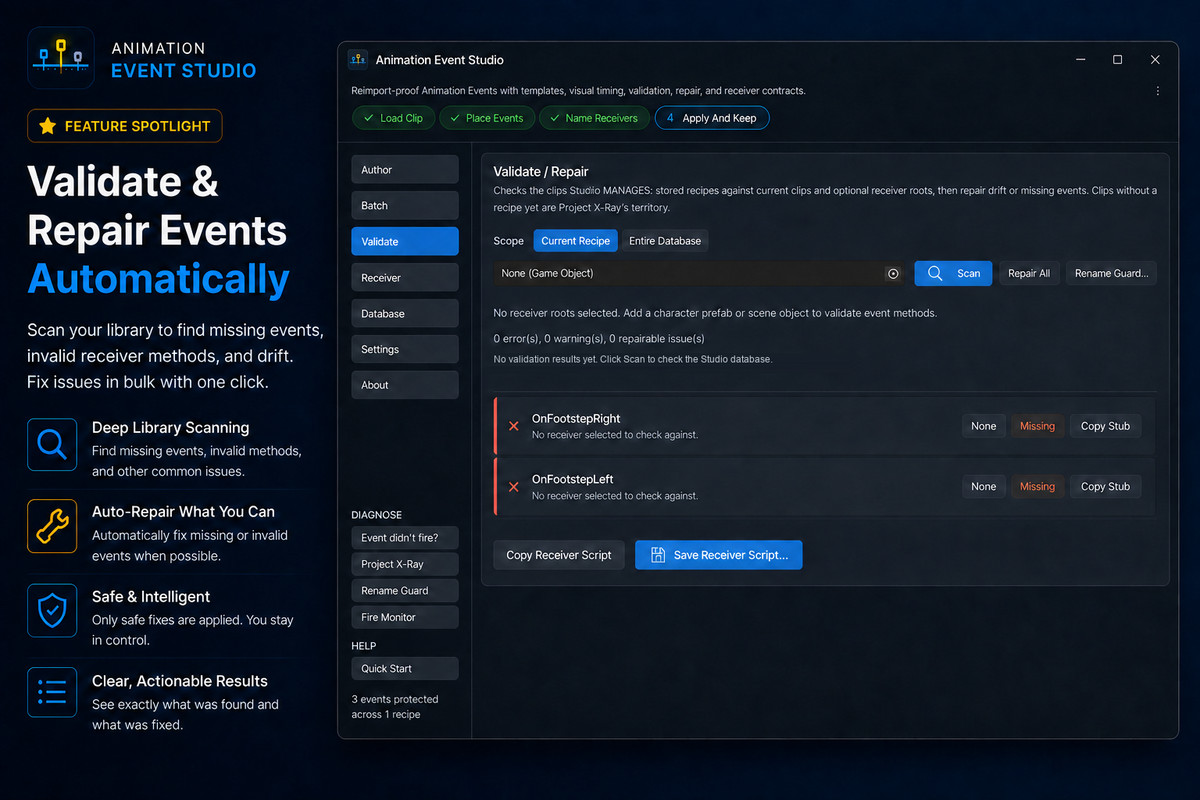
Project X-Ray audits Animation Clips under Assets/ and identifies:
- Events that will disappear on the next FBX reimport
- Missing or incompatible receiver methods
- Function names containing problematic whitespace
- Duplicate events
The validation dashboard provides project-wide inspection and one-click Repair All where an automatic repair is available.
Rename Guard protects the string-based method links used by Animation Events. After script compilation, it detects missing methods and likely receiver-method renames, then helps repair affected recipes and clips across the project.
Renames can also be declared explicitly with the included [AnimationEventFormerlyKnownAs] attribute.
REIMPORT-SAFE FBX EVENTS
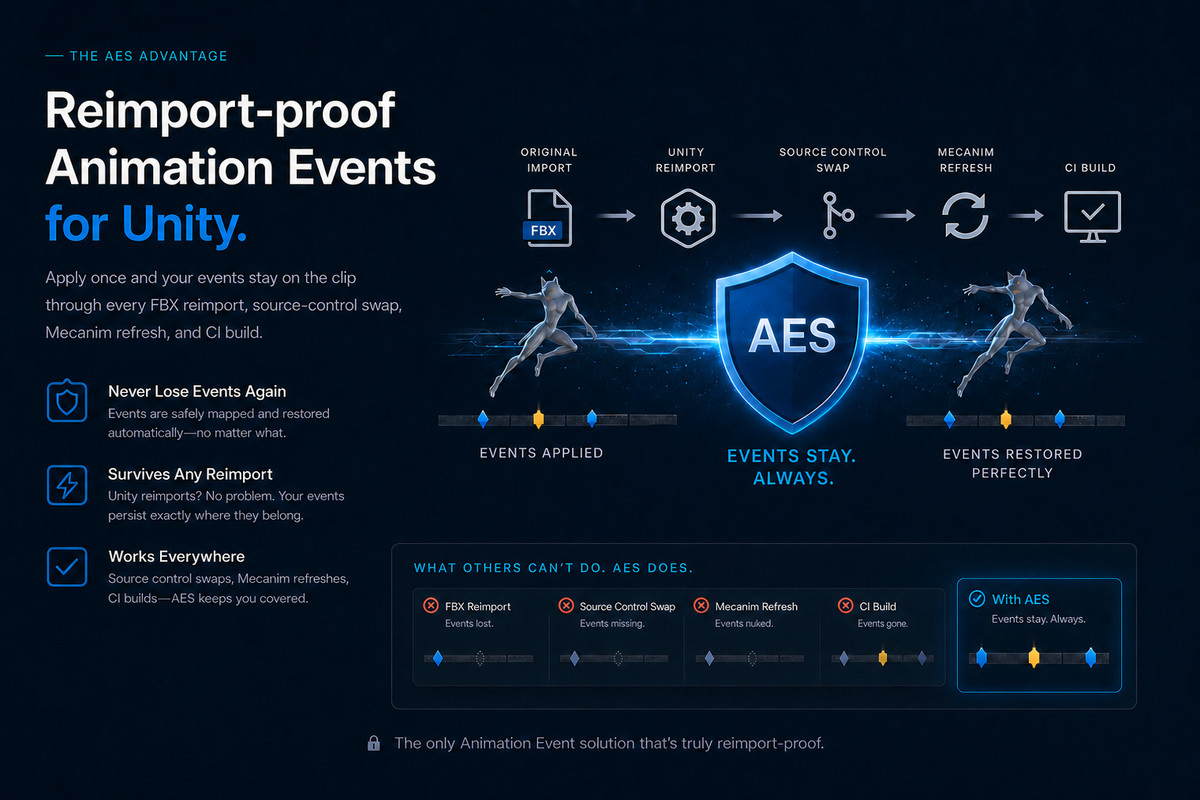
Animation Events added directly to FBX-imported clips can disappear when the source model is reimported. The common workaround is to duplicate clips into separate .anim files, separating them from the original import workflow.
Animation Event Studio stores authoring recipes in an editor database and reapplies them through Unity’s import pipeline. Recipes remain associated with their source clips through:
- FBX reimports
- Unity restarts
- Asset moves and renames
- Source-control changes
- Automated and CI imports
Adopt All creates recipes for existing, unprotected clips without modifying recipes you already maintain.
RETIME PROTECTION
Retime Sentinel detects changes to clip length, frame rate, and animation curves. Each event can use one of three retiming anchors:
- Normalized time
- Frames From Start
- Frames From End
This helps event timing remain intentional when source animations change.
STANDARD UNITY OUTPUT
Animation Event Studio writes standard UnityEngine.AnimationEvent data through Unity’s public editor APIs. It does not replace Unity’s animation runtime.
Eject can bake FBX recipes into Unity Model Importer settings before the package is removed. Use Eject before uninstalling if those events must continue surviving future FBX reimports without Animation Event Studio installed.
Recipes use GUID-backed references so they survive moved or renamed assets. The database uses deterministic ordering and can optionally store per-clip JSON recipe files for source-control-friendly review and merging.
The user database is created outside the installed package at:
Assets/AnimationEventKeeperData/
Package updates therefore do not overwrite customer recipes.
COMPATIBILITY AND REQUIREMENTS
- Unity 2022.3 LTS and later
- Humanoid and Generic clip authoring and persistence
- Humanoid rig required only for automatic footstep detection
- Built-in Render Pipeline, URP, and HDRP
- No required Timeline, Cinemachine, Final IK, Animancer, or other UPM dependency
- Full C# source; no precompiled DLLs
- No required runtime component
- Optional rename attribute is stripped from player builds
- Project X-Ray scans Animation Clips under Assets/, not installed Packages/
- Event Audition’s default timing sound is generated procedurally; no audio files are bundled
THIRD-PARTY NOTICE
The demonstration content uses the Animated Human model by Quaternius under Creative Commons CC0 1.0 Universal. See Third-Party Notices.txt for details.
SUPPORT
Email: [email protected]
Documentation: https://xesoft.dev/products/animation-event-studio/
From the publisher's Asset Store listing.
Technical details
VERSION AND COMPATIBILITY
Version: 1.5.0
Minimum Unity version: Unity 2022.3 LTS
Verified with: Unity 6000.4.5f1
Render pipelines: Built-in, URP, HDRP
PACKAGE ARCHITECTURE
- Full C# source with no precompiled DLLs
- No third-party software or package dependencies
- Editor tooling writes standard UnityEngine.AnimationEvent data through AnimationUtility
- No proprietary animation runtime or required runtime component
- Editor assembly: XeSoft.AnimationEventKeeper.Editor
- Runtime assembly: XeSoft.AnimationEventKeeper.Runtime
- The runtime assembly contains only [AnimationEventFormerlyKnownAs]
- Attribute usages are removed from player builds through Conditional("UNITY_EDITOR"); normal managed-code stripping can remove the unused attribute definition
- Standard Unity Animation Event parameter types are supported
- Multi-parameter events generate dependency-free receiver code
DATA AND IMPORT PIPELINE
- ScriptableObject-backed recipe database stored at Assets/AnimationEventKeeperData/
- User recipes remain outside the package folder and are not overwritten by package updates
- AssetPostprocessor.OnPostprocessAnimation integration restores managed events on FBX and ModelImporter clips
- context.DependsOnSourceAsset registers recipe data as an import dependency
- GUID and path dual lookup keeps recipes associated with assets after moves and renames
- Deterministic database ordering reduces unnecessary source-control changes
- Optional per-clip JSON recipe import/export supports file-per-recipe workflows
- Eject can bake FBX recipes into Unity Model Importer clip settings before package removal
- Eject refuses ambiguous duplicate-named clips instead of performing a partial bake
1.5.0 AUTHORING WORKFLOW
- Per-clip editing workspaces preserve pending changes independently for every loaded clip
- Pending workspaces recover after window closure, Unity restart, script recompilation, and Play Mode transitions
- Recovered work is stored per user and does not modify project assets or source control until saved
- Protected/live conflicts require an explicit choice between Restore Protected Version and Use Clip Version
- Semantic timeline zoom provides three information levels:Rhythm: compact event-spacing view
Events: function names and event state
Frames: frame numbers, parameters, and receiver bindings - Timeline zoom, horizontal position, playhead, selection, and expanded row state are remembered per clip
- Pixel-smooth playhead scrubbing remains independent of event frame snapping
- Timeline markers and event rows use linked selection and keyboard navigation
- Snap previews show where a newly created event will land before insertion
- Shift can bypass snapping for deliberate sub-frame placement
- Multi-clip Batch operations use the selected Edit clip as their explicit source
- Batch writing is blocked when the source workspace is stale, unresolved, or ambiguous
WRITE VERIFICATION AND CHANGE TRACKING
- One occurrence-aware event diff is shared by the event list, timeline, validation, save summary, repair, and post-import verification
- Comparison includes function name, time, parameter payload, object reference, receiver options, and duplicate occurrences
- Equal event counts cannot produce a false In Sync or successful-save result
- Successful Protect, Save, Repair, and final-event removal actions display a Before → Operation → Verified After evidence strip
- FBX verification distinguishes completed reimports from Play Mode writes queued safely until Play Mode exits
- Removed events remain visible as pending deletions and can be restored before saving
- Empty protected event sets preserve intentional removal through future FBX reimports
- Retired event names prevent an older Eject bake from resurrecting deleted events
FOOTSTEP SUGGESTION ANALYSIS
- Footstep auto-detection supports Humanoid clips
- Suggestions open in an evidence-review view before events are added
- Left- and right-foot curves display sampled motion, contact bands, confirmed contact phases, and proposed event positions
- Each proposal includes frame, confidence, plantedness, foot height, and vertical-speed evidence
- Evidence curves are linked to the animation preview for pose inspection
- Suggestions are resampled before acceptance
- Existing contacts are detected, and repeated acceptance does not create duplicates
- Accepted suggestions become ordinary editable Animation Events
- Generic clips remain fully supported for manual authoring and persistence
DIAGNOSTICS AND SAFETY TOOLS
- Project X-Ray scans AnimationClips under Assets/
- X-Ray detects reimport-vulnerable events, missing or incompatible receiver methods, problematic whitespace, duplicates, and resurrected deletions
- Rename Guard validates string-based receiver links after script compilation
- [AnimationEventFormerlyKnownAs] enables explicit, automatic receiver-method migration
- Retime Sentinel detects changes to clip length, frame rate, and animation curves
- Per-event retime anchors support Normalized, Frames From Start, and Frames From End timing
- Live Tune & Keep supports timing adjustments during Play Mode
- Play-Mode Fire Monitor distinguishes events reached by playback from events interrupted by state transitions
- Event Audition supports user-provided AudioClips and a procedurally generated default tick
- No audio files are included
- Torture Test force-reimports selected assets and compares event tracks before and after import
- Repair All refreshes affected Edit and Batch references after FBX reimports
TEST COVERAGE
- 137 automated EditMode tests in the development test suite
- Coverage includes:Apply, reimport, restore, and post-write verification
Duplicate-occurrence comparison
Per-clip workspace recovery
Pending deletion and final-event removal
Rename Guard
Project X-Ray
Live Tune & Keep
Semantic timeline behavior
Footstep evidence and duplicate prevention
Retime anchors
Batch source safety
Eject and simulated package removal - Tests and fixture assets are excluded from the Asset Store distribution
THIRD-PARTY CONTENT
- Includes one optional demonstration model by Quaternius
- The model is provided under Creative Commons CC0 1.0 Universal
- See Third-Party Notices.txt for attribution details
FIRST IMPORT AND UPGRADE NOTE
Installing 1.5.0 into an existing project, or upgrading directly from a version earlier than 1.4.0, may cause FBX files containing animations to reimport once so retime fingerprints and import dependencies can be initialized.
Upgrading from 1.4.x to 1.5.0 does not introduce another package-wide reimport. Subsequent imports follow Unity’s normal asset-import behavior.
Compatibility
| Unity version | Built-in | URP | HDRP | Custom |
|---|---|---|---|---|
| 6000.4.5f1 | Compatible | Compatible | Compatible | Compatible |
Render-pipeline-agnostic and editor-only. The tool writes standard Unity Animation Events via AnimationUtility and performs no rendering, so Built-in, URP, HDRP, and custom render pipelines work identically. Zero runtime code, so this package does not affect build size or target platforms. Mecanim Humanoid and Generic rigs both supported.
As listed on the Asset Store.