
 View on Asset Store (opens in new tab)
Package details
- Latest version
- 1.0
- Last updated
- First released
- Unity version
- 2022.3.62 or later
- Package size
- 316.7 MB
- Files
- 31
- Favorites
- 1
- Views in the past week
- 7
Price tracking
- Last checked
- Tracked since
- Lowest recorded
- $9.99 on
Keywords
Stylized Medieval Sword Pack
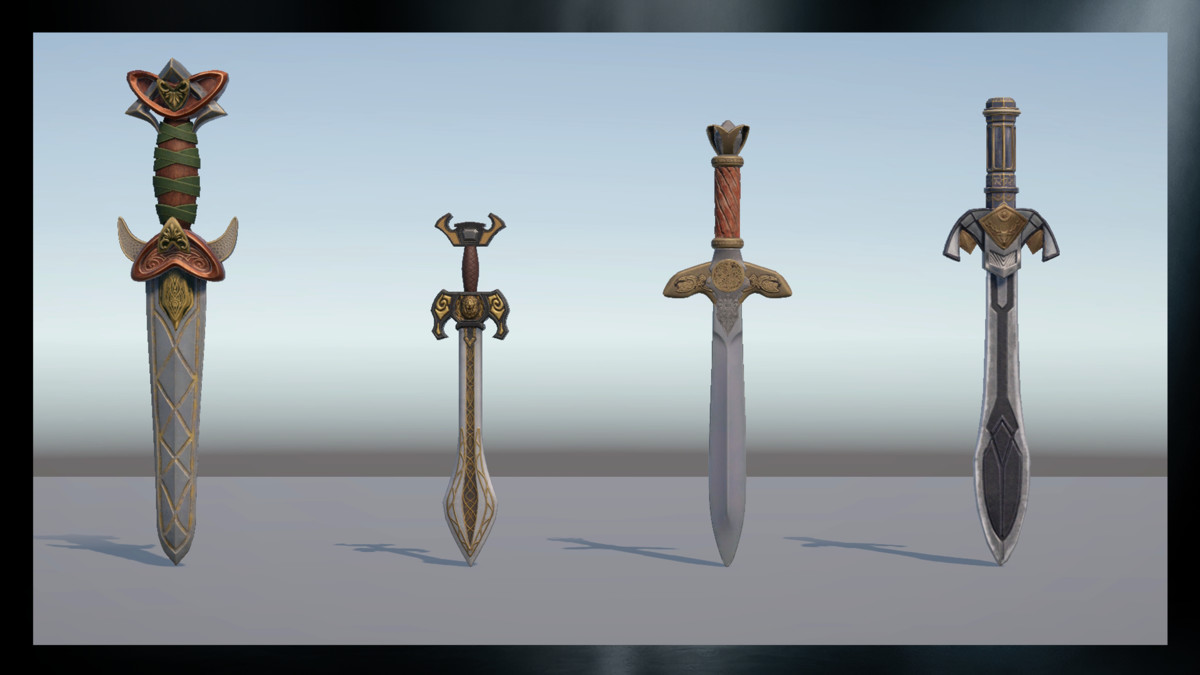
Stylized Medieval Sword Pack for Unity features 4 unique fantasy swords for RPG, survival, and action games. Optimized for real-time performance with a clean, stylized medieval look.
Affiliate link · Purchases support this site
Price history
Last 6 months
USDAsset preview
1 / 5
Stylized Medieval Sword Pack screenshot 1
About this asset
Built with performance, scalability, and flexibility in mind, these assets are suitable for PC, console, and mobile platforms. The pack is easy to integrate into existing projects and ideal for both gameplay and cinematic use cases.
Key Features
- 4 Ready-to-Use Stylized Sword Variants
- High-quality fantasy medieval weapon designs
- Optimized for real-time performance
- Clean topology and organized asset structure
- Suitable for RPG, fantasy, survival, and action games
- Easy drag-and-drop integration in Unity
- Compatible with PC, console, and mobile platforms
Included Content
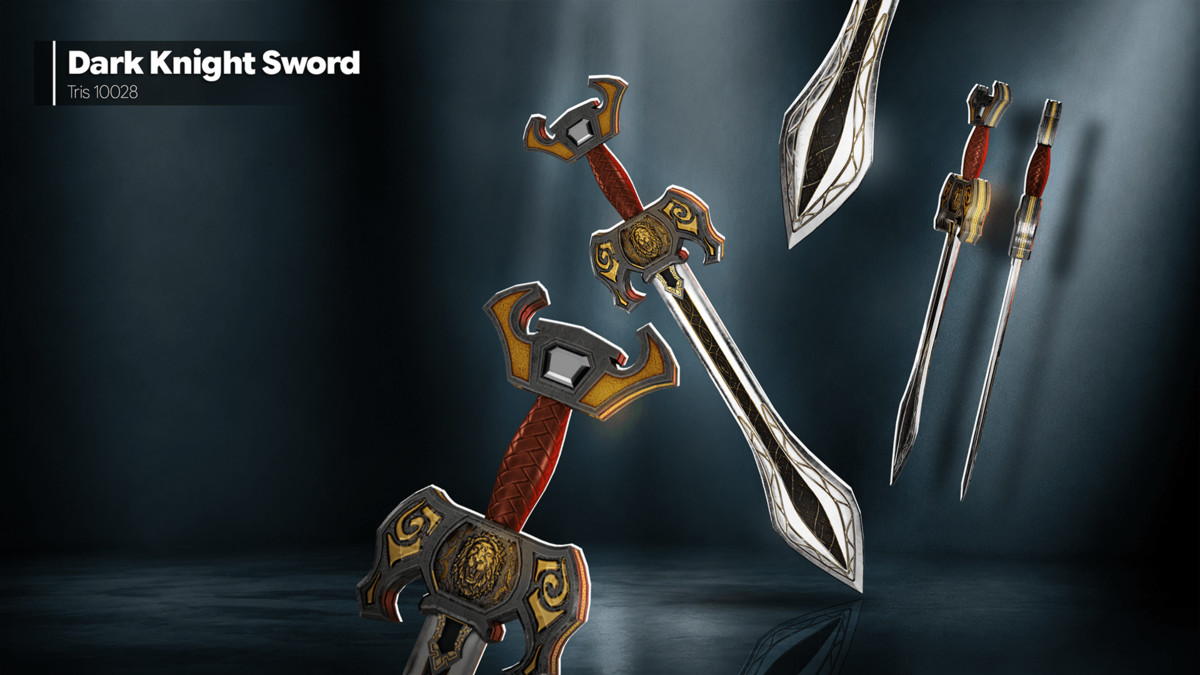
- Dark Knight Sword
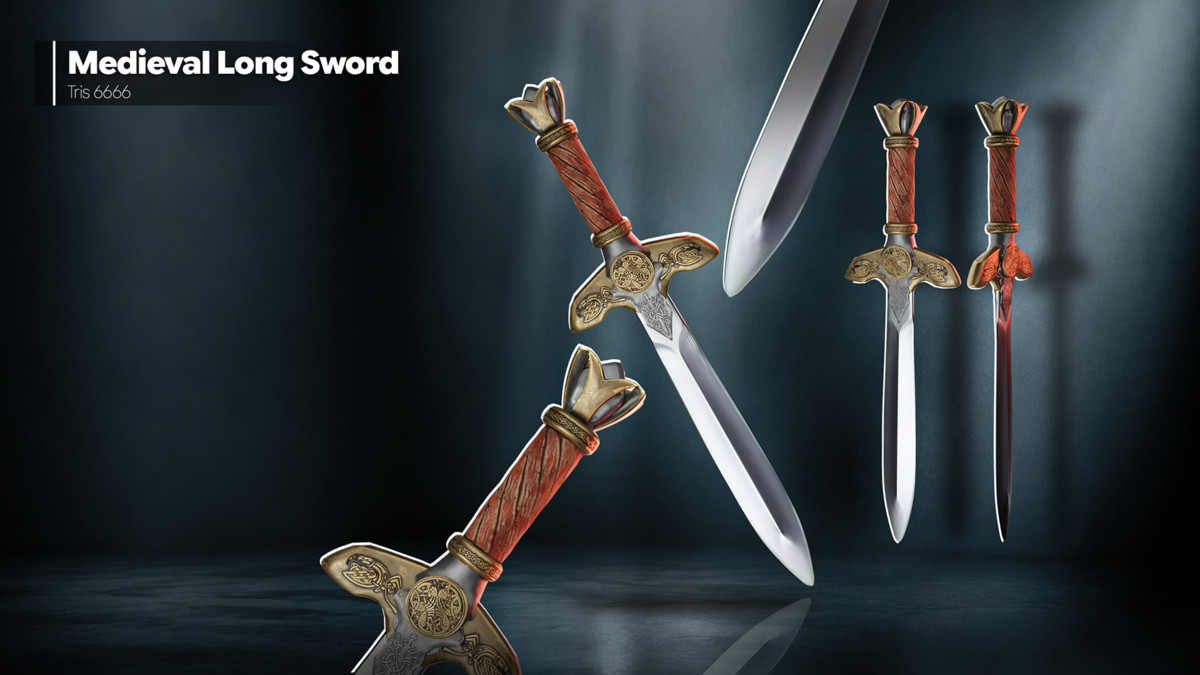
- Medieval Long Sword
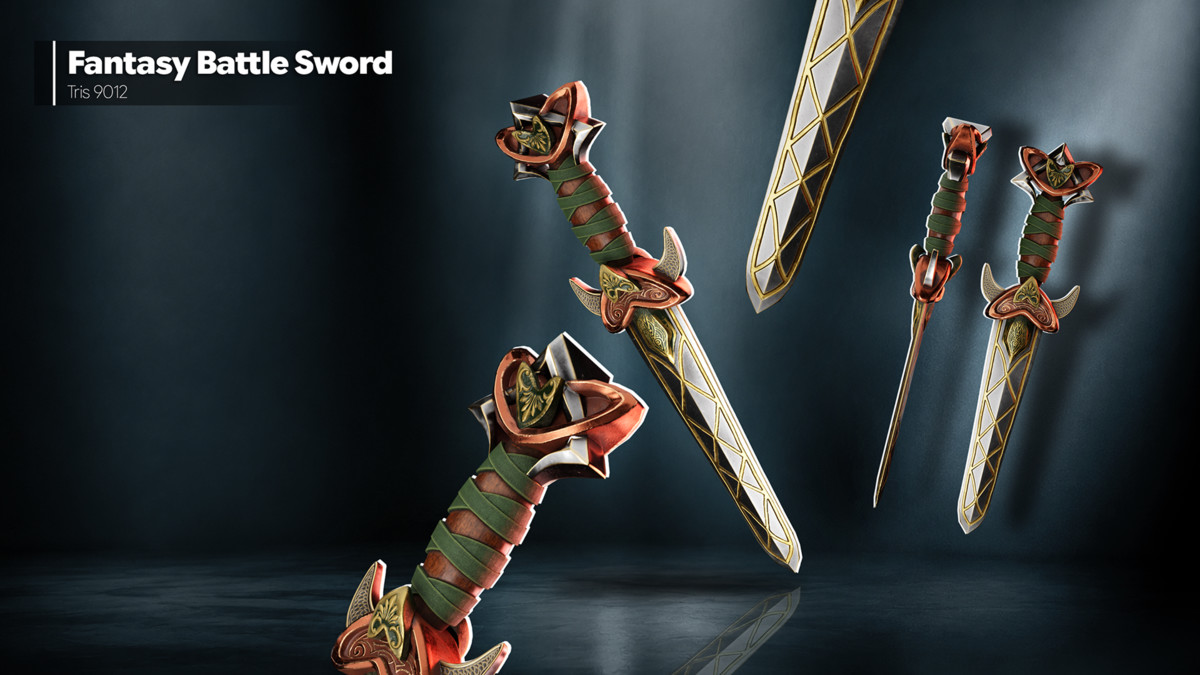
- Fantasy Battle Sword
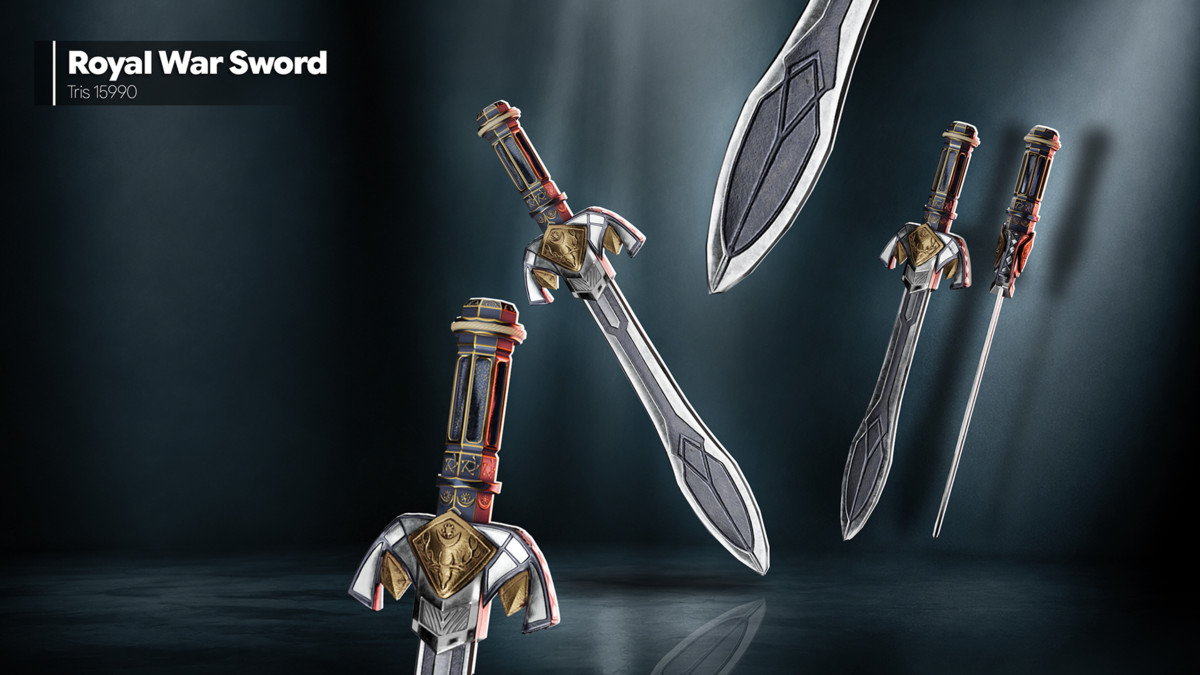
- Royal War Sword
Target Use
- Game Development
- Cinematics & Animation
- Mobile Applications
- PC & Console Projects
Designed for fantasy combat systems, medieval-themed adventures, and stylized action games, the Stylized Medieval Sword Pack delivers a polished set of handcrafted weapons that blend visual quality with efficient optimization for Unity-based projects.
From the publisher's Asset Store listing.
Technical details
Total Assets: 4 Static models and prefabs
Style: Semi-realistic, low-poly
Texture Sizes: 4096×4096
Optimized Geometry: Approximately 6,500 to 16,000 triangles per mesh
Platform Support: PC, Console, Mobile
MODEL INFO
- Dark Knight Sword — 10028 Tris
- Medieval Long Sword — 6666 Tris
- Fantasy Battle Sword — 9012 Tris
- Royal War Sword — 15990 Tris
TEXTURE INFO
Dark Knight Sword
- Dark Knight Sword_AO — 4096×4096
- Dark Knight Sword_BaseColor — 4096×4096
- Dark Knight Sword_Height — 4096×4096
- Dark Knight Sword_Metallic — 4096×4096
- Dark Knight Sword_Normal — 4096×4096
- Dark Knight Sword_Opacity — 4096×4096
- Dark Knight Sword_Roughness — 4096×4096
Medieval Long Sword
- Medieval Long Sword_BaseColor — 4096×4096
- Medieval Long Sword_Height — 4096×4096
- Medieval Long Sword_Metallic — 4096×4096
- Medieval Long Sword_Normal — 4096×4096
- Medieval Long Sword_Roughness — 4096×4096
Fantasy Battle Sword
- Fantasy Battle Sword_AO — 4096×4096
- Fantasy Battle Sword_BaseColor — 4096×4096
- Fantasy Battle Sword_Height — 4096×4096
- Fantasy Battle Sword_Metallic — 4096×4096
- Fantasy Battle Sword_Normal — 4096×4096
- Fantasy Battle Sword_Roughness — 4096×4096
Royal War Sword
- Royal War Sword_AO — 4096×4096
- Royal War Sword_BaseColor — 4096×4096
- Royal War Sword_Height — 4096×4096
- Royal War Sword_Metallic — 4096×4096
- Royal War Sword_Normal — 4096×4096
- Royal War Sword_Roughness — 4096×4096
Support and Feedback
We value your feedback and are here to help!
Reach out to 300 Mind via our contact page, Or Mail us.
Compatibility
| Unity version | Built-in | URP | HDRP | Custom |
|---|---|---|---|---|
| 2022.3.62f3 | Compatible | Compatible | Compatible | Compatible |
Includes complete PBR texture maps compatible with Built-in RP, URP, HDRP, and Custom SRP. Textures included: Albedo/Base Color, Normal, Metallic Smoothness, Ambient Occlusion, Emission, and Height/Mask maps where applicable. Users can create materials by assigning the provided textures to the appropriate shader slots for their selected render pipeline.
As listed on the Asset Store.