
 View on Asset Store (opens in new tab)
Package details
- Latest version
- 1.1.1
- Last updated
- First released
- Unity version
- 6000.5.8 or later
- Package size
- 10.8 MB
- Files
- 496
- Views in the past week
- 11
- Requires
Price tracking
- Last checked
- Tracked since
- Lowest recorded
- $22.49 on
Keywords
Scylla Input
Scylla's all-in-one solution for everything user input: input contexts, persistent runtime rebinding, input buffering, control-scheme detection, and device-aware button prompts.
Affiliate link · Purchases support this site
Price history
Last 6 months
USDAsset preview
1 / 7
Scylla Input screenshot 1
About this asset
IMPORTANT:
- This asset requires Scylla Core.
- This asset works with Unity's Input System. Unity's legacy Input Manager is not supported.
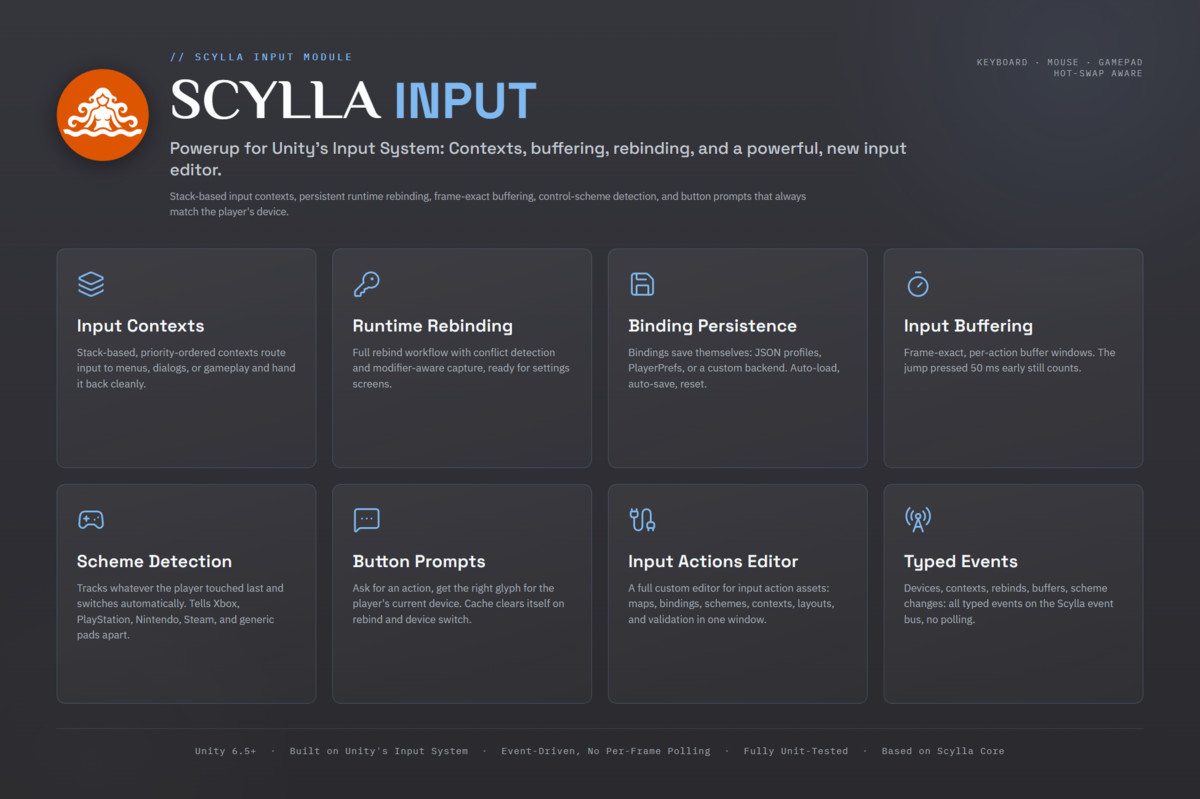
Scylla Input is a system that sits between Unity's Input System and the game. It provides stack-based input contexts, input buffering with a window per action, control-scheme detection, a runtime rebinding manager for input option screens, and button prompts that switch to the matching glyph when the player picks up a different device or controller.
===== FEATURES =====
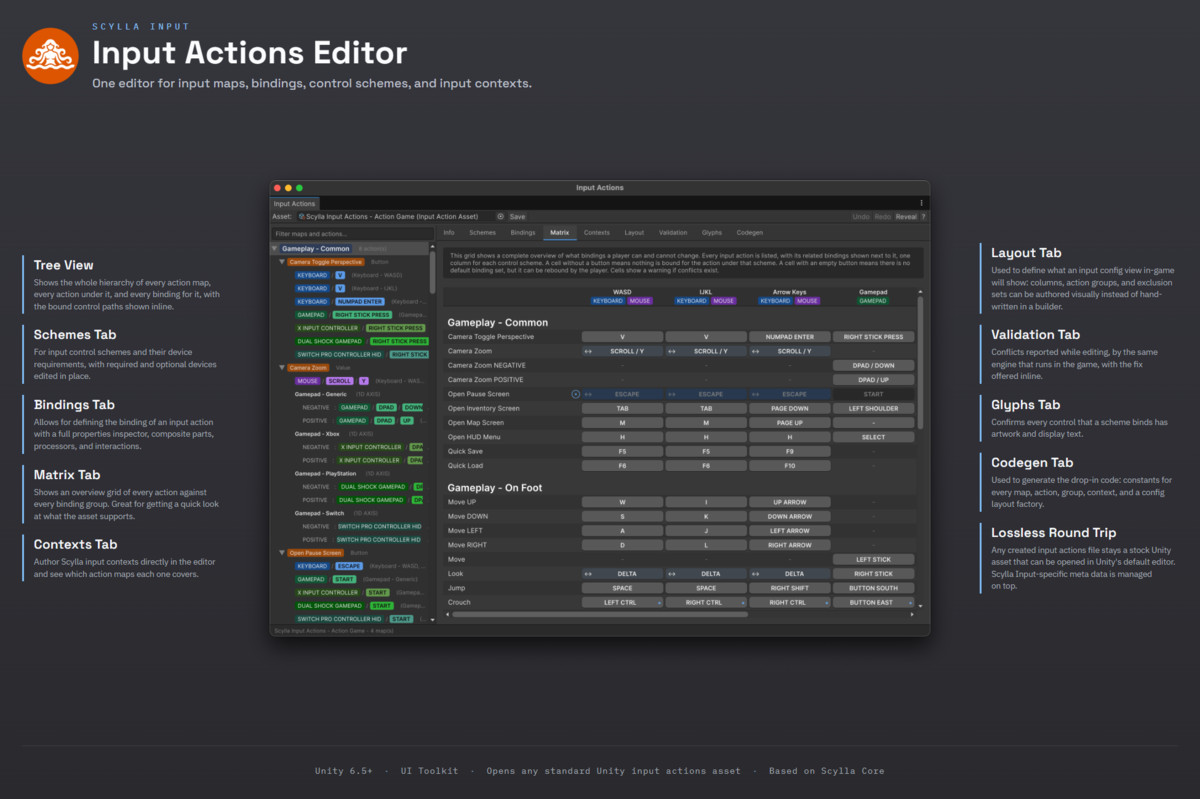
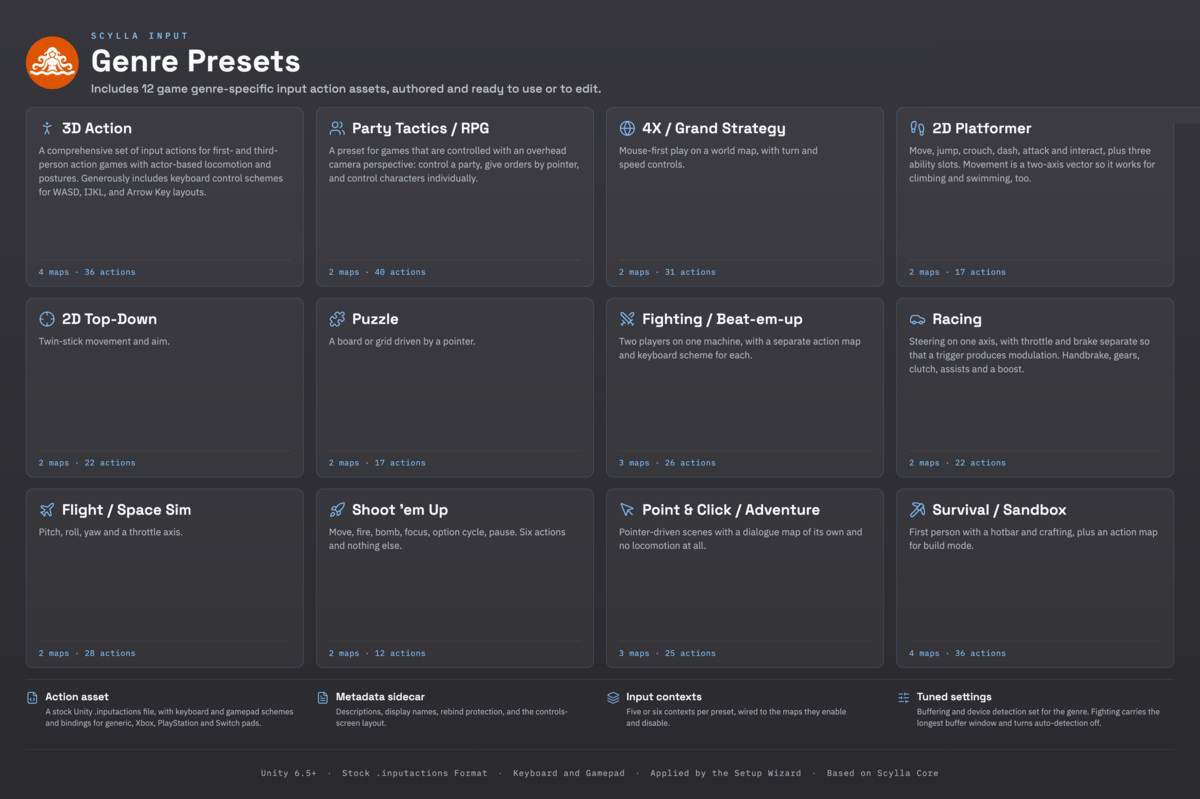
- Input Actions Editor: Scylla's own editor for Unity's input actions assets. It edits Unity's file in place, so everything authored in it keeps working with Unity's own input components. Maps, actions and bindings sit in one tree, next to panels for control schemes, contexts, glyphs and the controls-screen layout. The binding matrix shows every action against every control scheme at once, and it takes the input contexts into account before reporting a conflict, so two actions that can never be active together are not flagged. A companion asset stores what Unity's file format has no room for: notes, display names, which actions players may not rebind, and icon sets per control scheme. The editor can also generate a list of action names for game code, so a renamed action shows up as a compile error instead of failing silently at runtime, and it exports a complete setup as a bundle that imports into another project intact. Twelve genre presets are included, from 2D platformer to 4X strategy.
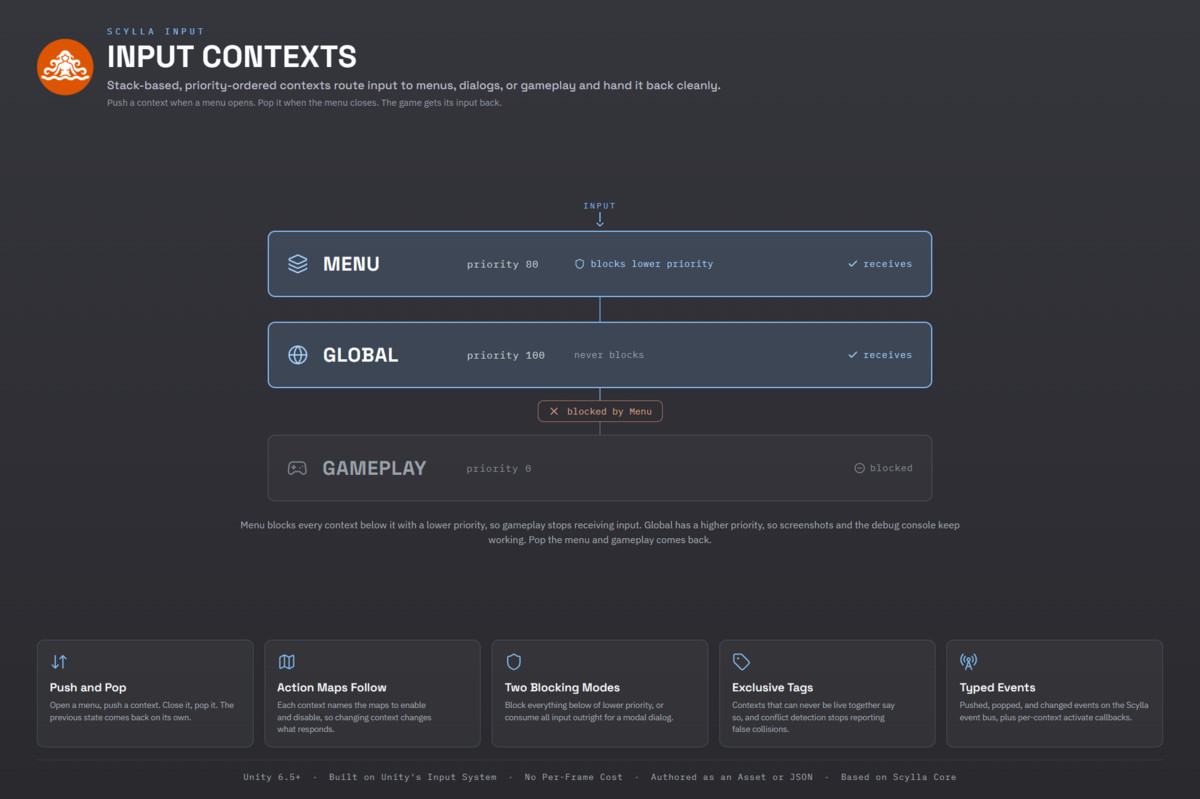
- Input contexts: Contexts decide what receives input and when. An open menu, a dialog, a pause screen or a cutscene can take input while gameplay ignores it, and then hand it back. Each context has a priority, can block the contexts below it, and switches its action maps on and off by itself. A default set for gameplay, menus, the console and rebinding is included. Contexts that can never be active at the same time can share keys without triggering false conflict warnings.
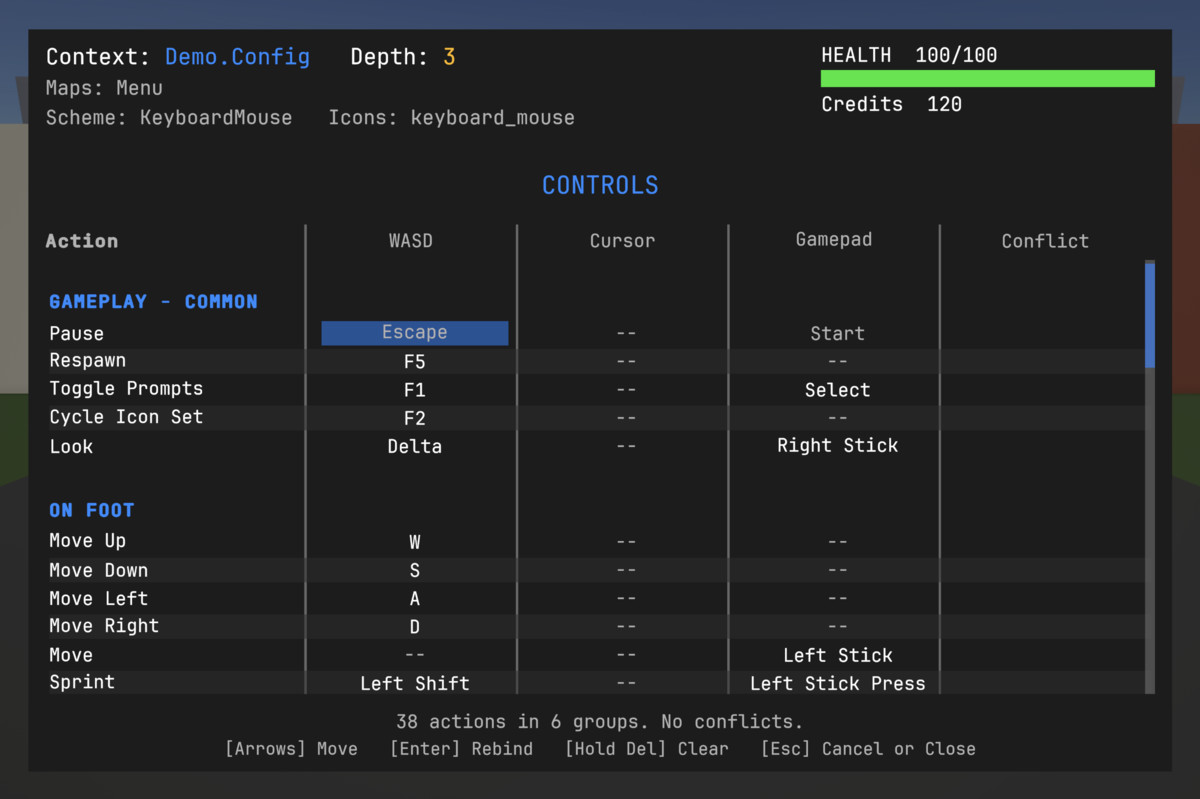
- Runtime rebinding: A complete rebind workflow for player settings screens, with conflict detection, modifier-aware capture (Ctrl+1, Ctrl+Shift+1 and a plain 1 stay separate throughout), and a UI-independent manager that handles the data model, batch operations and automatic conflict resolution. A finished rebind screen is included as a demo: one row per action, one column per control scheme, click to rebind, highlighted on conflict.
- Binding persistence: Bindings save themselves, as readable JSON profiles on disk, in PlayerPrefs, or in a custom storage backend. Multiple profiles, loading on startup, saving after each rebind, and resetting one action or all of them to their defaults are supported.
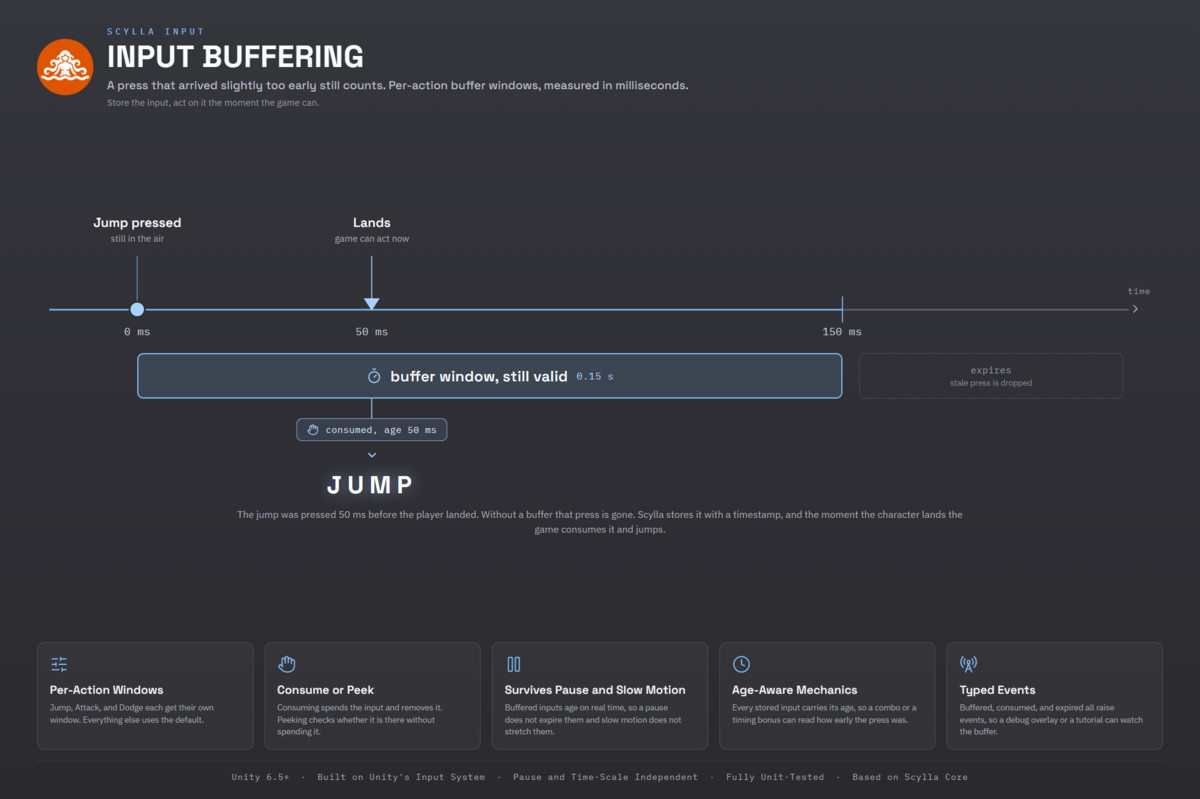
- Input buffering: A jump pressed 50 ms before the character lands still counts. Every action gets its own window, so a combo input can stay open longer than a footstep. Buffered inputs expire by themselves, and gameplay code reads them when it is ready. This is the jump buffering and combo window behavior that action and fighting games depend on.
- Control-scheme detection: The module tracks whether the player last used the keyboard, the mouse or a gamepad, and switches automatically. Activity thresholds for sticks, triggers and the mouse keep a bumped controller from taking over, a cooldown prevents rapid switching back and forth, and Xbox, PlayStation, Nintendo, Steam and generic gamepads are told apart, so the face-button labels stay correct.
- Button-prompt hints: Ask for an action and get the right glyph for the device the player is holding right now. Icon sets map bindings to sprites and labels, the active control scheme picks the matching set, and the cache clears itself on every rebind and device switch, so the UI needs no extra handling.
- Action management: Works directly with Unity's input actions assets. Register one or more of them, read buttons, axes, vectors or any other value an action carries, and react to an action starting, firing or ending through callbacks or typed events. Modifier overlap is resolved automatically, so a Shift+Backquote action does not also trigger the plain Backquote one. A platform-independent list of keys lets game code name keys without depending on the Input System directly.
- Configuration: A configuration asset with the settings grouped by topic (scheme detection, buffering, storage, rebinding, logging), a companion asset for the context definitions, and JSON config files that override any value at runtime or per build.
- Events for everything that matters: Devices connecting and disconnecting, input switching on and off, actions firing, contexts being pushed and popped, bindings being loaded and saved, rebinds starting and finishing, buffers filling and draining, scheme changes and hint changes. All of them are typed events on the Scylla event bus, so the rest of the game can listen instead of polling.
===== BUILT FOR PRODUCTION =====
- Event-driven throughout, so it reacts to changes instead of checking every binding every frame.
- Buffering is off until it is switched on and costs nothing while it is off. Per-action windows keep it lean when it is on.
- Modifier combinations stay distinct from registration through conflict detection to dispatch at runtime.
- Controllers can be plugged in and removed mid-game. The module tracks the change and falls back cleanly.
- Survives domain reloads, including with Enter Play Mode options enabled, without leaving stale state behind.
- The hint cache clears itself on rebind and scheme switch.
- Sits on top of Unity's Input System instead of replacing it. Anything authored in Unity's own Input Actions Editor behaves exactly as Unity intends.
- Written for Unity 6.5 and later on current APIs, with no deprecated calls and no compatibility code for older versions.
- Covered by more than 2,000 automated tests across contexts, buffering, rebinding, schemes, hints, storage and the editor, and kept free of compiler warnings.
===== LINKS =====
From the publisher's Asset Store listing.
Technical details
- Unity version: 6.5 or later
- Language: C# (.NET Standard 2.1, managed code only; no unsafe blocks, no native plugins)
- Distribution: precompiled runtime and editor DLLs; demos and unit tests included as source
- Render pipelines: render-pipeline agnostic (the module does no rendering)
- Required Unity packages: Input System (1.19.0+)
- Required Scylla packages: Scylla Core (sold separately)
- Platforms: every standard Unity 6.5 build target (Windows, macOS, Linux, iOS, Android, WebGL, plus console targets where your Unity license supports them)
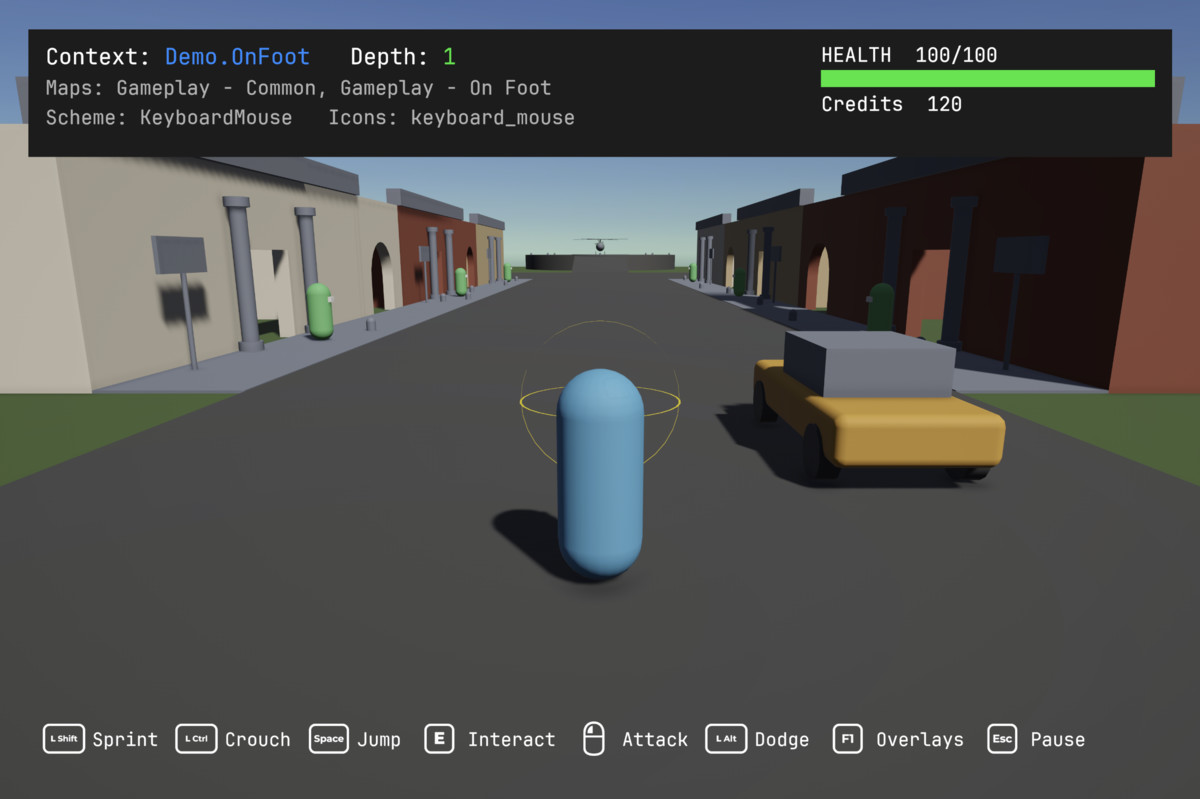
- Demos: demo scenes covering the input system, input actions, input contexts, input buffering, icon sets, a configuration screen with rebinding, an input playground, and a complete demo game
- License: Unity Asset Store standard EULA (single-seat)
- Documentation: scyllaframework.com
- API Docs: apidocs.scyllaframework.com
- Support: Discord
Compatibility
| Unity version | Built-in | URP | HDRP |
|---|---|---|---|
| 6000.5.8f1 | Compatible | Compatible | Compatible |
As listed on the Asset Store.