
 View on Asset Store (opens in new tab)
Package details
- Latest version
- 1.0.4
- Last updated
- First released
- Unity version
- 6000.3.13 or later
- Package size
- 580 KB
- Files
- 117
- Favorites
- 5
- Views in the past week
- 16
Price tracking
- Last checked
- Tracked since
- Lowest recorded
- $24.99 on
Keywords

UFlow - Declarative UI Toolkit Framework
UFlow is an opinionated UI framework built on top of UI Toolkit, inspired by Angular.
Affiliate link · Purchases support this site
Price history
Last 6 months
USDAsset preview
1 / 6
UFlow - Declarative UI Toolkit Framework screenshot 1


About this asset
**Important:** An intermediate understanding of C# programming and UI Toolkit is required to use this package.
**Important 2:** Unity +6 is required to use this package.
What is this about?
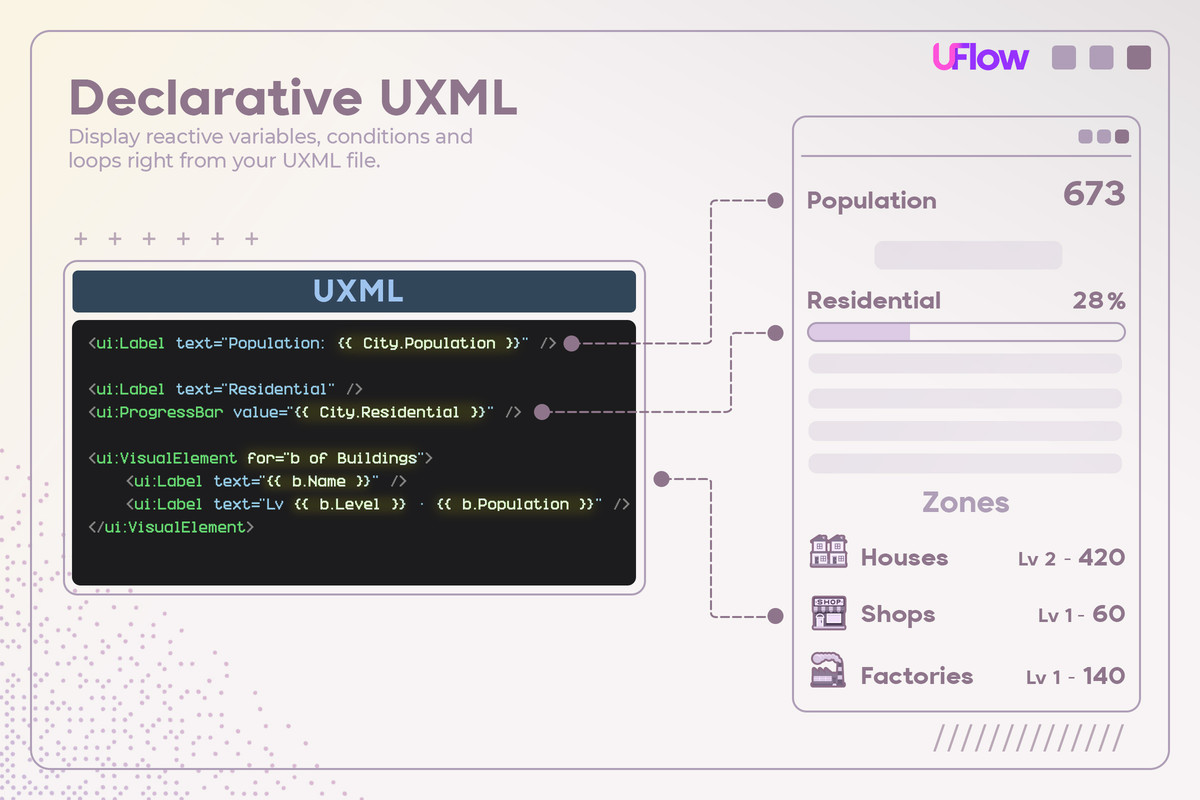
UFlow works with a Template Engine, it allows you to Read a Variable, Add Loops and Conditionals, React to a Click, Call your Methods, all from your UXML file.
Combined with signals, your interface updates itself whenever the underlying data changes. No Q<Label>(), no manual wiring, no refresh code.
Sounds good? Check how it works:
Battle tested: Our published game Super Infection: Massive Pathology , and other projects that we are creating uses this very same framework to handle its UI.
Requirements & Contents
- Unity 6 (6000.x) or newer. Developed and tested on Unity 6000.3 and 6000.5.
- Unity UI Toolkit (UXML and USS)
- Optional, Unity 6.5 or newer: world space panels through Unity's PanelRenderer. On every supported Unity version, screen space UI through UIDocument works as normal.
- The package ships one precompiled DLL, a Roslyn source generator and analyzer that runs inside the C# compiler at compile time, in the Editor and during builds. This precompiled DLL is not a runtime dependency, source code can be requested via email with invoice number.
From the publisher's Asset Store listing.
Technical details
Features
- Single MonoBehaviour entry point: Your whole UI runs from one `MonoBehaviour` (`UIHost`) — it owns the frame loop, the component tree and the static API. No `MonoBehaviour` per screen.
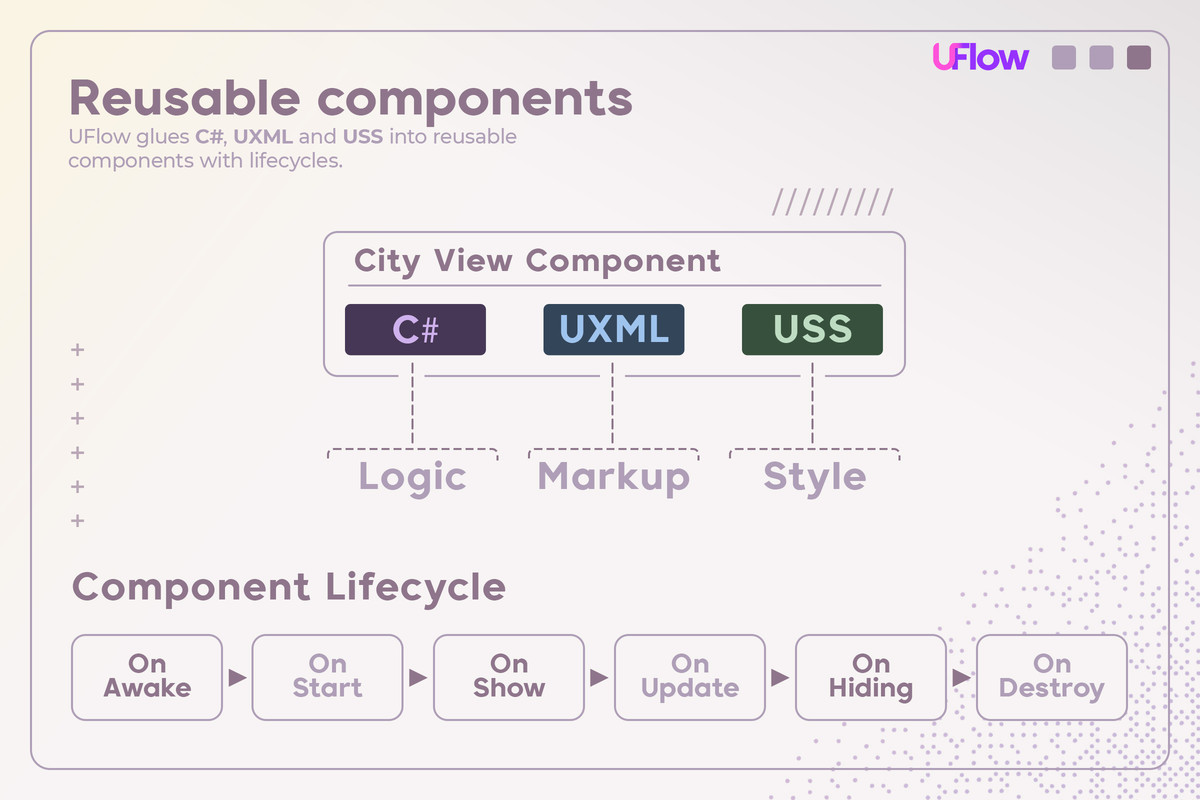
- Three files per component: Each component is made of three pieces. UXML for the layout, C# for the logic and state, and USS for the styling (USS is optional).
- Declarative UXML: Call methods or read variables from C# land. Using signals ensures full reactivity.
- Encapsulation: The USS you write for a component stays scoped to that component's subtree, instead of leaking out globally.
- Budgeted Lifecycles: Each component gets Start, Show, Hide and Destroy lifecycles, plus an Update. You can define a desired budget for the UI (for example 5ms), and each frame it's ensured that refreshing the tree won't last longer than the budget.
Views that don't finish in time throw a warning and are still processed next frame.
- Commands: Sometimes you need to call the UI from game logic — to show a popup or perform other actions. Flag any method with the `[Cmd]` attribute and UFlow generates a static action you can call.
Important: you must ensure there is a single instance of that component.
- Zero runtime reflection: All binding code is generated at compile time.
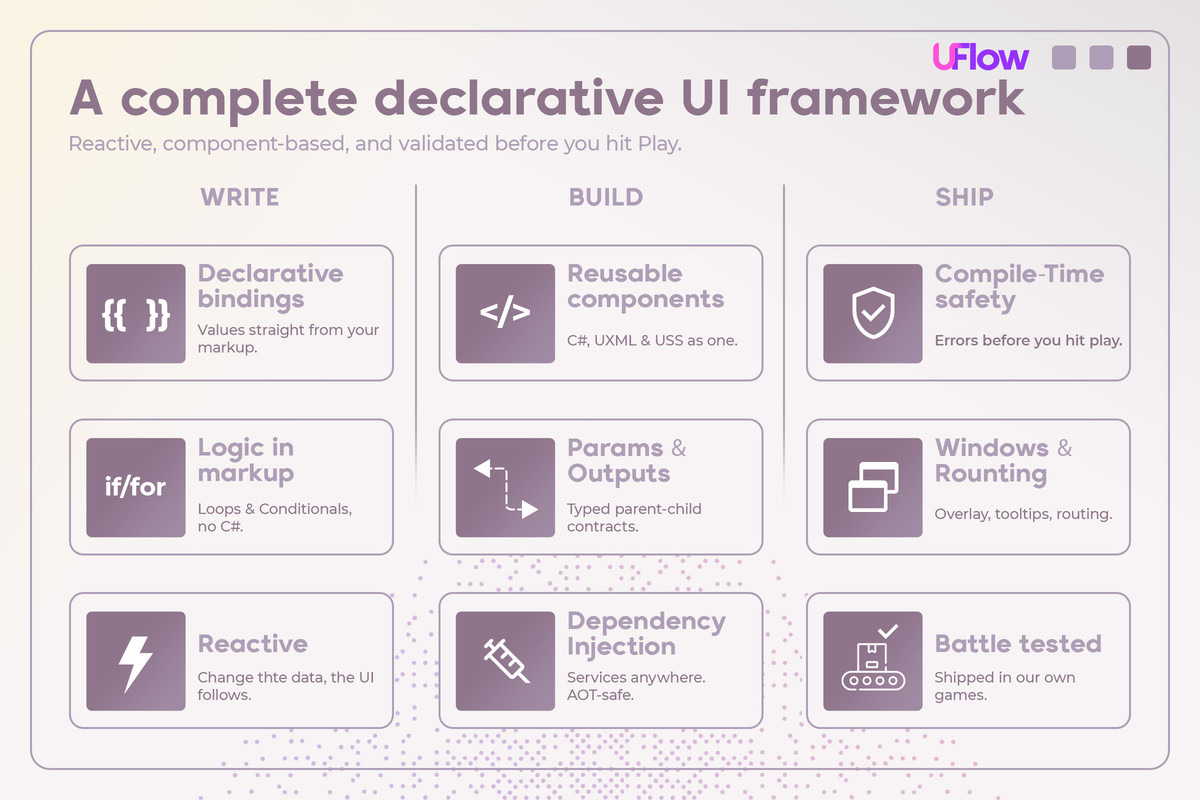
- Compile-time safety: Every UXML expression is compiled to C# at build time, your UXML is checked by the compiler — a typo or a wrong type fails the build with a clear error instead of silently breaking at runtime.
- Partial IDE autocomplete: via an auto-generated XSD schema.
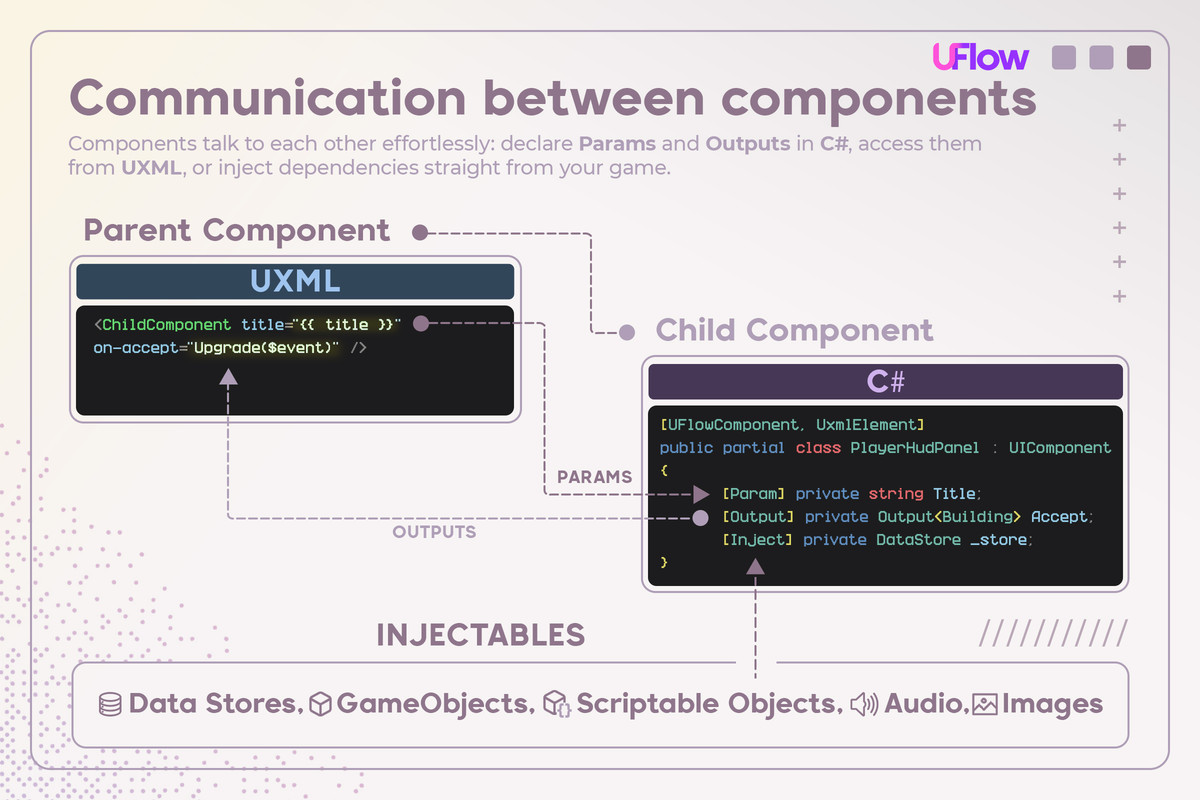
- Parent ↔ child communication using `[Param]` inputs and `[Output]` events.
- Completely extendable: Create your custom directives and events by simply writing static methods with the appropriate attribute (`[UxmlDirective]`, `[UxmlEvent]`).
- Batteries included: All Unity events and attributes included to be reactive with {{ }} syntax
Compatibility
| Unity version | Built-in | URP | HDRP | Custom |
|---|---|---|---|---|
| 6000.5.3f1 | Compatible | Compatible | Compatible | Compatible |
| 6000.3.13f1 | Compatible | Compatible | Compatible | Compatible |
As listed on the Asset Store.