
 View on Asset Store (opens in new tab)
Package details
- Latest version
- 13.3.9
- Last updated
- First released
- Unity version
- 2022.3.22 or later
- Package size
- 26.9 MB
- Files
- 632
- Favorites
- 45
- Views in the past week
- 146
Price tracking
- Last checked
- Tracked since
- Lowest recorded
- Free on
Keywords

Editor Eye : AI Agent Bridge & Safe Editor Automation
- Price drop
File-based Unity bridge for Claude Code and Codex that cuts AI tokens by 56%. Precision responses guide your agent through safe C# edits with rollback and Play Mode tests.
Affiliate link · Purchases support this site
Price history
Last 6 months
USDAsset preview
1 / 10
Editor Eye : AI Agent Bridge & Safe Editor Automation screenshot 1




About this asset
Plenty of tools connect AI to Unity.
But are you satisfied with the experience?
EES makes AI and Unity work better together.
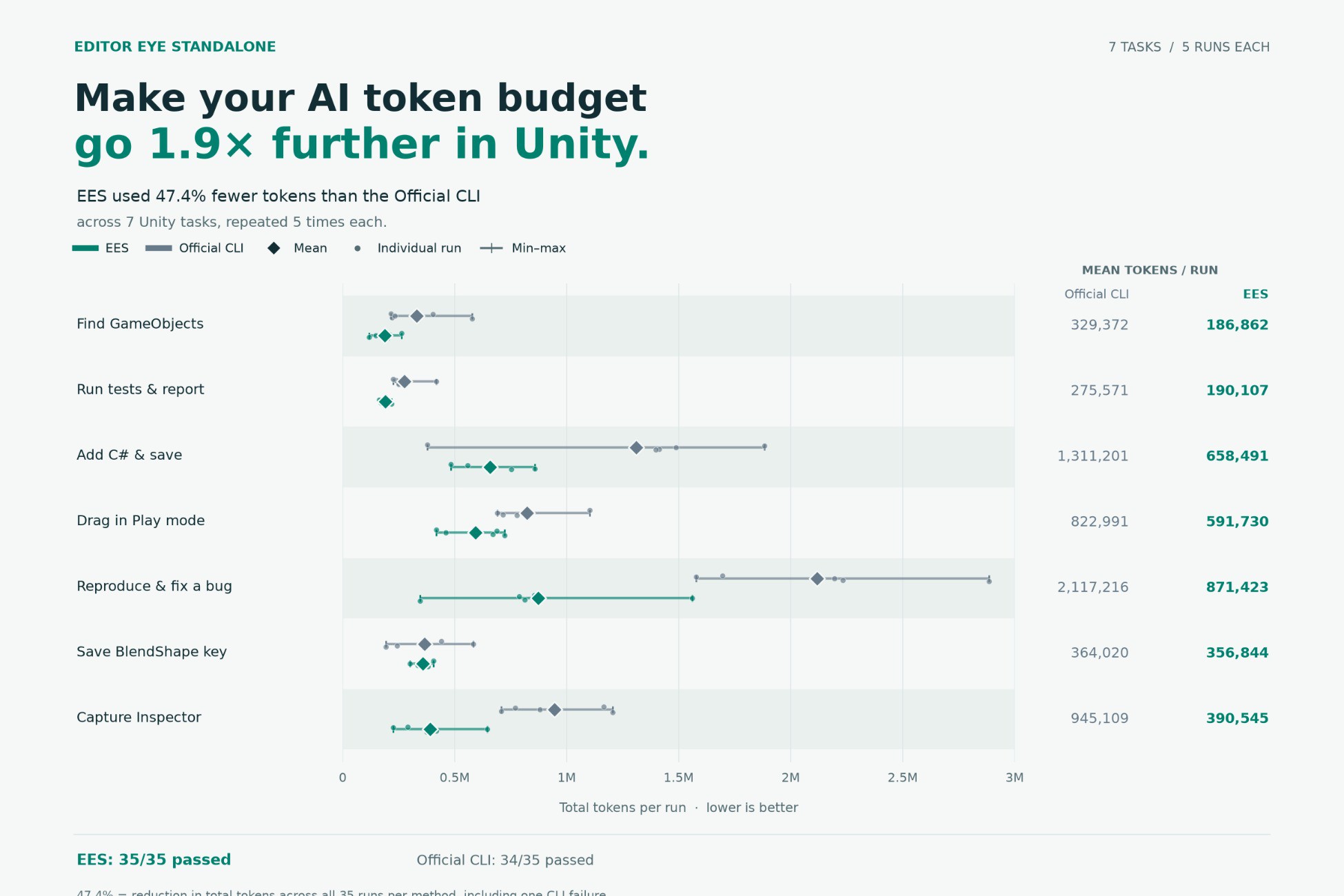
Why does EES cut AI token usage by 56.4%?
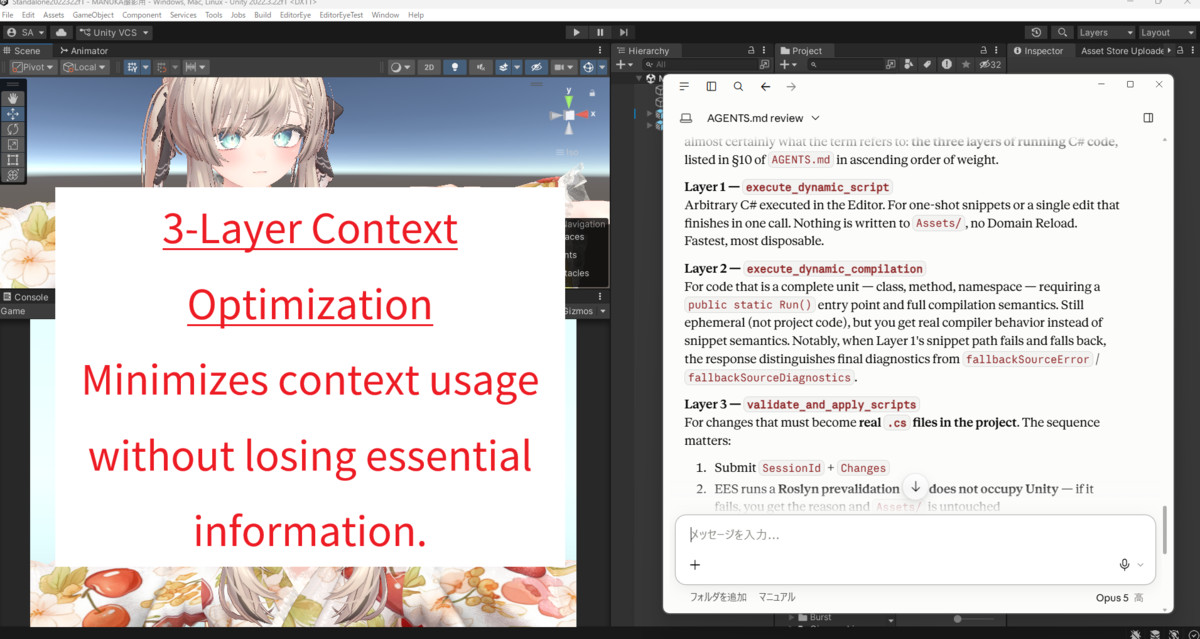
Because every EES response is written like a Senior Unity Engineer coaching your AI on the exact next step—preventing blind retries, Domain Reload hangs, and broken scenes.
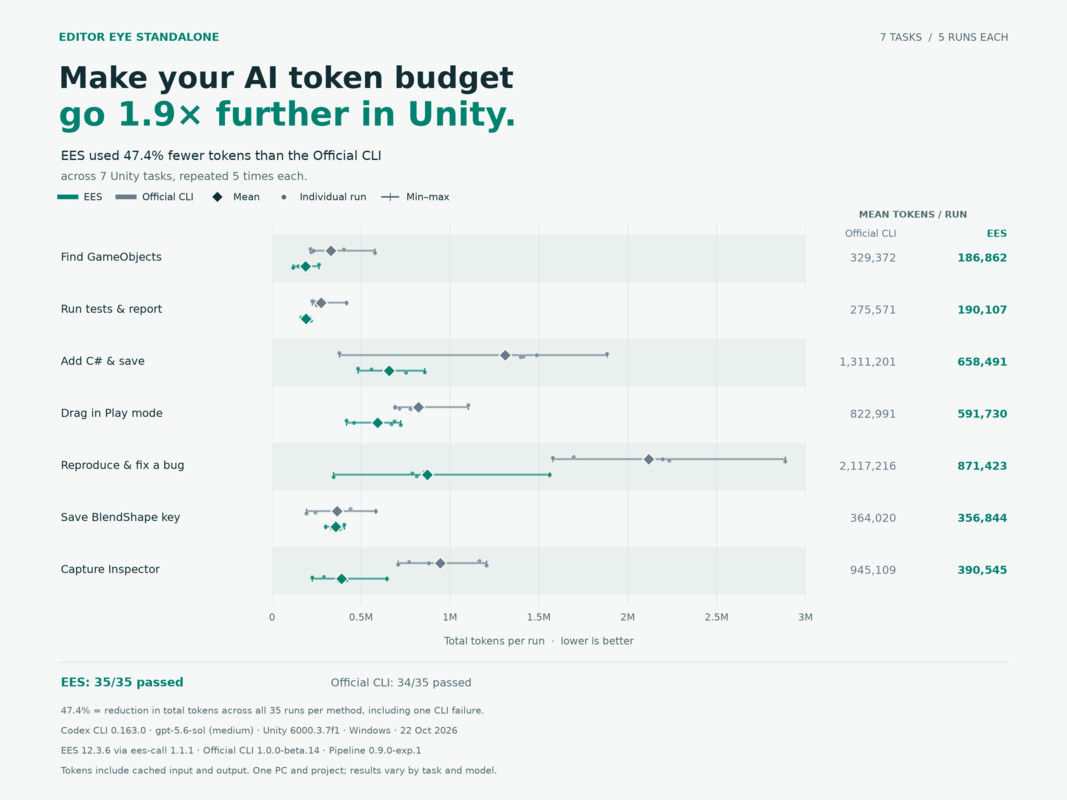
EES used 56% fewer tokens than Unity CLI.
Same 7 tasks. Both tools completed all 7.
Total tokens:
Unity CLI: 6.84 million
EES: 2.98 million
Token savings with EES:
61% fewer — Find GameObjects
40% fewer — Run EditMode tests
66% fewer — Add a C# component
30% fewer — Drag the mouse in Play Mode
62% fewer — Fix a bug
59% fewer — Save an animation keyframe
41% fewer — Capture the Inspector
https://github.com/creativeandcreative9/EditorEyeStandAlone/blob/main/benchmarks/2026-10-unity-cli-vs-ees/README.md
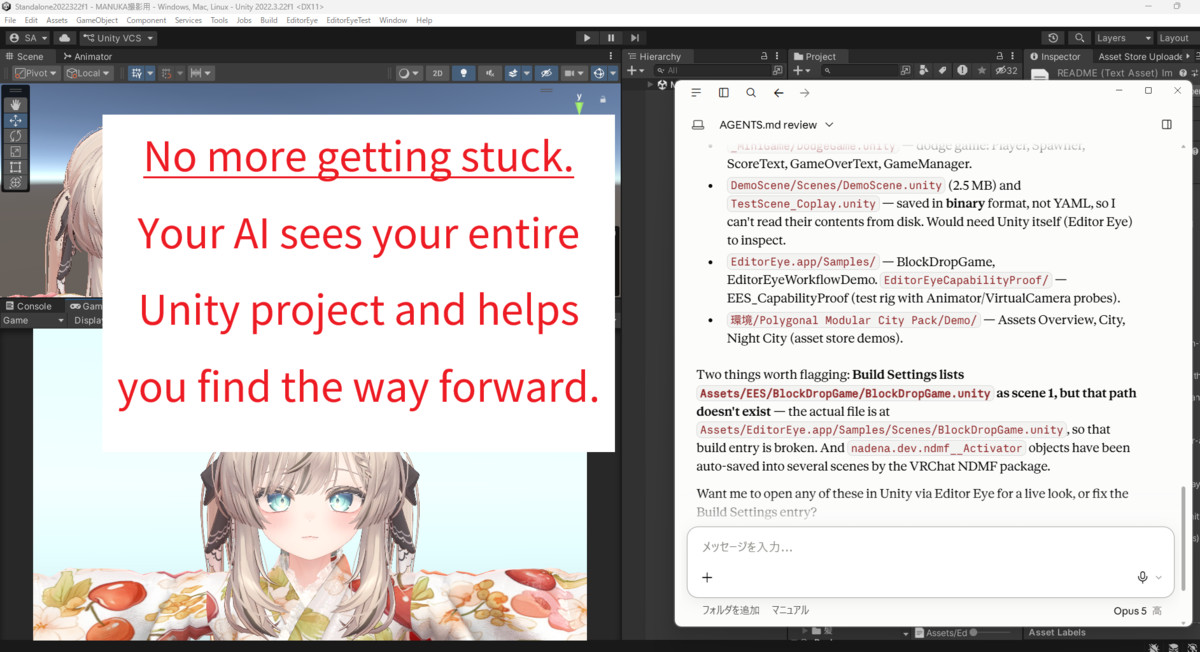
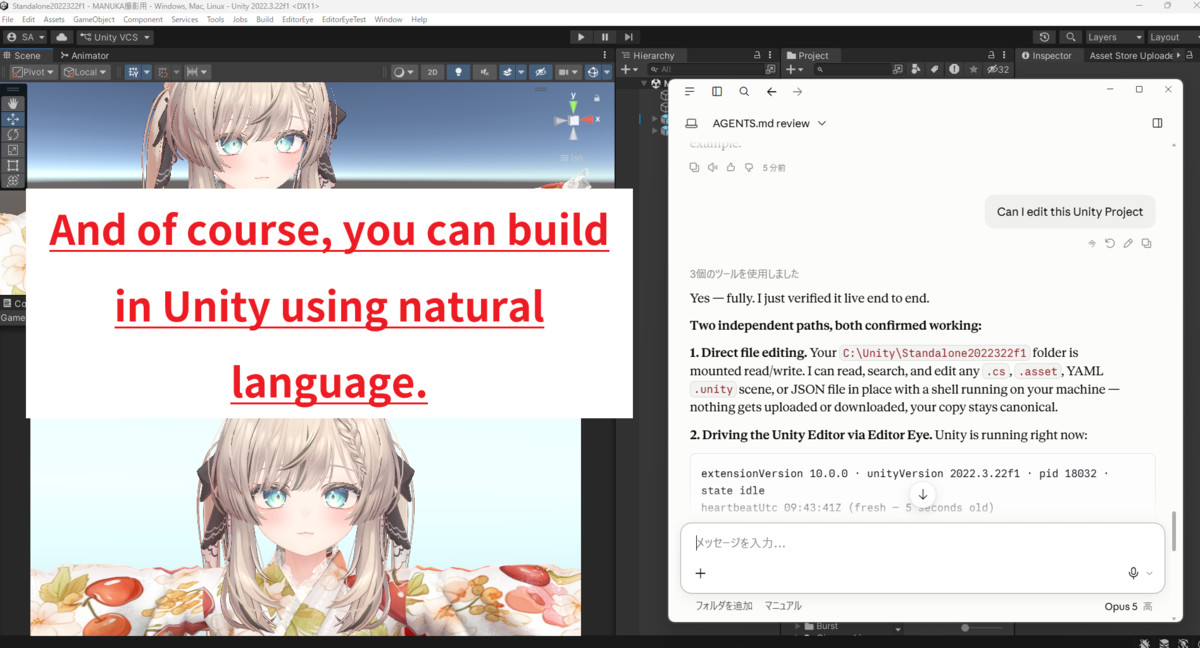
Editor Eye StandAlone gives your existing coding agent an observable, scriptable feedback loop inside the Unity Editor.
It can inspect the real project, run Editor C#, enter Play Mode, capture results, read what happened, and iterate. You spend less time acting as the agent's eyes and hands.
Inspect → change → run → observe → refine.
That is the missing loop between AI-generated code and a result you can actually check in Unity.
Delegate Unity Work, Not Just Script Writing
Diagnose against the live Editor
A prefab is missing. A material renders black. A button ignores clicks. A script throws a `NullReferenceException`.
Instead of diagnosing from your description alone, your agent can query the scene hierarchy, GameObjects, components, tags, layers, references, Console history, and compile errors. It can apply a fix, wait for compilation, inspect the new result, and continue if another change is needed.
You describe the symptom. The agent gathers the Unity evidence.
Check what the scene actually looks like
Compiling is not the same as working. A panel can be off-center, a character can clip through the floor, or a prop can appear behind the camera.
EES can capture the Scene View, Game View, or a named camera. A vision-capable coding agent can inspect the image, adjust the scene, and capture another result without asking you to take every screenshot.
Turn repetitive Editor work into one request
- Place props along a curve.
- Rename objects to match a convention.
- Swap a material across dozens of prefabs.
- Repair references after reorganizing folders.
- Toggle or configure a component across a scene.
Your agent can write and run C# directly inside the Editor, using the same public `UnityEditor`, `UnityEngine`, and `AssetDatabase` APIs available to Editor scripts. One general execution tool reaches far beyond a fixed list of convenience actions.
Run and verify, not just edit
Inspect — query hierarchies, objects, components, Console logs, and compile state.
Build — create and modify GameObjects, prefabs, materials, shaders, textures, ScriptableObjects, and other assets through live C#.
Play — enter, exit, pause, and step Play Mode.
Check — capture screenshots, assert runtime state, run NUnit tests, and read resulting values. Typed responses report applied and unchanged fields where relevant, so the agent has concrete state to work from.
Three Steps to Your First Editor Request
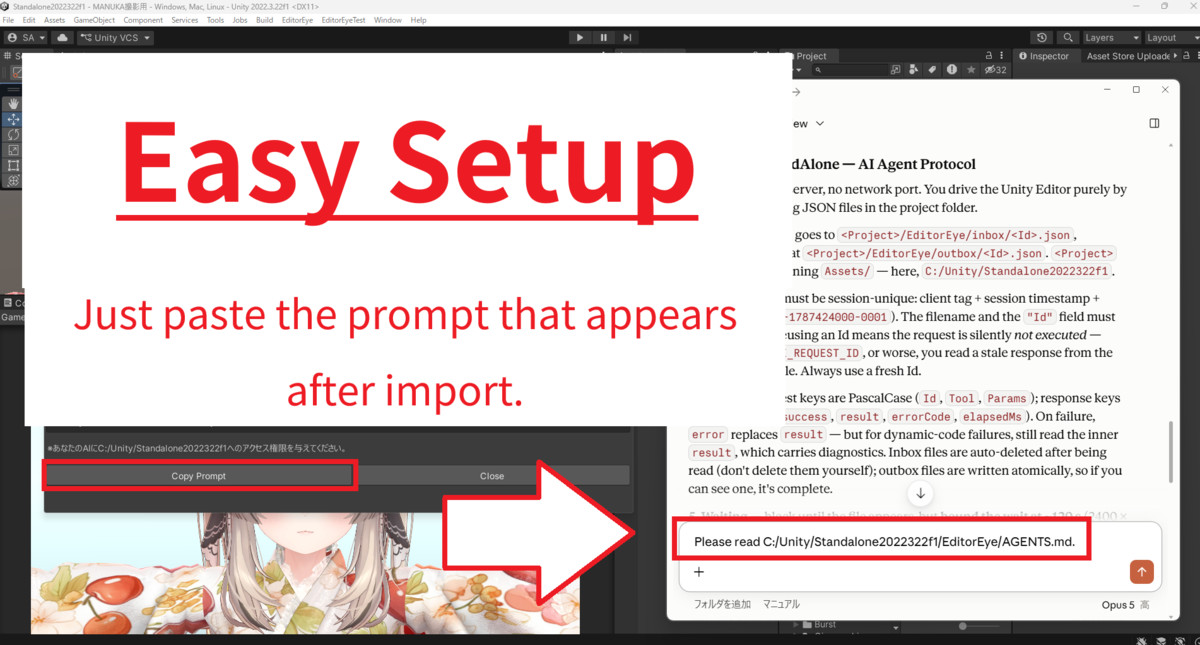
1. Import `EditorEyeStandalone_vX_X_X.unitypackage` and wait.
2. Once the import is complete, the **Editor Eye Standalone — Ready** window
appears in front of the Unity Editor. Enter the prompt shown in the window
into your AI coding agent.
3. Tell the AI what you want it to do. It will start working in Unity.
Setup writes the protocol to `EditorEye/AGENTS.md` and adds a short pointer to supported agent-instruction files. Existing files are appended to, not overwritten, and running setup again is safe.
EES works with filesystem-capable coding agents such as **Claude Code, Codex CLI, Cursor, and Gemini CLI**. You keep using the agent you already know.
No Server, No Open Port, No Executable
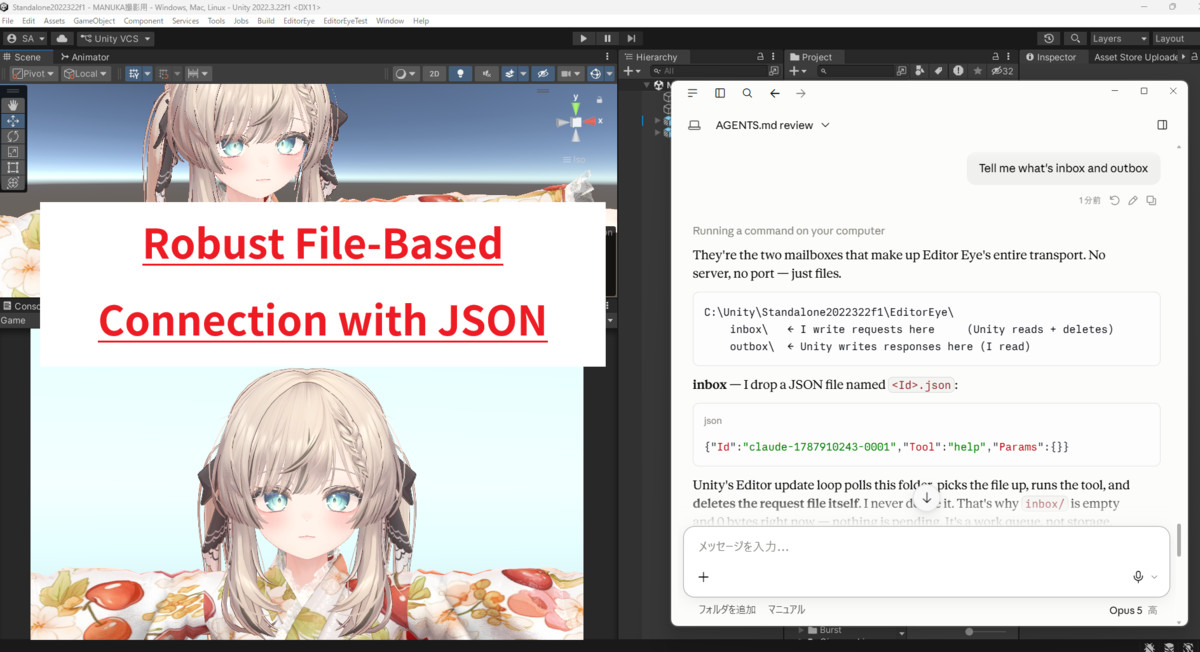
EES communicates through small JSON files inside your Unity project:
```text
<Project>/EditorEye/inbox/<request-id>.json ← your agent writes a request
<Project>/EditorEye/outbox/<request-id>.json ← Unity writes the response
```
There is no EES server to launch, network port to configure, executable to install, worker process to keep alive, or EES account to create.
Because requests live on disk, a request written while Unity is compiling or performing a Domain Reload waits for the Editor to become ready. There is no live socket connection for the reload to drop.
The package contains readable C# source, and its wire format is documented JSON. You can inspect, modify, or extend the system inside your own project.
Know the Fit Before You Buy
You need:
- Unity **2022.3 LTS or later**
Bring your own AI: EES does not include an AI model or make external AI API calls. Any subscription, API use, or data handling by your chosen coding agent is separate from EES.
Supported OS
Windows 11, macOS, and Linux. On non-Windows platforms, Game View capture renders only the camera output, because the OS window itself cannot be captured.
What You Get
- Approximately **27MB**
- One Package Manager dependency: `com.unity.nuget.newtonsoft-json`
- No EES subscription, license key, online activation, telemetry, or EES network traffic
- Readable Editor C# source and documented local JSON transport
- Verified with **0 compile errors** on a clean Unity 2022.3.22f1 and Unity 6000.3.7f1 project with the required dependency installed.
Give your coding agent a real Unity feedback loop.
For powerful AI-integrated software, choose EditorEye.
From the publisher's Asset Store listing.
Technical details
Tool surface
- A carefully curated set of AI-facing tools across 6 groups: `editor`, `scripting`, `scene`, `camera`, `play_mode`, `testing`
- 3 further internal diagnostic/stub tools (`ping`, `get_version`, `set_client_name`) — hidden from the catalog but callable directly by name
- Tool count is fixed and does not change with third-party packages installed in your project
- Core coverage: hierarchy inspection, scene queries, Editor Console log retrieval, Scene View / Game View / custom-camera screenshot capture, Play Mode control (enter / exit / pause / step), runtime state assertions, NUnit test-runner integration
- Nearly all actual editing (GameObjects, components, prefabs, materials, shaders, textures, ScriptableObjects, and any other Unity API surface) goes through `execute_dynamic_script`, which compiles and runs arbitrary C# in-process with full `UnityEditor` / `UnityEngine` / `AssetDatabase` / reflection access
- `help(Topic="recipes")` ships a cookbook of ready-to-paste `execute_dynamic_script` snippets for common operations instead of a dedicated wrapper tool per operation
Quality guarantees
- Silent-failure-resistant schemas: nullable typed fields, `appliedFields` / `unchangedFields` / `actualValues` reporting so a response tells you exactly what happened
- `help()` catalog is queried live at runtime — it can never drift out of sync with the tools actually registered in your project
- `help(ToolName="<removed tool name>")` returns the removal reason and the `execute_dynamic_script` alternative for any tool name an agent might recall from an older version, instead of a bare empty result
- 0 compile errors verified on a clean Unity 2022.3.22f1 and Unity 6000.3.7f1 project with only the single required dependency installed
Architecture
- File-based transport: no server process, no network port, no executable. Your agent writes a request JSON file to `<Project>/EditorEye/inbox/` and reads Unity's response from `<Project>/EditorEye/outbox/`
- Requests are detected by a background `FileSystemWatcher`, so Editor focus is irrelevant, and a request written mid-compile or mid-Domain-Reload waits on disk and is picked up once Unity is ready — nothing is lost mid-flight
- Responses are written to a temp file and renamed into place, so a response file you can see is always complete
- `execute_dynamic_script` compiles and runs C# in-process via bundled Roslyn 4.9.2 (netstandard2.0, under `Editor/Execution/Plugins/CodeAnalysis/`) — no `Process.Start` anywhere in the compilation path; language level is C# 12
Open source attribution (full license texts in `NOTICE.md` inside the package)
- Roslyn (.NET Compiler Platform) — Copyright (c) .NET Foundation and Contributors — MIT. `Microsoft.CodeAnalysis(.CSharp).dll` 4.9.2 (netstandard2.0) plus dependencies, powering in-process `execute_dynamic_script`
- Tommy TOML parser — Copyright (c) 2020 Denis Zhidkikh — MIT
- unity-cli-loop / uLoopMCP — Copyright (c) 2025 Masamichi Hatayama — MIT
- Newtonsoft.Json — Copyright (c) 2007 James Newton-King — MIT
- MCP for Unity (unity-mcp) — Copyright (c) 2025 CoplayDev — MIT
License: `LICENSE.md` (Editor Eye Standalone-original portions) + `NOTICE.md` (third-party MIT components). Distributed under the Unity Asset Store Provider Agreement and Asset Store EULA.
Compatibility
| Unity version | Built-in | URP | HDRP | Custom |
|---|---|---|---|---|
| 2022.3.22f1 | Compatible | Compatible | Compatible | Compatible |
Compatible with Unity 2022.3.22f1 and later.
Tested and verified with Unity 2022.3.22f1 and 6000.3.7f1.
Important: Upgrading from v10.x
Starting with v11.x.x, the EES root folder structure has changed:
- Before: Assets/EditorEye.app/
- New: Assets/EditorEyeApp/
Please delete Assets/EditorEye.app/ before importing the new package.
As listed on the Asset Store.