
 View on Asset Store (opens in new tab)
Package details
- Latest version
- 1.1.0
- Last updated
- First released
- Unity version
- 2022.3.62 or later
- Package size
- 1.2 MB
- Files
- 11
- Favorites
- 7
- Views in the past week
- 12
Price tracking
- Last checked
- Tracked since
- Lowest recorded
- Free on
Keywords

Scene Nexus
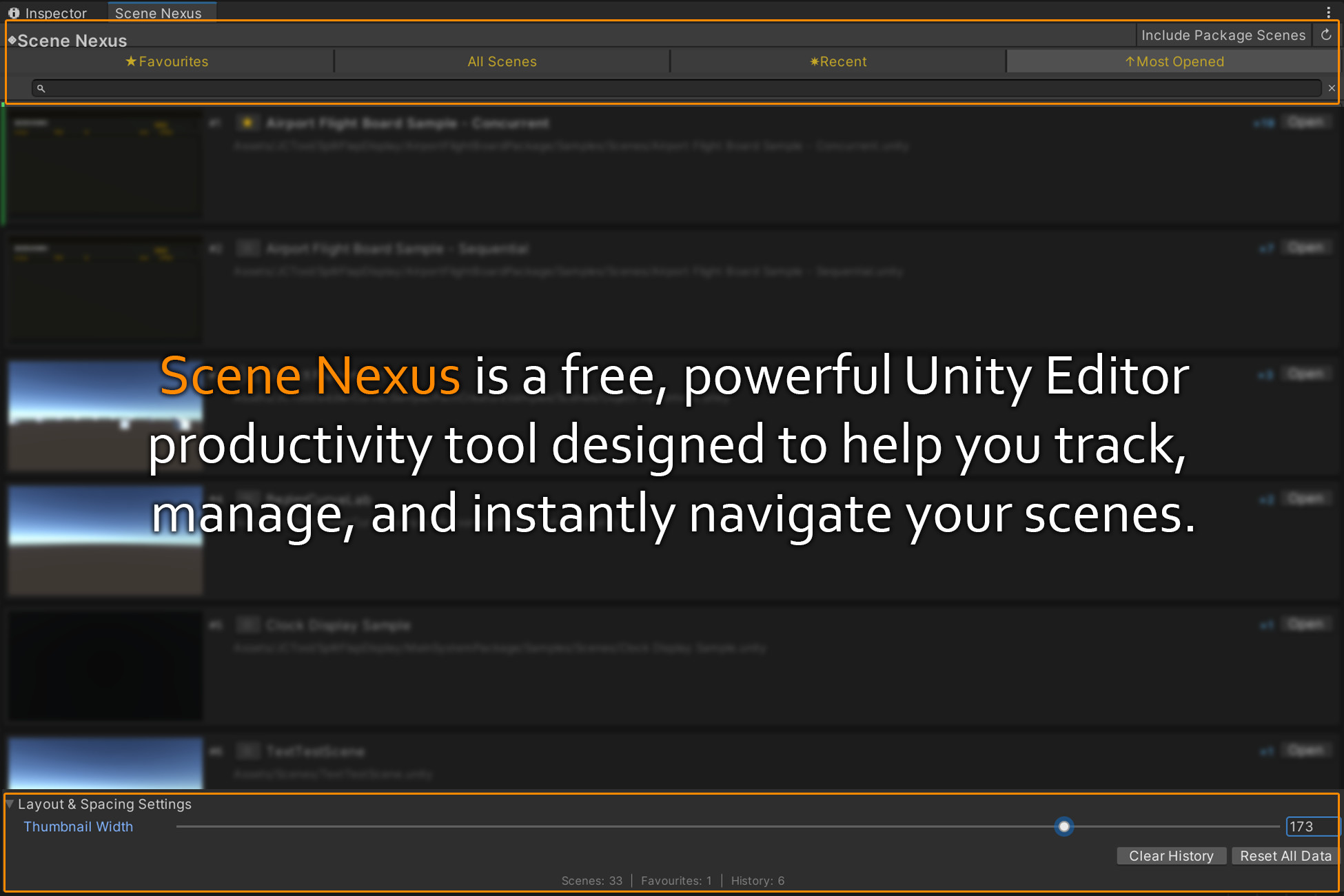
A powerful Unity Editor tool that helps you instantly organise, search, and navigate between your project's scenes using favourites, recent history, most-opened, and visual thumbnails.
Affiliate link · Purchases support this site
Price history
Last 6 months
USDAsset preview
1 / 5
Scene Nexus screenshot 1

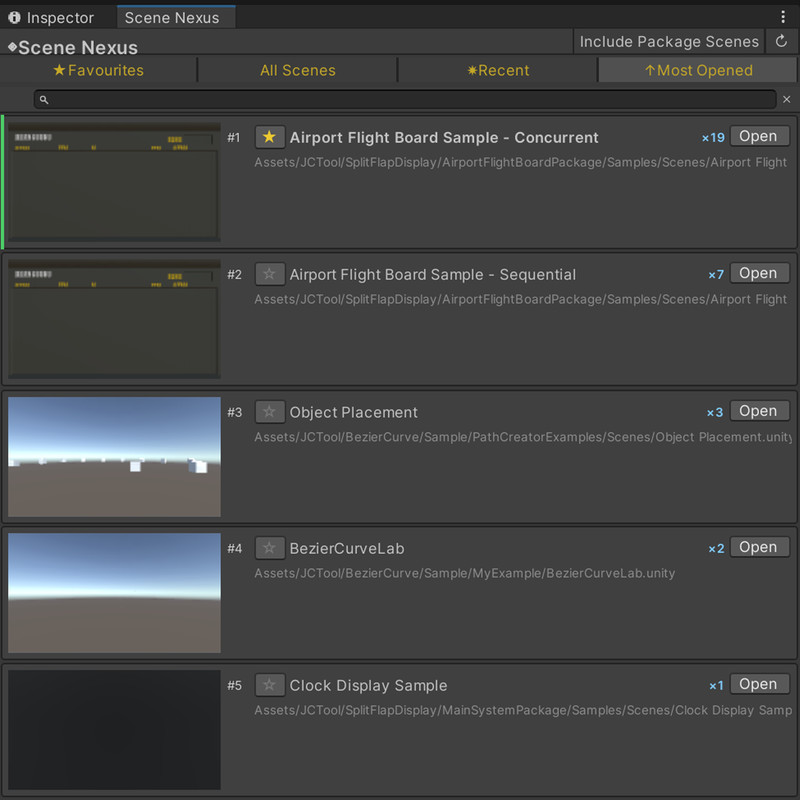
About this asset
Scene Nexus is a lightweight, premium editor extension designed to solve a daily frustration for Unity developers: wasting time hunting through deep folder hierarchies to switch between scenes.
By providing a beautiful, unified dashboard with auto-captured visual thumbnails, Scene Nexus transforms scene navigation into a fast, single-click workflow.
Key Features:
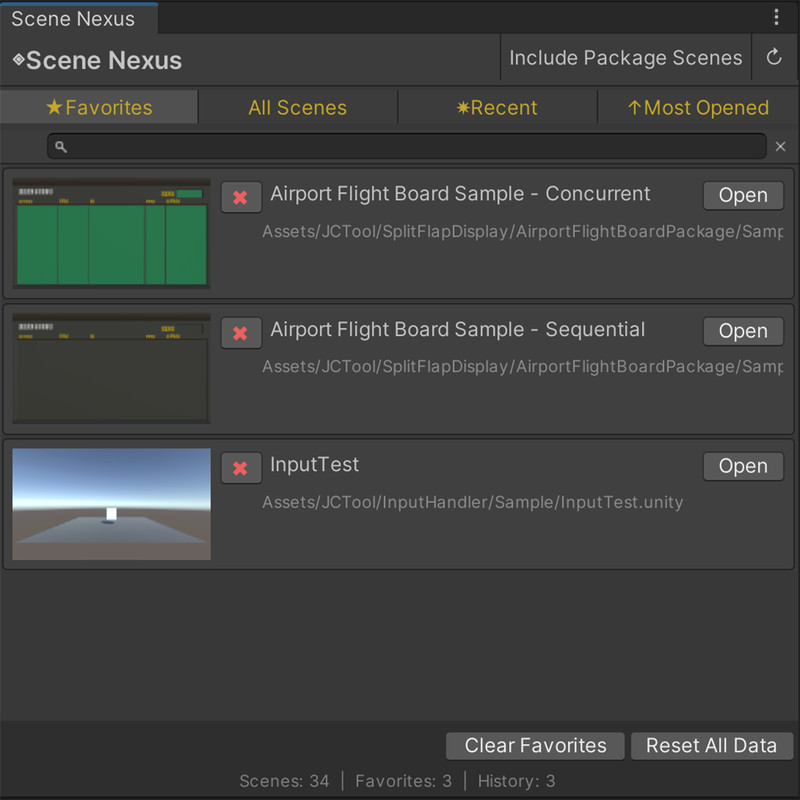
- Favourites Tab: Pin your primary level-design, sandbox, and active working scenes to keep them immediately accessible.
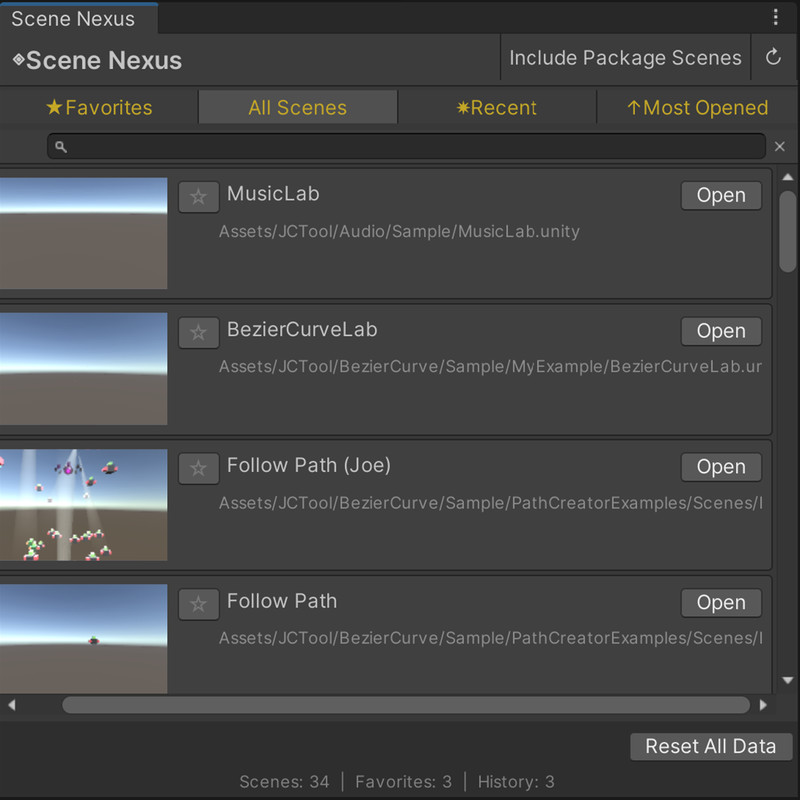
- All Scenes Tab: View every scene in your project in a clean list. It automatically filters out read-only third-party package scenes by default, keeping your workspace clutter-free (with an option to toggle them back on!).
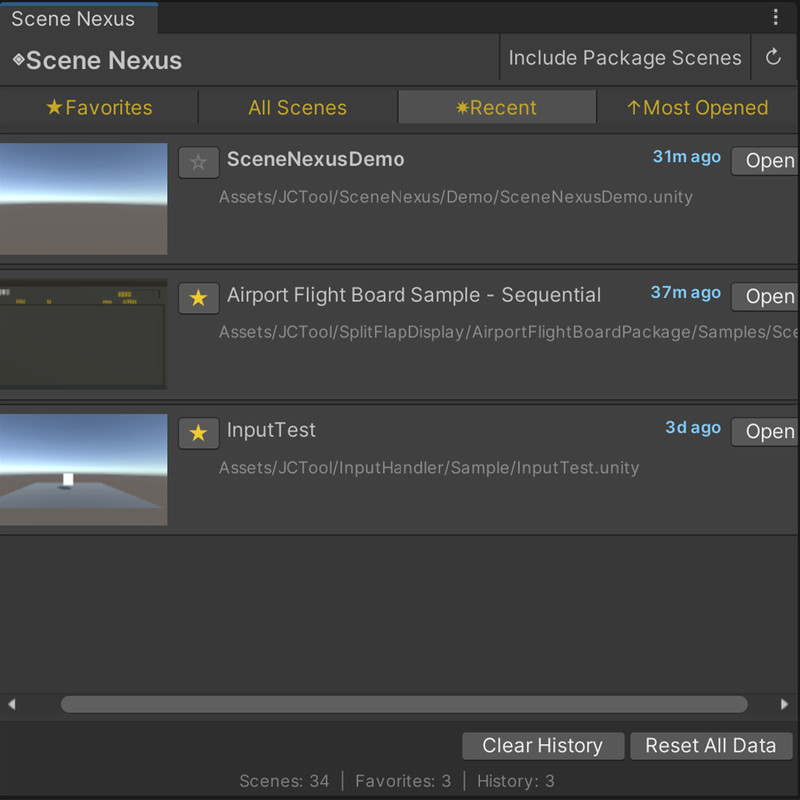
- Recent Tab: A chronological history of recently opened scenes with relative time stamps, letting you jump back and forth easily.
- Most Opened Tab: Dynamically ranks your scenes by usage frequency, surfacing the scenes you work on most without any manual organisation.
- Automatic Visual Thumbnails: The tool automatically captures high-quality thumbnails of your scenes using the Main Camera view, allowing you to identify levels visually at a glance.
- Quick Search: Instantly filter scenes by name as you type.
- Project Ping: Click a scene's name or path to instantly highlight it in the Project window.
Why Choose Scene Nexus?
- Zero Setup: Simply import the package, go to Tools > JCTool > Scene Nexus, and it immediately populates with your scenes.
From the publisher's Asset Store listing.
Technical details
Features & Specifications:
- Fully structured tabs: Favourites, All Scenes, Recent, and Most Opened.
- High-speed scene tracking utilising custom editor database callbacks.
- Automatic thumbnail capturing, caching, and clean-up logic to prevent memory leaks.
- Customizable header bar height and custom gold theme highlights for tab switching.
- Local persistent data storage (Library/SceneNexus/) to avoid Git conflicts.
- Local preference saving via EditorPrefs for customizable toggles.
Package Contents:
- Pure C# Editor scripts (housed under Editor Assembly Definition).
- Clean setup demo scene included.
- Complete offline RTF Setup & Quick Start guide.
Supported OS & Platform:
- Supported OS: Windows, macOS, Linux (Cross-platform Editor).
- Supported Unity Versions: Unity 2022.3 LTS and higher.
- Dependencies: None (Out-of-the-box pure Unity).
Compatibility
| Unity version | Built-in | URP | HDRP | Custom |
|---|---|---|---|---|
| 2022.3.62f2 | Compatible | Compatible | Compatible | Compatible |
As listed on the Asset Store.