
 View on Asset Store (opens in new tab)
Package details
- Latest version
- 1.0
- Last updated
- First released
- Unity version
- 6000.0.68 or later
- Package size
- 41 KB
- Files
- 7
- Views in the past week
- 6
Price tracking
- Last checked
- Tracked since
- Lowest recorded
- $9.99 on
Keywords

Auto Namer Pro
Editor tool that lets you batch rename any number of project assets in seconds. Apply prefixes, suffixes, find & replace, case conversion, sequential numbering, and more.
Affiliate link · Purchases support this site
Price history
Last 6 months
USDAsset preview
1 / 4
Auto Namer Pro screenshot 1
About this asset
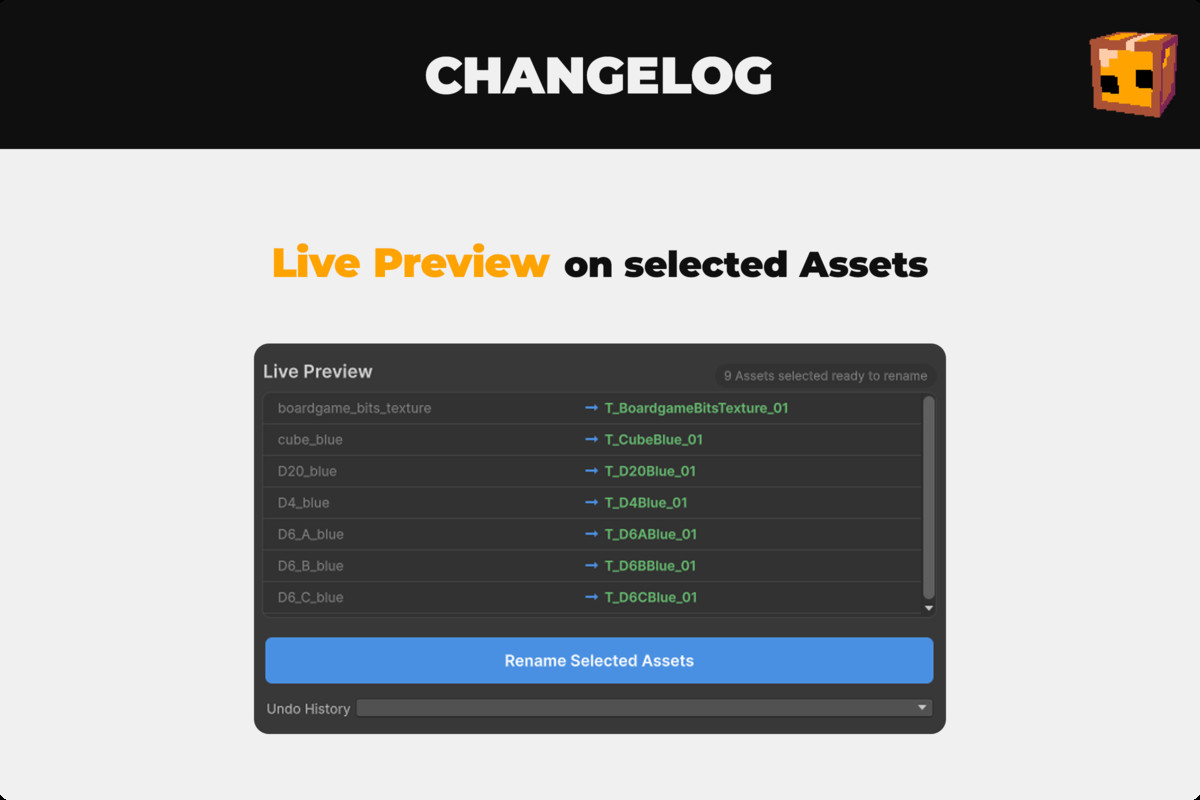
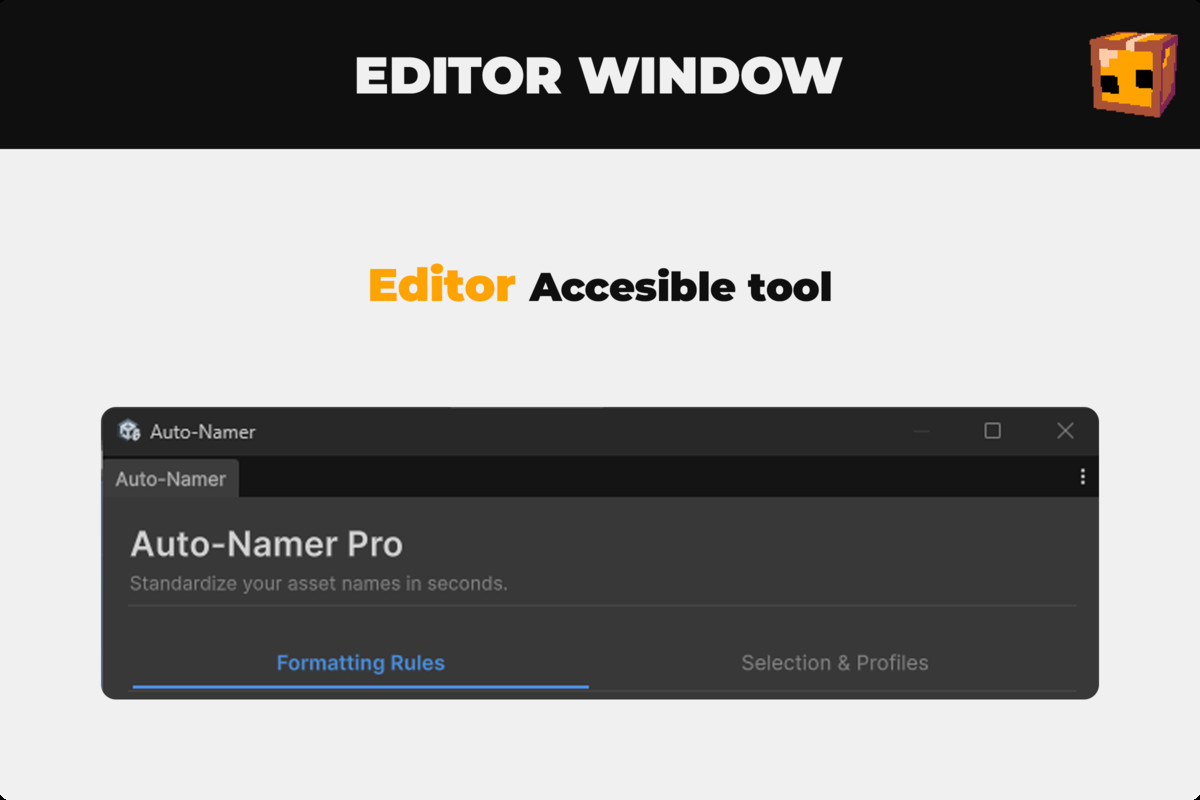
Keeping your project assets consistently named is one of the most time-consuming parts of a professional pipeline. Auto-Namer Pro eliminates that friction with a clean, modern Editor window that lets you define complex naming rules and see the result instantly — before touching a single file.
⚡ Live PreviewEvery change you make is reflected in real time. See exactly what every asset will be renamed to before you apply anything. Conflict detection warns you if two assets would end up with the same name.
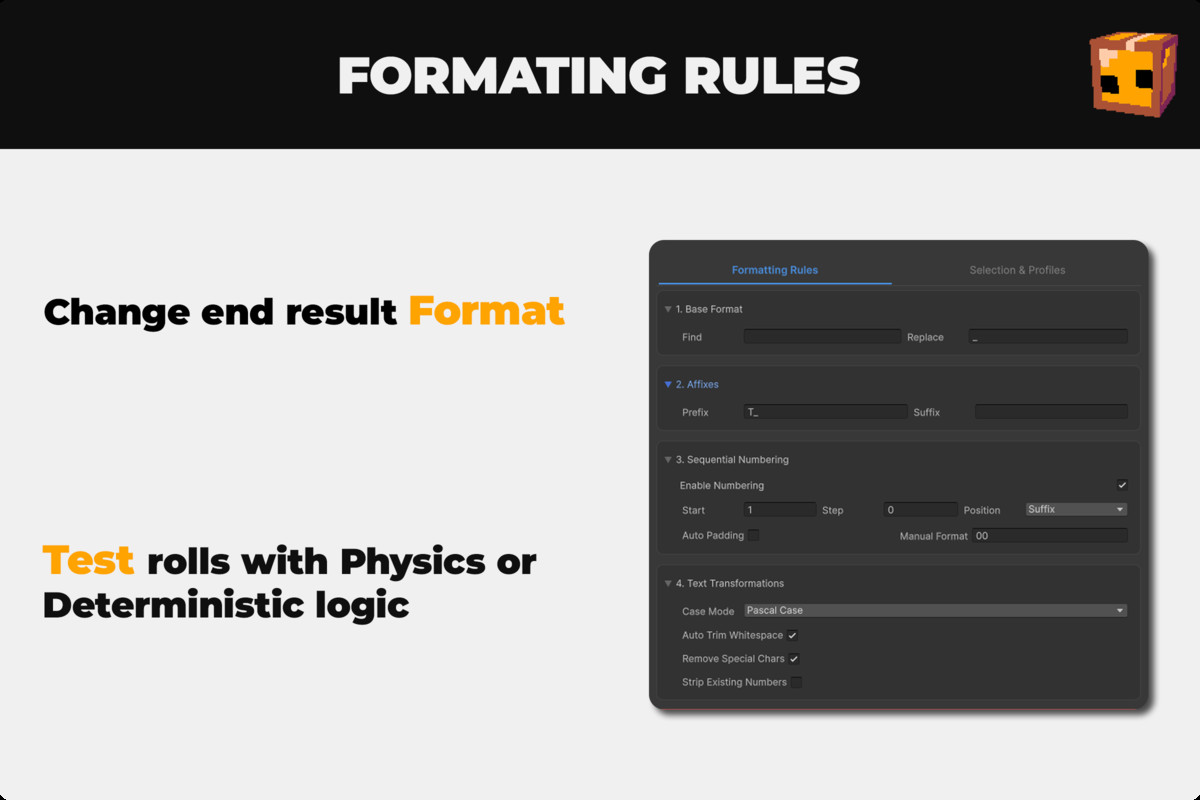
🔤 Powerful Naming Rules
- Add Prefix and Suffix to any asset name
- Find & Replace text inside existing names
- Case Conversion: camelCase, PascalCase, snake_case, kebab-case, UPPER_CASE, lower_case
- Auto Trim whitespace and Remove Special Characters with a single toggle
- Strip existing numbers before applying new sequential numbering
🔢 Advanced Sequential Numbering
- Configurable Start Number and Step (e.g. 10, 20, 30...)
- Place the number as a Prefix or Suffix
- Auto-Padding automatically calculates the correct digit count based on your total selection
- Manual Format String override (e.g. 000, 00)
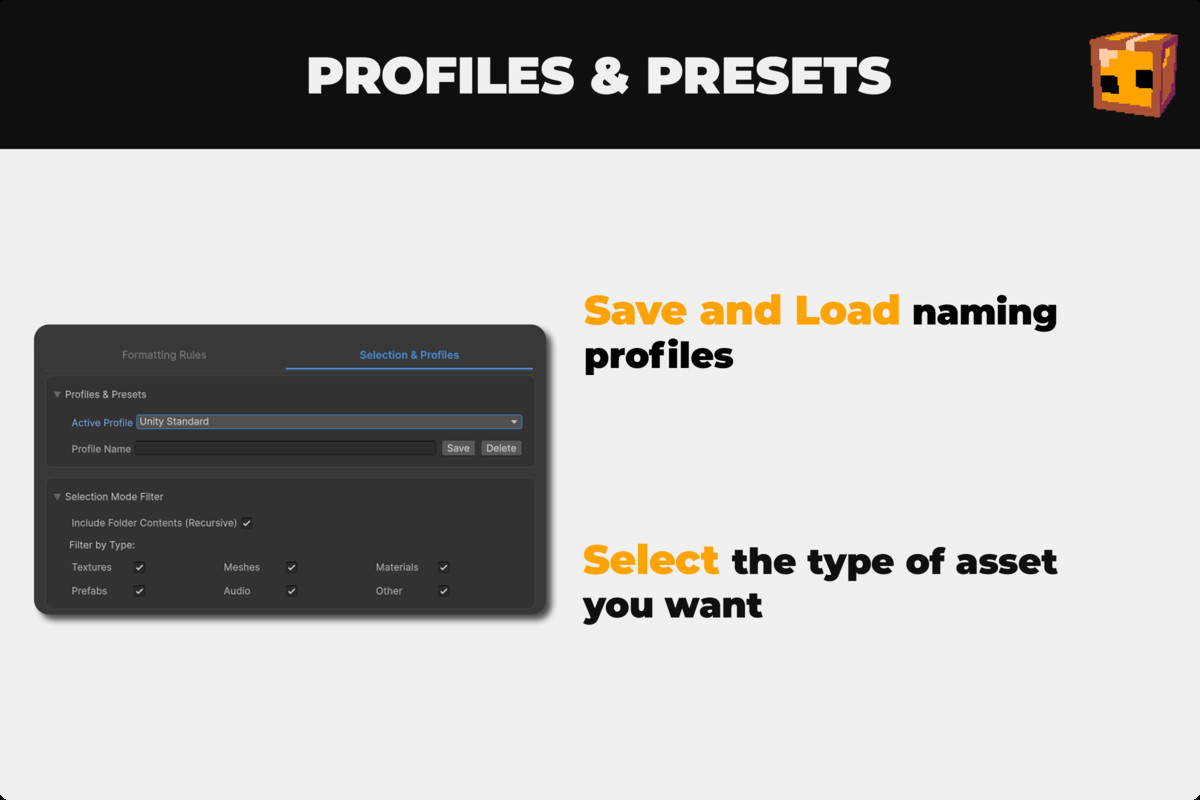
💾 Presets SystemSave any combination of settings as a named Preset, stored per-project. Load it back in one click. Includes built-in convention presets to get you started instantly.
🔍 Asset Type FiltersFilter your selection by asset type directly from the window — Textures, Meshes, Materials, Prefabs, Audio, and more. No need to manually curate your Project window selection.
📂 Folder SupportOpt-in to include entire folders in your selection, letting you process hundreds of assets at once without selecting them individually.
↩️ Multi-Level Undo HistoryMade a mistake? Auto-Namer Pro keeps a full history of up to 10 rename batches, each with a timestamp. Select exactly which batch to revert — not just the last one.
📋 CSV Export LogExport a full rename log as a .csv file with timestamps, GUIDs, old names, and new names. Perfect for teams and art pipelines that need traceability.
📝 C# Script AwarenessWhen renaming .cs files, Auto-Namer Pro automatically updates the internal class, struct, interface, or enum declaration to match — keeping your scripts functional after the rename.
From the publisher's Asset Store listing.
Technical details
Unity Version: 2021.3 LTS or newer (requires UI Toolkit / UIElements support) Editor Only: This tool runs exclusively in the Unity Editor and adds zero runtime overhead to your build. Render Pipeline: Compatible with Built-in, URP, and HDRP — no runtime dependencies.
Implemented with:
- Unity UI Toolkit (UXML + USS) for a modern, theme-aware Editor UI
- AssetDatabase API for safe, GUID-based asset renaming
- EditorPrefs for persistent per-project preset storage
- System.Text.RegularExpressions for case conversion and C# type detection
- System.Globalization.CultureInfo for correct title-case handling across locales
Files included:
- AutoNamerWindow.cs — Main Editor window logic
- AutoNamerWindow.uxml — UI layout
- AutoNamerWindow.uss — Styles and theming
Access via: Tools → Auto-Namer Pro
Compatibility
| Unity version | Built-in | URP | HDRP | Custom |
|---|---|---|---|---|
| 6000.0.68f1 | Compatible | Compatible | Compatible | Compatible |
As listed on the Asset Store.