
 View on Asset Store (opens in new tab)
Package details
- Latest version
- 1.0.0
- Last updated
- First released
- Unity version
- 2022.3.62 or later
- Package size
- 758 KB
- Files
- 27
- Views in the past week
- 8
Price tracking
- Last checked
- Tracked since
- Lowest recorded
- $14.99 on
Keywords

PlayMode Saver - Persist Inspector Changes
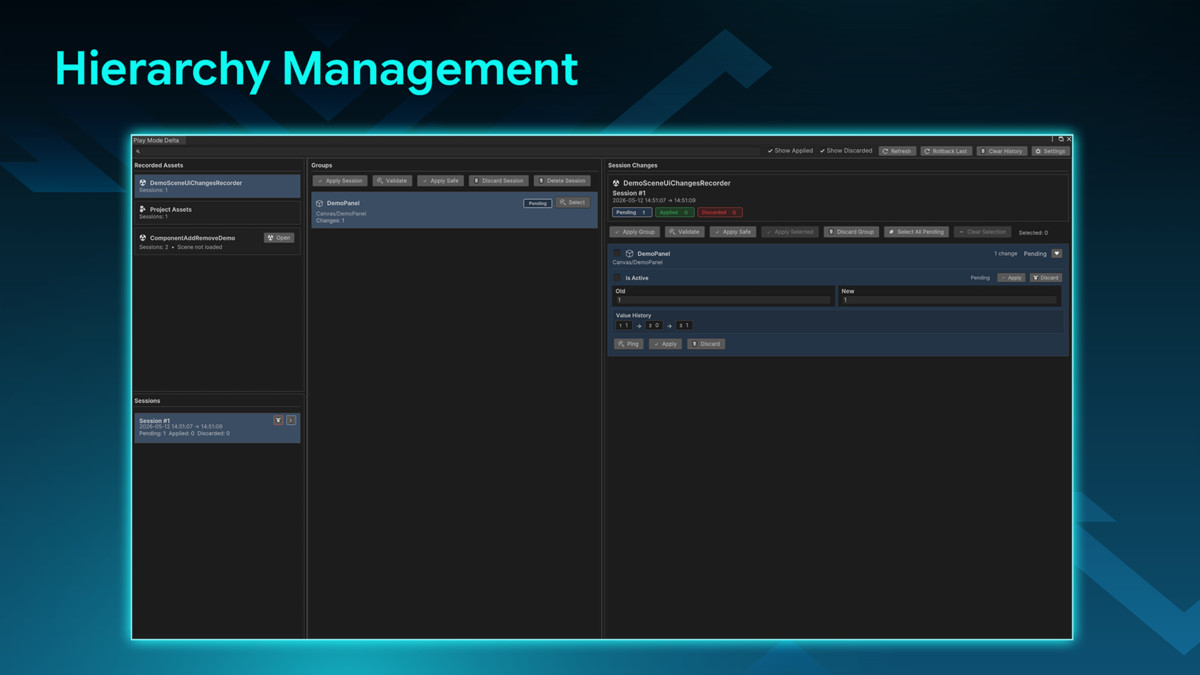
PlayMode Saver is a Unity Editor productivity tool that records changes made during PlayMode and allows developers to safely review, apply, discard, or recover those changes after exiting PlayMode.
Price $19.99
Buy on Asset Store (opens in new tab)
Affiliate link · Purchases support this site
Price history
Last 6 months
USDAsset preview
1 / 7
PlayMode Saver - Persist Inspector Changes screenshot 1
About this asset
✨ Key Features
- Play Mode Change Capture: Records meaningful edits made while Unity is in Play Mode.
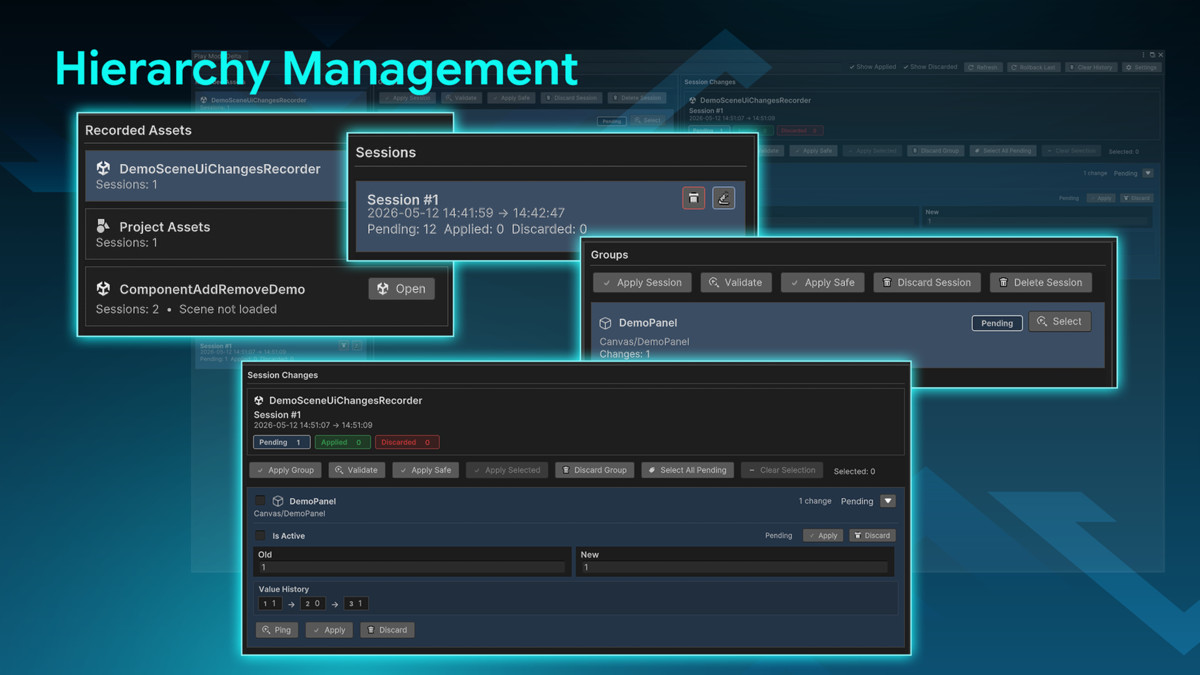
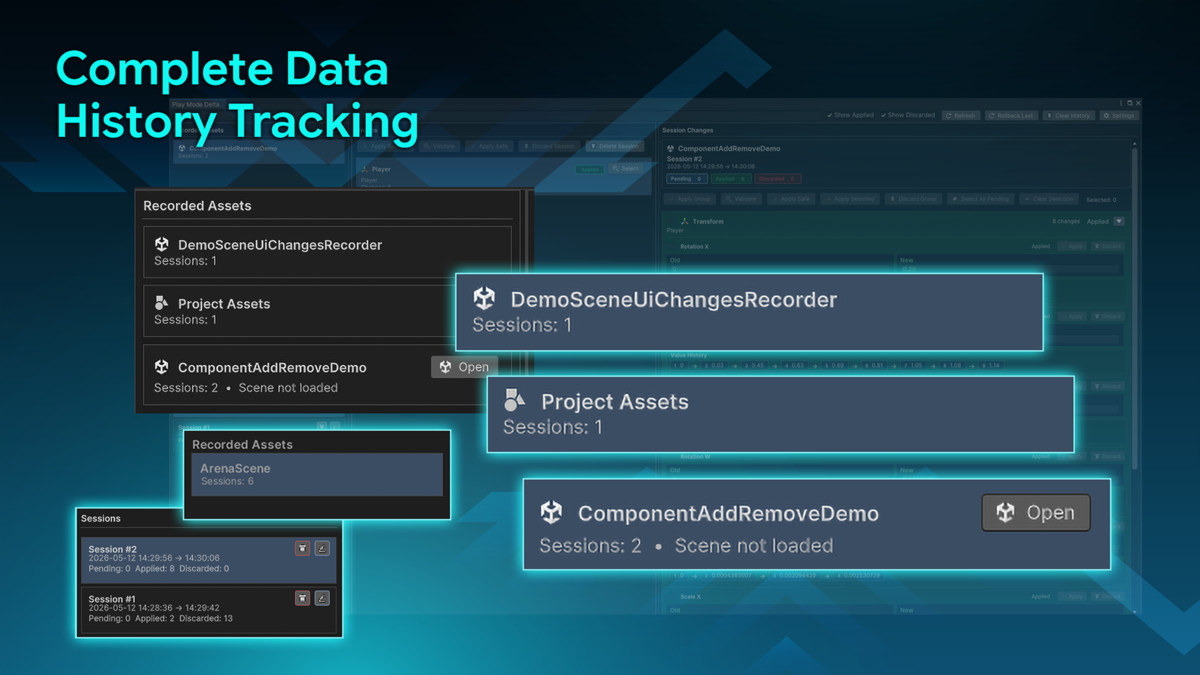
- Session-Based Review Workflow: Organizes captured changes into sessions that can be renamed, reviewed, applied, discarded, or deleted.
- Recorded Asset Grouping: Groups changes by loaded scenes, previously recorded and unloaded scenes, and Project Assets.
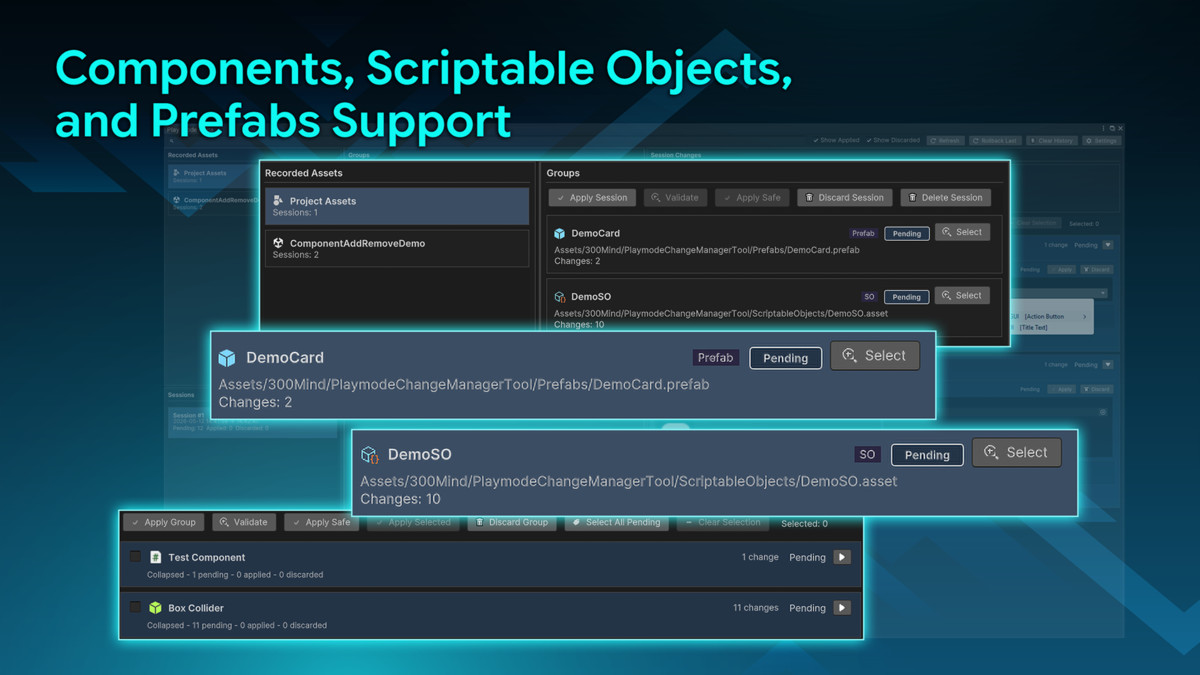
- Group-Level Review: Keeps large sessions readable by grouping related changes by GameObject, component, prefab, or ScriptableObject.
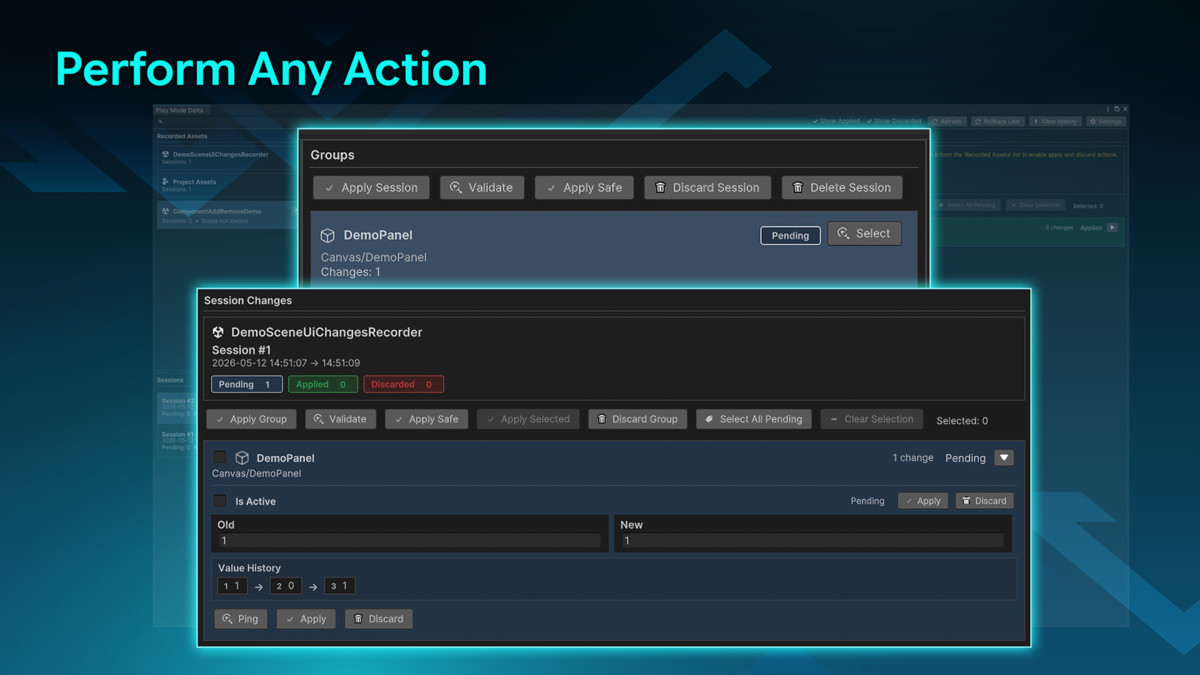
- Individual Change Review: Review each captured change with old value, new value, and current status, and available actions.
- Apply or Discard Changes: Apply or discard individual changes, selected changes, groups, or entire sessions.
- Property Change Tracking: Tracks edits to Transform values, RectTransform values, CanvasGroup settings, Image colors, Text values, custom MonoBehaviour fields, and more.
- Component Add / Remove Tracking: Captures components added or removed during Play mode.
- GameObject Create / Delete Tracking: Records GameObjects created or deleted during runtime.
- Prefab & ScriptableObject Support: Captures changes made to prefab assets and ScriptableObject assets.
- Object Reference Recovery: Helps recover, reattach, clear, or repair missing and changed references.
- UI Event Support: Supports common Unity UI workflows, including Button listeners and EventTrigger events.
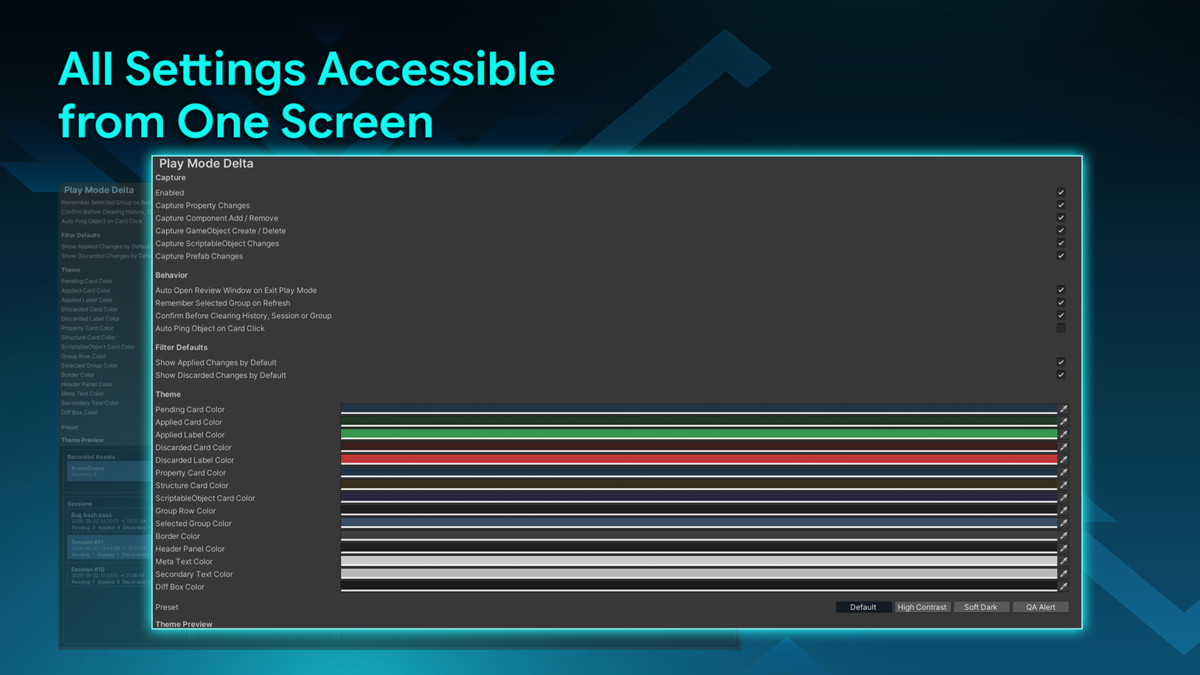
- Theme Customization: Includes built-in theme presets and customizable Review Window colors.
- Project Settings Integration: Configure capture behavior, Review Window behavior, filters, and themes from Unity Project Settings.
From the publisher's Asset Store listing.
Technical details
Requirements
- Unity Version: Unity 2021.3 LTS or newer
- Unity UI package (com.unity.ugui)
Supported Workflows
- Scene object editing
- Prefab asset editing
- ScriptableObject editing
- UI tuning
- Gameplay value tuning
- Reference assignment and recovery
Support
For questions, bug reports, or feature requests:
- Email: [email protected]
Please include your Unity version, a detailed description of the issue, and steps to reproduce it when reporting bugs.
Compatibility
| Unity version | Built-in | URP | HDRP | Custom |
|---|---|---|---|---|
| 2022.3.62f3 | Compatible | Compatible | Compatible | Compatible |
As listed on the Asset Store.