
 View on Asset Store (opens in new tab)
Package details
- Latest version
- 1.0
- Last updated
- First released
- Unity version
- 6000.4.4 or later
- Package size
- 95.2 MB
- Files
- 118
Price tracking
- Last checked
- Tracked since
- Lowest recorded
- $27.99 on
Keywords

Perfect Vector: Advanced VFX Motion Vector Generator
- Launch discount
Bake motion vectors for VFX flipbooks inside the Unity Editor and play them without cross-fade ghosting on Particle Systems and VFX Graph.
Launch promotion for 380382 Perfect Vector: Advanced VFX Motion Vector Generator Ends (20 Nov)
Get 30% off on Asset Store (opens in new tab)Affiliate link · Purchases support this site
Price history
Last 6 months
USDAsset preview
1 / 6
Perfect Vector: Advanced VFX Motion Vector Generator screenshot 1
About this asset
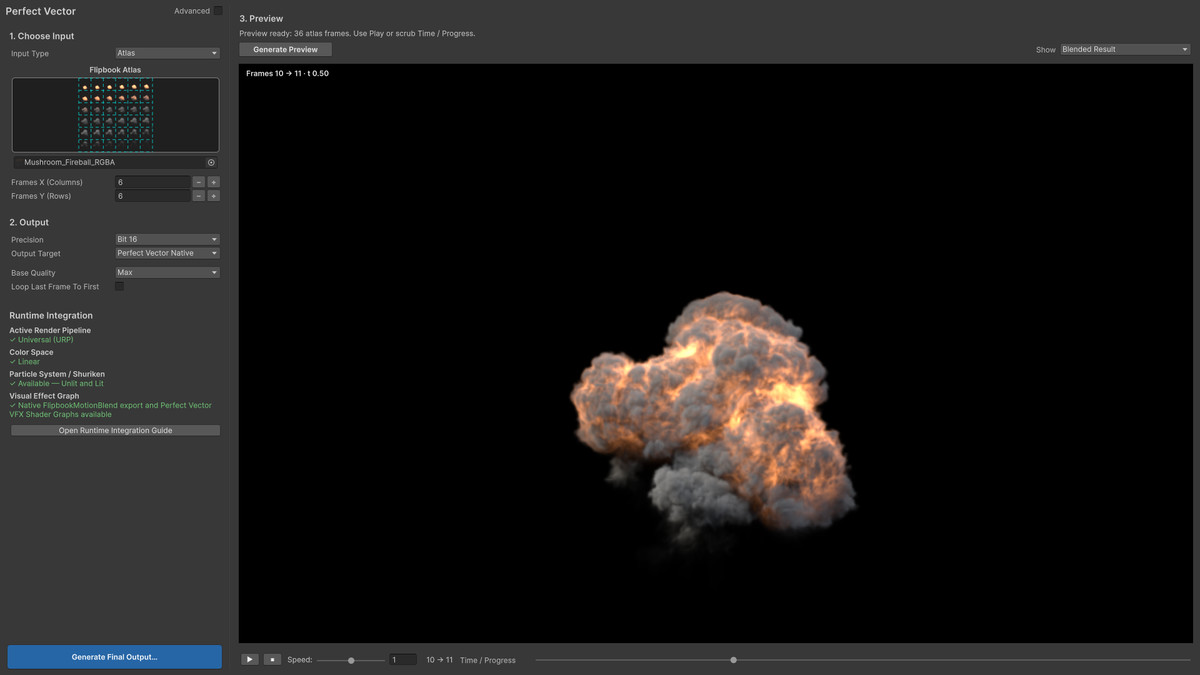
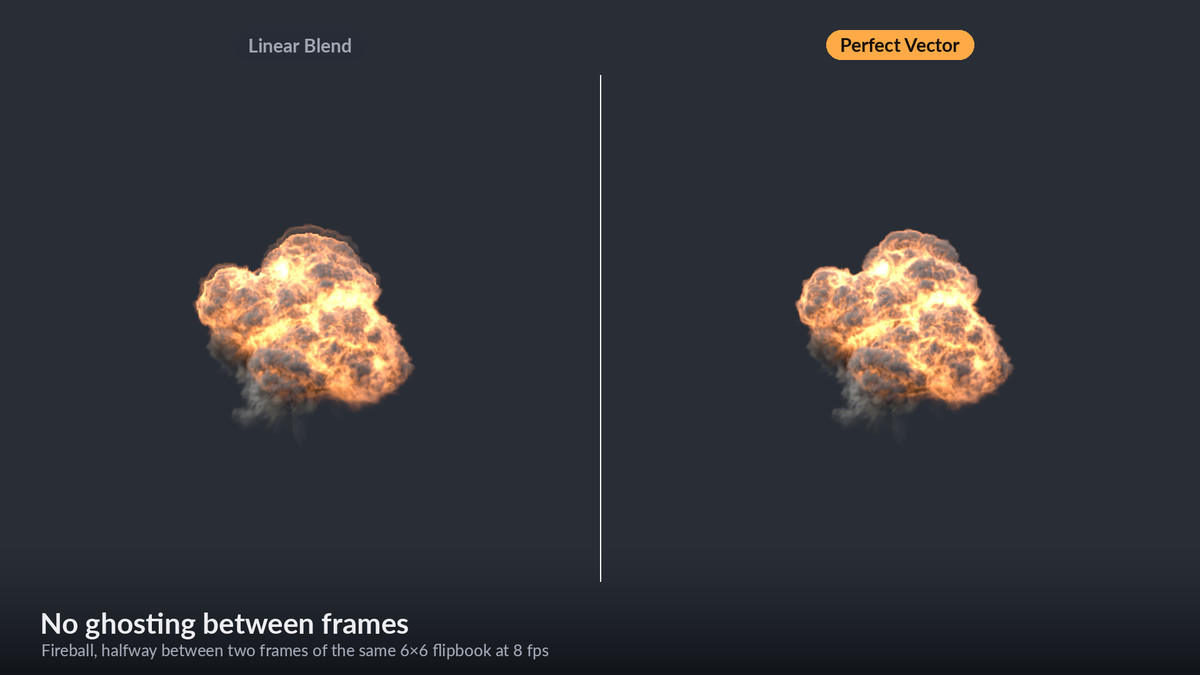
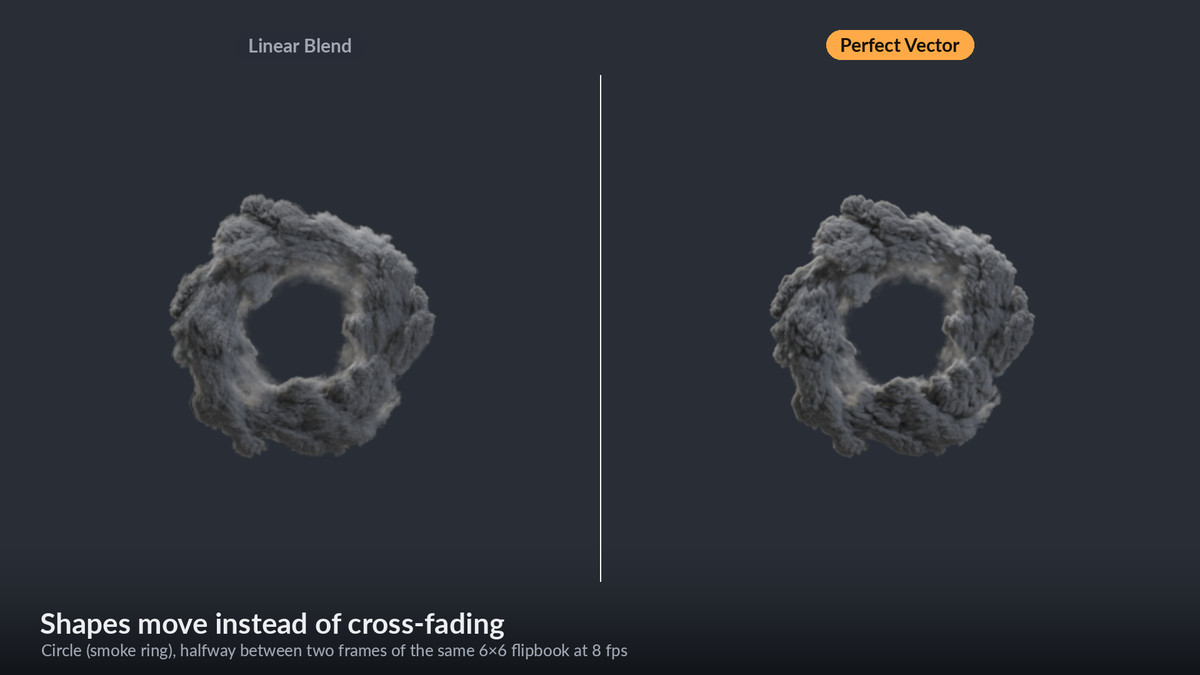
A flipbook played at a low frame rate either stutters (hard cuts) or ghosts (a cross-fade doubles every moving edge). Perfect Vector bakes a motion-vector texture for your flipbook in the Unity Editor, and its shaders move the pixels along those vectors. A 6×6 fireball made for 8 fps flows smoothly at 60 fps and in slow motion.
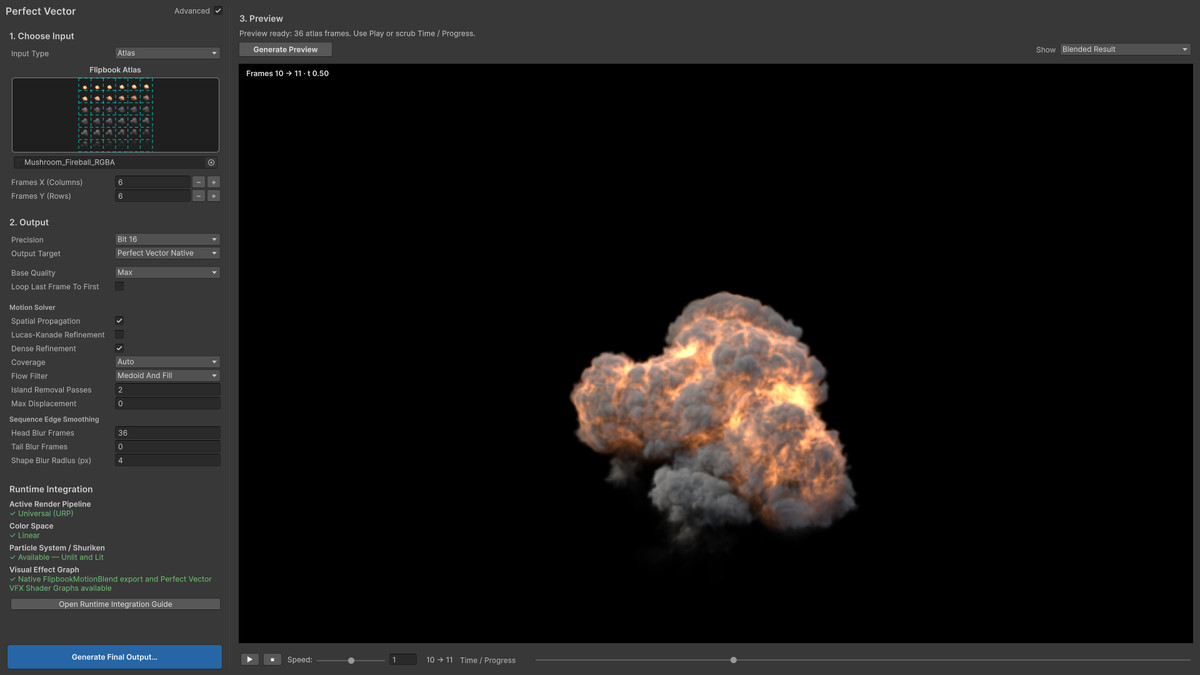
You don't need Houdini, After Effects or a command-line tool. Pick the atlas, preview the blend, save the textures and put the generated material on a Particle System.
Key advantages
- Pixels move between frames instead of cross-fading, so moving edges don't double.
- Built for VFX: fire, smoke, explosions and glowing effects, with straight alpha or on a black plate, and HDR EXR input.
- One motion texture per flipbook: the blend reads three textures per pixel.
- You bake, preview and compare entirely in the Unity Editor.
- Ready for Particle Systems (Built-in, URP, HDRP) and VFX Graph (URP, HDRP).
Bake in the editor
- Motion Vector Generator window: a flipbook atlas (up to 64×64 cells) or a start and an end frame.
- Live preview: play and scrub the blend, then compare it with the source frames, a plain cross-fade or the motion vectors themselves.
- The defaults work on most flipbooks. Max quality is for final art; High and Fast are for quick iteration.
- Coverage from the texture's alpha, or from the background: black for additive effects, white, any flat color, or a baked transparency checkerboard. Auto picks one for you.
- Sequence Edge Smoothing calms the first and last frames, where a tiny spark grows into a fireball or a shape collapses.
- Loop Last Frame To First for seamless loops.
- A progress window counts the solved frame pairs, and Cancel stops the bake without writing files.
The solver
- Each frame pair is solved forward and backward, and both are fused into one motion field.
- Coarse-to-fine search over an image pyramid catches large motion first, then refines it at full resolution. The search range adapts to each frame pair, up to 128 px.
- Structural (census) and photometric matching tolerate the brightness changes of emissive effects.
- PatchMatch spatial propagation and a dense sub-pixel refinement keep the motion inside each shape consistent.
- Cleanup removes speckles and fills holes without dragging the background along.
- Native, multithreaded code that gives the same result for any thread count.
Output
- 16-bit EXR (recommended) or 8-bit PNG with sub-pixel precision.
- Optionally, a motion-vector map in Unity VFX Graph's own format for its 'FlipbookMotionBlend' UV mode.
- When the bake finishes, a ready-to-use particle material is one click away.
Runtime
- Particle System shaders 'Perfect Vector/Particles/Unlit' and 'Lit' for Built-in, URP and HDRP. HDRP Lit goes through a generated Shader Graph that keeps HDRP's own lighting, fog and exposure.
- Shader Graph nodes for your own graphs:
- Flipbook
- Flipbook Lit (normal and mask maps warped with the color)
- Flipbook Six-way
- Sprite UV
- Create-menu templates:
- Particle Unlit Shader Graph for every pipeline
- Unlit, Lit and Six-way particle Shader Graphs for VFX Graph
- Each material switches between Perfect Vector, Linear Blend and Hard Flipbook.
- Follows your quality settings: soft particles, fog, reduced texture quality, and URP Forward+, Deferred+, light cookies and probe blending.
- Validate Runtime Integration checks shader names, material properties, keywords, compiler messages and the color space.
Samples and documentation
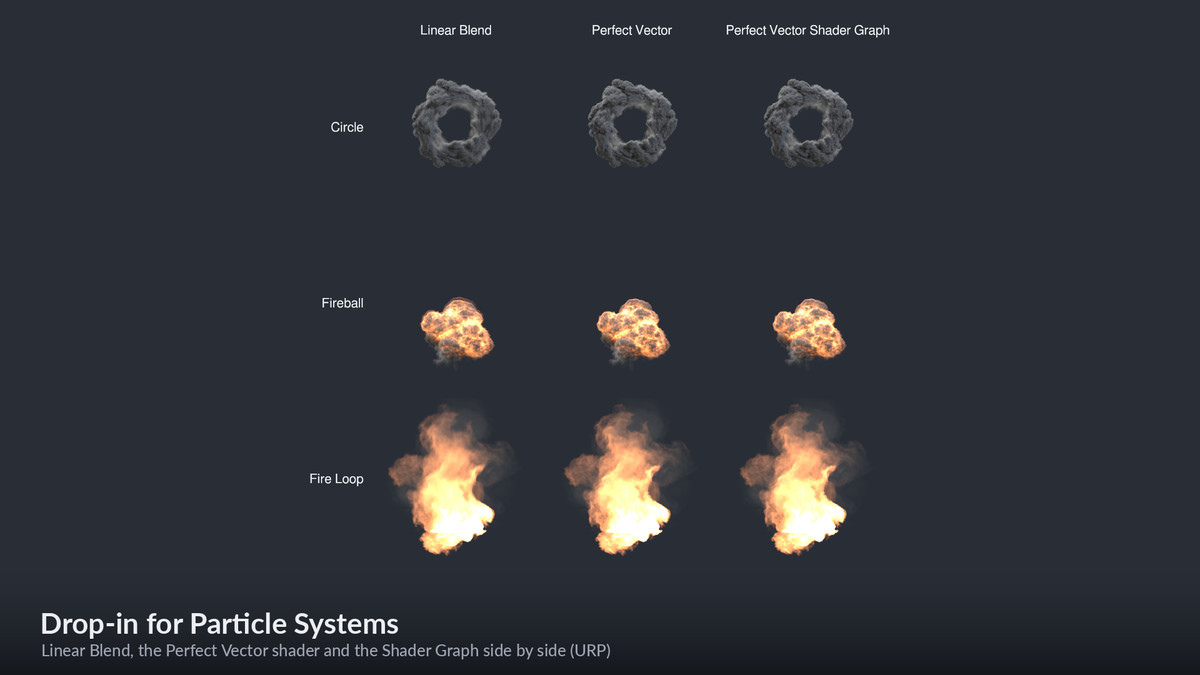
- Three HDR flipbooks from Bark Button (circle, fireball and seamless fire loop; 6×6 frames of 512 px), with their baked motion vectors.
- One Particle System scene per pipeline: Linear Blend, the Perfect Vector shader and its Shader Graph side by side, each ready as a prefab.
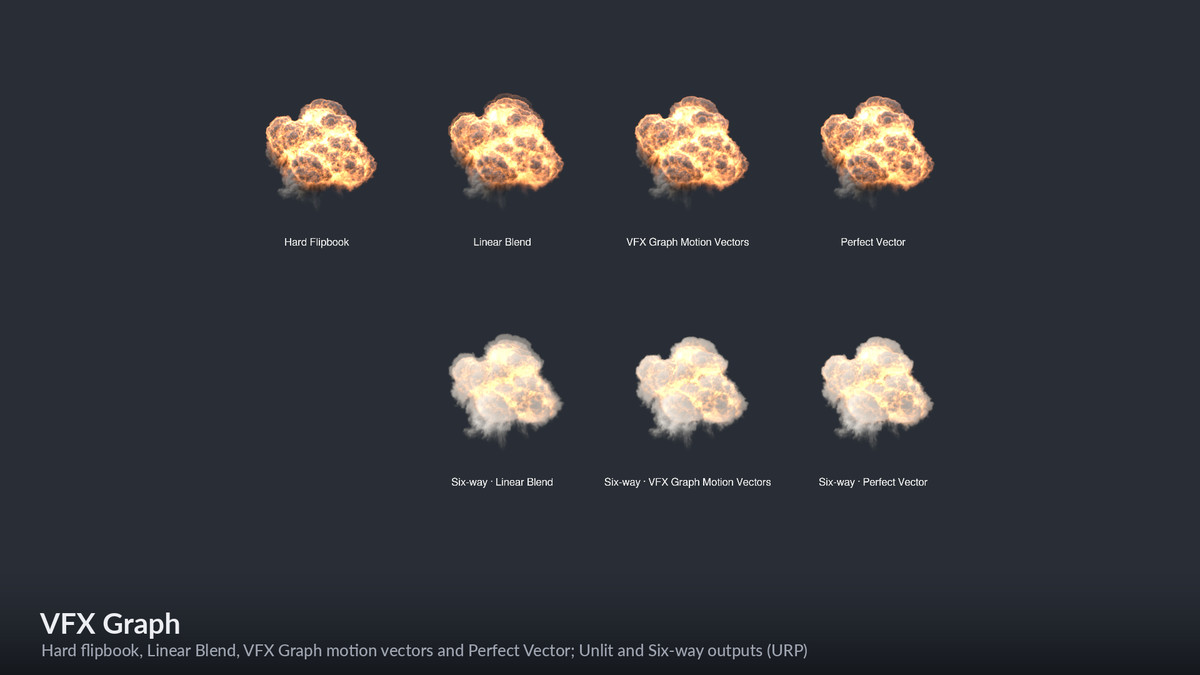
- VFX Graph scenes for URP and HDRP. The unlit row plays the fireball as a hard flipbook, with linear blend, with VFX Graph's motion-vector blend and with Perfect Vector; a six-way lit row follows.
- An artist guide and a quick start guide (PDF).
Ideal for
- Smooth playback of low-frame-rate flipbooks and sprite-sheet effects.
- Fewer frames per atlas, and less texture memory, for the same smoothness.
- Slow-motion explosions, fire and smoke.
- Hand-drawn or rendered VFX on 60 and 120 fps displays.
- VFX Graph projects that need baked vectors for `FlipbookMotionBlend`.
- Custom flipbook shaders built from the Shader Graph nodes.
From the publisher's Asset Store listing.
Technical details
Compatibility
- Unity: 2022.3 LTS, 2023 and Unity 6.
- Render pipelines: Built-in, URP 14–17 and HDRP 14–17.
- VFX Graph: URP and HDRP.The FlipbookMotionBlend export works with VFX Graph 14 and newer.
The Perfect Vector VFX Graph Shader Graphs and the VFX Graph sample scenes need Unity 6 (VFX Graph 17). - Baker: runs in the Unity Editor on Windows (x64), Linux (x64) and macOS (Apple silicon/x64).
- Runtime:The baked motion vectors are ordinary textures.
The shaders need shader model 3.5 or higher.
Nothing native ships in your player builds.
Color space
- Linear is recommended.
- In a Gamma project, Unity converts EXR textures on import and drops negative values. Export 8-bit PNG motion vectors there instead.
- The window and the material inspector warn about this.
Baking
- Offline, on the CPU, multithreaded, in the Unity Editor.
- Time grows with frame size and frame count.
- Max Displacement caps the search for each frame pair. The default, Auto, sizes it from the motion, up to 128 px.
Limitations
- The motion is estimated between existing frames. Details that appear, vanish or change completely between two frames have nothing to follow, and they cross-fade.
- Each pixel moves along one motion field per frame pair. Layers that move differently through each other, such as dying fire under rising smoke, follow the dominant motion.
Compatibility
| Unity version | Built-in | URP | HDRP | Custom |
|---|---|---|---|---|
| 6000.4.4f1 | Compatible | Compatible | Compatible | Compatible |
As listed on the Asset Store.