
 View on Asset Store (opens in new tab)
Package details
- Latest version
- 1.0
- Last updated
- First released
- Unity version
- 6000.0.69 or later
- Package size
- 392.2 MB
- Files
- 238
- Favorites
- 2
- Views in the past week
- 0
Price tracking
- Last checked
- Tracked since
- Lowest recorded
- $35.00 on
Keywords

All In One Spawn System
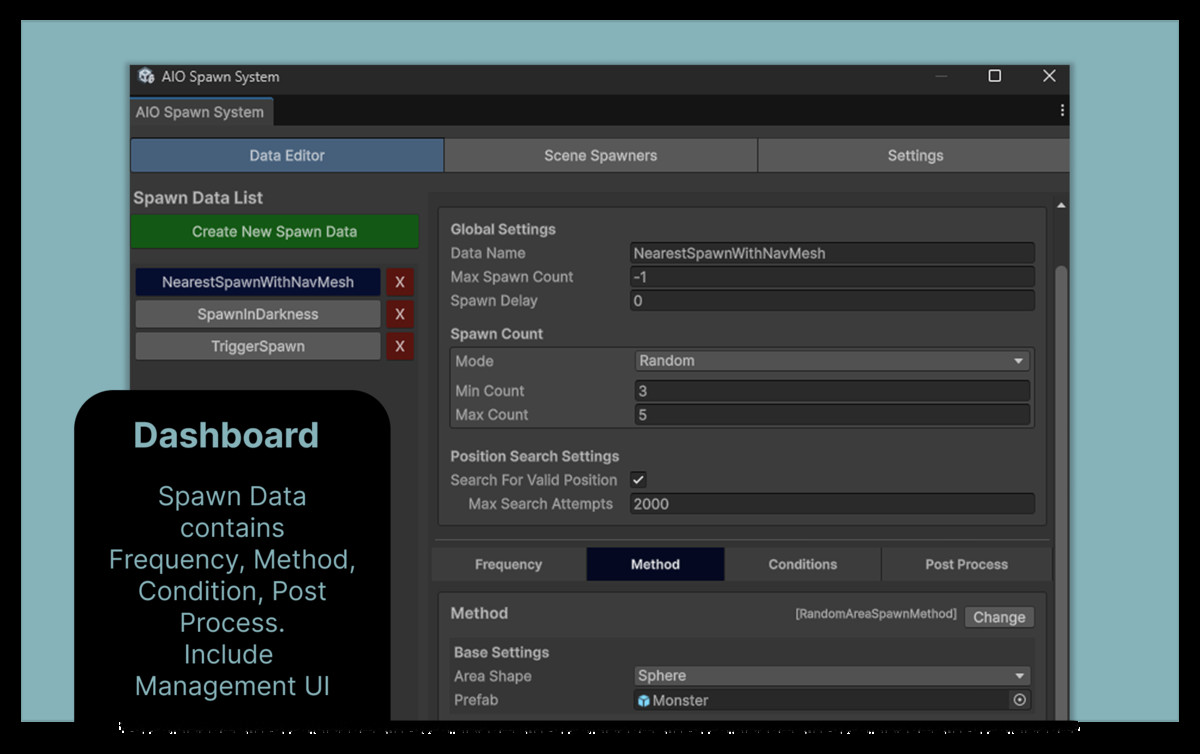
A fully modular, data-driven spawn system for Unity. Configure spawn frequency, method, conditions, and post-processing — all without writing a single line of code.
Affiliate link · Purchases support this site
Price history
Last 6 months
USDAsset preview
1 / 5
All In One Spawn System screenshot 1

About this asset
One asset. Every spawn case.
All-In-One Spawn System is a modular, data-driven spawn framework for Unity. Configure everything through ScriptableObject assets — no code required for most setups — and extend freely through clean interfaces.
🪟Editor & Workflow
Configure and preview everything without leaving the Editor.
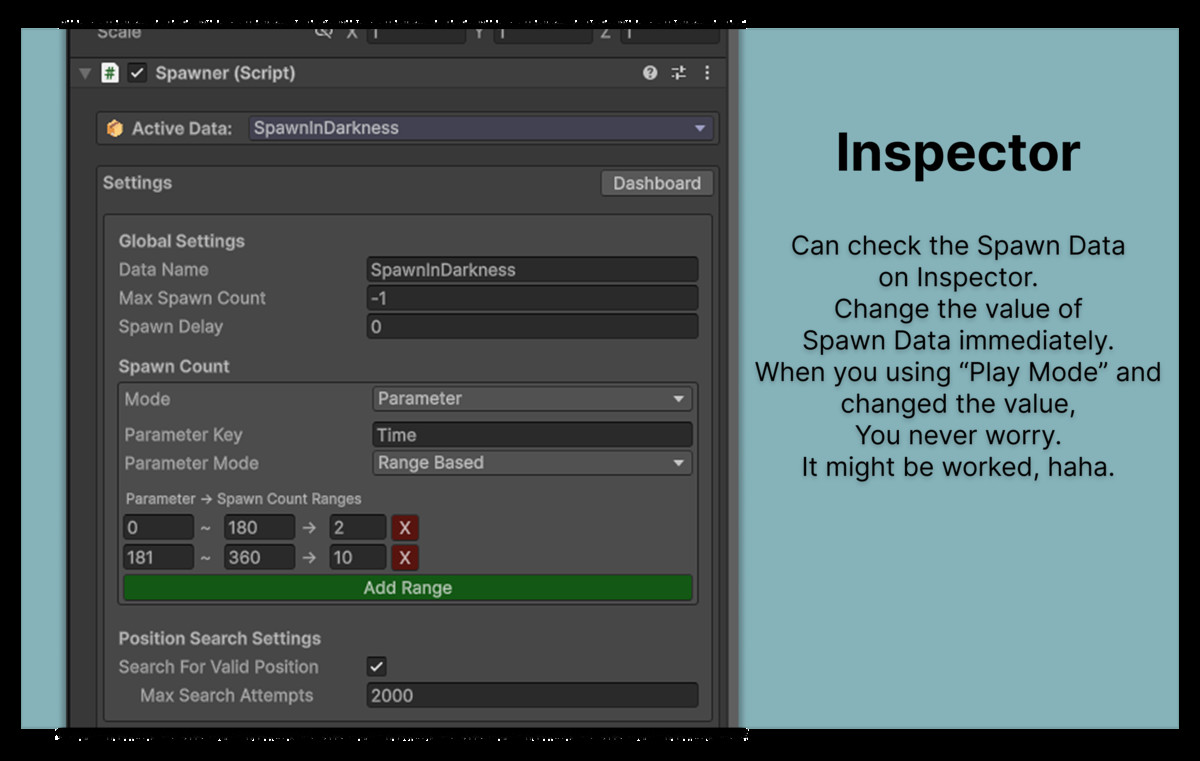
- All configuration lives in ScriptableObject assets — shareable, versionable, inspector-friendly
- Gizmo visualization for spawn areas, conditions, and distances directly in the Scene view
- Fully modular — mix and match any frequency, conditions, and post-processes per SpawnData asset
- Extend with custom methods, conditions, frequencies, and post-processes via base classes and interfaces
🏊Object Pooling
Built-in pooling keeps performance smooth at any spawn volume.
- Automatic pool creation — no manual setup required
- Prefab-based or key-based pooling with custom factory support
- Prewarm support
- Poolable component handles returning objects to the pool automatically
- Pool persists across scene loads (DontDestroyOnLoad) — safe for additive multi-scene setups
🎮Spawn Methods
Control where objects spawn.
All methods support ground snapping (raycast-based) and obstacle avoidance.
- Position — fixed offset from the origin
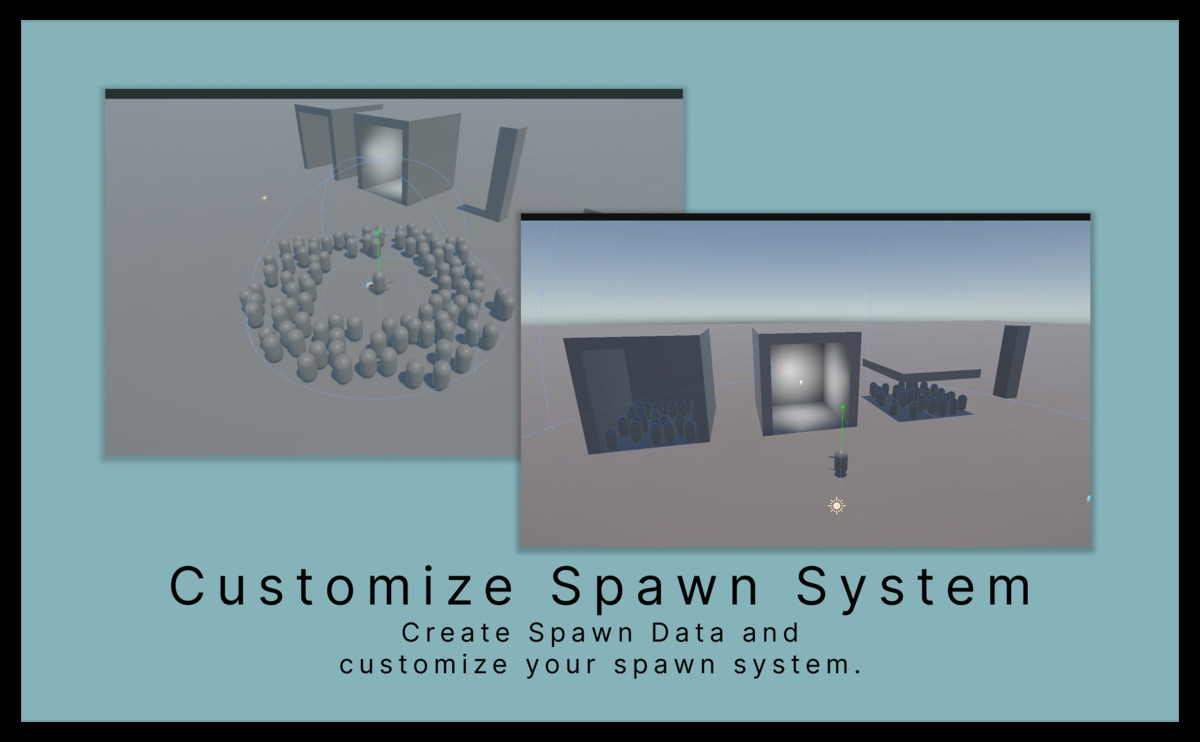
- Random Area — random point inside a sphere, box, square, or circle (supports inner ratio for donut shapes)
- Cluster — multiple objects in a formation with the same shape options
📅Spawn Frequencies
Control when objects spawn.
- One-Shot — spawns once and stops
- Interval — fixed time between spawns
- Random Interval — randomized interval between a min and max
- Chain — triggered by another Spawner's successful spawn
✅Spawn Conditions
Control whether objects spawn.
- Active Count — caps concurrent active spawns
- Chance — random probability per attempt
- Distance — range check against a tagged target
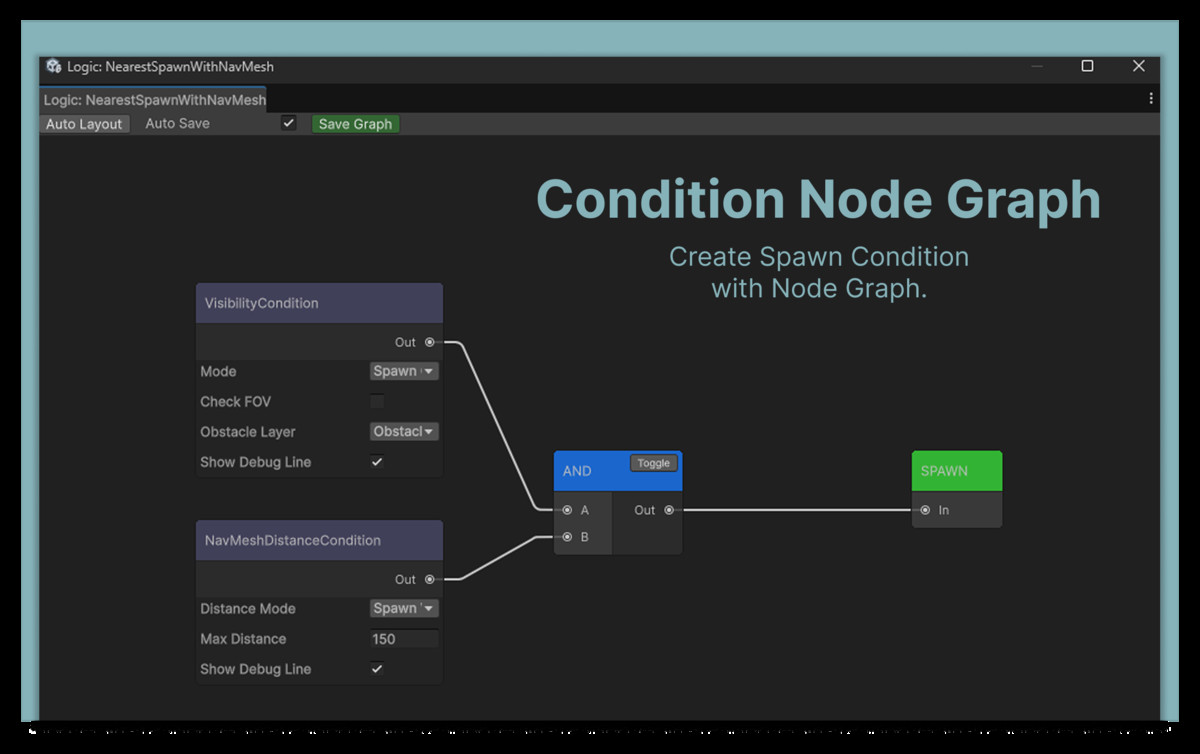
- NavMesh Distance — walkable path distance via NavMesh
- Trigger Volume — physics overlap check (sphere, box, capsule) with tag/layer filter
- Visibility — spawns when position is visible or hidden from camera (FOV + occlusion)
- Light Level — evaluates environmental lighting via directional light angle, light probes, or both
- Component Field — reads any float, int, or bool field on a component and compares it
- Parameter — checks global float/bool parameters via SpawnParameterManager
- Terrain Layer — Restricts spawning to specific terrain texture layers, with per-layer blend weight thresholds
📈Post Processes
Run logic immediately after a successful spawn.
- Children — spawns additional child objects, optionally attached to the parent
- Animator — sets a Trigger, Bool, Int, or Float parameter on the spawned object's Animator
- Physics — applies a force (Impulse, Force, Velocity Change, Acceleration) in world, local, random horizontal, or away-from-origin direction
- Spawn Callback — invokes ISpawnCallback.OnSpawned() on the spawned object, with optional delay
💡Requirements
- Unity 2022.3 or later
- NavMesh package required only if using NavMesh Distance Condition
- Optional: Unity Addressables support (activate the included Addressables~ folder)
From the publisher's Asset Store listing.
Technical details
This package requires Unity 2022.3 LTS or later and is compatible with Built-in, URP, and HDRP render pipelines. Both Mono and IL2CPP scripting backends are supported with no additional dependencies.
The system is built on a fully data-driven ScriptableObject architecture, organized across three namespaces: Core for base classes and data containers, Runtime for all gameplay modules, and Editor for custom inspectors and editor tooling. All modules are designed to be extended — custom Frequency, Method, Condition, and Post Process types can be added by inheriting from the provided abstract base classes.
Object pooling is handled by a built-in pool manager using UnityEngine.Pool, with prewarm support for zero-allocation spawning at runtime. The package ships with 4 Frequency types, 4 Spawn Method types, 5 Condition types, and 5 Post Process types out of the box, along with custom inspectors for every module.
Compatibility
| Unity version | Built-in | URP | HDRP |
|---|---|---|---|
| 6000.0.69f1 | Compatible | Compatible | Compatible |
As listed on the Asset Store.