
 View on Asset Store (opens in new tab)
Package details
- Latest version
- 1.0
- Last updated
- First released
- Unity version
- 6000.0.62 or later
- Package size
- 1.0 MB
- Files
- 56
- Favorites
- 4
- Views in the past week
- 7
Price tracking
- Last checked
- Tracked since
- Lowest recorded
- $7.50 on
Keywords

Kill Feed - Event Log System
Complete kill feed system, also known as combat log, who kill who, event log. smooth, modular, and easy to use.
Affiliate link · Purchases support this site
Price history
Last 6 months
USDAsset preview
1 / 8

Kill Feed - Event Log System screenshot 1



About this asset
Kill Feed - Event Log System
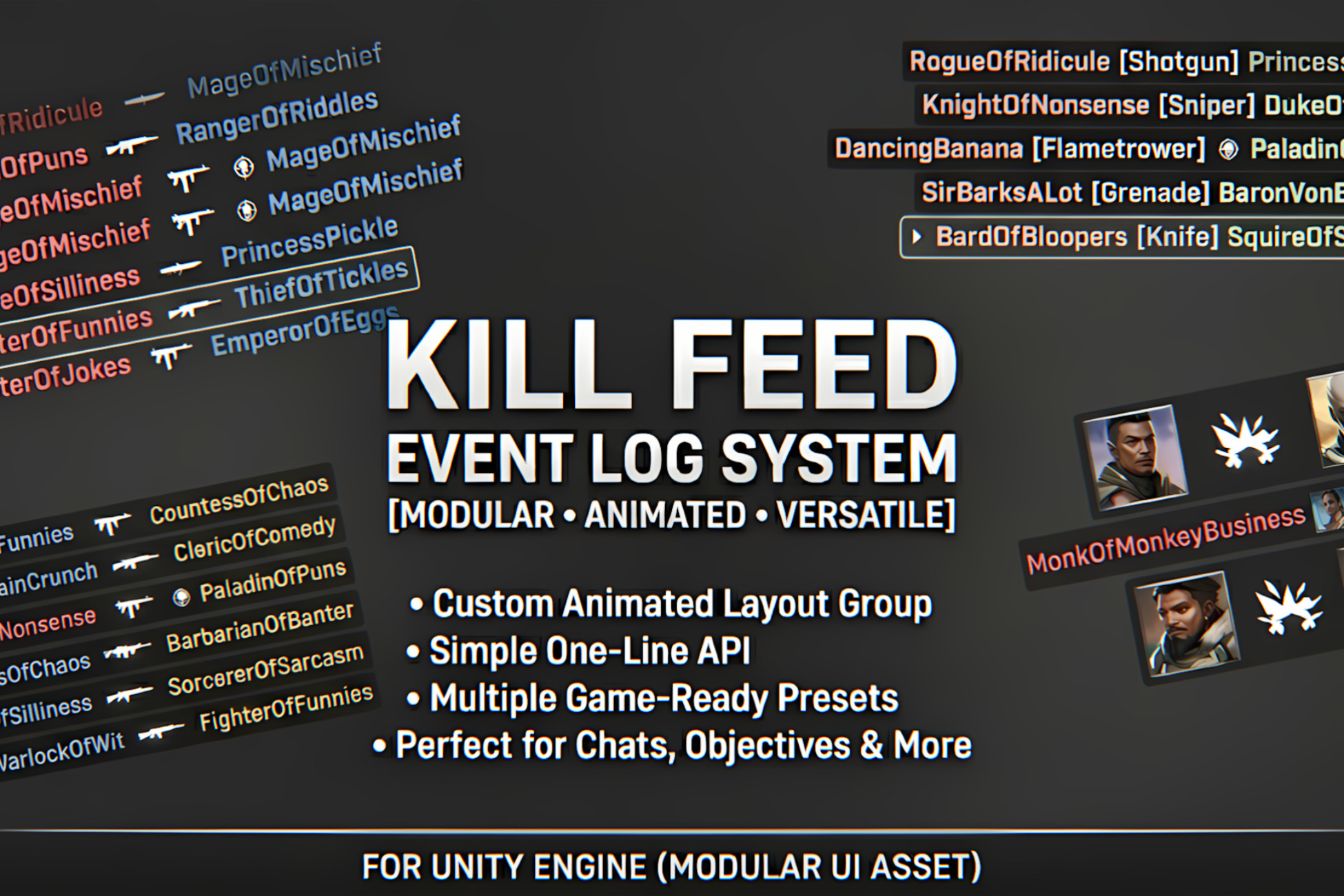
Kill Feed is a complete, modular event log system that drops easily into any project. While designed primarily for combat logs and kill feeds, its flexibility makes it perfect for any UI notification setup, including chat logs, objective updates, and general event displays.
Why choose this system?
This isn't just a basic text list. It improves upon standard UI setups with two main features:
- Custom Animated Layout: It features a custom vertical layout group that replaces Unity's default snapping behavior. When items are added or removed, the list pushes elements with smooth, fluid transitions instead of instantly snapping into place.
- One-Line API: The system is highly versatile but incredibly simple to trigger. You can construct complex entry formats using a single chainable line of code:
KillFeed.CreateNew().AddText("Player1", Color.red).AddIcon(weaponSprite, 30f).AddText("Player2");
Save time by skipping the hassle of building your own UI notification framework from scratch. This gives you a visually polished system that integrates in minutes.
What's included?
- Ready-to-Use Designs: The package includes pre-made layouts inspired by games like Counter-Strike, Battlefield, and Overwatch, alongside standard notification examples.
- Simple Customization: You only need to edit a single template to match your game's art style. Transitions, colors, and fade timers are all easily managed through ScriptableObject settings.
- Full Documentation: Includes clear instructions on integration, modification, and API usage, plus a demo scene showing exactly how everything is wired together.
From the publisher's Asset Store listing.
Technical details
Easy integration: Just drag and drop a prefab and integrate one line of code in your game.
Optimized: Very lightweight, code optimized, pool system based.
Compatibility
| Unity version | Built-in | URP | HDRP | Custom |
|---|---|---|---|---|
| 6000.0.62f1 | Compatible | Compatible | Compatible | Compatible |
As listed on the Asset Store.