
 View on Asset Store (opens in new tab)
Package details
- Latest version
- 1.0.0
- Last updated
- First released
- Unity version
- 6000.4.11 or later
- Package size
- 896.3 MB
- Files
- 229
- Favorites
- 14
- Views in the past week
- 34
Price tracking
- Last checked
- Tracked since
- Lowest recorded
- $29.99 on
Keywords

VATMachine - GPU Animator & VAT Baker
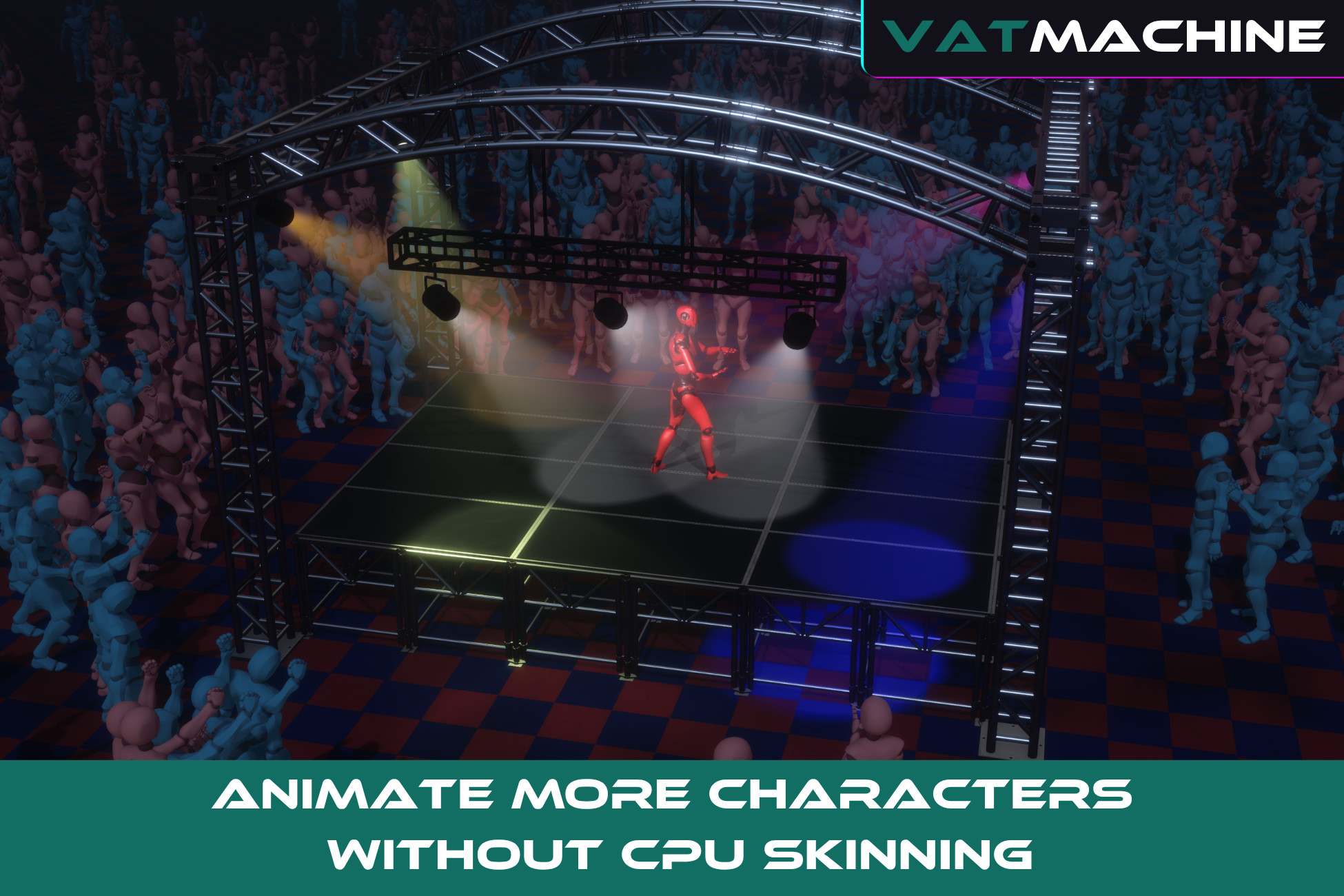
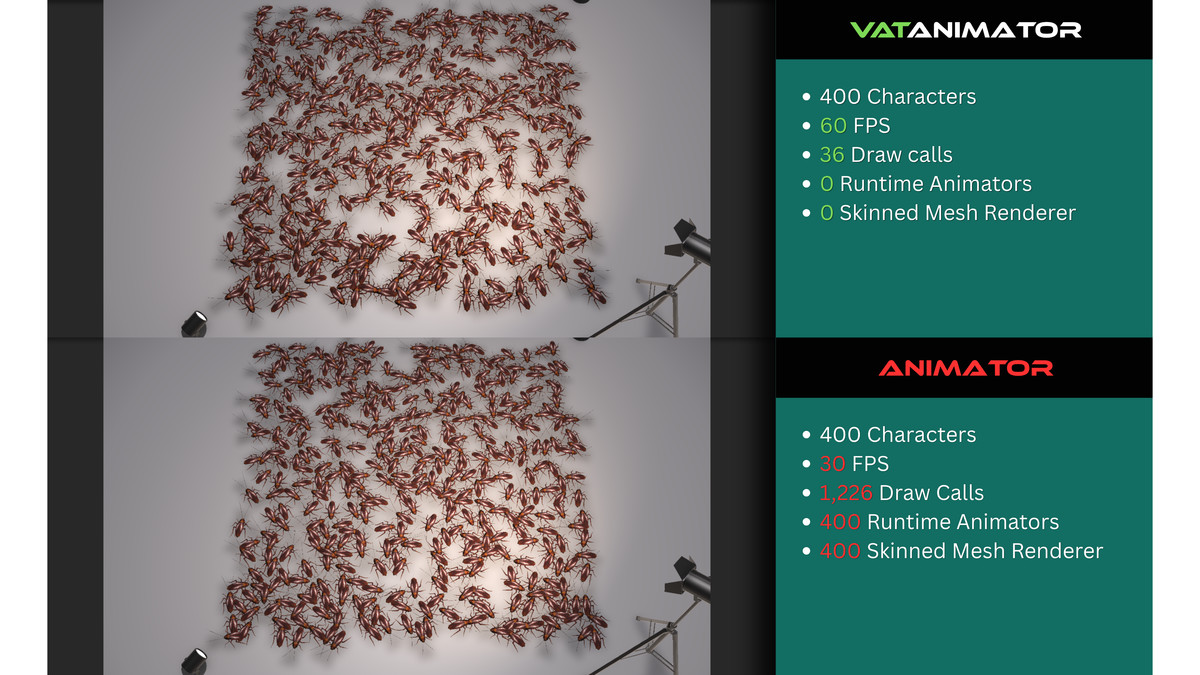
VATMachine moves character deformation from CPU skinning to GPU-driven Vertex Animation Textures, reducing CPU overhead for crowds while retaining graphs, blends, LODs, sockets, and animation events.
Affiliate link · Purchases support this site
Price history
Last 6 months
USDAsset preview
1 / 11
VATMachine - GPU Animator & VAT Baker screenshot 1

About this asset
VATMachine is a complete Vertex Animation Texture baker and runtime animation system for Unity.
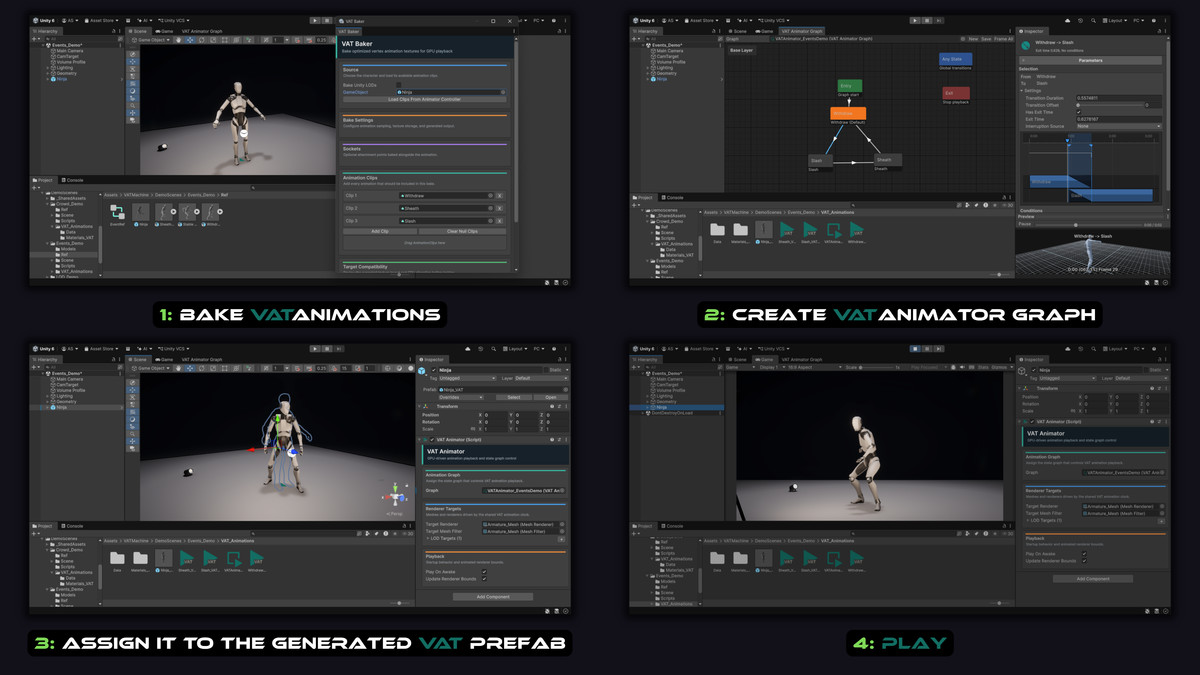
Bake skeletal and mesh-based animations into textures, then play them through ordinary MeshRenderers using the included GPU playback shader. The generated VAT prefabs no longer require Unity Animators or SkinnedMeshRenderers at runtime, making VATMachine ideal for crowds, NPCs, creatures, RTS units, background characters, and repeated animated props.
Unlike a basic VAT exporter that stops after generating textures, VATMachine provides the animation tools needed to use those assets in real gameplay.
Key Features
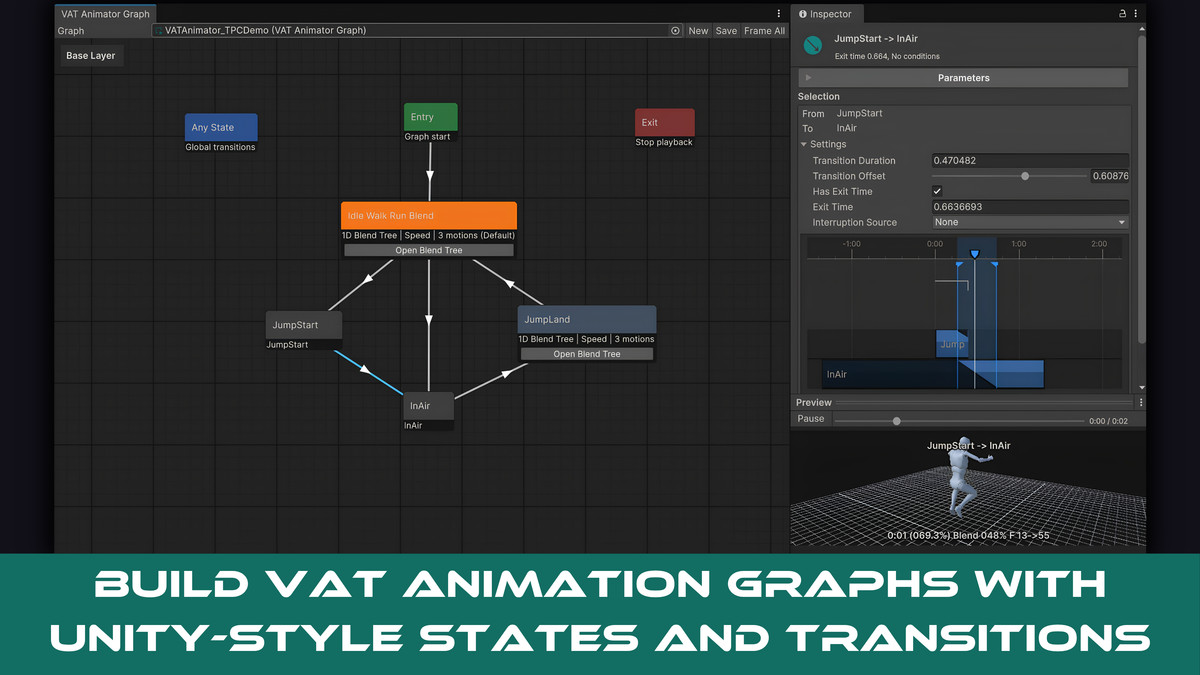
- Animator-style visual graph with Entry, Any State, and Exit nodes
- Smooth transitions and scripted crossfades
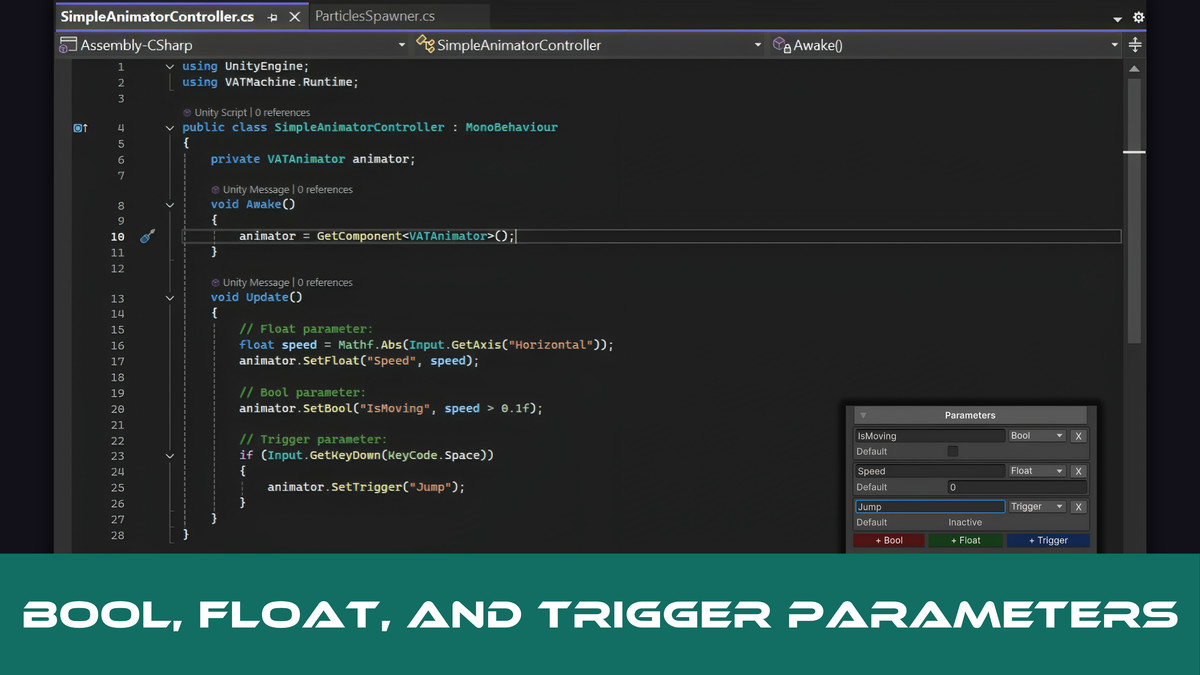
- Bool, Float, and Trigger parameters
- Transition conditions, exit times, priorities, offsets, and interruption settings
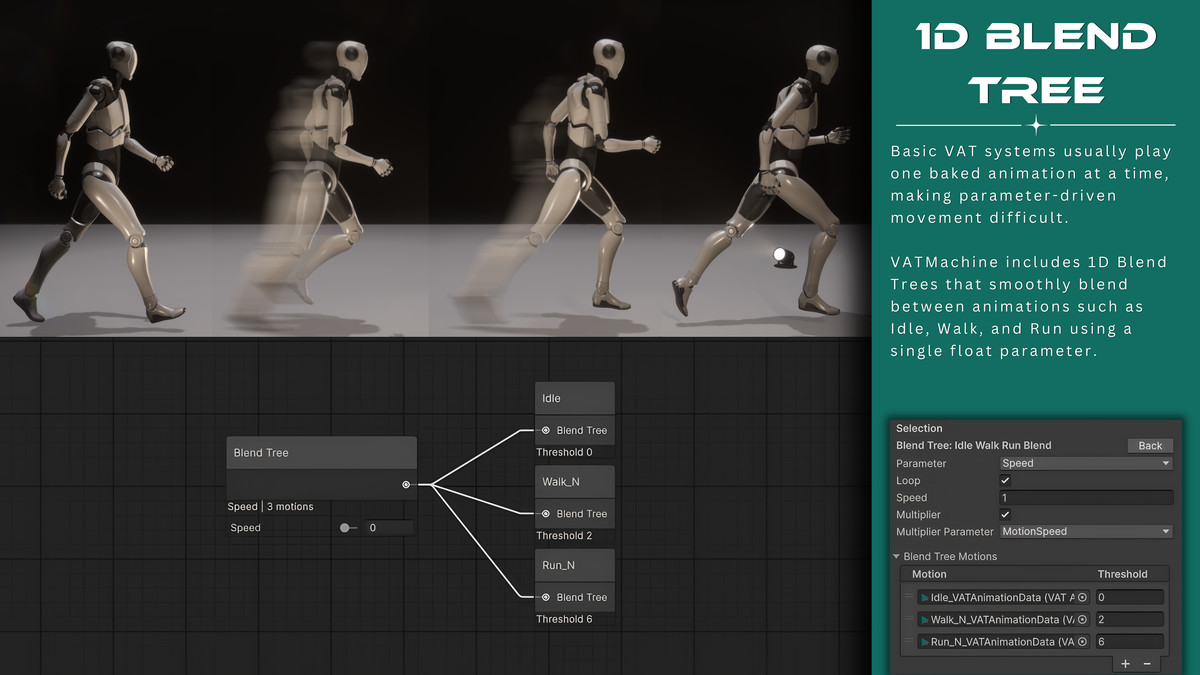
- 1D blend trees for smooth locomotion and parameter-driven animation
- Per-state looping, playback speed, and speed multipliers
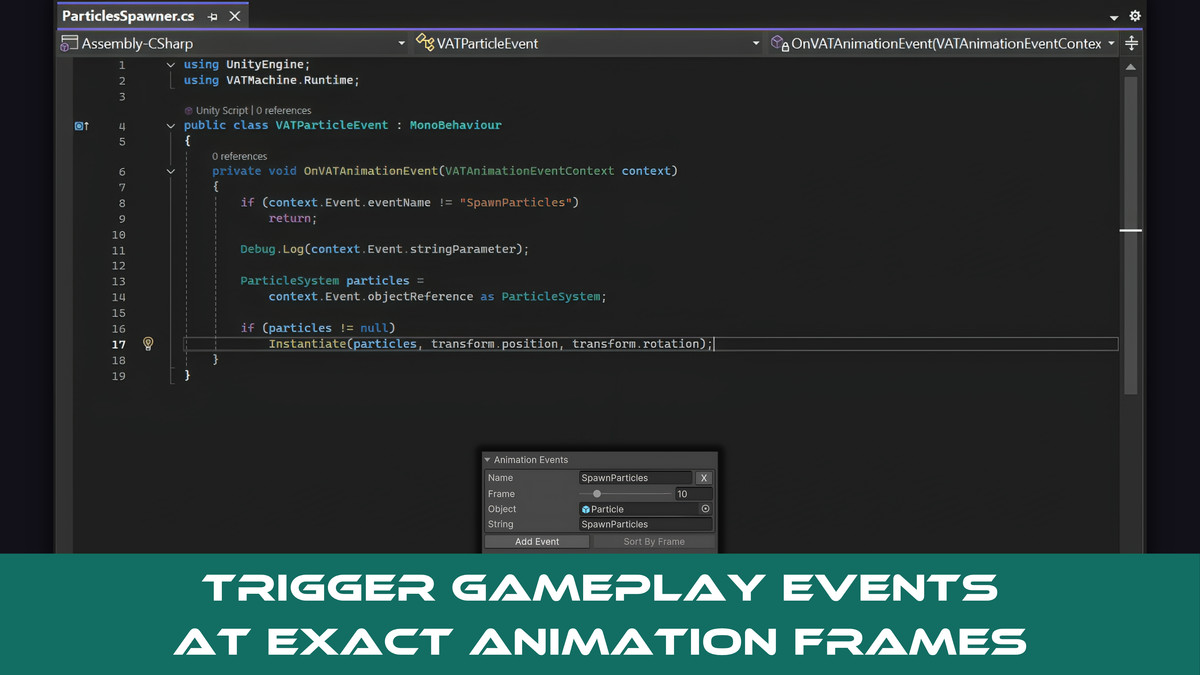
- Frame-based animation events with string parameters and object references
- Events supported by regular states and blend-tree motions
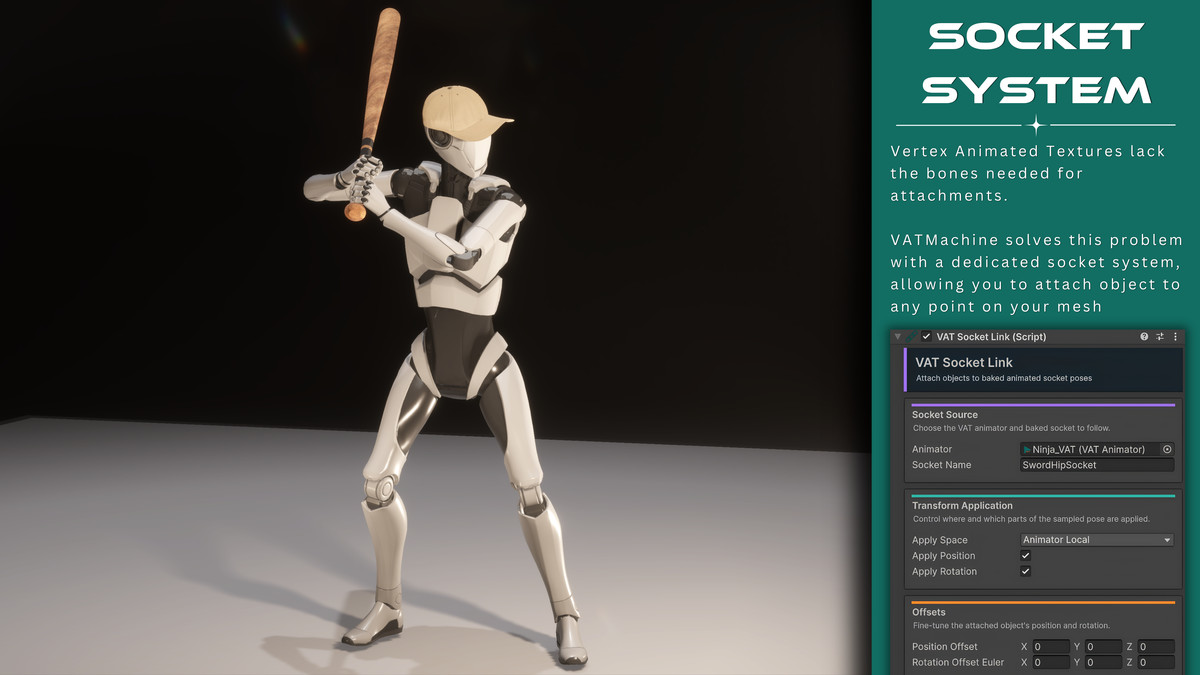
- Baked animation sockets for weapons, hats, backpacks, VFX, and other attachments
- Socket poses remain blended during animation transitions and blend trees
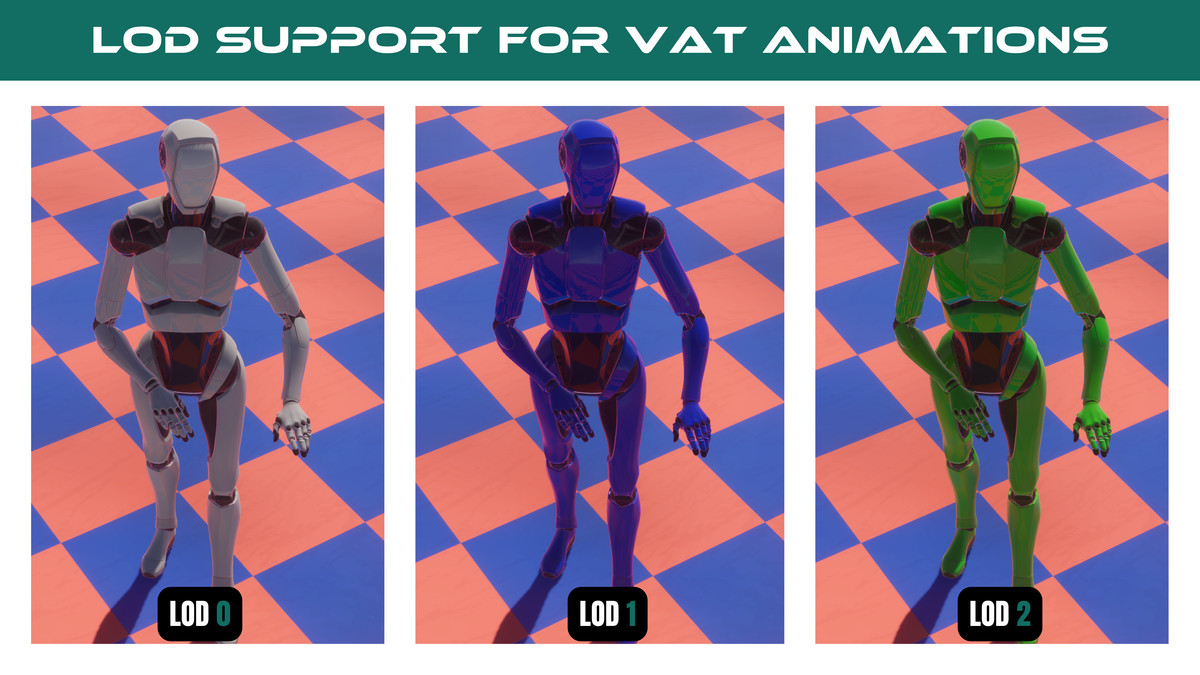
- Bake and play multiple LOD meshes using a shared animation clock
- GPU instancing support for compatible repeated characters
- Smooth interpolation between baked animation frames
- Optional animated normals and tangents for correct dynamic lighting
- Packed normal/tangent storage for lower memory usage and fewer texture samples
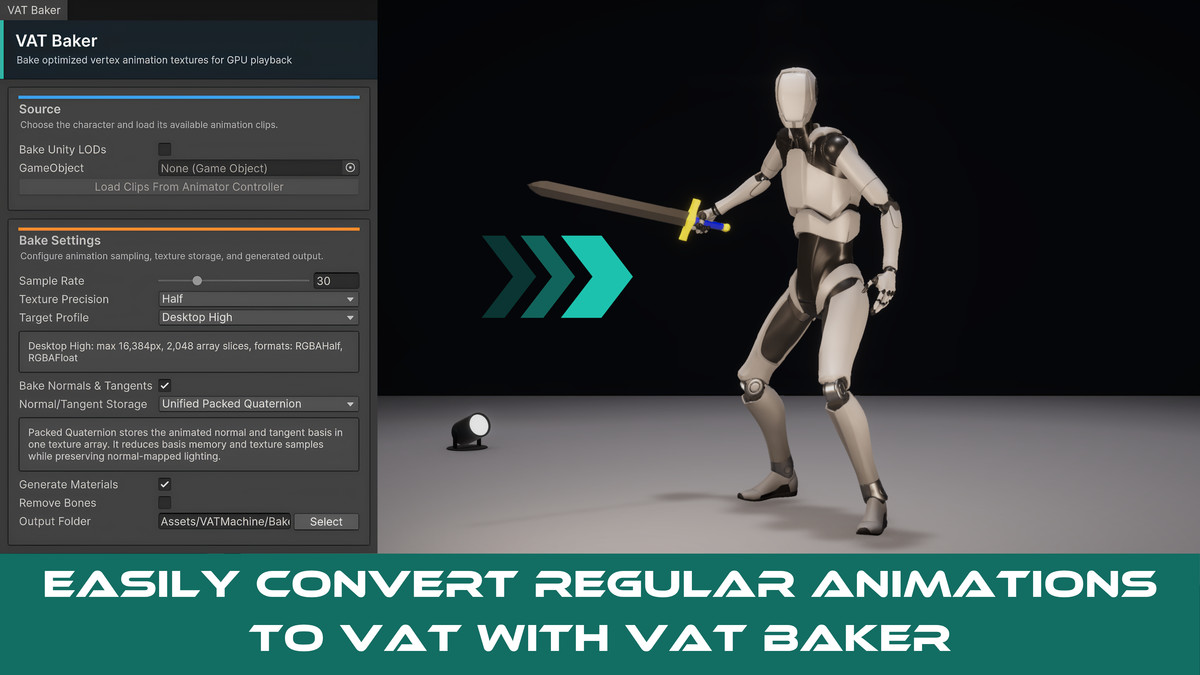
- Target profiles and GPU-memory estimates before baking
- Preview animation states and blend trees in the Editor
- Bake single-mesh or multi-part animated characters
- Comprehensive documentation with complete runtime scripting API
- Supports both URP and HDRP
Included examples demonstrate crowds, LOD playback, animation events, socket switching, and third-person character control.
Note: Some scenes, environments, and third-party assets shown in the screenshots and demonstration videos are for presentation purposes only and may not be included in this package.
Asset uses "First Person + Third Person | Character Controllers" by Unity Technologies under the Unity Companion License; see Third-Party Notices.txt file in package for details.
From the publisher's Asset Store listing.
Technical details
Unity Version
- Tested with Unity 6000.4.11f1
Render Pipeline
- URP and HDRP
Source Requirements
- LOD 0 requires an Animator and Animator Controller for animation sampling
- Supports one or multiple renderers under the source object
- Supports SkinnedMeshRenderer
- Additional LOD sources do not require separate Animator Controllers
Generated Output
- One VATAnimationData asset per baked clip
- Position Texture2DArray
- Packed basis texture or separate normal and tangent textures
- URP/HDRP VAT playback materials
- Playback prefab containing MeshRenderers, MeshFilters, and VATAnimator
- LODGroup when LOD baking is enabled
- Optional removal of the baked bone hierarchy
Animation System
- Animator-style state graph
- Animation states and 1D blend trees
- Bool, Float, and Trigger parameters
- Exit-time and condition-based transitions
- Transition blending, offsets, priorities, and interruptions
- Direct Play and Crossfade runtime methods
- Per-state animation events
- String and Unity Object event parameters
Baking Options
- Sample rate from 1 to 120 FPS
- RGBAHalf and RGBAFloat precision
- Optional normal and tangent baking
- Packed Quaternion or separate normal/tangent storage
- Current GPU, Desktop High, Desktop Conservative, and Custom target profiles
- Texture layout validation and estimated GPU-memory usage before baking
Rendering
- Shader: VAT Machine/URP/VAT Playback
- Supports Base Map, Base Color, Metallic, Smoothness, Normal Map, Height Map, Occlusion, and Emission
- Supports shadows, depth-only rendering, and depth normals
- Compatible instances sharing the required mesh, materials, and VAT data can be GPU-instanced to reduce batches and draw calls
Platform Notes
- Target hardware must support the texture limits selected during baking
- Mobile texture limits vary between devices; use a Custom target profile and test on the intended hardware
- Baked animations are specific to their source mesh and LOD layout
- Clips used in transitions and blend trees must have compatible mesh and LOD layouts
- Runtime IK, bone modification, and animation retargeting are not available after baking
- Character movement and root motion should be controlled through gameplay code
Dependencies
- URP/HDRP
- Cinemachine is used only by the third-person demonstration
Included Examples
- Crowd Demo
- LOD Demo
- Animation Events and Socket Demo
- Third-Person Controller Demo
Compatibility
| Unity version | Built-in | URP | HDRP |
|---|---|---|---|
| 6000.4.11f1 | Not listed | Compatible | Compatible |
As listed on the Asset Store.