
 View on Asset Store (opens in new tab)
Package details
- Latest version
- 1.0.0
- Last updated
- First released
- Unity version
- 6000.3.12 or later
- Package size
- 54 KB
- Files
- 26
- Favorites
- 4
- Views in the past week
- 3
Price tracking
- Last checked
- Tracked since
- Lowest recorded
- Free on
Keywords

Mobile Build Profile Manager
Switch between named build environments in one click. Per-profile scripting defines, bundle IDs, keystore config, and display names — without touching PlayerSettings.
Affiliate link · Purchases support this site
Price history
Last 6 months
USDAsset preview
1 / 4
Mobile Build Profile Manager screenshot 1
About this asset
Mobile Build Profile Manager is the missing environment configuration layer for Unity 6's build system.
Stop manually editing PlayerSettings every time you switch between Dev, Staging, and Production builds. Stop forgetting to flip a scripting define and shipping the wrong build to QA. Stop hunting for the right keystore in five Slack threads.
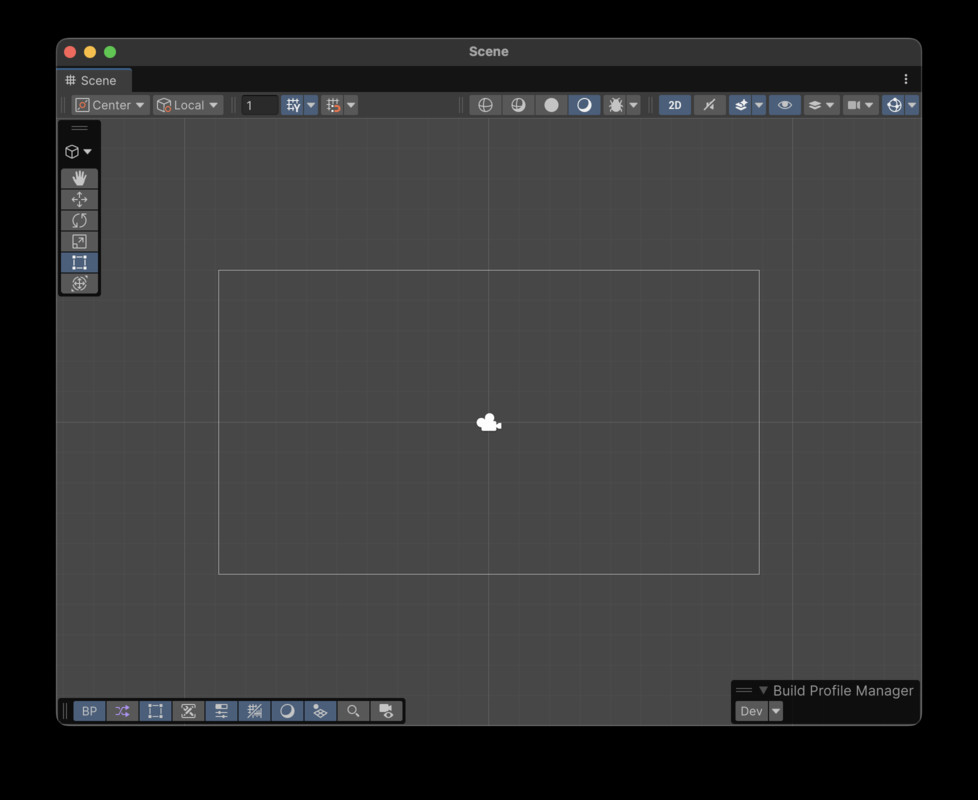
Define your build environments once as named profiles. Switch with one click — from a window or directly from the Scene View toolbar. Every PlayerSettings field that matters for mobile builds is captured per profile and applied atomically.
WHO IS THIS FOR
Mobile developers and small studios shipping iOS or Android builds across multiple environments (Dev / QA / Staging / Production). If you are juggling more than one bundle ID or scripting define configuration, this saves you from repetitive PlayerSettings clicks and human-error build mistakes.
WHAT IT DOES
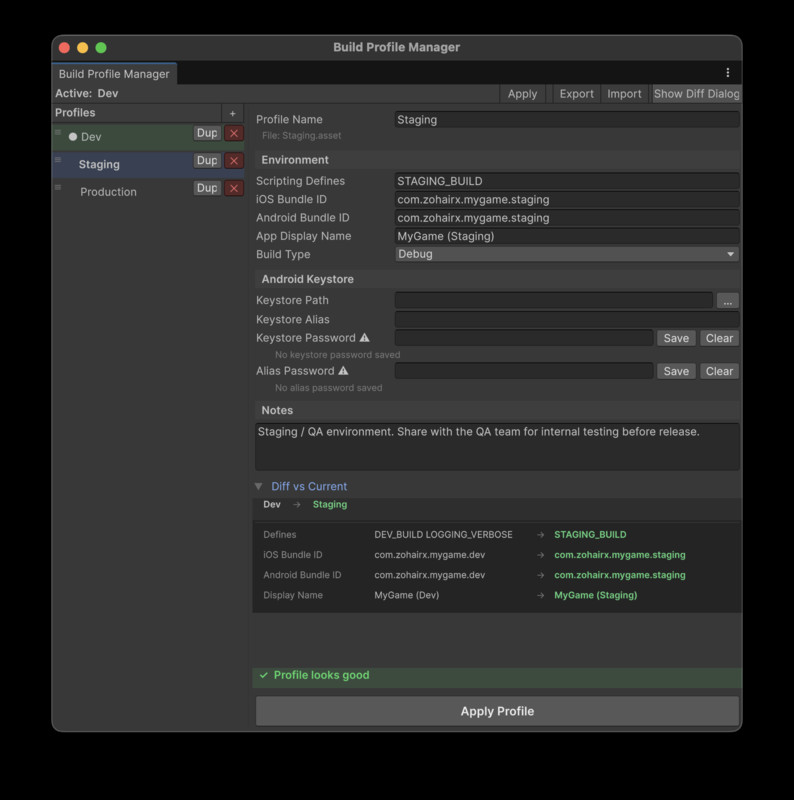
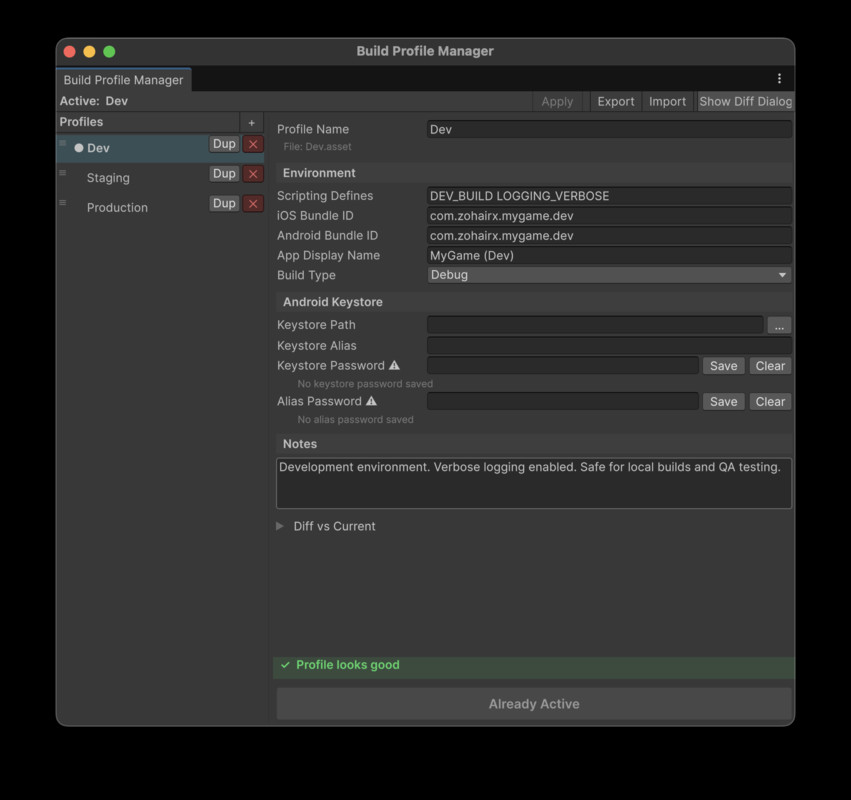
Each profile stores: scripting define symbols, iOS bundle ID, Android bundle ID, app display name, Android keystore path, keystore alias, build type (Debug / Release), and freeform notes. Apply a profile and every one of these fields updates instantly on both iOS and Android targets.
KEYSTORE PASSWORDS — DONE RIGHT
Keystore passwords NEVER touch your ScriptableObject assets, JSON exports, or version control. They are stored in EditorPrefs, keyed by profile GUID — machine-local only. The plugin enforces this at every layer.
WORKS WITH UNITY 6 BUILD PROFILES
This is not a replacement for Unity 6's native Build Profiles — it is the configuration layer they leave out. Use both together: Unity Build Profiles for scene lists and target platform, this for environment-specific PlayerSettings.
NO DEPENDENCIES
Pure Unity Editor extension. Zero third-party packages. Works in any Unity 6 LTS project (6000.0+).
From the publisher's Asset Store listing.
Technical details
KEY FEATURES
• Named build profiles stored as ScriptableObject assets (version-control friendly)
• Per-profile Scripting Define Symbols applied to both iOS and Android via NamedBuildTarget API
• Per-profile iOS and Android Bundle ID
• Per-profile App Display Name (productName)
• Per-profile Android Keystore path and alias
• Keystore passwords stored securely in EditorPrefs — never in project files or JSON exports
• One-click Apply Profile from EditorWindow or Scene View toolbar overlay
• Pre-switch diff view showing every field that will change
• 8-rule validation system: errors block switching, warnings prompt confirmation
• JSON export / import for sharing profiles across teammates and CI pipelines
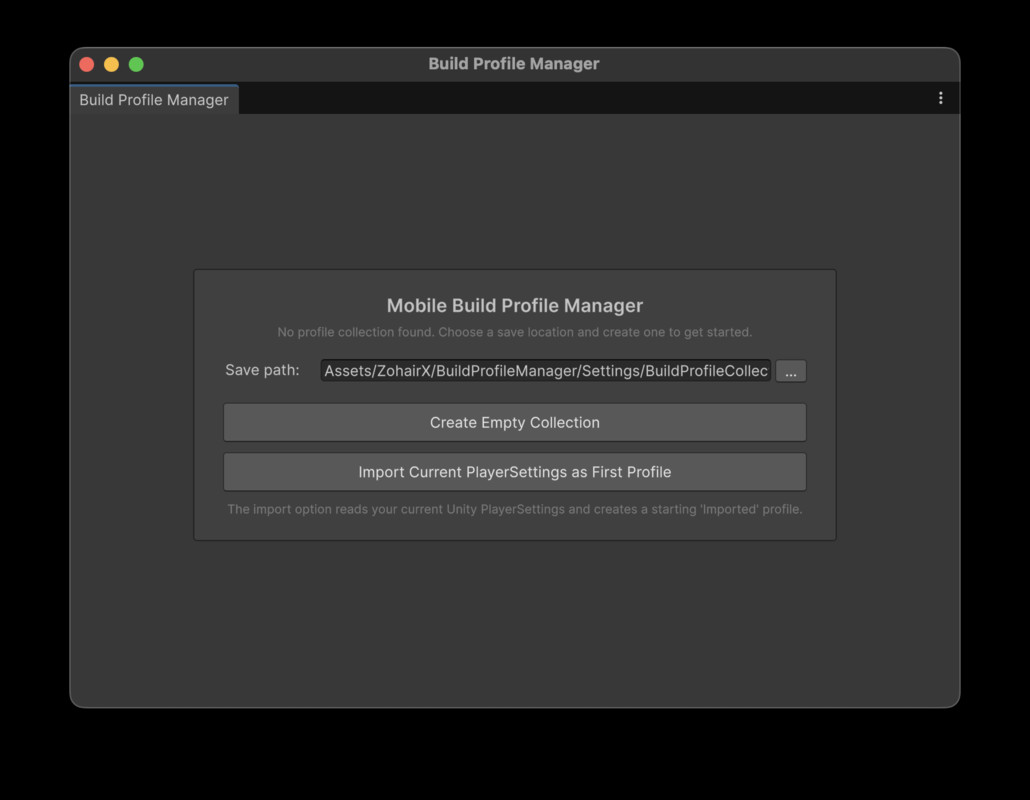
• First-run wizard: create empty or import current PlayerSettings as your first profile
• Sample profiles included: Dev, Staging, Production
• Profile rename, duplicate, delete, drag-reorder
• Unity 6 native toolbar overlay quick-switch dropdown
• Full Undo support for all PlayerSettings mutations
• Play Mode guard prevents accidental switches during play
TECHNICAL
• Unity 6 LTS (6000.0+) — uses NamedBuildTarget (not deprecated BuildTargetGroup)
• Editor-only — Runtime assembly contains zero Editor API references
• IMGUI-based — no UIToolkit dependency
• No third-party package dependencies
• 32 EditMode tests included (Validator, Switcher, JSON IO)
SUPPORTED PLATFORMS
Editor: Windows, macOS, Linux
Build targets: iOS, Android (any other platform with NamedBuildTarget support)
DOCUMENTATION
In-package README with FAQ, quick start guide, and field reference.