
 View on Asset Store (opens in new tab)
Package details
- Latest version
- 1.1.0
- Last updated
- First released
- Unity version
- 6000.3.19 or later
- Package size
- 2.2 MB
- Files
- 28
- Views in the past week
- 11
Price tracking
- Last checked
- Tracked since
- Lowest recorded
- $15.99 on
Keywords

Zion Scene Backup
Automatic timestamped snapshots of your Unity scenes. Set it, forget it — until the day it saves your project.
Affiliate link · Purchases support this site
Price history
Last 6 months
USDAsset preview
1 / 6
Zion Scene Backup screenshot 1
About this asset
One Unity crash. One bad merge. One Ctrl+Z too far.
That's all it takes to lose hours of work - and it never happens on a quiet day. It happens at 11pm before a deadline, on the scene you haven't committed yet.
Zion Scene Backup makes that day a non-event. It runs silently in the background, taking timestamped snapshots of your open scenes on a schedule you control. When something goes wrong, restore any scene to any point - in seconds, not hours.
Why developers install it on day one of every project:
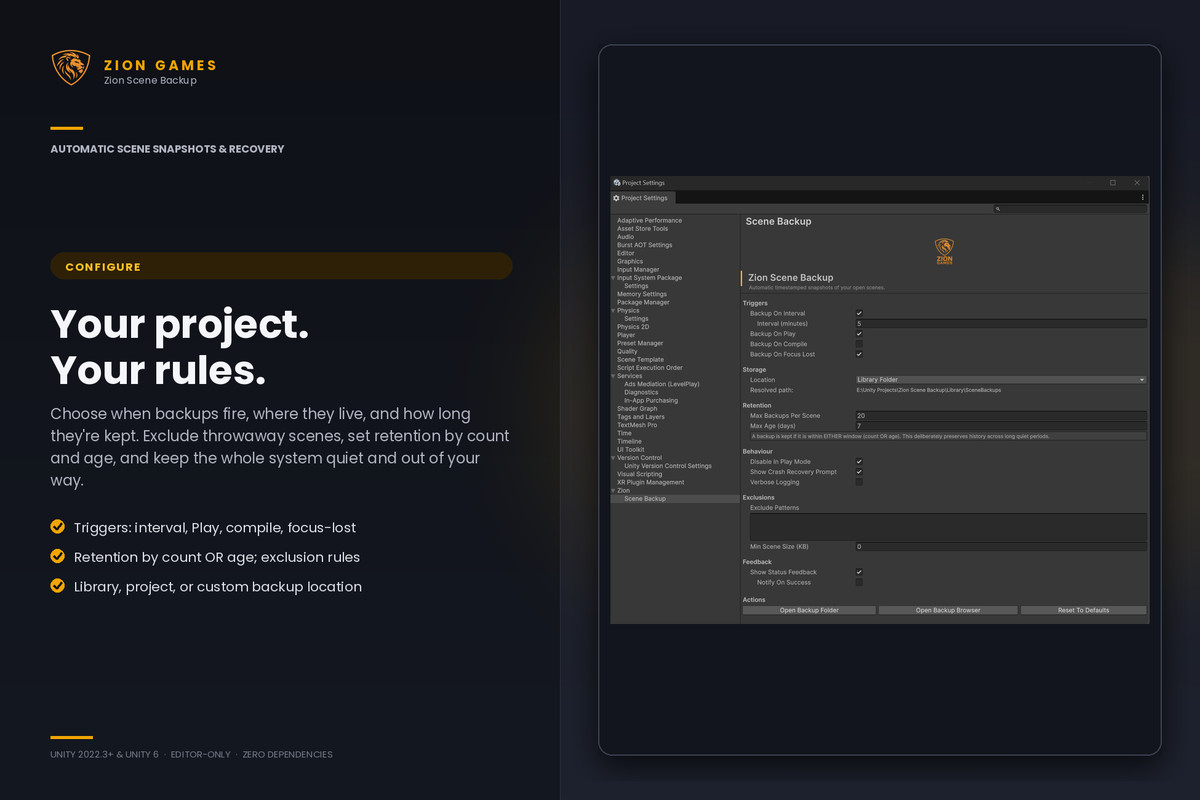
⏱ Backs up when it matters - on a timer, on Play, on compile, or when Unity loses focus. Each trigger independently toggleable.
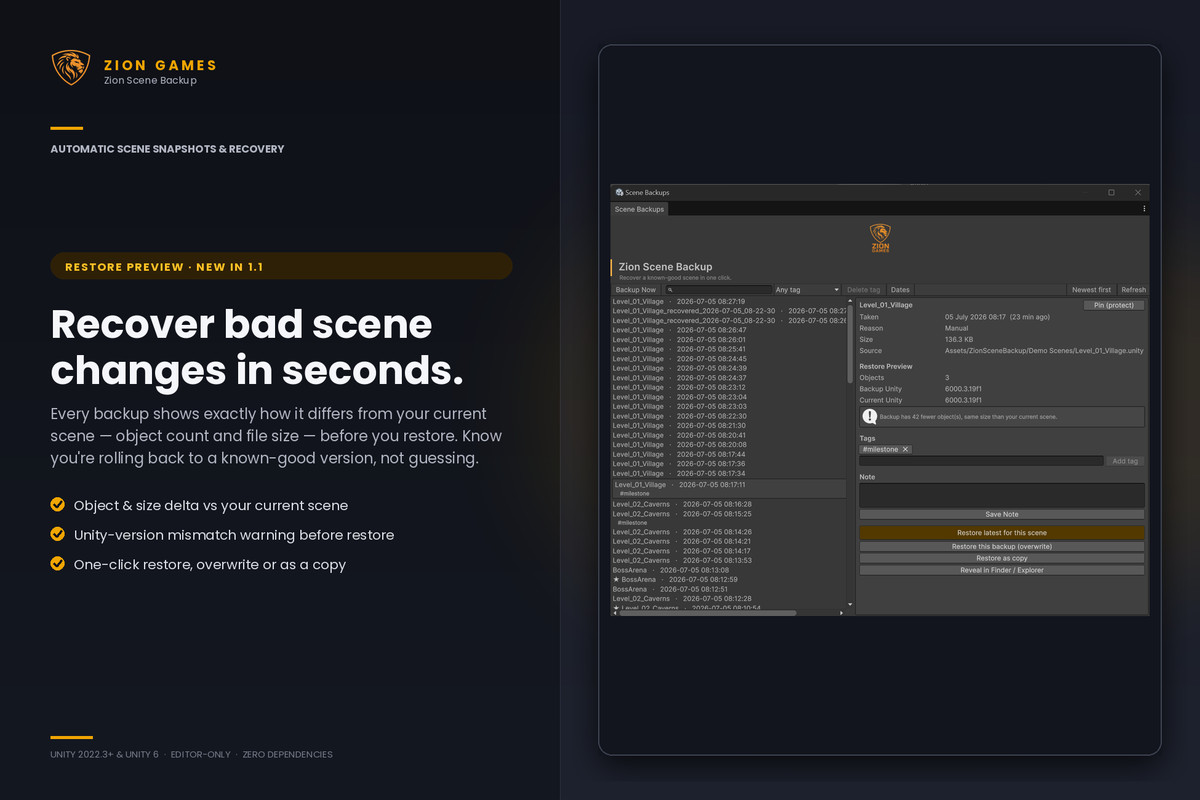
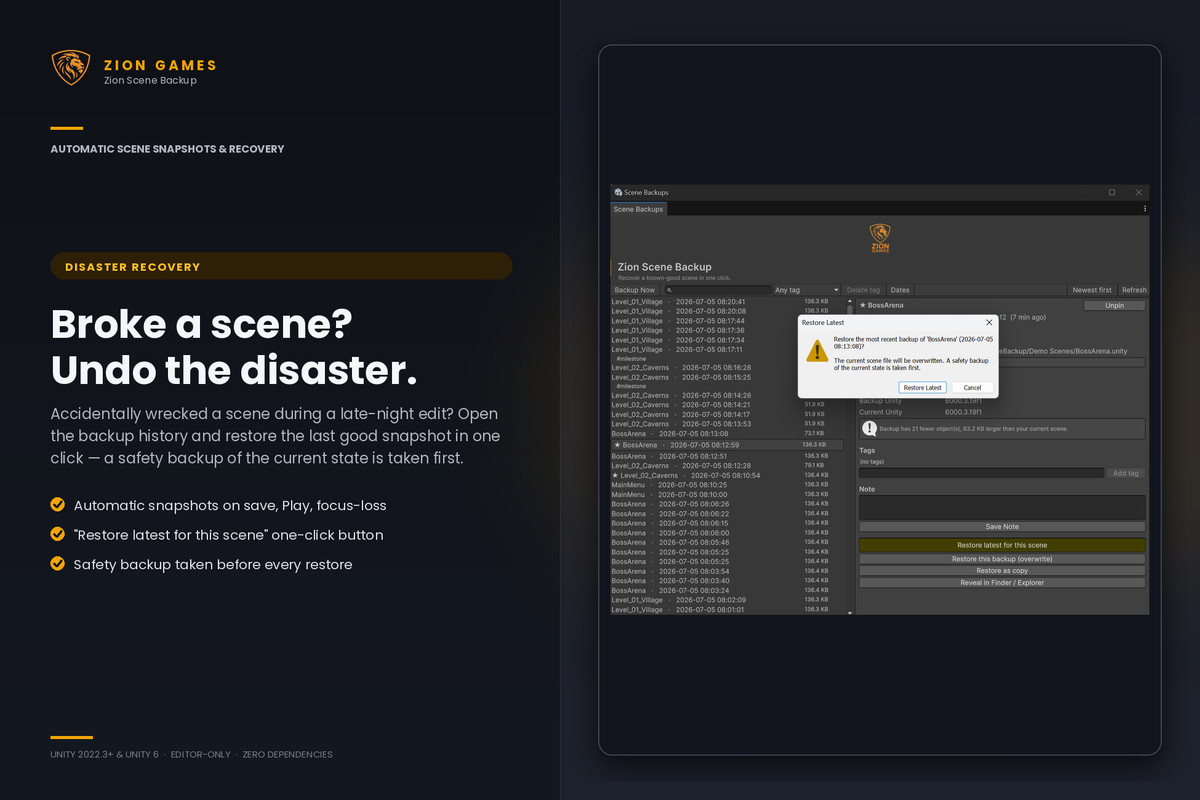
🔄 One-click restore from a clean browser window - find the snapshot, click, done. Or restore the latest good version of a scene without even browsing.
🔍 See what changed before you restore - every backup shows its object-count and file size difference from your current scene, so you roll back to a known-good version instead of guessing.
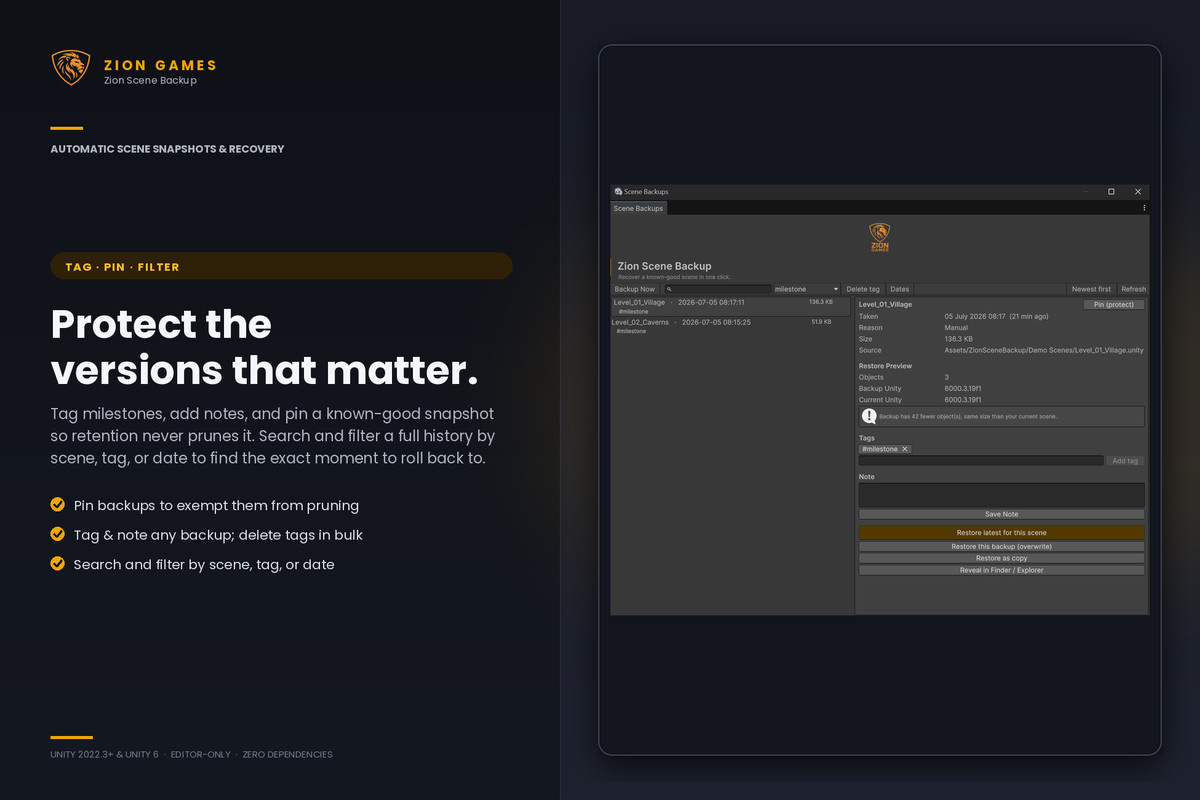
📌 Pin the versions that matter - protect a known good snapshot so it's never pruned, and tag or note any backup so you can find it later.
🔎 Find any backup fast - search and filter a full history by scene, tag, or date.
✂️ Smart retention keeps recent backups and prunes old ones automatically. No folder bloat, no maintenance.
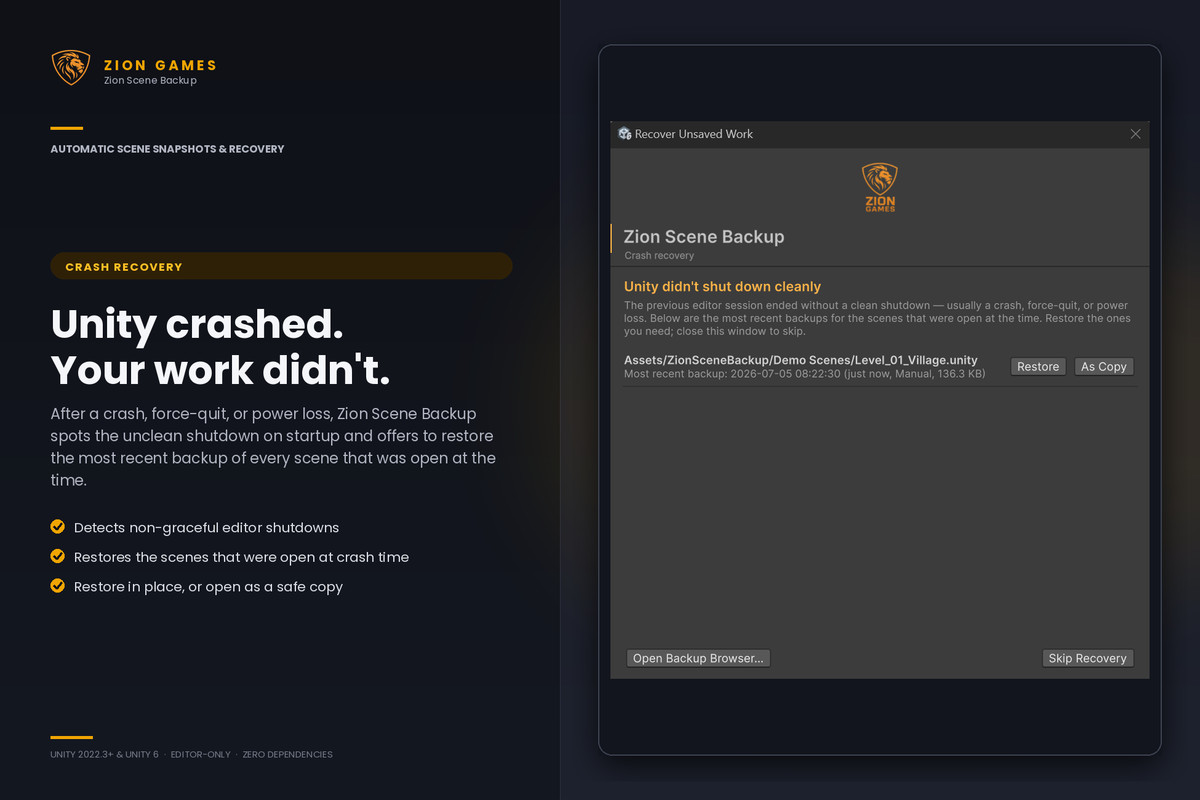
🚨 Crash recovery - if Unity didn't shut down cleanly, you get a recovery prompt on next startup.
🛡 Restores are protected too - a safety backup is taken automatically before any overwrite, so even a restore can't lose work.
📦 Editor-only - zero runtime code, zero dependencies, zero impact on your build.
Setup takes 30 seconds. Then you forget it exists - until the day it saves your project.
One recovered scene pays for this asset many times over. Most users find that day comes sooner than they'd like.
🌐 Online docs: Zion Tools - ZionGames Docs
💬 Support: Discord: Here
🦁 More tools: https://ziongames.co.uk
From the publisher's Asset Store listing.
Technical details
Backup triggers (all toggleable independently):
- Timer - configurable interval (default 5 minutes).
- On Play - captures pre Play edit mode state, including unsaved changes.
- On Compile - snapshot after every successful compile.
- On Focus Lost - snapshot when Unity loses focus.
- Manual - one click "Backup Now" from menu or browser window.
Restore options:
- Restore (overwrite) - replaces the source scene, with automatic pre-restore safety backup.
- Restore as Copy - opens the backup additively without touching the original.
- Per backup delete. explorer..
- Per backup delete
- Restore latest for a scene - one-click recovery of the most recent backup, with pre restore safety backup.
Browser & organisation:
• Restore preview - object-count and file size diff vs the current scene, with Unity version mismatch warning.
• Pin backups to protect them from retention pruning (exempt from both count and age limits).
• Tag and note any backup; delete a tag from one backup or from all backups at once.
• Search and filter by scene name, tag, or date range; sort newest or oldest first.
Storage and retention:
- Default location: Library/SceneBackups/ (gitignored automatically).
- Configurable to project root or any custom folder.
- Per-scene retention, a backup is kept if it's within the last N backups or newer than the age limit, whichever is more generous. Pinned backups are exempt from pruning entirely.
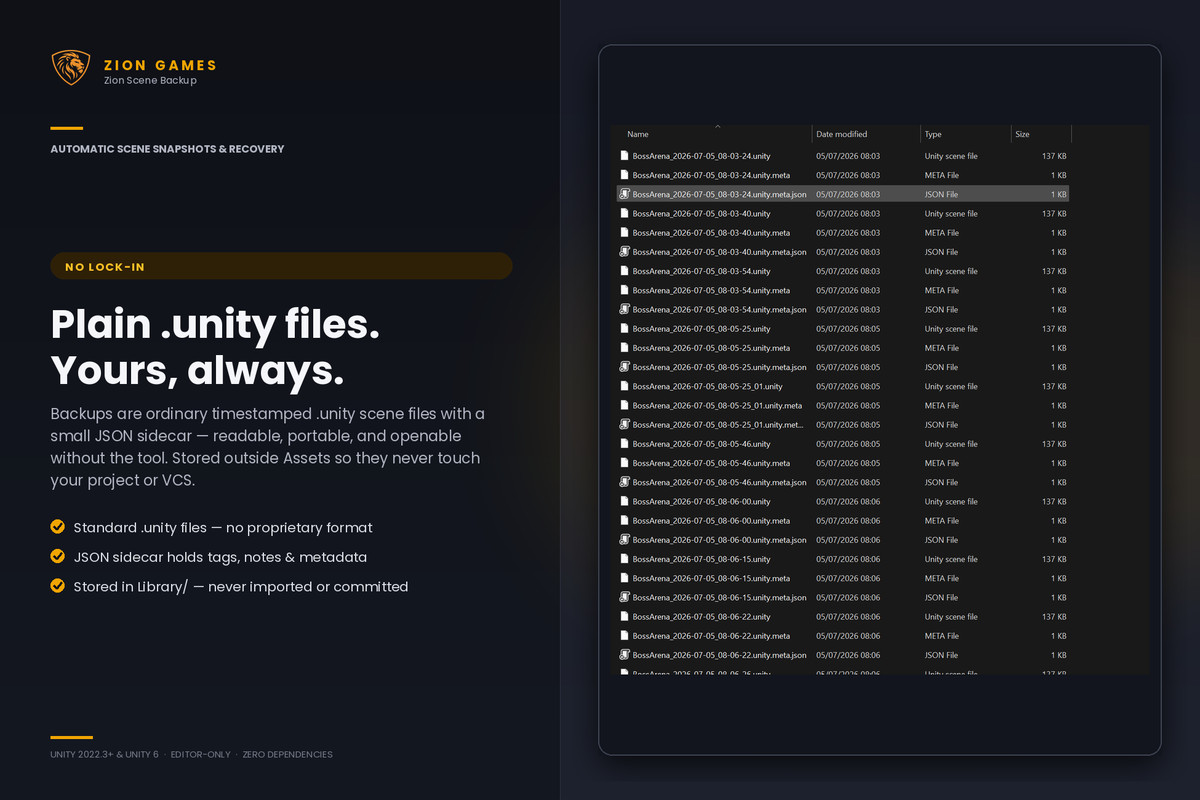
- Plain .unity files plus .meta.json sidecars - fully readable outside Unity.
- Tags, notes, and pin state stored in the .meta.json sidecar travels with each backup, pruned with it.
Crash recovery:
- Detects non-graceful editor shutdowns via session file pattern.
- Recovery prompt on next startup lists most recent backup of each previously open scene.
- Per-scene Restore / Restore as Copy actions.
Compatibility:
- Unity 2022.3 LTS through Unity 6+.
- All render pipelines (Built-in, URP, HDRP) package is editor-only.
- Windows, macOS, Linux editors.
Code quality:
- Editor-only assembly, never compiled into player builds.
- No third-party dependencies.
- All source readable, namespaced under ZionGames.SceneBackup
- Settings stored as JSON under ProjectSettings/, not as Assets folder pollution.
Compatibility
| Unity version | Built-in | URP | HDRP |
|---|---|---|---|
| 6000.3.19f1 | Compatible | Compatible | Compatible |
As listed on the Asset Store.