
 View on Asset Store (opens in new tab)
Package details
- Latest version
- 2.1.0
- Last updated
- First released
- Unity version
- 6000.3.10 or later
- Package size
- 64.6 MB
- Files
- 207
- Favorites
- 21
- Views in the past week
- 40
Price tracking
- Last checked
- Tracked since
- Lowest recorded
- $30.00 on
Keywords

RESkINIT – AI Texturing & Decals
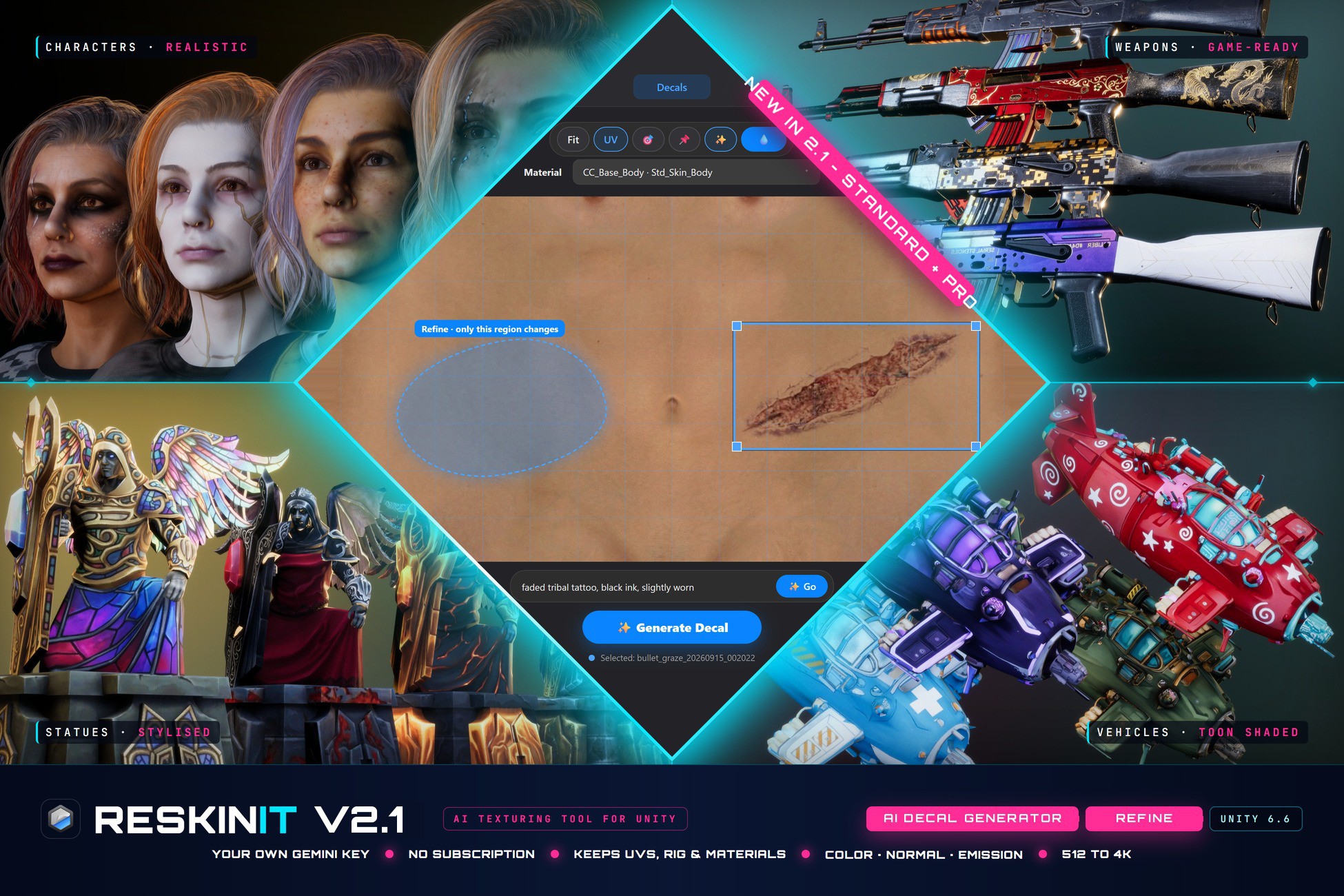
AI texturing for Unity. Texture, reskin and decal your 3D models right in the Editor: skins that fit each model's UVs, seamless PBR materials, and a full decal studio. Bring your own Gemini API key.
Affiliate link · Purchases support this site
Price history
Last 6 months
USDAsset preview
1 / 16
RESkINIT – AI Texturing & Decals screenshot 1
About this asset
Free update for all existing owners. If you already own ReskinIT, 2.1.0 is yours: Decal Studio, Refine and Heal, Design Freedom and the rebuilt Smart Prompt, at no extra cost.
AI texturing, inside Unity:
ReskinIT generates textures for your 3D models without leaving the Editor. It reads each model's UV layout and 3D shape, so what it paints lands where it belongs: panels on panels, trim on trim, and details that read correctly from every angle. Pick a direction, click Generate, and the result is applied in the scene in about a minute.
Three ways to texture
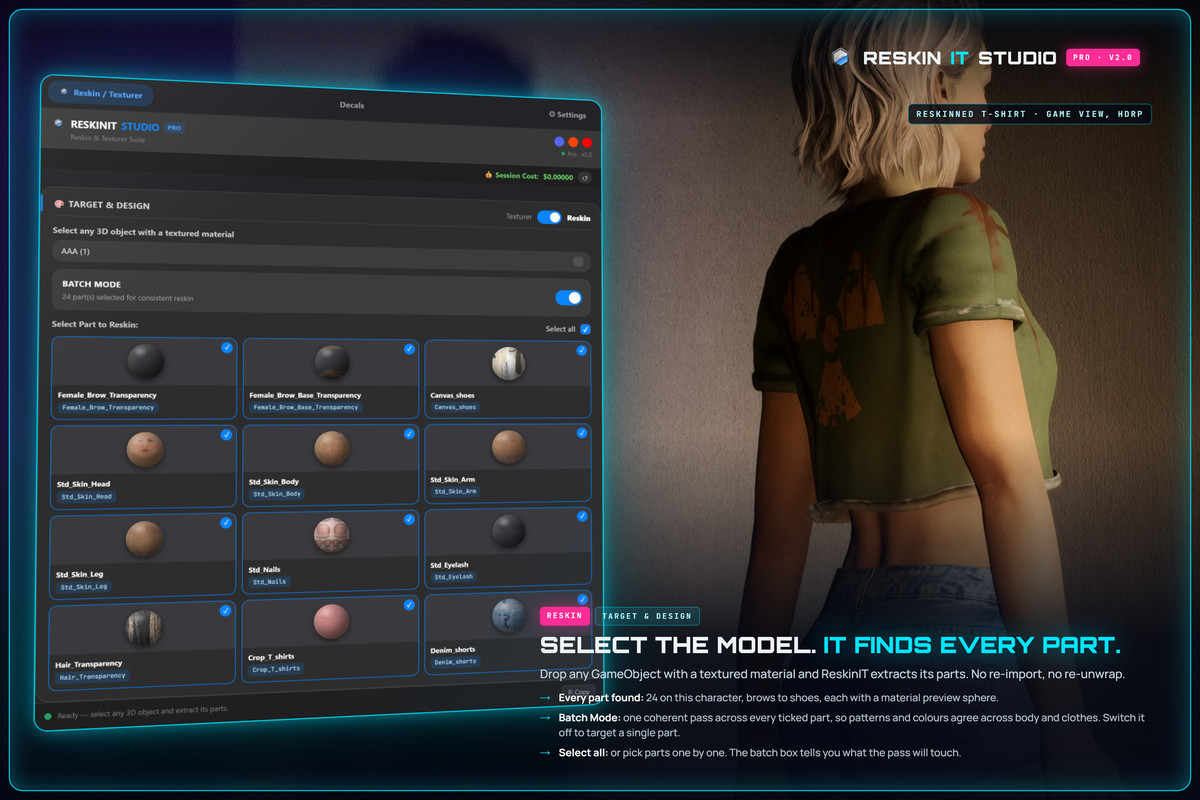
- Reskin: new skins for any textured model: characters, weapons, vehicles, props, architecture. It keeps the model's panel layout, or reinvents it completely.
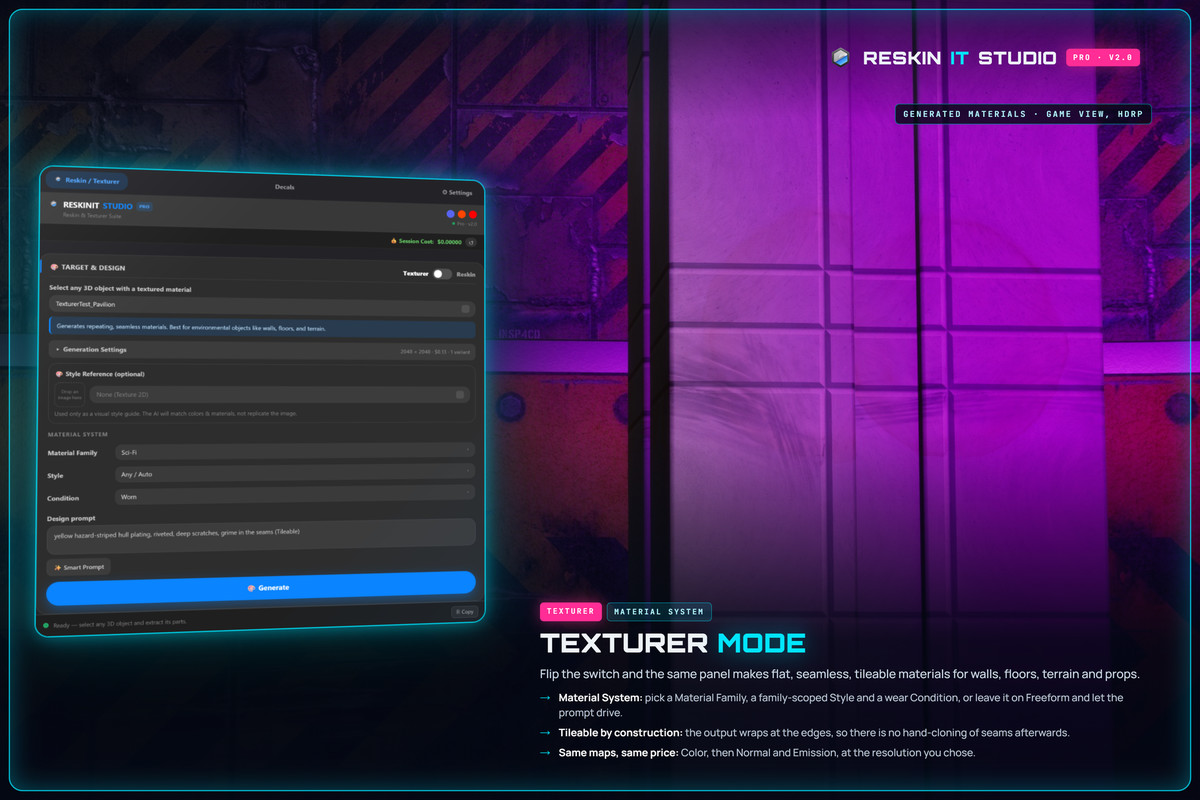
- Texturer: seamless, tileable PBR materials for any object or surface, from a text prompt.
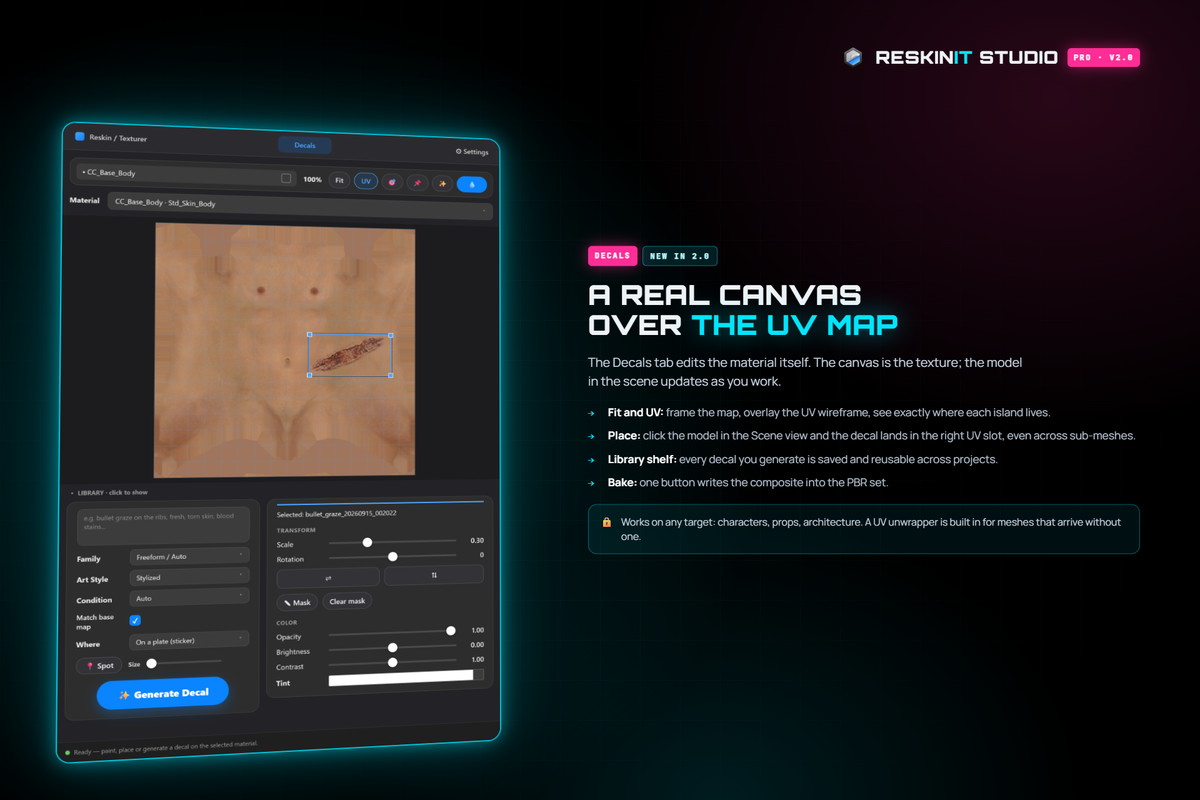
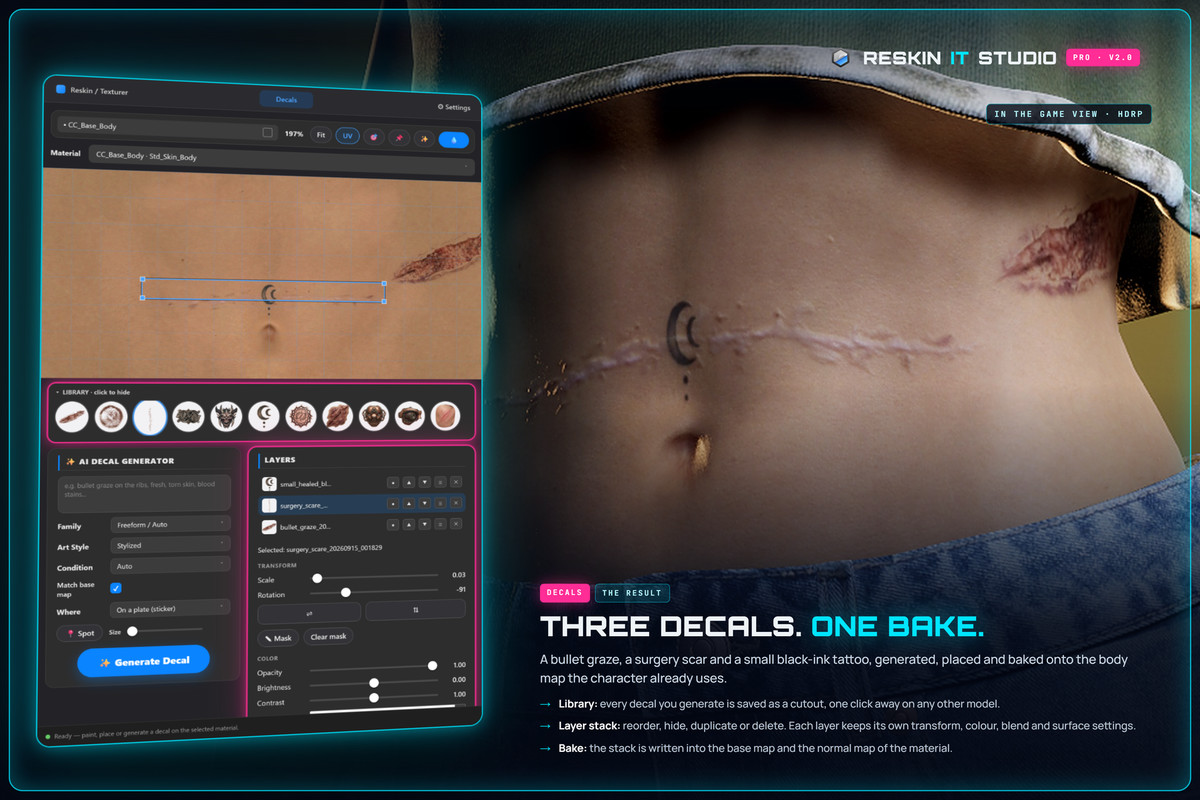
- Decal Studio: generate decals, place them on the model and bake them into the albedo and PBR channels.
What's new in 2.1.0
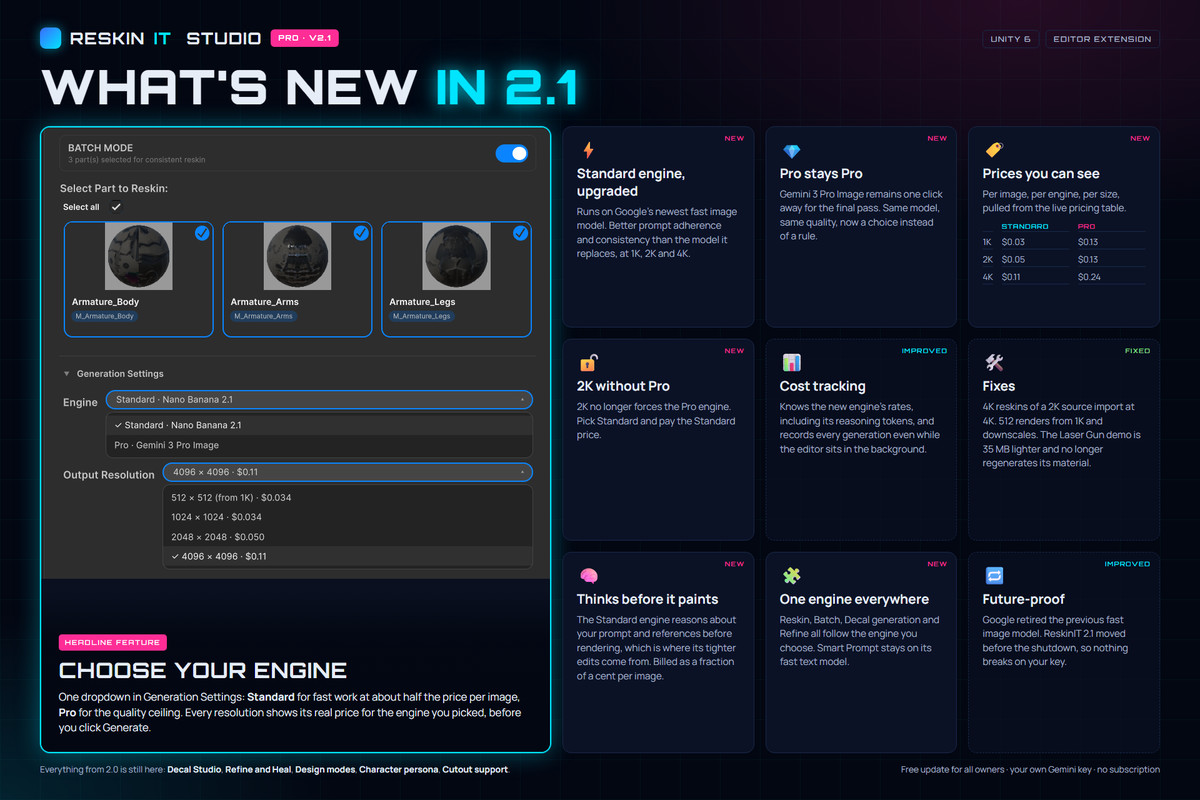
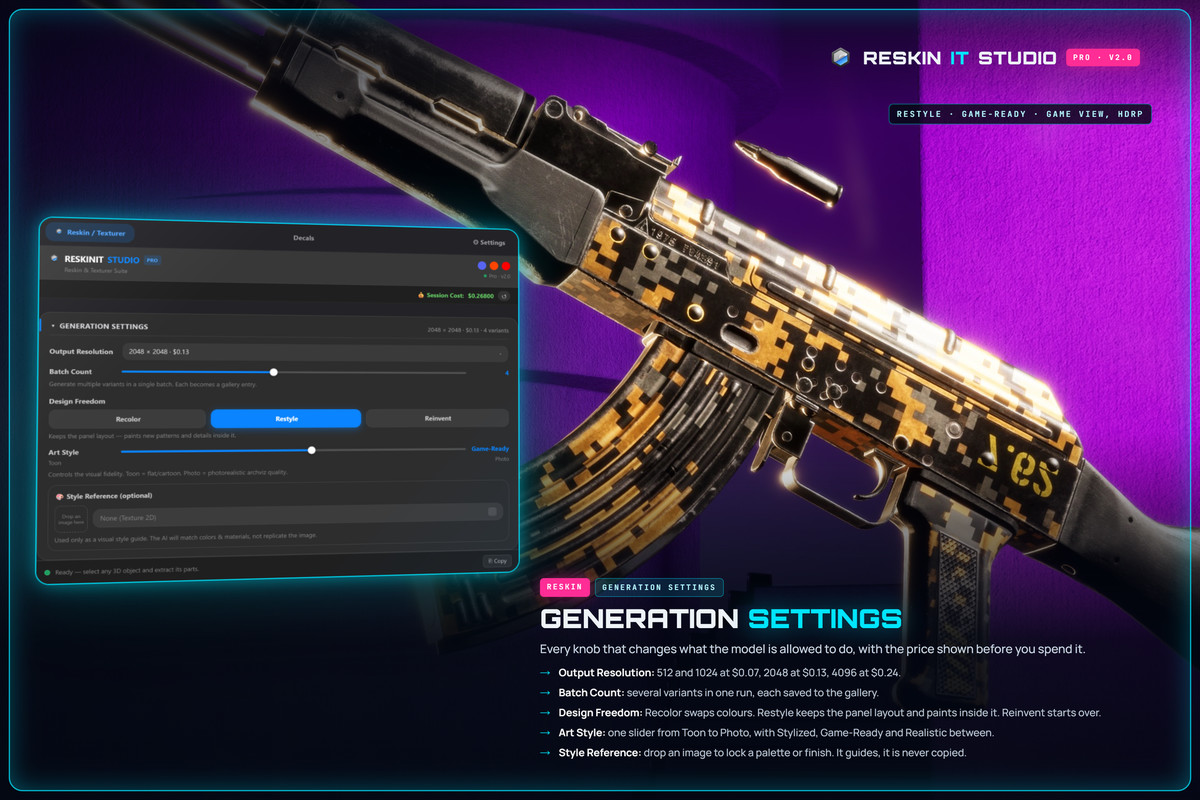
- Engine choice: one dropdown in Generation Settings. Standard for fast work at about half the price per image, Pro for the quality ceiling. The resolution list shows the price per image for the engine you picked, before you click Generate.
- Standard engine upgraded: runs on Google's newest fast image model, with better prompt adherence and consistency than the model it replaces, at 1K, 2K and 4K.
- 2K without Pro: 2K no longer requires the Pro engine. Pick Standard and pay the Standard price.
- One engine everywhere: Reskin, Batch, Decal generation and Refine all follow your engine choice.
- Cost tracking: knows the new engine's rates, and records generations even while the Editor sits in the background.
- 512 output: current models don't produce 512 px images, so the 512 option renders at 1K and downscales, at the 1K price.
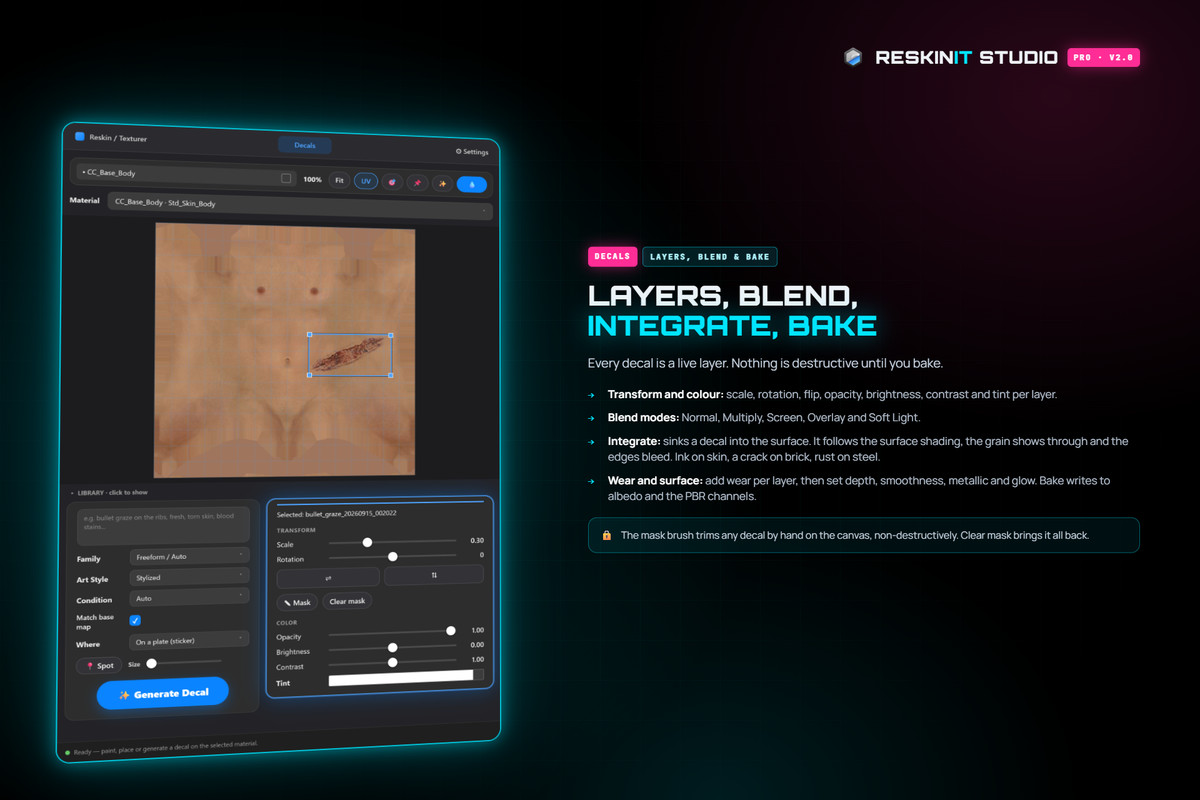
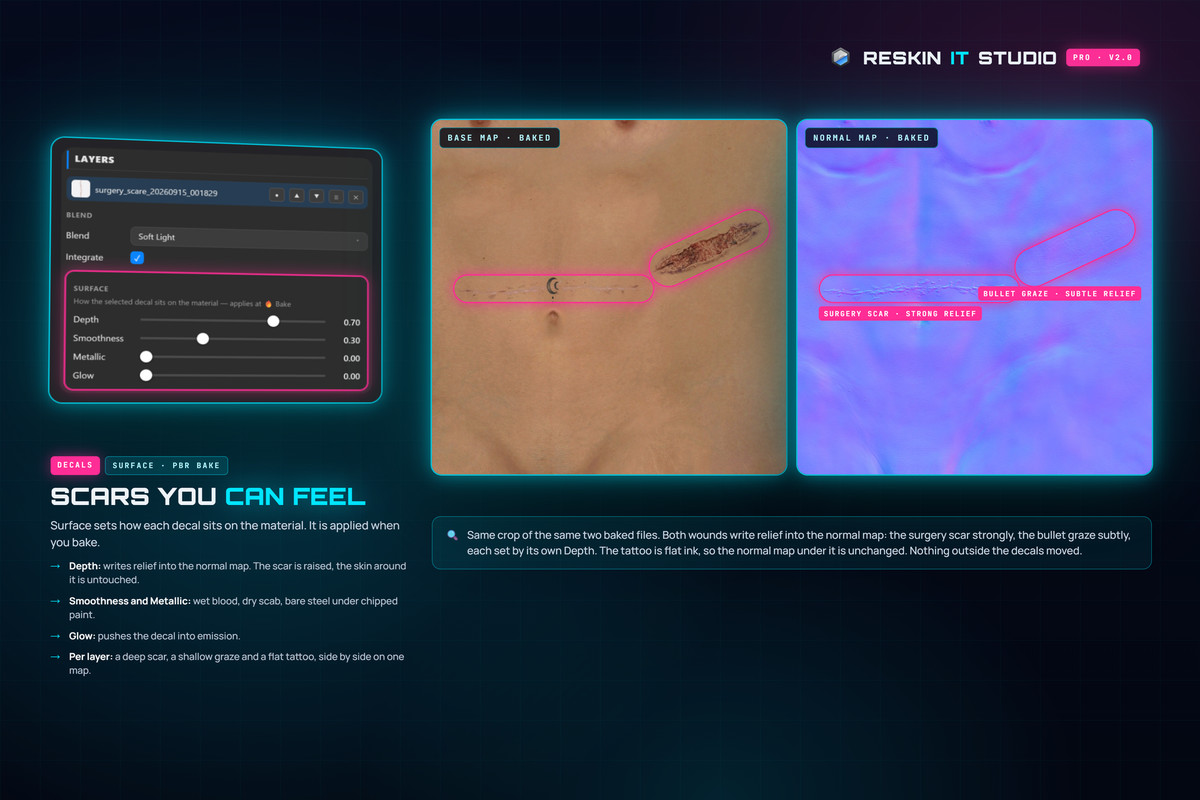
- Decal Studio: a full decal editor with layers, blend modes, wear, a mask brush, and per-decal depth, smoothness, metallic and glow.
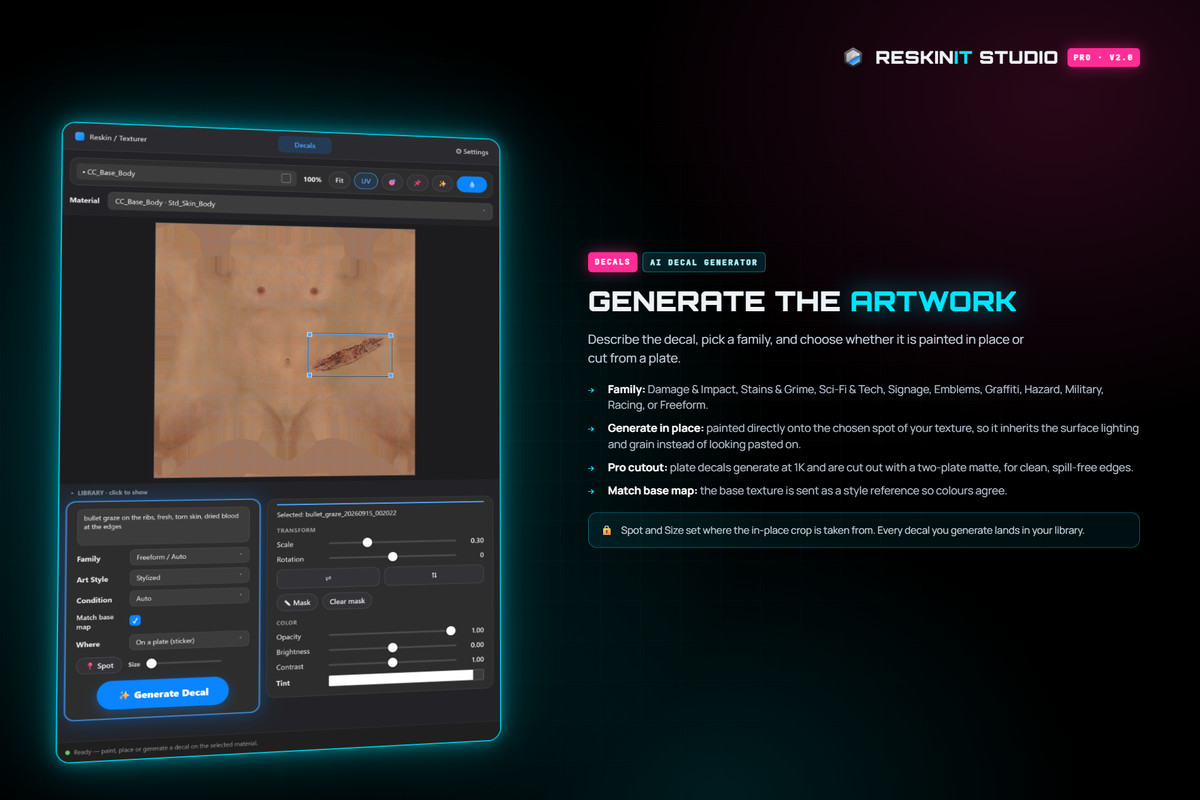
- Generate in place: decals painted directly into the surface, so they take on its lighting and grain.
- Integrate: sinks a decal into the surface. Ink on skin, a crack on brick, rust on steel.
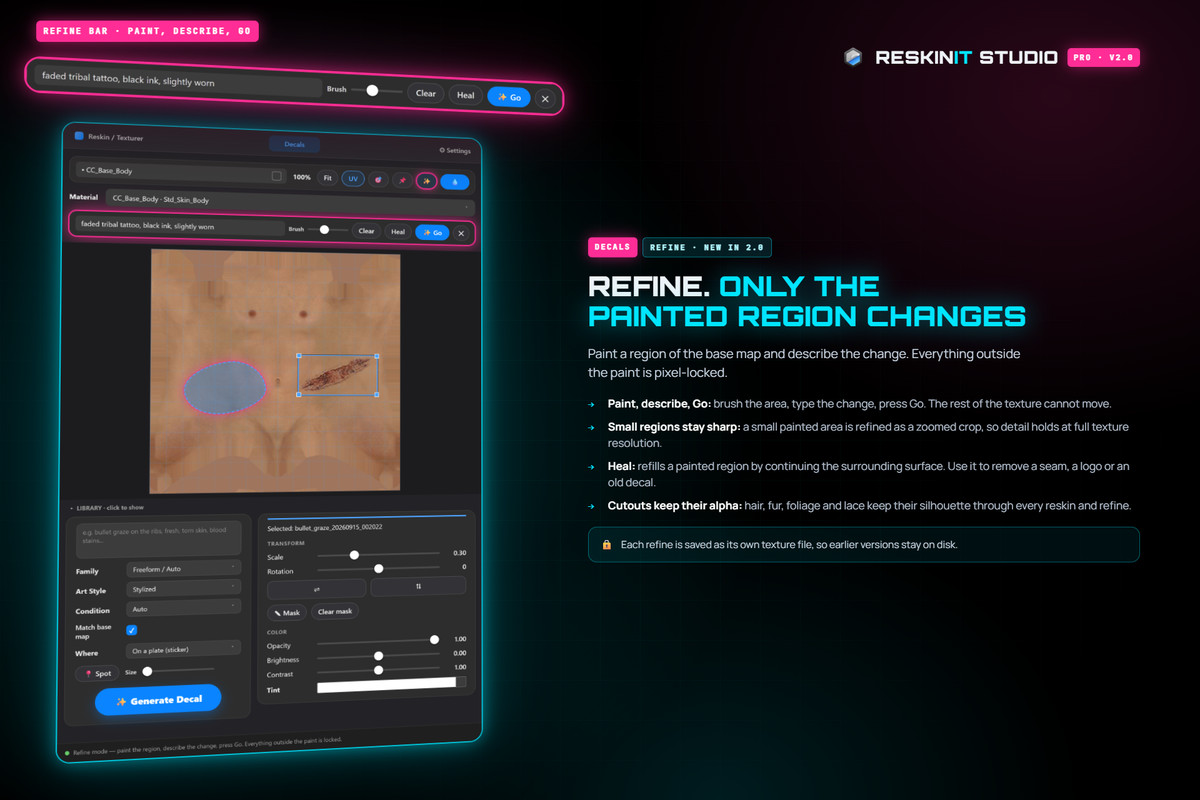
- Refine and Heal: paint a region of the texture and describe the change. Only that region changes.
- Design Freedom: Recolor, Restyle or Reinvent. You choose exactly how much of the design changes.
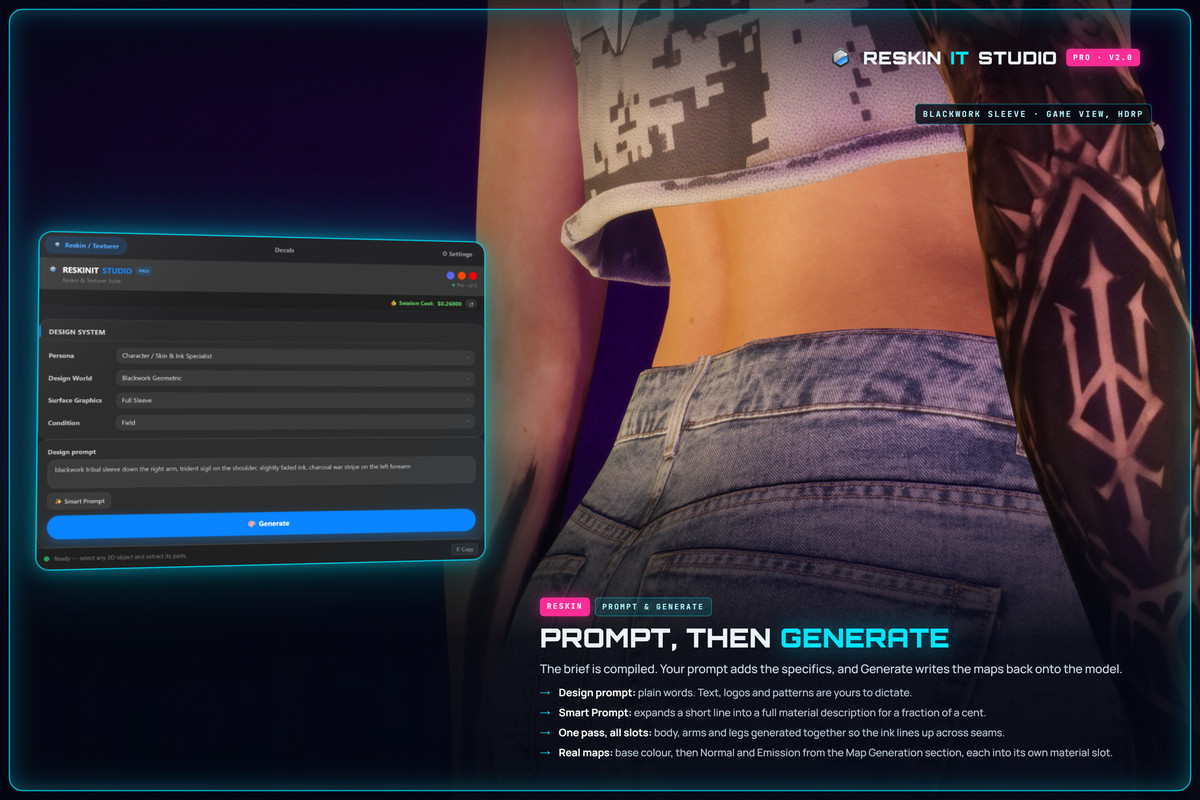
- Smart Prompt, rebuilt: six art directions for your object, each with its colour palette, and the one you pick is what gets painted.
- Character persona: skin, tattoos, scars, war paint and hair, and faces keep their identity.
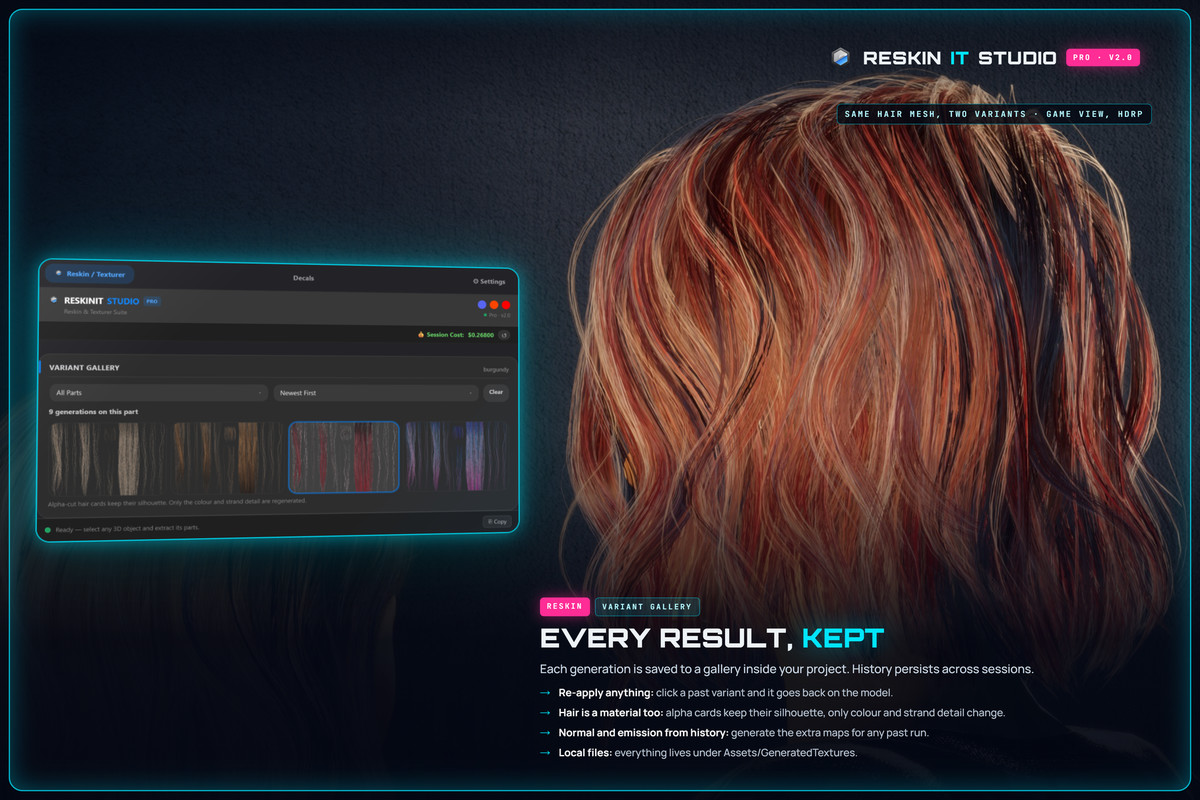
- Cutout support: hair, fur and foliage keep their transparency.
Built for real production assets
- Works on messy UVs, including overlapping and unpadded layouts
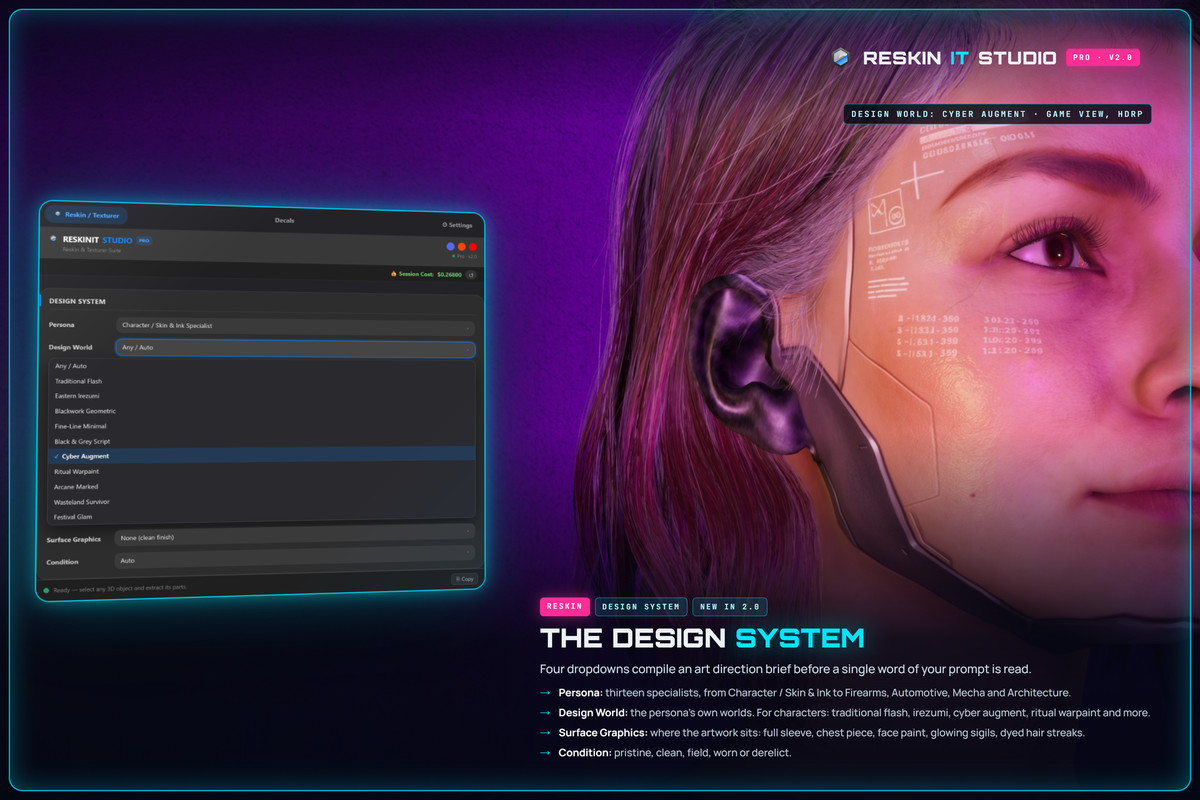
- Design System: 13 personas, era and genre worlds, surface graphics, and condition from Pristine to Derelict
- 10 material families with styles and real weathering
- Up to 4 variants per click, kept consistent across multi-submesh models
- Style reference images to match a palette or art direction
- Normal and emission maps from any result
- Originals are never overwritten: every result goes on a copy of the material
- 512 to 4096 (4K) resolution
How it works:
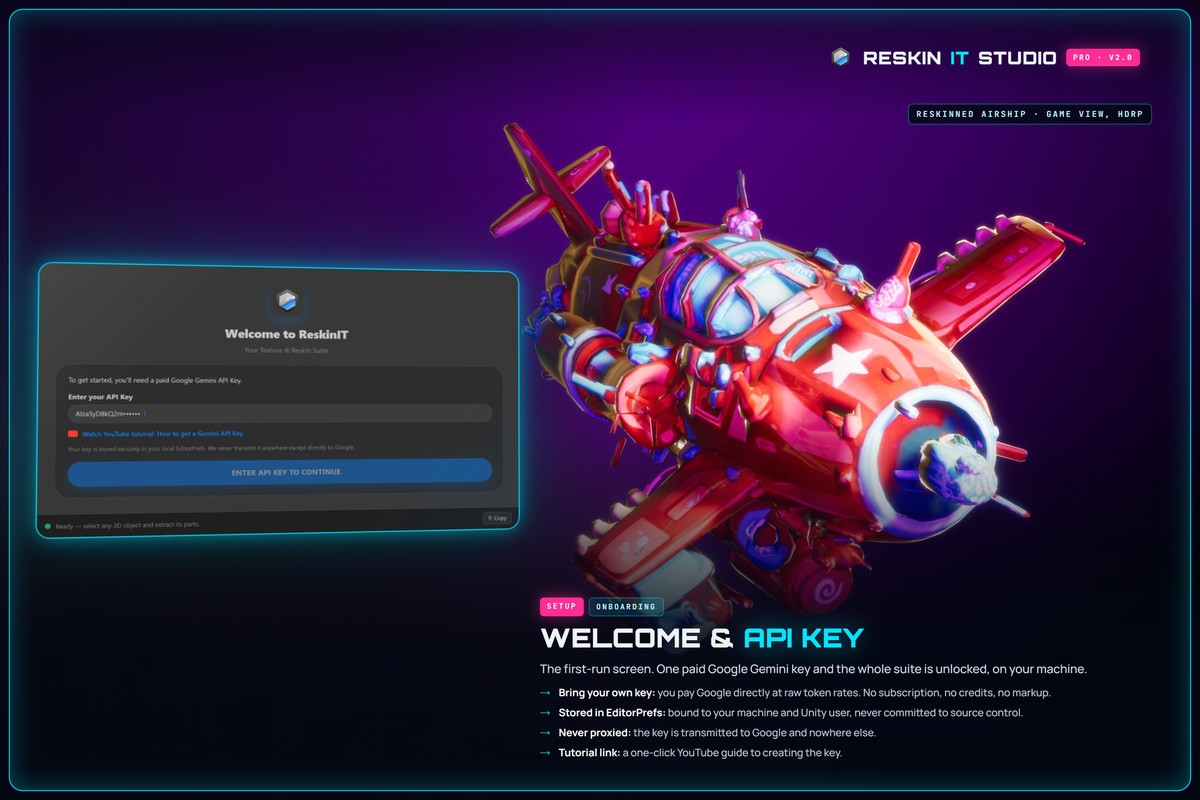
ReskinIT calls Google's Gemini API directly from your machine. Nothing goes through our servers, and there's no telemetry. You need your own paid Gemini API key (pay-as-you-go); a generation typically costs a few cents. The welcome screen walks you through setup in a couple of minutes.
Includes a demo scene with two ready-to-use assets, full HTML documentation, and a Discord and YouTube channel for support.
From the publisher's Asset Store listing.
Technical details
RESKIN MODE
- UV-aware generation: textures land where they belong, even on non-standard UV layouts
- Reads each model's 3D shape: output follows the asset's real form, not a flat image
- Handles messy UVs: overlapping, unpadded or chaotic layouts
- Design Freedom (new in 2.0): Recolor, Restyle or Reinvent, choosing how much of the design changes
- Smart Prompt (rebuilt in 2.0): six art directions per object, each with its colour palette, plus More like this
- Design System: Persona, Design World, Surface Graphics and Condition dials, each scoped to the persona you choose
- Character persona (new in 2.0): skin, tattoos, scars, war paint and hair, and faces keep their identity
- Batch generation: up to 4 variants per click, with a shared style across all submeshes
- Style reference images: lock output to a specific palette and visual direction
- Variant gallery: every variant is saved; click any thumbnail to apply it
- Originals never overwritten: each result goes on a copy of the material
TEXTURER MODE
- Seamless, tileable PBR materials from text prompts
- Context-aware generation that reads the target object's scale and intended use
- Material System: 10 material families with family-scoped styles and real weathering conditions
- Lettering only on request: words appear only when you type them in "double quotes"
DECAL STUDIO (new in 2.0)
- AI decal generator: 10 decal families, with art style and condition
- Generate in place (painted into the surface) or on a plate (crisp cut-out stickers)
- Click-to-place on the model, across UV islands and sub-meshes
- Layers with transform, colour, blend modes (Normal, Multiply, Screen, Overlay, Soft Light) and wear
- Integrate: the decal follows the surface's tone, and its grain shows through
- Mask brush: non-destructive trimming by hand
- Per-decal depth, smoothness, metallic and glow, baked into the albedo and PBR channels
- Refine and Heal: repaint only a painted region of the base map
MAPS & OUTPUT
- Normal map (adjustable strength) and emission map, from any result, without regenerating the albedo
- Cutout atlases (hair, fur, foliage) keep their transparency
- Resolutions: 512, 1024 (default), 2048 and 4096 (4K)
- Output organised into Textures, Materials, Previews, Maps, Normals and Emissions folders
GENERAL
- Render pipelines: Built-in, URP and HDRP (auto-detected)
- Editor-only extension: nothing is added to your builds
- Powered by the Google Gemini API (paid plan required, bring your own key)
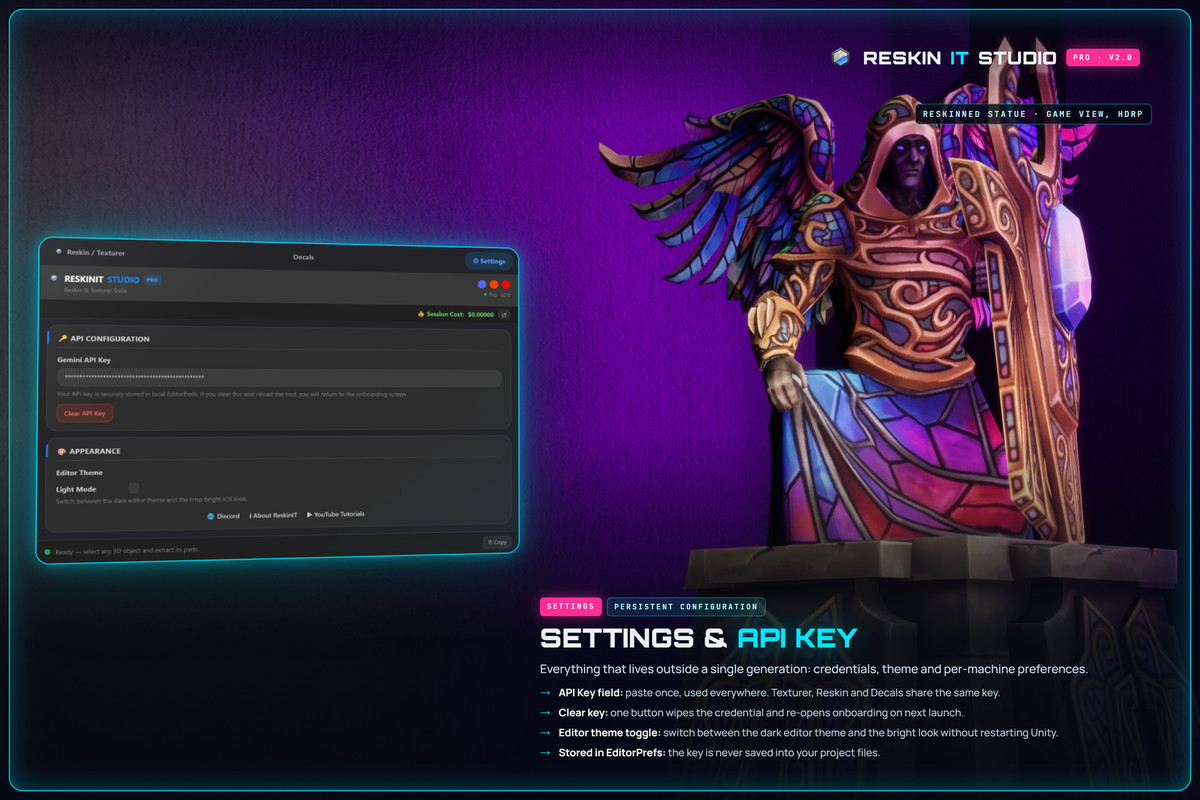
- API key stored locally, never sent to our servers
- HTTPS-only API communication, no telemetry, no tracking
- Contains AI-generated demo content (disclosed in Third-Party Notices)
Compatibility
| Unity version | Built-in | URP | HDRP |
|---|---|---|---|
| 6000.6.0f1 | Compatible | Compatible | Compatible |
| 6000.3.10f1 | Compatible | Compatible | Compatible |
As listed on the Asset Store.