
 View on Asset Store (opens in new tab)
Package details
- Latest version
- 1.0
- Last updated
- First released
- Unity version
- 6000.3.6 or later
- Package size
- 40.0 MB
- Files
- 828
- Favorites
- 5
- Views in the past week
- 8
Price tracking
- Last checked
- Tracked since
- Lowest recorded
- $34.30 on
Keywords
Loop Adventure – Puzzle Programming Kit (2D)
Instruction-based 2D puzzle framework where players program character actions instead of direct control.
Affiliate link · Purchases support this site
Price history
Last 6 months
USDAsset preview
1 / 10
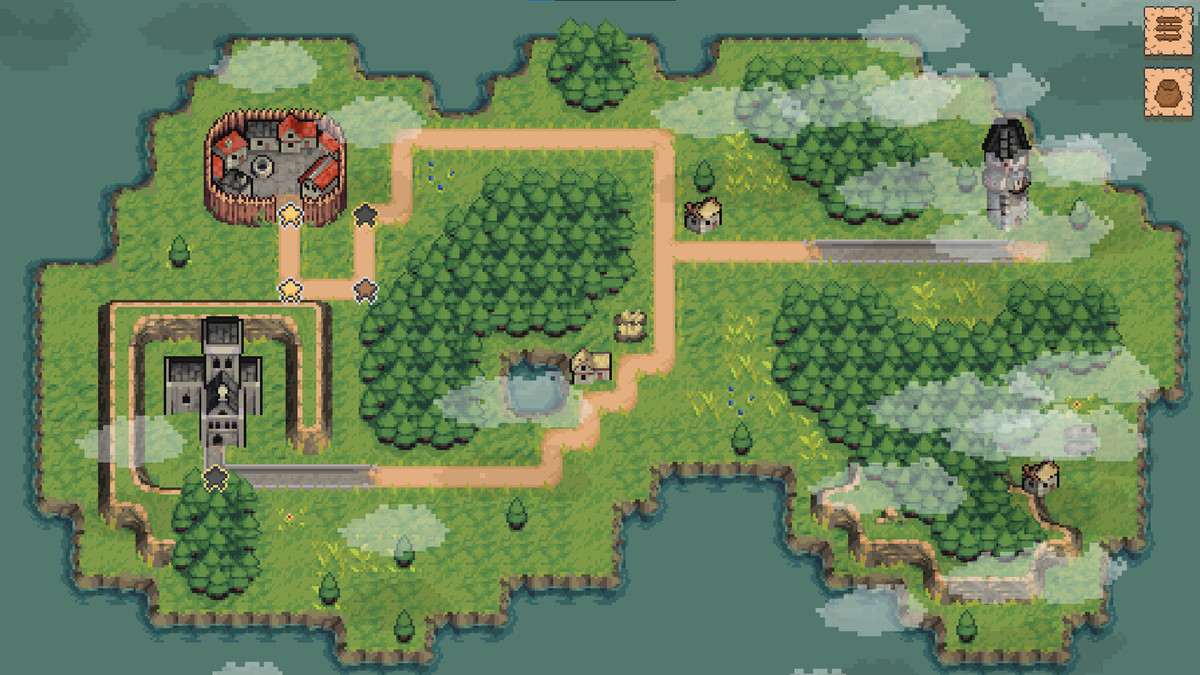
Loop Adventure – Puzzle Programming Kit (2D) screenshot 1
About this asset
Build 2D Games Where Players Program Their Characters
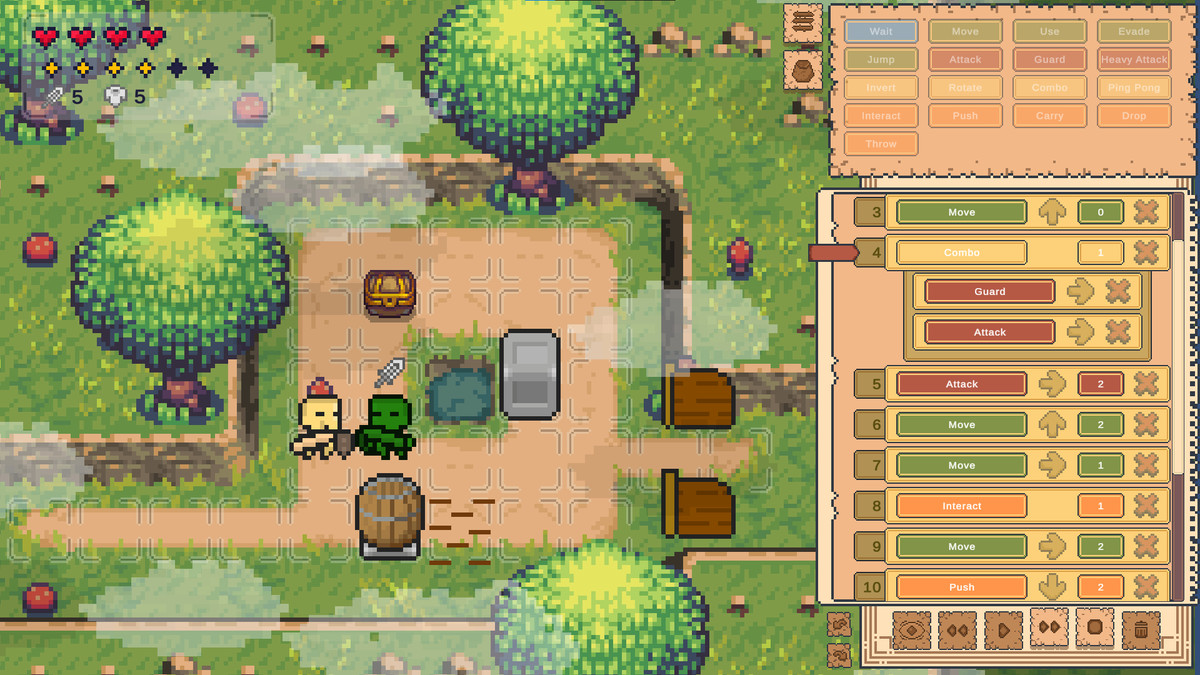
Loop Adventure is a complete Unity framework for creating instruction-based puzzle adventures, tactical games, and programming-driven gameplay inspired by programming-puzzle games such as Human Resource Machine and Zachtronics.
Instead of directly controlling a character, players compose sequences of instructions that define behavior, creating deterministic, turn-based gameplay where logic becomes the core mechanic.
Build your own programming-driven game without having to create the instruction, execution, scheduling, and puzzle infrastructure from scratch.
🧩 How It Works
1. Design
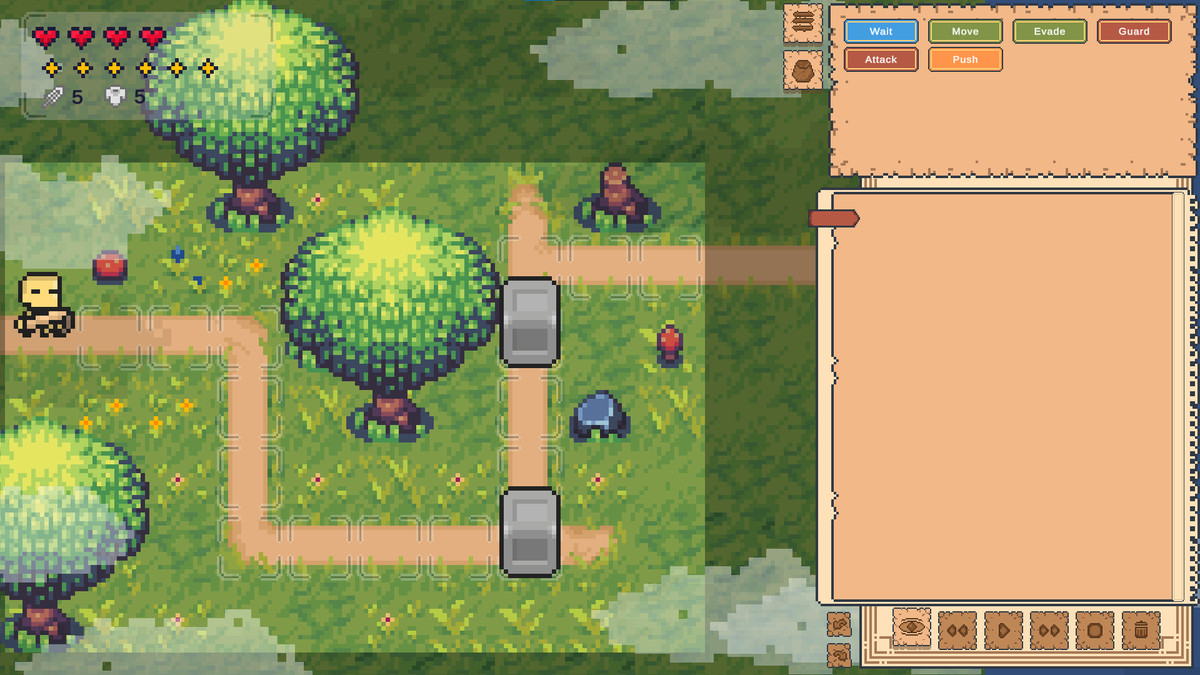
Create your level, place obstacles and interactive elements, and define its objectives and challenges.
2. Program
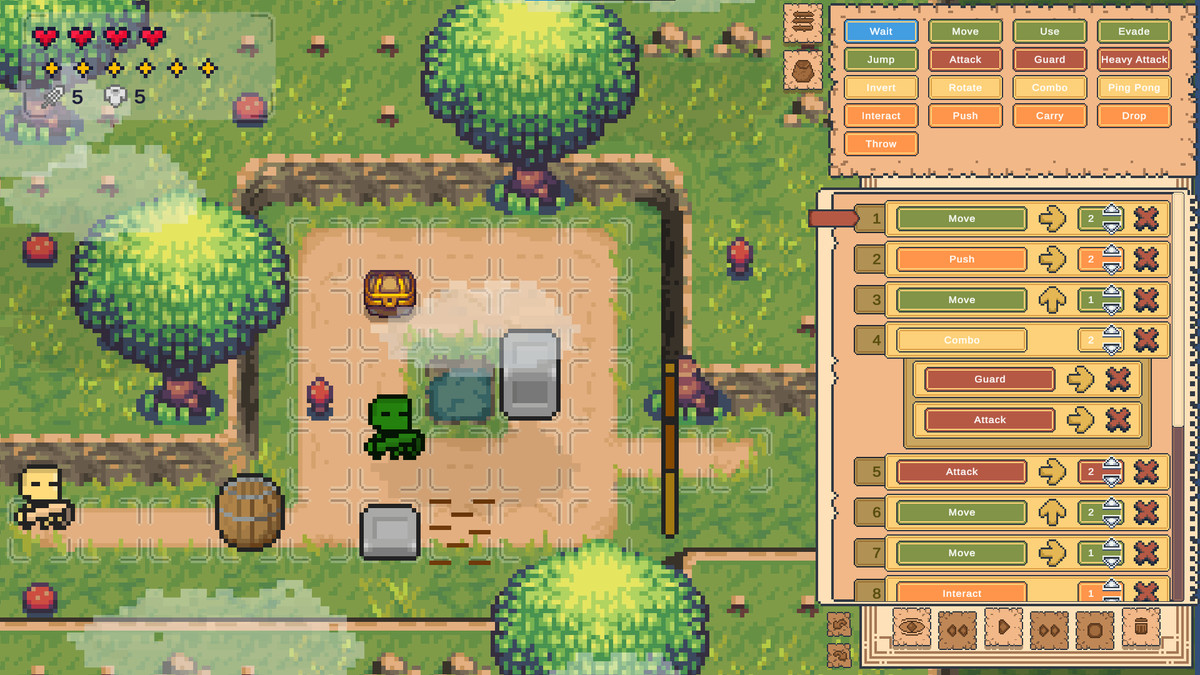
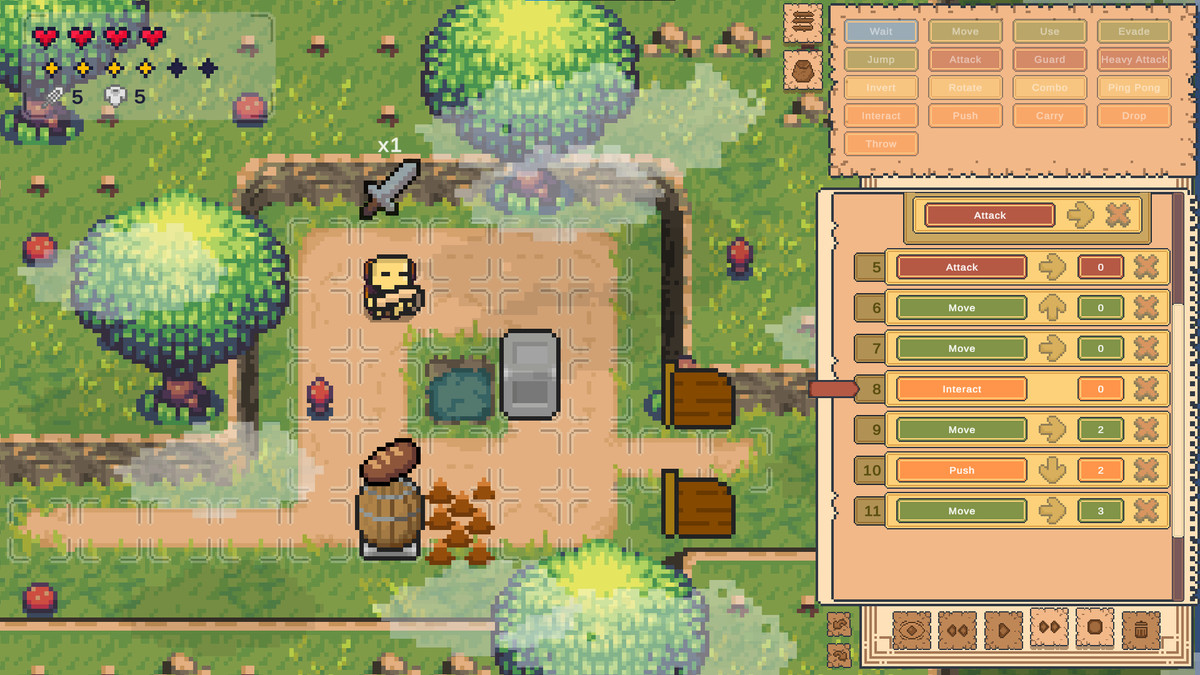
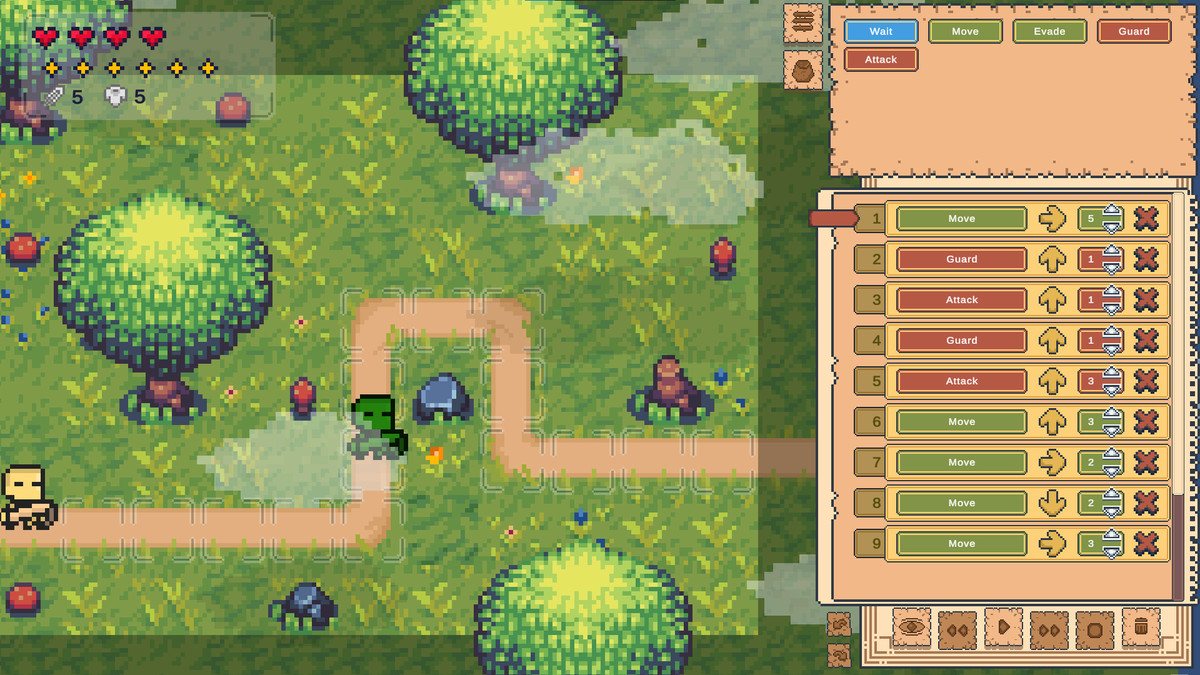
Players build their solution by composing instructions on the visual instruction sheet.
3. Execute
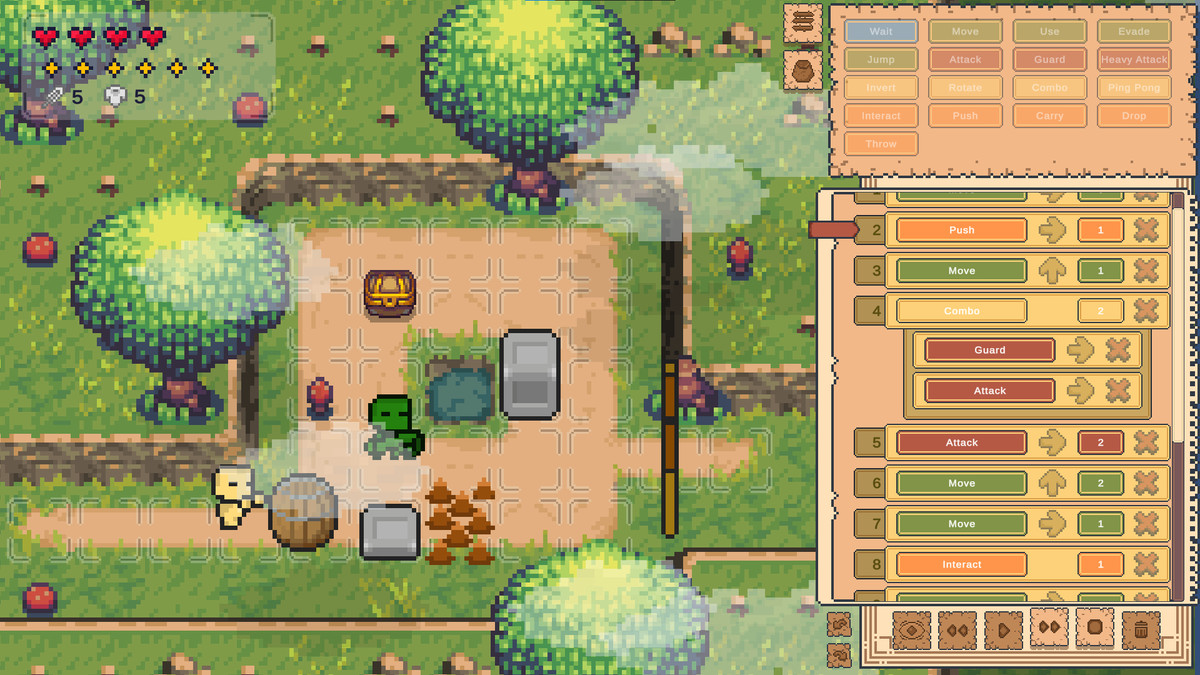
The engine executes every instruction deterministically, turn by turn, while players watch their program come to life.
4. Solve
Observe the result, identify what went wrong, modify the instruction sequence, and run it again until the puzzle is solved.
Check out the demo:
https://davidlambert.itch.io/loopadventuredemo
🚀 Perfect for Building
- Programming puzzle games
- Turn-based strategy systems
- Logic-based adventure mechanics
- Educational coding-inspired gameplay
Drop it into Unity and start building levels immediately, or extend its modular systems to create your own gameplay mechanics.
🚀 Key Features
🎮 Instruction-Based Gameplay System
Players build actions using a visual instruction sheet with ready-to-use instructions such as Move, Attack, Block, Combo, and more.
- Fully modular instruction architecture
- Directional modifiers (Up / Down / Left / Right)
- Shared system across player, enemies, and world
🧩 Create Your Own Instructions
Extend the Instruction system to create custom gameplay actions for your game.
- Custom player instructions
- Custom enemy behaviors
- Custom modifiers
- Custom interactions
- No need to modify the core execution engine
⚙️ Turn-Based Execution Engine
A deterministic execution system that keeps gameplay synchronized while providing real-time feedback.
- Step-by-step execution loop
- Play / Observe / Stop modes
- Configurable turn speed
- Parallel execution support for AI and environment
- Fully resettable simulation system
👹 Enemy AI System
Enemies use the same instruction-based architecture as the player.
- 5 built-in behaviors: Move, Attack, Block, Shoot, Wait
- Projectile-based combat system
- Parallel AI execution per turn
- Extendable instruction system
📦 Interactive World System
Puzzle-driven environment objects fully integrated with the instruction and event systems.
- Pushable crates and movable objects
- Doors with key and trigger logic
- Chests and pickups
- Carry, drop, and throw mechanics
- Event-driven interactions
⚠️ Tile Trap System
Grid-based hazards integrated directly into the turn system.
- Pressure plates with activation events
- Spikes with configurable cycles
- Automatic registration into the execution system
- Designed for layered puzzle logic
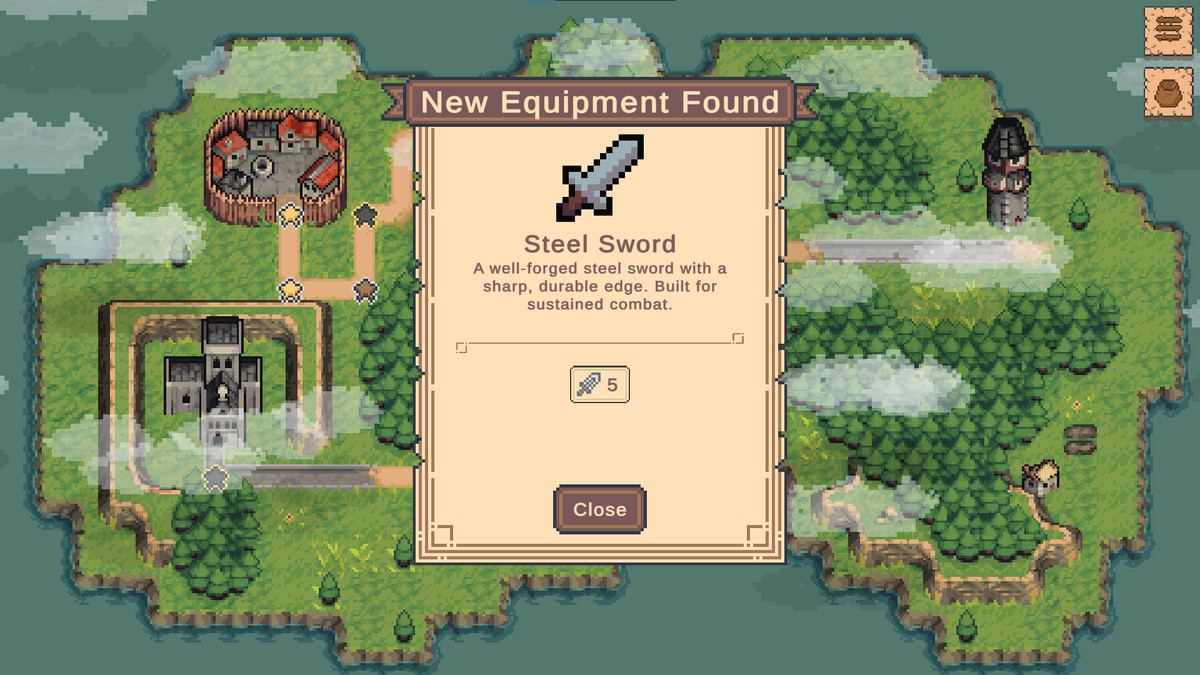
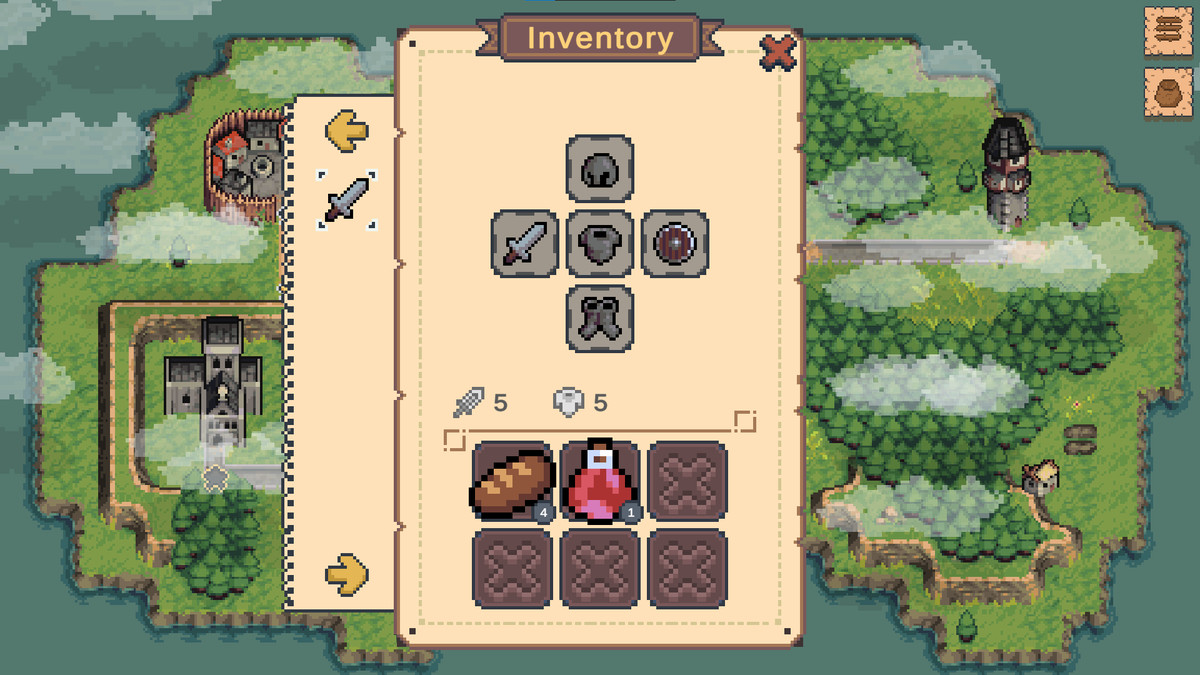
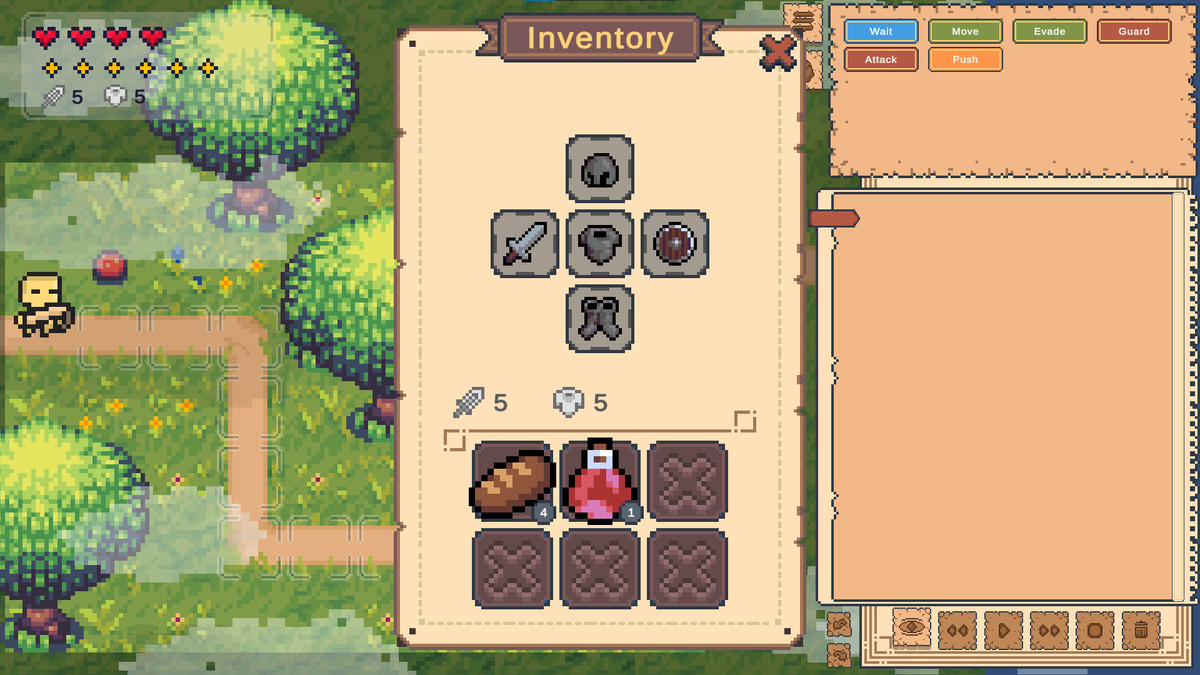
🎒 Inventory & Equipment System
A complete item and equipment system ready to integrate into your gameplay.
- Stackable inventory slots
- 5 equipment slots
- Stat modifiers (Attack, Defense, Speed)
- Active effects system
- Fully integrated with save/load
🗺️ World Map & Tutorial Campaign
A ready-to-play structure for building and expanding your game.
- Hub world with level selection
- 5 tutorial levels included
- ScriptableObject-based level system
- Easy expansion pipeline for new levels
🏆 Level Goals & Challenges
Add additional constraints and challenges to your levels.
- Instruction count limits
- Loop count restrictions
- ScriptableObject-driven goals
- Fully extensible win conditions
💾 Save / Load System
Automatic persistence with no additional setup required.
- JSON-based save system
- Automatic save on completion and exit
- Stores progress, inventory, and settings
- Cross-session persistence
🔊 Audio System
Integrated audio and settings management.
- AudioMixer integration
- Persistent volume settings
- Scene-crossing music transitions
- Built-in UI sliders
🛠 Developer-Ready Architecture
Built as a modular C# framework designed for extension and long-term development.
- Fully documented codebase
- Interface-driven design (IInteractable, ITaskReceiver, etc.)
- Modular LoopAdventure namespace
- No TODOs or placeholder code
- Designed for easy extension without modifying core systems
🧱 Core Design Philosophy
Everything is built around a single concept:
Instruction = atomic gameplay unit
The same instruction-based architecture can drive:
- Player actions
- Enemy AI
- Environmental interactions
- Scripted gameplay events
This keeps gameplay systems consistent and makes it easier to prototype and extend new mechanics.
📦 Use Cases
Use Loop Adventure to build:
- Programming puzzle games
- Turn-based tactical systems
- Automation and logic-based games
- Educational coding games
- Gameplay prototypes and experimental mechanics
🧠 What You Can Do
- Ship a complete game by replacing the included art and levels
- Extend systems without modifying the core execution engine
- Create custom mechanics through the framework's extension points
- Integrate Loop Adventure into existing Unity projects
🎯 Why Loop Adventure?
Unlike visual scripting tools, Loop Adventure is a gameplay-first framework, not a general-purpose development tool.
It is designed specifically for:
- Shippable programming puzzle games
- Deterministic simulation systems
- Instruction-driven gameplay design
- Rapid prototyping of programming-based mechanics
[All Third-Party assets are under the CC0 license see "Third-Party Notices.txt" on package content]
From the publisher's Asset Store listing.
Technical details
Everything you need to build a fully playable game — or use Loop Adventure as a foundation for your own programming-driven gameplay systems.
All core systems are modular, documented, and designed to be extended without modifying the core execution engine.
🧩 19 Built-in Player Instructions
A complete library of ready-to-use actions that players can drag, configure, and execute immediately.
Movement: Move, Jump, Evade, Push
Combat: Attack, Heavy Attack, Block
Items: Carry, Drop, Throw, Use, Interact
Flow Control: Combo, Ping Pong, Rotate, Invert, Wait
The instruction system is extensible through the base Instruction class, allowing you to create entirely new gameplay actions without modifying the core execution engine.
- Directional modifiers (Up / Down / Left / Right)
- Modular instruction architecture
- Extensible Instruction base class
📋 Drag-and-Drop Instruction Sheet
The player's programming interface for composing and executing instruction sequences.
- Drag, drop, and reorder instructions visually
- Undo / Redo system with 20-step history
- Keyboard shortcuts: Ctrl+Z / Ctrl+Y
- Real-time execution pointer
- Speed toggle (1× / 2×)
- Context-aware Play, Stop, and Clear controls
⚙️ Turn-Based Execution Engine
A deterministic execution system that keeps the player, enemies, and environment synchronized.
- Play / Observe / Stop execution modes
- Configurable turn interval
- Parallel task scheduling for simultaneous actions
- Non-destructive execution through ExecutionContext
- Full scene reset on failure or restart
- Automatic per-turn validation
👹 Enemy AI System
Enemies use the same instruction-based architecture as the player.
- 5 built-in behaviors: Move, Attack, Block, Shoot, Wait
- EnemyInstruction base class
- Projectile-based combat with grid traversal
- Health bars and action indicators
- Parallel execution with player turns
- One-class-to-one-prefab workflow
📦 Interactive World Objects
Ready-made environmental prefabs for puzzle design and interaction.
- Pickup: automatic collection on contact
- Chest: interactable reward container
- Carry Object: pick up, move, and throw objects
- Pushable Block: physics-based puzzle element
- Door: key or trigger-based gating
All objects integrate with the instruction and event systems.
⚠️ Tile Trap System
Grid-based hazards synchronized with the turn-based execution system.
- Pressure Plates: OnActivated / OnDeactivated events
- Spikes: configurable safe/lethal cycles per turn
- Automatic registration with the execution scheduler
- UnityEvents integration
- Designed for layered puzzle logic
🎒 Inventory & Equipment System
Complete item and equipment system integrated with gameplay and persistence.
- Fixed-slot inventory with stacking
- 5 equipment slots: Weapon, Armor, Helmet, Shield, Boots
- Stat modifiers: Attack, Defense, Speed
- Active effects with visual feedback
- Full serialization through the save/load system
🗺️ World Map & Tutorial Campaign
A complete playable structure included out of the box.
- Hub world with level selection
- 5 tutorial levels covering movement, combat, items, and logic
- Level progression and unlock system
- ScriptableObject-based LevelInfo architecture
- Simple pipeline for adding new levels
🏆 Level Goals & Challenges
Configurable constraints that add challenge and replayability to your levels.
- Instruction count limits
- Loop count restrictions
- Per-level challenge configuration
- ScriptableObject-based goal system
- Extensible LevelGoal base class
- Custom win/fail conditions without modifying the core execution system
💾 Save / Load System
Automatic persistence with minimal setup.
- JSON-based save files
- Automatic save on level completion and exit
- Stores progress, inventory, settings, and unlocked content
- Cross-session persistence
- Platform persistent data path integration
- Automatic audio parameter persistence
🔊 Audio System
Integrated audio and settings management.
- AudioMixer integration
- Persistent volume settings
- Music crossfading between scenes
- SoundManager singleton architecture
- Drop-in UI slider support
- Automatic mixer parameter registration and persistence
🛠 Developer-Ready Architecture
A modular C# framework designed for extension and integration.
- XML documentation for public APIs
- Consistent LoopAdventure namespace
- Interface-driven architecture:
IInteractable
ICarryObject
IPushable
ITaskReceiver - Custom inspector attributes:
[ReadOnly]
[ShowIf]
[TypeName] - No TODO or FIXME markers
- Core systems designed to be extended without modifying the execution engine
Compatibility
| Unity version | Built-in | URP | HDRP |
|---|---|---|---|
| 6000.3.6f1 | Not listed | Compatible | Not listed |
As listed on the Asset Store.