
 View on Asset Store (opens in new tab)
Package details
- Latest version
- 1.0.0
- Last updated
- First released
- Unity version
- 2022.3.62 or later
- Package size
- 80.9 MB
- Files
- 88
- Favorites
- 15
- Views in the past week
- 36
Price tracking
- Last checked
- Tracked since
- Lowest recorded
- $9.99 on
Keywords

SplatterFX - Impact & Splatter System
SplatterFX is the easiest way to add real, persistent liquid effects to your Unity game.
Affiliate link · Purchases support this site
Price history
Last 6 months
USDAsset preview
1 / 3
SplatterFX - Impact & Splatter System screenshot 1
About this asset
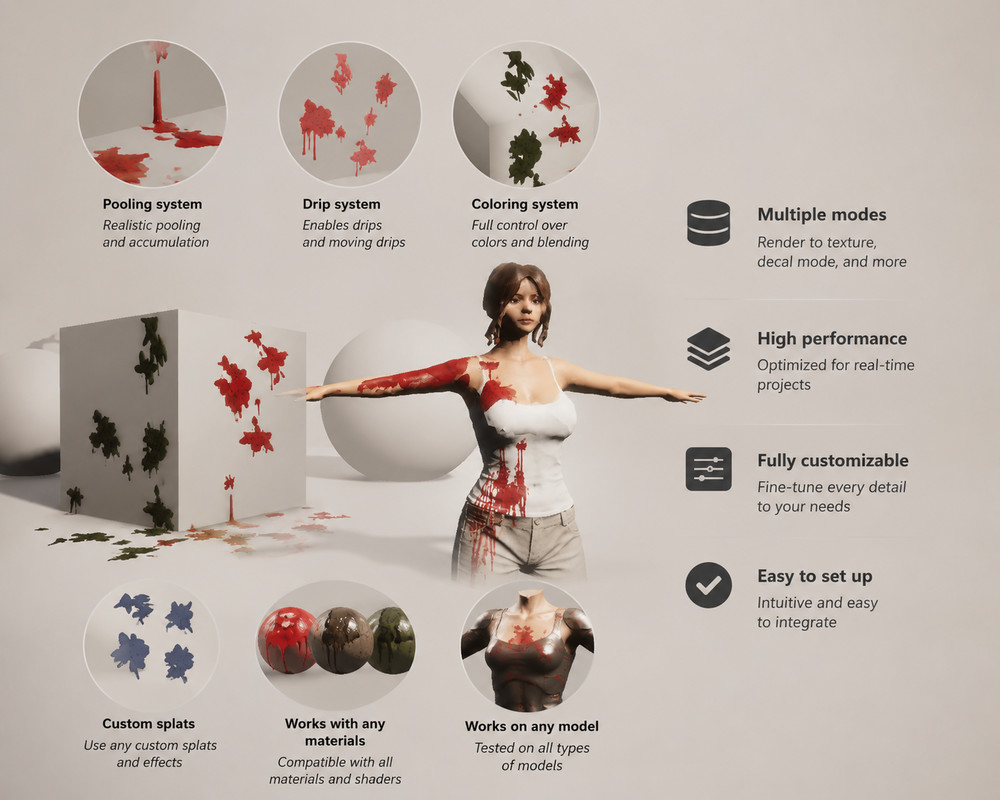
SplatterFX is the easiest way to add real, persistent liquid effects to your Unity game. Blood, mud, acid, paint, oil — drop the manager prefab into your scene, hit play, and any click, hit, or particle collision spawns shaped splats that stick to the surface, respect the lighting, and drip down your characters.
No code required. No 3D-art skill required. Tweak everything from the inspector.
What you get
🩸 Real splatter that sticks and drips
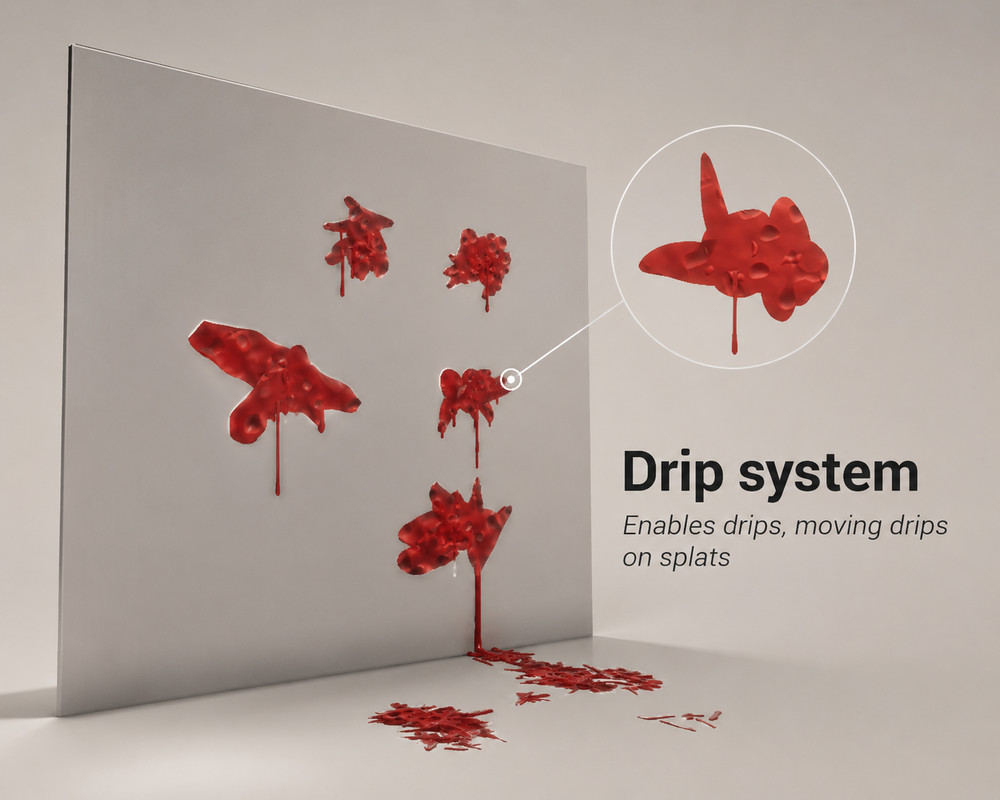
Every splat is a real Decal Projector (or per-character RenderTexture overlay), so it follows the surface curvature of your meshes — even moving skinned characters. Drips run down from each splat using gravity-projected flow, on walls, sphere apexes, and the curved limbs of your characters.
🎯 Three render modes — switch per-object
- Decal — full PBR splats with metallic, AO, smoothness. Best for hard surfaces.
- RTT (Render-to-Texture) — paints directly into a per-character texture for perfect skinned-mesh conformance.
- BuiltIn (screen-space) — Unity's stock URP Decal shader, lights correctly out of the box on organic meshes, zero shader setup.
Set the render mode per-object via the SplatterReceiver component — a spray fired from your character can land on a wall and render with the wall's settings.
💧 Four spray styles
- Burst — short fast puff (bullet hit)
- Arc — sweeping stream (slash / sword)
- Scatter — wide explosion (shotgun)
- Ooze — slow continuous drip
🎨 Profile-driven look
Every effect is a SplatterProfile ScriptableObject. Tune color, materials, particle counts, spray cone, gravity, drag, drip behavior, mist/drop ratios — all from one inspector. Duplicate a profile in seconds to make a new look. Bundled profiles included: BulletHit, SlashWound, ShotgunBlast, Drip, Character, Green.
🧱 Material presets
Ship-ready gore looks: Blood (Wet), Mud (Matte), Acid (Glow) — for both URP and HDRP. Plus matching particle materials.
🔌 Use your own assets
Drop any decal material into profile.decalMaterial and it just works — Decal shader graph, URP stock Decal, HDRP/Decal, your own custom shader, all supported. The runtime composes your material with a random shape silhouette per spawn for variety.
Drop any particle prefab into profile.particlePrefab — SplatterFX uses your prefab as-is (size, lifetime, sub-emitters, trails, your art). The prefab is authoritative. No need to rewire anything.
Custom drip materials, custom decal projector prefabs (for full draw-distance / angle-fade / layer control), and a per-mode BuiltIn material slot are all exposed on the profile too. Swap any single piece without touching the others.
⚡ One-click setup
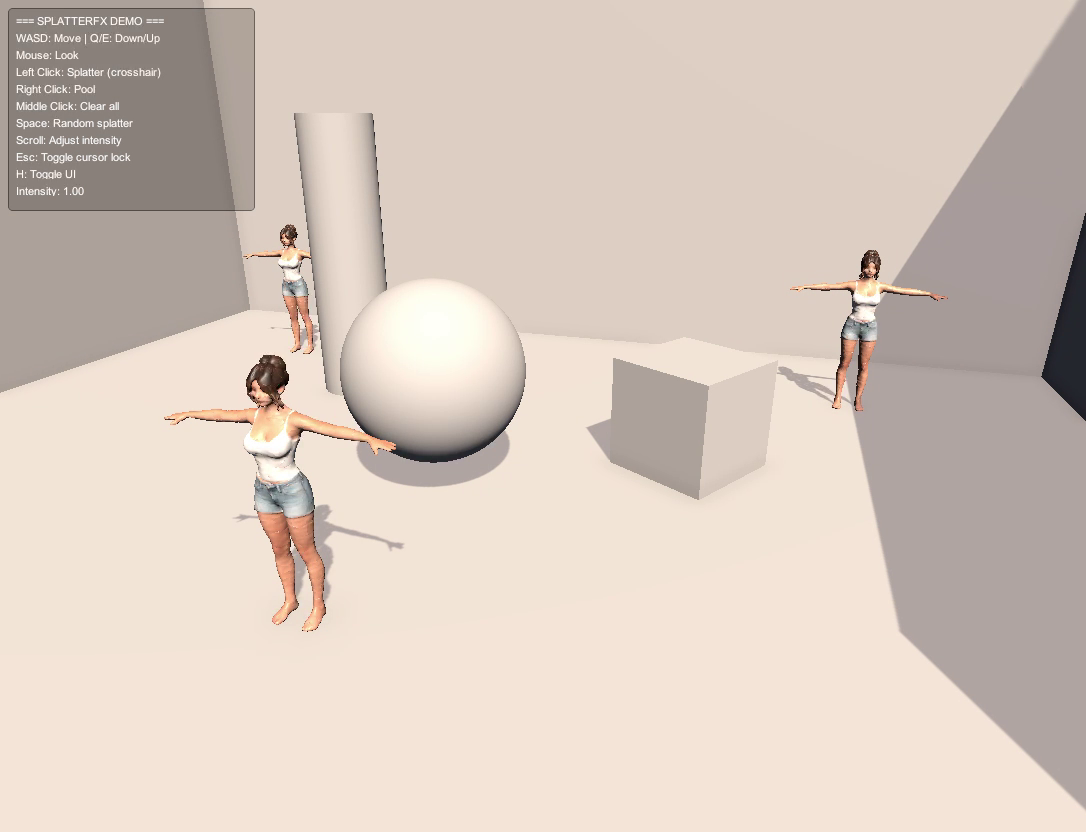
Tools > SplatterFX > Get Started generates everything: shaders, textures, materials, the default profile, the manager prefab, and a curated demo scene with three side-by-side characters showing each render mode.
🔁 URP ↔ HDRP switcher
Built-in pipeline switcher regenerates the right shader and materials when you move between URP and HDRP. Auto-detects the active pipeline on script reload.
🚀 Performance
- Per-profile object pooling — no per-spawn allocations after warm-up
- Cached material clones keyed by shape × color × shader
- Per-profile caps so old splatter doesn't evict new
- Live material property sync — edit Metallic / Smoothness on the source material and every active decal updates
🛠 Developer-friendly API
// Splatter at a point
SplatterAPI.Splatter(hit.point, hit.normal, bloodProfile);
// Splatter from a particle collision
SplatterAPI.SplatterCollision(hit.point, hit.normal, bloodProfile, hit.gameObject);
🎮 Bundled demo
Three demo characters (one for each render mode) side-by-side, plus a sphere, a crate, walls, and floor. Click anywhere with the demo scene loaded and see exactly how each mode looks.
Compatibility
- Unity 2022.3 LTS or newer
- URP and HDRP (Built-In pipeline NOT supported)
- Skinned meshes supported via RTT mode (your character shader must sample the RT overlay — a ready-to-use SplatterLit_Character.shader is included)
Discord & support
Bug reports, feature requests, customization help, and "look what I built with it" all welcome.
What's NOT included
- 3D character models or environments (the demo scene uses placeholder primitives + one bundled DenimModel)
- 2D-only splatter (SplatterFX is built around 3D decals & RTT)
- Built-In render pipeline support
From the publisher's Asset Store listing.
Technical details
Technical details
• Pipelines: URP and HDRP (Built-In not supported)
• Unity: 2022.3 LTS or newer (Unity 6 compatible)
• Render modes: DecalProjector (Decal & BuiltIn) and per-object RenderTexture
(RTT)
• Includes: 1 custom URP/HDRP decal shader graph, 1 Lit character shader (RTT
compositing), procedurally generated textures (atlas, heightmaps, normals,
droplet, gore base/normal)
• 6 example SplatterProfile presets (Blood, BulletHit, SlashWound, ShotgunBlast,
Drip, BloodGreen, BloodCharacter)
• Pooled DecalProjectors and ParticleSystems, per-profile material caching
• C# source included, no DLLs, no third-party dependencies
• Public API: SplatterAPI.Splatter(), SplatterAPI.SplatterCollision()
• One-click setup wizard + URP ↔ HDRP switcher
• Demo scene with three side-by-side characters comparing all render modes
Compatibility
| Unity version | Built-in | URP | HDRP |
|---|---|---|---|
| 2022.3.62f3 | Not listed | Compatible | Compatible |
As listed on the Asset Store.