
 View on Asset Store (opens in new tab)
Package details
- Latest version
- 1.0.0
- Last updated
- First released
- Unity version
- 6000.3.10 or later
- Package size
- 125 KB
- Files
- 24
- Favorites
- 7
- Views in the past week
- 14
Price tracking
- Last checked
- Tracked since
- Lowest recorded
- Free on
Keywords

PackageLens - Package Import Review Tool
Review .unitypackage imports before they overwrite or conflict with your Unity project files.
Affiliate link · Purchases support this site
Price history
Last 6 months
USDAsset preview
1 / 5
PackageLens - Package Import Review Tool screenshot 1
About this asset
PackageLens is an Editor-only Unity tool that helps you inspect .unitypackage files before importing them into your project.
Importing packages can be risky when a project already contains files with the same paths, matching GUIDs, modified scripts, changed prefabs, or local edits you do not want to overwrite. Unity’s default importer is useful, but it does not always give enough context about what changed or why a file may be risky to import.
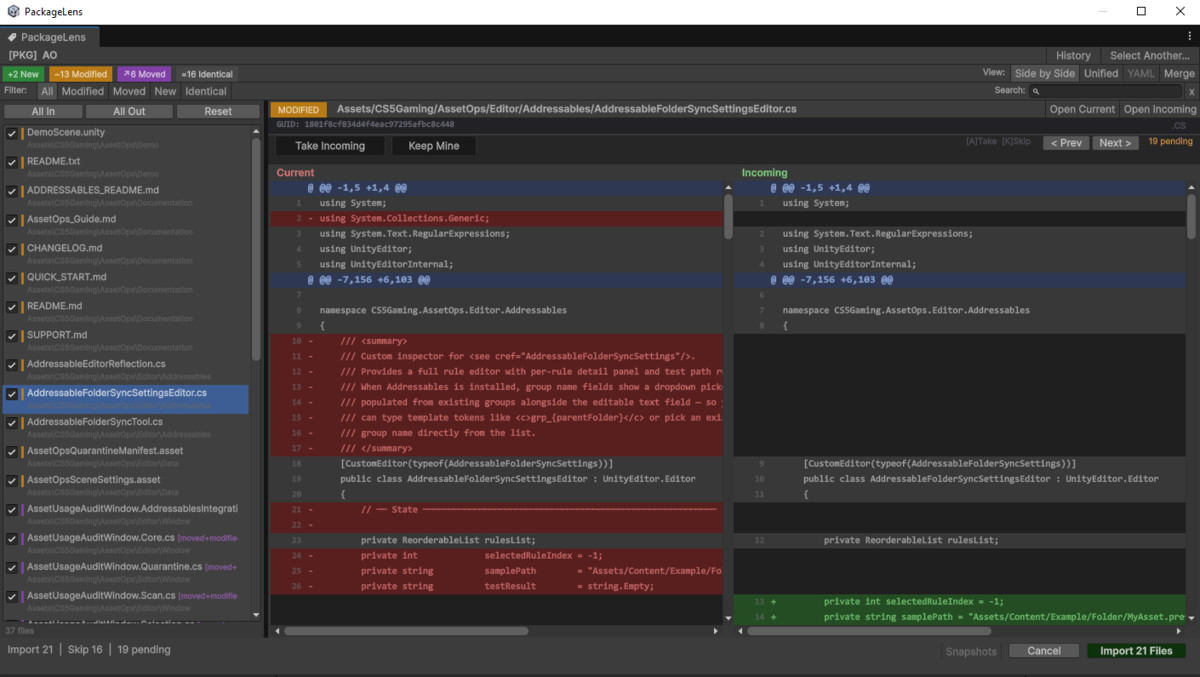
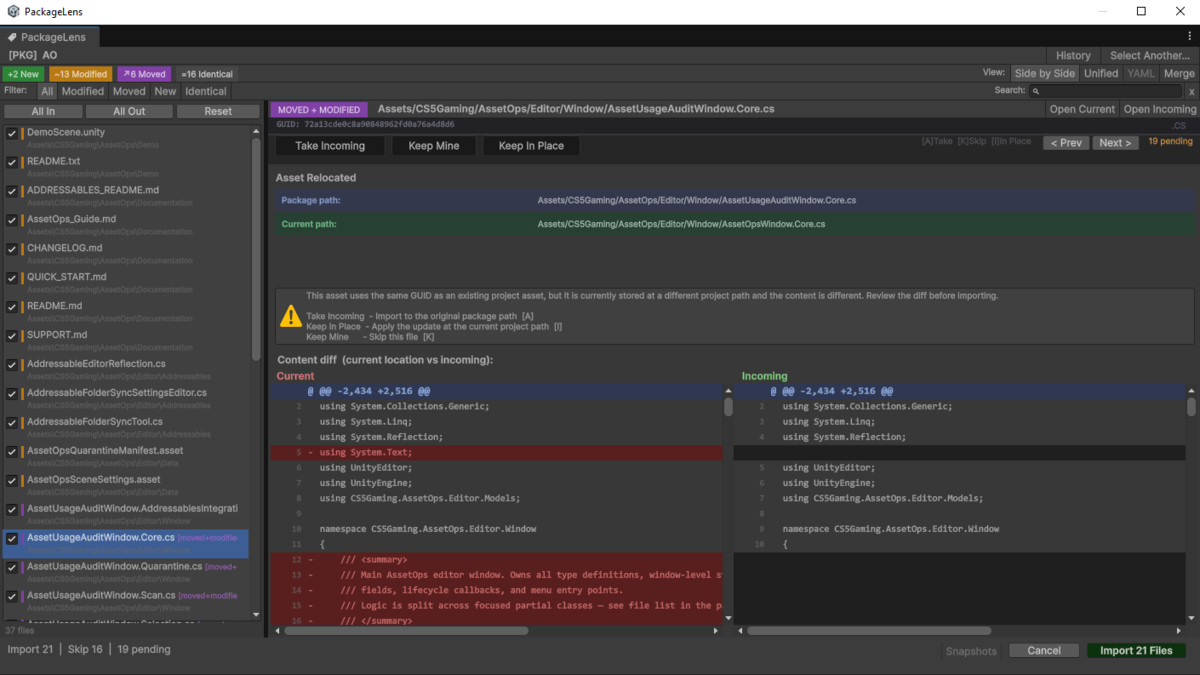
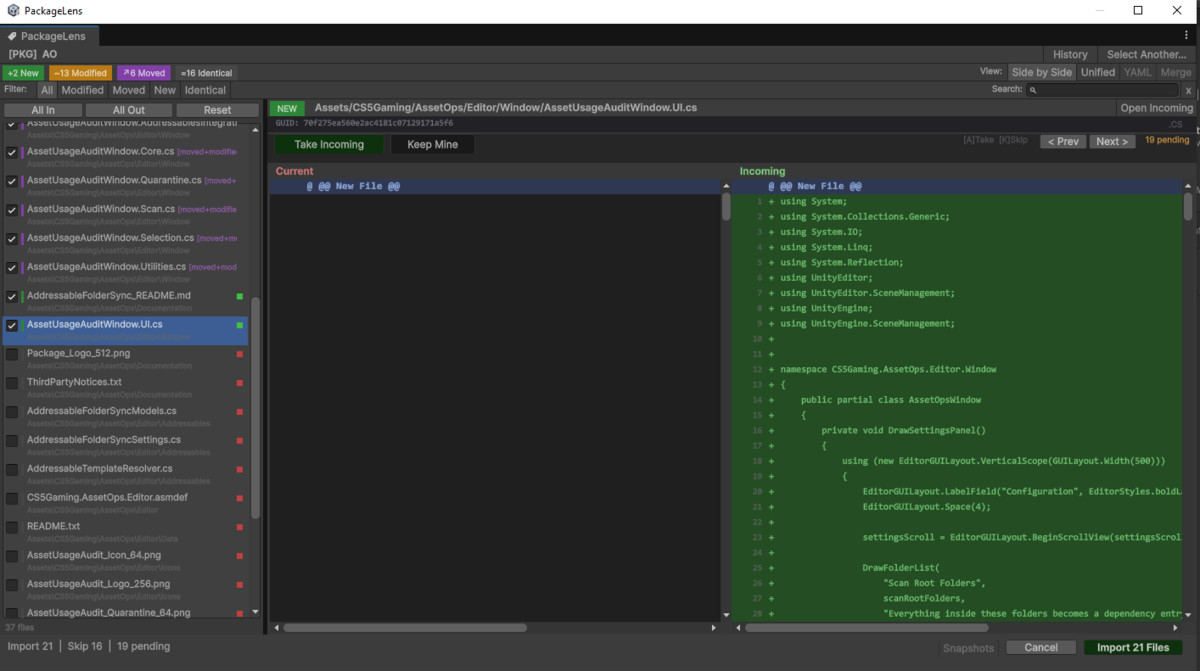
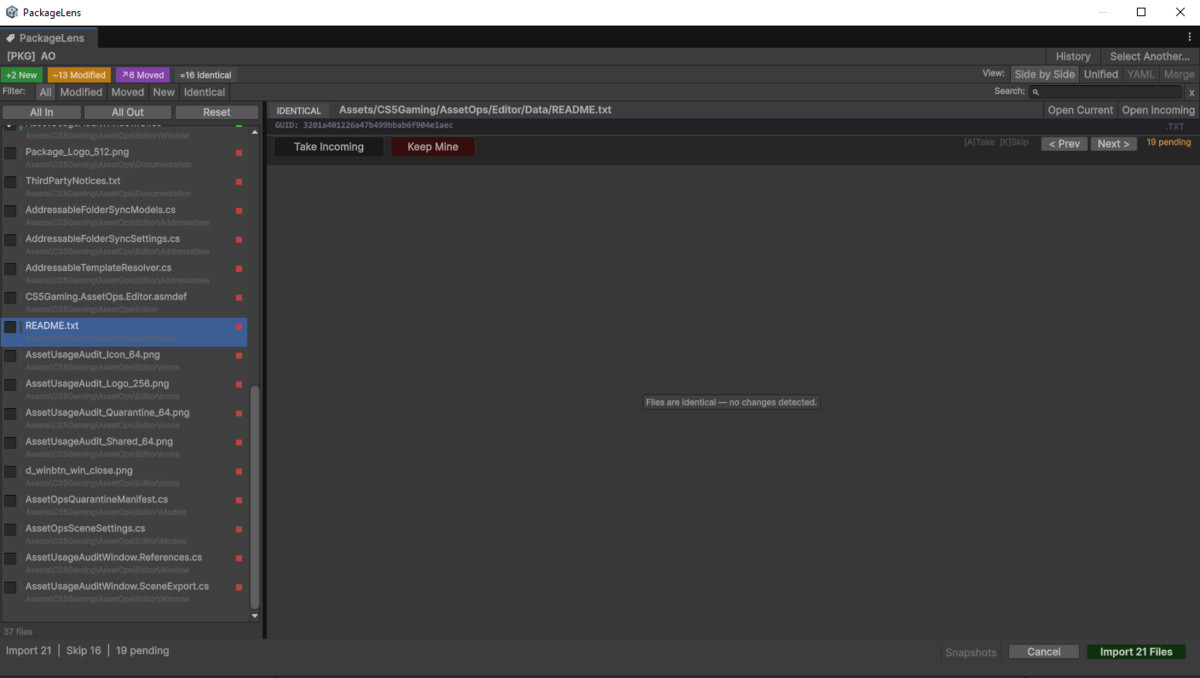
PackageLens gives you a safer review step before import. It compares the incoming package contents against your current project and clearly shows which files are new, modified, identical, binary, conflicting, or potentially moved and modified. You can review differences, inspect file status, and choose which files should be imported.
It is useful for Unity developers who frequently import asset packages, update third-party tools, test package revisions, manage local modifications, or want more confidence before bringing external files into a project.
PackageLens is not a replacement for Git, Plastic SCM, or a full source-control workflow. It is designed as a focused package import review helper that gives you more visibility before files are added or overwritten.
Because it is Editor-only and render-pipeline independent, it can be used in projects of any genre, including games, simulations, tools, prototypes, educational projects, and production workflows.
From the publisher's Asset Store listing.
Technical details
Main Features
- Review .unitypackage contents before importing.
- Compare incoming package files against existing project files.
- Detect and classify files as: New
Modified
Identical
Binary
Path Conflict
Moved + Modified - Treat identical GUID/content matches as already existing, even when the asset exists at another path.
- Show clear status notes for safer import decisions.
- Text diff view for readable file changes.
- YAML/property comparison support for Unity text-serialized assets.
- Binary file metadata and hash comparison.
- Per-file import selection.
- Import selected files only.
- Pre-import snapshot support.
- Import history tools.
- Search and filter tools for large package reviews.
- Optional drag-drop intercept setting, disabled by default.
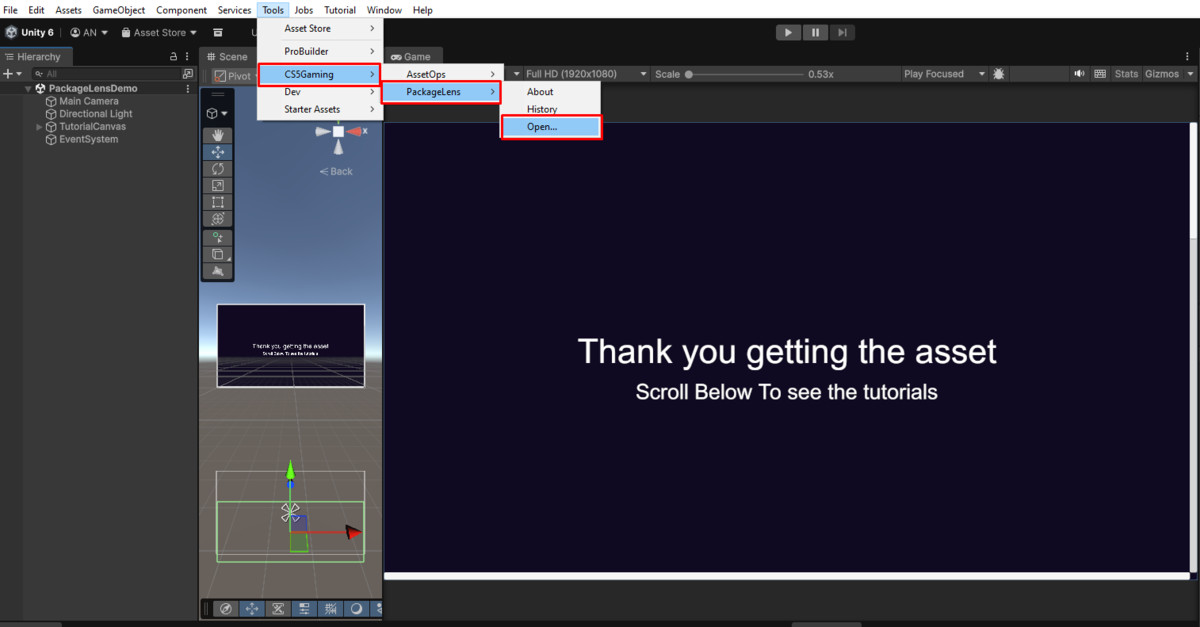
- Clean manual launch workflow from:
Tools > CS5Gaming > PackageLens > Launch PackageLens
Included Files
- Editor tool scripts.
- Demo/tutorial scene.
- Offline PDF documentation.
- Offline RTF documentation.
- README.
- Quick Start guide.
- Changelog.
- Support file.
Dependencies
- No third-party dependencies.
- No runtime dependencies.
- No external services.
- No render pipeline dependency.
- No Built-in RP, URP, or HDRP-specific assets.
Setup
- Import the package.
- Open PackageLens from:
Tools > CS5Gaming > PackageLens > Launch PackageLens - Click Import Package with PackageLens…
- Select a .unitypackage file.
- Review the detected file statuses and choose what to import.
Notes and Limitations
- PackageLens is an Editor-only tool and does not add runtime components to builds.
- PackageLens does not replace proper source control.
- Binary files can be compared by metadata and hash, but not visually merged.
- Automatic conflict resolution is not the goal of this tool; users should review risky files before importing.
- Optional drag-drop intercept is disabled by default to preserve Unity’s normal importer behavior unless the user enables it manually.
Compatibility
| Unity version | Built-in | URP | HDRP | Custom |
|---|---|---|---|---|
| 6000.3.10f1 | Compatible | Compatible | Compatible | Compatible |
Editor-only tool with no runtime components and no render pipeline dependency. Works with Built-in, URP, and HDRP because it does not include or modify rendering assets. Intended for Unity 2021.3 LTS or newer. Tested with Unity 2022.3 LTS and Unity 6.
As listed on the Asset Store.