
 View on Asset Store (opens in new tab)
Package details
- Latest version
- 1.0.0
- Last updated
- First released
- Unity version
- 2023.1.22 or later
- Package size
- 248 KB
- Files
- 25
- Views in the past week
- 130
Price tracking
- Last checked
- Tracked since
- Lowest recorded
- Free on
Keywords
15 Essential Editor Tools for Unity
Boost your Unity workflow with this 15-in-1 Editor Tools bundle! Includes a Bulk Rename, Object Scatterer, High-Res Screenshot tool, Missing Component Cleaner, and much more to save you hours of Time.
Affiliate link · Purchases support this site
Price history
Last 6 months
USDAsset preview
1 / 6
15 Essential Editor Tools for Unity screenshot 1
About this asset
15 Essential Editor Tools for Faster Game Development
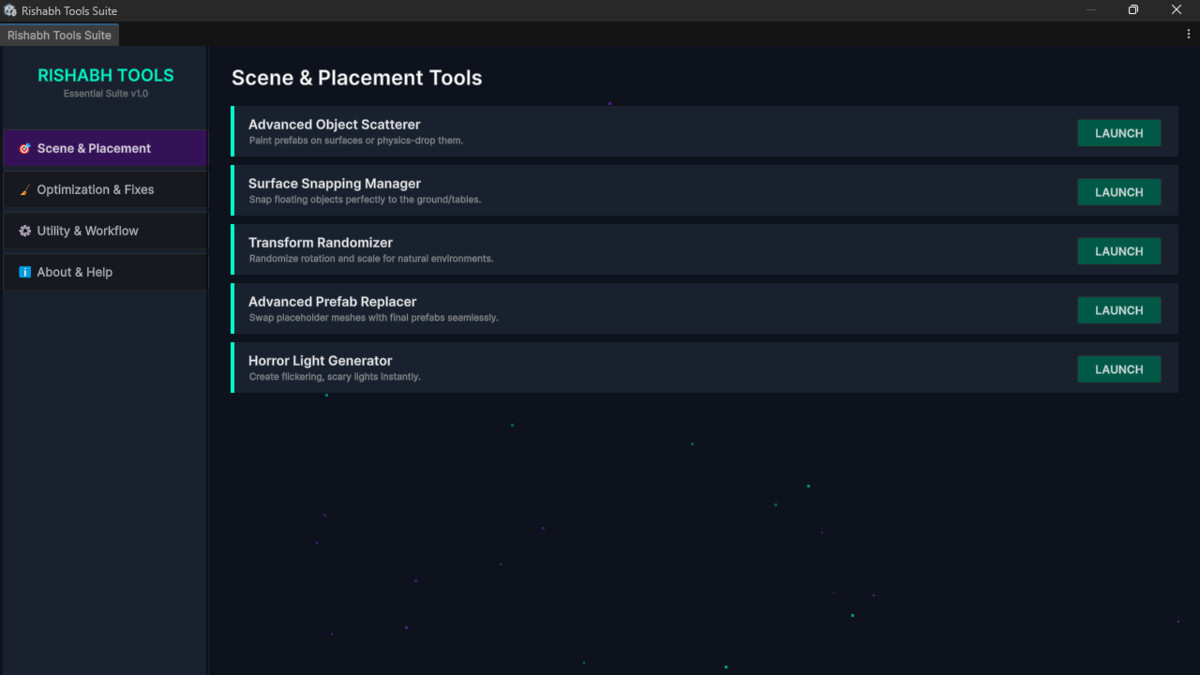
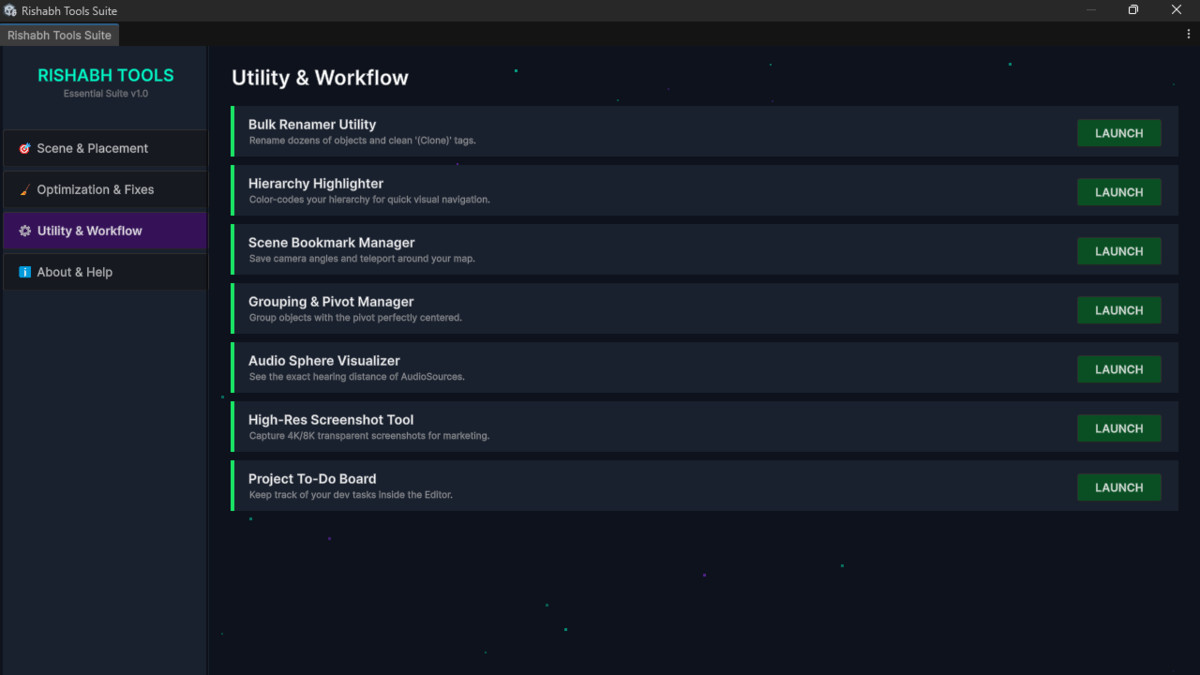
Welcome to the ultimate utility bundle designed to speed up your Unity workflow. Whether you are a beginner or an intermediate developer, these 15 custom Editor tools will automate repetitive tasks, organize your workspace, and enhance your productivity. All tools are neatly organized under a single custom top menu ("Rishabh Tools") so your workspace remains clutter-free.
What's included in the bundle?
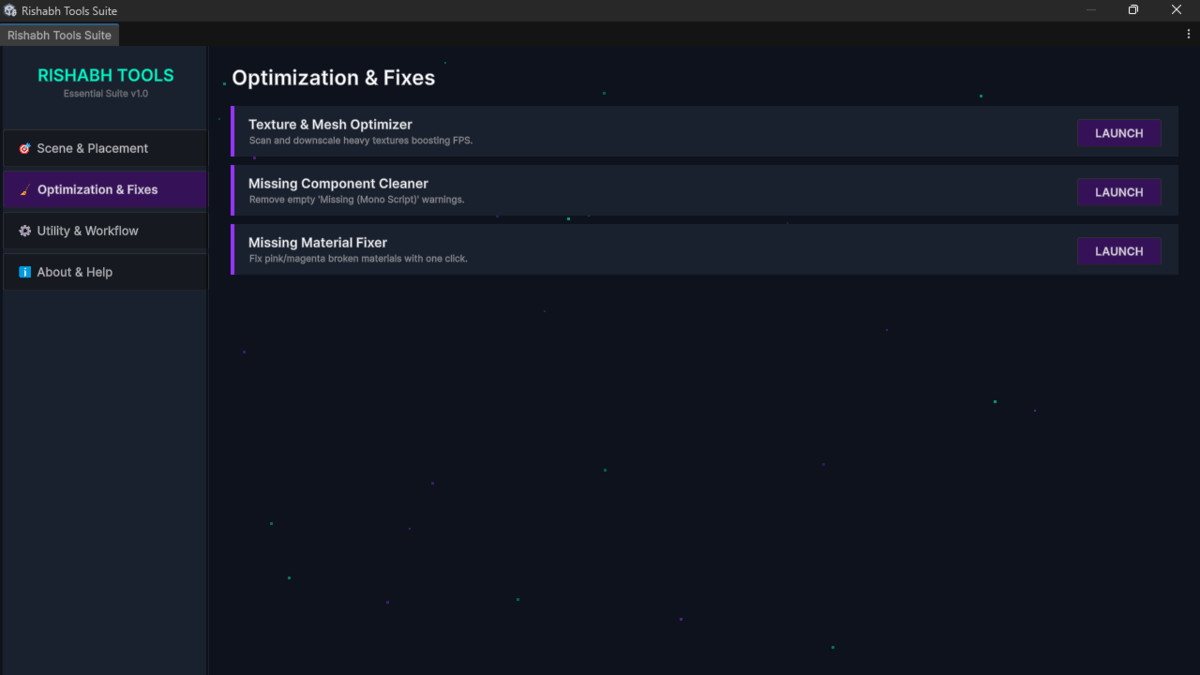
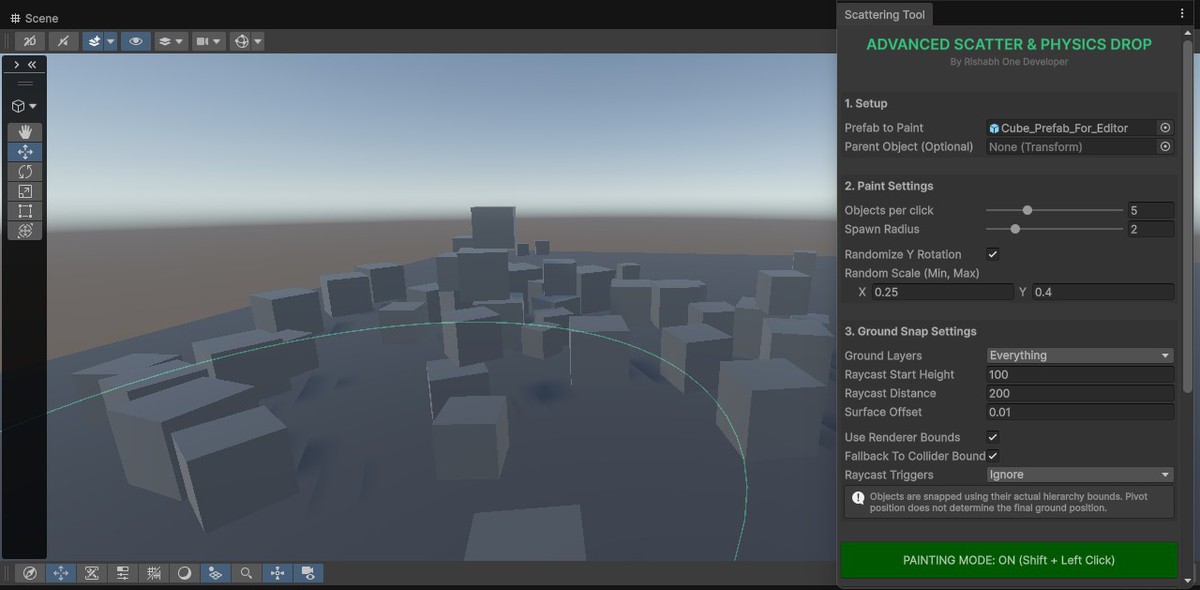
- Tool 1.1 - Advanced Object Scatterer: Easily populate your scenes by scattering props (like trees, rocks, debris) randomly across terrains or surfaces.
- Tool 1.2 - Horror Light Generator: Instantly create atmospheric, flickering, or dramatic lighting presets perfect for horror games.
- Tool 1.3 - Texture & Mesh Optimizer: Analyze and manage your game assets to improve project performance.
- Tool 1.4 - Audio Visualizer Setup: Visualize 3D audio source ranges and settings directly in the Scene view without playing the game.
- Tool 1.5 - Missing Component Cleaner: Automatically find and remove empty or "missing" script components from GameObjects with one click.
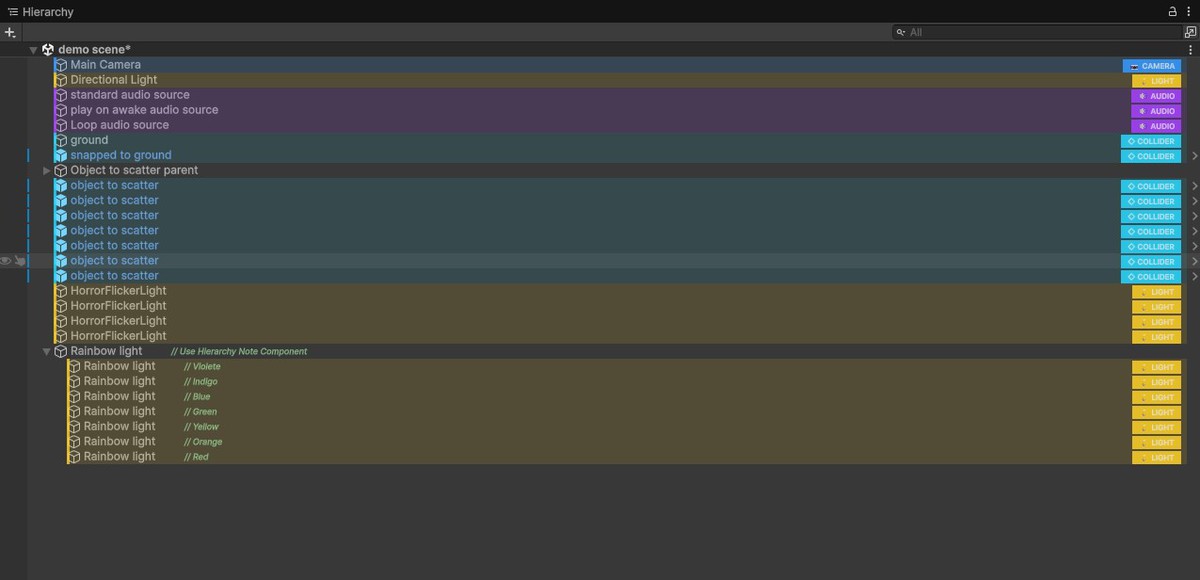
- Tool 1.6 - Hierarchy Setup: Keep your project clean and organized with advanced hierarchy structuring and separators.
- Tool 1.7 - Missing Material Fixer: Quickly identify and repair broken or pink "missing" materials across your entire scene.
- Tool 1.8 - Advanced Prefab Replacer: Swap out placeholder models with final prefabs in bulk effortlessly.
- Tool 1.9 - Bulk Renamer: Rename dozens of GameObjects at once using custom prefixes, suffixes, and automatic numbering.
- Tool 2.0 - Scene Bookmark Manager: Save specific camera angles and jump between different areas of your large scenes instantly.
- Tool 2.1 - Transform Randomizer: Add natural variety to your environments by randomizing the position, rotation, and scale of selected objects.
- Tool 2.2 - Grouping & Pivot Manager: Easily group multiple objects under a new parent and adjust their center pivot points without hassle.
- Tool 2.3 - High-Res Screenshot Tool: Capture ultra-high-resolution, transparent, or standard showcase images directly from the Scene or Game view cameras.
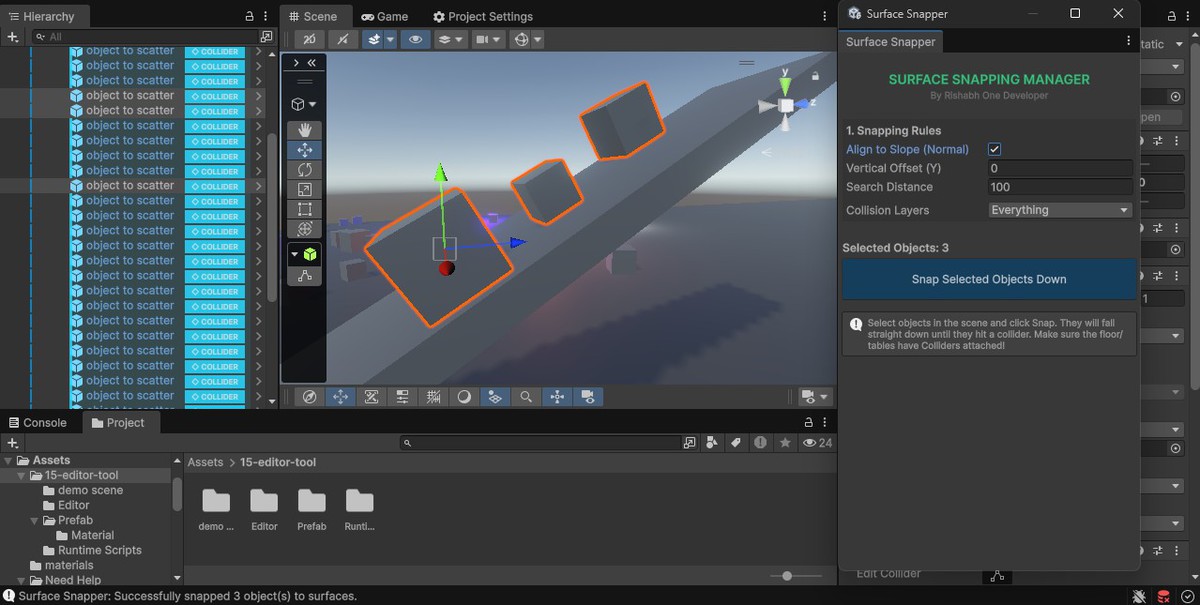
- Tool 2.4 - Snap to Surface Manager: Perfectly align and snap floating objects to the ground or complex meshes.
- Tool 2.5 - To-Do Board: An in-editor task management board to keep track of your bugs, ideas, and daily goals without leaving Unity.
Why choose this bundle?
- Lightweight: Editor-only scripts that do not bloat your game's runtime build.
- Easy to Use: No complex setups; just import and start using.
- Time-Saving: Automates tedious manual tasks so you can focus on game design.
From the publisher's Asset Store listing.
Technical details
Key Features:
- 15 separate, highly focused Editor utilities.
- Editor-only code (Zero impact on game performance/build size).
- Compatible with Built-in, URP, and HDRP rendering pipelines.
Supported OS: Windows & macOS & any OS
Dependencies: None
Compatibility
| Unity version | Built-in | URP | HDRP | Custom |
|---|---|---|---|---|
| 2023.1.22f1 | Compatible | Compatible | Compatible | Compatible |
As this package consists entirely of Editor utility scripts and custom EditorWindows, it is 100% compatible with all render pipelines (Built-in, URP, and HDRP) right out of the box. No additional SRP setup, material upgrades, or configuration is required.
As listed on the Asset Store.