
 View on Asset Store (opens in new tab)
Package details
- Latest version
- 1.3
- Last updated
- First released
- Unity version
- 6000.3.10 or later
- Package size
- 481 KB
- Files
- 43
- Favorites
- 6
- Views in the past week
- 31
Price tracking
- Last checked
- Tracked since
- Lowest recorded
- $49.99 on
Keywords
LLObf: Code Obfuscation & Encryption (IL2CPP & Mono)
- Price drop
Protect Mono and IL2CPP Unity builds with build-time obfuscation, string encryption, IL2CPP metadata encryption, and runtime integrity tools.
Lowest recorded price
Get 58% off on Asset Store (opens in new tab)Affiliate link · Purchases support this site
Price history
Last 6 months
USDAsset preview
1 / 7
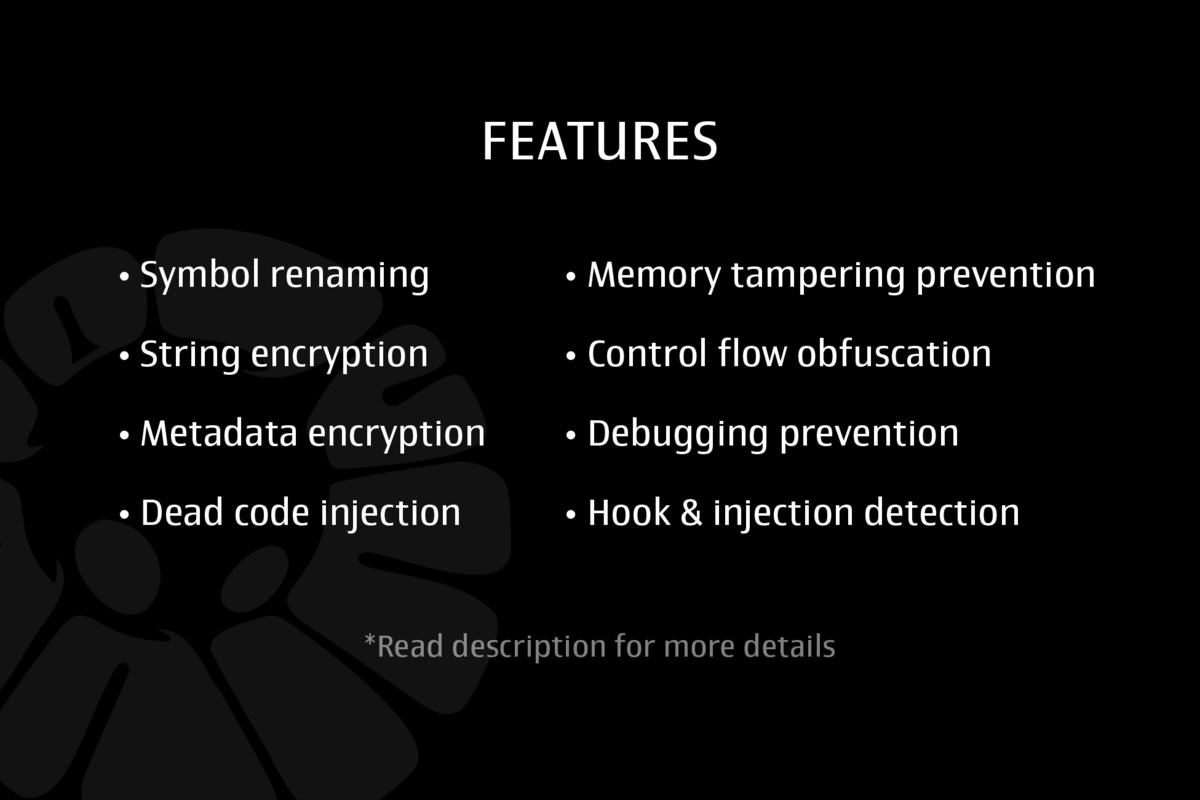
LLObf: Code Obfuscation & Encryption (IL2CPP & Mono) screenshot 1

About this asset
Protect the code behind your Unity release.
LLObf is a build-time security toolkit for Unity projects using Mono or IL2CPP. It helps reduce the amount of readable code, exposed strings, predictable logic, and vulnerable client-side data inside your shipped player.
Import LLObf, configure the protection layers you need, and build through your normal Unity workflow.
WHY LLObf?
A successful build is not necessarily a protected build.
LLObf adds multiple practical protection layers to your release process:
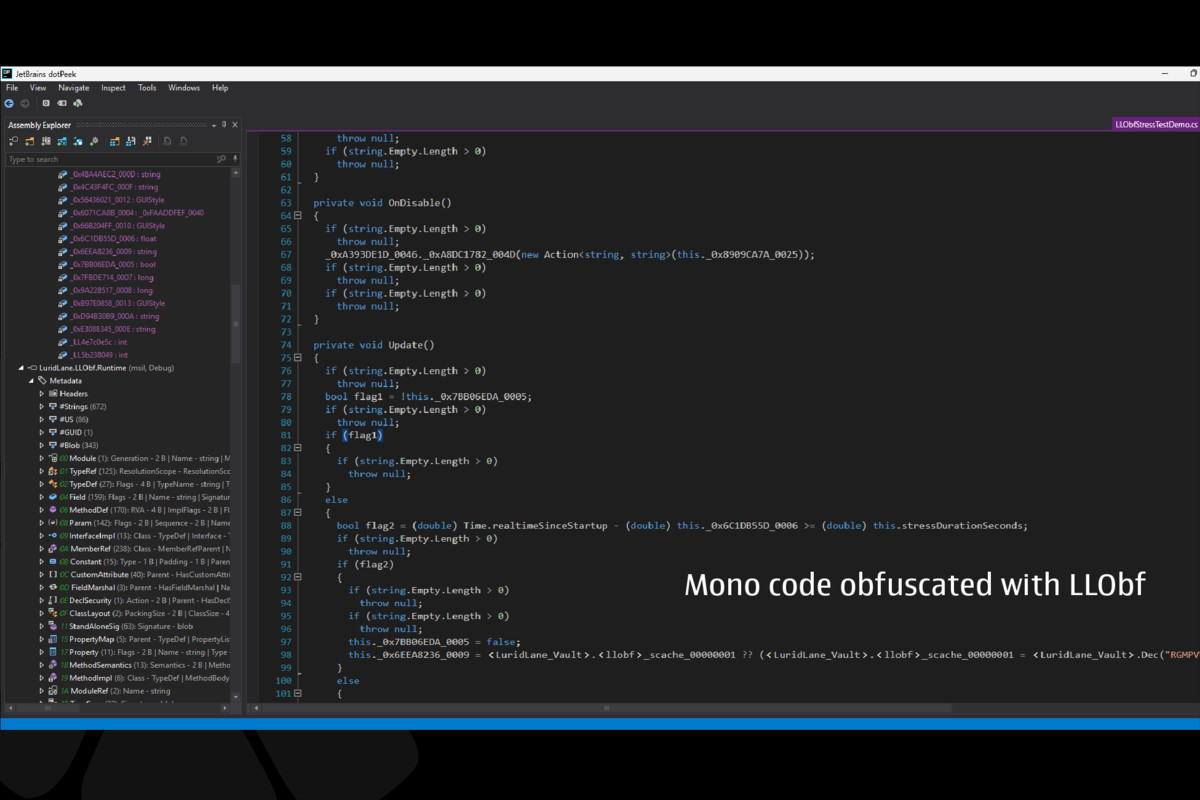
- Make managed code harder to read and analyze.
- Hide sensitive strings such as URLs, configuration values, and service identifiers.
- Disrupt predictable control flow and static analysis.
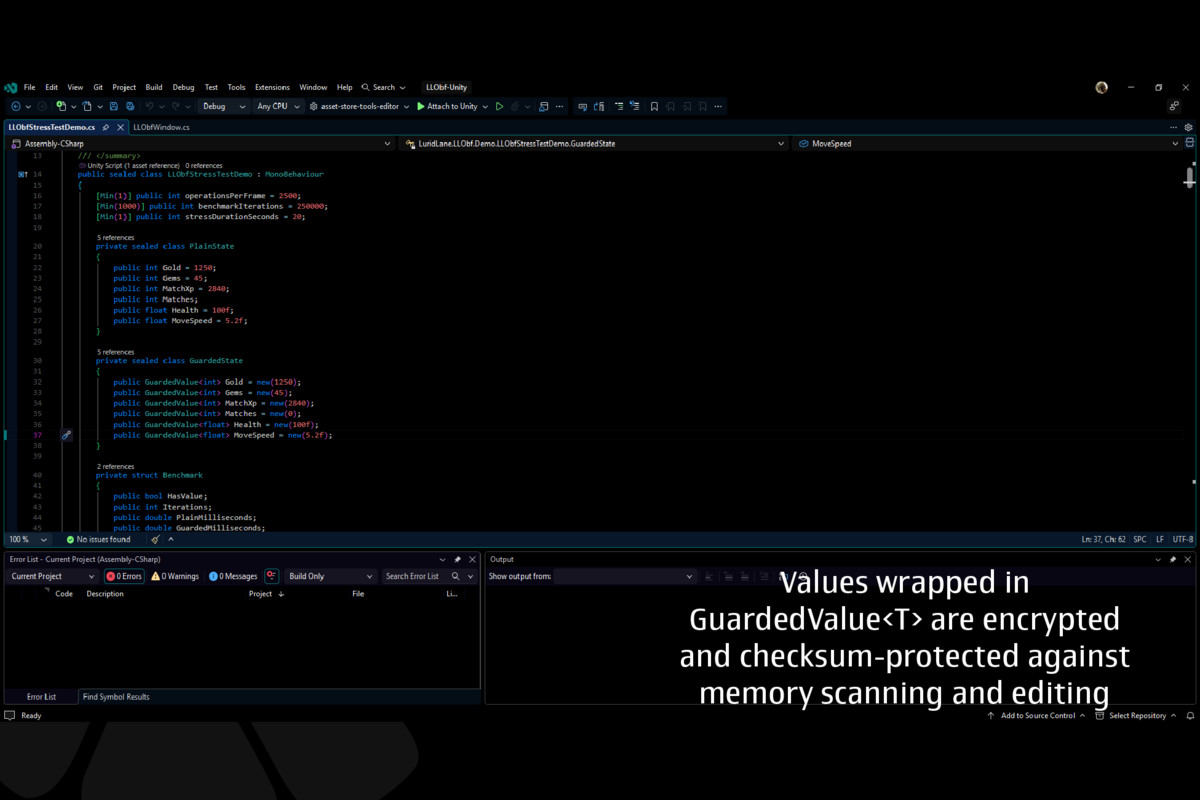
- Protect selected runtime values from casual memory editing.
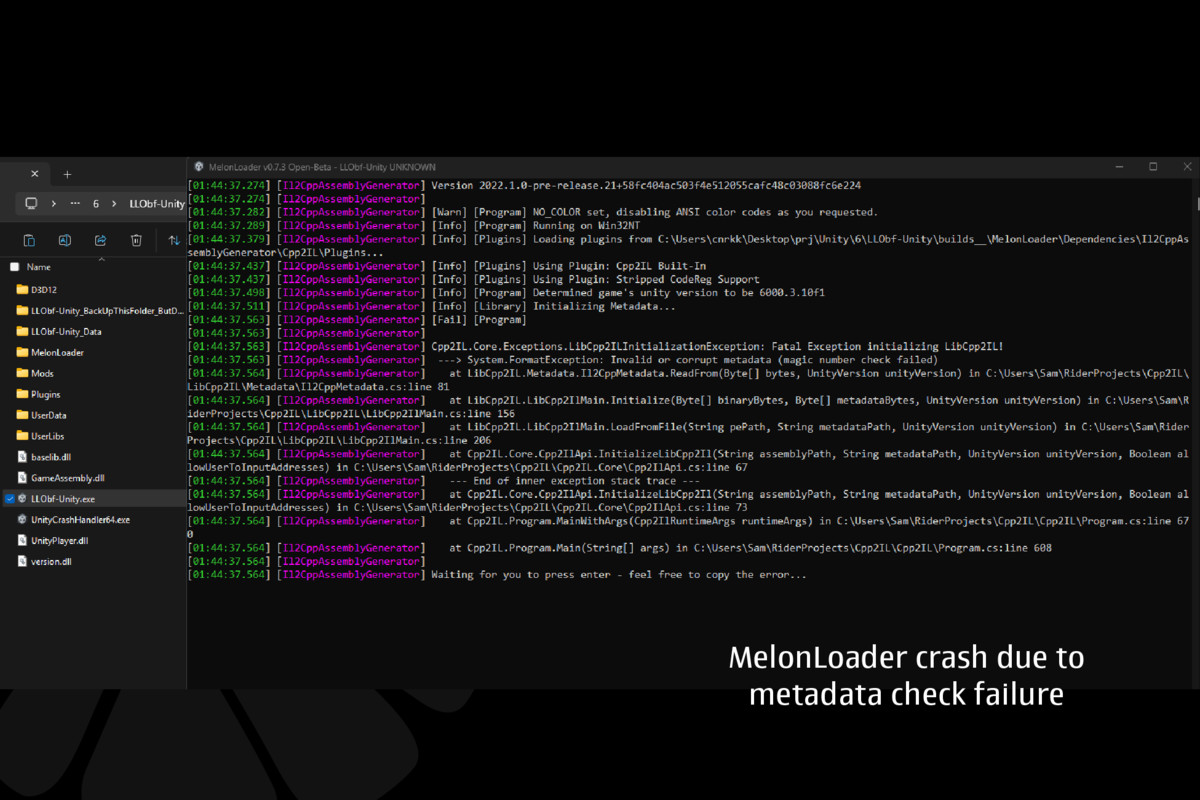
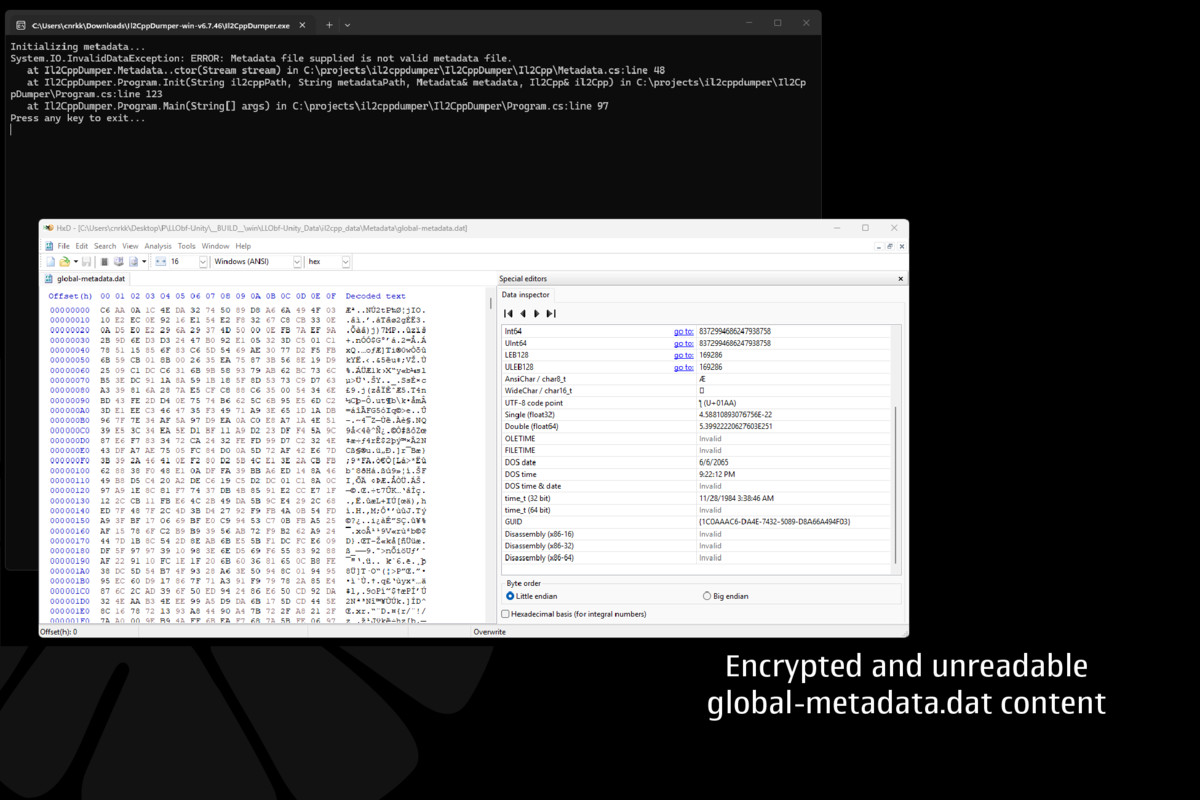
- Add IL2CPP metadata protection for supported builds.
- Add optional native integrity and anti-cheat checks on Windows Standalone.
KEY FEATURES
- Build-time code obfuscation
- String encryption
- Symbol and member renaming
- Control-flow obfuscation
- Dead-code injection
- IL2CPP metadata protection
- Runtime value integrity protection
- Secure local preferences
- Optional Windows native anti-cheat
- Unity Editor build integration
- Detailed build logs and technical samples
WHY DEVELOPERS CHOOSE LLObf
- One workflow for Mono and IL2CPP projects
- No manual assembly transformation workflow
- Multiple protection layers in one Unity package
- Unity-aware processing for serialized fields and common Unity types
- Flexible settings for development and release builds
- Randomized build seeds for improved release hygiene
- Built-in samples and documentation
- Designed for commercial Unity games and tools
RECOMMENDED FOR
- Commercial Unity games
- Multiplayer projects with valuable client-side state
- Projects containing proprietary gameplay logic
- Games using sensitive URLs or service configuration
- Developers preparing a public release, demo, beta, or paid build
From the publisher's Asset Store listing.
Technical details
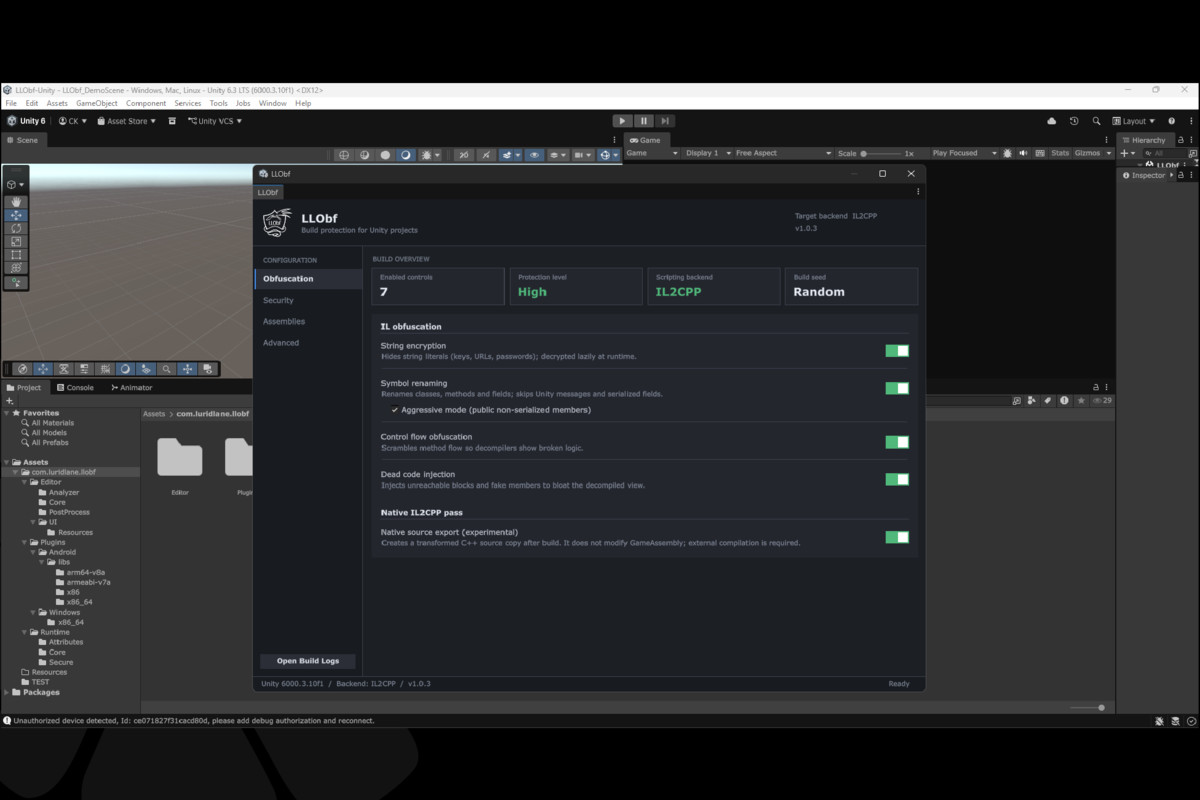
- String Encryption: literals encrypted at build time, decrypted only when needed
- Symbol Renaming: obfuscates class/method/field names
- Control Flow Obfuscation: adds opaque predicates and noise to confuse decompilers
- Dead Code Injection: fake members, unreachable paths
- IL2CPP Metadata Encryption: encrypts + authenticates global-metadata.dat
- GuardedValue<T> / GuardedList<T>: encrypted, tamper-checked values in memory
- SecurePlayerPrefs: encrypted local prefs with corruption detection
- Windows Native Anti-Cheat: debugger/hook/proxy DLL/module integrity checks
Setup: Tools > LLObf > Settings, pick what you need, build as usual
Requires Unity 2021.3+. Metadata encryption and native anti-cheat need IL2CPP / Windows Standalone. This protects the client - you still need server-side validation for things like currency and match results.
Compatibility
| Unity version | Built-in | URP | HDRP | Custom |
|---|---|---|---|---|
| 6000.3.10f1 | Compatible | Compatible | Compatible | Compatible |
As listed on the Asset Store.