
 View on Asset Store (opens in new tab)
Package details
- Latest version
- 1.0.4
- Last updated
- First released
- Unity version
- 2022.3.62 or later
- Package size
- 918 KB
- Files
- 439
- Favorites
- 4
- Views in the past week
- 13
Price tracking
- Last checked
- Tracked since
- Lowest recorded
- $17.00 on
Keywords

Universal Drag&Drop
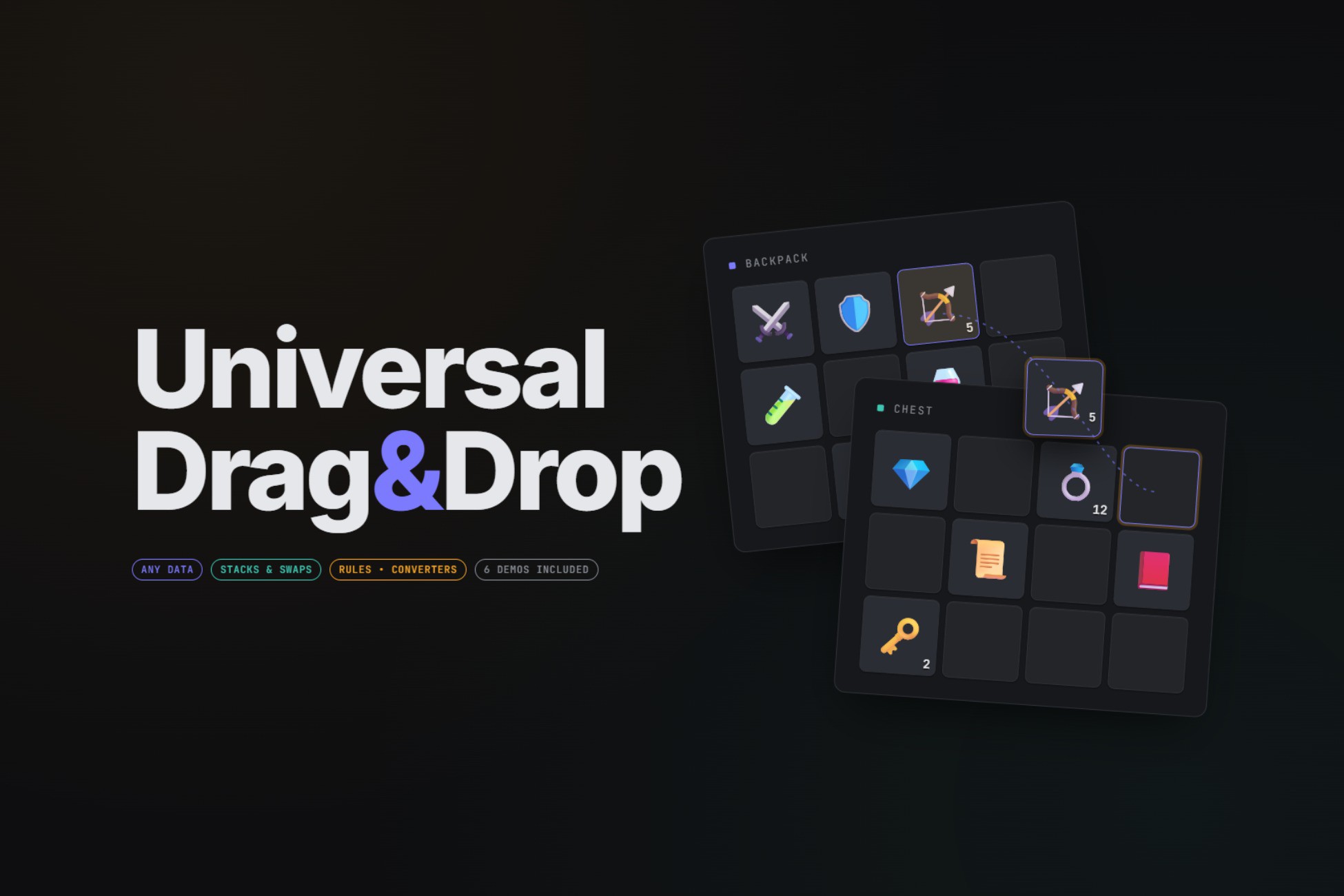
Flexible drag and drop inventory framework with data binding, stacking, swapping, rules, context menus, tooltips, multi-selection, quick transfer, item conversion.
Affiliate link · Purchases support this site
Price history
Last 6 months
USDAsset preview
1 / 8
Universal Drag&Drop screenshot 1

About this asset
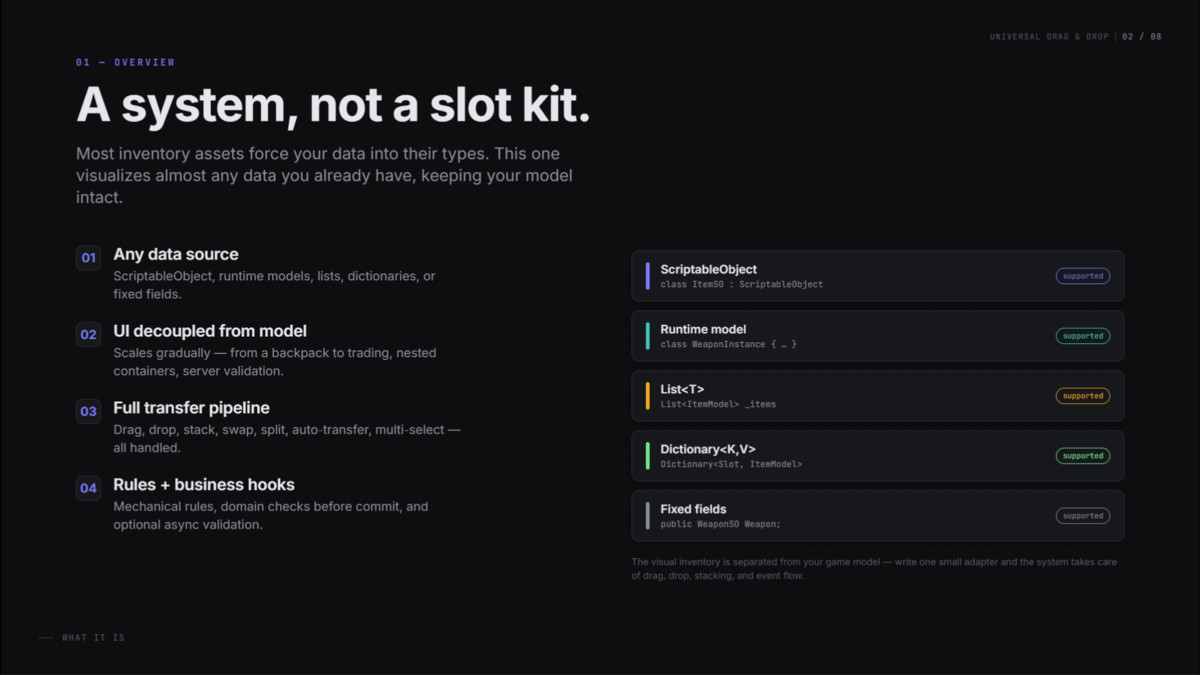
Universal Drag & Drop System is a flexible inventory framework built for projects where your gameplay data should stay separate from the UI inventory layer.
Instead of forcing your items into one predefined format, this asset uses adapters and data bindings so you can connect the system to your own data model, whether you use ScriptableObjects, runtime item models, list-based inventories, fixed slots, or different item representations across different inventories.
The package is designed for both simple use cases and more advanced inventory-heavy projects. You can start with a basic backpack and chest setup, then extend the same system toward equipment slots, world loot, crafting, trading, validation hooks, and nested container workflows.
Included features:
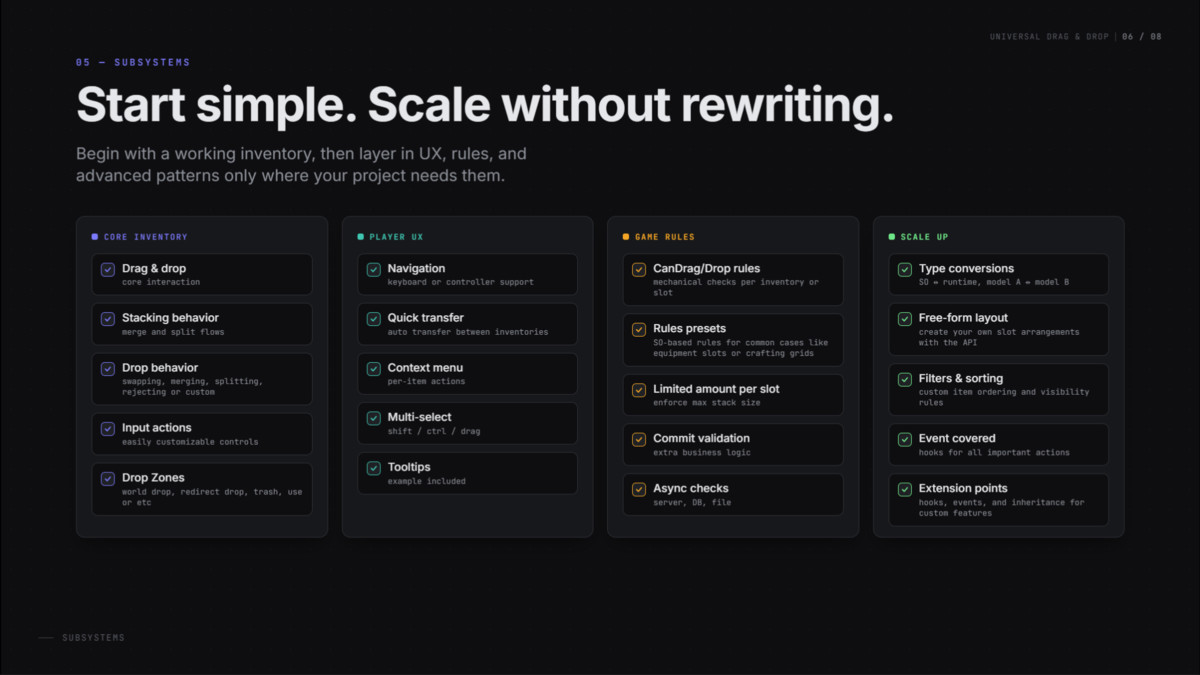
- Drag and drop between inventories
- Stack, split, merge, and swap flows
- Quick transfer and auto-transfer support
- Inventory, slot, and global drag rules
- Drop areas and free-form layout support
- Domain hooks before commit drag and after successful transfer
- Item conversion between different inventory models
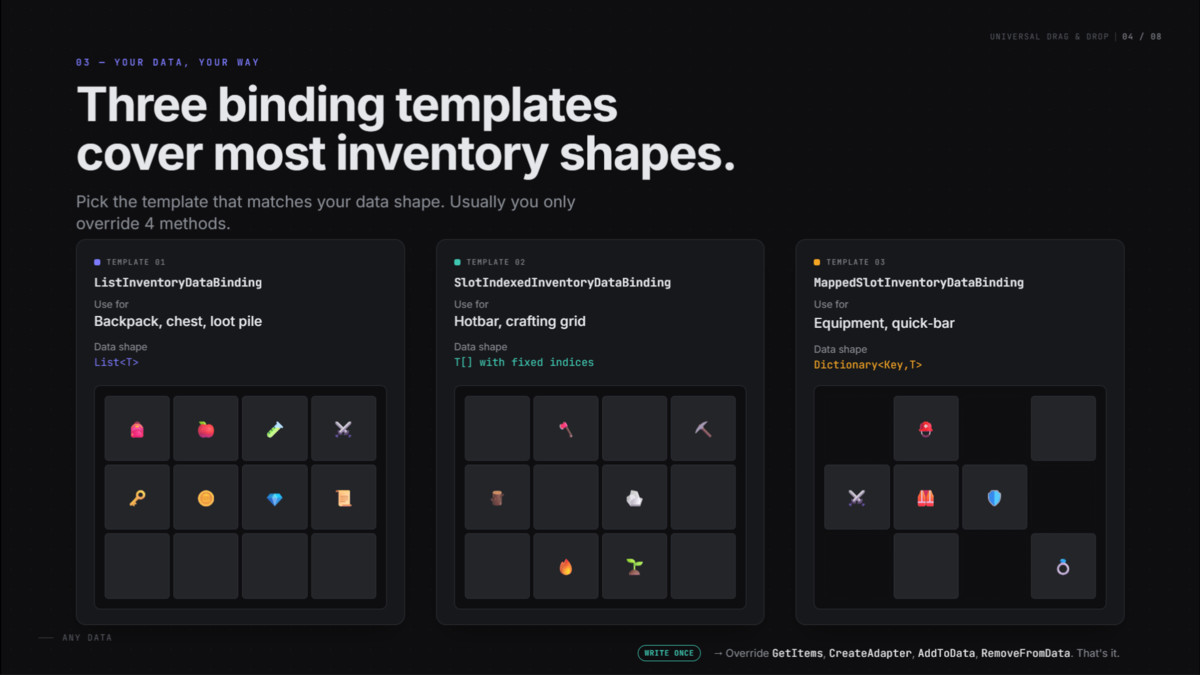
- Templetes for list/indexed/mapped data
- Customizable interactions
- Mouse, pointer, keyboard navigation, and Input Action based interaction support
- Multi-selection and multi-drag workflows
- Context menu system
- Filters and sorting system
- Tooltip system
- Editor integration and ready-to-use prefabs
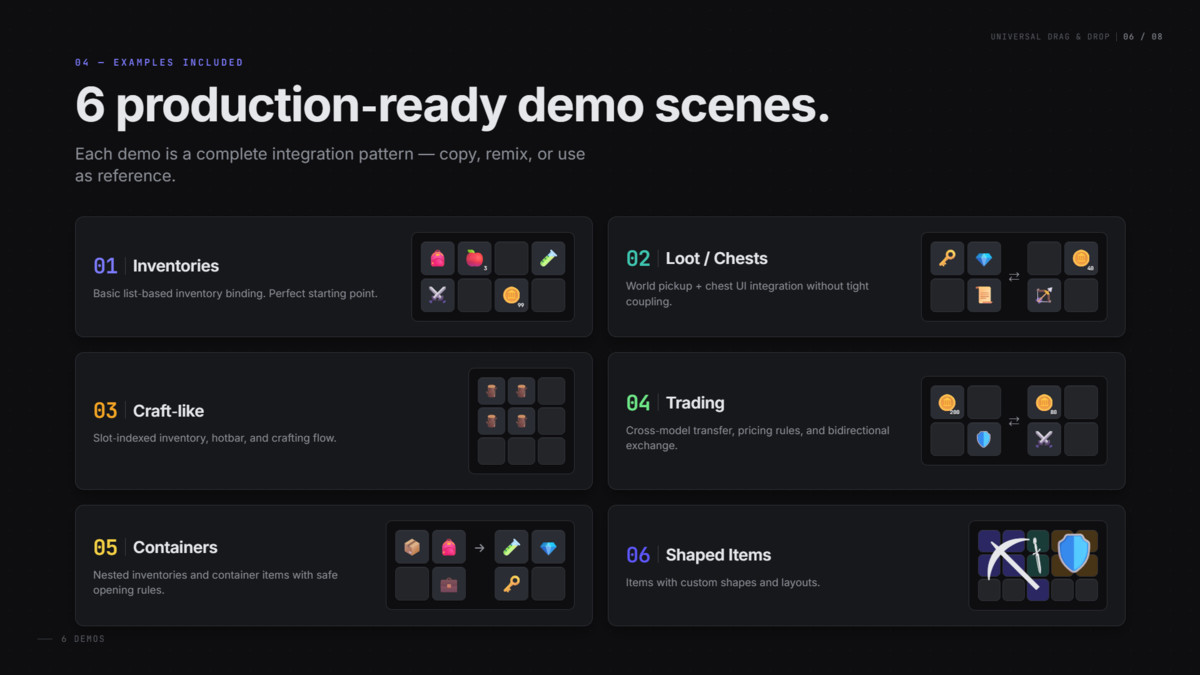
Included example scenes:
- Demo1 Inventories: simple list-based inventories
- Demo2 Loot: chest interaction and world-to-UI flow
- Demo3 Minecraft: slot-indexed inventory and crafting grid
- Demo4 Trading: trading, equipment slots, converters, and money checks
- Demo5 Containers: nested container items and container UI flow
- Demo6 Shaped Items: items with custom shapes and layouts
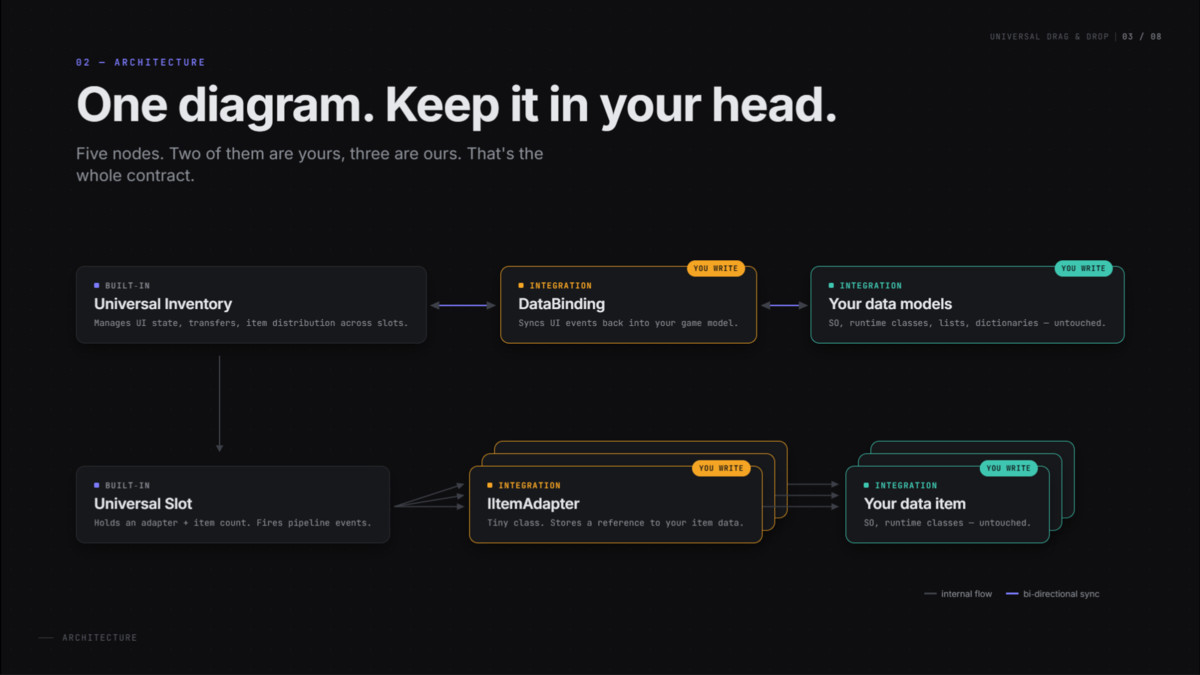
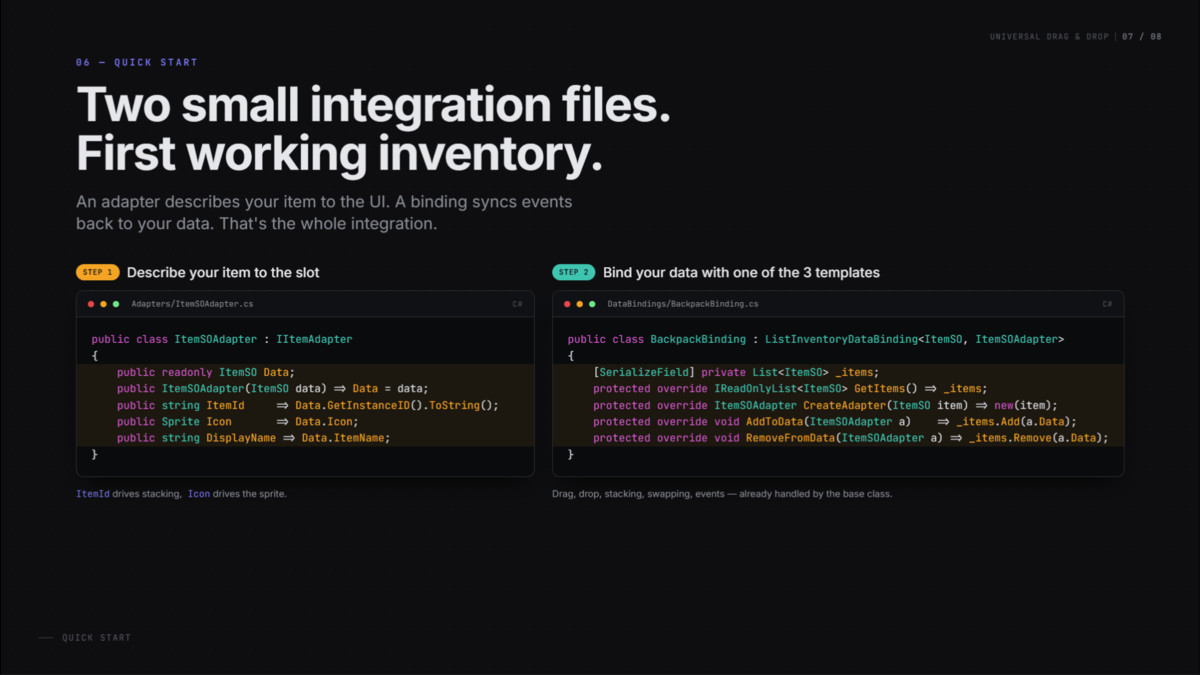
This asset is best suited for developers who want a reusable inventory foundation instead of a hardcoded one-off solution. Integration usually requires a small amount of custom code, typically an item adapter and a data binding for your own data model.
Documentation includes quick start guides, architecture explanations, troubleshooting pages, file maps, and system-specific guides.
From the publisher's Asset Store listing.
Technical details
Render pipeline compatibility:
- Built with Unity UI (Unity.ugui)
- Render pipeline agnostic
- Compatible with Built-in Render Pipeline, URP, and HDRP
Dependencies:
- Required just: Unity.ugui
- Optional: com.unity.inputsystem
Requires com.unity.inputsystem for:
- InputAction bindings
- InputActionSelectionTrigger
- Input modality tracking for navigation/gamepad-oriented flows
Package contents:
- Runtime inventory and transfer framework
- Data binding base classes for common integration patterns
- Rule system for transfer validation
- Selection, tooltip, context menu, and interaction subsystems
- Editor tooling and custom inspector support
- Ready-to-use prefabs and presets
- 6 example scenes
- Full documentation
Main integration points:
- IItemAdapter for representing your item data inside slots
- InventoryDataBindingBase and derived bindings for syncing UI with your game data
- Rule interfaces and presets for transfer validation
- Domain handlers for custom validation and post-transfer logic
- Item converters for cross-inventory model translation
Code structure:
- Runtime code separated with asmdefs
- Example content included
Support note:
- The asset is intentionally flexible and designed to work with custom data models
- Most projects will need a small integration layer to connect existing item/data structures
Compatibility
| Unity version | Built-in | URP | HDRP | Custom |
|---|---|---|---|---|
| 2022.3.62f3 | Compatible | Compatible | Compatible | Compatible |
As listed on the Asset Store.