
 View on Asset Store (opens in new tab)
Package details
- Latest version
- 1.0
- Last updated
- First released
- Unity version
- 6000.3.10 or later
- Package size
- 738 KB
- Files
- 5
- Views in the past week
- 3
Price tracking
- Last checked
- Tracked since
- Lowest recorded
- $10.50 on
Keywords

Fast Open Editor Tools
Stop digging through menus. Instantly find and run Unity Editor commands with a fast, keyboard-first command palette, favorites, and usage-based ranking.
Affiliate link · Purchases support this site
Price history
Last 6 months
USDAsset preview
1 / 2
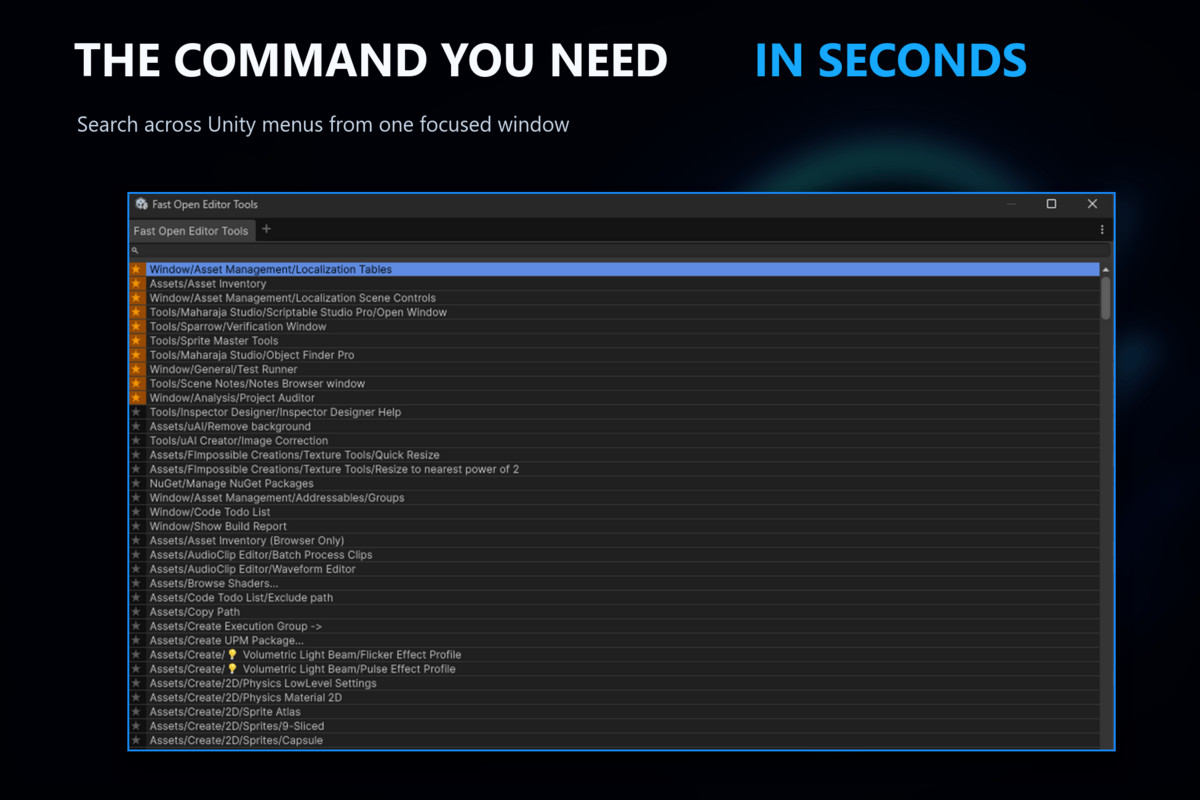
Fast Open Editor Tools screenshot 1
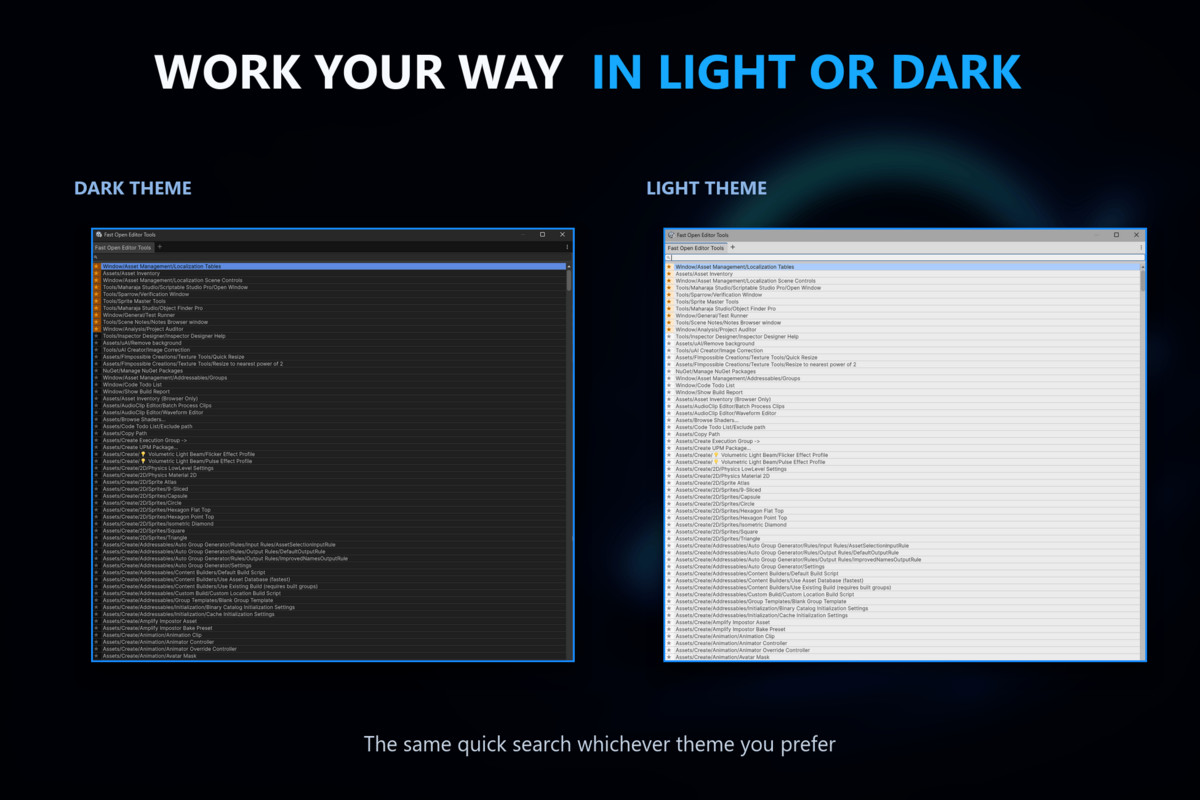
About this asset
Fast Open Editor Tools is a focused, keyboard-first command palette for the Unity Editor.
Open it with Ctrl+T on Windows or Linux, or Cmd+T on macOS, then type one or more words from a menu path.
Navigate the results with the arrow keys and press Enter to run the selected command, without digging through nested menus.
The tool searches commands from indexed Unity menu roots, including compatible custom commands registered with Unity’s [MenuItem] attribute.
Multi-term search is case-insensitive, works regardless of word order, and highlights matching parts of each command path.
Mark important commands as favorites and let successfully used commands rise to the top automatically. Favorites, usage counts, and menu-root preferences are stored separately for each project and local Editor user.
The compact interface supports both keyboard and mouse workflows and automatically adapts to Unity’s light and dark themes.
Indexed menu roots and the opening shortcut can be configured.
No setup, works out of the box.
Install the tool, open the command palette, and start searching.
From the publisher's Asset Store listing.
Technical details
Search commands from all enabled Unity menu roots in real time without navigating nested menus.
Keyboard-first workflow
- Open the command palette with Ctrl+T on Windows or Linux, or Cmd+T on macOS. Use Up and Down to navigate, Enter to execute, and Escape to clear the query or close the window.
Configurable shortcut
- The shortcut is managed by Unity’s Shortcuts Manager and can be changed under Edit > Shortcuts without modifying the package.
Multi-term token search
- Enter multiple space-separated terms. Every term must appear somewhere in the full command path, but terms can appear in any order and use any letter case.
Match highlighting
- Matching parts of command paths are highlighted for faster visual scanning.
Favorites
- Mark frequently used or important commands as favorites. Favorites are placed ahead of non-favorite results and remain available between Editor sessions.
Usage-based ranking
- Successfully executed commands are ranked by usage count, helping frequently used actions surface automatically.
Deterministic result ordering
- Results are ordered by favorite status, successful usage count, and command path, producing consistent and predictable rankings.
Configurable menu coverage
- Choose whether commands from CONTEXT, File, Help, Component, and Window roots appear in search results. All supported roots are enabled by default.
Custom command support
- Commands registered with Unity’s [MenuItem] attribute can appear when Unity includes them in its serialized menu index.
Context-aware execution
- Before running a command, the tool asks Unity whether it is currently enabled. Commands that are unavailable in the current Editor context remain visible, display a notification when selected, and do not change ranking.
Safe mouse interaction
- Left-click a command row to execute it or click its star to change favorite status. Favorite controls and right-click interactions do not accidentally run commands.
Per-project user preferences
- Favorites, successful usage counts, and menu-root choices are stored in UserSettings/FastOpenEditorToolsPreferences.asset for the current project and local Editor user.
User-data reset
- Clear favorites and usage counts from the command palette’s options menu. Menu-root preferences remain unchanged.
Light and dark theme support
- The interface automatically adapts to Unity’s current Editor theme.
Editor-only package
- Fast Open Editor Tools uses Unity Editor APIs and is isolated to an Editor-only assembly, so it does not add code to player builds.
Compatibility
| Unity version | Built-in | URP | HDRP | Custom |
|---|---|---|---|---|
| 6000.4.7f1 | Compatible | Compatible | Compatible | Compatible |
| 6000.3.10f1 | Compatible | Compatible | Compatible | Compatible |
As listed on the Asset Store.