
 View on Asset Store (opens in new tab)
Package details
- Latest version
- 1.0
- Last updated
- First released
- Unity version
- 2022.3.62 or later
- Package size
- 14.9 MB
- Files
- 183
- Views in the past week
- 20
Price tracking
- Last checked
- Tracked since
- Lowest recorded
- $20.00 on
Keywords

DeepLoc: One-Click Localization & AI Translation
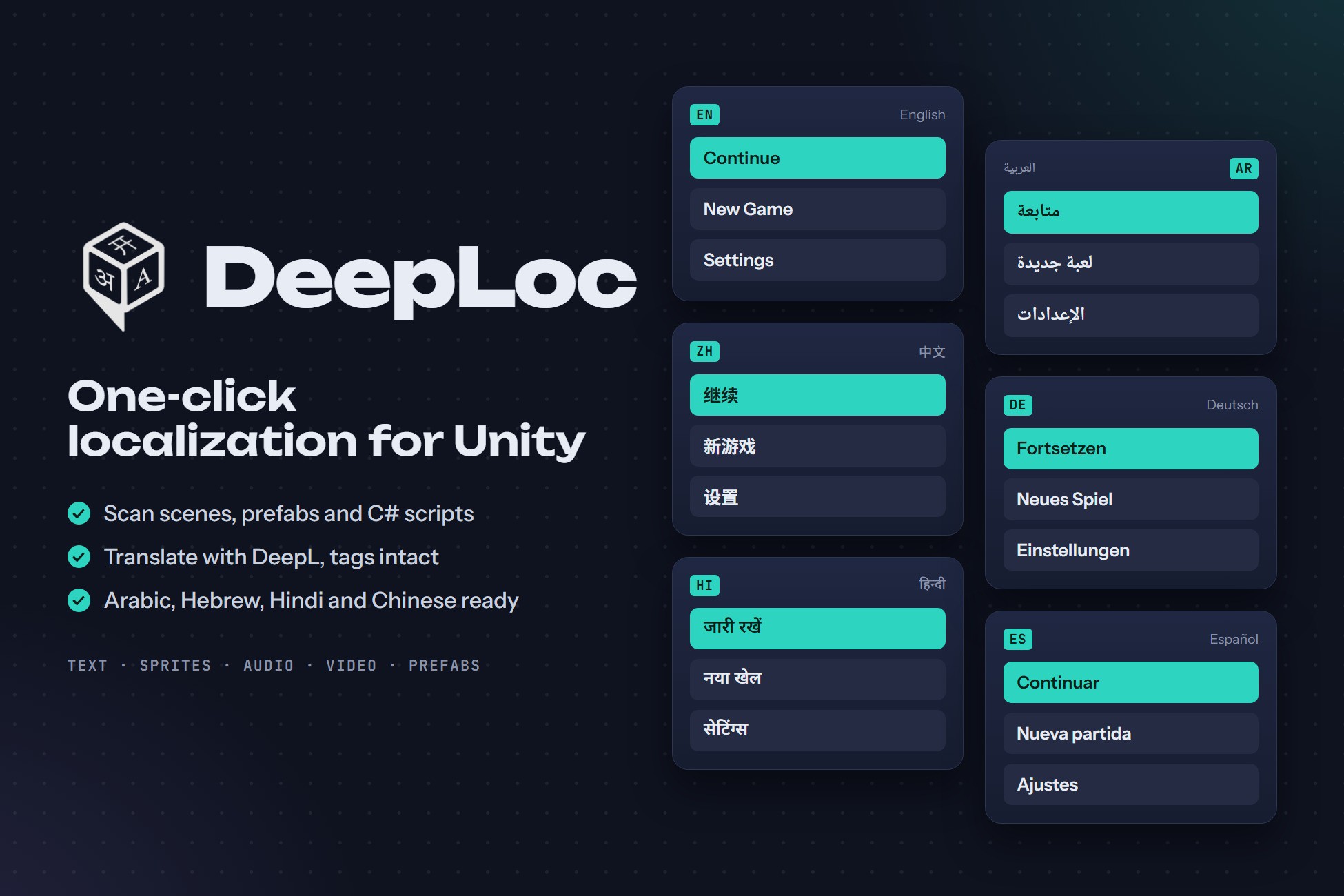
Scan scenes and scripts, translate them with DeepL, and switch languages at runtime. Localizes text, sprites, audio, video and prefabs, with correct Arabic, Hebrew and Hindi in TextMeshPro.
Affiliate link · Purchases support this site
Price history
Last 6 months
USDAsset preview
1 / 10
DeepLoc: One-Click Localization & AI Translation screenshot 1
About this asset
Localize your whole Unity game from one window.
DeepLoc scans your scenes, prefabs and C# scripts, translates them with DeepL, and switches languages at runtime. Text, sprites, audio, video, materials and prefabs all follow the player's language, and Arabic, Hebrew and Hindi render correctly in TextMeshPro.
HOW IT WORKS
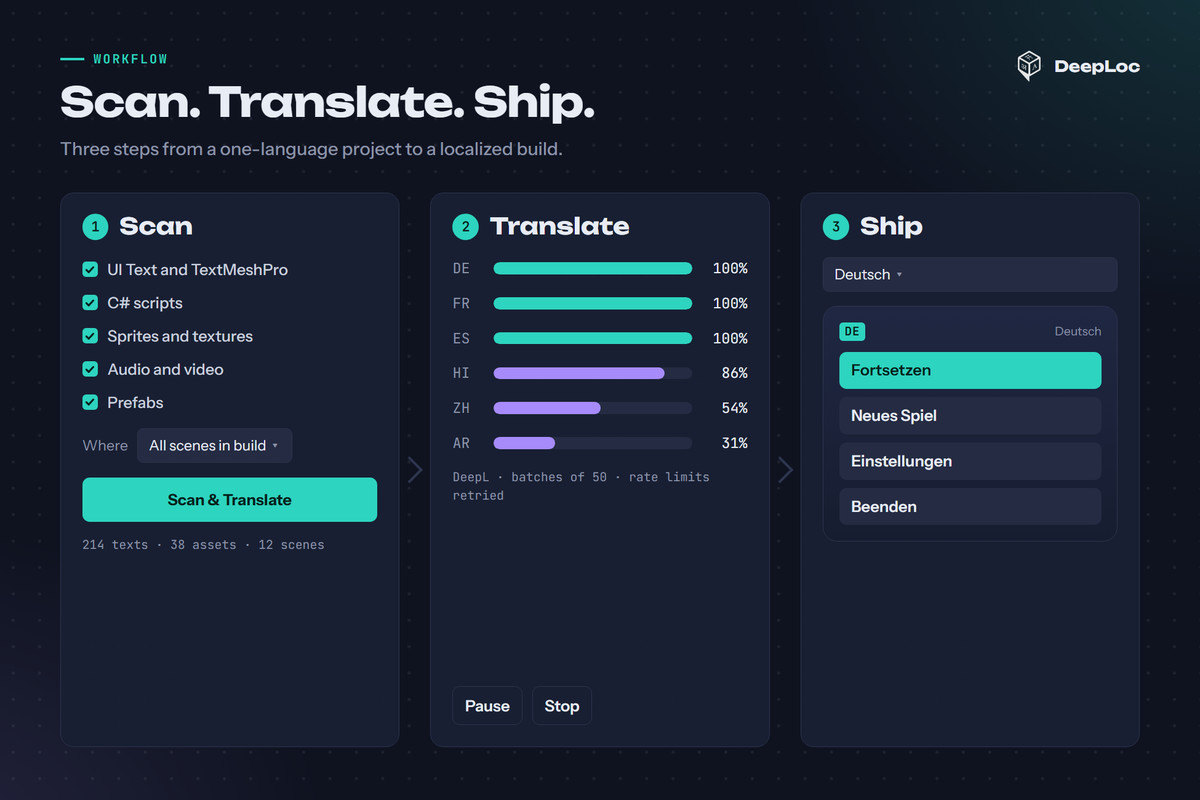
1. Scan: find UI Text, TextMeshPro, hard-coded script strings and localizable assets across your build scenes and prefabs.
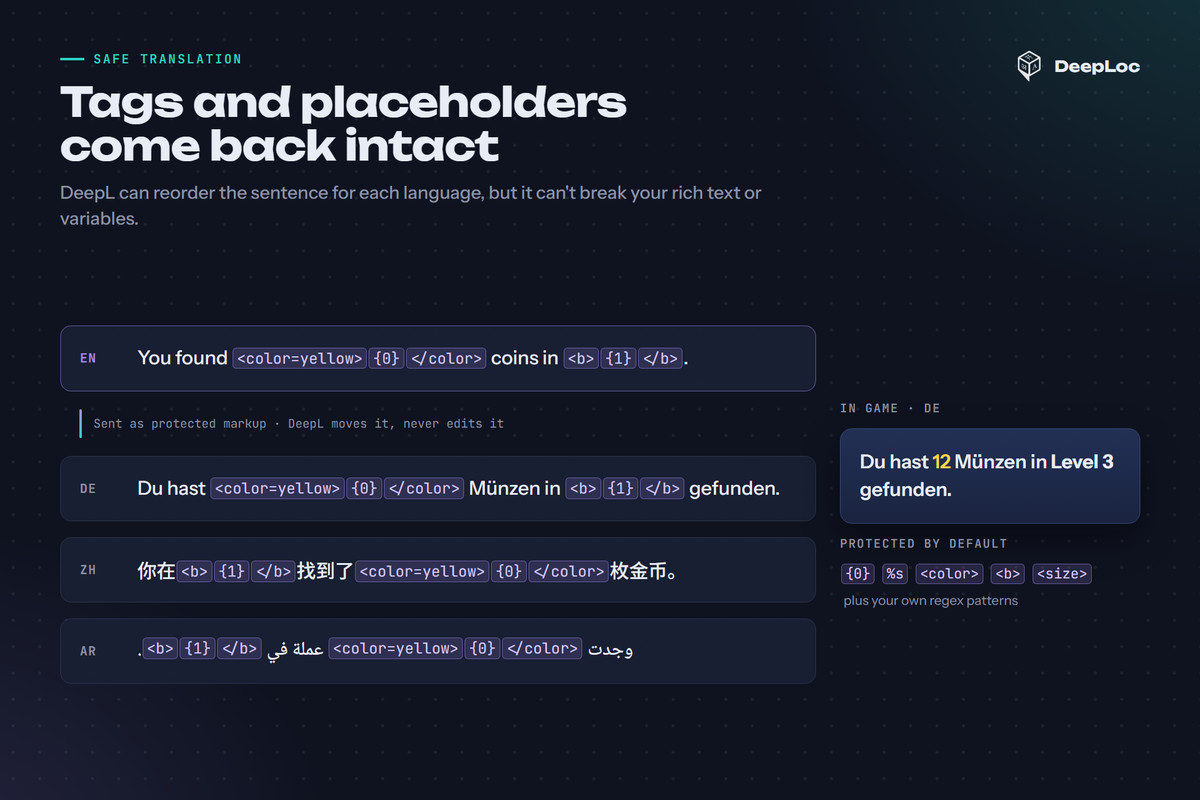
2. Translate: send missing text to DeepL in batches. Placeholders like {0} and tags like <color> are protected, and DeepL can still reorder the sentence around them.
3. Ship: localized components update the moment you call SetLanguage, and the Language Selector remembers the player's choice.
WHAT YOU GET
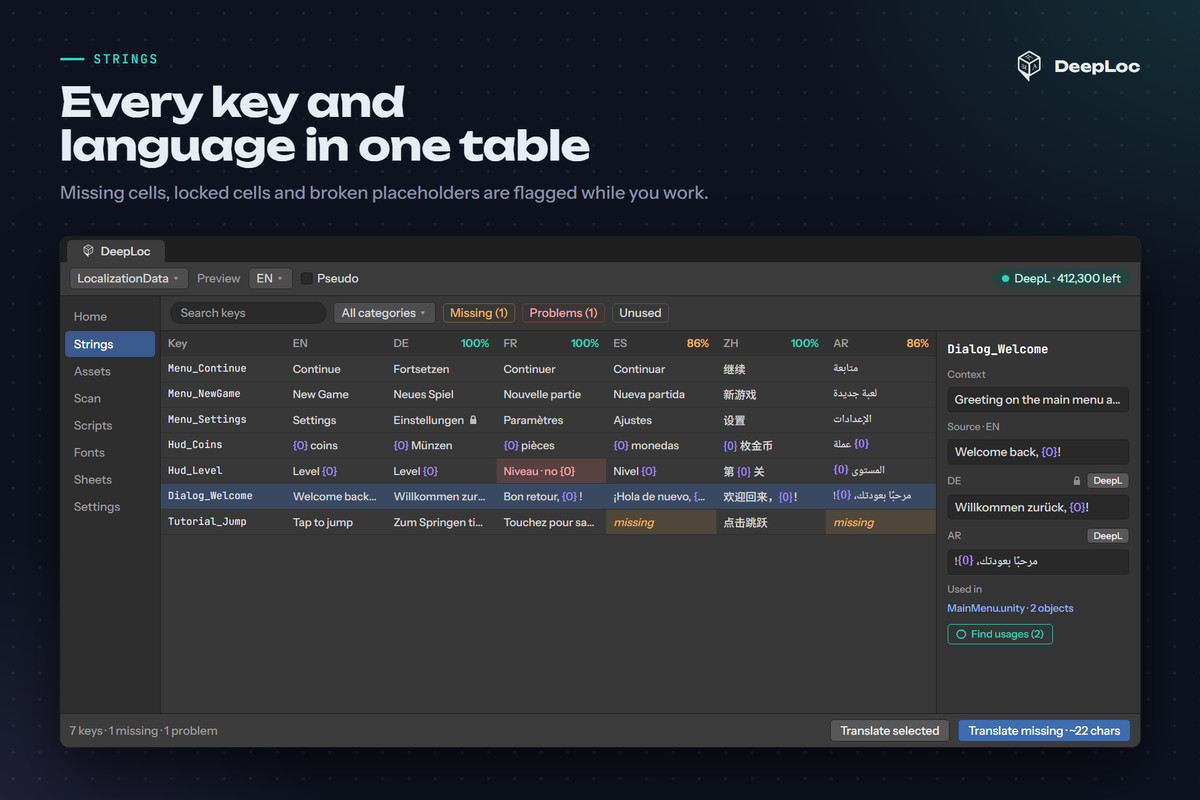
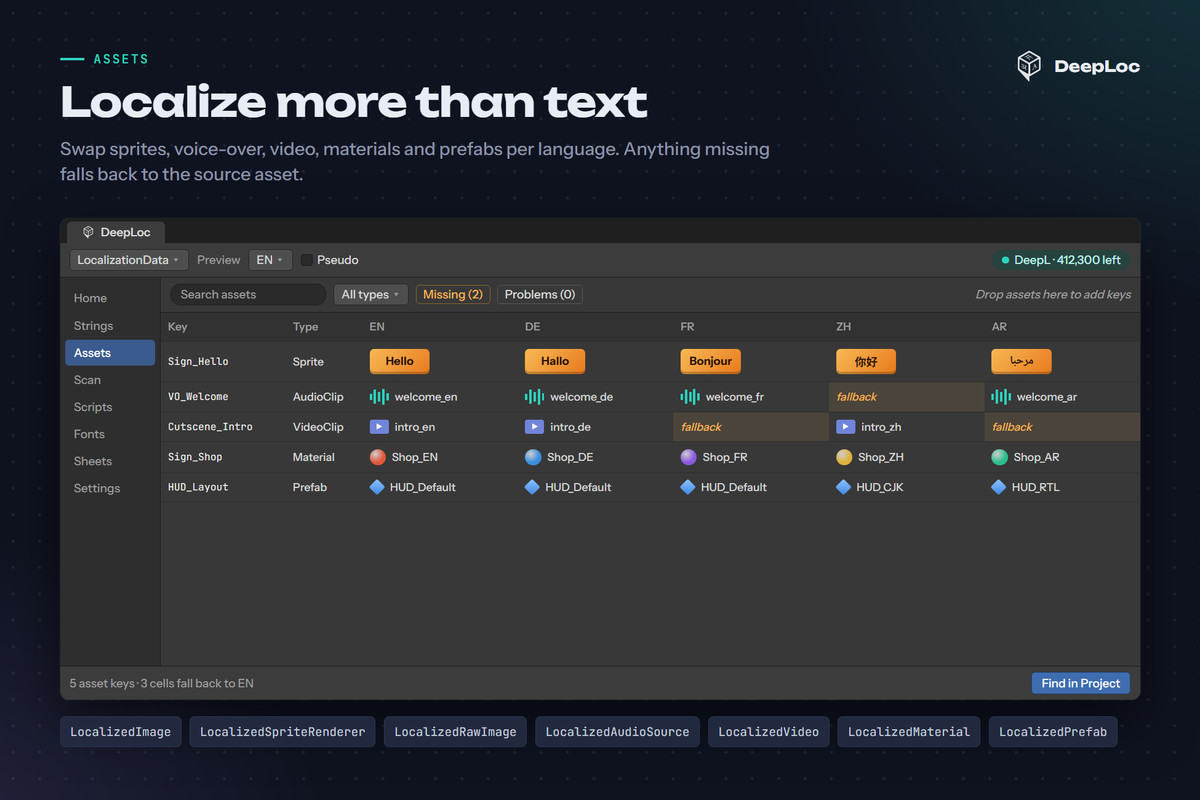
• DeepLoc Editor: one window with Strings and Assets tables, per-language coverage, filters for missing, broken and unused entries, Find usages for every key, and locks that keep DeepL away from your manual edits.
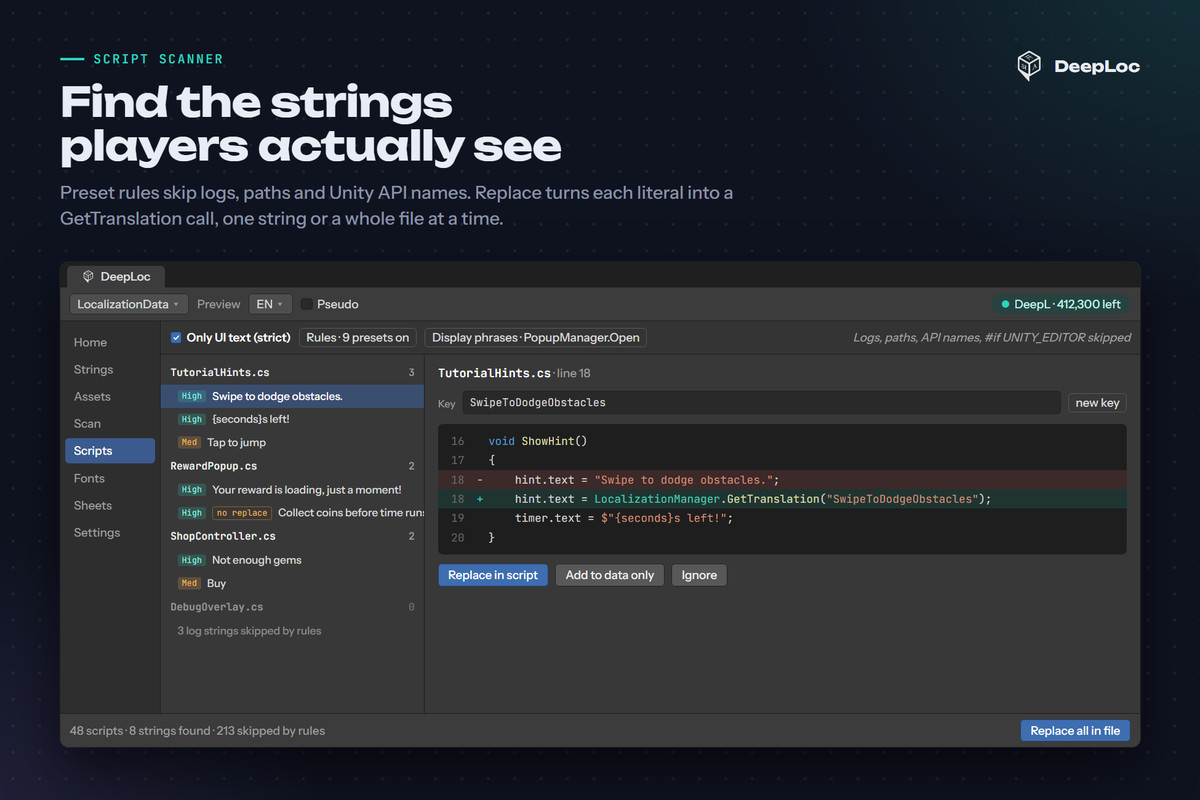
• Script Scanner: finds player-facing string literals in your C# and replaces them with GetTranslation calls, one string or a whole file at a time. Preset rules skip logs, Unity API names, paths, lookup tables and editor-only code, and an "Only UI text" mode reports just what reaches the screen. Strings that can't safely become a call (const fields, field initializers, constructors) are listed but never rewritten.
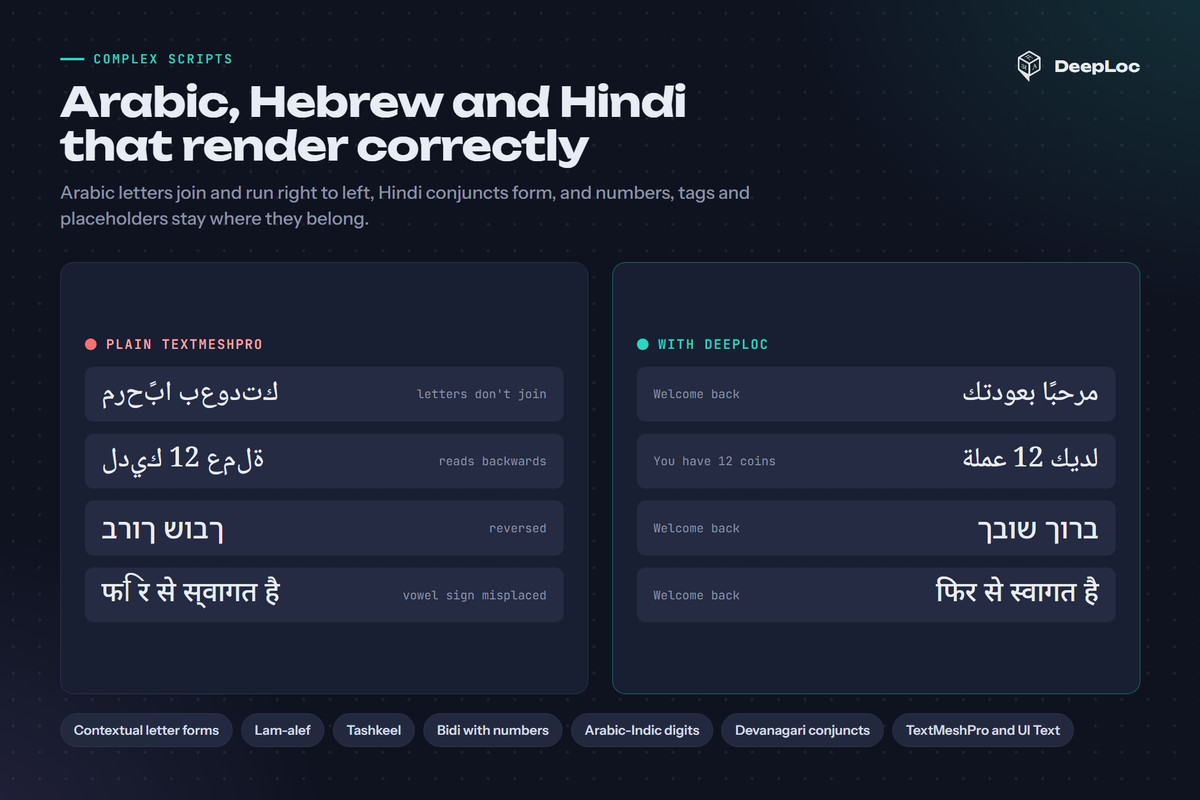
• Right-to-left: Arabic and Persian letter shaping (contextual forms, lam-alef, tashkeel) and Hebrew reordering for TextMeshPro and legacy UI Text.
• Devanagari: Hindi, Marathi and Nepali with the vowel sign ि in the right place and real conjuncts, half forms and reph in TextMeshPro, which can't shape Indic text on its own. One click bakes the glyphs from the included Noto font.
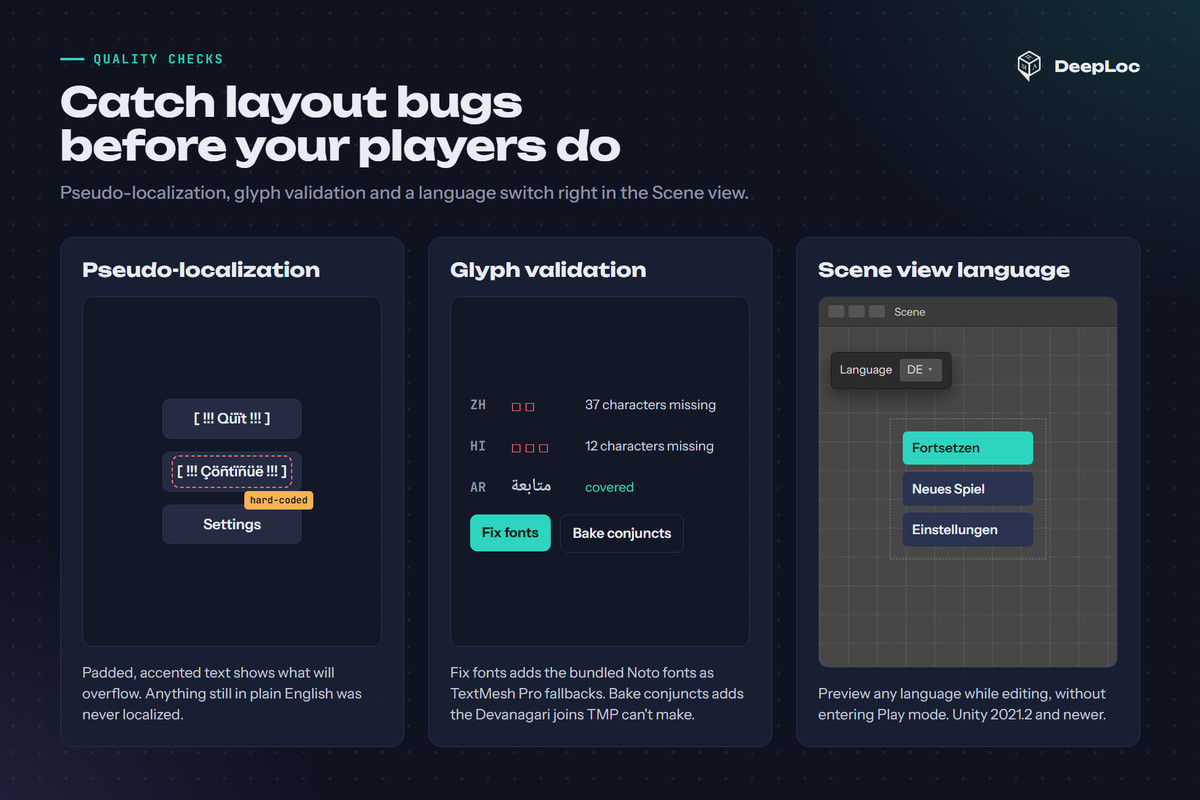
• Fonts: one click adds Noto fallbacks for Arabic, Hebrew, Devanagari, Japanese, Korean and Chinese. Glyph validation lists characters your fonts can't draw.
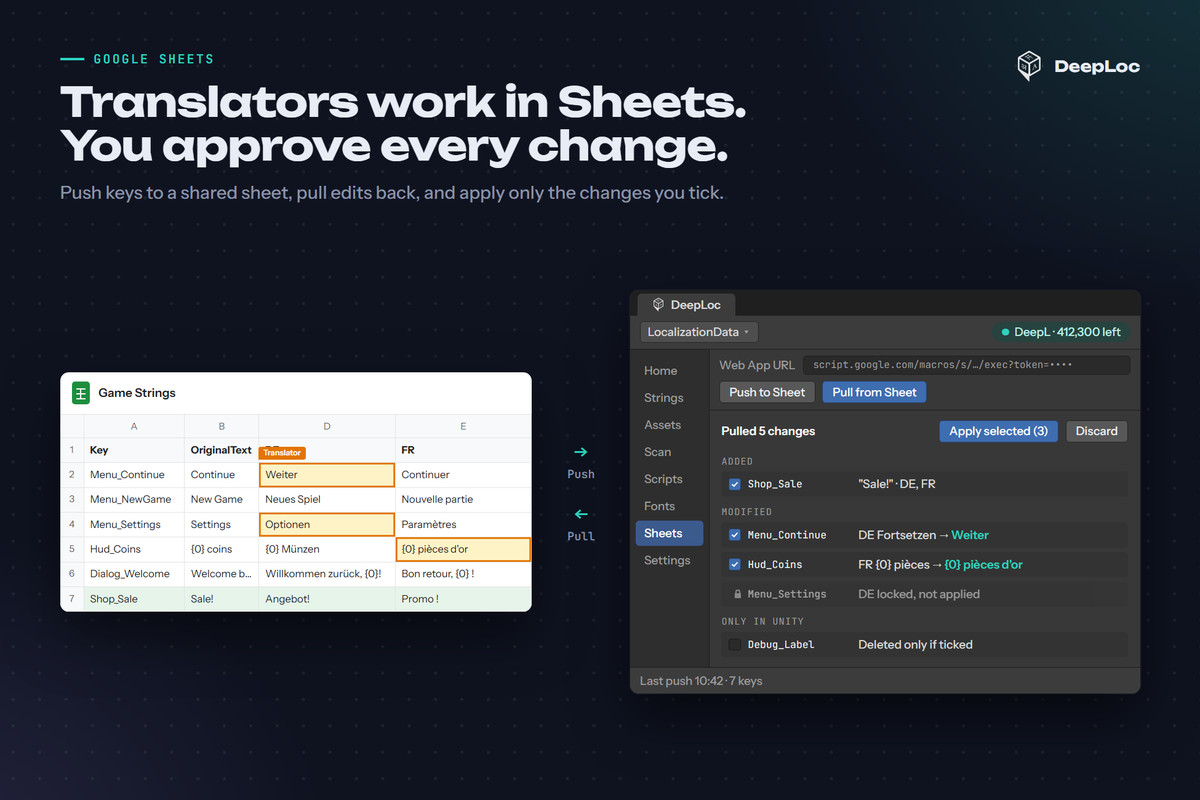
• Google Sheets sync: push keys to a sheet, let translators work there, then review every added and changed cell before you apply it. CSV works offline.
• Pseudo-localization and a Scene view language switch to catch truncation and hard-coded text before release.
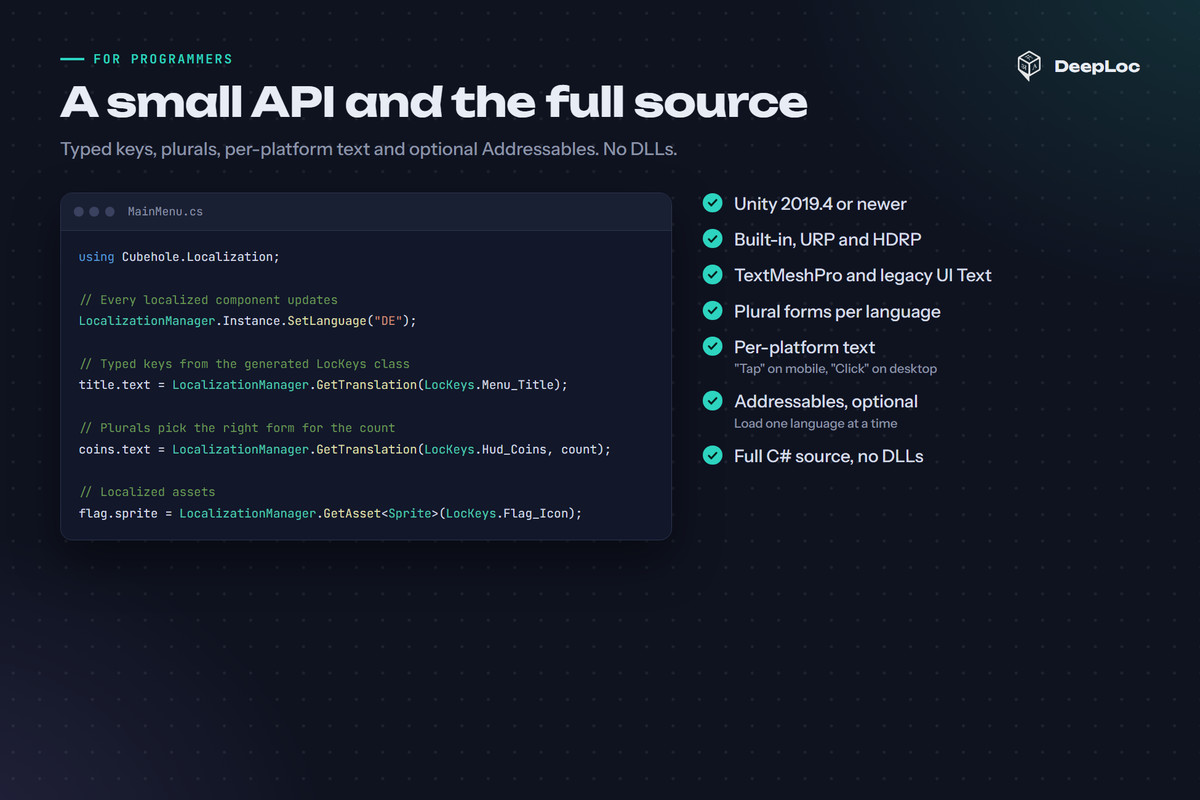
• Plural forms, per-platform text ("Tap" on mobile, "Click" on desktop) and a generated LocKeys class for compile-time-safe keys.
• Optional Addressables support that loads only the active language.
RUNTIME COMPONENTS
LocalizedText (UI Text, TextMeshPro UI and 3D), LocalizedImage, LocalizedSpriteRenderer, LocalizedRawImage, LocalizedMaterial, LocalizedVideo, LocalizedAudioSource, LocalizedPrefab and LanguageSelector. Implement ILocalizedAsset to add your own.
REQUIREMENTS
• Unity 2019.4 or newer; Built-in, URP and HDRP
• TextMeshPro
• A DeepL API key for translating in the editor (DeepL offers a free API plan). Your game doesn't need it at runtime, and the sample scenes run without it.
INCLUDED
Full C# source with no DLLs, sample scenes with ready-made translations, and a user guide.
Asset uses Google Noto fonts (Noto Naskh Arabic, Noto Sans Hebrew, Noto Sans Devanagari, Noto Sans JP, Noto Sans KR, Noto Sans SC) under the SIL Open Font License, Version 1.1; see Third-Party Notices.txt in the package for details.
From the publisher's Asset Store listing.
Technical details
Features
- One-Click DeepL Workflow: Automated scanning and high-fidelity AI translation for entire scenes and scripts.
- Context-Aware Variable Protection: Advanced Regex masking ensures tags like {0}, {amount}, and <color> remain intact during translation.
- Full-Spectrum Asset Localization: Native support for Sprites, Textures, RawImages, Materials, VideoClips, and Prefabs.
- Visual Diff Sheet Sync: Real-time Google Sheets synchronization with a "Review Changes" window to prevent accidental data loss.
- Developer Safety First: Auto-generation of static LocKeys.cs constants to eliminate "magic string" runtime errors and enable IntelliSense.
- Optimized Performance: Native Addressables integration for locale-specific asset loading and memory optimization.
- Clean Build Architecture: Strict separation between Editor and Runtime modules ensures zero overhead in final builds.
- Project Maintenance Tools: Includes an "Unused Key Finder" and "Glyph Validation" to ensure font support across all languages.
Supported OS
- Editor Support: Windows & macOS.
- Runtime Support (Build Targets): Mobile: Android, iOS.
Desktop: Windows, macOS, Linux.
Web: WebGL.
Consoles: PS4/PS5, Xbox, Nintendo Switch.
Documentation
- Online Manual:
- Support: [email protected]
Compatibility
| Unity version | Built-in | URP | HDRP | Custom |
|---|---|---|---|---|
| 2022.3.62f2 | Compatible | Compatible | Compatible | Compatible |
As listed on the Asset Store.