
 View on Asset Store (opens in new tab)
Package details
- Latest version
- 1.0
- Last updated
- First released
- Unity version
- 2021.3.6 or later
- Package size
- 3.6 GB
- Files
- 572
- Favorites
- 8
- Views in the past week
- 21
Price tracking
- Last checked
- Tracked since
- Lowest recorded
- $19.99 on
Keywords

Mid-Century Brutalist Data Centre
Mid-Century Brutalist Data Centre Environment with 87 Unique Meshes.
Affiliate link · Purchases support this site
Price history
Last 6 months
USDAsset preview
1 / 17

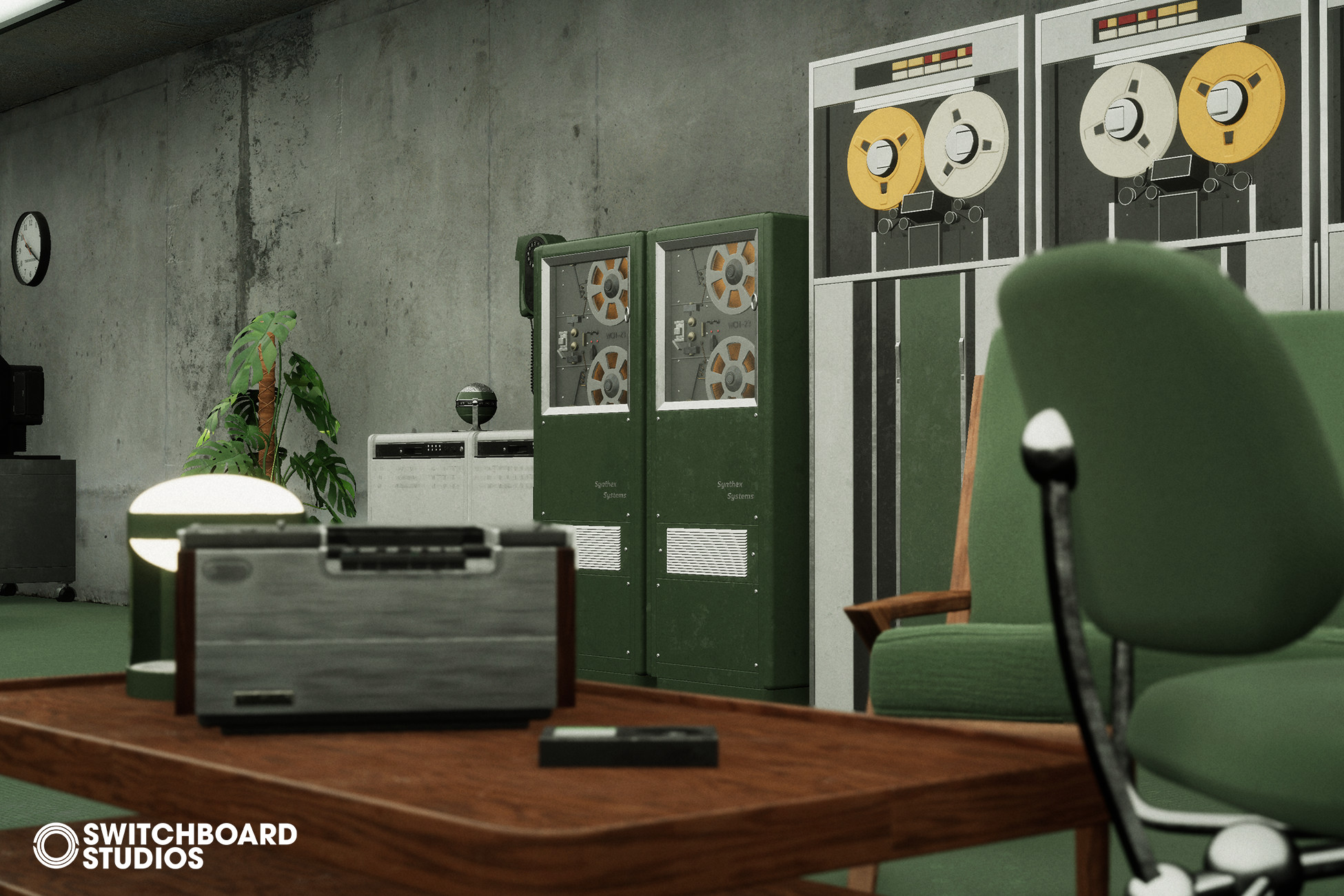
Mid-Century Brutalist Data Centre screenshot 1




About this asset
High-Fidelity Retro-Computing & Architectural Environment
The Mid-Century Brutalist Data Centre is a specialized environment collection that merges the raw, monolithic forms of Brutalist architecture with the intricate, analog aesthetic of 1950s–1980s computing technology. Engineered for Unity, this suite offers a cohesive visual language for artists building high-stakes corporate, government, or sci-fi interiors.
[THE SPECS]
- 100+ Production-Ready Props: A massive library of bespoke assets, featuring era-specific terminals, reel-to-reel data banks, and heavy-duty brutalist furniture.
- Optimized Architecture: The shared material system ensures maximum performance and high-speed iteration across the entire environment.
- Lighting: This environment is designed from the ground up to utilize Global Illumination. Emissive surfaces act as primary light sources, creating a moody, authentic atmosphere that reacts in real-time.
[INTEGRATED SCENES]
- Brutalist Data Hub: A fully composed, hand-crafted interior scene that showcases the synergy between the raw concrete architecture and the sophisticated tech layout.
- Demonstration Scene: A clean, systematic showcase of all 100+ assets, organized for technical inspection and easy kitbashing.
[CORE FEATURES]
- Era-Correct Design: Assets are meticulously designed based on technology from the Mid-Century through the late 80s, ensuring historical resonance with a stylized edge.
- Dynamic Material Control: A fully controllable material system allows for global color adjustments, roughness tuning, and emissive intensity control across the entire pack.
- Plug-and-Play Integration: Designed for immediate deployment into cinematic or gameplay-driven projects.
✨ Follow Us & Stay Connected ✨
INSTAGRAM | X | YOUTUBE | ARTSTATION
From the publisher's Asset Store listing.
Technical details
Features:
- 87 Unique Meshes
- Attention to Detail / AAA Quality
- Controllable parameters in Materials
- High-Quality Assets
- Game ready/Optimized
- Unique Concepts of Assets
- High Attention to Details
- Material Variations for some assets
Texture Sizes:
- 4096
- 2048
- 1024
Texture Size: 4096 for detailed Assets, 2048 for Mid-sized Assets, & 1024 for small assets
Collision: Yes, Custom collisions for complex assets
LODs: Yes, 4 LODs for complex assets
Average Poly Count: around 1K up to 162K
Texture Map Types: Base Color / Diffuse, Normal, Smoothness / Roughness, Metalic, Opacity
Materials: This asset contains PBR-based materials which means each material contains a Base Texture and a Normal Texture by default and additionally has Smoothness, Ambient Occlusion, Metalic and Opacity Texture Maps according to the material.
Props: Casette Server, Clock, Coffee Table, Desk Chair, Disk Player, Retro Radio, Television, Retro Desk Fan, Recorder, etc.. [Resolution 2048x] [Diffuse, Normal, Roughness, Opacity, AO, Metalic]
Architecture: Floor, Wall, Elevator, Exterior Door, Ceiling, etc. [Resolution 2048x] [Diffuse, Normal, Roughness, Opacity, AO, Metalic]
Number of Meshes: 87 Unique Meshes
Number of Materials: 64
Number of Textures: 98
Supported Development Platforms: All Platforms
Compatibility
| Unity version | Built-in | URP | HDRP |
|---|---|---|---|
| 2021.3.6f1 | Compatible | Compatible | Compatible |
This package is designed for these three render pipelines: HDRP, URP and Built-in render pipelines. Materials are created with shader graphs that support HDRP, URP and Built-in pipelines. The package was uploaded as an HDRP file. You can import the URP and Built-in file in the package to use in your project.
As listed on the Asset Store.