
 View on Asset Store (opens in new tab)
Package details
- Latest version
- 2.2.0
- Last updated
- First released
- Unity version
- 2022.3.62 or later
- Package size
- 7.9 MB
- Files
- 517
- Favorites
- 34
- Views in the past week
- 26
Price tracking
- Last checked
- Tracked since
- Lowest recorded
- $19.99 on
Keywords

Game Event System (GES)
- Price drop
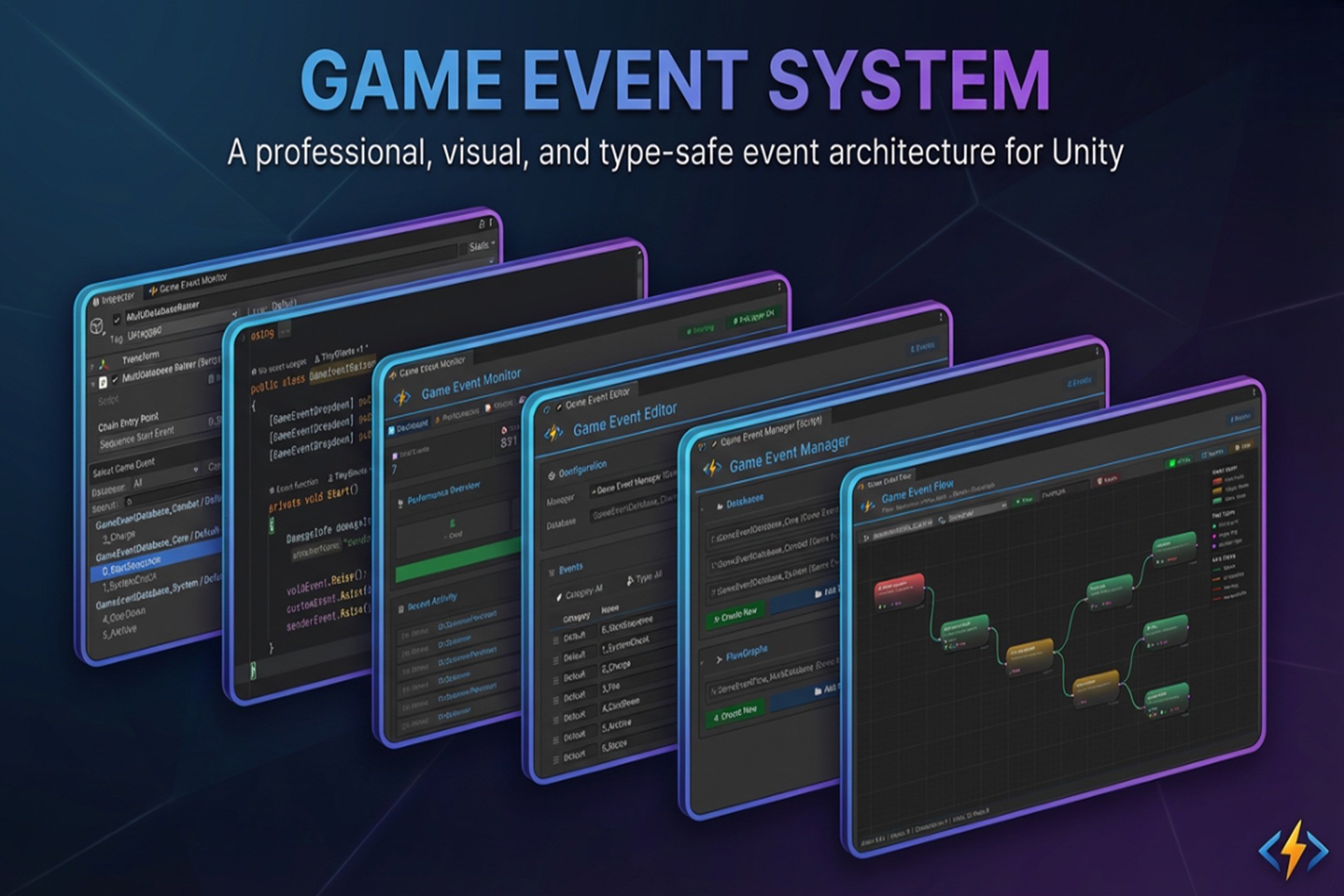
Game Event System(GES) is a professional, visual, and type-safe event system for Unity. Eliminate spaghetti code with ScriptableObject-drivenevents, nodes orchestration, and native C# performance
Lowest in 6 months
Get 25% off on Asset Store (opens in new tab)Affiliate link · Purchases support this site
Price history
Last 6 months
USDAsset preview
1 / 20
Game Event System (GES) screenshot 1







About this asset
Game Event System (GES)
Stop Fighting Spaghetti. Start Building with Clarity.
Website | Documentation | Discord | YouTube | Unity Forum
Game Event System (GES) is a visual, type-safe event architecture for Unity. It turns scattered event calls and hidden dependencies into searchable event assets, maintainable flow graphs, and direct C# APIs.
Create events as ScriptableObject assets, connect gameplay through the Inspector or code, organize content across multiple databases, and inspect execution from one centralized toolchain.
GES supports Mono, IL2CPP, and Enter Play Mode Options with Domain Reload disabled.
📢 Important Notice for Legacy Users
I'm back! Due to regional policy adjustments, GES was migrated to this new listing. If you purchased the previous listing and need migration assistance or want to claim your community activation code, please join the TinyGiants Discord Community.
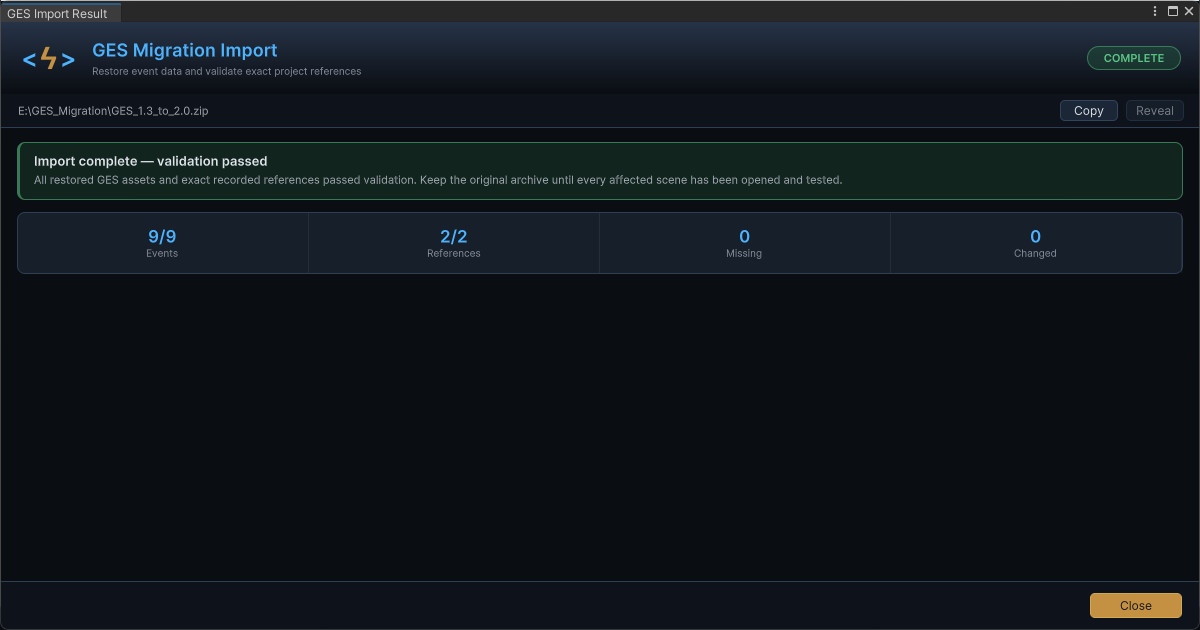
A dedicated migration workflow is included for legacy projects. It exports databases, event sub-assets, generated code, FlowGraphs, scenes, Prefabs, ScriptableObjects, and recorded references into a checksum-verified archive. The importer performs conflict and GUID checks before restoring data and supports rollback if migration cannot be completed safely.
🚀 Core Features
Asset-Driven Event Architecture
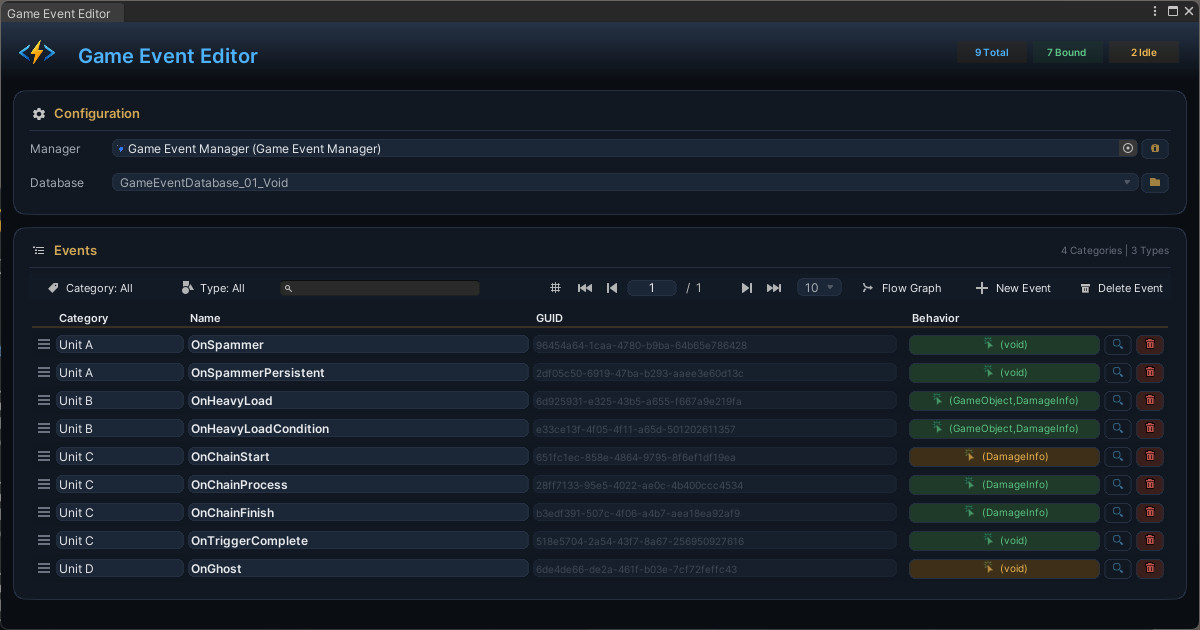
Events are ScriptableObject sub-assets stored inside a GameEventDatabase. Persistent event GUIDs replace magic strings, while normal asset renames and folder moves preserve Unity references.
Split large projects into multiple databases for Core, Combat, UI, DLC, or other modules. Databases can be registered, queried, activated, loaded, and released at runtime.
Type-Safe Events and Automatic CodeGen
GES supports:
- GameEvent — parameterless signals
- GameEvent<T> — strongly typed payloads
- GameEvent<TSender, TArgs> — sender-aware events
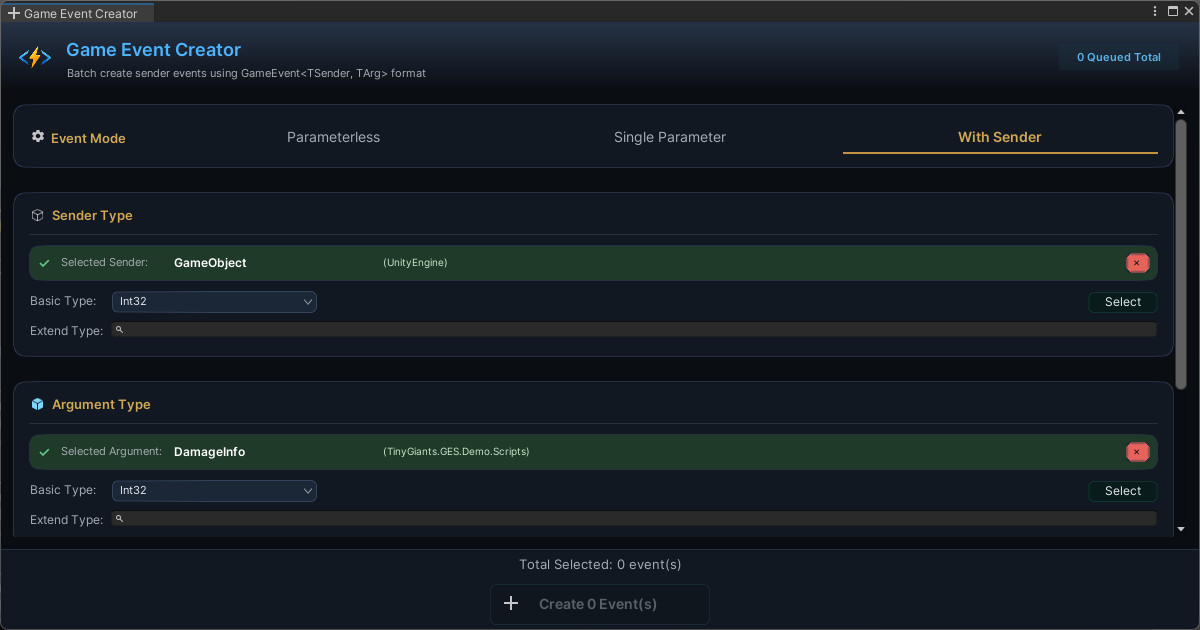
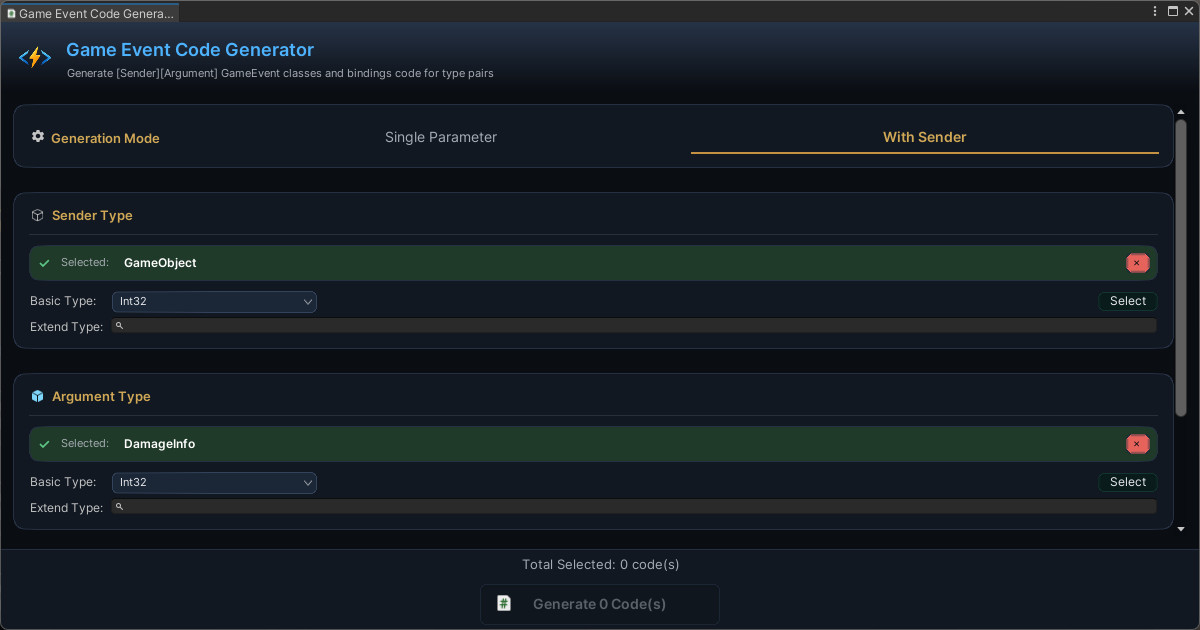
Use 32 built-in C# and Unity types immediately. The integrated CodeGen workflow creates concrete event types and matching Raiser/Receiver components for custom payloads and sender combinations, solving Unity's generic serialization limitations without giving up type safety.
AOT-Safe Runtime for Mobile and IL2CPP
GES uses strongly typed event actions instead of generating Expression Tree delegates at runtime.
- Built-in and generated event actions invoke typed code directly.
- FlowGraph event dispatch does not generate runtime expression delegates.
- Generated event and bridge classes work with IL2CPP/AOT targets.
- Suitable for mobile, console, desktop, and WebGL projects using Mono or IL2CPP.
AOT Condition Baking
Build nested visual conditions for IL2CPP projects through a defined bake-and-validate pipeline.
- Assigns deterministic identities to serialized condition trees.
- Generates the runtime evaluator registry.
- Detects missing or stale conditions before a build.
- Reports the exact asset and property that must be baked again.
- Stops invalid builds instead of silently changing condition behavior.
Optional Addressables Integration
Load event databases only when their content is needed.
- Load a GameEventDatabase asynchronously by Addressables address or GUID.
- Resolve loaded events through their internal GUIDs.
- Share concurrent loads of the same database.
- Register loaded databases automatically.
- Release databases through owned leases.
- Detect duplicate event GUIDs before registration.
- Cancel one pending request without interrupting other consumers.
Addressables support is optional. Core GES does not require the Addressables package.
Visual Flow Orchestration
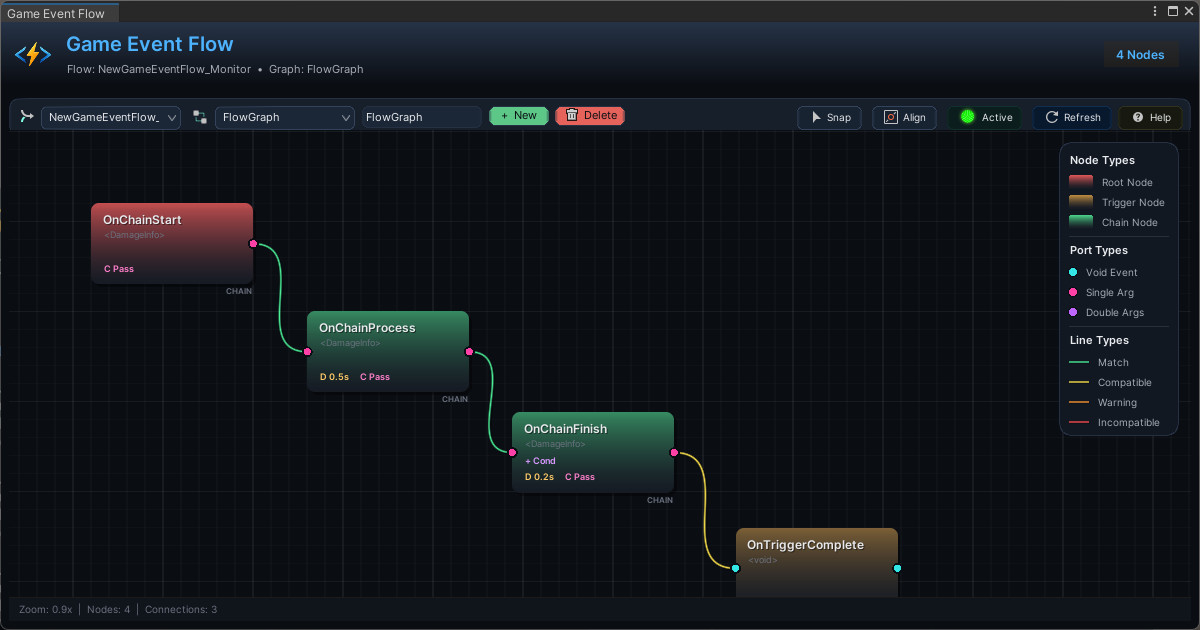
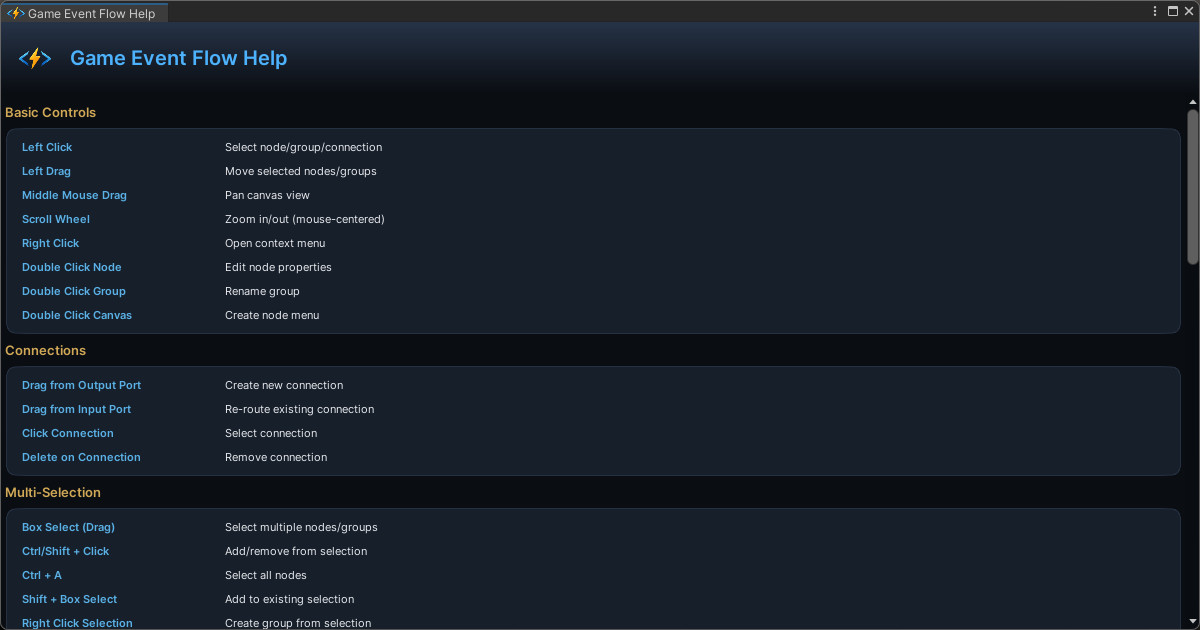
Design event relationships in a zoomable node graph.
- Parallel fan-out triggers
- Sequential blocking chains
- Mixed parallel and sequential flows
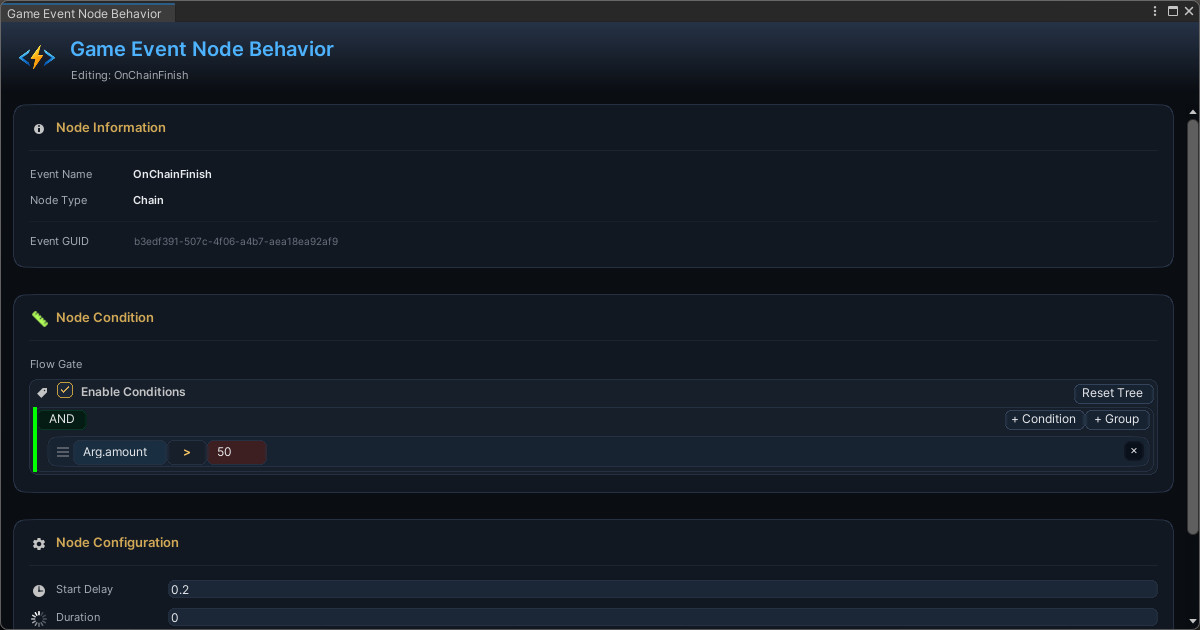
- Delays, loops, repeat counts, coroutine/async waits, and conditional gates
- Argument transformation between nodes
- Groups, connection validation, Undo/Redo, and Play Mode highlighting
Visual Conditions and Event Binding
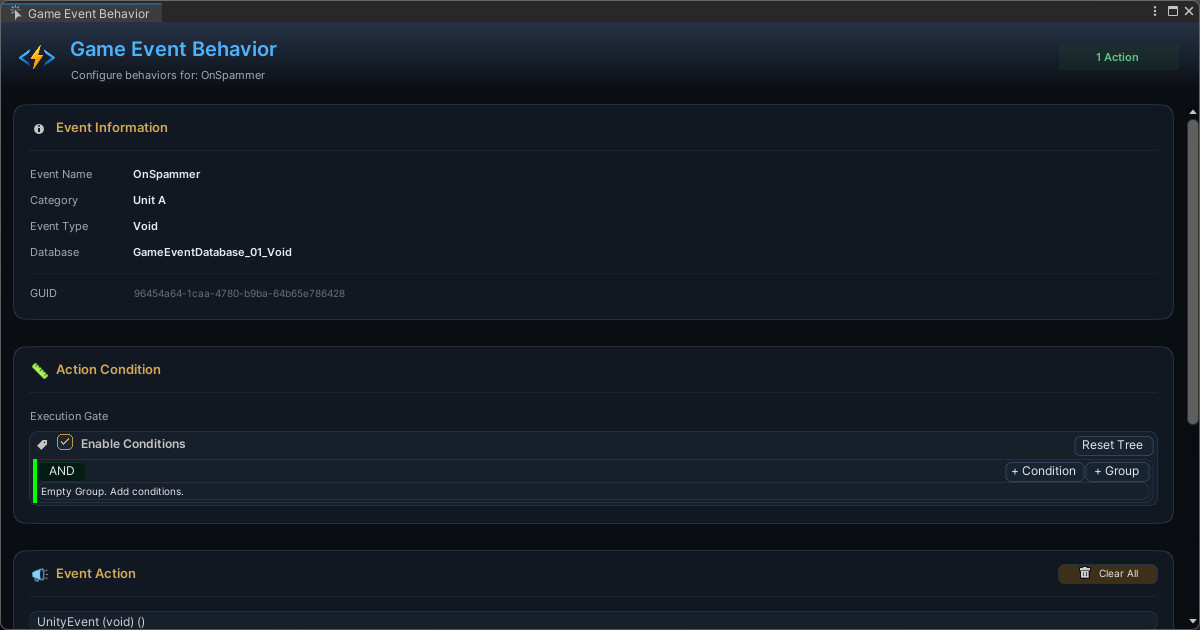
Build nested AND/OR groups and dynamic field or property comparisons without hard-coding each listener.
Connect events to UnityEvents through the Inspector with type-aware selectors, priority ordering, conditional execution, persistent listeners, sender-aware callbacks, and cancellable delayed or repeating handles.
No-Code Scene Components
Use GameEventRaiser and GameEventReceiver components to connect GES with UI, animation, audio, VFX, physics, and gameplay systems through UnityEvents. Generated typed and sender-aware bridge components support built-in and custom event types.
Simple workflows require no C#, while programmers retain access to the same runtime architecture.
Runtime Database and Query API
Locate events from MonoBehaviours, pure C# services, save systems, plugin bridges, or dynamically loaded modules.
Query events by GUID, name, category, or runtime type using parameterless, single-argument, and sender-aware overloads—without requiring serialized scene references.
Production Toolchain
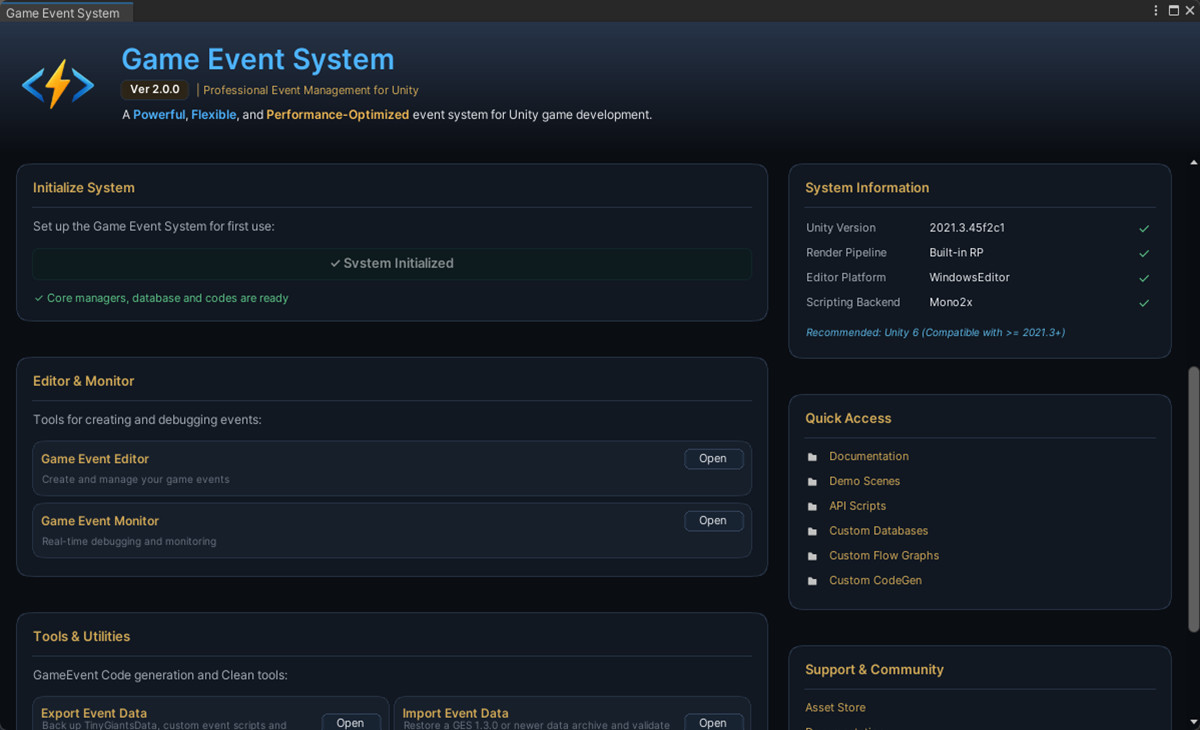
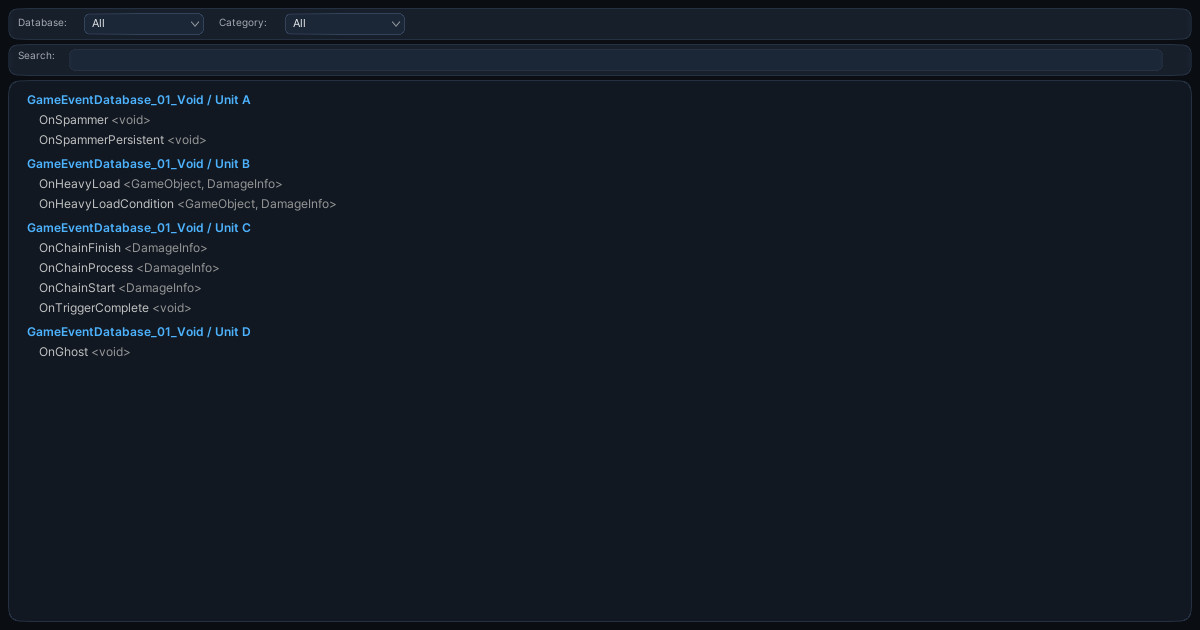
- Central event dashboard with fuzzy search and batch creation
- Multi-database and FlowGraph management
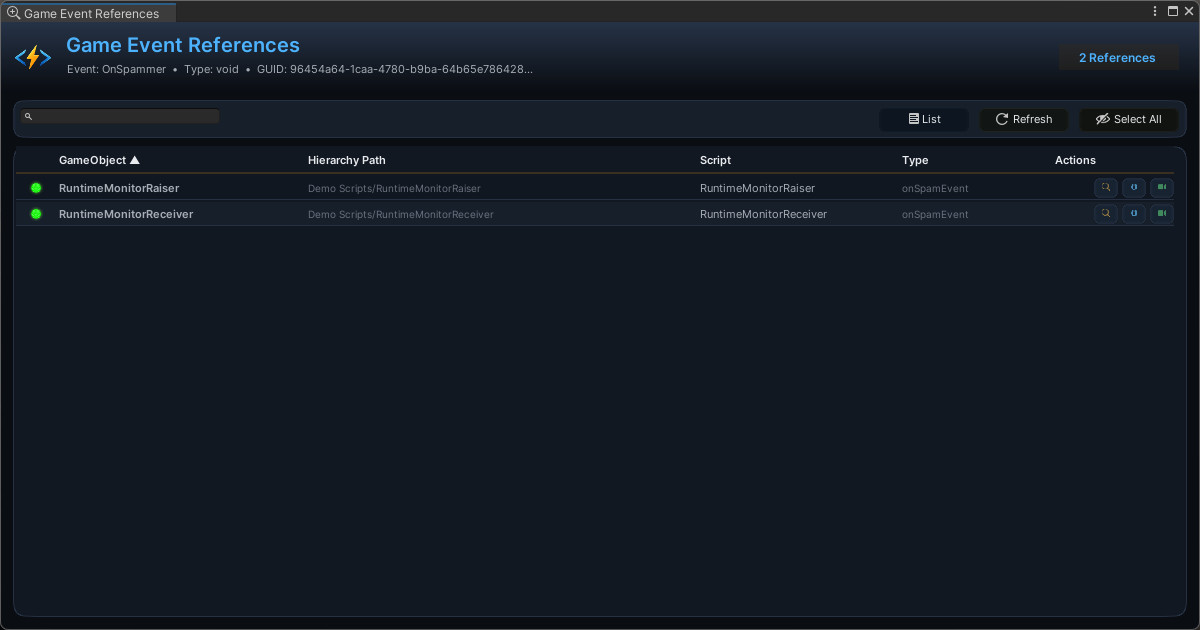
- Scene-wide event reference finder
- Database health checks and orphaned sub-asset cleanup
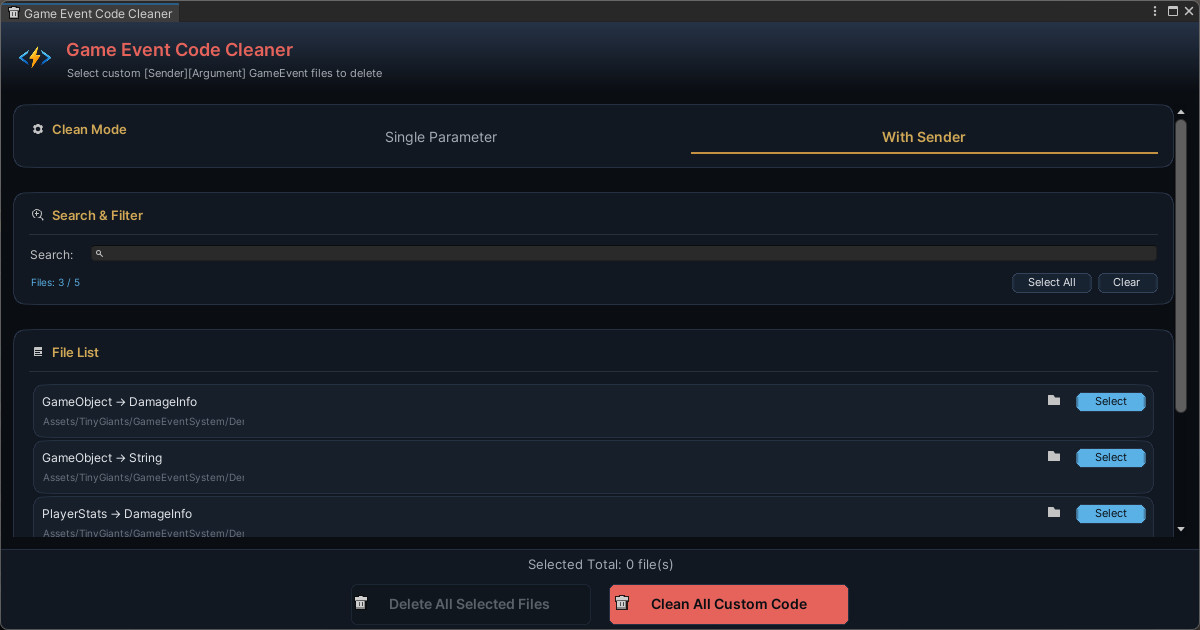
- Code generation and cleanup tools
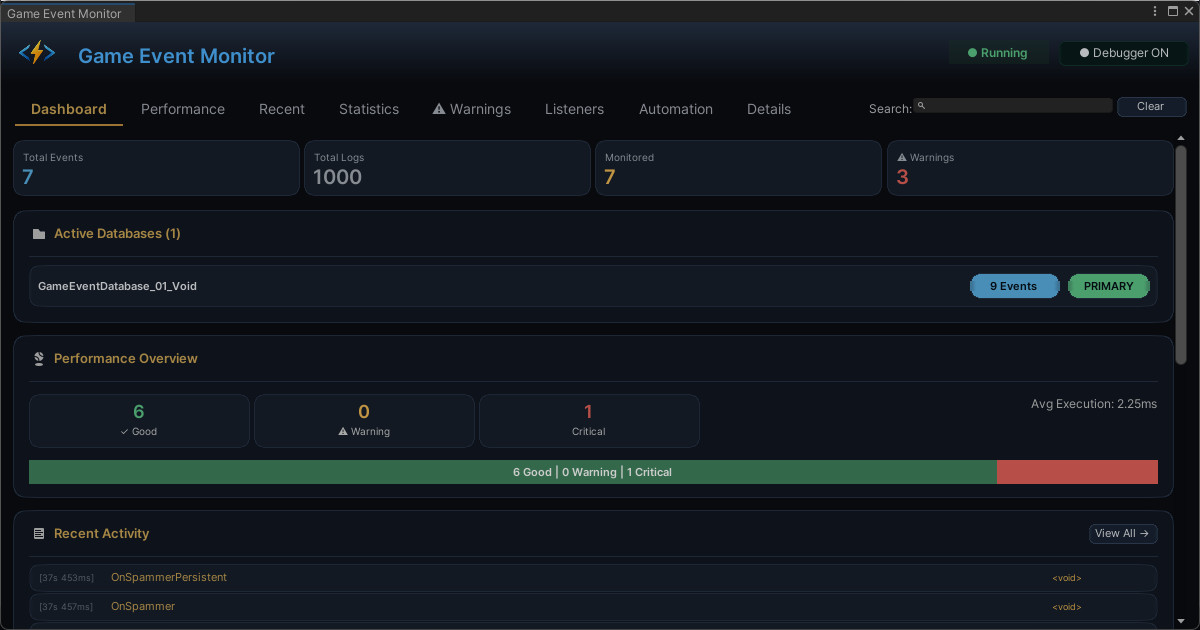
- Runtime event monitor
- Listener, timing, and GC-allocation inspection
- Live trigger and chain hierarchy visualization
- UI Toolkit-based windows, Inspectors, and property drawers
💪 Who Is GES For?
- Solo Developers — Establish a clear architecture before dependencies become difficult to trace.
- Professional Teams — Maintain centralized, searchable event databases across disciplines.
- Designers and Technical Artists — Configure typed listeners, conditions, and flows visually.
- Mobile and IL2CPP Developers — Use an AOT-safe event and condition pipeline.
- Modular or Live-Content Projects — Load and unload event databases through optional Addressables integration.
- Legacy GES Users — Move existing databases, generated code, graphs, assets, and recorded references through the migration workflow.
📦 Technical Specifications
- Architecture: ScriptableObject events stored in GameEventDatabase
- Event Forms: GameEvent, GameEvent<T>, GameEvent<TSender, TArgs>
- Built-In Payload Types: 32
- Runtime: Strongly typed AOT-safe event dispatch
- Conditions: Generated evaluator registry with build validation
- Scripting Backends: Mono and IL2CPP
- Target Projects: Desktop, mobile, console, and WebGL
- Dynamic Content: Optional Addressables integration
- Editor: UI Toolkit-based GES toolchain
- Play Mode: Domain Reload disabled supported
- Required Addressables Dependency: None
🏆 A Note from the Developer
"I built GES because I was tired of fighting invisible code dependencies. I wanted an event architecture that remained easy to inspect without giving up direct, type-safe C# control.GES extends that foundation to IL2CPP, AOT condition execution, dynamically loaded databases, and long-term project maintenance.Thank you for staying with me through the store migration. Let's build something clear, reliable, and maintainable together."— Tino, TinyGiants
From the publisher's Asset Store listing.
Technical details
[⚓ ARCHITECTURE]
- GUID Identity: Every event retains a unique ID in its .meta file. Renaming or moving assets never breaks scene references.
- Full Generic Support: GameEvent (no args), GameEvent<T>, GameEvent<TSender, TArgs>
- Multi-Database Management: Modular organization with dynamic loading and category-based fuzzy search.
- Folder-Move Protection: Automatically intercepts illegal asset moves to prevent broken references.
- Static Variable Auto-Reset: Uses [RuntimeInitializeOnLoadMethod] to clean internal caches and prevent editor play-mode data pollution. (v1.0.2 deeply refactored for Tuanjie Engine & Unity 6)[🕸️ NODE GRAPH & LOGIC]
- Expression Tree Compiler: Conditions compile into high-performance delegates (System.Linq.Expressions) — zero reflection overhead.
- Visual Logic Builder: Build complex nested AND/OR logic and dynamic object property comparisons without code.
- Hybrid Execution: Seamlessly mix fire-and-forget parallel triggers with blocking serial chains.
- Argument Transformers: Dynamically extract and pass specific object properties between flow nodes.
- Flow Gates: Built-in support for "wait for completion", "wait for frames", and conditional execution gates.
- Undo/Redo: Snapshot-based history system custom-built for the node editor.[🎧 BINDING & SCRIPTING]
- Visual Binding: Wraps UnityEvent with zero-code drag-and-drop callback binding and type-safe runtime indicators.
- Priority System: Integer-based sorting ensures critical logic (UI, audio) executes in the correct order.
- Persistent Listeners: Native cross-scene listeners that remain active across scene transitions.
- Runtime API: Full programmatic control for registering/unregistering listeners and managing DelayHandle / TaskHandle.[📜 AUTOMATION]
- Triple CodeGen Modes: Auto-generates concrete classes for base types, custom types, and sender-aware types — resolving Unity's generic serialization limits.
- Delay & Repeat: Built-in timed signals with cancellable handle management.
- Async Awaiting: Event chains can await Coroutine or Async task completion before continuing.[📊 DEBUGGING & PERFORMANCE]
- Runtime Monitor: Live profiling of execution time (avg/min/max), listener count, and GC allocation.
- Tree Visualizer: Real-time view of active triggers and chain hierarchies for debugging complex logic flows.
- Scene-Wide Reference Finder: Scans the current scene to locate component-level event dependencies.
- | Action | Performance | Note | | :--- | :--- | :--- | | Event Raise (0 listeners) | ~0.001ms | Near-zero overhead | | Event Raise (10 listeners) | ~0.02ms | Zero GC allocation | | Logic Condition Evaluation | ~0.003ms | Expression Tree optimized | | Platform Compatibility | IL2CPP & Mono | Fully optimized backends |Deep Logging: Full timestamps, frame counts, argument values, and stack traces.[🚀 PERFORMANCE BENCHMARKS]
Compatibility
| Unity version | Built-in | URP | HDRP | Custom |
|---|---|---|---|---|
| 6000.3.21f1 | Compatible | Compatible | Compatible | Compatible |
| 2022.3.62f2c1 | Compatible | Compatible | Compatible | Compatible |
Minimum supported version: Unity 2021.3.45f1 LTS
Fully compatible with Unity 6 (6000.x), including Enter Play Mode with No Domain Reload.
Supports IL2CPP and Mono scripting backends.
Compatible with Built-in, URP, HDRP, and Custom Render Pipelines (rendering pipeline independent).
Tested on Windows, macOS, Linux, iOS, Android, WebGL, and console platforms.
As listed on the Asset Store.