
 View on Asset Store (opens in new tab)
Package details
- Latest version
- 2.0.0
- Last updated
- First released
- Unity version
- 6000.3.7 or later
- Package size
- 161 KB
- Files
- 10
- Views in the past week
- 7
Price tracking
- Last checked
- Tracked since
- Lowest recorded
- $15.00 on
Keywords
XML Toast
- Price drop
FreshLabs Toast XML System Native Windows Toast Notifications. Fully Dynamic. Zero Hacks. Real Windows 10/11 toast notifications in Unity projects — powered by a XML system you control.
Affiliate link · Purchases support this site
Price history
Last 6 months
USDAsset preview
1 / 4
XML Toast screenshot 1
About this asset
🔥 Why This Asset?
Most “notification systems” in Unity are just UI panels.
This is different.
✔ Uses actual Windows toast notifications
✔ Works in Editor AND builds
✔ Fully controlled via remote XML (GitHub, Gitea, etc.)
✔ Supports images, buttons, input, timestamps
✔ No PowerShell. No dependencies. No nonsense.
You are not simulating notifications.
You are integrating directly with Windows.
⚡ Core Features
🖥 Native Windows Toasts
Send real OS-level notifications using Microsoft’s toast system.
🌐 GitHub-Driven Updates
Update notifications remotely by editing a single XML file.
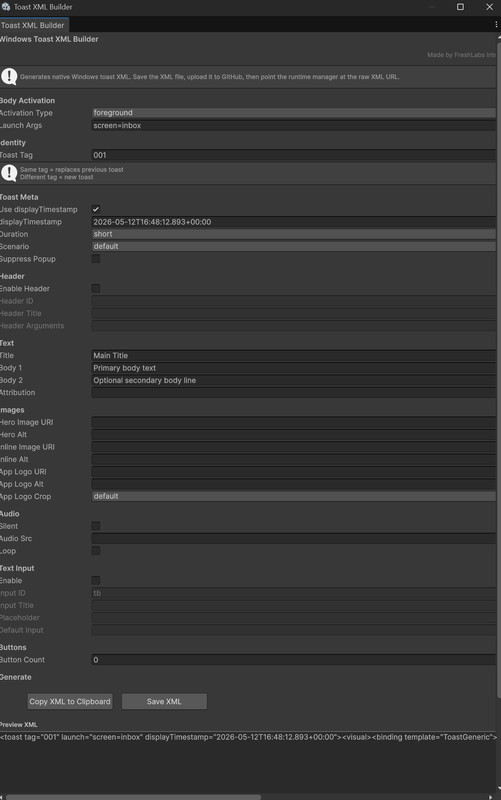
🧠 Smart XML Builder (Included)
No manual XML writing needed — fully visual editor tool.
🖼 Full Media Support
- Hero images (banner)
- App logos (avatars)
- Inline images
All automatically downloaded and cached.
🎯 Interactive Actions
- Buttons (open app, open URL)
- Text input (reply system support)
- Custom arguments
⏱ Timestamp Control
Simulate real-time or historical notifications.
🔁 Live Updating System
Replace existing notifications or create new ones using a simple Tag system.
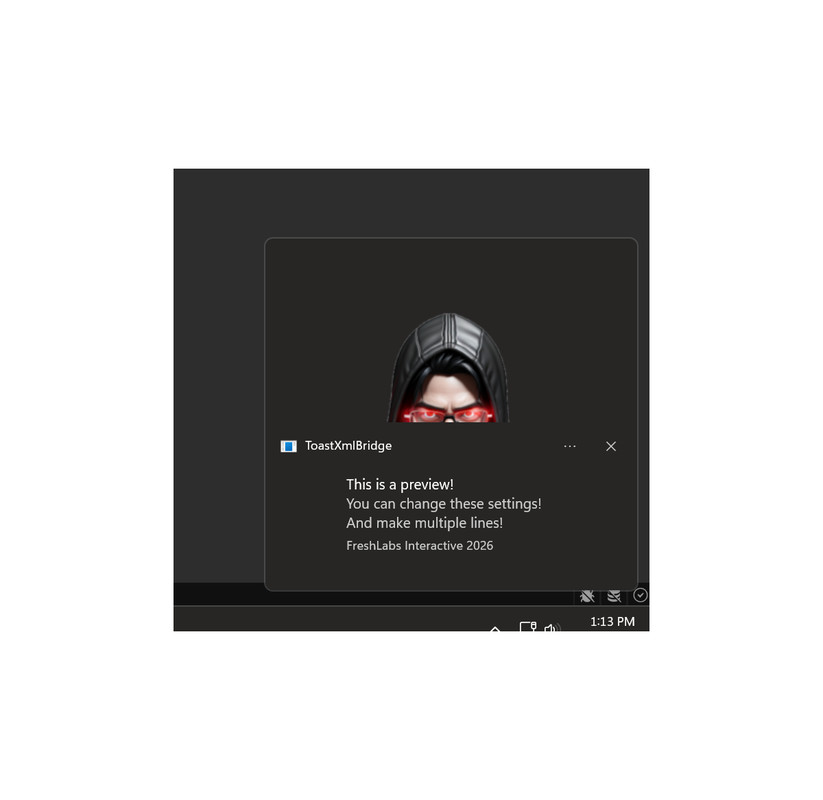
NEW in Version 2.0.0: Preview on the fly with the click of a button!
⚡ Lightweight & Fast
- No runtime bloat
- No external services
- Minimal overhead
🧪 Real Use Cases
💬 Messaging System
- Show incoming messages
- Add reply box directly in notification
- Use avatars + timestamps
📢 Live Announcements
- Push updates to players instantly
- Modify content remotely via GitHub
🛒 Shop / Rewards
- Notify users of new items or rewards
- Add action buttons (Claim / View)
🧰 Dev Tools / Pipelines
- Build complete alerts
- CI notifications
- Debug output via OS toasts
🧩 Included Tools
✔ Toast XML Builder (Editor Window)
- Visual interface for all toast options
- No XML knowledge required
- Generates valid, production-ready XML
- Preview button to see it in action.
✔ GitHub Toast Manager
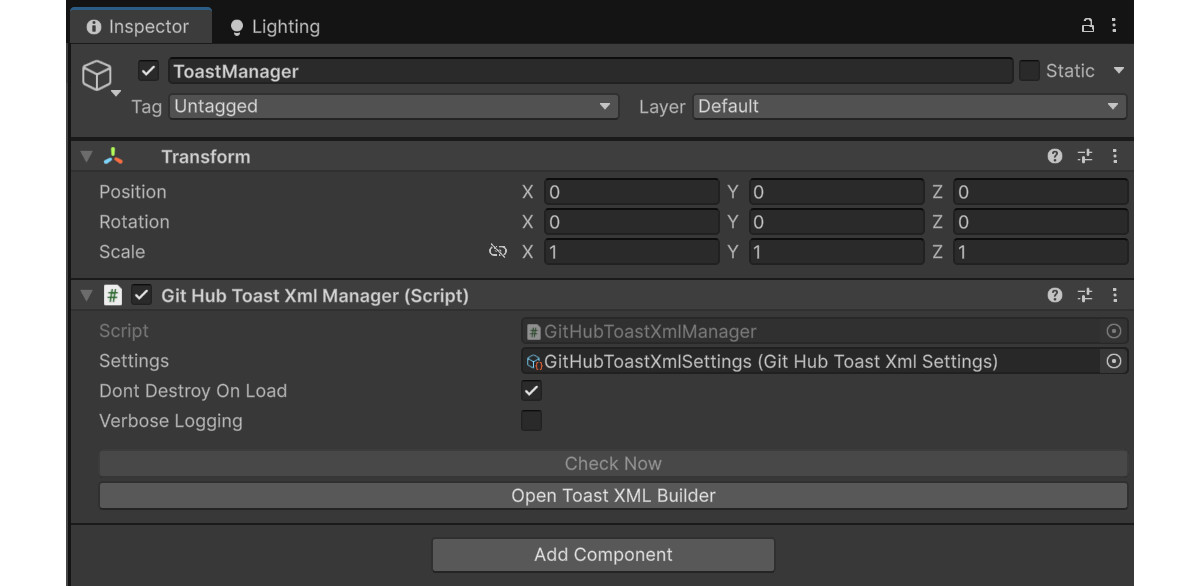
- Handles downloading, caching, and sending
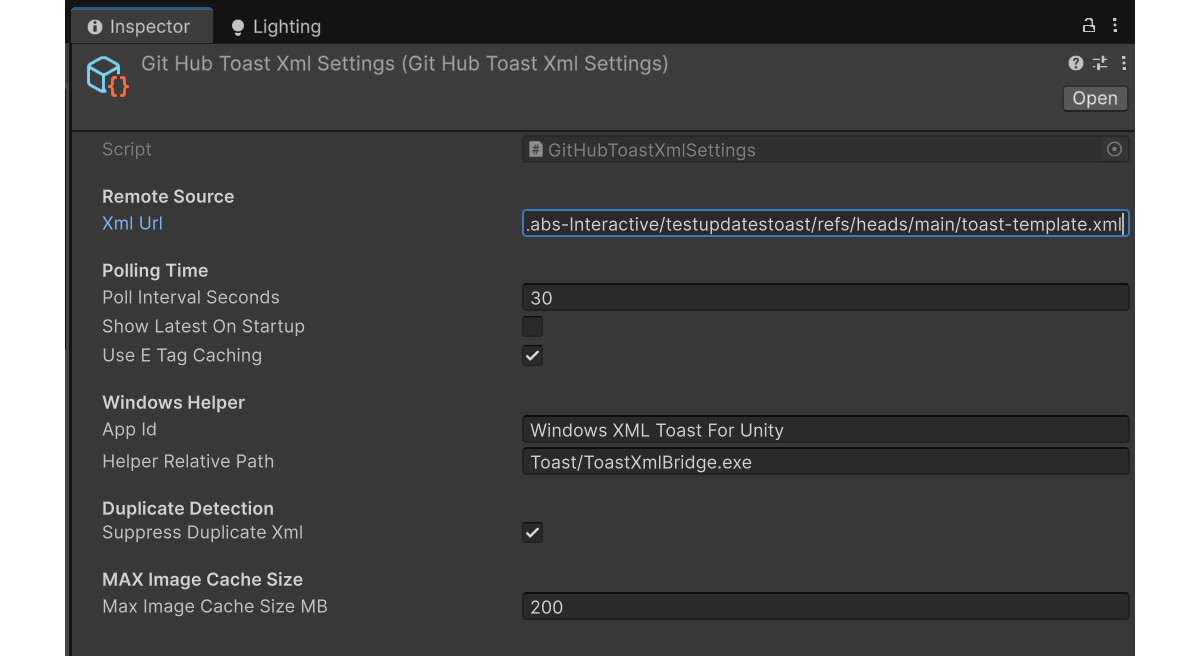
- Supports polling + change detection
✔ Native Helper (EXE)
- Bridges Unity → Windows toast system
- Fully self-contained
🎮 How It Works
Unity → GitHub XML → Image Cache → Native Helper → Windows Toast
- Create notification using Builder
- Upload XML to GitHub
- Unity fetches XML at runtime
- Images are cached locally
- Toast is sent to Windows
Done.
🧠 Simple, Powerful Workflow
Replace existing notification:
<toast tag="live_update">
Create new notification:
<toast tag="update_2">
🛠 Designed For Developers Who Want Control
This system gives you:
- Full control over notification behavior
- Remote configuration without rebuilding your app
- Real OS-level integration
No middleware. No bloated frameworks.
Just clean, direct control over Windows notifications.
💡 What Makes This Different?
Most assets:
- fake notifications
- heavy UI systems
- no real OS integration
This asset:
- uses Windows directly
- is lightweight and fast
- is fully dynamic via GitHub
- behaves exactly like native apps
🚀 Get Started in Minutes
- Import
- Build helper
- Paste GitHub URL
- Press Play or just preview
🔥 You’ll have working native notifications immediately.
From the publisher's Asset Store listing.
Technical details
📦 Requirements
- Windows 10 / 11
- Unity (Tested in modern versions including Unity 6.x)
- .NET 8 SDK (for building helper once)
⚠️ Limitations
- Windows only (uses native Windows toast system)
- Requires internet access for GitHub XML updates
- Remote image URLs must be direct file links
Compatibility
| Unity version | Built-in | URP | HDRP | Custom |
|---|---|---|---|---|
| 6000.3.7f1 | Compatible | Compatible | Compatible | Compatible |
As listed on the Asset Store.