
 View on Asset Store (opens in new tab)
Package details
- Latest version
- 3.2.1
- Last updated
- First released
- Unity version
- 6000.2.6 or later
- Package size
- 2.4 MB
- Files
- 75
- Favorites
- 8
- Views in the past week
- 44
Price tracking
- Last checked
- Tracked since
- Lowest recorded
- $7.50 on
Keywords
Translucent UI FX: Liquid Glass & Smart Fusion for URP
- Price drop
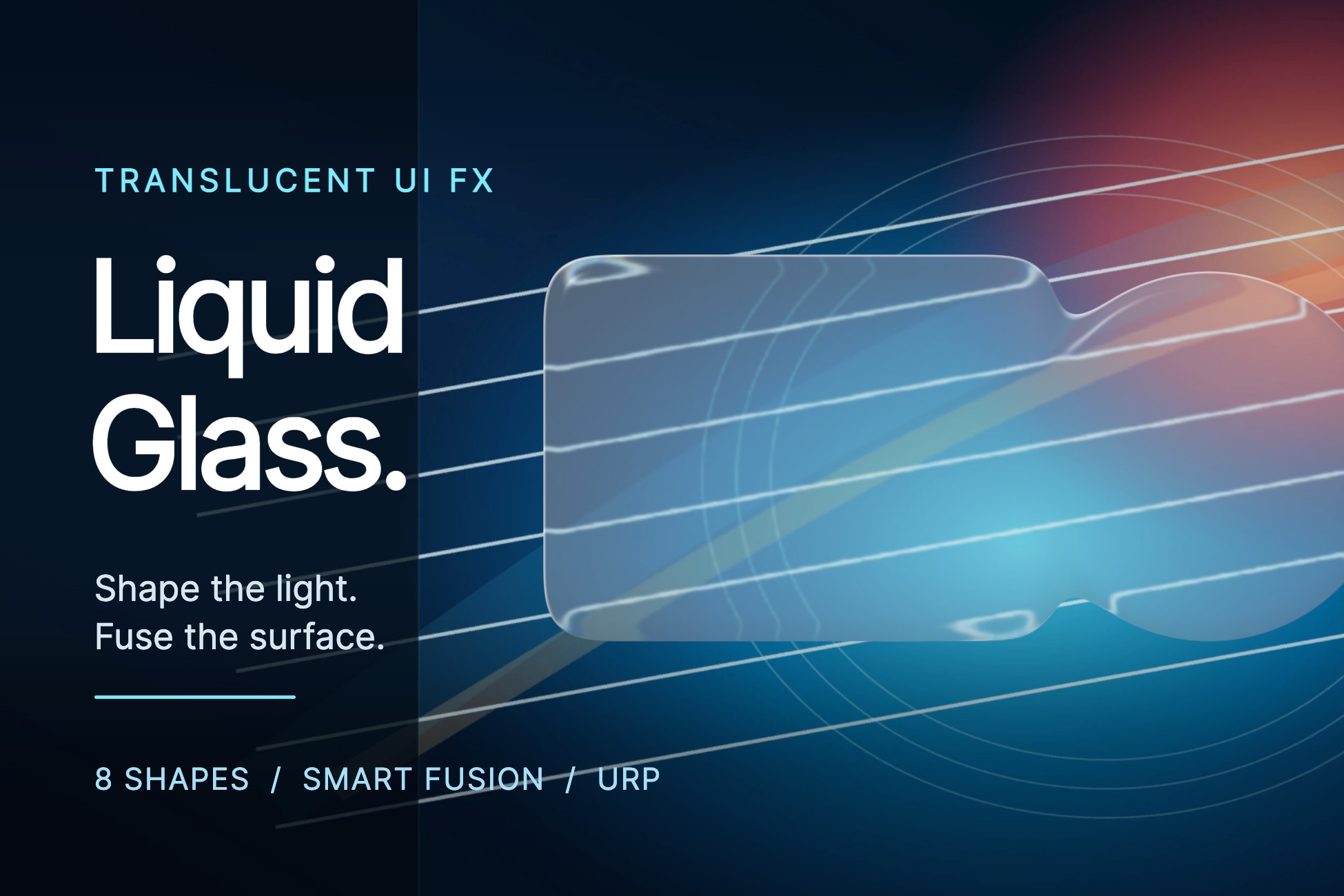
Liquid glass for Unity 6.3 URP. Blur and refract uGUI, choose eight procedural shapes or a sprite, then fuse selected surfaces. No extra Asset Store package.
Affiliate link · Purchases support this site
Price history
Last 6 months
USDAsset preview
1 / 5
Translucent UI FX: Liquid Glass & Smart Fusion for URP screenshot 1
About this asset
Liquid glass. Made to move.
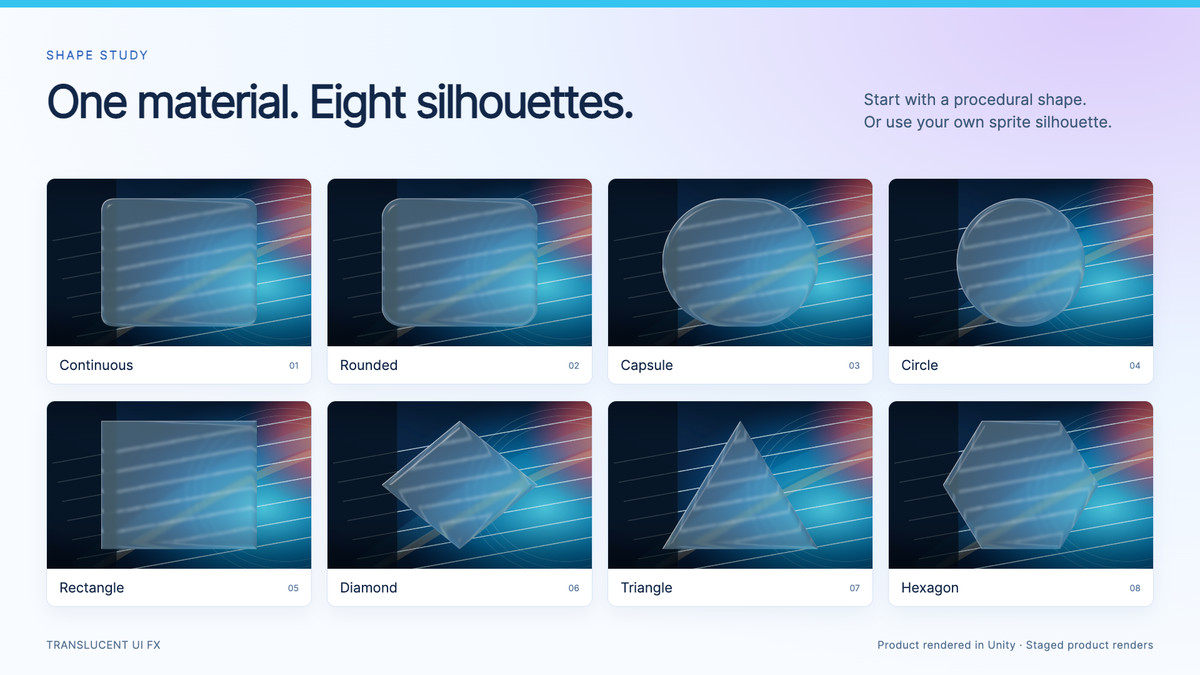
Translucent UI FX gives Unity uGUI visible edge refraction, adjustable blur and responsive lighting. Add one Liquid Glass component, pick from eight procedural shapes or a sprite silhouette, and fuse only the surfaces you choose. The blur system is included; no other Asset Store package is required.
START SIMPLE
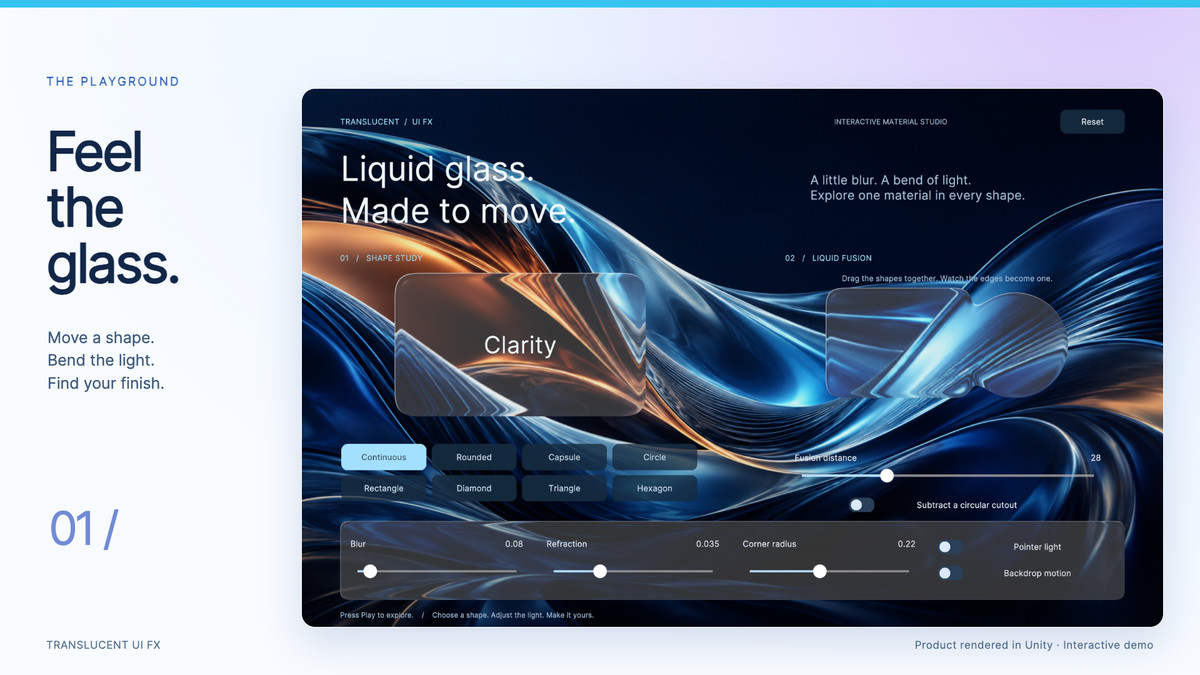
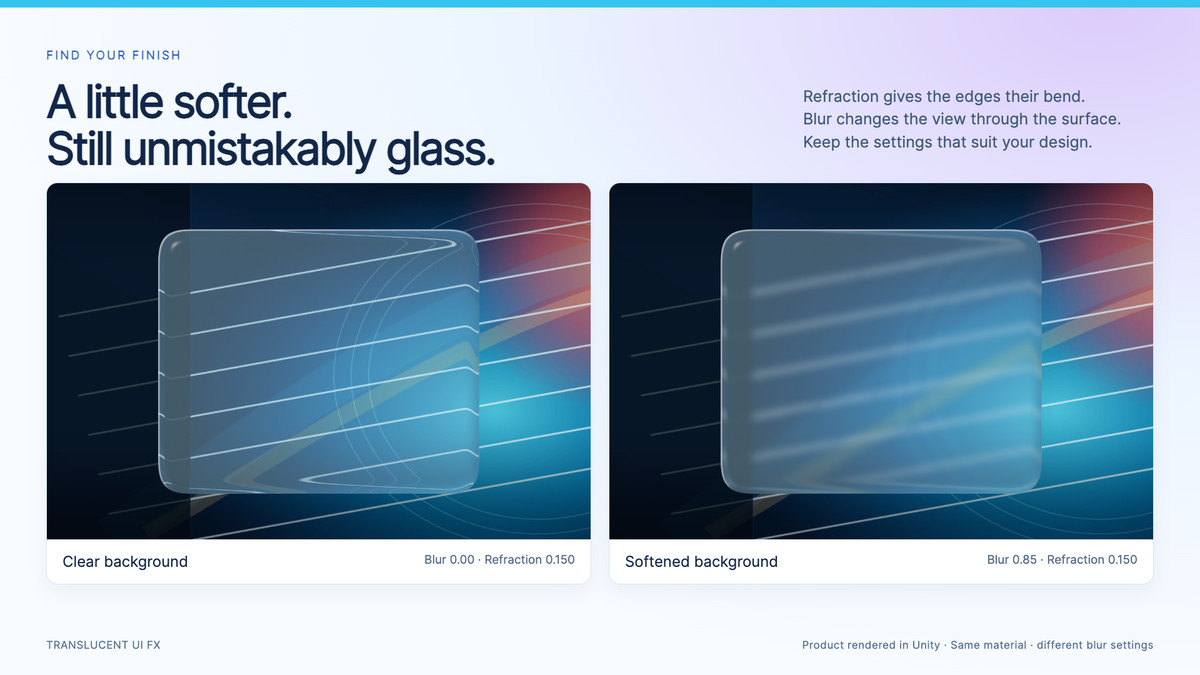
Choose a shape, then adjust Tint, Blur and Refraction. The inspector keeps everyday controls close and puts detailed optics, lighting and background settings in optional foldouts. Ordinary panels find a suitable game camera automatically; install the included URP renderer feature once using Setup & Diagnostics.
SHAPE YOUR UI
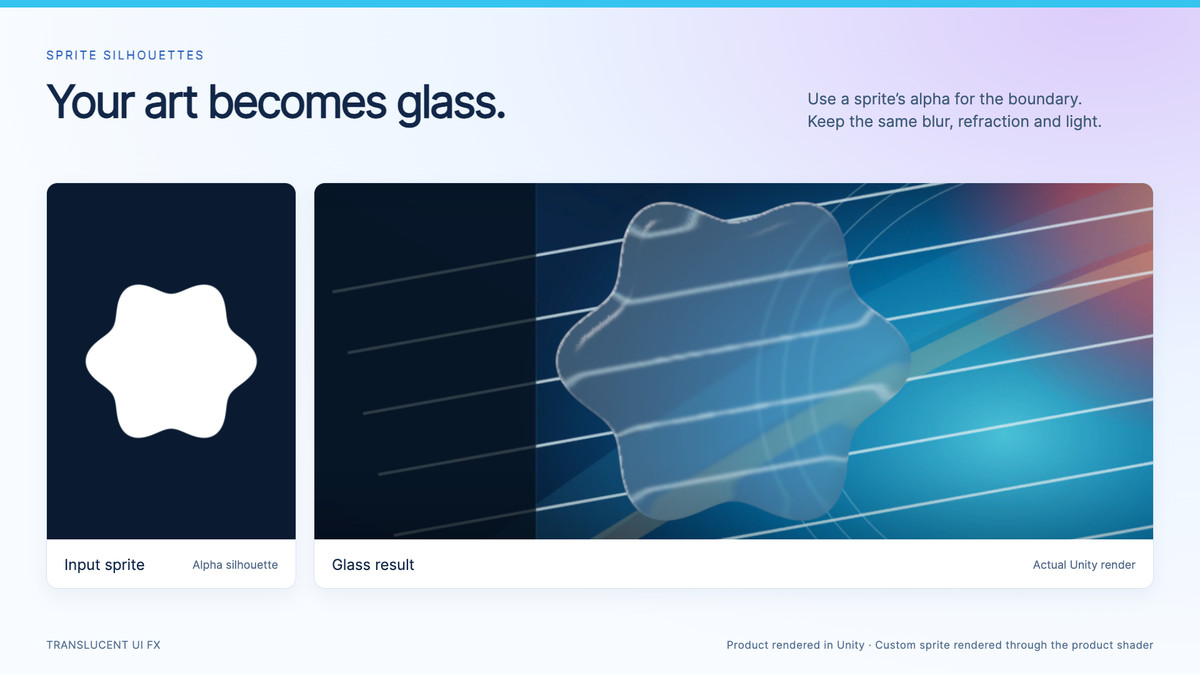
Choose from eight procedural silhouettes: Continuous, Rounded, Capsule, Circle, Rectangle, Diamond, Triangle and Hexagon. Use a sprite's alpha for your own silhouette and refractive boundary, without enabling texture Read/Write. Rounded shapes support independent corners and custom corner profiles.
FUSE THE SHAPES YOU CHOOSE
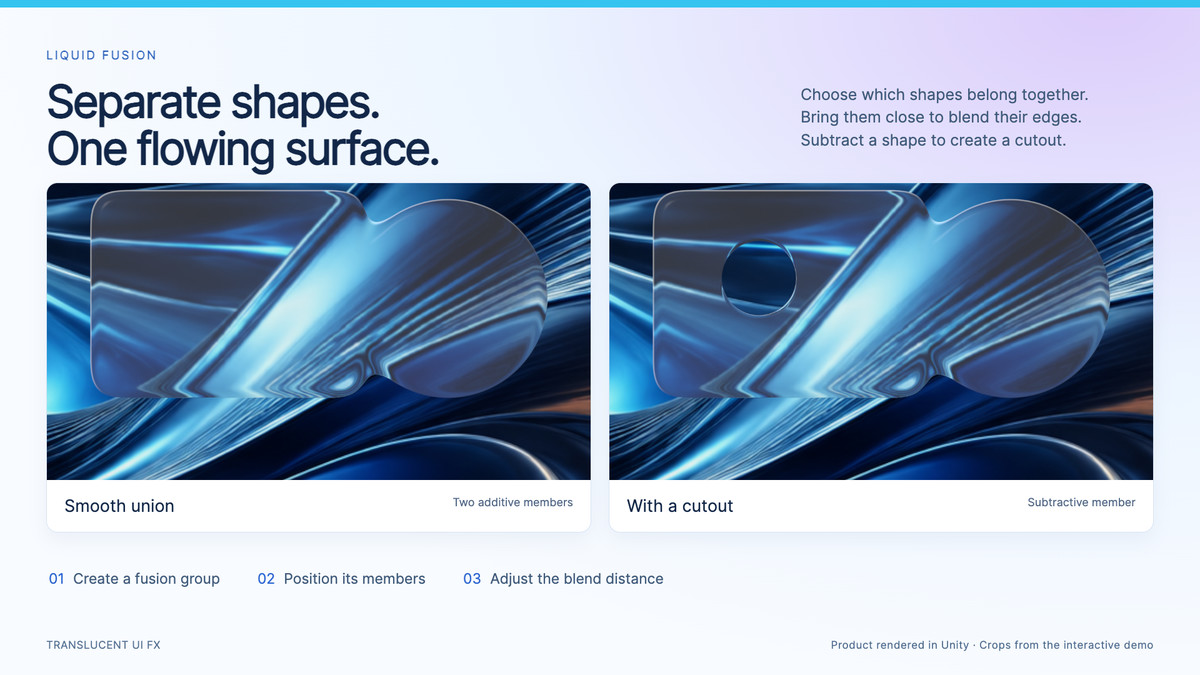
Select sibling glass objects and choose Fuse shapes, or create a group from one object. Move, rotate, resize or duplicate its members to form one joined glass surface. Adjust Blend distance, add subtractive cutouts, or detach a member back into standalone glass. Unrelated panels stay separate.
Procedural and sprite members can mix. Members inherit the group appearance or use their own overrides. A composition map helps you select and arrange members. There is no fixed eight-member authoring limit; rendering cost increases with the number of members and the area they cover.
TUNE THE FINISH
Control blur, edge refraction, tint, dispersion, magnification and lighting. Pointer-following light is optional. Shared background textures and selectable refresh modes let you balance responsiveness and rendering work for your project.
INCLUDED
Runtime components and shaders, URP renderer feature, custom inspectors, setup diagnostics, two demo scenes, a PDF guide, API examples and troubleshooting documentation. The refreshed playground includes a moving blue-and-copper backdrop, eight shape buttons, draggable fusion, a cutout and working appearance controls.
REQUIREMENTS AND LIMITS
Targets Unity 6.3 LTS, URP 17.3 with RenderGraph, and uGUI. Release 3.2.1 was validated on Unity 6000.3.24f1 using Metal. Other graphics APIs and target devices require validation. Built-in Render Pipeline, HDRP, UI Toolkit and WebGL are not supported. Mobile and XR are not advertised as validated.
The demos require Input System and the standard TMP Essential Resources import. No third-party Asset Store package is required. Glass samples content rendered before its background capture; later Screen Space Overlay siblings are not included. Use the documented camera-space and capture-layer setup for UI behind glass or layered glass.
The demo uses Inter under the SIL Open Font License 1.1. See Third-Party Notices.txt in the package.
Documentation and support: use Setup & help in the inspector or visit https://discord.gg/bXABNPthTb.
From the publisher's Asset Store listing.
Technical details
- COMPATIBILITY
- • Target: Unity 6.3 LTS (6000.3), URP 17.3 with RenderGraph, uGUI 2.0.
- • Validated editor/API: Unity 6000.3.24f1 / Metal.
- • Requires shader-model-4.5-class hardware, structured buffers, texture arrays and RFloat texture support.
- • Canvas modes: Screen Space Overlay, Screen Space Camera and World Space, with the documented capture ordering.
- • Unsupported: Built-in Render Pipeline, HDRP, UI Toolkit and WebGL. Mobile, XR and other graphics APIs require platform validation.
- SHAPES AND INTERACTION
- • Eight procedural shapes plus sprite-alpha silhouettes.
- • Independent corners and custom corner profiles on supported rounded shapes.
- • Shape-aware raycasts, CanvasGroup, Mask and RectMask2D integration.
- • Sprite field detail: 64, 128, 256, 512 or 1024; default 256.
- • Sprite fields are cached and shared. First-time generation includes synchronous GPU readback; prepare new complex silhouettes outside latency-sensitive frames.
- FUSION
- • Explicit groups combine procedural and sprite members, including subtractive cutouts.
- • Dynamic member capacity, blend distance, composition map and per-member appearance overrides.
- • Conversion/detach workflow preserves shape, transforms, child content and supported control references.
- • Sprite fusion uses Simple Images; filled, sliced and tiled sprite Images remain standalone.
- • More members and larger covered areas increase rendering cost.
- BACKGROUND AND PERFORMANCE
- • One shared retained source/blur set per camera and capture-layer pair.
- • Automatic camera selection for ordinary panels; optional advanced camera/layer overrides.
- • Quality levels: High, Medium and Low.
- • Refresh modes: Real-Time, Smart Update, Interval and Manual.
- • Smart Update follows camera/projection changes and explicit requests; use Real-Time for animated scenery behind a stationary camera.
- • Background capture is a temporary GPU image, not a recording or a saved screenshot.
- • Profile on your target hardware; no universal FPS guarantee.
- SETUP AND CONTENT
- • Install the renderer feature on the active URP renderer via Setup & Diagnostics.
- • Demos: Input System (validated 1.20.0), New or Both input handling, and Window > TextMeshPro > Import TMP Essential Resources.
- • Includes two demo scenes, bundled backdrop artwork, Inter font with its license, PDF guide and source code.
- • No third-party Asset Store dependencies.
Compatibility
| Unity version | Built-in | URP | HDRP |
|---|---|---|---|
| 6000.3.24f1 | Not listed | Compatible | Not listed |
| 6000.2.6f2 | Not listed | Compatible | Not listed |
Targets Unity 6.3 LTS, URP 17.3 (RenderGraph) and uGUI. Validated: 6000.3.24f1 / Metal. Install the included Renderer Feature via Setup & Diagnostics. Overlay, Camera and World Space canvases need correct capture ordering. Built-in, HDRP, UI Toolkit and WebGL unsupported. Other APIs, mobile and XR unvalidated. Demos need Input System and TMP Essentials. No Asset Store dependencies.
As listed on the Asset Store.