
 View on Asset Store (opens in new tab)
Package details
- Latest version
- 2.35
- Last updated
- First released
- Unity version
- 6000.3.2 or later
- Package size
- 199 KB
- Files
- 19
- Favorites
- 3
- Views in the past week
- 13
Price tracking
- Last checked
- Tracked since
- Lowest recorded
- $5.99 on
Keywords
Awesome Task Manager – Kanban & Notes for Unity
- Price drop
Plan, organize, and manage your game development directly inside Unity with a powerful Kanban board, Markdown notes, Unity scene linking, team tools, and customizable themes.
Lowest recorded price
Get 68% off on Asset Store (opens in new tab)Affiliate link · Purchases support this site
Price history
Last 6 months
USDAsset preview
1 / 11
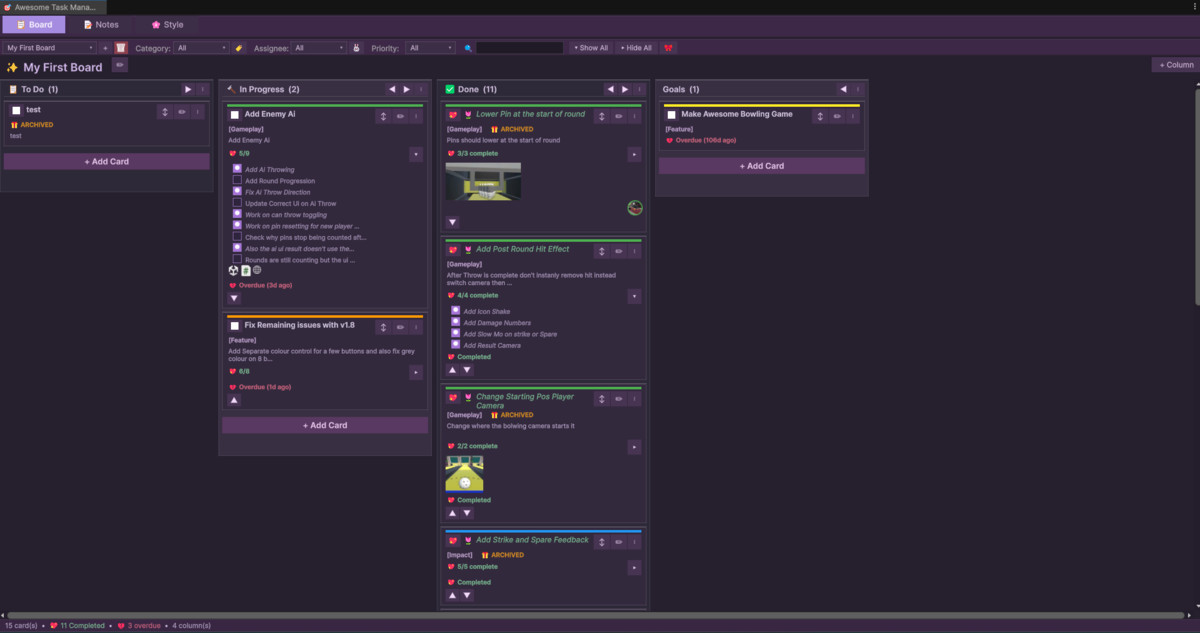
Awesome Task Manager – Kanban & Notes for Unity screenshot 1


About this asset
Awesome Task Manager is a powerful, all-in-one productivity suite built directly into the Unity Editor, designed to keep your projects organized without ever leaving your development environment.
It combines a flexible Kanban task board, Markdown notes system, and fully customizable visual theme engine into one editor-native workflow — giving you everything you need to plan features, track bugs, document ideas, and manage development tasks in one place.
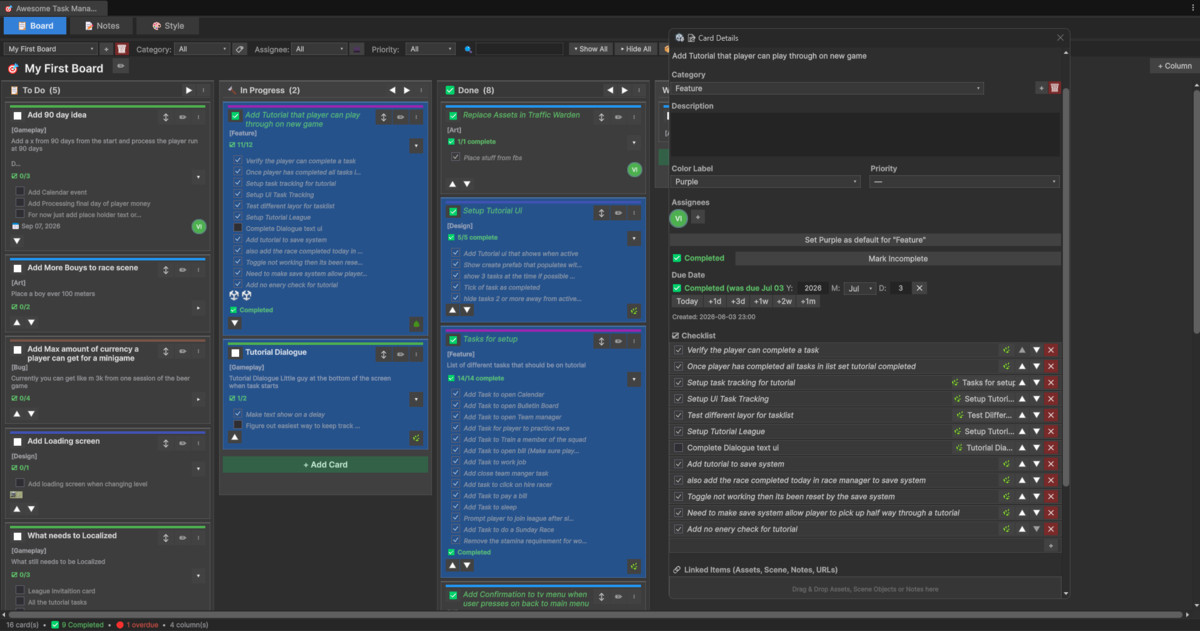
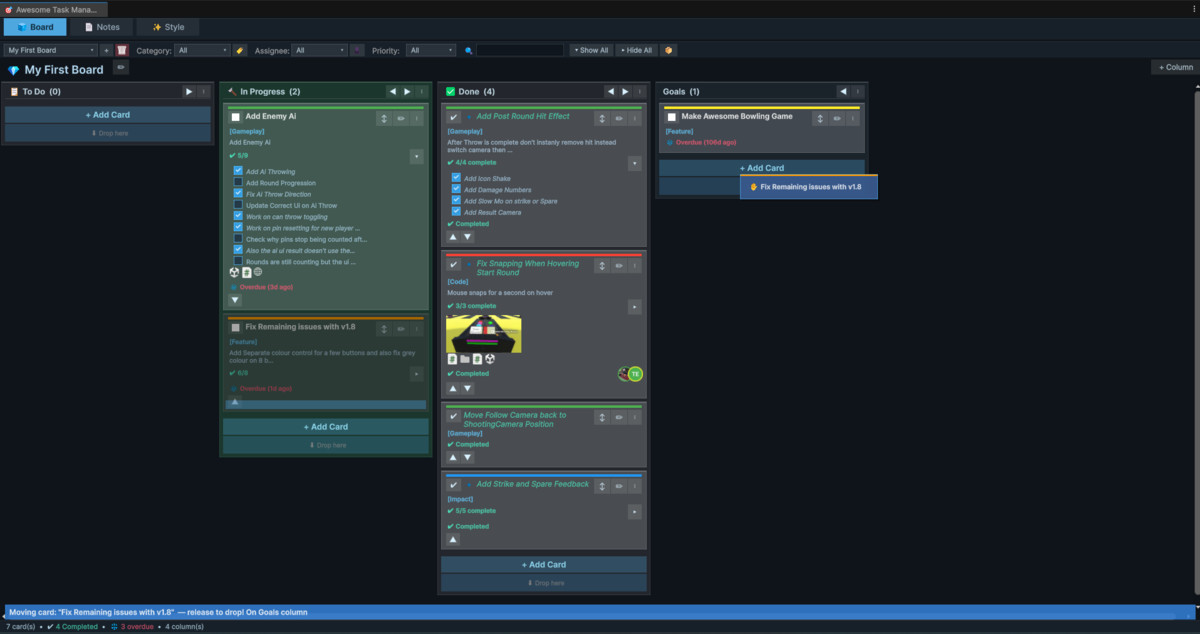
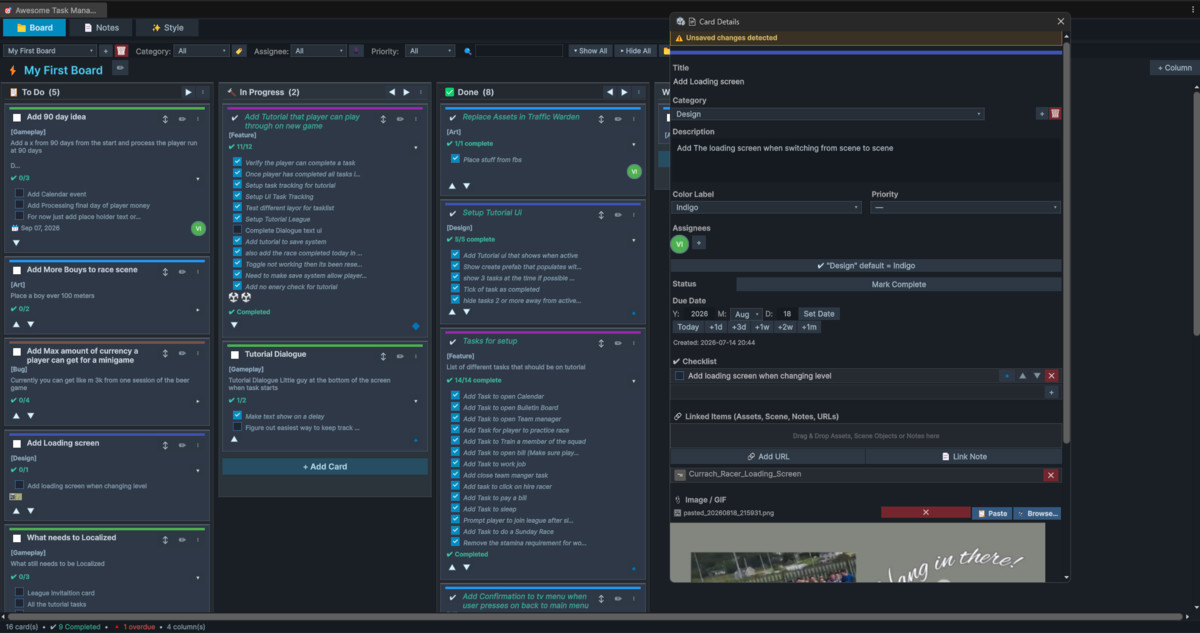
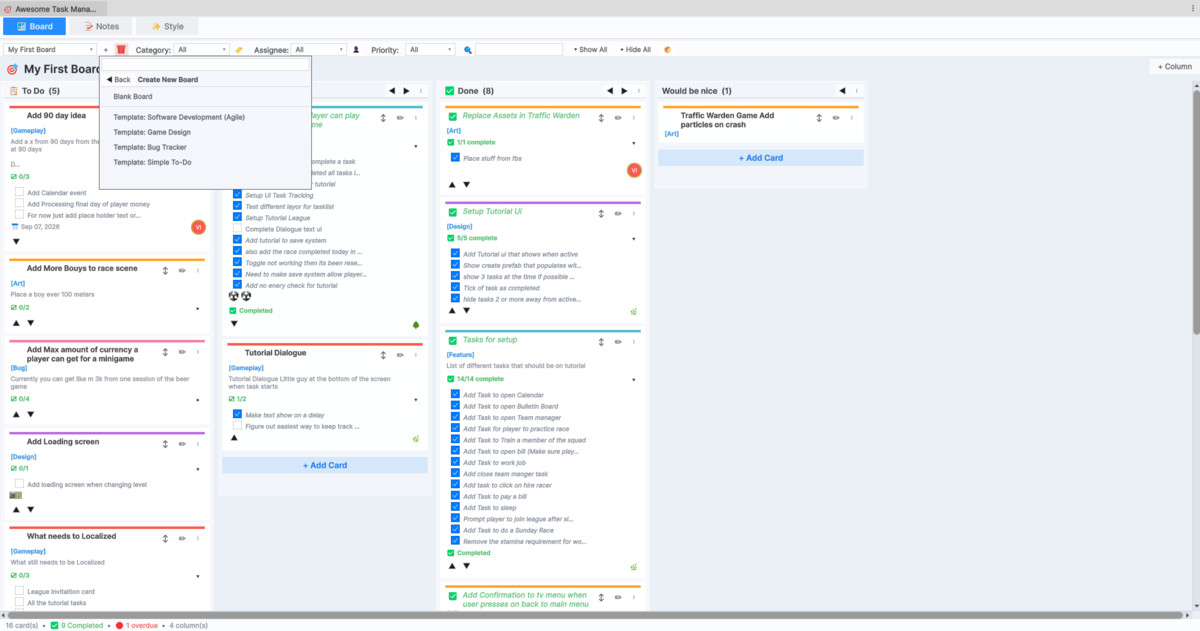
Create unlimited boards and customizable columns, use built-in templates for workflows such as Game Design, Agile, Bug Tracking, and To-Do, and manage tasks with intuitive drag-and-drop interaction. Task cards support priorities, due dates, categories, labels, checklists, subtasks, assignees, image/GIF attachments, and archiving.
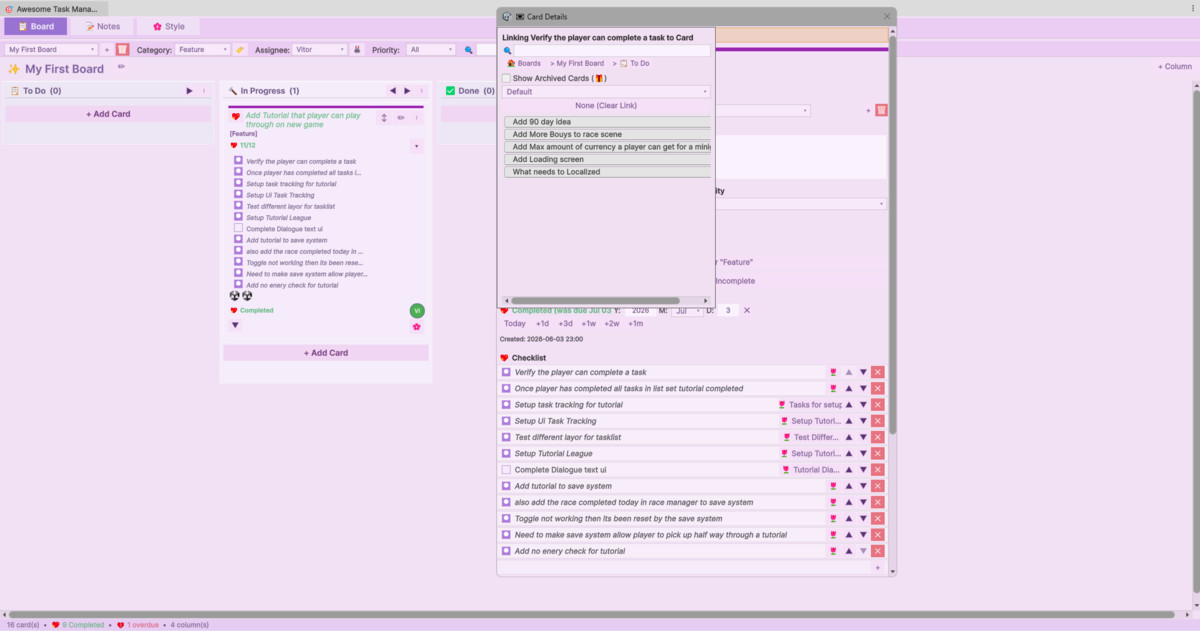
Build detailed parent-child task hierarchies by linking task cards to checklist items, with automatic completion synchronization between parent tasks and subtasks. Assign tasks to team members, filter by assignee or priority, duplicate cards, and easily move or copy tasks between boards.
Designed specifically for game development, Awesome Task Manager can link tasks directly to Unity assets and GameObjects. Jump from a task straight to the relevant scene object, automatically switching scenes and locating the object in the Hierarchy when needed. You can also link notes and URLs directly to cards.
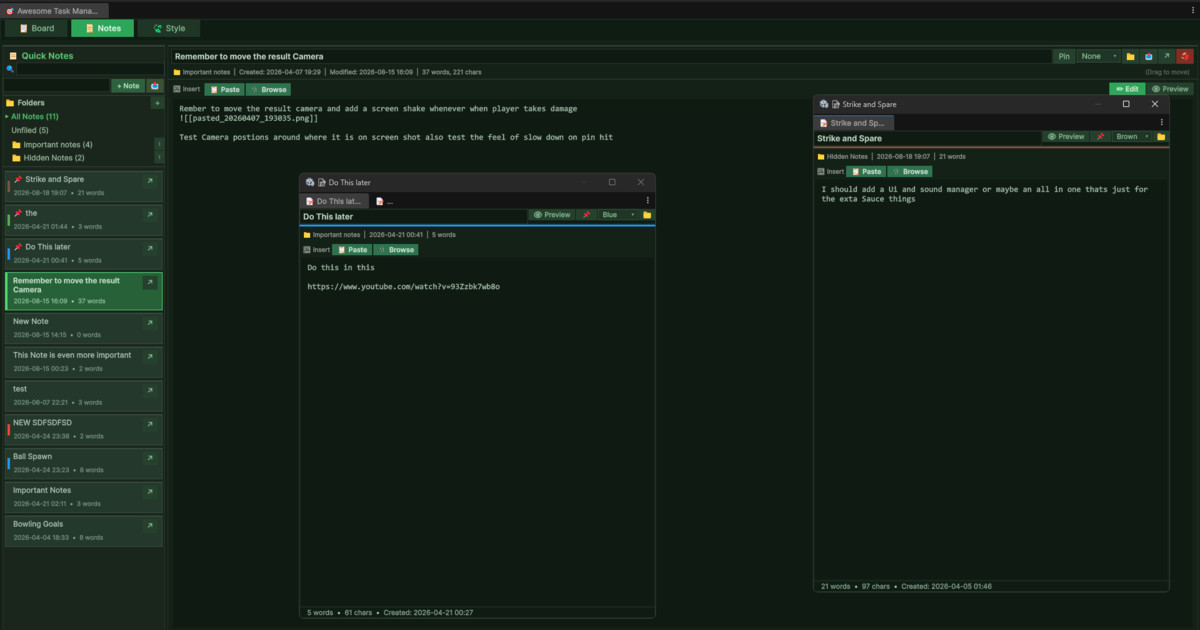
The integrated Markdown Notes system gives you a lightweight place to document systems, capture ideas, write design notes, and store development information. Notes support Markdown formatting, interactive checklists, inline images, clipboard image pasting, drag-and-drop images, folders, search, pinning, pop-out editors, and Markdown import/export.
Beta: Import & Export
The Import & Export system is currently in beta and is actively being improved. It currently supports CSV, Excel, and native JSON formats, along with import presets for platforms such as ClickUp, Trello, Jira, Asana, and Monday.com. An interactive field-mapping system lets you match imported data to Awesome Task Manager fields and save reusable mapping profiles.
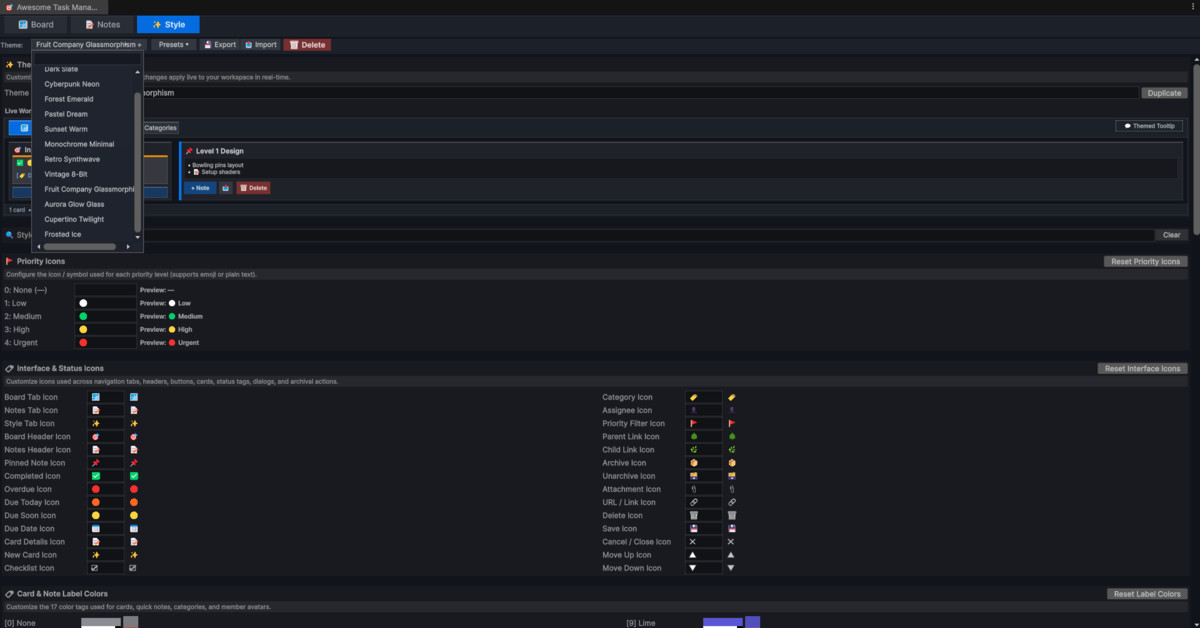
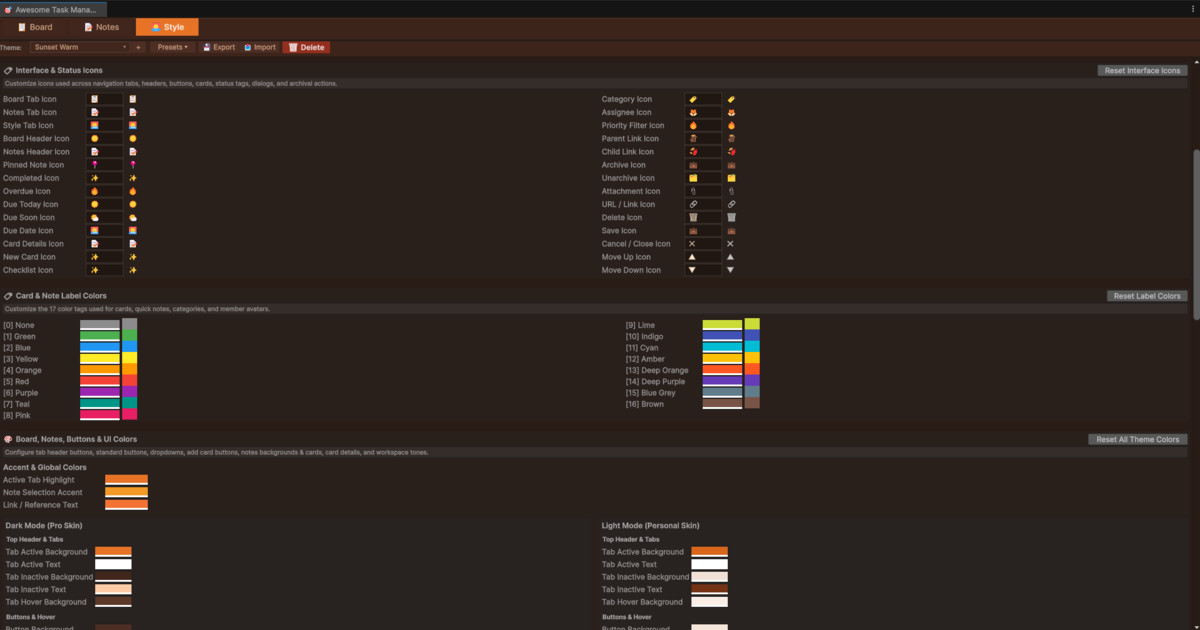
Make the workspace your own with the Style Customizer, featuring 13 built-in themes, custom themes, full color and opacity controls, light and dark skin support, customizable icons, live previews, and theme import/export. Create everything from clean minimal interfaces to retro, cyberpunk, and frosted-glass styles.
Everything is editor-only, lightweight, dependency-free, and version-control friendly, with project data stored separately from personal theme preferences. Your tasks and notes stay inside Unity while having no impact on your game builds.
Plan. Organize. Document. Develop. All without leaving Unity.
From the publisher's Asset Store listing.
Technical details
Unity Compatibility
- Unity Editor tool — editor-only, with no runtime impact
- Supports Unity 6 and newer
- Compatible with Built-in, URP, and HDRP
- Fully self-contained with no third-party dependencies
Task Board
- Unlimited boards with fully customizable columns
- Trello-style drag & drop with card reordering
- Built-in Board Templates — Agile, Game Development, Bug Tracker, and custom templates
- Task cards with descriptions, categories, labels, priorities, due dates, checklists, and assignees
- Smart due-date indicators for overdue, due today, and upcoming tasks
- Customizable category colors and labels
- Subtask hierarchy — link task cards to checklist items to create multi-level parent-child relationships
- Automatic parent/subtask completion synchronization
- Card duplication and cross-board copy/paste
- Search and filtering by text, category, assignee, and priority
- Task archiving for completed or inactive work
- Image and GIF attachments with live previews
- Beta Import & Export with CSV, Excel, and native JSON formats, plus platform import presets
Markdown Notes
- Full Markdown editor with Edit / Preview modes
- Inline image embedding using ![[image.png]]
- Clipboard image paste with Ctrl+V
- Drag-and-drop image support
- Folder organization and note pinning
- Search by title and content
- 17 customizable note label colors
- Pop-out note editor windows
- Import and export support for common text and Markdown formats
GIF Support
- Built-in GIF decoder with no external plugins
- Animated GIF playback in tasks and notes
- Session caching for efficient playback
Themes & Customization
- 13 built-in themes
- Create, duplicate, rename, import, and export custom themes
- Full color and opacity/alpha controls
- Separate Light and Dark editor skin styling
- Customizable priority, due-date, navigation, and interface icons
- Live theme preview
- Frosted-glass and translucent styling support
UX & Workflow
- Light and Dark editor theme support
- Global shortcuts:Ctrl+Alt+T — Open Awesome Task Manager
Alt+Shift+C — Create Task
Ctrl+Alt+N — Create Note - Quick task and note creation even when the main window is closed
- Automatic saving — no manual save required
- Drag-and-drop visual feedback
- Themed dialogs, dropdowns, and tooltips
Unity Integration
- Link task cards directly to GameObjects and scene assets
- Automatically switch scenes and locate linked objects in the Hierarchy
- Link Notes and URLs directly to task cards
- Unified linked-item management with custom ordering
Data & Storage
- JSON-based project storage
- Per-project data isolation
- Version-control friendly data structure
- Task and note data stored separately from personal theme preferences
- Attached images stored within the Unity project
- Editor-only — no runtime dependencies or build impact
Compatibility
| Unity version | Built-in | URP | HDRP | Custom |
|---|---|---|---|---|
| 6000.6.0f1 | Compatible | Compatible | Compatible | Compatible |
| 6000.3.2f1 | Compatible | Compatible | Compatible | Compatible |
| Requirement | Version |
|-------------|---------|
| Unity | **Unity 6** or newer |
| Render Pipeline | Any (SRP, URP, HDRP, Built-in) — it's editor-only! |
| Platform | All — editor tool, no runtime dependencies |
| Theme | ✅ Light & Dark editor themes |
**Zero dependencies.** No third-party plugins required.
As listed on the Asset Store.