
 View on Asset Store (opens in new tab)
Package details
- Latest version
- 1.0.0
- Last updated
- First released
- Unity version
- 6000.0.60 or later
- Package size
- 8.7 MB
- Files
- 63
- Favorites
- 10
- Views in the past week
- 6
Price tracking
- Last checked
- Tracked since
- Lowest recorded
- $8.99 on
Keywords

UI Juicer - One Click UI Animator
- Price drop
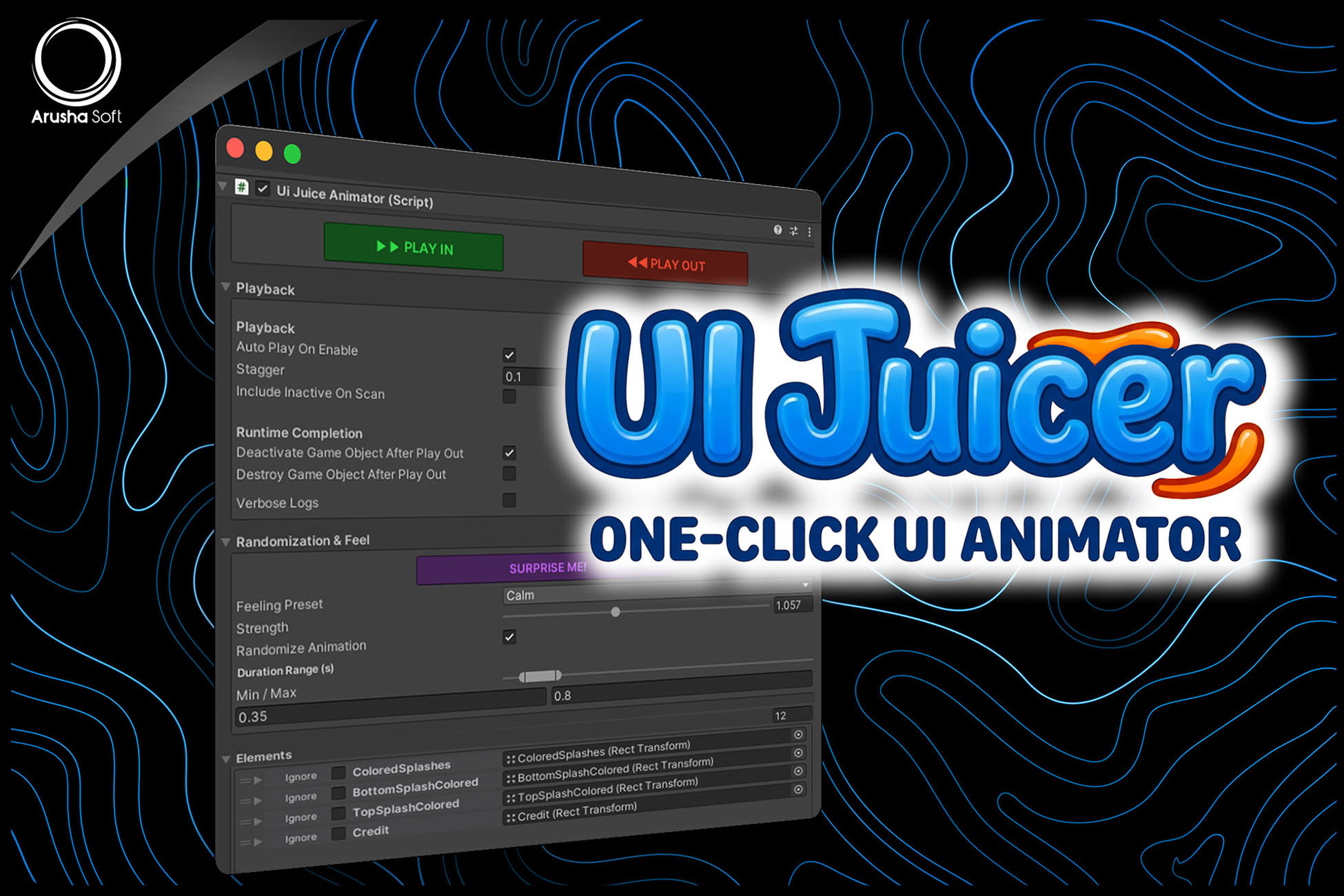
UI Juicer is a no-code UI animation tool for Unity with 60+ presets. Easily animate position, scale, rotation, fade, and color to create polished, dynamic UI in seconds directly from the Inspector.
Lowest recorded price
Get 55% off on Asset Store (opens in new tab)Affiliate link · Purchases support this site
Price history
Last 6 months
USDAsset preview
1 / 2

UI Juicer - One Click UI Animator video 1

About this asset
UI Juicer is designed to simplify UI animation in Unity by removing the need for complex timelines, manual tweening, or custom scripting.
Simply add the component to your UI root, and all child elements are automatically detected and ready to animate. With a single click, you can apply beautiful animation presets which are automatically generated in a smart way using your UI’s position, scale, and other relevant properties and instantly preview the results directly in the editor.
The package includes more than 60 carefully designed “feeling presets,” allowing you to quickly experiment with different animation styles such as bounce, slide, dramatic, calm, glitch, neon, and more.
All animations are fully customizable through the Unity Inspector. You can control timing, strength, stagger, easing curves, and even fine-tune individual UI elements. This makes the tool flexible enough for both quick prototyping and advanced production use.
UI Juicer is suitable for a wide range of projects, including:
- Game menus and UI transitions
- HUD and in-game interfaces
- Mobile games and casual experiences
- Dialogue systems and interactive UI
- Any project that requires polished and responsive UI
Whether you're a developer looking to save time or a designer who prefers a no-code workflow, UI Juicer fits seamlessly into your pipeline.
From the publisher's Asset Store listing.
Technical details
Core Features:
- 60+ built-in animation presets
- One-click setup with automatic UI element detection
- Highly optimized to handle a large number of UI elements simultaneously
- Supports Position, Rotation, Scale, Fade, and Color animations
- Staggered / cascading animation system
- Fully inspector-based workflow (no coding required)
- Real-time preview in Edit Mode
- Auto-randomization for variation
- Customizable animation curves (AnimationCurve support)
- Duration range control (min/max timing)
- Global strength multiplier
Advanced Features:
- Per-element customization and control
- Curved path animations
- Ability to ignore specific UI elements
- Surprise effect button that generates a random animation with randomized timing, stagger, and other parameters.
- Graphic override for targeted color animation
- CanvasGroup auto-add for fade support
- Initial state capture for reliable replay
Integration & API:
- Unity Events support (onAnimationStart, onAnimationFinish)
- Full C# API for advanced control
- Runtime animation control (PlayIn, PlayOut, Stop, etc.)
Compatibility:
- Unity 2019.4 or newer
- Compatible with Built-in, URP, and HDRP
- Works on all platforms (PC, Mobile, Console)
- No external dependencies
Compatibility
| Unity version | Built-in | URP | HDRP | Custom |
|---|---|---|---|---|
| 6000.0.60f1 | Compatible | Compatible | Compatible | Compatible |
As listed on the Asset Store.