
 View on Asset Store (opens in new tab)
Package details
- Latest version
- 1.0
- Last updated
- First released
- Unity version
- 6000.4.0 or later
- Package size
- 18.3 MB
- Files
- 38
- Favorites
- 9
- Views in the past week
- 27
Price tracking
- Last checked
- Tracked since
- Lowest recorded
- Free on
Keywords

Easy GameObject Scatterer
- Price drop
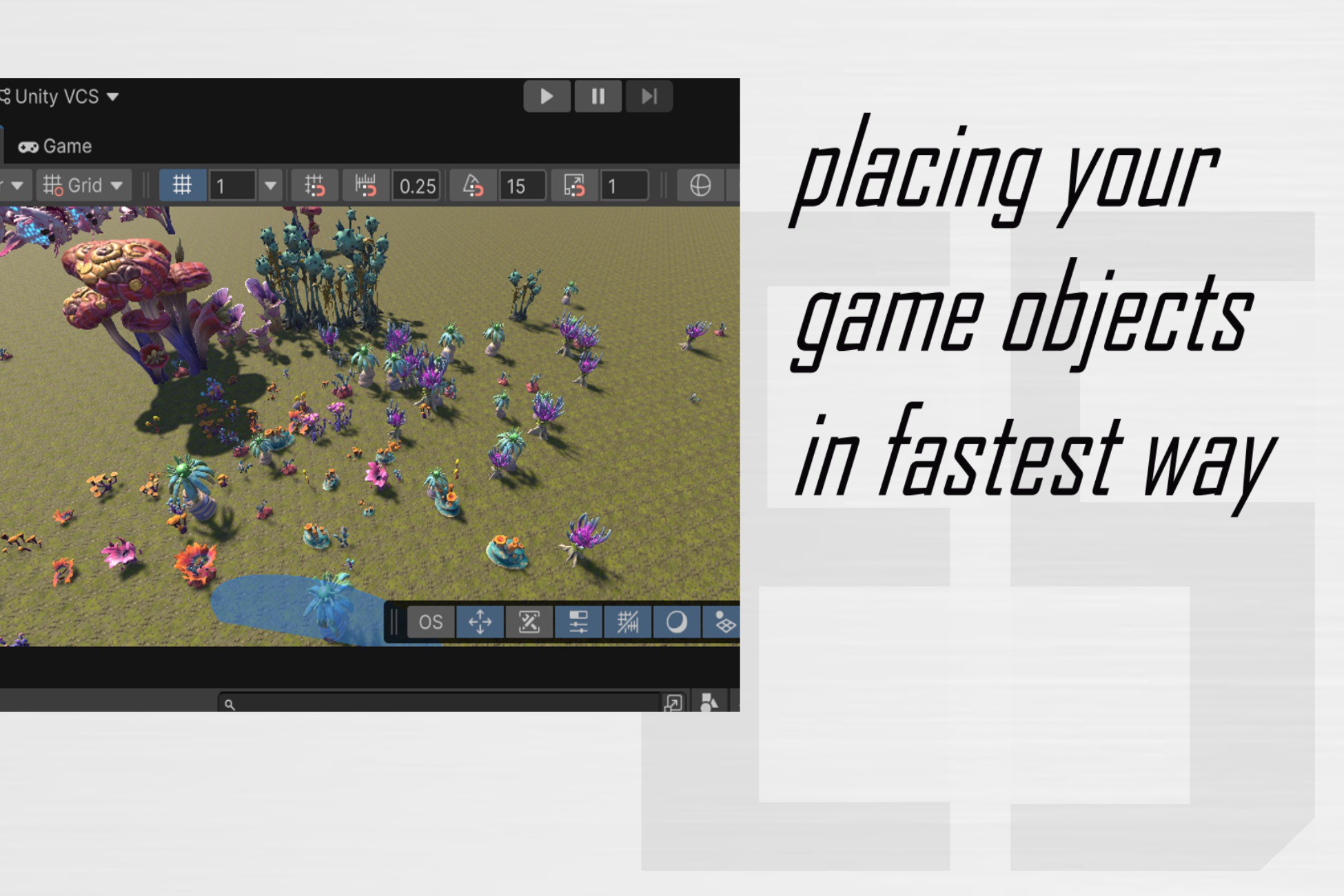
Editor tool to batch-scatter or brush-paint prefabs in the Scene view. Raycast & mesh hits, optional physics drop, Unity 6 overlays. No runtime overhead.
Affiliate link · Purchases support this site
Price history
Last 6 months
USDAsset preview
1 / 8

Easy GameObject Scatterer screenshot 1


About this asset
Object Scatterer is an Editor-only workflow for populating outdoor or indoor layouts with props—rocks, vegetation, clutter, decals—without writing placement scripts.
Batch Scatter places many instances at once inside a Ground Raycast region (sphere or box around a scatter center) or spawns inside a Random Volume with mandatory rigidbody settling (Random Volume + Drop). Brush Paint lets you stamp or stroke along surfaces in the Scene view using the built-in Object Scatterer tool (shortcut label OS on the toolbar / overlay).
Placement & filtering: Layer masks, optional Include Only / Exclude root hierarchies, random uniform scale, yaw-only or full XYZ rotation, alignment to surface normals, and optional position jitter. Raycast resolution uses physics colliders, TerrainCollider, and triangle tests against static and skinned meshes when no collider exists (static meshes need Read/Write where applicable).
Physics (editor): Optional simulate-on-spawn for grounded and brush workflows; Random Volume batch mode always runs drop simulation. Preview playback over multiple editor frames; temporary colliders can be generated from render meshes when a prefab has no colliders. Undo is grouped per batch or brush stroke.
Unity 6 integration: Optional Scene View overlay mirrors brush radius, spacing, drop simulation, preview, and step settings next to your other Scene tools.
Ideal for level designers and environment artists who want fast iteration and art-directed coverage without baking placement into builds.
From the publisher's Asset Store listing.
Technical details
Unity version
Unity 6 (uses Scene View Overlays / EditorToolbarElement APIs). Not tested on older editors.
Runtime
None. All scripts live under an Editor folder; no components or assets are added to player builds.
Render pipeline
N/A (editor tooling only).
Scripting
Matches your project’s Editor scripting runtime (e.g. .NET Standard 2.1 / Unity default for Unity 6).
Dependencies
None beyond Unity Editor modules used by the tool (UI Toolkit / overlays where applicable).
Namespace
EasyTools.ObjectScatterer
Platforms
Editor runs where Unity Editor runs (Windows / macOS / Linux per Unity support).
Compatibility
| Unity version | Built-in | URP | HDRP | Custom |
|---|---|---|---|---|
| 6000.4.0f1 | Compatible | Compatible | Compatible | Compatible |
As listed on the Asset Store.